Gemini 4 Argon vs Claude Opus 5.5:2D/3D 视觉理解与 code/tool 解题

同一 prompt、同一图像、同一套本机工具(run_python、view_image,经各自的 function calling);两边都开 thinking(Argon thinking_level high,Opus adaptive+effort high)。分数 0–1,按每个任务的标准答案自动评分。生成画(diffusion)不在本测试内。

任务Opus 5.5 · 只看图Opus 5.5 · 看图+工具Argon · 只看图Argon · 看图+工具
T1-defects
2D 二原检查:找注入的断线、多余线、错色区域
0.46 (0.67 / 0.25)1.00 (1.00 / 1.00)1.00 (1.00 / 1.00)1.00 (1.00 / 1.00)
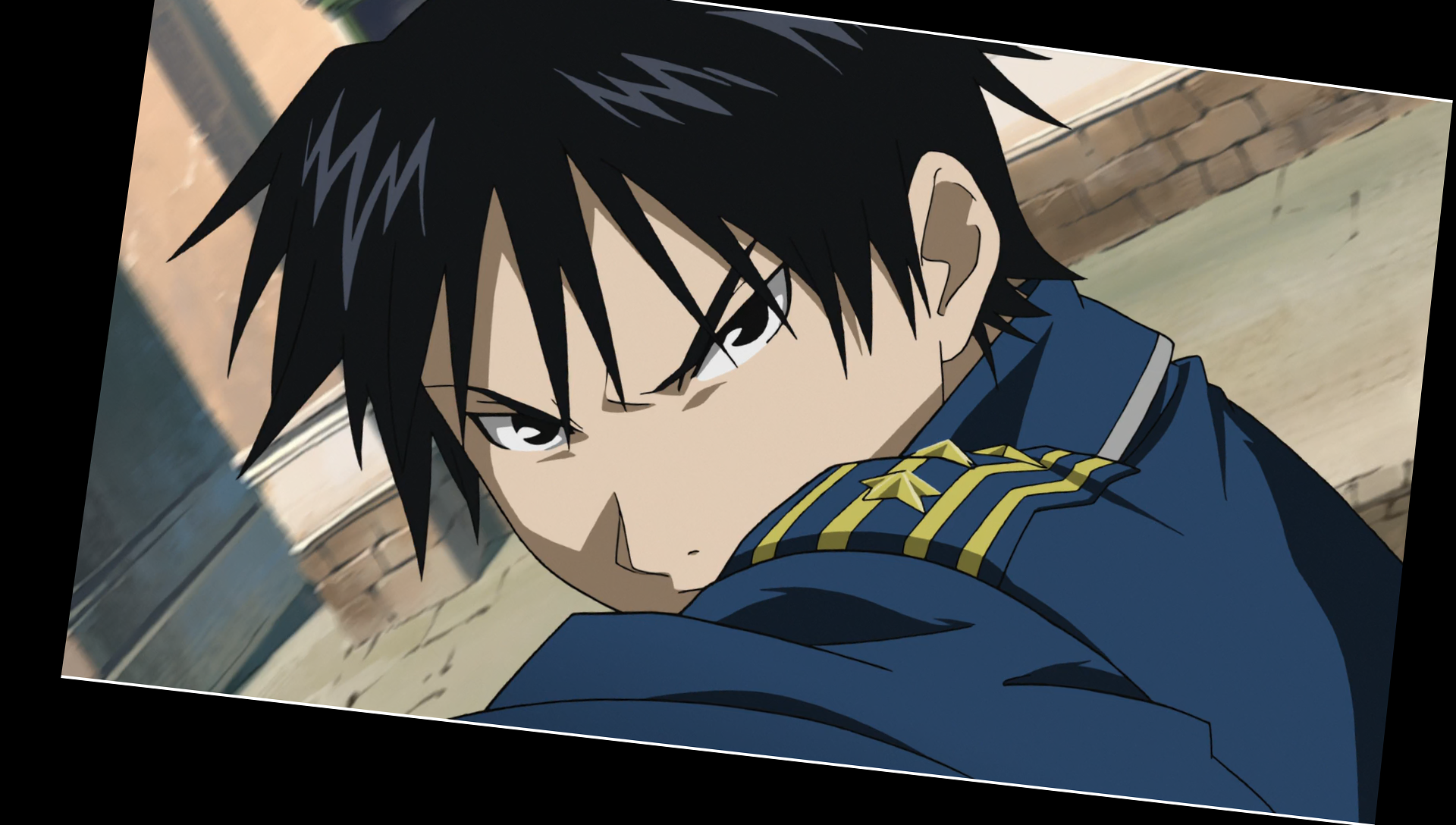
T2-align
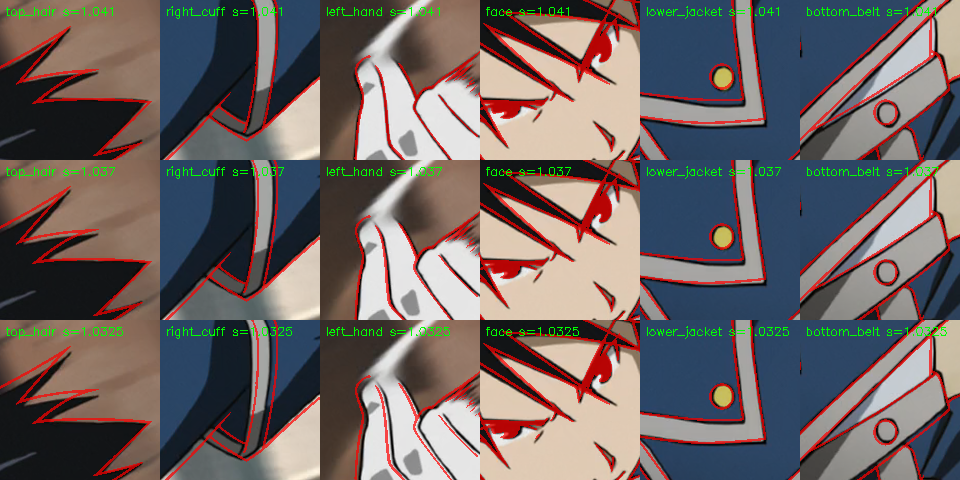
2D 对齐:二原相对源帧的缩放和平移
0.83 (0.83 / 0.83)0.95 (0.95 / 0.95)0.82 (0.82 / 0.83)0.95 (0.95 / 0.96)
T3-count
2D 区域:按颜色定义数青色和紫色区域
0.57 (0.58 / 0.56)1.00 (1.00 / 1.00)0.50 (1.00 / 0.00)1.00 (1.00 / 1.00)
T4-holds
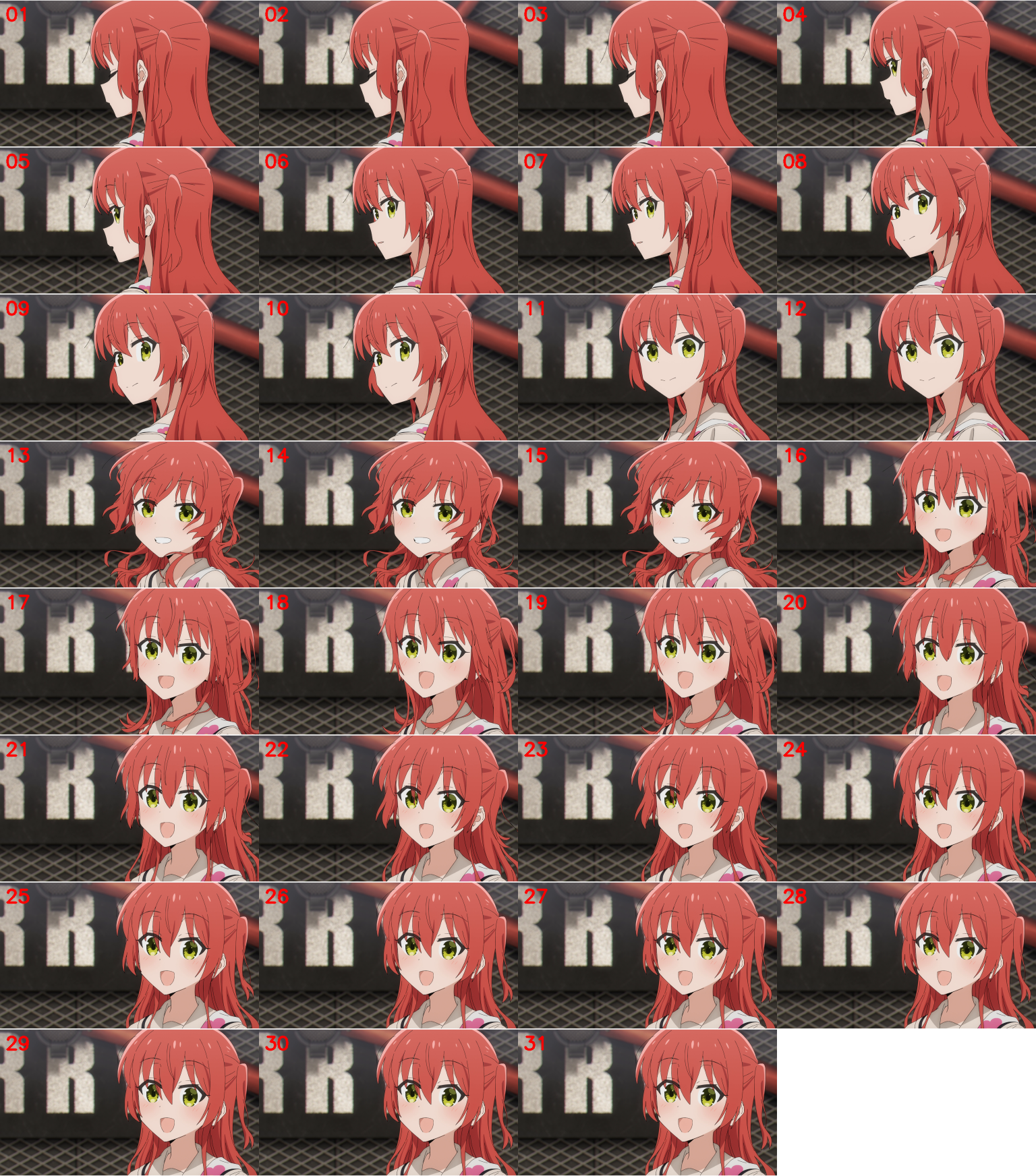
时间:31 帧里哪些是 hold
0.73 (0.85 / 0.62)1.00 (1.00 / 1.00)0.89 (0.90 / 0.88)1.00 (1.00 / 1.00)
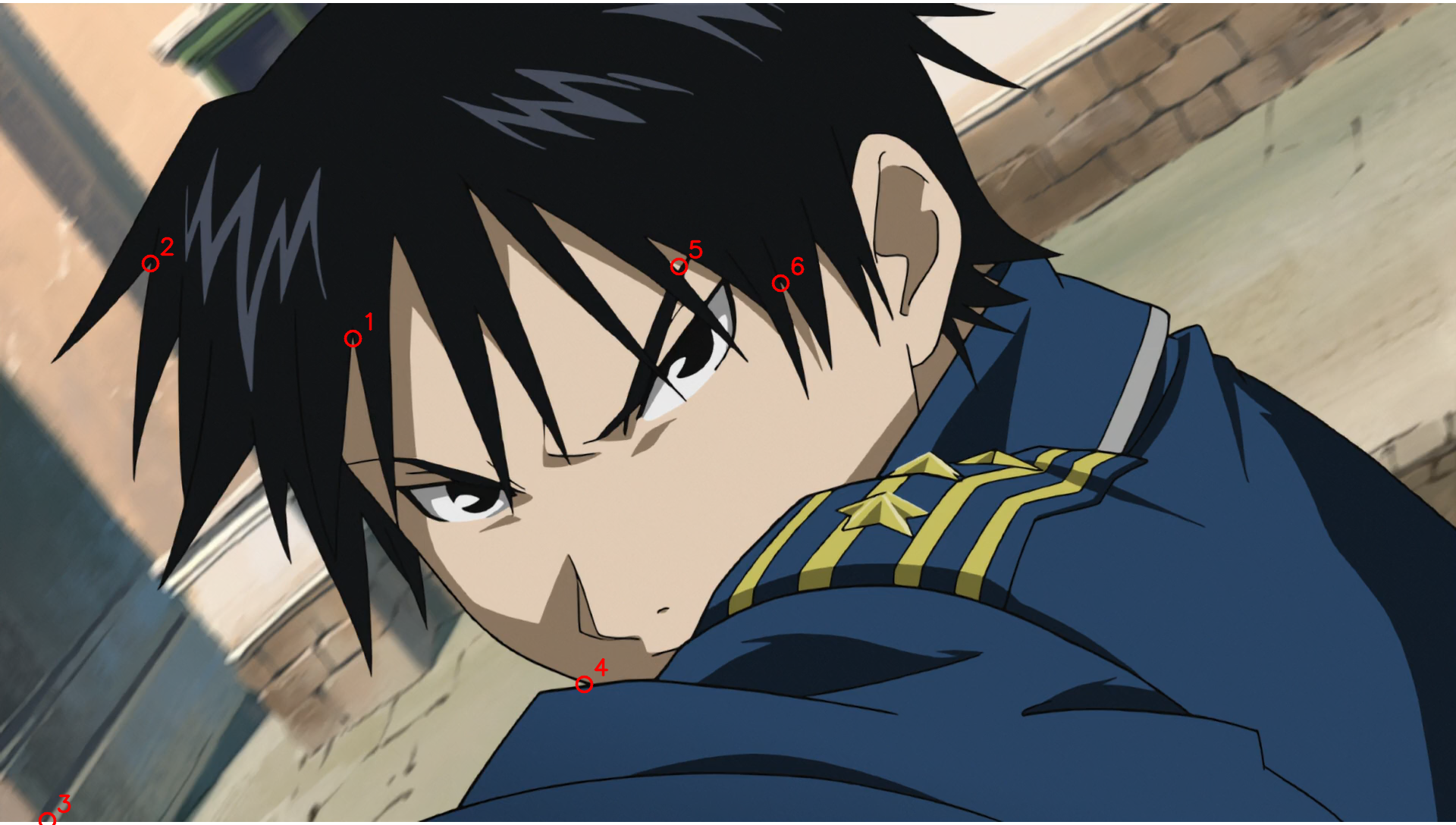
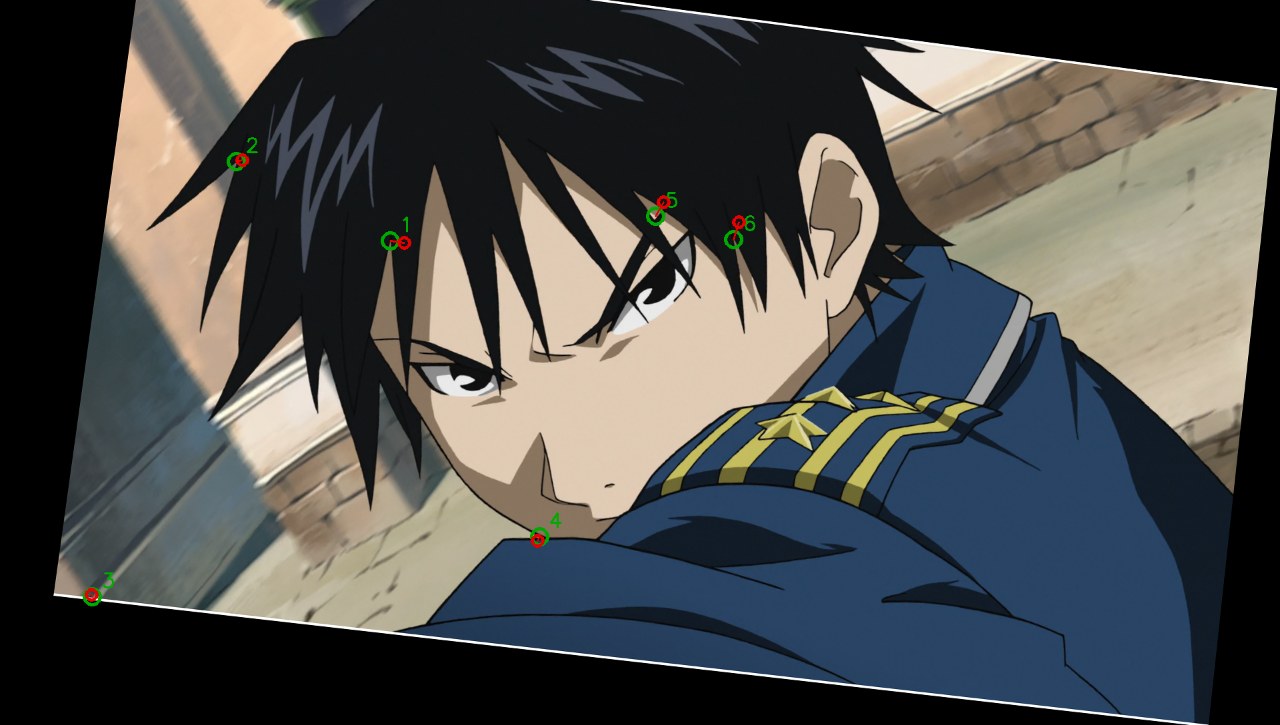
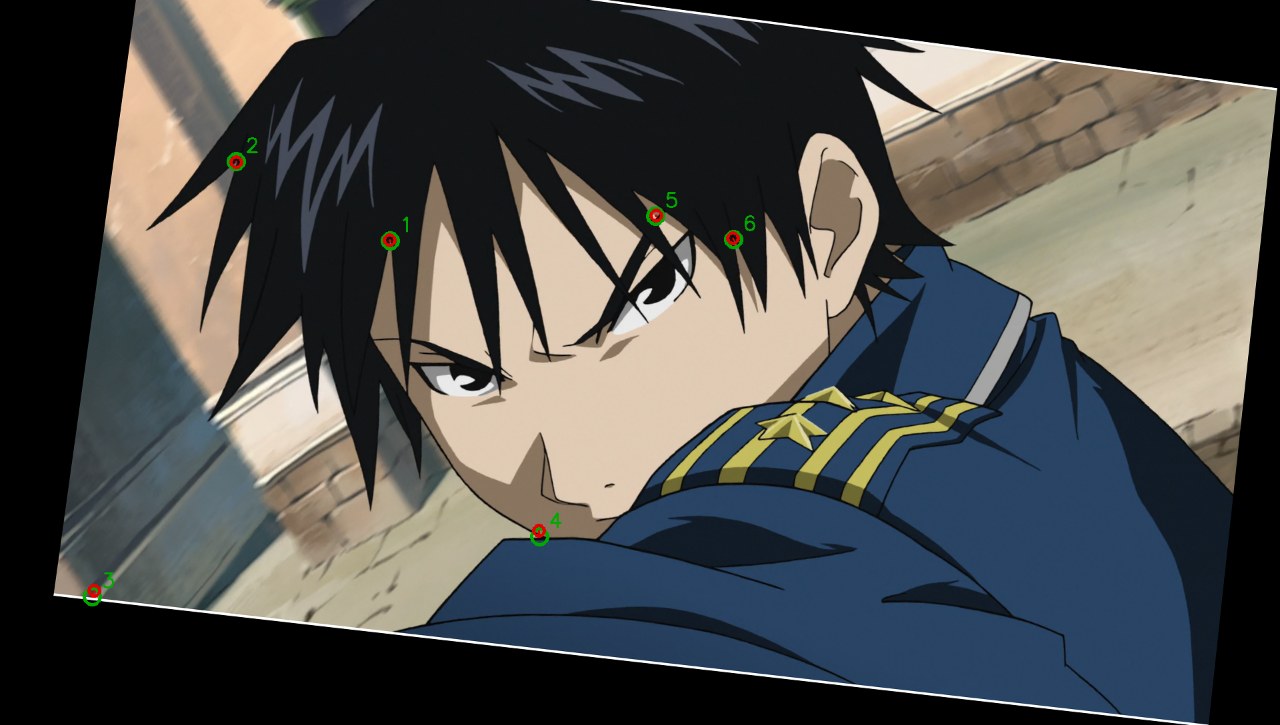
T5-points
对应点:透视变形后 6 个点的位置
0.83 (0.75 / 0.92)1.00 (1.00 / 1.00)0.93 (0.93 / 0.94)0.99 (0.99 / 0.99)
T6-cube
3D 姿态:立方体可见面和法线
0.93 (0.93 / 0.93)1.00 (1.00 / 1.00)0.99 (0.99 / 0.99)1.00 (1.00 / 1.00)
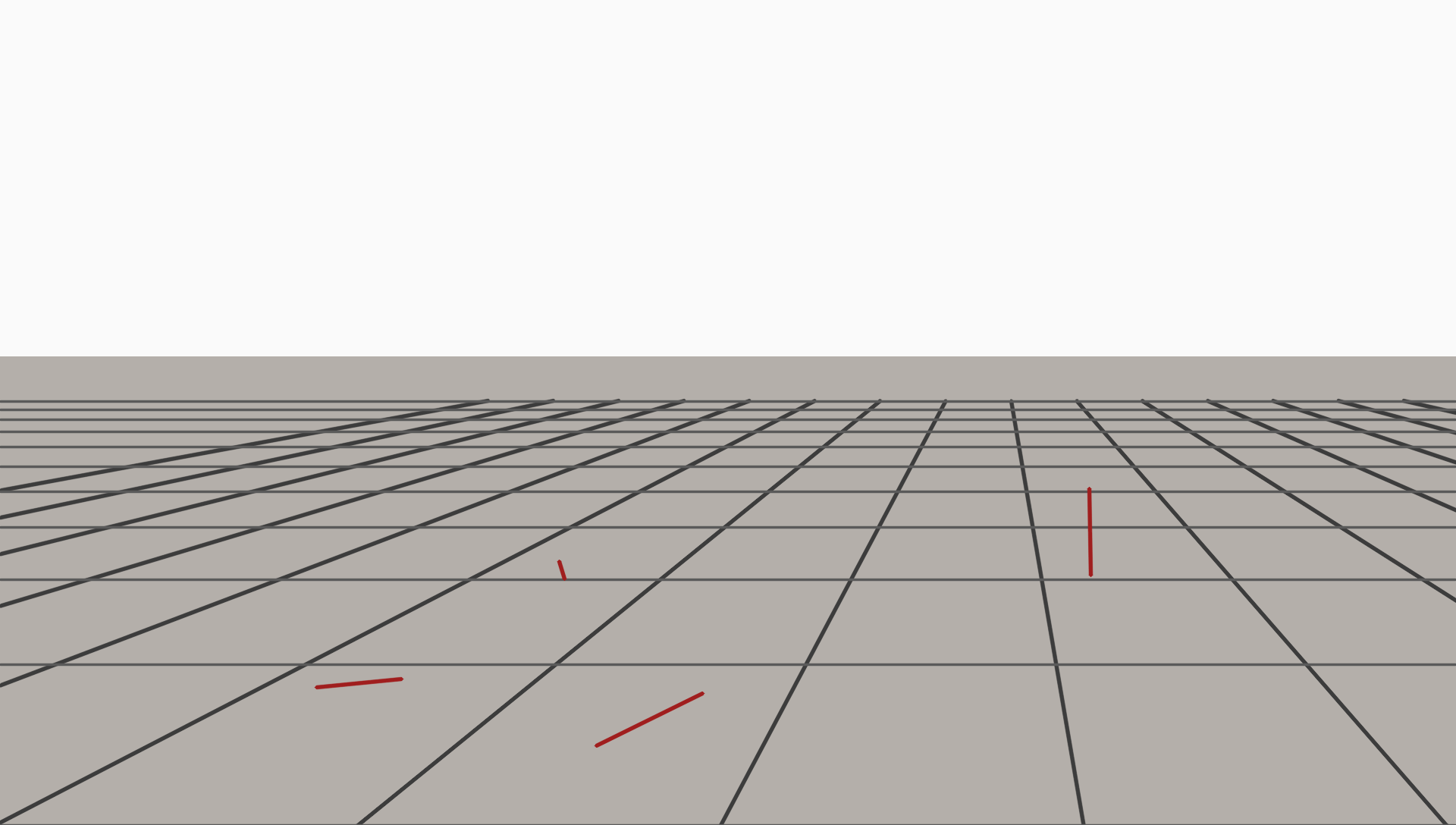
T7-vanishing
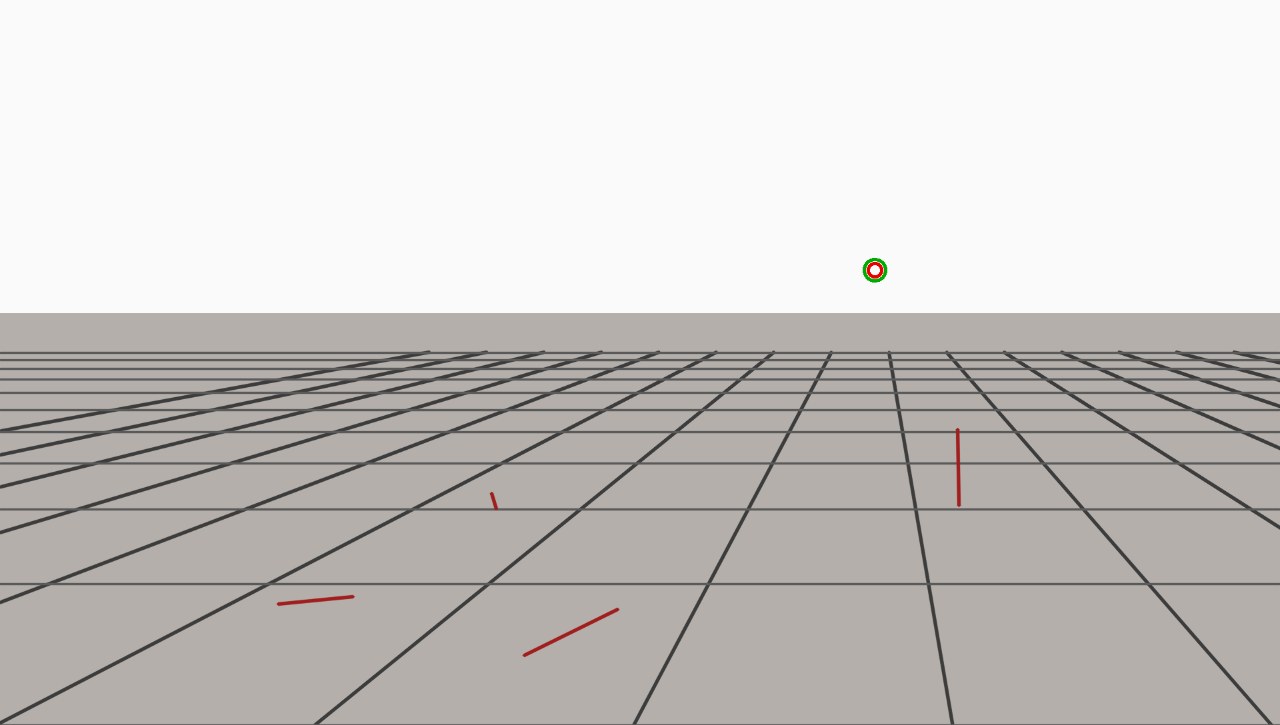
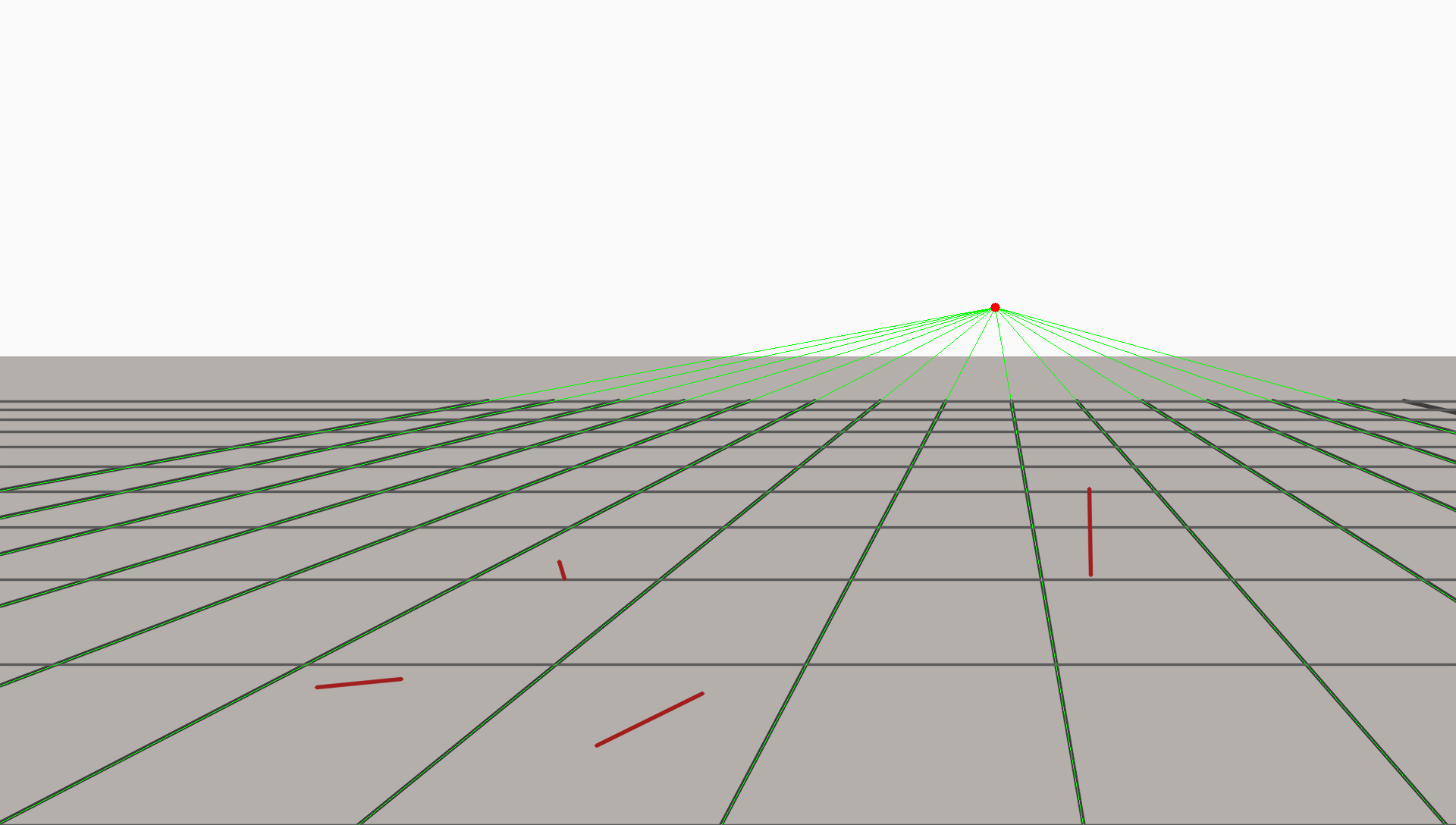
3D 透视:地面消失点
1.00 (1.00 / 1.00)0.99 (0.99 / 0.99)0.96 (0.99 / 0.93)1.00 (1.00 / 1.00)
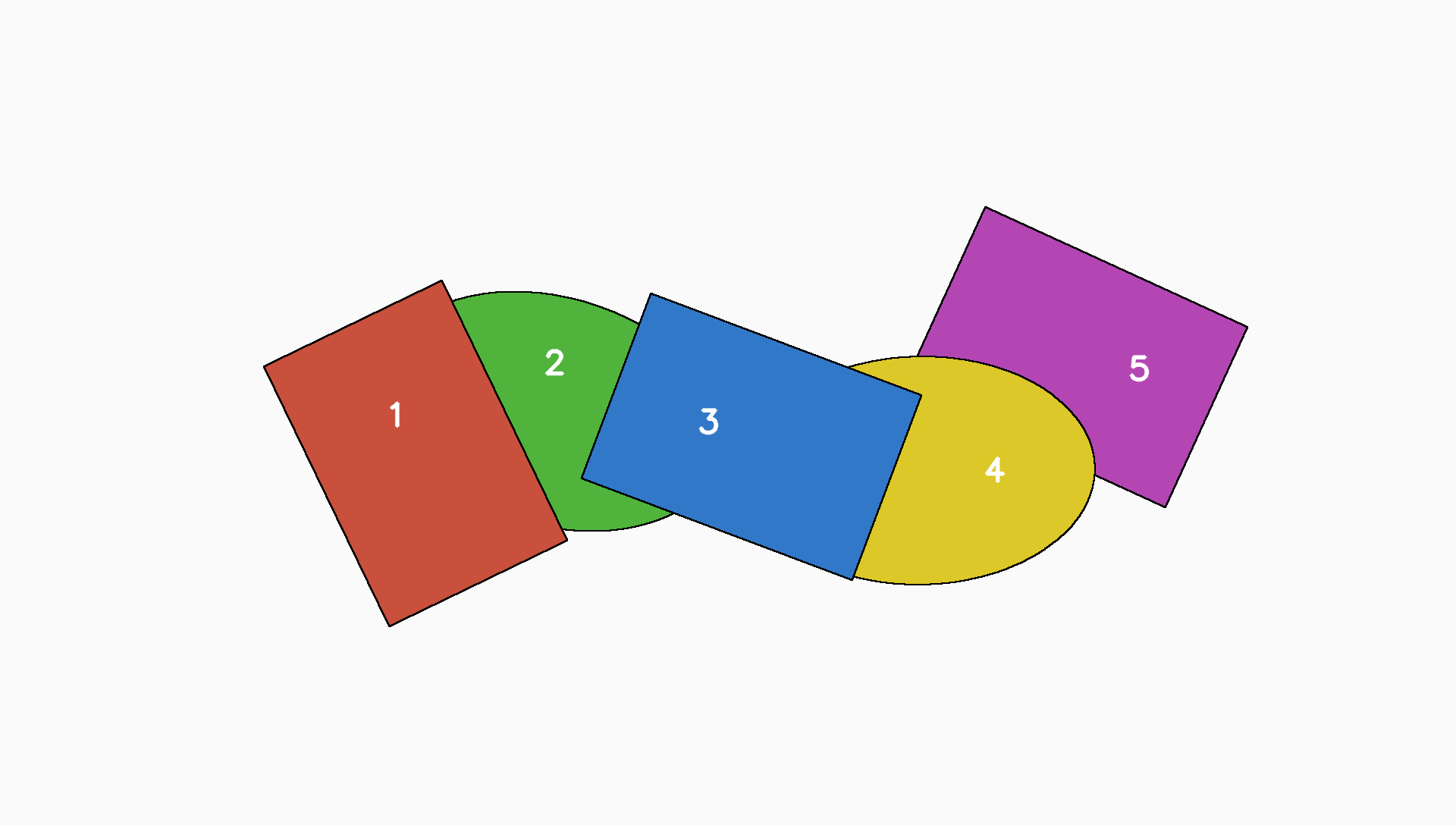
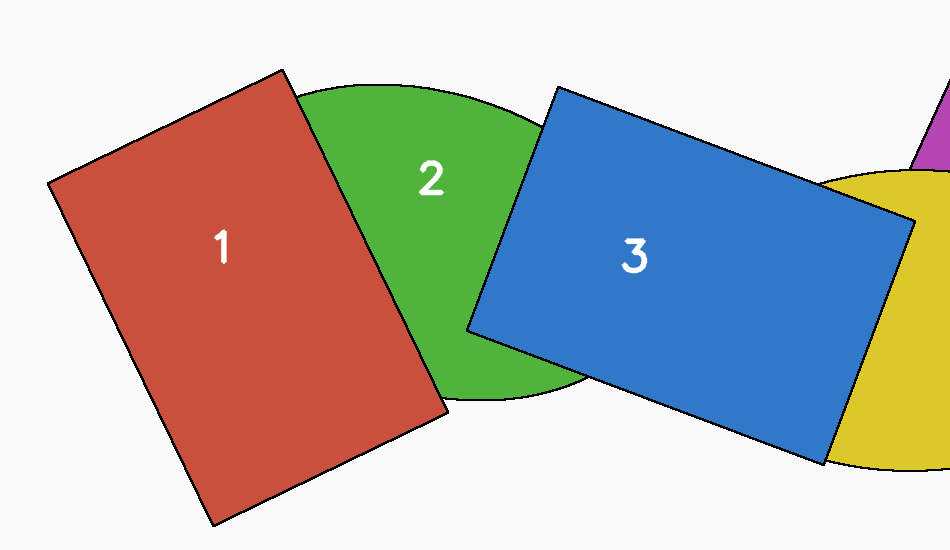
T8-depth
3D 遮挡:5 个形状的前后顺序
1.00 (1.00 / 1.00)1.00 (1.00 / 1.00)1.00 (1.00 / 1.00)1.00 (1.00 / 1.00)
平均0.790.990.890.99
成本合计$0.66$4.98$2.31$15.88
平均用时21 s108 s133 s339 s

两个模型的总评(各自盲评全部结果)

Opus 5.5 评审:总评

Across 8 tasks (two runs each), argon and opus scored almost the same once tools were allowed: tool-mode means were about 0.994 for argon and 0.992 for opus. Both models reached 1.0 or within 1–2 px of the key on defects, counting, holds, correspondence points, cube normals, vanishing point and depth order. Without tools the models differed. Argon-vision averaged about 0.89 and opus-vision about 0.80, and the gap came mainly from T1 defects (1.0 vs 0.46), T4 holds (0.89 vs 0.74), T5 points (0.93 vs 0.83) and T6 cube (0.995 vs 0.93). Opus-vision won or tied on the clean geometric tasks T7 and T8, and it shows its reasoning in a form that can be checked. Argon-vision returned bare JSON with no reasoning, was 3–40x slower, and produced no answer at all in one T3 run. Tool use cost the models in different ways. Argon-tools tended to over-explore, taking 15–30 steps and roughly 10–16 minutes on T1, T2, T6 and T8. Opus-tools was usually lean, at 1–7 steps on every task except T1. In nearly every multi-step run, though, it lost steps to NameErrors because it assumed interpreter state persists between calls. For measurement-type tasks (exact colour or area counts, frame differencing, homographies, sub-pixel registration) either model with code beat either model by eye by a wide margin.

只看图:Argon understands images better without tools, though less transparently. Its vision-only mean was about 0.89 against about 0.80 for opus. It solved T1 defect detection perfectly in both runs where opus-vision scored 0.67/0.25, had higher hold-detection recall on T4 (0.88–0.90 vs 0.62–0.85), had a lower point error on T5 (about 4 px vs 5–15 px), and evidently applied perspective on T6 (0.2–0.3° vs about 3°). Opus-vision was better or equal on clean synthetic geometry: exact VP on T7 in 9 s vs argon's 1 px and 10 px runs, and an instant correct answer on T8. Opus also showed checkable reasoning, while argon returned unexplained JSON and once returned nothing (T3).

看图+工具:Effectively a tie on accuracy (argon about 0.994, opus about 0.992 mean). Argon edged ahead on precision-heavy items: T2 0.95–0.96 vs 0.946, T6 exact vs 0.1–0.2°, T7 exact vs 1 px, and pixel-exact T1 boxes. Opus won on efficiency. It solved T2 in about 1/6 the time, T5 with 3 steps vs 8–13 and better precision because it did not round, T6 6–8x faster, and T8 in seconds without tools vs argon's 10-minute, 30-step analysis. Opus's main tool flaw is recurring state-loss NameErrors. Argon's is open-ended exploration that costs time and money without changing the score.

速度和成本:Approximate totals across all 16 runs per configuration: opus-vision about $0.66, argon-vision about $2.3, opus-tools about $5.0, argon-tools about $16. Opus-vision runs took 4–38 s, against 38–305 s for argon-vision. In tool mode, opus usually finished in 5–155 s (T1 was the outlier at 344–680 s). Argon-tools often took 4–16 minutes (T2 875–975 s, T8 about 600 s, T1 380–570 s), though it was cheapest on simple measurement tasks (T3 and T4 at about $0.03). Overall argon-tools cost roughly 3x opus-tools for about the same score.

建议:For any exact 2D measurement (colour or area counts, frame-hold detection, registration and scale/offset, homography point transfer) use tools. Opus-tools is the default because it is lean and reaches near-identical accuracy faster and cheaper. Use argon-tools when sub-pixel or fully derived rigour is worth the time, such as camera calibration or pixel-exact defect boxes. For quick visual QA without code, such as spotting animation drawing defects or judging holds and poses by eye, argon-vision is more accurate, but its answers need independent verification because it gives no reasoning. For clean geometric or 3D reasoning (occlusion order, vanishing points, rough pose) where speed and an auditable explanation matter, opus-vision is fast and transparent, but tell it to use a perspective model rather than an orthographic one.

强项 · opus

强项 · argon

弱项 · opus

弱项 · argon

注意

Argon 评审:总评

Across the 8-task 2D/3D vision benchmark, both models achieve near-perfect accuracy when equipped with code tools (0.993 mean score for argon-tools vs. 0.992 for opus-tools), but they exhibit sharply different trade-offs in raw visual perception, engineering discipline, speed, and cost. Without tools, argon-vision demonstrates substantially stronger fine-grained visual perception and internal 3D geometric reasoning (0.888 mean score across all runs, and 0.947 across completed runs) than opus-vision (0.795), effortlessly spotting 24x24 pixel line gaps (T1), subtle multi-frame animation holds (T4), perspective-warped hair tips within 1-3 pixels (T5), and 3D cube normals to within 0.2°-0.3° (T6). However, argon's extended internal reasoning and compulsive over-engineering make it 6.3x slower in vision-only mode (137.4s vs. 21.9s per run) and 3.2x slower and 3.3x more expensive with tools ($0.99 vs. $0.30 per run). Conversely, opus is exceptionally fast, articulate, and pragmatic—knowing when to skip tools entirely (T8), combining concise 3-to-7 step OpenCV scripts with visual overlay verification via view_image (T2, T5), and solving clean geometric structures in seconds by eye (T7, T8). Ultimately, argon acts as an exhaustive sub-pixel forensic analyst that occasionally falls into severe overthinking traps on simple or underdetermined tasks (T3, T8), while opus serves as an agile, cost-effective visual problem solver whose main code-mode quirk is repeatedly forgetting that Python tool calls execute in a stateless environment.

只看图:Argon understands images significantly better without tools on fine-grained 2D and 3D perceptual tasks (0.888 overall mean score vs. opus's 0.795; 0.947 vs. 0.795 excluding argon's single T3 timeout). In T1-defects, argon-vision achieved a perfect 1.0 on both runs in ~76s by directly spotting the tiny 24x24 px line gap and semantic shadow-color error, whereas opus-vision scored 0.667 and 0.250, dismissing the gap as a normal hair tip and hallucinating a mouth defect. In T6-cube, argon-vision accounted for perspective foreshortening internally to reach 0.2°-0.3° normal accuracy (score 0.995), while opus-vision relied on an orthographic approximation that left a ~3.1° error (score 0.931). Argon also outperformed opus on T4-holds (0.889 vs. 0.735, catching 3-frame and 6-frame holds that opus missed) and T5-points (3.9-4.5 px error vs. opus's 4.9-15.2 px error). Opus-vision only beat argon-vision when fast explicit coordinate algebra on clean macro-lines worked (T7-vanishing, where opus read 4 line endpoints at the floor borders to get 0.0 px error in 9s while argon drifted by 9.8 px on one run) or when argon timed out trying to manually count dozens of thresholded regions (T3-count).

看图+工具:Both models achieve stellar accuracy with tools (0.993 for argon-tools vs. 0.992 for opus-tools), but they excel in different ways: opus-tools is the superior pragmatic engineer (winning Best Group on T2, T3, T5, and tying on T8), while argon-tools is the superior sub-pixel computer-vision purist (winning Best Group on T4, T6, T7, and best tool group on T1). Opus-tools pairs rapid visual hypotheses with concise 1-to-7 step OpenCV scripts and visual overlay checks (`view_image`), solving T2 cross-domain alignment in ~148s (vs. argon's ~927s) and T5 homography mapping to 0.1-0.2 px error in ~75s (vs. argon's ~233s and 0.4 px integer-rounded error). However, opus-tools frequently loses 1-3 steps per run to `NameError` exceptions from forgetting that Python state resets between calls, and sometimes relies on visual coordinate guesses inside Python (T6) or short-baseline/Hough approximations (T7). Argon-tools writes self-contained, error-free code that measures everything directly from pixels—modeling edge anti-aliasing for 0.0° error in T6, fitting 3,637 subpixel line crossings in T7, and extracting exact defect boxes in T1—at the cost of 3.2x longer runtimes and occasional 30-step runaway investigations (T8).

速度和成本:Opus is drastically faster and more economical across the board. In vision-only mode, opus averages 21.9s and $0.043 per run compared to argon's 137.4s and $0.144 per run (6.3x faster, 3.3x cheaper). In tool mode, opus averages 105.8s, 4.4 tool steps, and $0.301 per run (and just 47.8s and $0.115/run outside T1), whereas argon averages 339.5s, 15.1 tool steps, and $0.992 per run (3.2x slower, 3.3x more expensive). Notably, on T1-defects, argon-vision achieved a perfect 1.0 score in ~76s for $0.06, beating both opus-tools (512s, $1.60) and argon-tools (475s, $1.94) by 6x in speed and ~30x in cost.

建议:Use argon-vision for fine-grained 2D visual inspection, anomaly/defect localization (T1), and no-code 3D perspective/pose estimation (T6) where high visual acuity is needed without the latency and cost of a sandbox environment. Use opus-vision for ultra-fast, low-cost triage, macro-level 3D occlusion ordering (T8), and clean geometric scenes with clear boundary landmarks (T7). For tool-assisted workflows, default to opus-tools for general 2D/3D production pipelines—such as image registration (T2), homography point transfer (T5), connected-component measurement (T3), and frame-hold detection (T4)—as it delivers ~99.2% accuracy at less than one-third the time and cost of argon-tools. Reserve argon-tools for offline, zero-tolerance metrology and forensic tasks where exact sub-pixel ground-truth recovery from raw pixel intensities and anti-aliased edges is mandatory (T6, T7, T1) and budget/latency are secondary.

强项 · opus

强项 · argon

弱项 · opus

弱项 · argon

注意

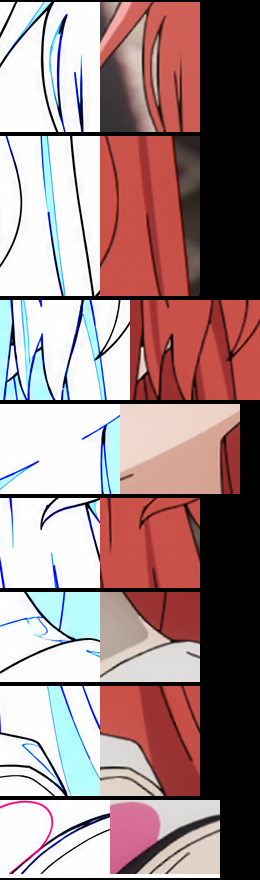
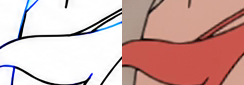
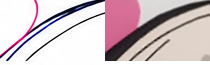
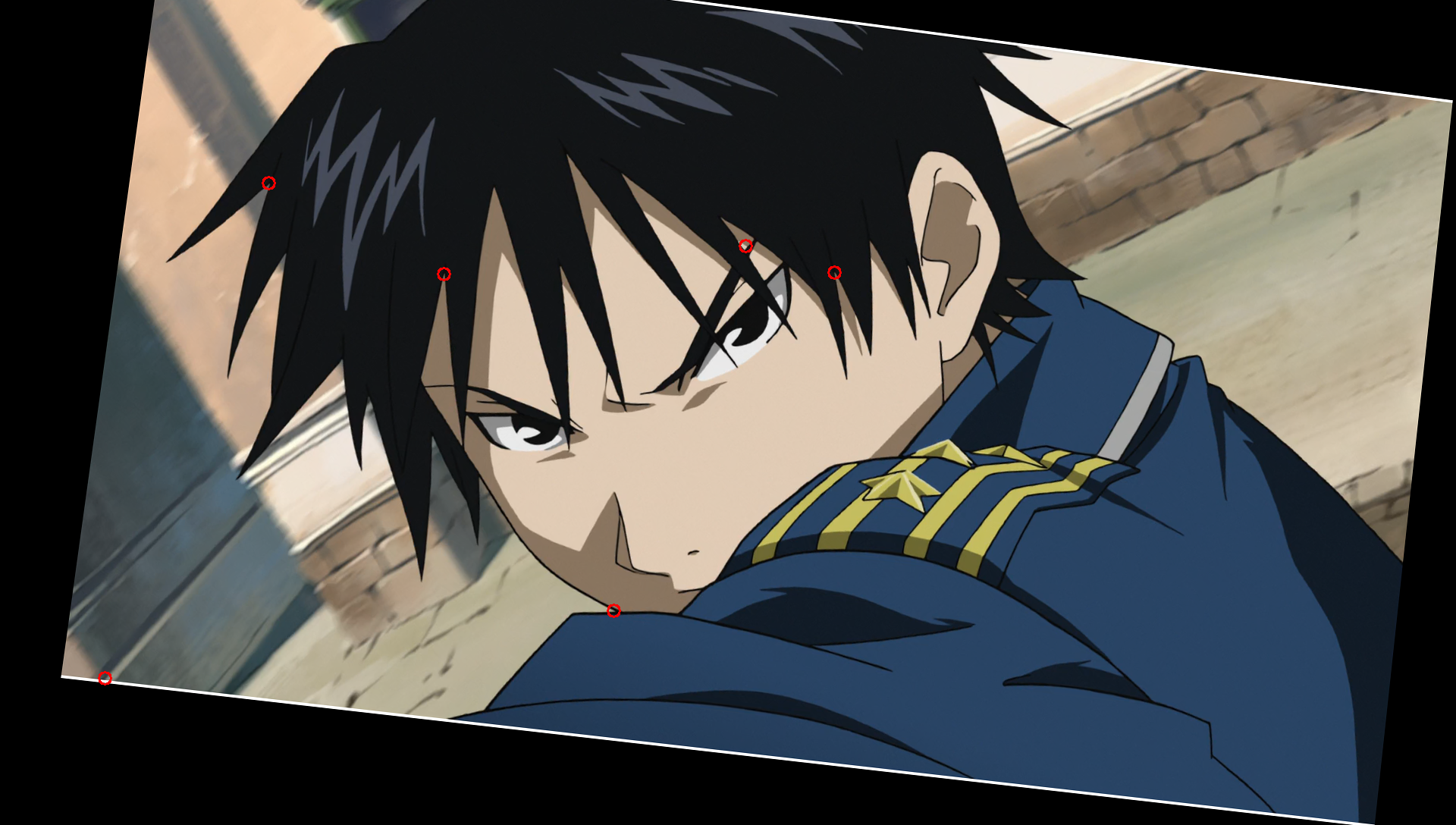
T1-defects · 2D 二原检查:找注入的断线、多余线、错色区域

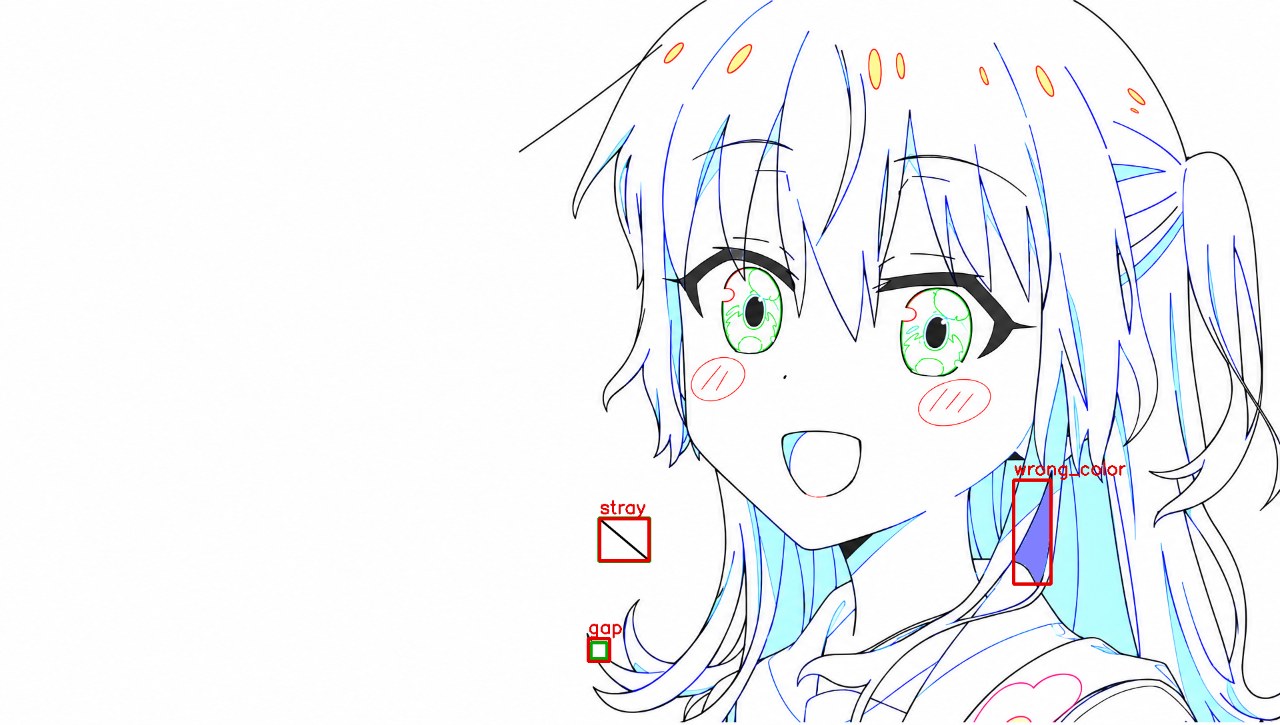
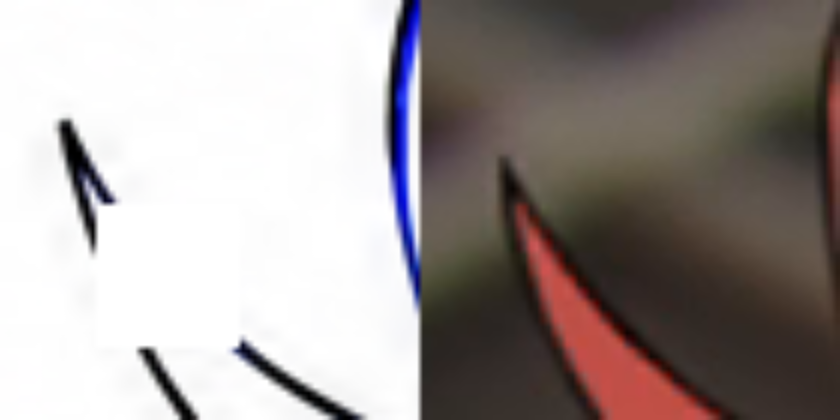
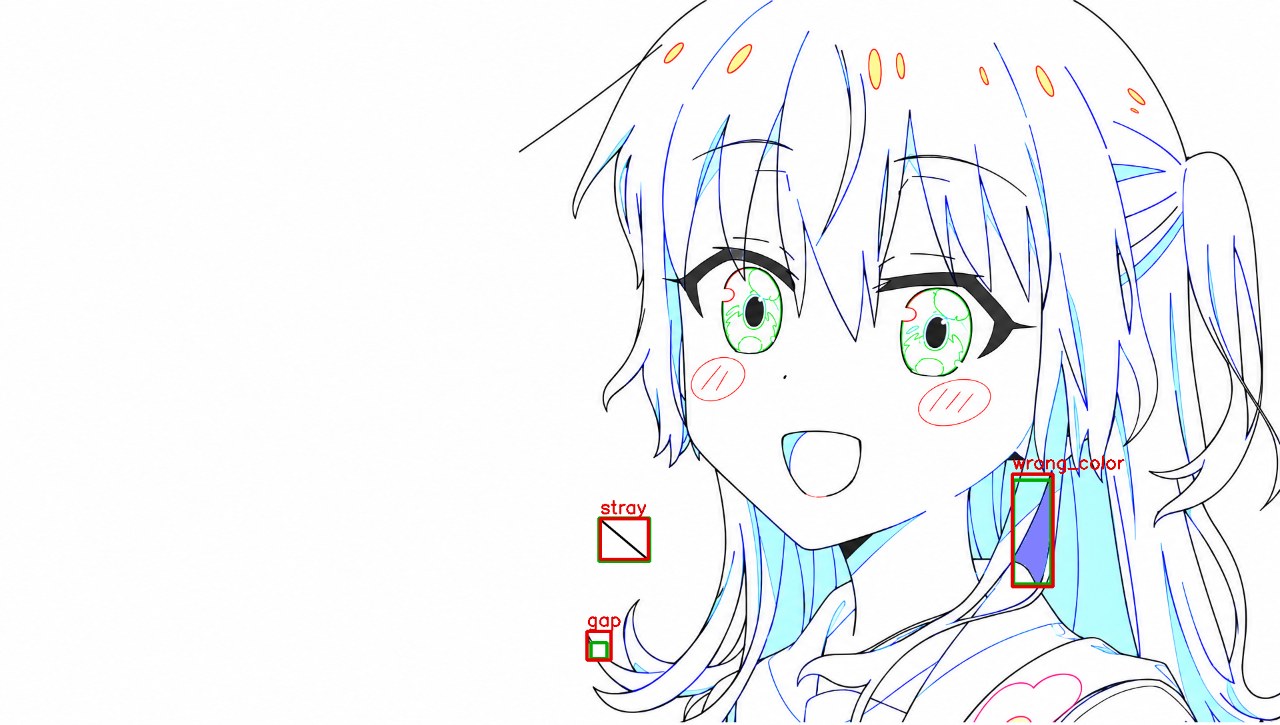
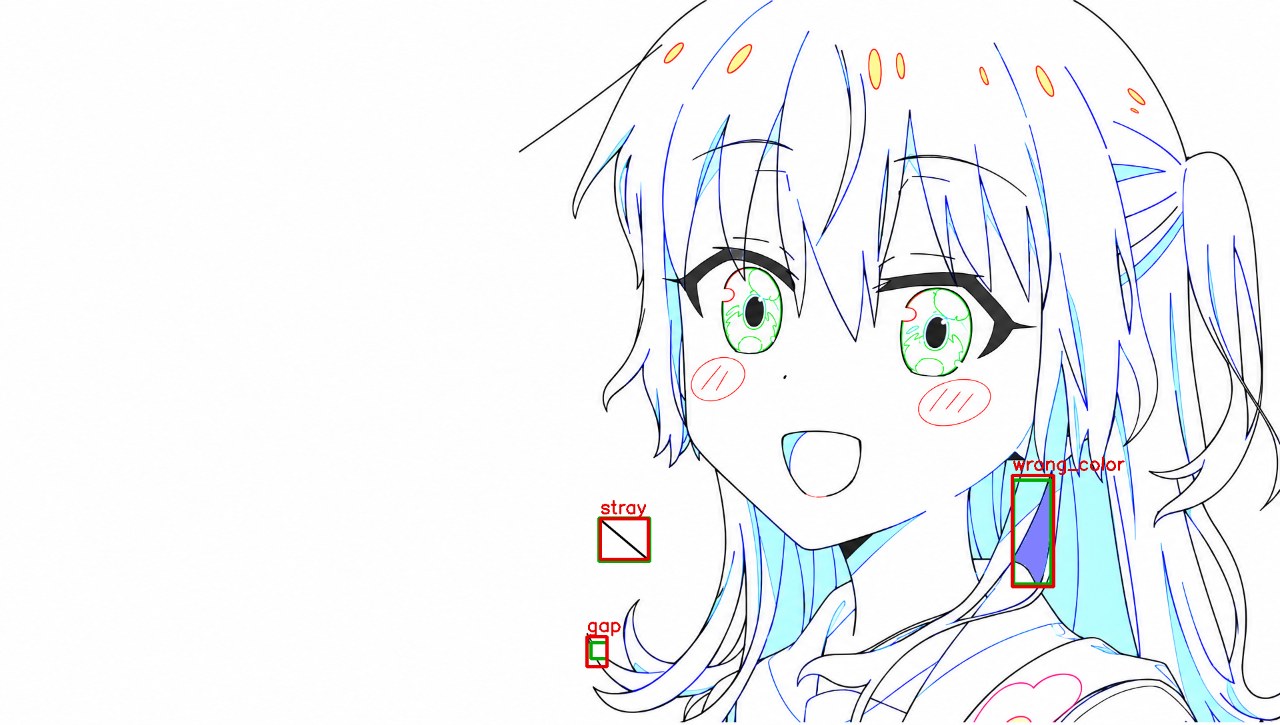
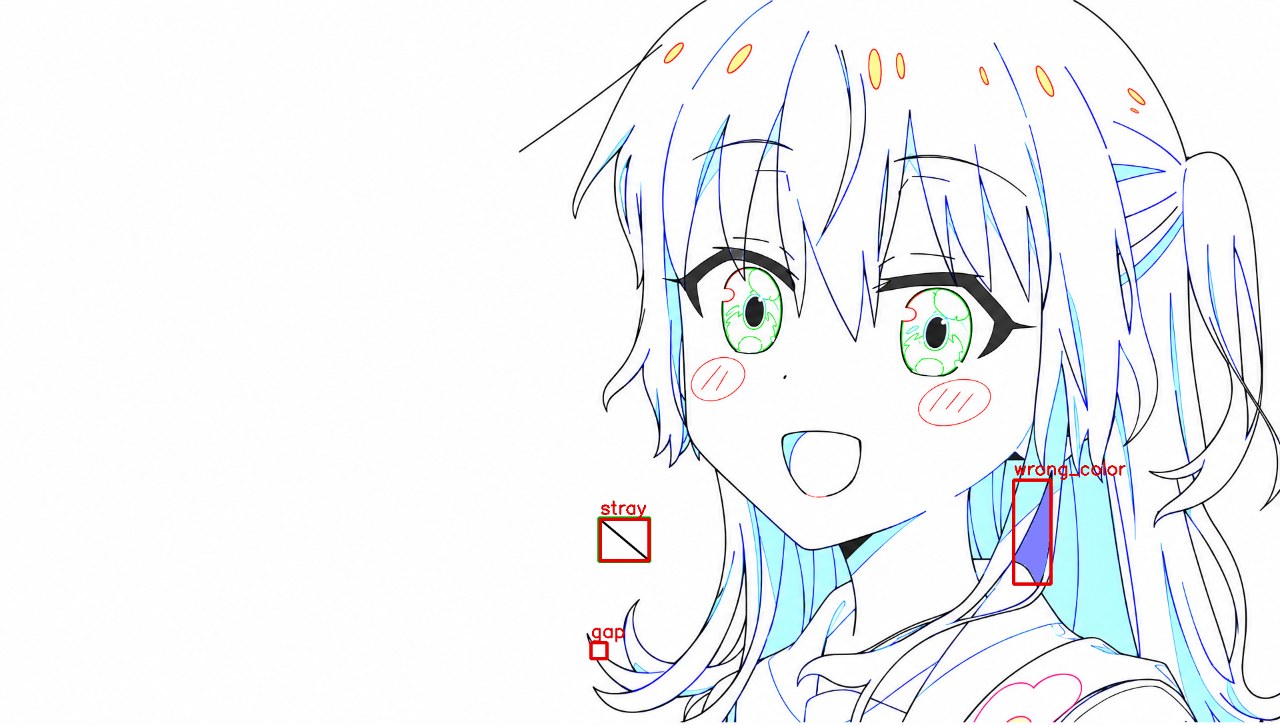
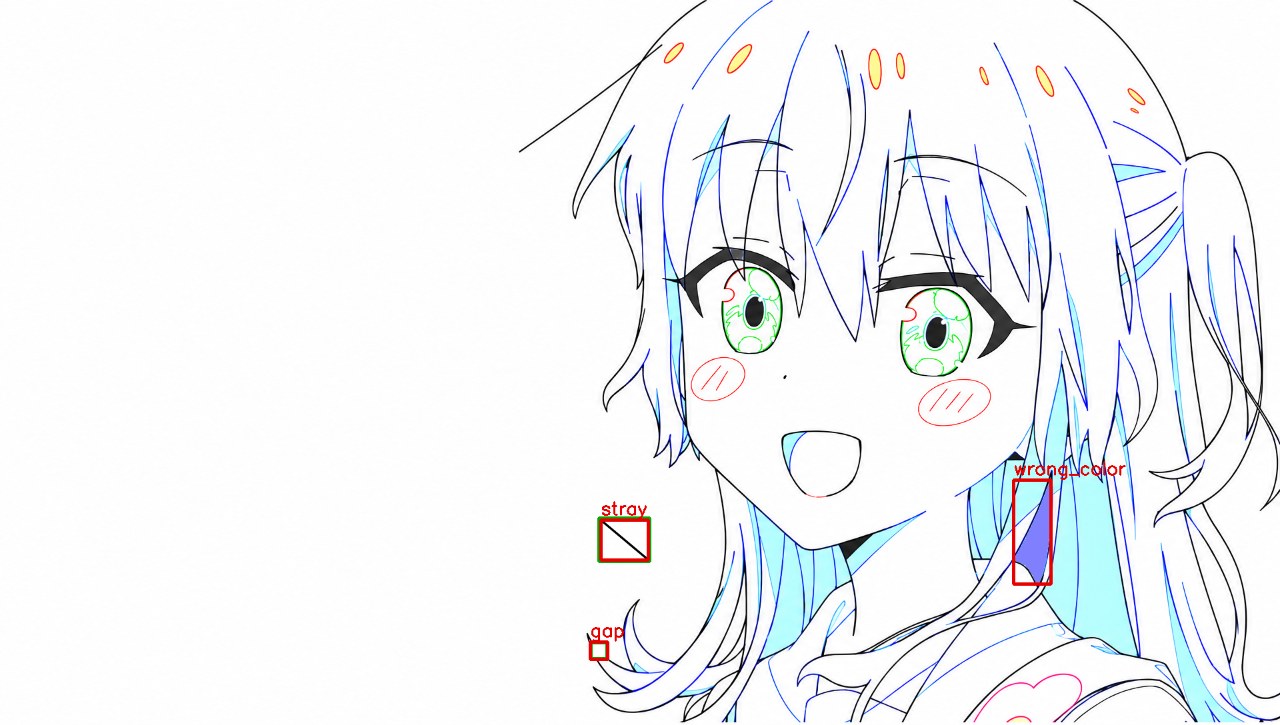
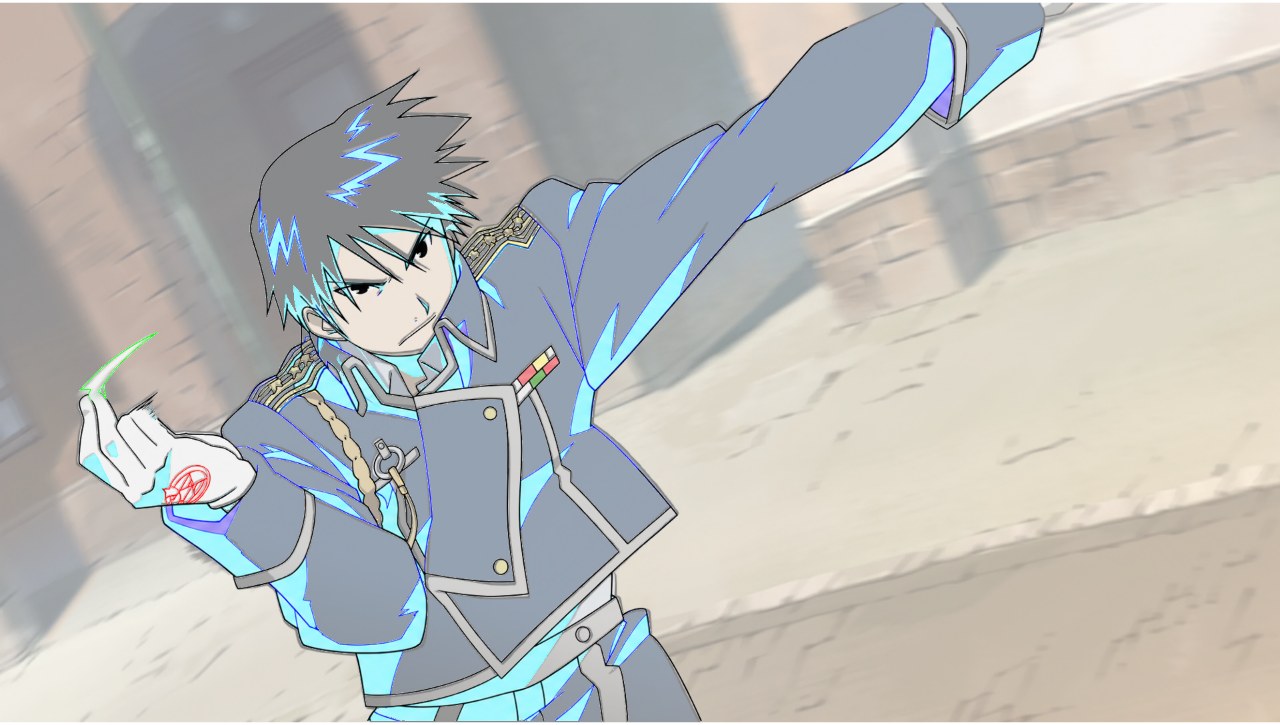
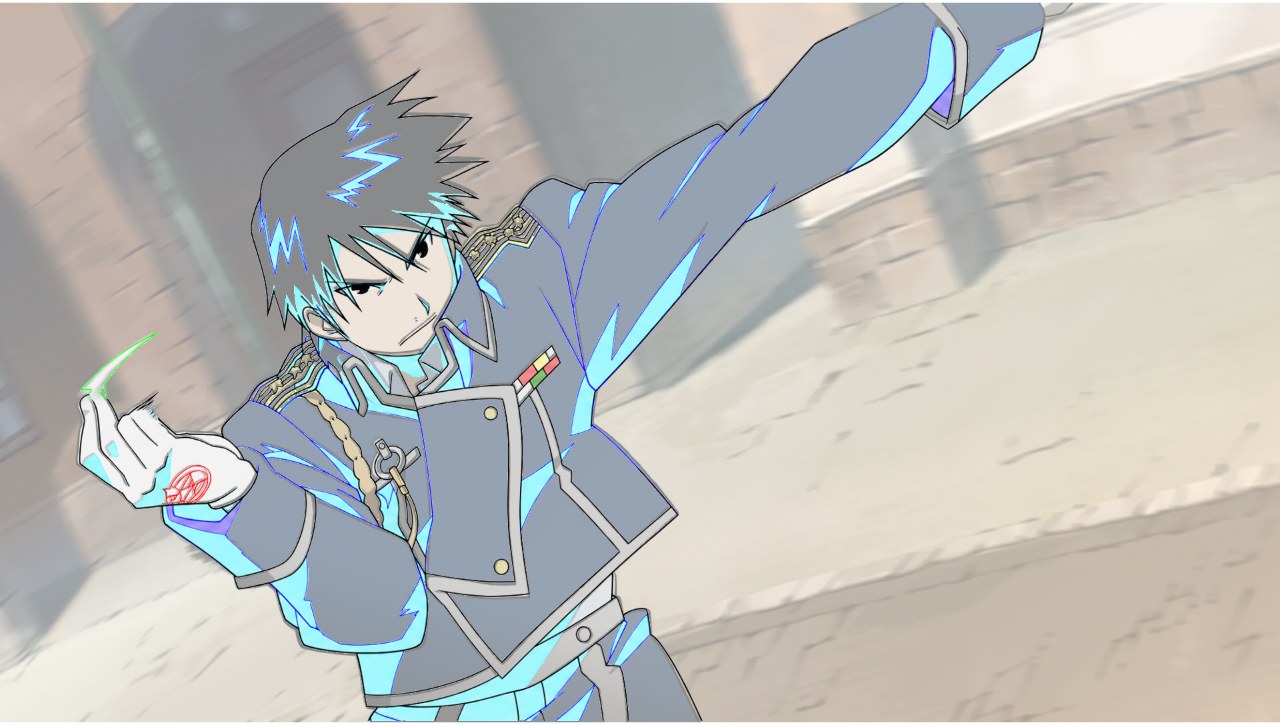
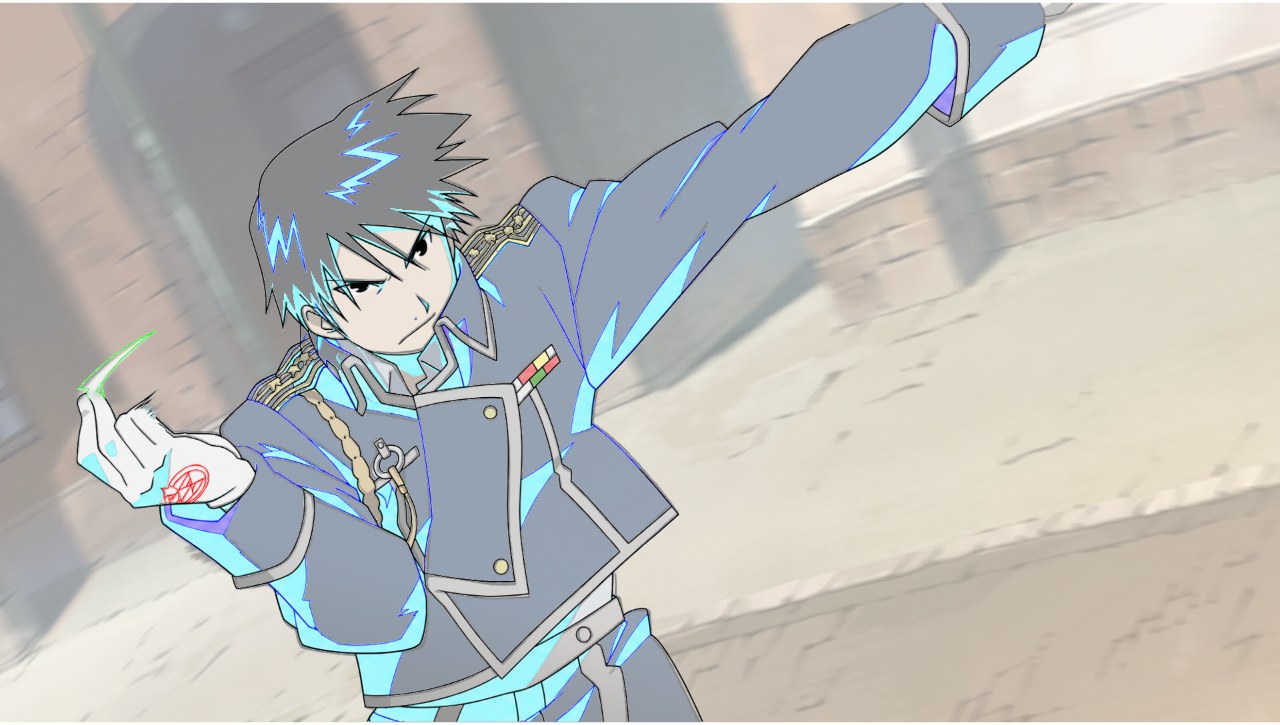
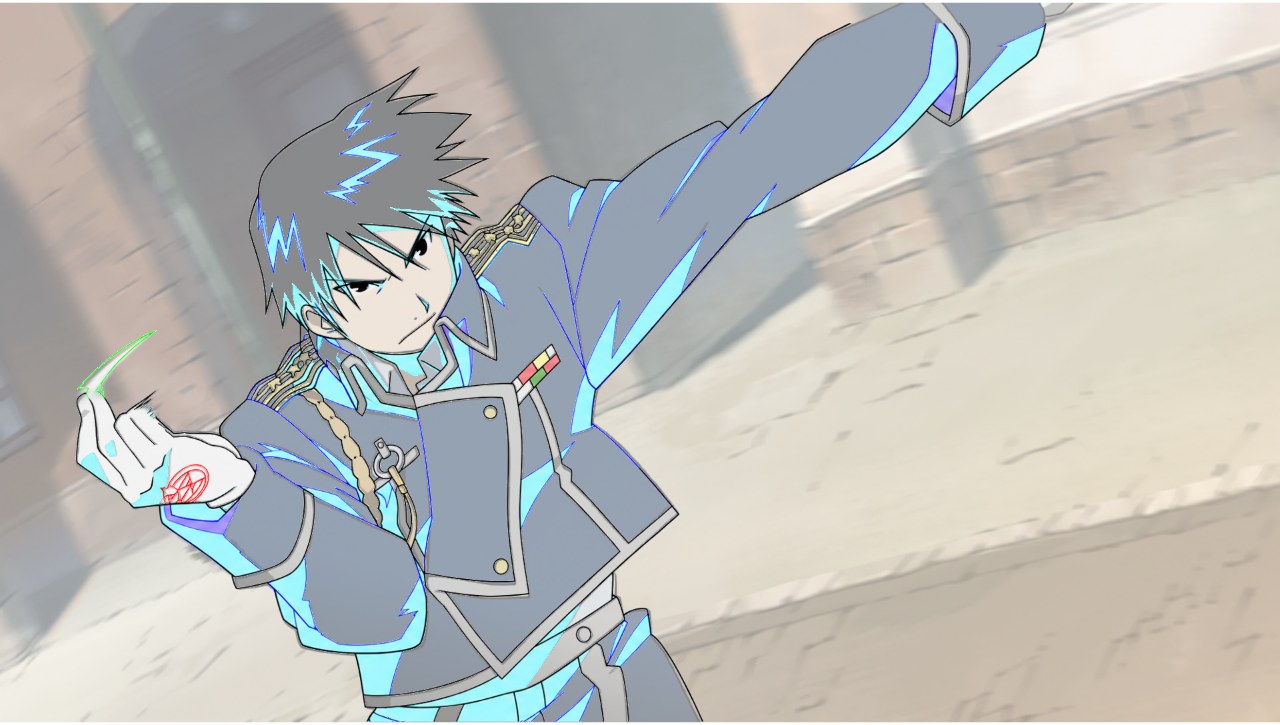
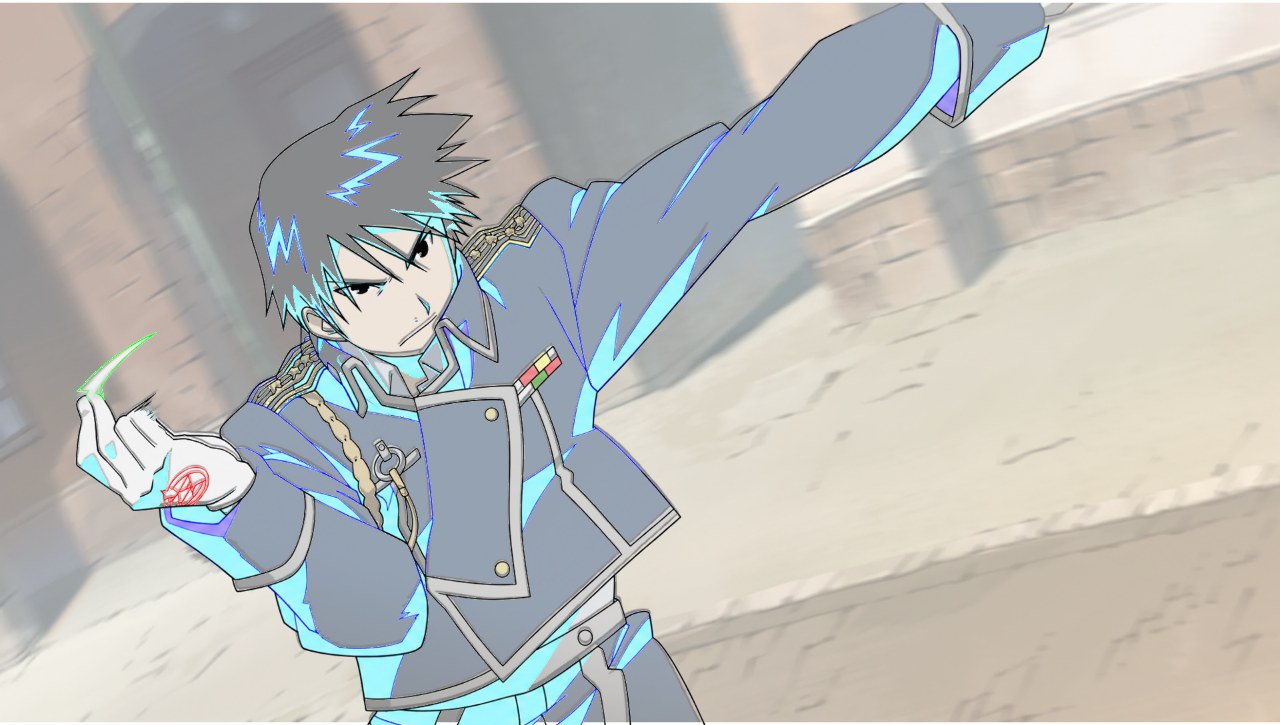
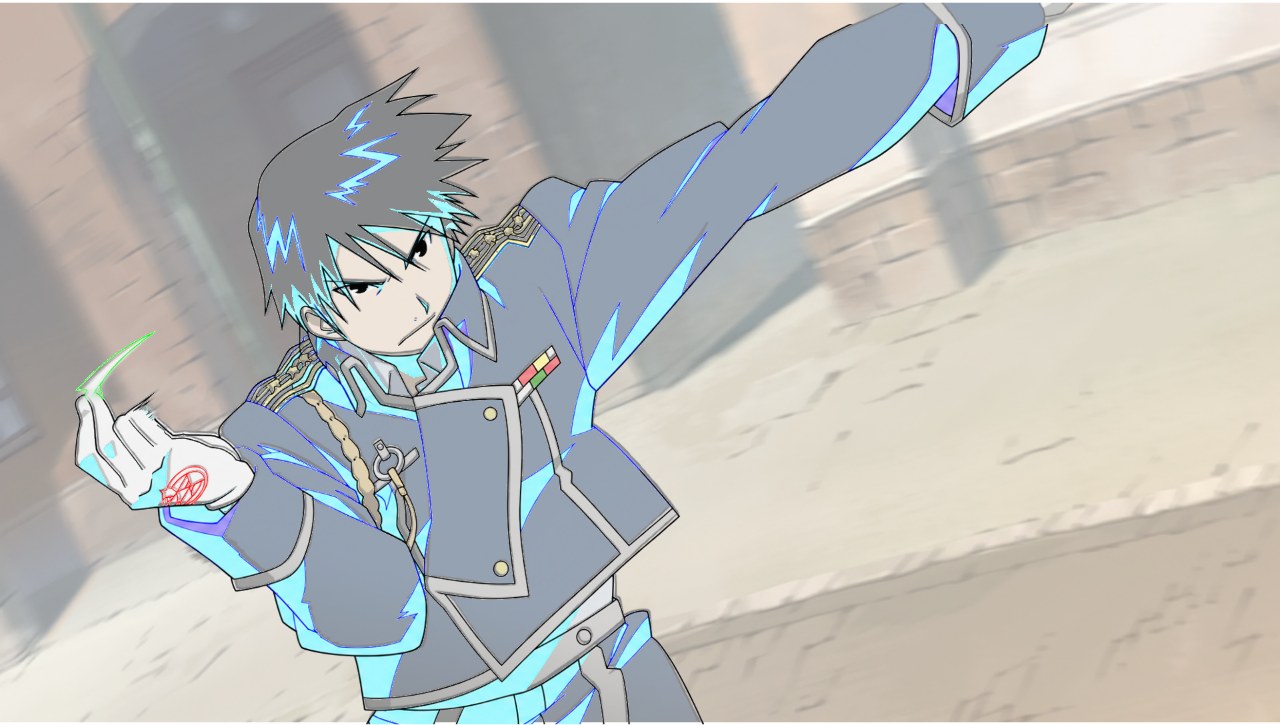
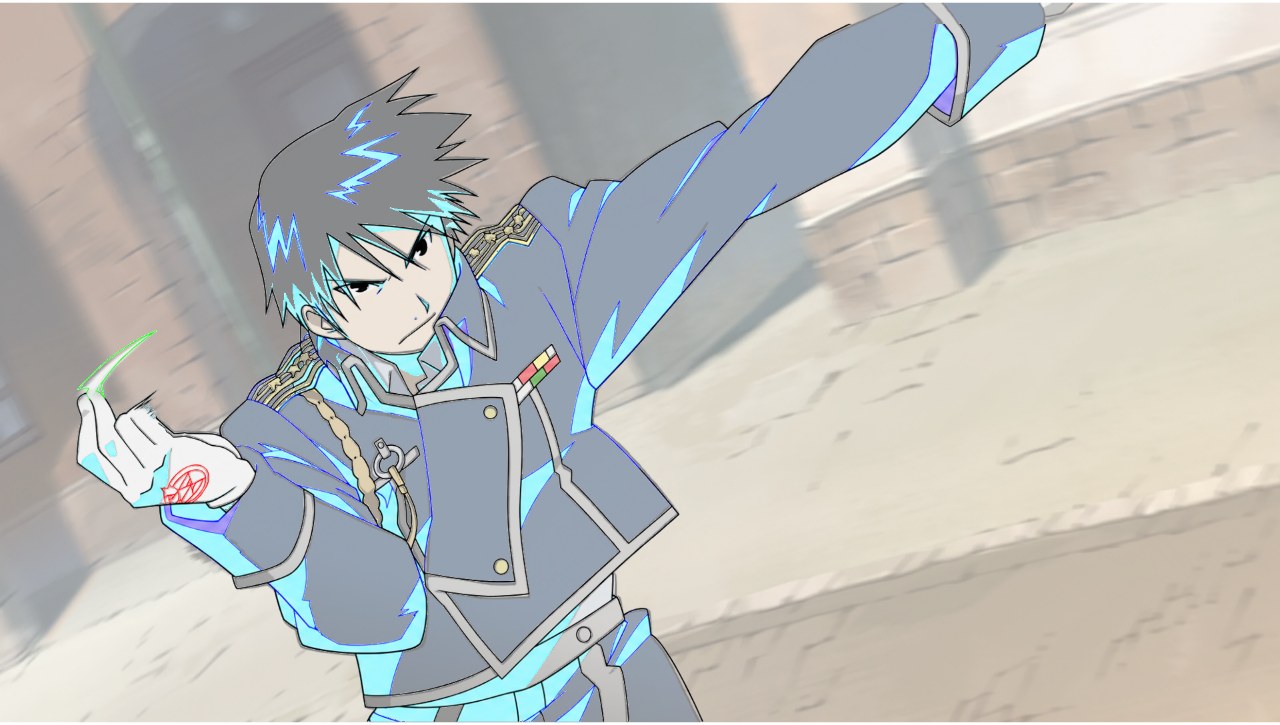
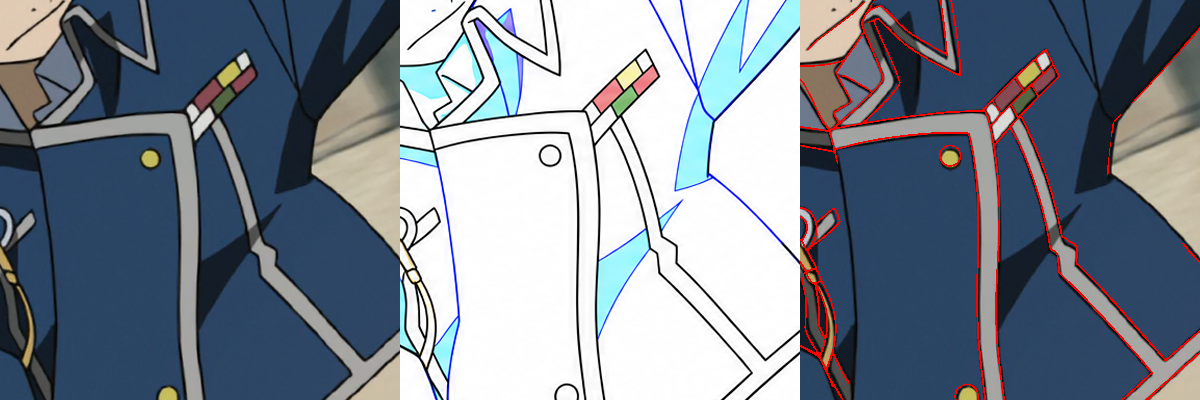
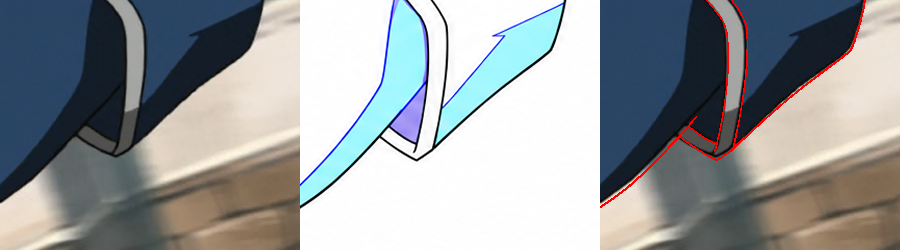
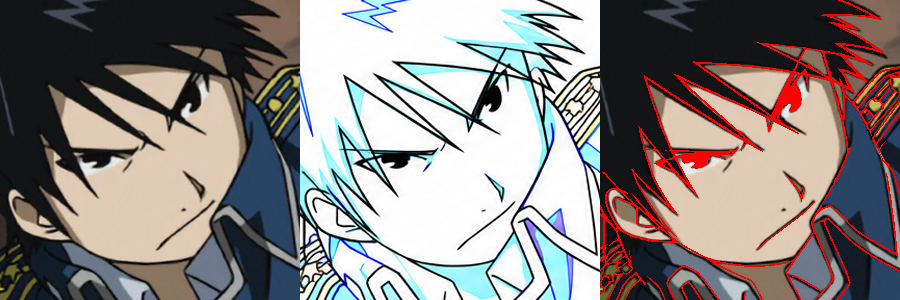
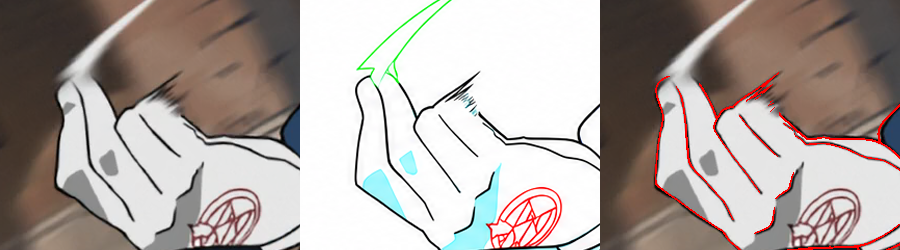
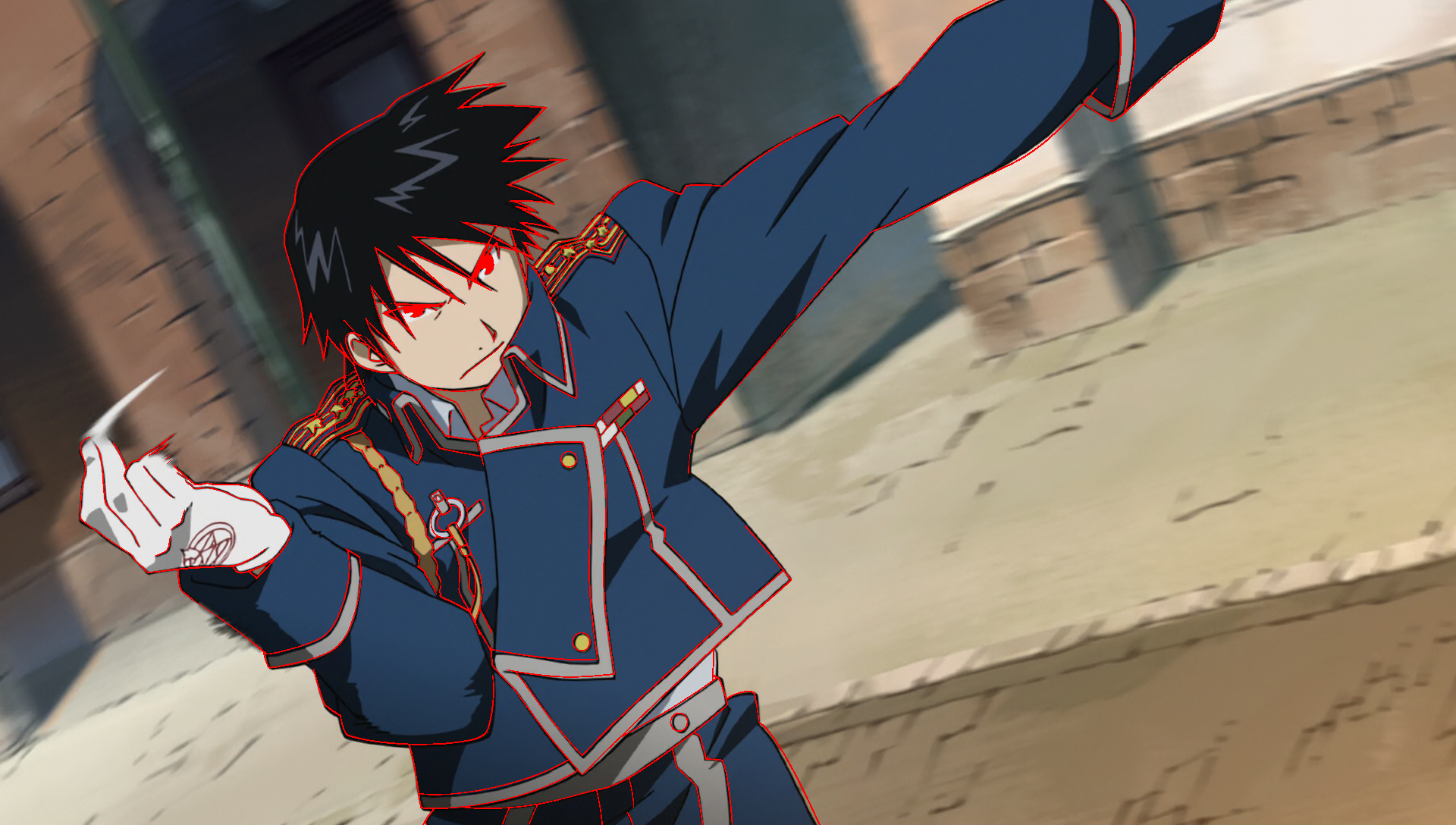
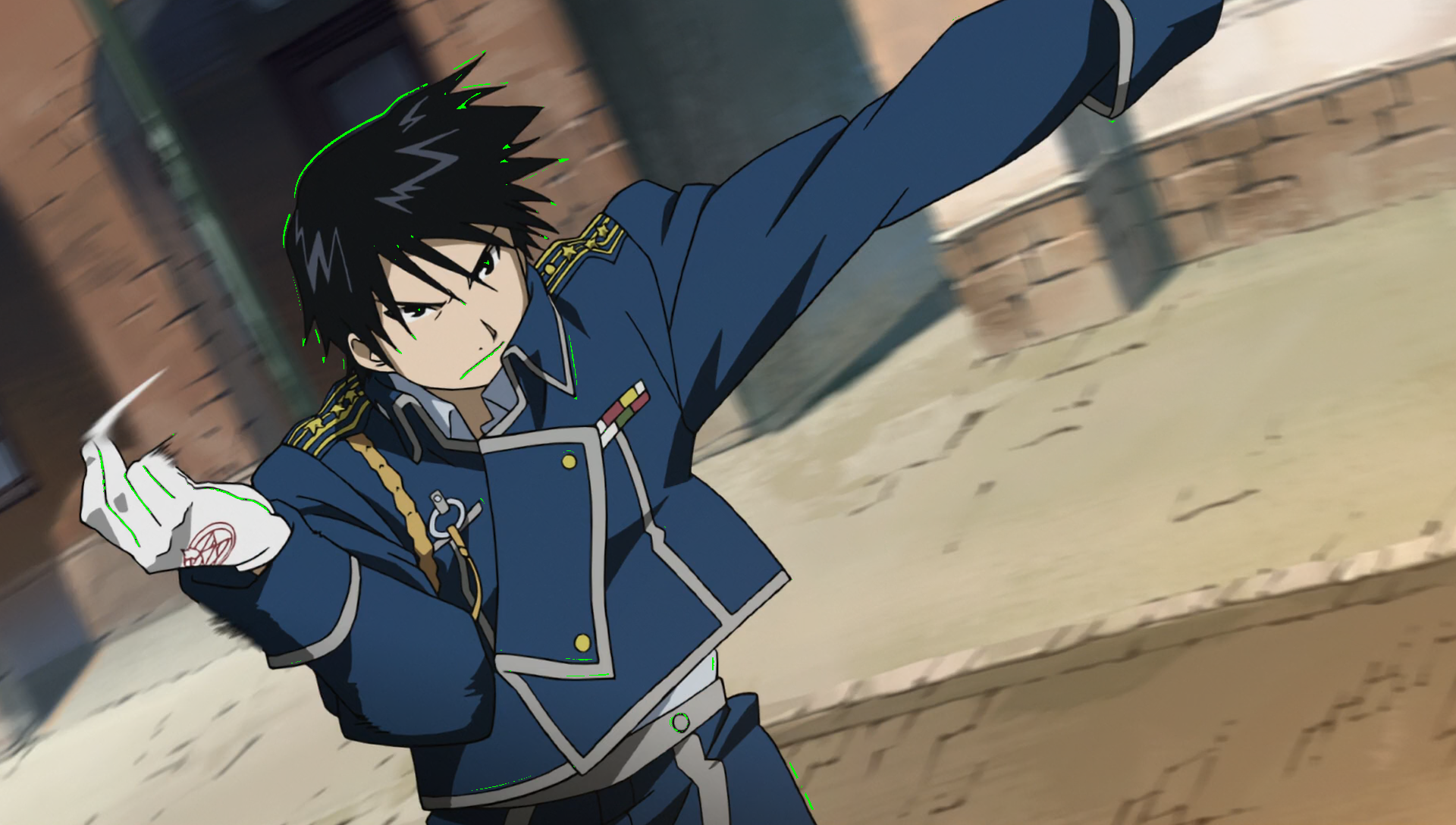
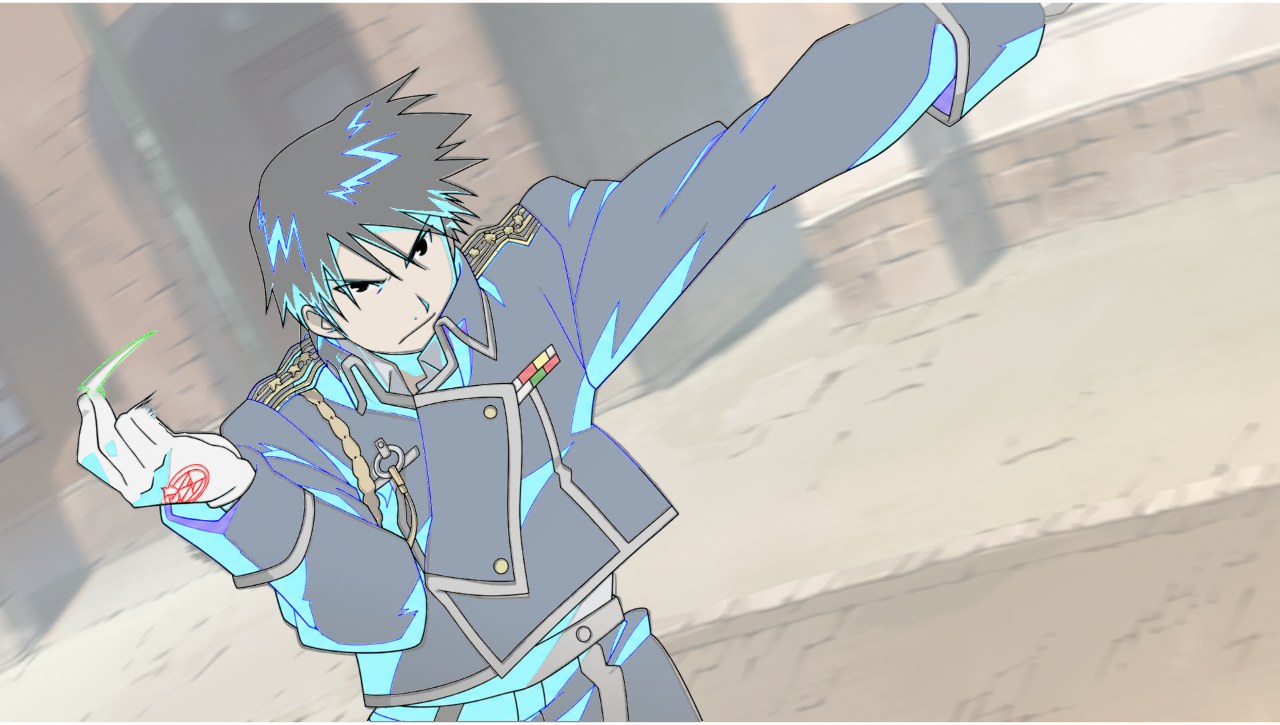
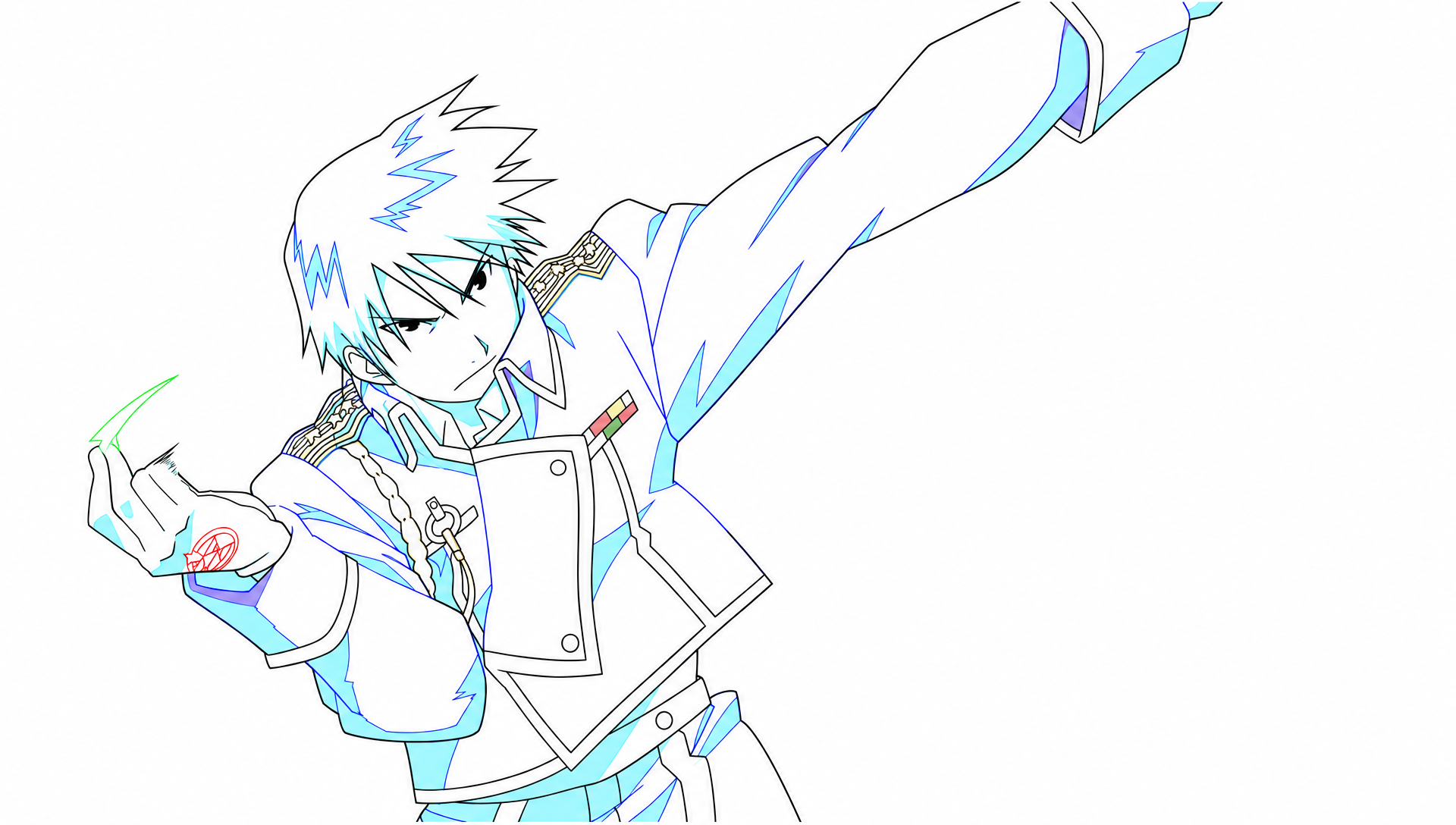
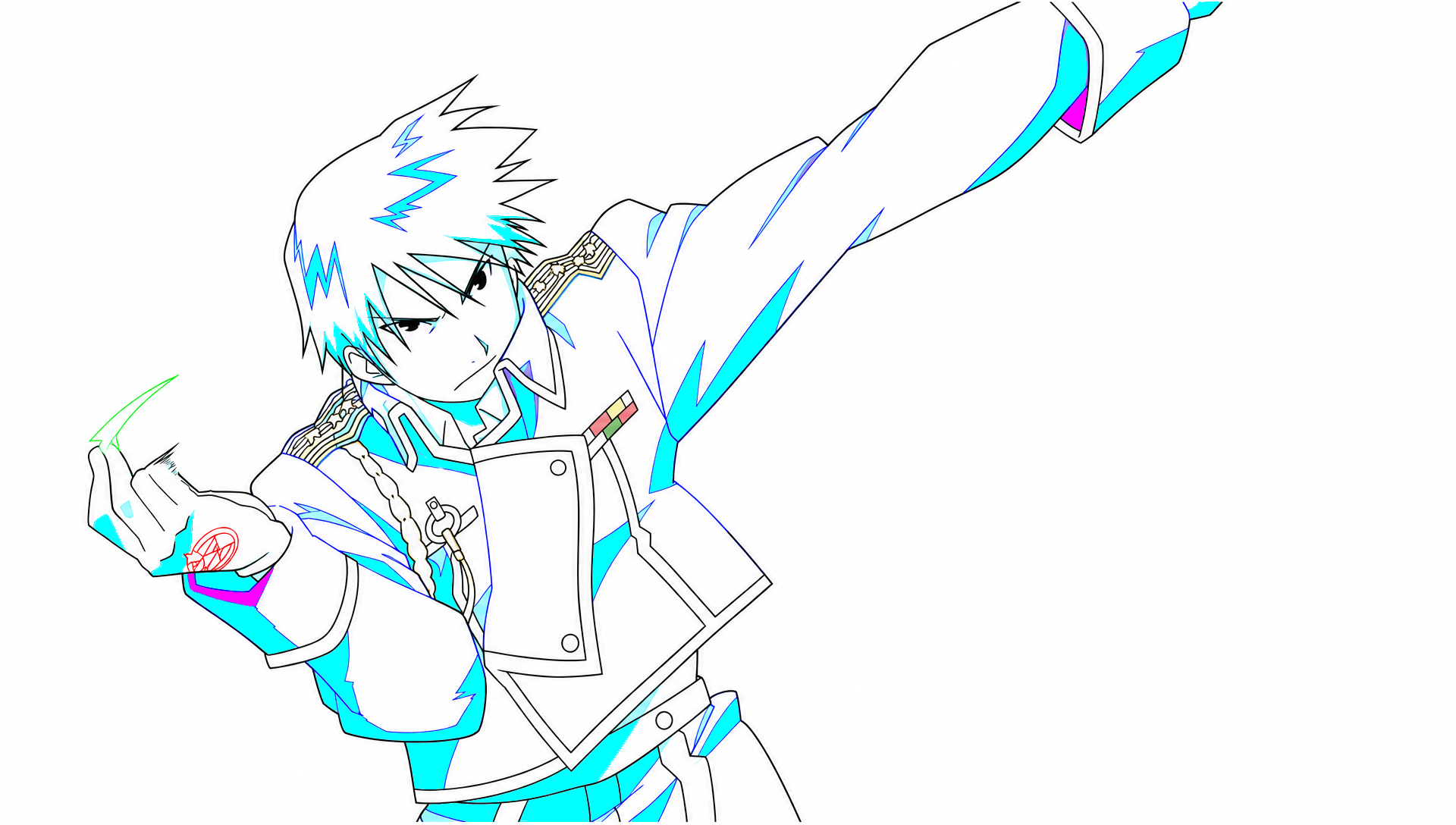
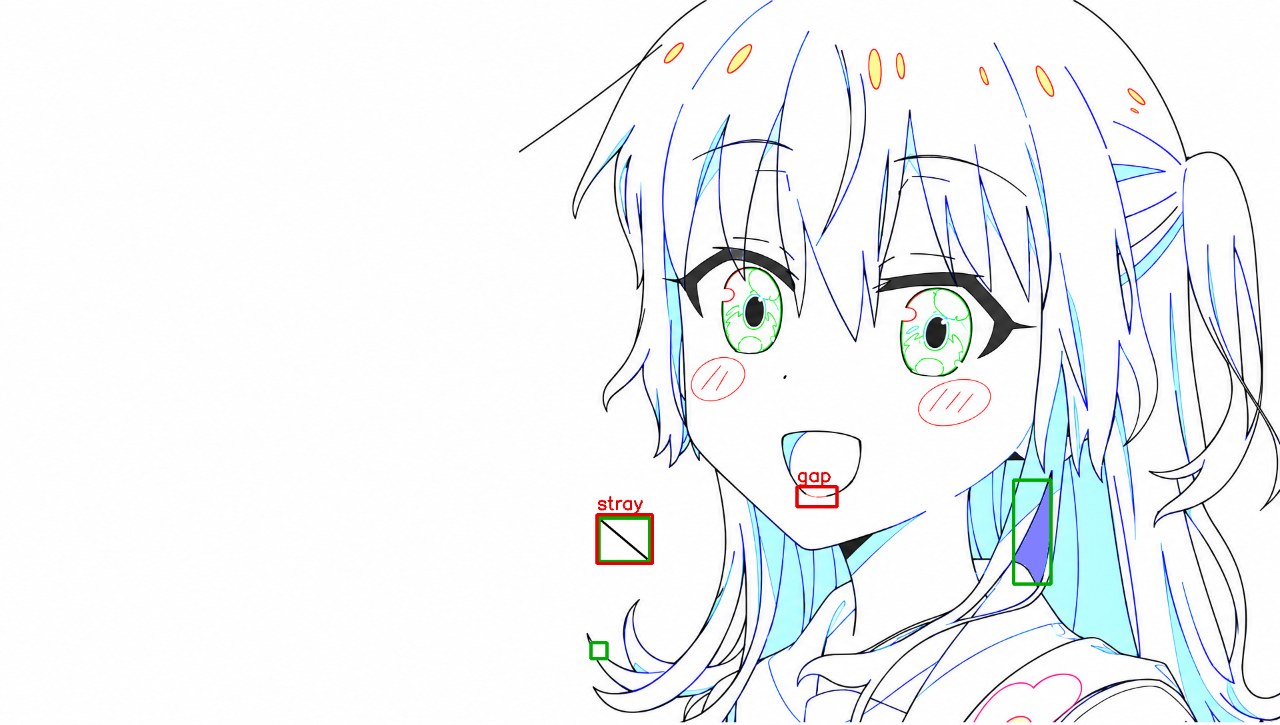
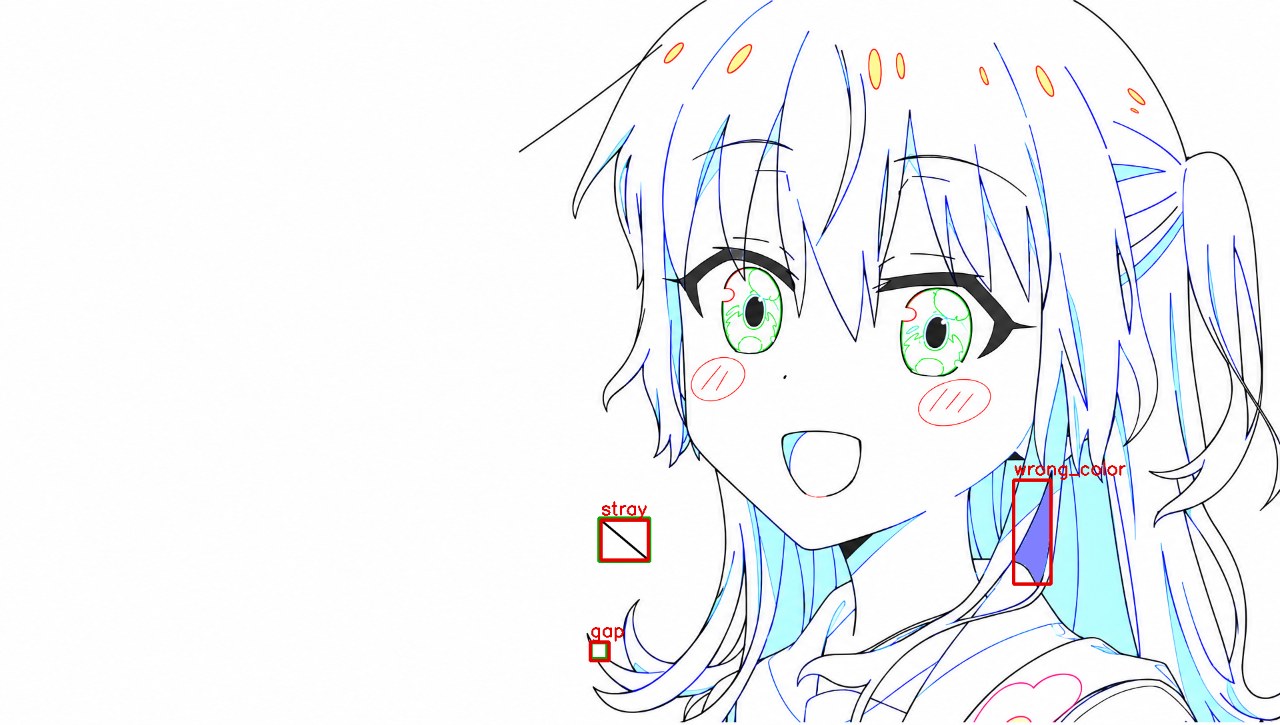
Image source.png is a finished anime frame. Image drawing.png is its 二原 (second-key drawing) on the same 1920x1088 pixel grid: black main lines; cyan #80FFFF fill with blue lines = shadow; violet #8080FF = a second, darker shadow; yellow with red lines = highlight; green lines = iris areas. Someone injected 1 to 5 defects into the drawing. Defect types: gap (a closed black line is broken), stray (a black stroke with no edge in the source), wrong_color (a region filled with the wrong designation color). Find every injected defect.
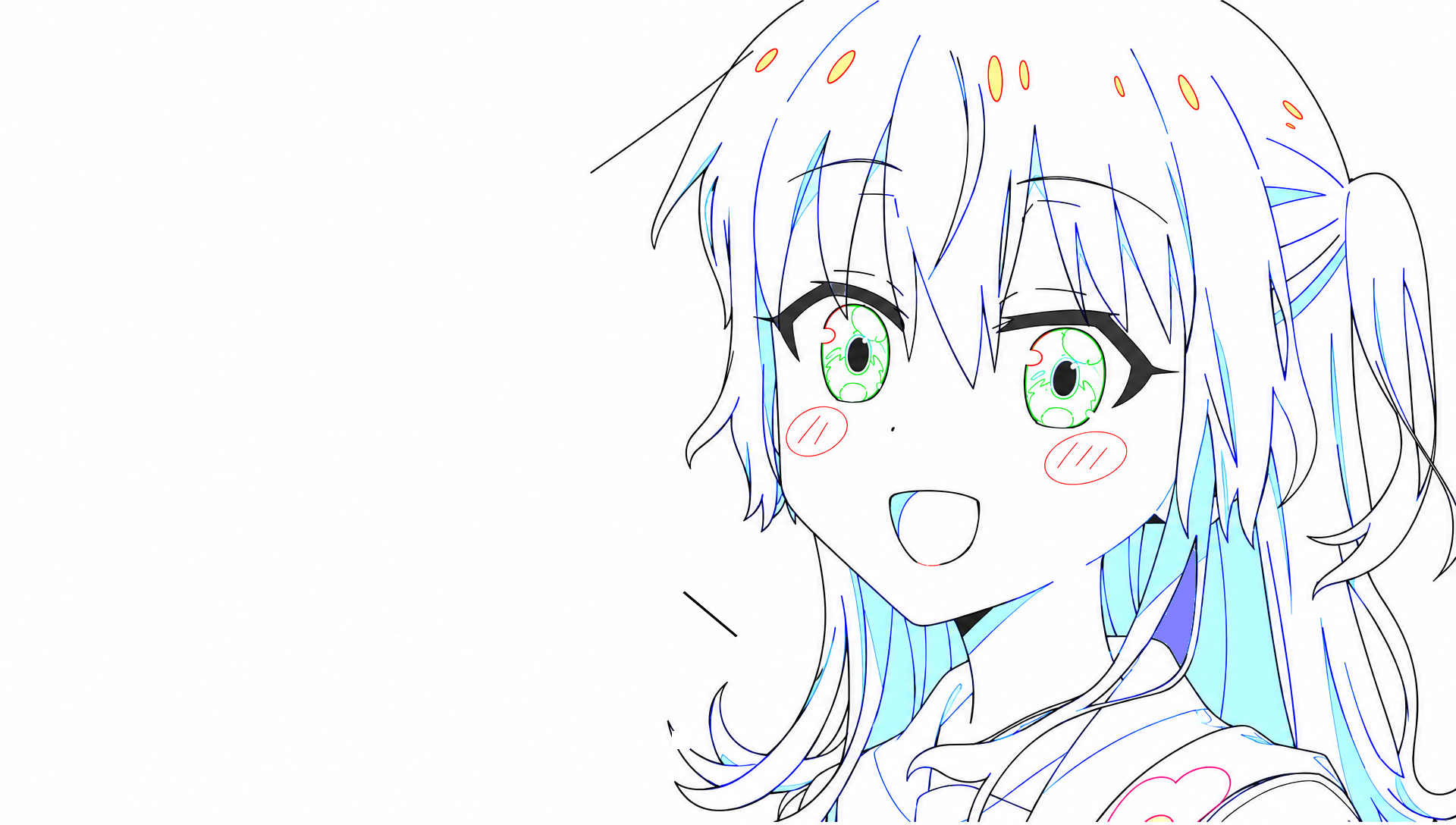
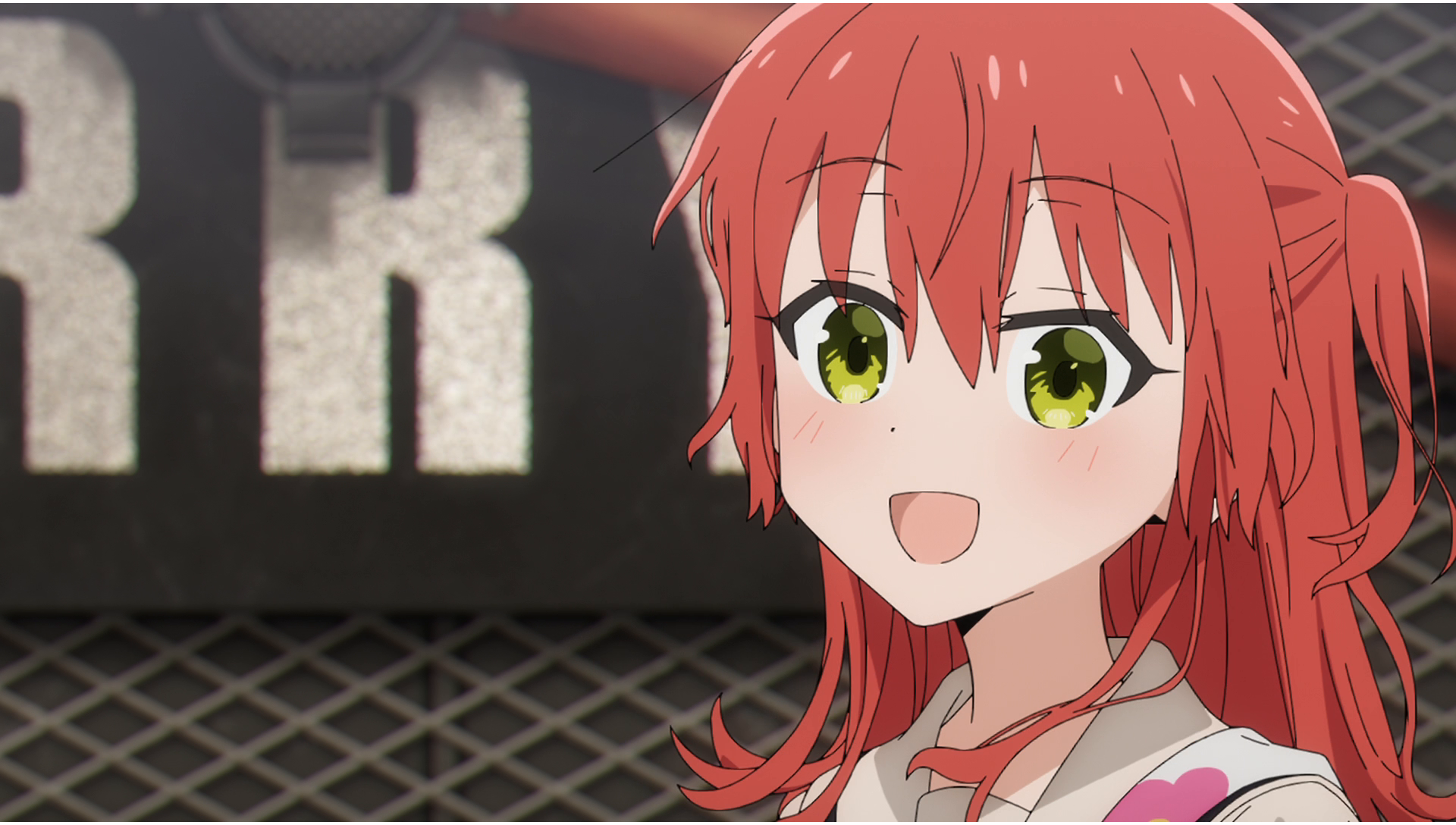
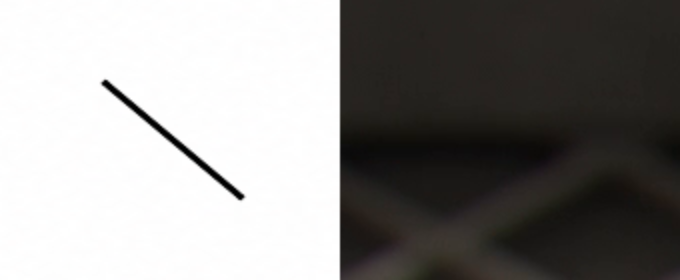
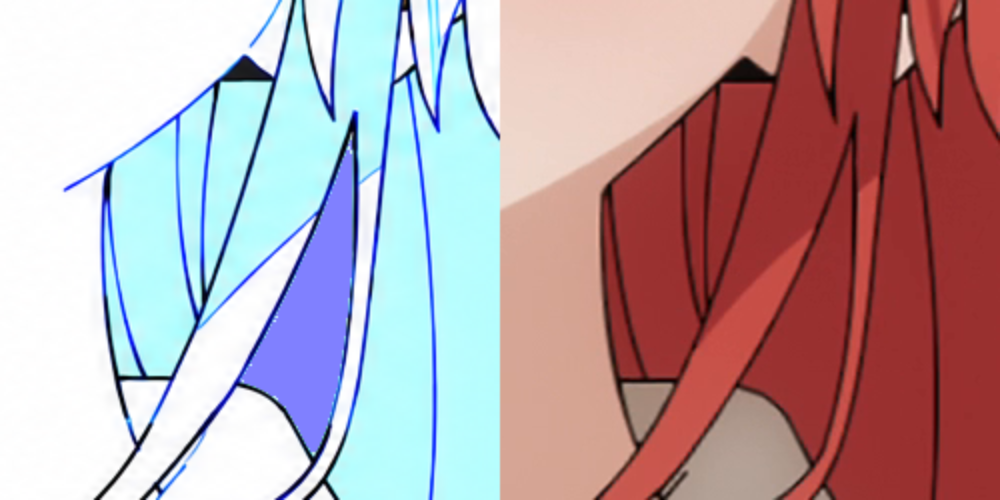
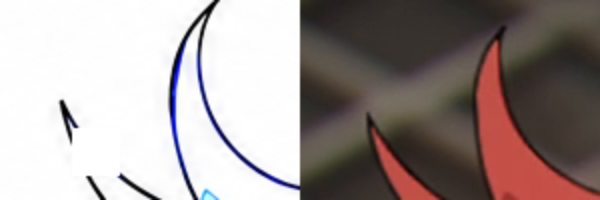
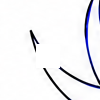
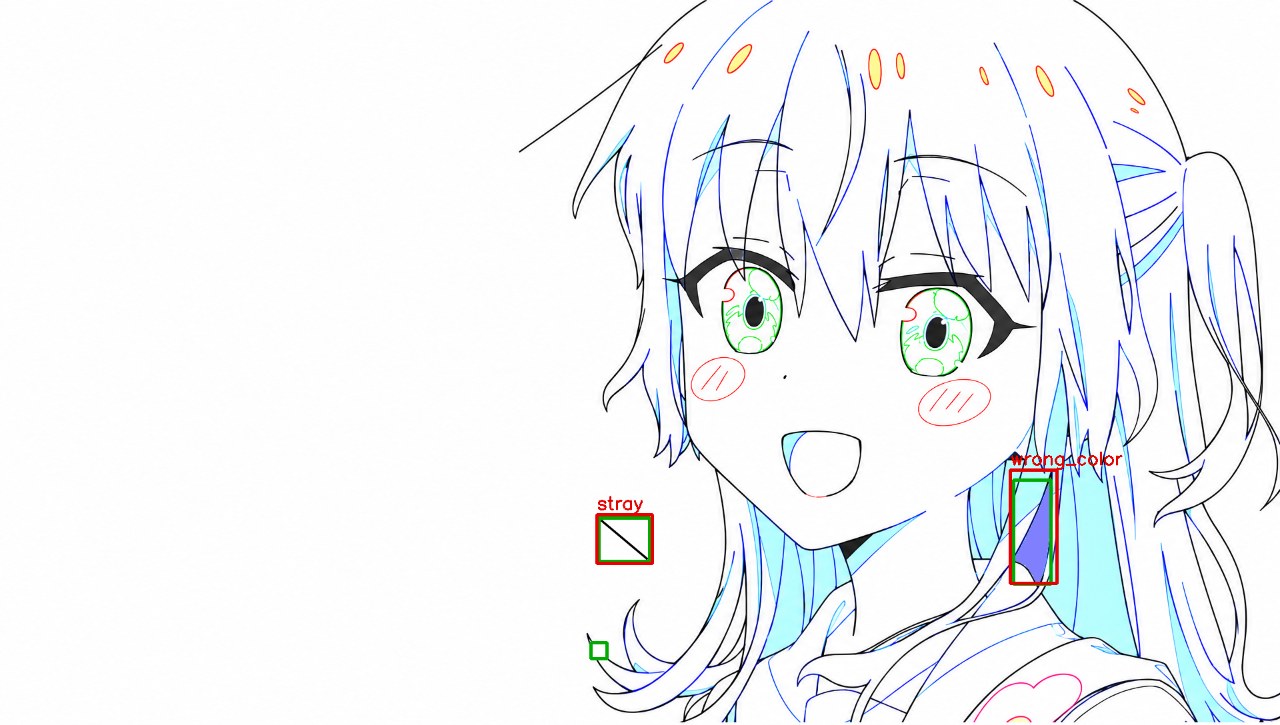
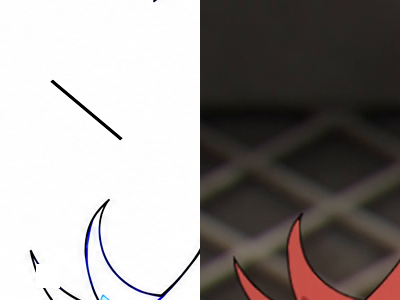
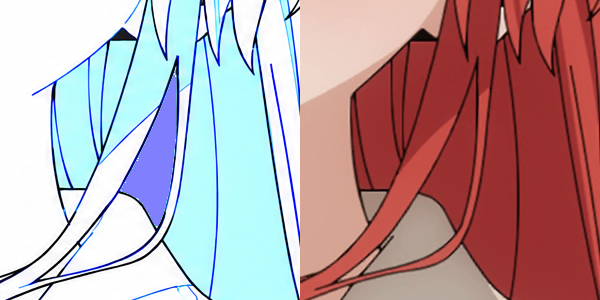
标准答案 {"defects": [{"type": "gap", "bbox": [886, 964, 910, 988]}, {"type": "stray", "bbox": [898, 777, 974, 842]}, {"type": "wrong_color", "bbox": [1520, 720, 1576, 876]}]}

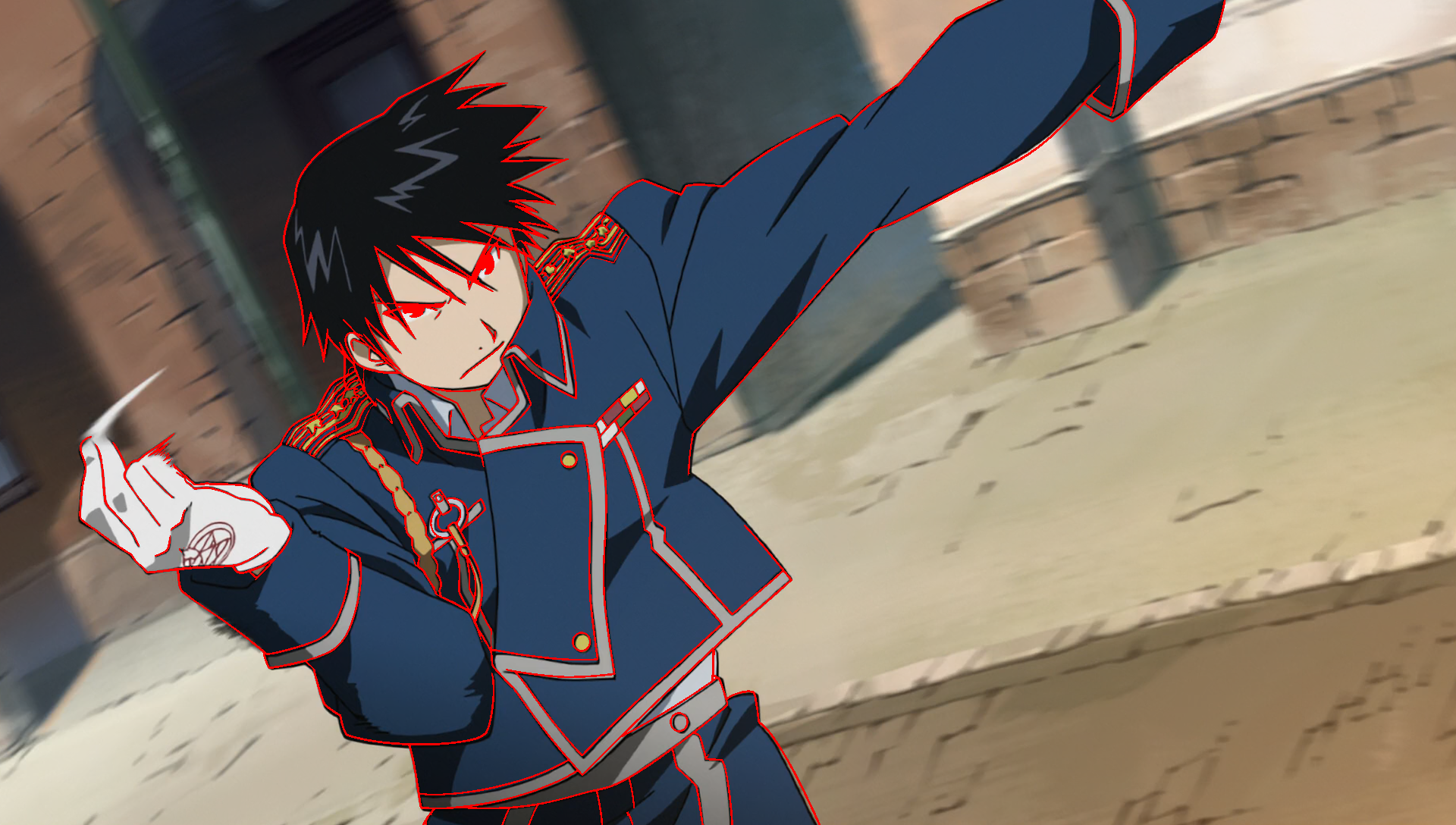
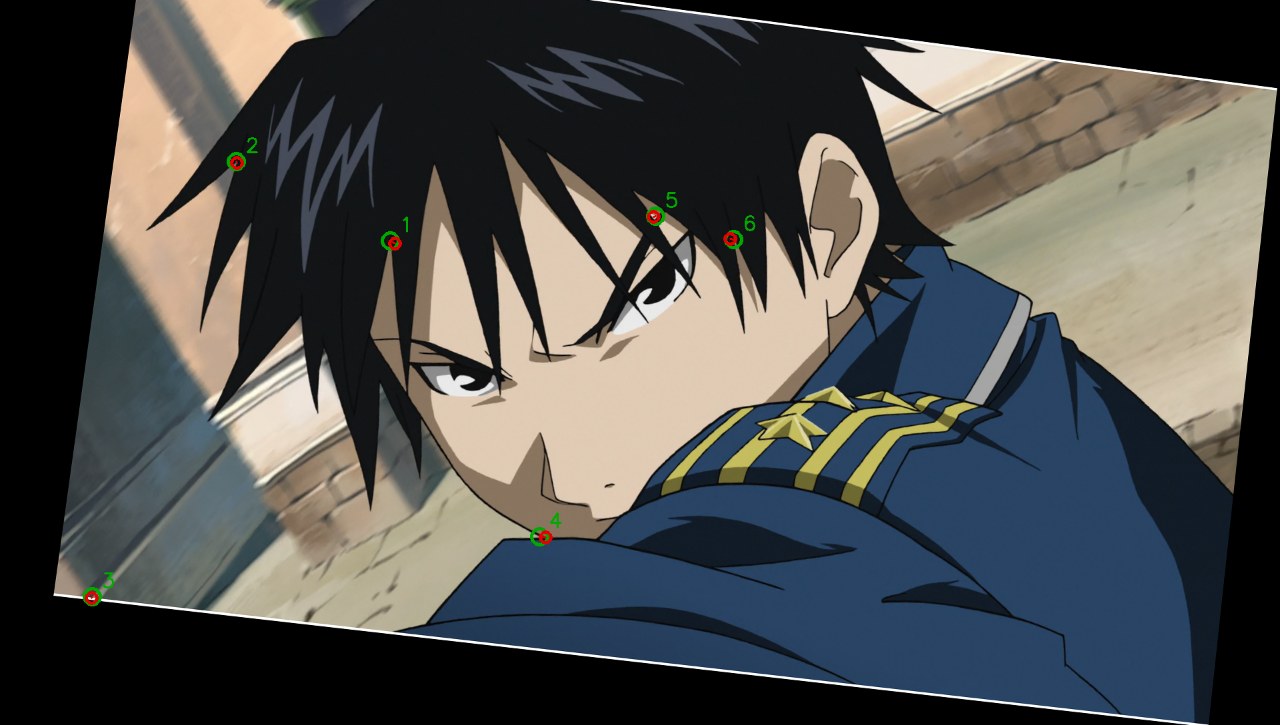
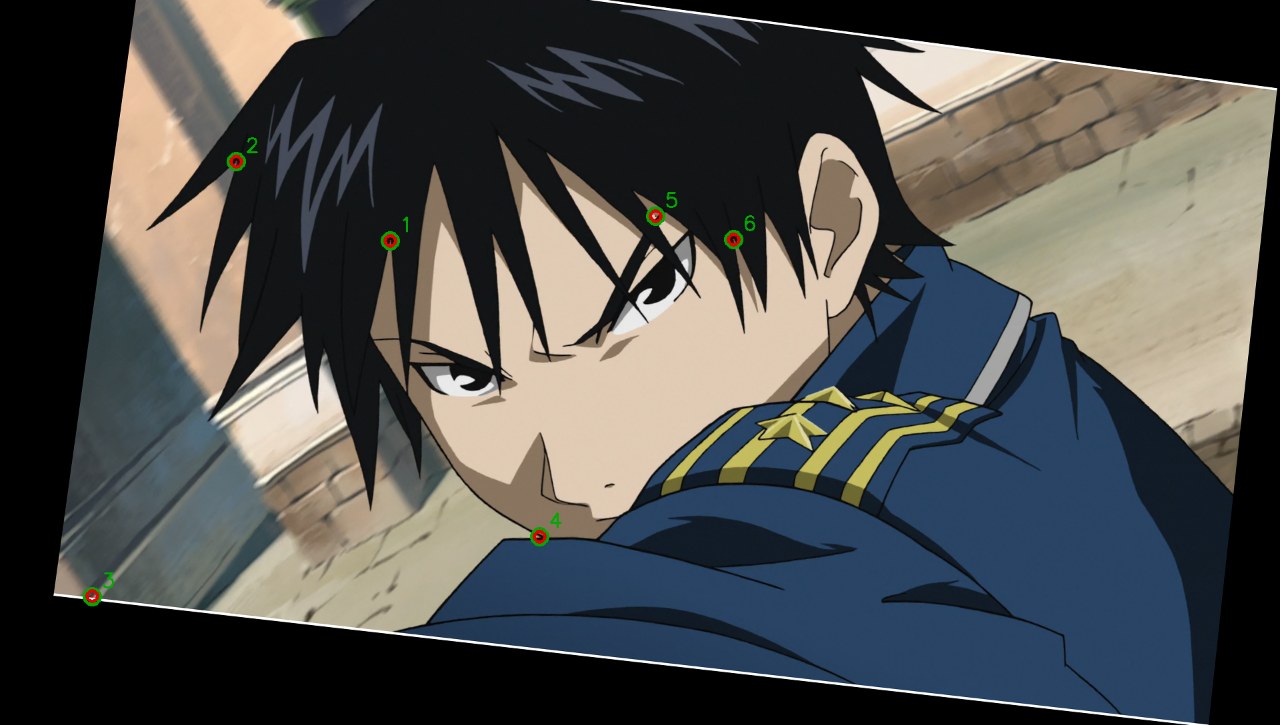
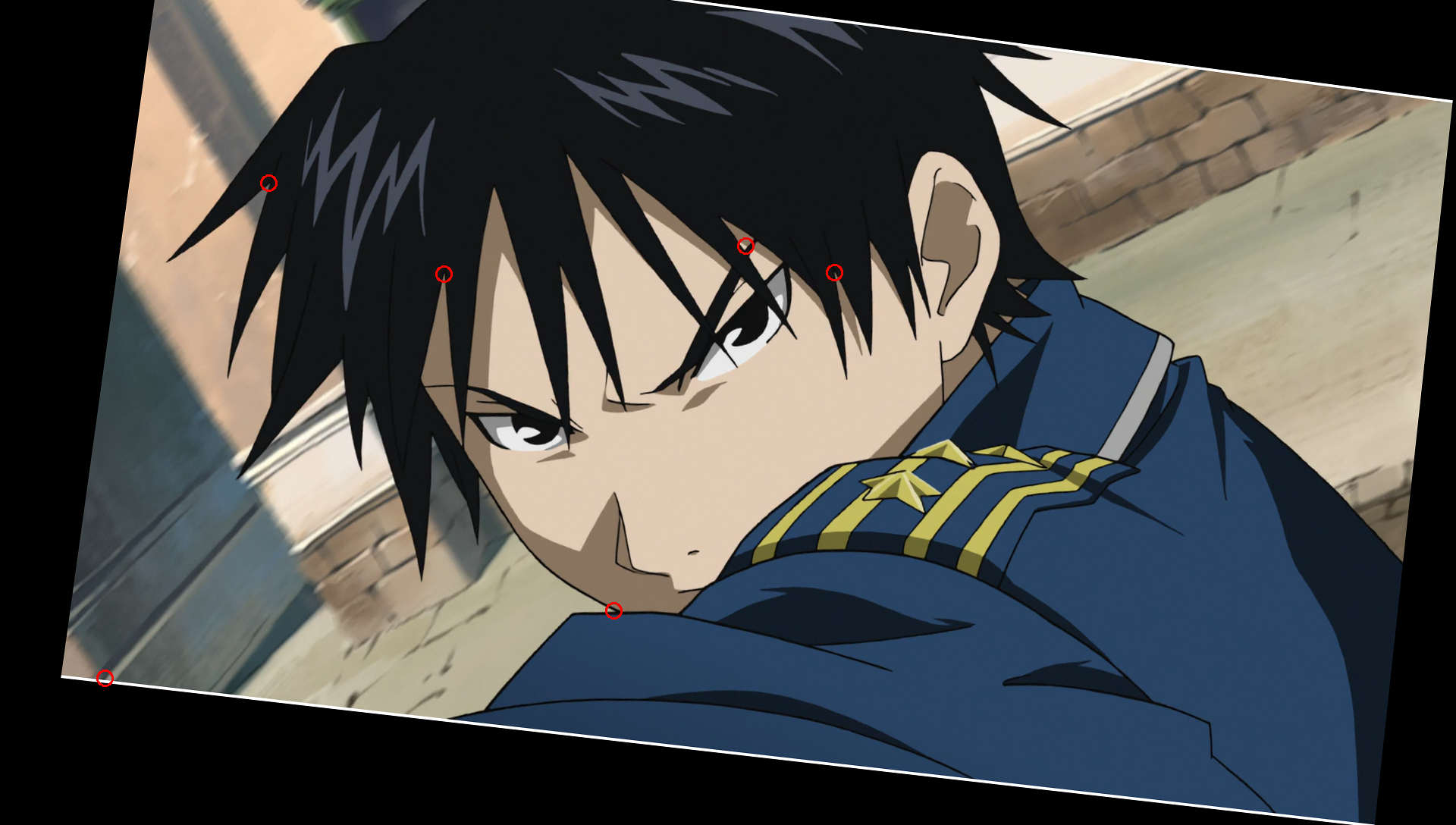
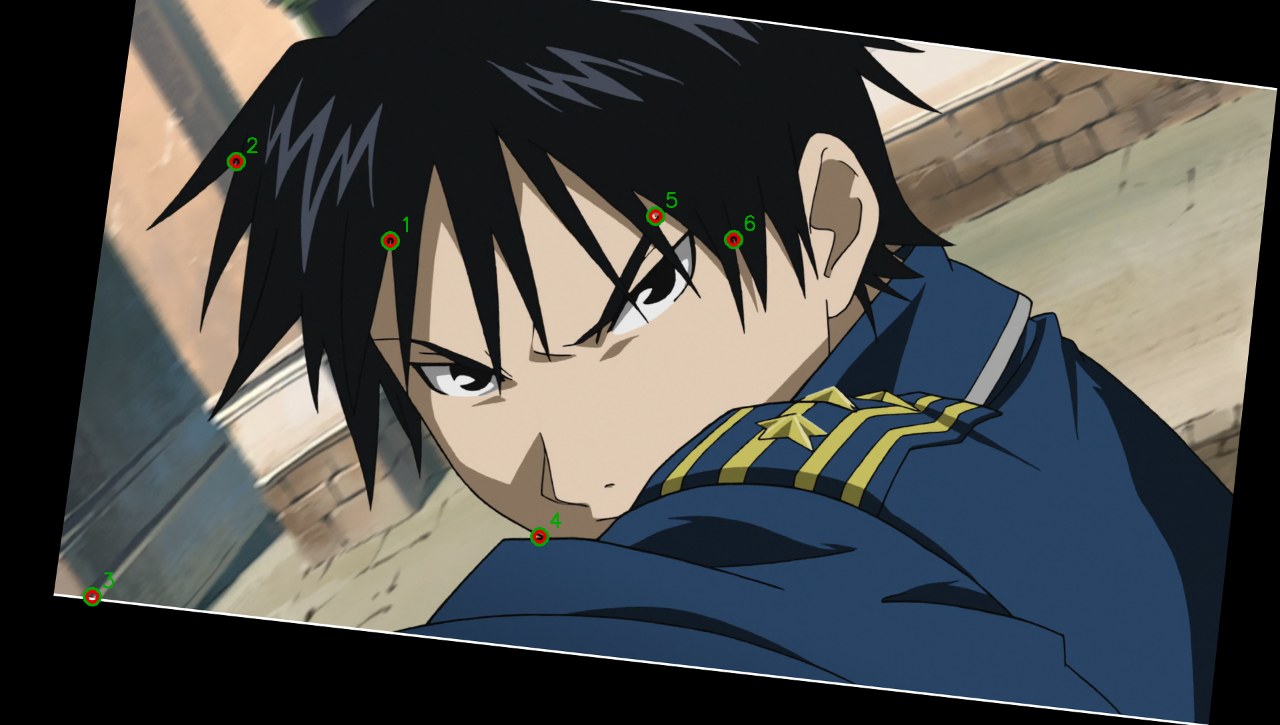
叠图:绿色=标准答案,红色=模型答案。

Opus 5.5 评审(盲评,A–D 已还原)· 最好:Argon · 只看图

A, C and D all scored 1.0 on both runs. A did it in 72–80s with no tool steps, against 344–680s for C and 383–568s for D, and agreed with itself across runs. D's boxes are the most precise and best grounded, but the score is the same. The caveat is that A's method cannot be inspected.

The stray and the lone violet patch stand out visually, but the gap is a 24px break that looks like a hair tip. Vision-only B dismissed it or swapped it for a designed red lip line, and was unstable on whether violet was wrong. Code helps by enumerating designation colours (only one #8080FF region exists), comparing source colour statistics across regions, and finding the pure-white erase patch for exact boxes. Generic line-diff heuristics were noisy, and A shows strong vision alone can solve it much faster.

  • Argon · 只看图:Vision only, 3/3 in both runs in about 75s, with slightly loose but valid boxes and no visible reasoning to verify.
  • Opus 5.5 · 只看图:Fast vision-only runs that reliably caught the obvious stray but were inconsistent on the violet region, missed the small gap, and once called a designed red lip line a gap.
  • Opus 5.5 · 看图+工具:Tool-assisted visual comparison with colour-region statistics, 3/3 both times with exact colour boxes, but slow and burdened by state-loss errors and noisy line diffs.
  • Argon · 看图+工具:Code-first colour and line analysis that produced the most precise, pixel-exact boxes, including an exact gap match, at 6–8x the time of A.
逐次评审
run结论方法失败
Argon · 只看图 r0correctVision only, no tool steps. It localized all three defects directly from the two images.none
Argon · 只看图 r1correctVision only, no tool steps. Same three findings as r0.none
Opus 5.5 · 只看图 r0partlyVision only, quick visual comparison. It rejected the top-left diagonal line correctly as a real source strand.Missed the gap. It noticed 'a tiny mark near (880–890, 950–970)' but dismissed it as 'just a hair tip'.
Opus 5.5 · 只看图 r1partlyVision only. It found the stray, then reversed itself on the violet region.Wrongly accepted the violet region as legitimate because it 'matches darker hair in the source'. It also gave a false-positive gap at the mouth's red colour segment [1195,730,1255,760].
Opus 5.5 · 看图+工具 r0correctMixed. Side-by-side crops, then violet connected components with source medians compared to neighbouring cyan regions. A blackhat line-diff and skeleton endpoint search were too noisy. It finished with a tile-by-tile visual sweep and a 4x zoom on the gap.none
Opus 5.5 · 看图+工具 r1correctCrop-based visual comparison plus a violet connected-component check, which found exactly one region at [1520,720,1576,876]. The stray box was measured from black pixels and the gap was estimated from a 6x zoom.none
Argon · 看图+工具 r0correctCode-led. Colour-mask connected components found the single exact #8080FF region, and source median RGB showed it is the same hair as the cyan regions. It used dark-pixel connected components for the stray and checked for pure-white (255) patches to find the erased gap.none
Argon · 看图+工具 r1correctCode-led. Black pixels with no source edge evidence (gradient plus local darkness) gave stray candidates CC10 and CC12 at about 901–972, 780–840. A colour histogram showed #8080FF is a single 3678-pixel region. It used exact-black and white connected components and one crop view.none

Argon 评审(盲评,A–D 已还原)· 最好:Argon · 只看图

Argon · 只看图 achieved a perfect 1.0 score on both runs in ~75 seconds with zero tool steps, matching the accuracy of the tool-using groups (C and D) roughly 5 to 8 times faster; among tool users, Argon · 看图+工具 was strongest for deriving exact ground-truth pixel coordinates without runtime errors.

Strong vision models can directly spot and localize even small (24x24 px) line gaps and semantic color-designation errors on a 1920x1088 canvas, while weaker vision models suffer from ambiguity on tiny features and color conventions that code easily resolves by zooming in, comparing source RGB statistics across regions, and detecting synthetic pixel values (#FFFFFF erase patches, #000000 strokes, #8080FF fills).

  • Argon · 只看图:Solved both runs perfectly and quickly (~75s) using pure vision with accurate bounding boxes and zero tool overhead.
  • Opus 5.5 · 只看图:Fast (~31s) vision-only runs that reliably spotted the obvious stray stroke but struggled with subtle defects, dismissing the small hair-tip gap and vacillating on the violet wrong_color fill and red mouth line.
  • Opus 5.5 · 看图+工具:Combined side-by-side zoomed tile inspection with OpenCV pixel measurements to get 1.0 on both runs, though slowed down by stateless Python NameError mistakes.
  • Argon · 看图+工具:Executed rigorous, error-free OpenCV pixel forensics (color clustering, source RGB statistics, and synthetic pixel detection) to achieve 1.0 on both runs with pixel-exact bounding boxes.
逐次评审
run结论方法失败
Argon · 只看图 r0correctDirect visual comparison of the 1920x1088 drawing and source frame without tools.none
Argon · 只看图 r1correctDirect visual inspection and coordinate estimation from the full-resolution input images.none
Opus 5.5 · 只看图 r0partlyVisual comparison by eye without tools.Missed the gap defect at [886, 964, 910, 988]; the model noticed the isolated tiny mark at (880-890, 950-970) by the lower-left hair tip but dismissed it as a normal hair tip rather than recognizing the erased gap below it.
Opus 5.5 · 只看图 r1partlyVisual comparison by eye without tools.Missed the lower-left hair gap, falsely dismissed the violet wrong_color region behind the neck as legitimate darker hair, and reported a false-positive gap at the red lip-highlight segment on the bottom of the mouth ([1195, 730, 1255, 760]).
Opus 5.5 · 看图+工具 r0correctVisually identified candidate areas first, then used Python/OpenCV to crop side-by-side comparisons, compare median source RGB values inside violet vs. cyan shadow regions, tile the image into 16 crops for visual verification, and locate the 24x24 pure-white (#FFFFFF) erase patch for the gap.none
Opus 5.5 · 看图+工具 r1correctCropped candidate defect areas and 6 overview tiles for side-by-side visual inspection, while using connectedComponentsWithStats and pixel thresholding to measure exact bounding boxes for wrong_color and stray.none
Argon · 看图+工具 r0correctUsed OpenCV connected components and pixel value analysis (without calling view_image) to verify visual hypotheses, comparing source RGB medians across shadow masks and detecting pure [255,255,255] erase pixels against the ~254 background.none
Argon · 看图+工具 r1correctCombined programmatic edge/gradient comparison (Sobel + local darkening vs. drawing black mask), color connected-component analysis against source RGB means, and exact color frequency inspection (#8080FF, #000000) with one side-by-side crop view.none

Opus 5.5 · 只看图 · r0 — score 0.67

30.1 s · $0.040 · tool steps 0
answer [{"type": "stray", "bbox": [895, 772, 978, 845]}, {"type": "wrong_color", "bbox": [1515, 705, 1585, 875]}]
score {"score": 0.6666666666666666, "found": "2/3", "typeCorrect": 2, "falsePositives": 0}
完整过程(1 轮)
I found two likely defects, from comparing the drawing against the source frame by eye. 1. **Stray line:** The drawing has a short diagonal black line at about (902,780)–(970,838). The source has no edge there, so I'm calling it a stray. The other long diagonal line, near (780,228)–(990,70), does match a line in the source, so I left it alone. 2. **Wrong color (moderate confidence):** The violet fill behind the neck, at about (1515,705)–(1585,875), is the only violet region in the whole drawing. Every comparable hair shadow is cyan. The source hair there is a darker red, so this one is less certain than the stray. Two other spots looked questionable, but I left them out because the evidence was weak: - There is a small red segment at the bottom of the mouth, around (1215–1240, 745). It may be a gap in the outline, but it reads more like an original lip or tongue line. - There is a tiny mark near (880–890, 950–970) by the left hair. It may just be a hair tip. {"answer": [{"type": "stray", "bbox": [895, 772, 978, 845]}, {"type": "wrong_color", "bbox": [1515, 705, 1585, 875]}]}

Opus 5.5 · 只看图 · r1 — score 0.25

31.6 s · $0.043 · tool steps 0
answer [{"type": "stray", "bbox": [895, 772, 978, 845]}, {"type": "gap", "bbox": [1195, 730, 1255, 760]}]
score {"score": 0.25, "found": "1/3", "typeCorrect": 1, "falsePositives": 1}
完整过程(1 轮)
I found one defect with good confidence and a second, less certain one. 1. **Stray (confident):** There is a short diagonal black stroke at about (900,780)–(970,838), to the left of the figure. In the source this area is plain blurred background with no edge, so the stroke should not be there. 2. **Gap (tentative):** Along the bottom of the mouth outline, around x 1205–1245, the black line seems to give way to a short reddish segment. That suggests the closed mouth line is broken there. It could also be an original highlight boundary, so this one is a guess. I checked two other spots and judged them not to be defects: - The violet second-shadow area behind the neck (about x 1520–1580, y 720–870) matches darker hair in the source, so it looks legitimately designated. - The long diagonal line at upper left (about (780,228) to (990,70)) matches a hair strand that appears in the source. ```json {"answer": [{"type": "stray", "bbox": [895, 772, 978, 845]}, {"type": "gap", "bbox": [1195, 730, 1255, 760]}]} ```

Opus 5.5 · 看图+工具 · r0 — score 1.00

679.7 s · $2.395 · tool steps 22
answer [{"type": "stray", "bbox": [901, 780, 972, 840]}, {"type": "gap", "bbox": [885, 963, 913, 991]}, {"type": "wrong_color", "bbox": [1520, 720, 1576, 876]}]
score {"score": 1.0, "found": "3/3", "typeCorrect": 3, "falsePositives": 0}
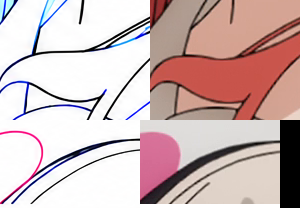
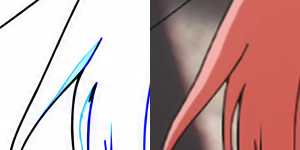
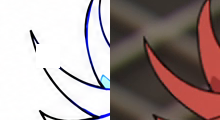
模型生成的图:
完整过程(28 轮)
run_python
import cv2
d=cv2.imread('inputs/drawing.png');s=cv2.imread('inputs/source.png')
for n,(x0,y0,x1,y1) in {'a':(850,700,1050,1000),'b':(1400,650,1700,950)}.items():
    cv2.imwrite(n+'.png',cv2.hconcat([d[y0:y1,x0:x1],s[y0:y1,x0:x1]]))
(no output)
view_image
a.png
image a.png
view_image
b.png
image b.png
run_python
import numpy as np
v=np.all(np.abs(d.astype(int)-[255,128,128])<30,axis=2)
ys,xs=np.nonzero(v);print(xs.min(),xs.max(),ys.min(),ys.max(),v.sum())
print(np.median(s[v],axis=0))
c=np.all(np.abs(d.astype(int)-[255,255,128])<30,axis=2)
reg=np.zeros_like(c);reg[700:900,1420:1520]=1
print(np.median(s[c&(reg>0)],axis=0))
[stderr]
Traceback (most recent call last):
  File "/Users/jiaodong/.claude/jobs/6c47f1c7/tmp/vbw/T1-defects/opus-tools-r0/step_02.py", line 3, in <module>
    v=np.all(np.abs(d.astype(int)-[255,128,128])<30,axis=2)
                    ^
NameError: name 'd' is not defined. Did you mean: 'id'?
run_python
import cv2,numpy as np
d=cv2.imread('inputs/drawing.png');s=cv2.imread('inputs/source.png')
v=np.all(np.abs(d.astype(int)-[255,128,128])<30,axis=2)
ys,xs=np.nonzero(v);print(xs.min(),xs.max(),ys.min(),ys.max(),v.sum())
print(np.median(s[v],axis=0))
c=np.all(np.abs(d.astype(int)-[255,255,128])<30,axis=2)
reg=np.zeros_like(c);reg[700:900,1420:1520]=1
print(np.median(s[c&(reg>0)],axis=0))
reg=np.zeros_like(c);reg[700:900,1580:1700]=1
print(np.median(s[c&(reg>0)],axis=0))
936 1894 2 1083 5667
[ 48.  49. 153.]
[ 43.  45. 116.]
[ 46.5  48.  154. ]
run_python
lab,n=None,None
n,lab,st,cen=cv2.connectedComponentsWithStats(v.astype(np.uint8))
for i in range(1,n):
    if st[i,4]>200: print(st[i],np.median(s[lab==i],axis=0))
reg=np.zeros_like(c);reg[750:850,1440:1510]=1
print(np.median(s[c&(reg>0)],axis=0))
[stderr]
Traceback (most recent call last):
  File "/Users/jiaodong/.claude/jobs/6c47f1c7/tmp/vbw/T1-defects/opus-tools-r0/step_04.py", line 3, in <module>
    n,lab,st,cen=cv2.connectedComponentsWithStats(v.astype(np.uint8))
                 ^^^
NameError: name 'cv2' is not defined
run_python
import cv2,numpy as np
d=cv2.imread('inputs/drawing.png');s=cv2.imread('inputs/source.png')
v=np.all(np.abs(d.astype(int)-[255,128,128])<30,axis=2)
c=np.all(np.abs(d.astype(int)-[255,255,128])<30,axis=2)
n,lab,st,cen=cv2.connectedComponentsWithStats(v.astype(np.uint8))
for i in range(1,n):
    if st[i,4]>200: print(st[i],np.median(s[lab==i],axis=0))
for r in [(750,850,1440,1510),(750,850,1590,1650),(300,500,1500,1600)]:
    reg=np.zeros_like(c);reg[r[0]:r[1],r[2]:r[3]]=1
    print(r,np.median(s[c&(reg>0)],axis=0))
[1520  720   56  156 3678] [ 47.  48. 153.]
(750, 850, 1440, 1510) [ 37.  39. 113.]
(750, 850, 1590, 1650) [nan nan nan]
(300, 500, 1500, 1600) [ 80.  86. 194.]

[stderr]
/Users/jiaodong/miniconda3/envs/nuva/lib/python3.11/site-packages/numpy/core/fromnumeric.py:3504: RuntimeWarning: Mean of empty slice.
  return _methods._mean(a, axis=axis, dtype=dtype,
/Users/jiaodong/miniconda3/envs/nuva/lib/python3.11/site-packages/numpy/core/_methods.py:121: RuntimeWarning: invalid value encountered in divide
  ret = um.true_divide(
run_python
n,lab,st,cen=cv2.connectedComponentsWithStats(c.astype(np.uint8))
for i in range(1,n):
    if st[i,4]>1500: print(st[i],np.median(s[lab==i],axis=0))
[stderr]
Traceback (most recent call last):
  File "/Users/jiaodong/.claude/jobs/6c47f1c7/tmp/vbw/T1-defects/opus-tools-r0/step_06.py", line 2, in <module>
    n,lab,st,cen=cv2.connectedComponentsWithStats(c.astype(np.uint8))
                 ^^^
NameError: name 'cv2' is not defined
run_python
import cv2,numpy as np
d=cv2.imread('inputs/drawing.png');s=cv2.imread('inputs/source.png')
c=np.all(np.abs(d.astype(int)-[255,255,128])<30,axis=2)
n,lab,st,cen=cv2.connectedComponentsWithStats(c.astype(np.uint8))
for i in range(1,n):
    if st[i,4]>1500: print(st[i],np.median(s[lab==i],axis=0))
(no output)
run_python
import cv2,numpy as np
d=cv2.imread('inputs/drawing.png');s=cv2.imread('inputs/source.png')
print(d[800,1470],d[800,1620])
cols,cnt=np.unique(d.reshape(-1,3),axis=0,return_counts=True)
o=np.argsort(-cnt)[:15]
for i in o: print(cols[i],cnt[i])
[254 253 183] [251 251 191]
[254 254 254] 869643
[255 255 255] 239806
[253 253 253] 141811
[254 254 255] 130516
[253 253 254] 93225
[255 254 255] 32193
[255 255 254] 31091
[254 253 254] 30361
[254 255 255] 20443
[255 254 254] 20121
[254 254 253] 19994
[254 253 253] 18206
[252 252 252] 14697
[254 255 254] 12249
[253 254 254] 11972
run_python
import cv2,numpy as np
d=cv2.imread('inputs/drawing.png').astype(int);s=cv2.imread('inputs/source.png')
B,G,R=d[...,0],d[...,1],d[...,2]
cy=(B>230)&(G>230)&(R<215)&(R>150)
vi=(B>230)&(G<200)&(G>100)&(R<200)&(R>100)&(abs(G-R)<30)
ye=(R>230)&(G>200)&(B<190)
for name,m in [('cy',cy),('vi',vi),('ye',ye)]:
    m=cv2.morphologyEx(m.astype(np.uint8),cv2.MORPH_OPEN,np.ones((3,3)))
    n,lab,st,cen=cv2.connectedComponentsWithStats(m)
    for i in range(1,n):
        if st[i,4]>800: print(name,st[i],np.median(s[lab==i],axis=0))
cy [1671  248   64   23  816] [ 62.  64. 166.]
cy [1703  326   71   91 1311] [ 65.  69. 177.]
cy [1000  422   22  128 1657] [ 56.  57. 159.]
cy [1503  562   99  245 7129] [ 48.  48. 153.]
cy [ 1607   663    98   321 16340] [ 47.  48. 153.]
cy [1502  691   33   95 1588] [ 47.  48. 151.]
cy [1565  691   51  252 6923] [ 47.  48. 153.]
cy [1490  697   16   98  937] [ 43.  44. 145.]
cy [1456  713   41  125 3480] [ 49.  50. 154.]
cy [1134  765   42  130 2581] [ 49.  50. 155.]
cy [1271  783   90   77 1753] [149. 165. 213.]
cy [1145  806   60  180 5537] [ 48.  49. 154.]
cy [1250  819   25   60  871] [ 49.  50. 151.]
cy [1197  821   23  118 1497] [ 46.  46. 149.]
cy [1218  822   35   98 2253] [ 49.  50. 154.]
cy [1751  887  109  197 4482] [ 49.  50. 151.]
vi [1522  727   54  149 3662] [ 47.  48. 153.]
run_python
import cv2,numpy as np
d=cv2.imread('inputs/drawing.png');s=cv2.imread('inputs/source.png')
x0,y0,x1,y1=1150,700,1450,950
cv2.imwrite('c.png',cv2.hconcat([d[y0:y1,x0:x1],s[y0:y1,x0:x1]]))
print(s[760,1250],s[850,1350],s[700,1300])
[207 217 239] [149 165 214] [206 216 238]
view_image
c.png
image c.png
run_python
import cv2,numpy as np
d=cv2.imread('inputs/drawing.png');s=cv2.imread('inputs/source.png')
for p in [(850,1300),(820,1330),(850,1400),(900,1400),(800,1300),(760,1250)]:print(p,d[p],s[p])
(850, 1300) [255 254 254] [146 164 213]
(820, 1330) [255 254 254] [149 165 214]
(850, 1400) [254 254 254] [147 165 214]
(900, 1400) [254 254 254] [146 164 213]
(800, 1300) [250 251 252] [206 216 238]
(760, 1250) [255 255 255] [207 217 239]
run_python
import cv2,numpy as np
d=cv2.imread('inputs/drawing.png').astype(int)
B,G,R=d[...,0],d[...,1],d[...,2]
cy=(B>230)&(G>230)&(R<215)&(R>150)
m=(cy*255).astype(np.uint8)[700:950,1150:1450]
cv2.imwrite('m.png',m)
(no output)
view_image
m.png
image m.png
run_python
import cv2,numpy as np
d=cv2.imread('inputs/drawing.png');s=cv2.imread('inputs/source.png')
gd=cv2.cvtColor(d,cv2.COLOR_BGR2GRAY); gs=cv2.cvtColor(s,cv2.COLOR_BGR2GRAY)
dk=(d.max(axis=2)<110).astype(np.uint8)
# source lines: blackhat
bh=cv2.morphologyEx(gs,cv2.MORPH_BLACKHAT,np.ones((7,7)))
sl=((bh>40)&(gs<90)).astype(np.uint8)
miss=sl&(cv2.dilate(dk,np.ones((9,9)))==0)
n,lab,st,cen=cv2.connectedComponentsWithStats(miss)
for i in range(1,n):
    if st[i,4]>25: print('miss',st[i])
extra=dk&(cv2.dilate(sl,np.ones((9,9)))==0)
n,lab,st,cen=cv2.connectedComponentsWithStats(extra)
for i in range(1,n):
    if st[i,4]>40: print('extra',st[i])
miss [1037    4  113  128  335]
miss [1175   47   36  101  217]
miss [1496   75   46  102  226]
miss [1262   98   12   30   86]
miss [1599  100   62  122  276]
miss [1289  111    7   22   49]
miss [994 155  30 227 467]
miss [1153  169   15   38   63]
miss [1670  181  101   65  262]
miss [1544  184   25  108  247]
miss [1358  187    5   43   77]
miss [1367  187    9   42   76]
miss [1462  215    6   28   64]
miss [1078  227    5   57  110]
miss [1252  236   37   88  204]
miss [1034  240   33  107  204]
miss [1377  241    6   19   36]
miss [1773  255   12  143  293]
miss [930 256   7  59  90]
miss [937 256   4  45 101]
miss [1180  263    6   22   53]
miss [1322  270    4   25   37]
miss [1676  272   13   48  116]
miss [1470  275   34  110  347]
miss [960 282   2  23  41]
miss [1388  286    6   22   29]
miss [1700  289   62   34  160]
miss [954 290   4  23  44]
miss [1419  294   20   69  216]
miss [1196  298   10   30   77]
miss [1541  331    4   49   80]
miss [1545  331   12   55   97]
miss [1689  331    8   33   81]
miss [1573  340    5   19   52]
miss [1673  347    5   17   54]
miss [1211  349   18   52   91]
miss [1226  355   10   15   45]
miss [1697  375    6   28   65]
miss [1813  374    3   48   98]
miss [1292  379    4   21   45]
miss [1590  379   30  178  382]
miss [1316  381    4   11   36]
miss [1002  383    7   21   31]
miss [1544  400    2   37   53]
miss [1703  415   23  110  268]
miss [1289  422    7   66   95]
miss [1694  432    5   51  131]
miss [1818  443   38  108  259]
miss [1092  463   13   17   77]
miss [1004  481    3   51   82]
miss [1363  495   13   12   68]
miss [1672  511   30   78  312]
miss [1590  527    4   15   36]
miss [964 531   7  14  33]
miss [1004  534    5   57  119]
miss [1584  557    6   25   32]
miss [1598  580    3   22   26]
miss [983 583   5  33  76]
miss [1615  582   14   36  128]
miss [1570  591   12   60   72]
miss [1628  644    6    7   26]
miss [1564  653    6   43   59]
miss [1864  658    6    9   30]
miss [1618  666    6   48   86]
miss [1604  694   15  248  403]
miss [1460  697   43   53  125]
miss [1589  697    8   54   88]
miss [1694  698    8  112  227]
miss [1670  716   38  245  599]
miss [1502  720    5   62   84]
miss [1455  754   13   71   97]
miss [1492  755    4   33   45]
miss [1586  765    3   20   28]
miss [1132  768   11   84  151]
miss [1342  781   20    9   29]
miss [1784  782   12   16   27]
miss [1109  794    9   40  117]
miss [1160  808   18  111  181]
miss [1195  824   11   62   96]
miss [1249  825    7   50   80]
miss [1574  828    8   33   41]
miss [1220  830    2   20   33]
miss [1743  831   59  183  299]
miss [1087  841   10   37   86]
miss [1479  844    9   15   36]
miss [1773  875   45  123  312]
miss [1218  878    4   38   56]
miss [1140  883    3   16   26]
miss [1470  900   13   15   37]
miss [1243  911   26   41   90]
miss [1148  921   12   36   45]
miss [1246  920   32   35   88]
miss [1133  931    6   17   39]
miss [1138  960   10   24   31]
miss [1315  966   27   14  
run_python
import cv2,numpy as np
d=cv2.imread('inputs/drawing.png');s=cv2.imread('inputs/source.png')
gs=cv2.cvtColor(s,cv2.COLOR_BGR2GRAY)
dl=(d.min(axis=2)<100).astype(np.uint8)
bh=cv2.morphologyEx(gs,cv2.MORPH_BLACKHAT,np.ones((7,7)))
sl=((bh>40)&(gs<90)).astype(np.uint8)
miss=sl&(cv2.dilate(dl,np.ones((9,9)))==0)
n,lab,st,cen=cv2.connectedComponentsWithStats(miss)
for i in range(1,n):
    if st[i,4]>30: print('miss',st[i])
miss [1252  913   16   23   49]
miss [1251  985   49    5   78]
run_python
import cv2,numpy as np
d=cv2.imread('inputs/drawing.png');s=cv2.imread('inputs/source.png')
x0,y0,x1,y1=1180,880,1340,1040
a=cv2.resize(d[y0:y1,x0:x1],None,fx=2,fy=2);b=cv2.resize(s[y0:y1,x0:x1],None,fx=2,fy=2)
cv2.imwrite('e.png',cv2.hconcat([a,b]))
(no output)
view_image
e.png
image e.png
run_python
import cv2,numpy as np
d=cv2.imread('inputs/drawing.png');s=cv2.imread('inputs/source.png')
x0,y0,x1,y1=1220,950,1340,1020
a=cv2.resize(d[y0:y1,x0:x1],None,fx=4,fy=4,interpolation=cv2.INTER_NEAREST);b=cv2.resize(s[y0:y1,x0:x1],None,fx=4,fy=4,interpolation=cv2.INTER_NEAREST)
cv2.imwrite('e.png',cv2.vconcat([a,b]))
(no output)
view_image
e.png
image e.png
run_python
import cv2,numpy as np
from skimage.morphology import skeletonize
from scipy.spatial import cKDTree
d=cv2.imread('inputs/drawing.png')
dk=(d.max(axis=2)<120)
sk=skeletonize(dk)
k=cv2.filter2D(sk.astype(np.uint8),-1,np.ones((3,3)))
ep=np.argwhere(sk&(k==2))
n,lab=cv2.connectedComponents(sk.astype(np.uint8),connectivity=8)
t=cKDTree(ep)
for i,j in t.query_pairs(30):
    a,b=ep[i],ep[j]
    if lab[tuple(a)]!=lab[tuple(b)] or True:
        dist=np.hypot(*(a-b))
        if dist>5: print(a[::-1],b[::-1],round(dist,1),lab[tuple(a)]==lab[tuple(b)])
8 False
[1644  710] [1660  719] 18.4 False
[1483  385] [1458  400] 29.2 False
[1566  689] [1566  709] 20.0 False
[1444  375] [1453  392] 19.2 False
[1463  407] [1479  429] 27.2 False
[1232  410] [1243  435] 27.3 False
[1357  234] [1356  245] 11.0 False
[1692  921] [1695  935] 14.3 False
[1612  567] [1617  580] 13.9 False
[1262   75] [1268  101] 26.7 True
[1465  410] [1475  414] 10.8 True
[1538  686] [1559  691] 21.6 False
[1454  393] [1465  410] 20.2 False
[1465  410] [1475  424] 17.2 False
[1309  432] [1303  443] 12.5 False
[1296  406] [1298  418] 12.2 True
[1079  304] [1079  313] 9.0 True
[1196 1019] [1198 1024] 5.4 False
[1596  691] [1612  700] 18.4 True
[1782  793] [1800  799] 19.0 False
[1302  435] [1304  445] 10.2 False
[1531  816] [1524  829] 14.8 True
[1702  410] [1703  415] 5.1 False
[1341  385] [1319  402] 27.8 False
[1302  435] [1305  454] 19.2 False
[1198 1024] [1226 1025] 28.0 False
[1543  440] [1542  452] 12.0 True
[1653  697] [1660  723] 26.9 False
[1612 1057] [1595 1071] 22.0 False
[1606  671] [1596  691] 22.4 False
[1627  660] [1599  662] 28.1 False
[1544  394] [1558  405] 17.8 False
[1575  795] [1585  797] 10.2 False
[1317  375] [1319  399] 24.1 False
[1449  385] [1463  407] 26.1 False
[1566  689] [1559  692] 7.6 False
[1011  594] [1021  599] 11.2 True
[1540  680] [1566  689] 27.5 False
[1512  771] [1501  785] 17.8 True
[1205  889] [1206  901] 12.0 False
[1444  375] [1458  400] 28.7 False
[1005  664] [1006  674] 10.0 False
[1538  686] [1566  686] 28.0 False
[1465  410] [1470  417] 8.6 True
[1454  393] [1475  414] 29.7 False
[1642  706] [1652  722] 18.9 False
[1296  406] [1302  435] 29.6 False
[1653  697] [1644  710] 15.8 False
[1302  435] [1305  452] 17.3 False
[1782  794] [1800  799] 18.7 False
[1606  671] [1633  673] 27.1 False
[880 951] [888 963] 14.4 True
[1558  689] [1562  699] 10.8 False
[1345 1064] [1354 1082] 20.1 True
[1599  662] [1596  691] 29.2 False
[1337  790] [1331  792] 6.3 True
[1093  174] [1086  201] 27.9 True
[1197 1017] [1196 1022] 5.1 False
[1086  432] [1083  453] 21.2 True
[1540  680] [1559  692] 22.5 False
[1317  367] [1317  375] 8.0 True
[1200  953] [1192  963] 12.8 False
[1110  403] [1117  420] 18.4 True
[1271  132] [1296  140] 26.2 False
[1657  677] [1657  699] 22.0 False
[1660  719] [1652  722] 8.5 False
[1357  234] [1341  241] 17.5 True
[1559  691] [1576  708] 24.0 False
[1783  775] [1782  793] 18.0 False
[1262   75] [1256   76] 6.1 False
[1243  435] [1251  453] 19.7 True
[1328 1057] [1345 1064] 18.4 False
[1454  393] [1470  417] 28.8 False
[949 192] [944 201] 10.3 True
[1653  697] [1642  706] 14.2 False
[1589  760] [1585  789] 29.3 False
[1653  697] [1652  722] 25.0 False
[1477  426] [1486  437] 14.2 False
[1341  241] [1356  245] 15.5 False
[1274  132] [1296  140] 23.4 False
[1153  363] [1170  371] 18.8 True
[1458  400] [1465  410] 12.2 False
[885 971] [894 988] 19.2 False
[1317  375] [1341  385] 26.0 False
[1453  392] [1458  400] 9.4 False
[1585  789] [1574  807] 21.1 False
[1196  958] [1192  963] 6.
run_python
import cv2,numpy as np
d=cv2.imread('inputs/drawing.png');s=cv2.imread('inputs/source.png')
k=0
for y0 in range(0,1088,272):
    for x0 in range(760,1920,290):
        a=d[y0:y0+272,x0:x0+290];b=s[y0:y0+272,x0:x0+290]
        im=cv2.hconcat([a,b]);im=cv2.resize(im,None,fx=1.6,fy=1.6)
        cv2.imwrite(f't_{y0}_{x0}.png',im)
print('ok')
ok
view_image
t_272_1050.png
image t_272_1050.png
view_image
t_272_1340.png
image t_272_1340.png
view_image
t_544_1050.png
image t_544_1050.png
view_image
t_544_1340.png
image t_544_1340.png
view_image
t_544_760.png
image t_544_760.png
view_image
t_816_1050.png
image t_816_1050.png
view_image
t_0_1050.png
image t_0_1050.png
view_image
t_0_1340.png
image t_0_1340.png
view_image
t_0_1630.png
image t_0_1630.png
view_image
t_272_1630.png
image t_272_1630.png
view_image
t_544_1630.png
image t_544_1630.png
view_image
t_816_1340.png
image t_816_1340.png
view_image
t_816_1630.png
image t_816_1630.png
view_image
t_272_760.png
image t_272_760.png
view_image
t_816_760.png
image t_816_760.png
view_image
t_0_760.png
image t_0_760.png
run_python
import cv2,numpy as np
d=cv2.imread('inputs/drawing.png');s=cv2.imread('inputs/source.png')
x0,y0,x1,y1=860,930,960,1010
a=cv2.resize(d[y0:y1,x0:x1],None,fx=4,fy=4,interpolation=cv2.INTER_NEAREST);b=cv2.resize(s[y0:y1,x0:x1],None,fx=4,fy=4,interpolation=cv2.INTER_NEAREST)
cv2.imwrite('e.png',cv2.hconcat([a,b]))
(no output)
view_image
e.png
image e.png
run_python
import cv2,numpy as np
d=cv2.imread('inputs/drawing.png')
w=np.all(d==255,axis=2).astype(np.uint8)
o=cv2.morphologyEx(w,cv2.MORPH_OPEN,np.ones((12,12)))
n,lab,st,cen=cv2.connectedComponentsWithStats(o)
for i in range(1,n):
    if st[i,4]>100: print(st[i])
[887 965  24  24 576]
run_python
import cv2,numpy as np
d=cv2.imread('inputs/drawing.png')
dk=(d.max(axis=2)<150).astype(np.uint8)
n,lab,st,cen=cv2.connectedComponentsWithStats(dk)
for i in range(1,n):
    x,y,w,h,a=st[i]
    if x<1000 and y>700 and y<900: print(st[i])
[901 780  71  60 304]
[ 889  837  247  247 2699]
run_python
import cv2,numpy as np
d=cv2.imread('inputs/drawing.png');s=cv2.imread('inputs/source.png')
x0,y0,x1,y1=1030,690,1140,910
a=cv2.resize(d[y0:y1,x0:x1],None,fx=2,fy=2);b=cv2.resize(s[y0:y1,x0:x1],None,fx=2,fy=2)
cv2.imwrite('e.png',cv2.hconcat([a,b]))
(no output)
view_image
e.png
image e.png
I found 3 defects. 1. **Stray** at [901, 780, 972, 840]: a short black diagonal line on its own to the left of the figure. That spot in the source is only the blurred background grid, with no edge there. 2. **Gap** at [885, 963, 913, 991]: the outline of the lower-left hair strand tip is broken there. The source shows that outline as one unbroken line. The cut is a 24×24 patch of pure white (255,255,255). I scanned the whole drawing for patches like that and this was the only one. 3. **Wrong color** at [1520, 720, 1576, 876]: the violet (darker shadow) region in the hair below the right side of the neck should be cyan. Its median source colour (RGB ≈ 153, 48, 47) matches the cyan-filled hair shadows around it (about 145–155 red). The darker cyan region just to its left (about 113 red) shows violet isn't justified by darkness either. Things I checked and judged to be original: - The long diagonal line at the top left: the source has a thin hair strand there. - The red section at the bottom of the mouth: it's a colour line, not a missing black line. - The black line beside the hair left of the chin: it matches the source. - The unshaded neck and shirt shadows: the drawing doesn't mark those anywhere, so I took that as the design. The automated line comparison was noisy, so I also looked over the figure tile by tile against the source. A gap with very short ends could still have been missed. ```json {"answer": [{"type": "stray", "bbox": [901, 780, 972, 840]}, {"type": "gap", "bbox": [885, 963, 913, 991]}, {"type": "wrong_color", "bbox": [1520, 720, 1576, 876]}]} ```

Opus 5.5 · 看图+工具 · r1 — score 1.00

343.8 s · $0.798 · tool steps 10
answer [{"type": "stray", "bbox": [899, 778, 973, 841]}, {"type": "wrong_color", "bbox": [1520, 720, 1576, 876]}, {"type": "gap", "bbox": [882, 958, 914, 992]}]
score {"score": 1.0, "found": "3/3", "typeCorrect": 3, "falsePositives": 0}
模型生成的图:
完整过程(14 轮)
run_python
import cv2
d=cv2.imread('inputs/drawing.png');s=cv2.imread('inputs/source.png')
for n,(x0,y0,x1,y1) in {'a':(850,740,1020,880),'b':(1400,650,1650,900),'c':(850,900,1000,1000)}.items():
    cv2.imwrite(n+'.png',cv2.resize(cv2.hconcat([d[y0:y1,x0:x1],s[y0:y1,x0:x1]]),None,fx=2,fy=2))
(no output)
view_image
a.png
image a.png
view_image
b.png
image b.png
run_python
import numpy as np
m=(abs(d[:,:,0].astype(int)-255)<30)&(abs(d[:,:,1].astype(int)-128)<30)&(abs(d[:,:,2].astype(int)-128)<30)
n,l,st,c=cv2.connectedComponentsWithStats(m.astype(np.uint8))
print([s for s in st[1:] if s[4]>50])
for i,(x0,y0) in enumerate([(850,0),(1350,0),(850,350),(1350,350),(850,700),(1350,700)]):
    x1,y1=x0+570,y0+388
    cv2.imwrite(f't{i}.png',cv2.hconcat([d[y0:y1,x0:x1],s[y0:y1,x0:x1]]))
[stderr]
Traceback (most recent call last):
  File "/Users/jiaodong/.claude/jobs/6c47f1c7/tmp/vbw/T1-defects/opus-tools-r1/step_02.py", line 3, in <module>
    m=(abs(d[:,:,0].astype(int)-255)<30)&(abs(d[:,:,1].astype(int)-128)<30)&(abs(d[:,:,2].astype(int)-128)<30)
           ^
NameError: name 'd' is not defined. Did you mean: 'id'?
run_python
import numpy as np,cv2
d=cv2.imread('inputs/drawing.png');s=cv2.imread('inputs/source.png')
m=(abs(d[:,:,0].astype(int)-255)<30)&(abs(d[:,:,1].astype(int)-128)<30)&(abs(d[:,:,2].astype(int)-128)<30)
n,l,st,c=cv2.connectedComponentsWithStats(m.astype(np.uint8))
print([s for s in st[1:] if s[4]>50])
for i,(x0,y0) in enumerate([(850,0),(1350,0),(850,350),(1350,350),(850,700),(1350,700)]):
    x1,y1=x0+570,y0+388
    cv2.imwrite(f't{i}.png',cv2.hconcat([d[y0:y1,x0:x1],s[y0:y1,x0:x1]]))
[array([1520,  720,   56,  156, 3678], dtype=int32)]
view_image
t0.png
image t0.png
view_image
t1.png
image t1.png
view_image
t2.png
image t2.png
run_python
x0,y0,x1,y1=1160,630,1300,760
cv2.imwrite('m.png',cv2.resize(cv2.hconcat([d[y0:y1,x0:x1],s[y0:y1,x0:x1]]),None,fx=3,fy=3))
[stderr]
Traceback (most recent call last):
  File "/Users/jiaodong/.claude/jobs/6c47f1c7/tmp/vbw/T1-defects/opus-tools-r1/step_04.py", line 3, in <module>
    cv2.imwrite('m.png',cv2.resize(cv2.hconcat([d[y0:y1,x0:x1],s[y0:y1,x0:x1]]),None,fx=3,fy=3))
    ^^^
NameError: name 'cv2' is not defined
view_image
m.png
no such file in the working directory: m.png
run_python
import numpy as np,cv2
d=cv2.imread('inputs/drawing.png');s=cv2.imread('inputs/source.png')
x0,y0,x1,y1=1160,630,1300,760
cv2.imwrite('m.png',cv2.resize(cv2.hconcat([d[y0:y1,x0:x1],s[y0:y1,x0:x1]]),None,fx=3,fy=3))
(no output)
view_image
m.png
image m.png
view_image
t3.png
image t3.png
view_image
t4.png
image t4.png
run_python
x0,y0,x1,y1=860,880,1100,1088
cv2.imwrite('m.png',cv2.resize(cv2.hconcat([d[y0:y1,x0:x1],s[y0:y1,x0:x1]]),None,fx=2,fy=2))
[stderr]
Traceback (most recent call last):
  File "/Users/jiaodong/.claude/jobs/6c47f1c7/tmp/vbw/T1-defects/opus-tools-r1/step_06.py", line 3, in <module>
    cv2.imwrite('m.png',cv2.resize(cv2.hconcat([d[y0:y1,x0:x1],s[y0:y1,x0:x1]]),None,fx=2,fy=2))
    ^^^
NameError: name 'cv2' is not defined
view_image
m.png
image m.png
Python state doesn't persist; I'll write a helper file.
run_python
open('h.py','w').write('''
import numpy as np,cv2
d=cv2.imread('inputs/drawing.png');s=cv2.imread('inputs/source.png')
def crop(n,x0,y0,x1,y1,f=2):
    cv2.imwrite(n,cv2.resize(cv2.hconcat([d[y0:y1,x0:x1],s[y0:y1,x0:x1]]),None,fx=f,fy=f))
''')
from h import *
crop('m.png',860,880,1100,1088)
(no output)
view_image
m.png
image m.png
run_python
from h import *
crop('m.png',870,930,940,1000,6)
(no output)
view_image
m.png
image m.png
view_image
t5.png
image t5.png
run_python
from h import *
crop('e1.png',990,340,1220,540,2)
crop('e2.png',1300,360,1560,580,2)
(no output)
view_image
e1.png
image e1.png
view_image
e2.png
image e2.png
run_python
from h import *
r=d[760:850,880:990].sum(2)<200
ys,xs=np.nonzero(r);print(xs.min()+880,ys.min()+760,xs.max()+880,ys.max()+760)
901 780 971 839
I found three defects by comparing the drawing with the source frame crop by crop and measuring pixels where I could. 1. **Stray line:** there is a black diagonal stroke at about x 901–971, y 780–839. In the source that spot is just blurred background with no edge, so the stroke shouldn't be there. I measured its box from the black pixels. 2. **Wrong colour:** the region at x 1520–1576, y 720–876 is filled violet (#8080FF, the darker shadow). In the source it is the same dark red as the cyan-shadowed hair next to it, so it should be cyan. Its box comes from the connected violet area. 3. **Gap:** the outline of the small hair strand tip on the lower left breaks off at about x 884–912, y 960–990. The source shows that line continuous. This box is my estimate from a 6× zoom, not a pixel measurement. I also checked the rest of the figure (hair top, both eyes, the mouth, neck and shoulders) and found nothing else. The red segment under the mouth matches the source, so I didn't count it as a defect. Small gaps elsewhere could still be missed, since I didn't trace every line automatically. ```json {"answer": [{"type": "stray", "bbox": [899, 778, 973, 841]}, {"type": "wrong_color", "bbox": [1520, 720, 1576, 876]}, {"type": "gap", "bbox": [882, 958, 914, 992]}]} ```

Argon · 只看图 · r0 — score 1.00

72.3 s · $0.057 · tool steps 0
answer [{"type": "stray", "bbox": [900, 778, 972, 839]}, {"type": "gap", "bbox": [880, 947, 916, 990]}, {"type": "wrong_color", "bbox": [1518, 711, 1579, 880]}]
score {"score": 1.0, "found": "3/3", "typeCorrect": 3, "falsePositives": 0}
完整过程(1 轮)
{"answer": [{"type": "stray", "bbox": [900, 778, 972, 839]}, {"type": "gap", "bbox": [880, 947, 916, 990]}, {"type": "wrong_color", "bbox": [1518, 711, 1579, 880]}]}

Argon · 只看图 · r1 — score 1.00

79.7 s · $0.063 · tool steps 0
answer [{"type": "stray", "bbox": [900, 778, 972, 839]}, {"type": "gap", "bbox": [880, 955, 910, 1000]}, {"type": "wrong_color", "bbox": [1518, 713, 1580, 880]}]
score {"score": 1.0, "found": "3/3", "typeCorrect": 3, "falsePositives": 0}
完整过程(1 轮)
{"answer": [{"type": "stray", "bbox": [900, 778, 972, 839]}, {"type": "gap", "bbox": [880, 955, 910, 1000]}, {"type": "wrong_color", "bbox": [1518, 713, 1580, 880]}]}

Argon · 看图+工具 · r0 — score 1.00

383.1 s · $1.174 · tool steps 18
answer [{"type": "gap", "bbox": [886, 964, 910, 988]}, {"type": "stray", "bbox": [900, 779, 973, 841]}, {"type": "wrong_color", "bbox": [1520, 720, 1576, 876]}]
score {"score": 1.0, "found": "3/3", "typeCorrect": 3, "falsePositives": 0}
模型生成的图:
完整过程(20 轮)
run_python
import cv2
import numpy as np

drawing = cv2.imread('inputs/drawing.png')
source = cv2.imread('inputs/source.png')

print("drawing shape:", drawing.shape)
print("source shape:", source.shape)

# Check unique colors or color distributions in drawing
drawing_rgb = cv2.cvtColor(drawing, cv2.COLOR_BGR2RGB)
source_rgb = cv2.cvtColor(source, cv2.COLOR_BGR2RGB)

# Let's check for non-white, non-black regions in drawing
# Specifically, let's look at colored fills (cyan #80FFFF, violet #8080FF, yellow #FFFF80 or similar)
r, g, b = drawing_rgb[:,:,0], drawing_rgb[:,:,1], drawing_rgb[:,:,2]

# Violet fill: R around 128, G around 128, B around 255
violet_mask = (b > 200) & (r > 100) & (r < 170) & (g > 100) & (g < 170)
print("Violet pixels:", np.sum(violet_mask))
if np.sum(violet_mask) > 0:
    ys, xs = np.where(violet_mask)
    print("Violet bbox:", [int(xs.min()), int(ys.min()), int(xs.max()), int(ys.max())])

# Cyan fill: R around 128, G around 255, B around 255
cyan_mask = (g > 220) & (b > 220) & (r > 100) & (r < 180)
print("Cyan pixels:", np.sum(cyan_mask))

# Yellow fill: R around 255, G around 255, B < 180
yellow_mask = (r > 220) & (g > 200) & (b < 180)
print("Yellow pixels:", np.sum(yellow_mask))
drawing shape: (1088, 1920, 3)
source shape: (1088, 1920, 3)
Violet pixels: 7292
Violet bbox: [890, 0, 1898, 1083]
Cyan pixels: 12604
Yellow pixels: 2334
run_python
import cv2
import numpy as np

drawing = cv2.imread('inputs/drawing.png')
source = cv2.imread('inputs/source.png')
drawing_rgb = cv2.cvtColor(drawing, cv2.COLOR_BGR2RGB)
source_rgb = cv2.cvtColor(source, cv2.COLOR_BGR2RGB)

r, g, b = drawing_rgb[:,:,0], drawing_rgb[:,:,1], drawing_rgb[:,:,2]

# Exact or near-exact #8080FF
violet_exact = (np.abs(r.astype(int) - 128) < 10) & (np.abs(g.astype(int) - 128) < 10) & (b > 245)
# Erode to remove 1px anti-aliasing of blue lines
kernel = np.ones((3,3), np.uint8)
violet_eroded = cv2.erode(violet_exact.astype(np.uint8), kernel, iterations=1)
num_labels, labels, stats, centroids = cv2.connectedComponentsWithStats(violet_eroded)
for i in range(1, num_labels):
    if stats[i, cv2.CC_STAT_AREA] > 10:
        x, y, w, h, area = stats[i]
        print(f"Violet region {i}: bbox=[{x}, {y}, {x+w}, {y+h}], area={area}")

# Let's get the full un-eroded region corresponding to that label
for i in range(1, num_labels):
    if stats[i, cv2.CC_STAT_AREA] > 10:
        # floodfill or connected components on violet_exact
        num_l2, l2, s2, _ = cv2.connectedComponentsWithStats(violet_exact.astype(np.uint8))
        for j in range(1, num_l2):
            if s2[j, cv2.CC_STAT_AREA] > 50:
                x, y, w, h, area = s2[j]
                print(f"Violet exact CC {j}: bbox=[{x}, {y}, {x+w}, {y+h}], area={area}")
Violet region 1: bbox=[1523, 728, 1575, 875], area=3260
Violet exact CC 122: bbox=[1520, 720, 1576, 876], area=3678
run_python
import cv2
import numpy as np

drawing = cv2.imread('inputs/drawing.png')
source = cv2.imread('inputs/source.png')
drawing_rgb = cv2.cvtColor(drawing, cv2.COLOR_BGR2RGB)
source_rgb = cv2.cvtColor(source, cv2.COLOR_BGR2RGB)
r, g, b = drawing_rgb[:,:,0], drawing_rgb[:,:,1], drawing_rgb[:,:,2]

# Check source color inside the violet region [1520, 720, 1576, 876]
violet_exact = (np.abs(r.astype(int) - 128) < 15) & (np.abs(g.astype(int) - 128) < 15) & (b > 240)
num_l2, l2, s2, _ = cv2.connectedComponentsWithStats(violet_exact.astype(np.uint8))
for j in range(1, num_l2):
    if s2[j, cv2.CC_STAT_AREA] > 50:
        mask = (l2 == j)
        print("Source mean RGB in violet region:", source_rgb[mask].mean(axis=0))
        print("Source median RGB in violet region:", np.median(source_rgb[mask], axis=0))

# Now let's check cyan regions
cyan_exact = (np.abs(r.astype(int) - 128) < 15) & (g > 240) & (b > 240)
num_lc, lc, sc, _ = cv2.connectedComponentsWithStats(cyan_exact.astype(np.uint8))
for j in range(1, num_lc):
    if sc[j, cv2.CC_STAT_AREA] > 50:
        mask = (lc == j)
        x, y, w, h, area = sc[j]
        med_rgb = np.median(source_rgb[mask], axis=0)
        print(f"Cyan CC {j}: bbox=[{x}, {y}, {x+w}, {y+h}], area={area}, source median RGB={med_rgb}")
Source mean RGB in violet region: [147.50924415  46.67509516  45.91816204]
Source median RGB in violet region: [153.  48.  47.]
run_python
import cv2
import numpy as np

drawing = cv2.imread('inputs/drawing.png')
drawing_rgb = cv2.cvtColor(drawing, cv2.COLOR_BGR2RGB)
source_rgb = cv2.cvtColor(cv2.imread('inputs/source.png'), cv2.COLOR_BGR2RGB)

# Sample a pixel in the cyan area around x=1650, y=800
print("Cyan sample at (1650, 800):", drawing_rgb[800, 1650])
print("Violet sample at (1560, 800):", drawing_rgb[800, 1560])

# Find all distinct fill colors (where 3x3 neighborhood is uniform and not white/black)
diff = np.max(np.abs(drawing_rgb.astype(int) - cv2.blur(drawing_rgb, (3,3)).astype(int)), axis=2)
uniform = (diff < 5) & (np.min(drawing_rgb, axis=2) < 250) & (np.max(drawing_rgb, axis=2) > 30)
vals, counts = np.unique(drawing_rgb[uniform].reshape(-1, 3), axis=0, return_counts=True)
for v, c in zip(vals, counts):
    if c > 50:
        print("Uniform color:", v, "count:", c)
 color: [188 254 254] count: 325
Uniform color: [188 254 255] count: 116
Uniform color: [189 250 251] count: 82
Uniform color: [189 251 252] count: 87
Uniform color: [189 252 252] count: 74
Uniform color: [189 252 253] count: 78
Uniform color: [189 253 253] count: 149
Uniform color: [189 253 254] count: 192
Uniform color: [189 254 254] count: 210
Uniform color: [189 254 255] count: 86
Uniform color: [190 250 251] count: 63
Uniform color: [190 251 252] count: 67
Uniform color: [190 252 252] count: 59
Uniform color: [190 252 253] count: 77
Uniform color: [190 253 253] count: 103
Uniform color: [190 253 254] count: 148
Uniform color: [190 254 254] count: 102
Uniform color: [191 250 251] count: 67
Uniform color: [191 251 252] count: 63
Uniform color: [191 252 253] count: 73
Uniform color: [191 253 253] count: 67
Uniform color: [191 253 254] count: 69
Uniform color: [191 254 254] count: 59
Uniform color: [192 249 250] count: 56
Uniform color: [192 250 251] count: 59
Uniform color: [192 251 252] count: 61
Uniform color: [192 252 253] count: 64
Uniform color: [192 253 253] count: 56
Uniform color: [192 253 254] count: 65
Uniform color: [243 243 243] count: 72
Uniform color: [244 244 244] count: 134
Uniform color: [244 244 245] count: 73
Uniform color: [245 245 245] count: 561
Uniform color: [245 245 246] count: 263
Uniform color: [245 245 247] count: 169
Uniform color: [245 245 248] count: 117
Uniform color: [245 245 249] count: 78
Uniform color: [245 245 251] count: 52
Uniform color: [245 245 253] count: 57
Uniform color: [245 245 254] count: 97
Uniform color: [245 246 245] count: 62
Uniform color: [245 246 246] count: 127
Uniform color: [245 246 247] count: 86
Uniform color: [245 246 248] count: 86
Uniform color: [245 246 249] count: 96
Uniform color: [245 246 250] count: 81
Uniform color: [245 246 251] count: 67
Uniform color: [245 246 252] count: 55
Uniform color: [245 246 253] count: 62
Uniform color: [245 246 254] count: 119
Uniform color: [246 245 246] count: 77
Uniform color: [246 246 245] count: 56
Uniform color: [246 246 246] count: 1921
Uniform color: [246 246 247] count: 862
Uniform color: [246 246 248] count: 413
Uniform color: [246 246 249] count: 293
Uniform color: [246 246 250] count: 198
Uniform color: [246 246 251] count: 163
Uniform color: [246 246 252] count: 134
Uniform color: [246 246 253] count: 148
Uniform color: [246 246 254] count: 273
Uniform color: [246 247 246] count: 179
Uniform color: [246 247 247] count: 289
Uniform color: [246 247 248] count: 214
Uniform color: [246 247 249] count: 199
Uniform color: [246 247 250] count: 171
Uniform color: [246 247 251] count: 154
Uniform color: [246 247 252] count: 148
Uniform color: [246 247 253] count: 161
Uniform color: [246 247 254] count: 357
Uniform color: [246 247 255] count: 105
Uniform color: [246 248 246] count: 58
Uniform color: [246 248 253] count: 59
Uniform color: [246 248 254] count: 77
Uniform color: [247 246 246] count: 100
Uniform color: [247 246 247] count: 200
Unifor
run_python
import cv2
import numpy as np

drawing = cv2.imread('inputs/drawing.png')
drawing_rgb = cv2.cvtColor(drawing, cv2.COLOR_BGR2RGB)
source_rgb = cv2.cvtColor(cv2.imread('inputs/source.png'), cv2.COLOR_BGR2RGB)

r, g, b = drawing_rgb[:,:,0].astype(int), drawing_rgb[:,:,1].astype(int), drawing_rgb[:,:,2].astype(int)

# Cyan fill: G>230, B>230, R<220
cyan_mask = (g > 230) & (b > 230) & (r < 220)
num_lc, lc, sc, _ = cv2.connectedComponentsWithStats(cyan_mask.astype(np.uint8))
print("Cyan regions (area > 50):")
for j in range(1, num_lc):
    if sc[j, cv2.CC_STAT_AREA] > 50:
        mask = (lc == j)
        x, y, w, h, area = sc[j]
        med_src = np.median(source_rgb[mask], axis=0)
        med_drw = np.median(drawing_rgb[mask], axis=0)
        print(f"  CC {j}: bbox=[{x}, {y}, {x+w}, {y+h}], area={area}, drw_RGB={med_drw}, src_RGB={med_src}")

# Violet fill: B>230, R<180, G<180, R>80, G>80
violet_mask = (b > 230) & (r < 180) & (g < 180) & (r > 80) & (g > 80)
# Erode by 1px to avoid anti-aliased blue lines, then find CCs on un-eroded
num_lv, lv, sv, _ = cv2.connectedComponentsWithStats(violet_mask.astype(np.uint8))
print("Violet regions (area > 50):")
for j in range(1, num_lv):
    if sv[j, cv2.CC_STAT_AREA] > 50:
        mask = (lv == j)
        # check if eroded has pixels
        if np.sum(cv2.erode(mask.astype(np.uint8), np.ones((3,3), np.uint8))) > 10:
            x, y, w, h, area = sv[j]
            med_src = np.median(source_rgb[mask], axis=0)
            med_drw = np.median(drawing_rgb[mask], axis=0)
            print(f"  CC {j}: bbox=[{x}, {y}, {x+w}, {y+h}], area={area}, drw_RGB={med_drw}, src_RGB={med_src}")

# Yellow fill: R>230, G>200, B<200
yellow_mask = (r > 230) & (g > 200) & (b < 200)
num_ly, ly, sy, _ = cv2.connectedComponentsWithStats(yellow_mask.astype(np.uint8))
print("Yellow regions (area > 20):")
for j in range(1, num_ly):
    if sy[j, cv2.CC_STAT_AREA] > 20:
        mask = (ly == j)
        x, y, w, h, area = sy[j]
        med_src = np.median(source_rgb[mask], axis=0)
        med_drw = np.median(drawing_rgb[mask], axis=0)
        print(f"  CC {j}: bbox=[{x}, {y}, {x+w}, {y+h}], area={area}, drw_RGB={med_drw}, src_RGB={med_src}")
Cyan regions (area > 50):
  CC 27: bbox=[1154, 174, 1171, 213], area=228, drw_RGB=[211. 250. 252.], src_RGB=[218. 169. 154.]
  CC 30: bbox=[1065, 180, 1090, 225], area=222, drw_RGB=[182. 250. 253.], src_RGB=[168.  67.  65.]
  CC 34: bbox=[1360, 190, 1374, 235], area=284, drw_RGB=[210. 250. 252.], src_RGB=[218. 169. 154.]
  CC 36: bbox=[912, 196, 946, 240], area=177, drw_RGB=[175. 248. 253.], src_RGB=[209.  99.  90.]
  CC 42: bbox=[1148, 216, 1158, 231], area=69, drw_RGB=[203. 248. 254.], src_RGB=[218. 171. 156.]
  CC 46: bbox=[1055, 223, 1081, 277], area=432, drw_RGB=[207. 252. 253.], src_RGB=[218. 169. 153.]
  CC 49: bbox=[1048, 227, 1070, 283], area=238, drw_RGB=[176. 251. 254.], src_RGB=[173.  70.  67.]
  CC 88: bbox=[1670, 248, 1737, 271], area=828, drw_RGB=[180. 252. 254.], src_RGB=[166.  64.  62.]
  CC 91: bbox=[1550, 251, 1570, 330], area=281, drw_RGB=[181. 250. 254.], src_RGB=[170.  65.  63.]
  CC 149: bbox=[1474, 293, 1485, 327], area=129, drw_RGB=[210. 251. 254.], src_RGB=[219. 167. 152.]
  CC 158: bbox=[1420, 313, 1428, 341], area=75, drw_RGB=[203. 248. 254.], src_RGB=[211. 187. 178.]
  CC 163: bbox=[1703, 323, 1774, 419], area=1324, drw_RGB=[183. 251. 253.], src_RGB=[177.  69.  65.]
  CC 187: bbox=[1543, 339, 1550, 369], area=79, drw_RGB=[212. 250. 254.], src_RGB=[226. 204. 197.]
  CC 225: bbox=[998, 369, 1015, 419], area=383, drw_RGB=[191. 252. 253.], src_RGB=[159.  58.  56.]
  CC 248: bbox=[1681, 410, 1692, 426], area=111, drw_RGB=[191. 250. 252.], src_RGB=[158.  56.  54.]
  CC 250: bbox=[1814, 415, 1821, 455], area=86, drw_RGB=[195. 250. 255.], src_RGB=[93. 32. 29.]
  CC 252: bbox=[1000, 421, 1022, 569], area=1715, drw_RGB=[180. 251. 253.], src_RGB=[159.  57.  56.]
  CC 255: bbox=[1602, 437, 1629, 587], area=771, drw_RGB=[178. 252. 254.], src_RGB=[191.  77.  73.]
  CC 302: bbox=[1757, 470, 1778, 662], area=750, drw_RGB=[176. 252. 254.], src_RGB=[159.  52.  51.]
  CC 383: bbox=[1500, 554, 1602, 812], area=7207, drw_RGB=[185. 253. 253.], src_RGB=[153.  48.  48.]
  CC 393: bbox=[984, 589, 988, 630], area=77, drw_RGB=[156. 247. 253.], src_RGB=[98. 28. 26.]
  CC 399: bbox=[1673, 599, 1688, 668], area=388, drw_RGB=[184. 251. 254.], src_RGB=[154.  47.  47.]
  CC 404: bbox=[1612, 608, 1621, 699], area=221, drw_RGB=[184. 249. 254.], src_RGB=[160.  51.  50.]
  CC 421: bbox=[1026, 639, 1030, 657], area=54, drw_RGB=[181. 249. 253.], src_RGB=[41.  33.  29.5]
  CC 437: bbox=[1175, 650, 1205, 702], area=592, drw_RGB=[179. 251. 253.], src_RGB=[199. 136. 121.]
  CC 441: bbox=[1022, 654, 1034, 677], area=89, drw_RGB=[200. 249. 252.], src_RGB=[131.  43.  42.]
  CC 447: bbox=[1605, 661, 1705, 984], area=16411, drw_RGB=[183. 253. 254.], src_RGB=[153.  48.  47.]
  CC 457: bbox=[1686, 669, 1695, 714], area=130, drw_RGB=[182. 250. 254.], src_RGB=[155.5  50.   48. ]
  CC 466: bbox=[1564, 689, 1616, 946], area=6943, drw_RGB=[185. 253. 254.], src_RGB=[153.  48.  47.]
  CC 468: bbox=[1502, 691, 1536, 794], area=1607, drw_RGB=[185. 252. 253.], src_RGB=[151.  4
run_python
import cv2
import numpy as np

drawing = cv2.imread('inputs/drawing.png')
drawing_rgb = cv2.cvtColor(drawing, cv2.COLOR_BGR2RGB)
source_rgb = cv2.cvtColor(cv2.imread('inputs/source.png'), cv2.COLOR_BGR2RGB)

# Check if there are any pixels with exact 128 or 255 in channels that might be injected fills
# Wait: what colors could wrong_color be?
# Prompt: "cyan #80FFFF fill with blue lines = shadow; violet #8080FF = a second, darker shadow; yellow with red lines = highlight; green lines = iris areas. ... wrong_color (a region filled with the wrong designation color)."
# Let's check for any region with R=128, G=255, B=255 (#80FFFF) or R=255, G=255, B=128 (#FFFF80) or R=255, G=255, B=0 (#FFFF00)
for name, col in [('cyan_80ffff', [128, 255, 255]), ('violet_8080ff', [128, 128, 255]), ('yellow_ffff80', [255, 255, 128]), ('yellow_ffff00', [255, 255, 0])]:
    mask = np.all(np.abs(drawing_rgb.astype(int) - col) < 15, axis=2)
    print(name, "pixel count:", np.sum(mask))
cyan_80ffff pixel count: 45
violet_8080ff pixel count: 4158
yellow_ffff80 pixel count: 493
yellow_ffff00 pixel count: 0
run_python
import cv2
import numpy as np

drawing = cv2.imread('inputs/drawing.png')
drawing_rgb = cv2.cvtColor(drawing, cv2.COLOR_BGR2RGB)
source_rgb = cv2.cvtColor(cv2.imread('inputs/source.png'), cv2.COLOR_BGR2RGB)

# Let's check the black line we saw at (900-980, 710-770) and the one at top-left (780-950, 70-210)
# First let's find all connected components of dark pixels (e.g. < 100) in drawing_rgb
gray = cv2.cvtColor(drawing, cv2.COLOR_BGR2GRAY)
dark = gray < 128
num_l, labels, stats, centroids = cv2.connectedComponentsWithStats(dark.astype(np.uint8))
print("Total dark CCs:", num_l - 1)
for i in range(1, num_l):
    x, y, w, h, area = stats[i]
    if area > 10:
        mask = (labels == i)
        min_val = gray[mask].min()
        # also check source gradient / edge strength under this mask
        print(f"Dark CC {i}: bbox=[{x}, {y}, {x+w}, {y+h}], area={area}, min_gray={min_val}")
Total dark CCs: 184
Dark CC 1: bbox=[778, 0, 1920, 1084], area=56663, min_gray=0
Dark CC 2: bbox=[1038, 1, 1159, 134], area=218, min_gray=27
Dark CC 3: bbox=[996, 64, 1026, 95], area=131, min_gray=73
Dark CC 4: bbox=[1491, 64, 1540, 176], area=166, min_gray=9
Dark CC 5: bbox=[1091, 66, 1128, 110], area=163, min_gray=75
Dark CC 6: bbox=[1224, 67, 1299, 369], area=1137, min_gray=0
Dark CC 7: bbox=[1303, 73, 1322, 134], area=171, min_gray=74
Dark CC 8: bbox=[1344, 80, 1357, 118], area=106, min_gray=75
Dark CC 9: bbox=[1554, 99, 1581, 145], area=140, min_gray=76
Dark CC 10: bbox=[1469, 100, 1483, 128], area=75, min_gray=77
Dark CC 11: bbox=[1597, 100, 1661, 223], area=257, min_gray=29
Dark CC 12: bbox=[1692, 133, 1718, 158], area=90, min_gray=75
Dark CC 13: bbox=[1696, 162, 1708, 170], area=23, min_gray=77
Dark CC 14: bbox=[1670, 182, 1772, 248], area=213, min_gray=28
Dark CC 16: bbox=[1539, 219, 1561, 298], area=98, min_gray=41
Dark CC 17: bbox=[1316, 224, 1334, 393], area=610, min_gray=0
Dark CC 18: bbox=[936, 232, 948, 351], area=310, min_gray=0
Dark CC 20: bbox=[1179, 262, 1185, 287], area=44, min_gray=28
Dark CC 27: bbox=[1673, 346, 1699, 502], area=659, min_gray=0
Dark CC 28: bbox=[1588, 380, 1632, 617], area=653, min_gray=0
Dark CC 29: bbox=[1350, 432, 1459, 565], area=965, min_gray=0
Dark CC 31: bbox=[1755, 440, 1760, 561], area=152, min_gray=31
Dark CC 32: bbox=[1118, 445, 1146, 490], area=973, min_gray=0
Dark CC 34: bbox=[1389, 476, 1419, 522], area=1078, min_gray=1
Dark CC 47: bbox=[1080, 536, 1092, 537], area=12, min_gray=93
Dark CC 49: bbox=[1040, 538, 1074, 565], area=41, min_gray=83
Dark CC 51: bbox=[1101, 539, 1115, 551], area=15, min_gray=88
Dark CC 53: bbox=[1053, 549, 1081, 584], area=38, min_gray=76
Dark CC 55: bbox=[1115, 552, 1118, 563], area=11, min_gray=85
Dark CC 56: bbox=[1074, 557, 1092, 586], area=32, min_gray=76
Dark CC 57: bbox=[1175, 563, 1180, 569], area=18, min_gray=0
Dark CC 58: bbox=[1096, 564, 1117, 592], area=31, min_gray=80
Dark CC 60: bbox=[1439, 569, 1454, 570], area=15, min_gray=98
Dark CC 69: bbox=[1468, 573, 1485, 589], area=20, min_gray=82
Dark CC 72: bbox=[1392, 576, 1413, 589], area=21, min_gray=87
Dark CC 75: bbox=[1038, 585, 1049, 598], area=14, min_gray=84
Dark CC 76: bbox=[1395, 584, 1421, 617], area=38, min_gray=78
Dark CC 77: bbox=[1378, 589, 1391, 611], area=23, min_gray=80
Dark CC 78: bbox=[1419, 589, 1440, 614], area=32, min_gray=76
Dark CC 79: bbox=[1437, 591, 1460, 618], area=29, min_gray=79
Dark CC 80: bbox=[1467, 590, 1486, 623], area=34, min_gray=81
Dark CC 87: bbox=[1059, 601, 1072, 602], area=13, min_gray=96
Dark CC 89: bbox=[1377, 612, 1393, 635], area=29, min_gray=78
Dark CC 91: bbox=[1447, 625, 1463, 633], area=16, min_gray=90
Dark CC 96: bbox=[1400, 637, 1412, 639], area=12, min_gray=88
Dark CC 101: bbox=[1172, 646, 1292, 745], area=795, min_gray=0
Dark CC 108: bbox=[1426, 705, 1579, 936], area=1516, min_gray=0
Dark CC 112: bbox=[901, 780, 972, 840], area=294, min_gray=0
Dark CC 117: b
run_python
import cv2
import numpy as np

drawing = cv2.imread('inputs/drawing.png')
drawing_rgb = cv2.cvtColor(drawing, cv2.COLOR_BGR2RGB)
source = cv2.imread('inputs/source.png')
source_rgb = cv2.cvtColor(source, cv2.COLOR_BGR2RGB)

# Wait: let's check the background color of drawing.png!
# Earlier we saw lots of [247, 247, 247]..[249, 249, 249]. What is the background of drawing.png?
# And are gaps erased with [255, 255, 255]?
pure_white = np.all(drawing_rgb == 255, axis=2)
print("Pure white pixels in drawing:", np.sum(pure_white))

# Let's check what RGB values exist around the gap near [880, 950, 889, 972]
crop_drw = drawing_rgb[940:1040, 870:950]
print("Min/Max/Median in gap region of drawing:", crop_drw.min(axis=(0,1)), crop_drw.max(axis=(0,1)), np.median(crop_drw, axis=(0,1)))
Pure white pixels in drawing: 239806
Min/Max/Median in gap region of drawing: [0 0 0] [255 255 255] [254. 254. 254.]
run_python
import cv2
import numpy as np

drawing = cv2.imread('inputs/drawing.png')
drawing_rgb = cv2.cvtColor(drawing, cv2.COLOR_BGR2RGB)
source = cv2.imread('inputs/source.png')
source_rgb = cv2.cvtColor(source, cv2.COLOR_BGR2RGB)

# Black lines in drawing: R<100, G<100, B<100 (to exclude blue, red, green lines)
black_drw = (drawing_rgb[:,:,0] < 100) & (drawing_rgb[:,:,1] < 100) & (drawing_rgb[:,:,2] < 100)

# In source, outlines are local minima in brightness or have high edge gradient
# Let's compute difference between source and a morphological dilation (black top-hat) of source grayscale
src_gray = cv2.cvtColor(source, cv2.COLOR_BGR2GRAY)
kernel = cv2.getStructuringElement(cv2.MORPH_ELLIPSE, (7, 7))
blackhat = cv2.morphologyEx(src_gray, cv2.MORPH_BLACKHAT, kernel)
# Also Sobel gradient of source
gx = cv2.Sobel(src_gray, cv2.CV_32F, 1, 0, ksize=3)
gy = cv2.Sobel(src_gray, cv2.CV_32F, 0, 1, ksize=3)
grad = np.sqrt(gx**2 + gy**2)

# Let's check where black_drw is True, but neither blackhat nor grad (dilated by 3px) is strong in source!
src_feature = (blackhat > 12) | (grad > 25) | (src_gray < 80)
src_feature_dil = cv2.dilate(src_feature.astype(np.uint8), np.ones((7,7), np.uint8))

stray_candidates = black_drw & (src_feature_dil == 0)
num_l, labels, stats, _ = cv2.connectedComponentsWithStats(stray_candidates.astype(np.uint8))
print("Stray candidates:")
for i in range(1, num_l):
    if stats[i, cv2.CC_STAT_AREA] > 5:
        x, y, w, h, area = stats[i]
        print(f"  Stray {i}: bbox=[{x}, {y}, {x+w}, {y+h}], area={area}")
Stray candidates:
  Stray 2: bbox=[1263, 980, 1283, 983], area=30
run_python
import cv2
import numpy as np

drawing = cv2.imread('inputs/drawing.png')
drawing_rgb = cv2.cvtColor(drawing, cv2.COLOR_BGR2RGB)
source_rgb = cv2.cvtColor(cv2.imread('inputs/source.png'), cv2.COLOR_BGR2RGB)

# Let's inspect the exact pixel values of:
# 1. The stroke at [901, 780, 972, 840]
# 2. The gap at [875, 945, 920, 1020]
# 3. The stroke at top-left [778, 90, 960, 230]
# 4. Normal black lines in drawing.png

# Let's check if normal black lines in drawing.png have slight RGB differences or specific anti-aliasing vs injected ones!
stroke1 = drawing_rgb[780:840, 901:972]
print("Stroke 1 [901, 780, 972, 840] unique dark colors (<50):", np.unique(stroke1[stroke1[:,:,0] < 50].reshape(-1, 3), axis=0))

# Normal line sample
norm_line = drawing_rgb[500:600, 1000:1200]
print("Normal line unique dark colors (<50) count:", len(np.unique(norm_line[norm_line[:,:,0] < 50].reshape(-1, 3), axis=0)))

# Look at pure gray (R==G==B) pixels in drawing_rgb!
#Wait: is drawing.png slightly non-gray (e.g. from JPEG or color model) except where synthetic edits were made?!
r, g, b = drawing_rgb[:,:,0], drawing_rgb[:,:,1], drawing_rgb[:,:,2]
exact_gray = (r == g) & (g == b)
print("Fraction of pixels with R==G==B:", np.mean(exact_gray))

# What about pure black (0,0,0)?
pure_black = (r == 0) & (g == 0) & (b == 0)
print("Pure black (0,0,0) count:", np.sum(pure_black))
num_l, labels, stats, _ = cv2.connectedComponentsWithStats(pure_black.astype(np.uint8))
for i in range(1, num_l):
    if stats[i, cv2.CC_STAT_AREA] > 5:
        x, y, w, h, area = stats[i]
        print(f"  Pure black CC {i}: bbox=[{x}, {y}, {x+w}, {y+h}], area={area}")
 216: bbox=[1116, 401, 1117, 407], area=6
  Pure black CC 226: bbox=[1096, 406, 1105, 414], area=9
  Pure black CC 231: bbox=[1402, 409, 1411, 410], area=9
  Pure black CC 234: bbox=[1438, 410, 1444, 411], area=6
  Pure black CC 236: bbox=[1782, 411, 1783, 418], area=7
  Pure black CC 237: bbox=[956, 413, 957, 422], area=9
  Pure black CC 238: bbox=[962, 415, 965, 422], area=12
  Pure black CC 240: bbox=[1115, 418, 1118, 422], area=6
  Pure black CC 244: bbox=[1207, 421, 1208, 428], area=7
  Pure black CC 251: bbox=[1384, 428, 1394, 429], area=10
  Pure black CC 260: bbox=[1423, 435, 1435, 441], area=12
  Pure black CC 268: bbox=[1783, 441, 1784, 455], area=14
  Pure black CC 275: bbox=[1316, 448, 1317, 454], area=6
  Pure black CC 282: bbox=[1083, 464, 1084, 470], area=6
  Pure black CC 293: bbox=[1890, 479, 1891, 491], area=12
  Pure black CC 301: bbox=[1546, 490, 1552, 491], area=6
  Pure black CC 303: bbox=[1858, 491, 1860, 509], area=18
  Pure black CC 309: bbox=[1785, 495, 1786, 506], area=11
  Pure black CC 319: bbox=[1820, 510, 1829, 525], area=15
  Pure black CC 321: bbox=[1892, 511, 1893, 519], area=8
  Pure black CC 322: bbox=[950, 513, 953, 521], area=8
  Pure black CC 353: bbox=[1838, 540, 1843, 548], area=10
  Pure black CC 356: bbox=[928, 549, 934, 557], area=9
  Pure black CC 357: bbox=[1892, 550, 1894, 557], area=12
  Pure black CC 360: bbox=[1026, 554, 1027, 568], area=14
  Pure black CC 366: bbox=[1863, 565, 1865, 572], area=8
  Pure black CC 371: bbox=[911, 570, 917, 577], area=9
  Pure black CC 372: bbox=[1847, 571, 1848, 578], area=7
  Pure black CC 379: bbox=[921, 580, 936, 592], area=19
  Pure black CC 380: bbox=[1027, 585, 1028, 595], area=10
  Pure black CC 384: bbox=[1869, 592, 1870, 599], area=7
  Pure black CC 388: bbox=[912, 598, 915, 604], area=6
  Pure black CC 389: bbox=[1027, 598, 1029, 604], area=6
  Pure black CC 398: bbox=[1888, 606, 1893, 617], area=12
  Pure black CC 401: bbox=[1884, 609, 1887, 617], area=8
  Pure black CC 408: bbox=[1871, 619, 1872, 628], area=9
  Pure black CC 409: bbox=[1880, 618, 1885, 632], area=14
  Pure black CC 418: bbox=[1831, 630, 1837, 641], area=11
  Pure black CC 419: bbox=[1871, 632, 1872, 640], area=8
  Pure black CC 422: bbox=[1903, 634, 1909, 643], area=10
  Pure black CC 431: bbox=[1603, 641, 1604, 648], area=7
  Pure black CC 432: bbox=[1804, 641, 1805, 647], area=6
  Pure black CC 443: bbox=[1175, 651, 1184, 656], area=12
  Pure black CC 446: bbox=[1264, 651, 1270, 653], area=6
  Pure black CC 448: bbox=[1696, 653, 1705, 661], area=10
  Pure black CC 453: bbox=[1810, 659, 1821, 672], area=20
  Pure black CC 459: bbox=[1289, 664, 1292, 674], area=21
  Pure black CC 469: bbox=[1052, 681, 1061, 691], area=16
  Pure black CC 476: bbox=[1792, 685, 1798, 690], area=6
  Pure black CC 485: bbox=[1069, 699, 1079, 710], area=23
  Pure black CC 490: bbox=[1726, 708, 1735, 710], area=10
  Pure black CC 492: bbox=[1773, 715, 1780, 717], area=7
  Pure black CC 495: bbox=[1278, 716, 128
run_python
import cv2
import numpy as np

drawing = cv2.imread('inputs/drawing.png')
drawing_rgb = cv2.cvtColor(drawing, cv2.COLOR_BGR2RGB)
r, g, b = drawing_rgb[:,:,0], drawing_rgb[:,:,1], drawing_rgb[:,:,2]

pure_black = (r == 0) & (g == 0) & (b == 0)
num_l, labels, stats, _ = cv2.connectedComponentsWithStats(pure_black.astype(np.uint8))
print("Pure black CCs with area > 25:")
for i in range(1, num_l):
    if stats[i, cv2.CC_STAT_AREA] > 25:
        x, y, w, h, area = stats[i]
        print(f"  CC {i}: bbox=[{x}, {y}, {x+w}, {y+h}], area={area}")
Pure black CCs with area > 25:
  CC 537: bbox=[901, 780, 972, 840], area=214
run_python
import cv2
import numpy as np

drawing = cv2.imread('inputs/drawing.png')
drawing_rgb = cv2.cvtColor(drawing, cv2.COLOR_BGR2RGB)
r, g, b = drawing_rgb[:,:,0], drawing_rgb[:,:,1], drawing_rgb[:,:,2]

# Check Pure black CCs with area > 15
pure_black = (r == 0) & (g == 0) & (b == 0)
num_l, labels, stats, _ = cv2.connectedComponentsWithStats(pure_black.astype(np.uint8))
print("Pure black CCs with area > 15:")
for i in range(1, num_l):
    if stats[i, cv2.CC_STAT_AREA] > 15:
        x, y, w, h, area = stats[i]
        print(f"  CC {i}: bbox=[{x}, {y}, {x+w}, {y+h}], area={area}")

# Check Pure white CCs
pure_white = (r == 255) & (g == 255) & (b == 255)
# Erode pure_white by 2px to find solid pure-white blocks (like brush strokes erasing a line!)
pw_eroded = cv2.erode(pure_white.astype(np.uint8), np.ones((3,3), np.uint8), iterations=1)
num_lw, labelsw, statsw, _ = cv2.connectedComponentsWithStats(pw_eroded)
print("Eroded pure white CCs with area > 20:")
for i in range(1, num_lw):
    if statsw[i, cv2.CC_STAT_AREA] > 20:
        x, y, w, h, area = statsw[i]
        print(f"  White CC {i}: bbox=[{x}, {y}, {x+w}, {y+h}], area={area}")
Pure black CCs with area > 15:
  CC 24: bbox=[962, 83, 972, 93], area=22
  CC 101: bbox=[1444, 241, 1463, 248], area=24
  CC 303: bbox=[1858, 491, 1860, 509], area=18
  CC 379: bbox=[921, 580, 936, 592], area=19
  CC 453: bbox=[1810, 659, 1821, 672], area=20
  CC 459: bbox=[1289, 664, 1292, 674], area=21
  CC 469: bbox=[1052, 681, 1061, 691], area=16
  CC 485: bbox=[1069, 699, 1079, 710], area=23
  CC 521: bbox=[1754, 743, 1769, 755], area=16
  CC 523: bbox=[1800, 749, 1813, 760], area=21
  CC 537: bbox=[901, 780, 972, 840], area=214
  CC 609: bbox=[1119, 904, 1120, 924], area=20
  CC 610: bbox=[1455, 904, 1467, 916], area=18
  CC 653: bbox=[1385, 934, 1396, 941], area=23
  CC 654: bbox=[1433, 934, 1449, 940], area=18
  CC 720: bbox=[1234, 976, 1242, 985], area=18
  CC 732: bbox=[1110, 985, 1114, 1000], area=18
  CC 789: bbox=[1083, 1034, 1092, 1044], area=16
  CC 802: bbox=[1018, 1044, 1036, 1047], area=20
  CC 821: bbox=[1056, 1056, 1071, 1068], area=21
Eroded pure white CCs with area > 20:
  White CC 577: bbox=[1163, 136, 1169, 143], area=26
  White CC 579: bbox=[1257, 137, 1263, 144], area=21
  White CC 619: bbox=[1839, 142, 1849, 145], area=30
  White CC 825: bbox=[994, 185, 1000, 190], area=21
  White CC 916: bbox=[1753, 202, 1762, 215], area=36
  White CC 1328: bbox=[1400, 293, 1406, 302], area=48
  White CC 1373: bbox=[983, 304, 985, 317], area=23
  White CC 1384: bbox=[1054, 306, 1057, 317], area=23
  White CC 1448: bbox=[1220, 319, 1229, 335], area=48
  White CC 1509: bbox=[1017, 336, 1026, 347], area=41
  White CC 1570: bbox=[1131, 349, 1142, 353], area=21
  White CC 1685: bbox=[1471, 376, 1473, 388], area=24
  White CC 1708: bbox=[979, 381, 985, 394], area=30
  White CC 1760: bbox=[976, 393, 981, 400], area=29
  White CC 1769: bbox=[1838, 393, 1841, 413], area=38
  White CC 1804: bbox=[1359, 404, 1374, 406], area=29
  White CC 1931: bbox=[1670, 430, 1672, 443], area=21
  White CC 1960: bbox=[1216, 440, 1220, 447], area=23
  White CC 1995: bbox=[1058, 446, 1064, 454], area=26
  White CC 2009: bbox=[1588, 449, 1593, 460], area=30
  White CC 2026: bbox=[1309, 454, 1313, 462], area=26
  White CC 2028: bbox=[1899, 454, 1905, 465], area=27
  White CC 2033: bbox=[945, 457, 951, 480], area=53
  White CC 2043: bbox=[1836, 457, 1845, 468], area=56
  White CC 2150: bbox=[1903, 485, 1909, 496], area=31
  White CC 2159: bbox=[1842, 487, 1849, 500], area=51
  White CC 2214: bbox=[1467, 502, 1473, 511], area=42
  White CC 2467: bbox=[1903, 569, 1912, 596], area=71
  White CC 2470: bbox=[1030, 571, 1033, 581], area=25
  White CC 2609: bbox=[1911, 606, 1920, 613], area=42
  White CC 3057: bbox=[1167, 717, 1180, 724], area=35
  White CC 3208: bbox=[1332, 759, 1334, 770], area=22
  White CC 3268: bbox=[1712, 774, 1724, 784], area=37
  White CC 3398: bbox=[1817, 806, 1826, 814], area=22
  White CC 3513: bbox=[1809, 840, 1815, 850], area=40
  White CC 3724: bbox=[660, 893, 669, 900], area=31
  White CC 3995: bbox=[1407, 957, 1413, 964], area=30
  White CC
run_python
import cv2
import numpy as np

drawing = cv2.imread('inputs/drawing.png')
drawing_rgb = cv2.cvtColor(drawing, cv2.COLOR_BGR2RGB)
source = cv2.imread('inputs/source.png')
source_rgb = cv2.cvtColor(source, cv2.COLOR_BGR2RGB)
r, g, b = drawing_rgb[:,:,0], drawing_rgb[:,:,1], drawing_rgb[:,:,2]

# Let's check un-eroded pure_white for White CC 4046 [887, 965, 909, 987]
pure_white = (r == 255) & (g == 255) & (b == 255)
print("Pure white in [880:995, 880:920]:")
sub_pw = pure_white[955:995, 880:920]
ys, xs = np.where(sub_pw)
print("Un-eroded bbox around CC 4046:", [880 + int(xs.min()), 955 + int(ys.min()), 880 + int(xs.max()), 955 + int(ys.max())], "area:", len(xs))

# Let's check the next top 10 eroded pure white CCs by area and see if any of them are near a broken black line in drawing or a line in source!
pw_eroded = cv2.erode(pure_white.astype(np.uint8), np.ones((3,3), np.uint8), iterations=1)
num_lw, labelsw, statsw, _ = cv2.connectedComponentsWithStats(pw_eroded)
areas = statsw[1:, cv2.CC_STAT_AREA]
top_idx = np.argsort(areas)[::-1][:15] + 1
for idx in top_idx:
    x, y, w, h, area = statsw[idx]
    # check source std or blackhat in this bbox
    src_patch = source_rgb[y:y+h, x:x+w]
    print(f"White CC {idx}: bbox=[{x}, {y}, {x+w}, {y+h}], eroded_area={area}, src_min={src_patch.min(axis=(0,1))}, src_max={src_patch.max(axis=(0,1))}")
Pure white in [880:995, 880:920]:
Un-eroded bbox around CC 4046: [880, 955, 919, 994] area: 763
White CC 4046: bbox=[887, 965, 909, 987], eroded_area=484, src_min=[15  0  0], src_max=[206  93  92]
White CC 2467: bbox=[1903, 569, 1912, 596], eroded_area=71, src_min=[28 25 24], src_max=[90 84 76]
White CC 2043: bbox=[1836, 457, 1845, 468], eroded_area=56, src_min=[199  83  74], src_max=[202  84  75]
White CC 2033: bbox=[945, 457, 951, 480], eroded_area=53, src_min=[187 163 155], src_max=[217 201 191]
White CC 2159: bbox=[1842, 487, 1849, 500], eroded_area=51, src_min=[196  80  71], src_max=[201  83  76]
White CC 1448: bbox=[1220, 319, 1229, 335], eroded_area=48, src_min=[204  91  81], src_max=[207  94  84]
White CC 1328: bbox=[1400, 293, 1406, 302], eroded_area=48, src_min=[207  97  87], src_max=[210 100  91]
White CC 2609: bbox=[1911, 606, 1920, 613], eroded_area=42, src_min=[37 31 26], src_max=[63 53 44]
White CC 4422: bbox=[987, 1031, 996, 1042], eroded_area=42, src_min=[196  80  71], src_max=[198  80  71]
White CC 2214: bbox=[1467, 502, 1473, 511], eroded_area=42, src_min=[231 231 228], src_max=[232 232 229]
White CC 1509: bbox=[1017, 336, 1026, 347], eroded_area=41, src_min=[204  93  83], src_max=[208  97  89]
White CC 3513: bbox=[1809, 840, 1815, 850], eroded_area=40, src_min=[52 42 39], src_max=[60 50 48]
White CC 1769: bbox=[1838, 393, 1841, 413], eroded_area=38, src_min=[202  86  77], src_max=[205  89  80]
White CC 3268: bbox=[1712, 774, 1724, 784], eroded_area=37, src_min=[200  79  71], src_max=[204  83  76]
White CC 916: bbox=[1753, 202, 1762, 215], eroded_area=36, src_min=[203  95  87], src_max=[212 101  92]
run_python
import cv2
import numpy as np

drawing = cv2.imread('inputs/drawing.png')
drawing_rgb = cv2.cvtColor(drawing, cv2.COLOR_BGR2RGB)
r, g, b = drawing_rgb[:,:,0], drawing_rgb[:,:,1], drawing_rgb[:,:,2]
pure_white = (r == 255) & (g == 255) & (b == 255)

for y in range(960, 992):
    row_str = "".join(["#" if pure_white[y, x] else "." for x in range(882, 915)])
    print(f"y={y:3d}: {row_str}")
y=960: .................################
y=961: ....................############.
y=962: .....................############
y=963: ...............................##
y=964: ....########################....#
y=965: ....########################.....
y=966: ....########################.....
y=967: ....########################.....
y=968: ....########################.....
y=969: .#..########################.....
y=970: ....########################.....
y=971: ..#.########################.....
y=972: ..#.########################.....
y=973: ....########################.....
y=974: ...#########################.....
y=975: ....########################.....
y=976: ....########################.....
y=977: ....########################.....
y=978: ....########################.##..
y=979: ....########################.###.
y=980: ....########################....#
y=981: ....########################....#
y=982: ....########################....#
y=983: ....########################....#
y=984: ....########################.....
y=985: ....#########################....
y=986: ....########################.#...
y=987: .#..########################..##.
y=988: .#.......................#......#
y=989: .#...............................
y=990: .................................
y=991: ...##............................
run_python
import cv2
import numpy as np

drawing = cv2.imread('inputs/drawing.png')
drawing_rgb = cv2.cvtColor(drawing, cv2.COLOR_BGR2RGB)
source = cv2.imread('inputs/source.png')
source_rgb = cv2.cvtColor(source, cv2.COLOR_BGR2RGB)

# Let's check the top-left diagonal line in drawing and source!
# Where is it? Around x=778..960, y=90..230
gray_drw = cv2.cvtColor(drawing, cv2.COLOR_BGR2GRAY)
roi_drw = drawing_rgb[80:240, 770:970]
roi_src = source_rgb[80:240, 770:970]

# Save crops of all interesting regions to view them!
cv2.imwrite('crop_topleft_drw.png', drawing[70:250, 760:980])
cv2.imwrite('crop_topleft_src.png', source[70:250, 760:980])
cv2.imwrite('crop_stray_drw.png', drawing[750:870, 870:1000])
cv2.imwrite('crop_stray_src.png', source[750:870, 870:1000])
cv2.imwrite('crop_gap_drw.png', drawing[920:1020, 850:950])
cv2.imwrite('crop_gap_src.png', source[920:1020, 850:950])
cv2.imwrite('crop_violet_drw.png', drawing[700:900, 1500:1600])
cv2.imwrite('crop_violet_src.png', source[700:900, 1500:1600])

# Let's check the pixel values of the top-left line vs the stray line at [901, 780, 972, 840]
r, g, b = drawing_rgb[:,:,0], drawing_rgb[:,:,1], drawing_rgb[:,:,2]
exact_gray = (r == g) & (g == b) & (r < 250)
num_l, labels, stats, _ = cv2.connectedComponentsWithStats(exact_gray.astype(np.uint8))
print("Exact gray (R==G==B < 250) CCs with area > 20:")
for i in range(1, num_l):
    if stats[i, cv2.CC_STAT_AREA] > 20:
        x, y, w, h, area = stats[i]
        print(f"  Exact gray CC {i}: bbox=[{x}, {y}, {x+w}, {y+h}], area={area}")
 Exact gray CC 1986: bbox=[1784, 550, 1788, 564], area=34
  Exact gray CC 2001: bbox=[1728, 554, 1732, 563], area=22
  Exact gray CC 2003: bbox=[1794, 554, 1799, 567], area=40
  Exact gray CC 2008: bbox=[1738, 557, 1742, 572], area=31
  Exact gray CC 2042: bbox=[1374, 564, 1395, 568], area=31
  Exact gray CC 2052: bbox=[1840, 567, 1844, 600], area=95
  Exact gray CC 2053: bbox=[1849, 567, 1863, 597], area=113
  Exact gray CC 2055: bbox=[909, 569, 919, 577], area=32
  Exact gray CC 2081: bbox=[1788, 577, 1791, 588], area=28
  Exact gray CC 2089: bbox=[920, 579, 941, 592], area=52
  Exact gray CC 2099: bbox=[1799, 581, 1802, 592], area=27
  Exact gray CC 2104: bbox=[1739, 582, 1742, 596], area=27
  Exact gray CC 2116: bbox=[908, 588, 916, 599], area=41
  Exact gray CC 2125: bbox=[897, 590, 905, 609], area=52
  Exact gray CC 2135: bbox=[1862, 592, 1866, 609], area=41
  Exact gray CC 2152: bbox=[1712, 597, 1717, 617], area=52
  Exact gray CC 2170: bbox=[1792, 601, 1796, 613], area=28
  Exact gray CC 2174: bbox=[1873, 602, 1885, 634], area=155
  Exact gray CC 2183: bbox=[1802, 604, 1806, 616], area=31
  Exact gray CC 2186: bbox=[1884, 604, 1896, 617], area=45
  Exact gray CC 2202: bbox=[1846, 608, 1851, 614], area=21
  Exact gray CC 2215: bbox=[1720, 615, 1727, 622], area=21
  Exact gray CC 2251: bbox=[1033, 624, 1037, 640], area=36
  Exact gray CC 2253: bbox=[1795, 624, 1799, 636], area=30
  Exact gray CC 2263: bbox=[1806, 627, 1810, 640], area=38
  Exact gray CC 2264: bbox=[1888, 626, 1901, 644], area=73
  Exact gray CC 2272: bbox=[1829, 629, 1837, 642], area=28
  Exact gray CC 2277: bbox=[1708, 630, 1715, 640], area=32
  Exact gray CC 2295: bbox=[1903, 634, 1912, 645], area=28
  Exact gray CC 2296: bbox=[980, 636, 985, 645], area=24
  Exact gray CC 2320: bbox=[1213, 642, 1234, 645], area=29
  Exact gray CC 2365: bbox=[1799, 649, 1803, 661], area=30
  Exact gray CC 2367: bbox=[1881, 649, 1885, 659], area=24
  Exact gray CC 2385: bbox=[1693, 653, 1705, 664], area=25
  Exact gray CC 2388: bbox=[1810, 652, 1818, 664], area=50
  Exact gray CC 2405: bbox=[1276, 656, 1289, 663], area=27
  Exact gray CC 2415: bbox=[1810, 659, 1825, 672], area=29
  Exact gray CC 2421: bbox=[1288, 661, 1292, 674], area=26
  Exact gray CC 2453: bbox=[1285, 671, 1289, 684], area=22
  Exact gray CC 2460: bbox=[1863, 672, 1872, 684], area=28
  Exact gray CC 2462: bbox=[1908, 672, 1912, 686], area=36
  Exact gray CC 2485: bbox=[1051, 681, 1063, 694], area=53
  Exact gray CC 2525: bbox=[1915, 689, 1920, 713], area=51
  Exact gray CC 2529: bbox=[1291, 691, 1295, 700], area=23
  Exact gray CC 2542: bbox=[1066, 696, 1082, 710], area=51
  Exact gray CC 2557: bbox=[1063, 700, 1072, 710], area=30
  Exact gray CC 2578: bbox=[1908, 703, 1912, 719], area=37
  Exact gray CC 2579: bbox=[1728, 704, 1750, 707], area=38
  Exact gray CC 2582: bbox=[1758, 705, 1771, 710], area=28
  Exact gray CC 2592: bbox=[1724, 707, 1735, 714], area=22
  Exact gray CC 2602: bbox=[1737, 709, 1750, 714], area=30
view_image
crop_topleft_drw.png
image crop_topleft_drw.png
view_image
crop_topleft_src.png
image crop_topleft_src.png
view_image
crop_stray_drw.png
image crop_stray_drw.png
view_image
crop_gap_drw.png
image crop_gap_drw.png
view_image
crop_violet_drw.png
image crop_violet_drw.png
run_python
import cv2
import numpy as np

drawing = cv2.imread('inputs/drawing.png')
drawing_rgb = cv2.cvtColor(drawing, cv2.COLOR_BGR2RGB)
source = cv2.imread('inputs/source.png')
source_rgb = cv2.cvtColor(source, cv2.COLOR_BGR2RGB)
r, g, b = drawing_rgb[:,:,0], drawing_rgb[:,:,1], drawing_rgb[:,:,2]

# 1. Check if ANY pixel in drawing_rgb has zero local variance (identical 3x3 neighborhood)
# Because the base image has slight noise everywhere! Wait: does the base image have slight noise everywhere, or are there uniform patches?
# Let's check where 5x5 neighborhood has identical RGB values!
kernel = np.ones((5,5), np.uint8)
r_max = cv2.dilate(r, kernel)
r_min = cv2.erode(r, kernel)
g_max = cv2.dilate(g, kernel)
g_min = cv2.erode(g, kernel)
b_max = cv2.dilate(b, kernel)
b_min = cv2.erode(b, kernel)

flat_5x5 = (r_max == r_min) & (g_max == g_min) & (b_max == b_min)
print("Total flat 5x5 pixels:", np.sum(flat_5x5))

# Wait: what colors are flat_5x5?
vals, counts = np.unique(drawing_rgb[flat_5x5].reshape(-1, 3), axis=0, return_counts=True)
for v, c in zip(vals, counts):
    print("Flat 5x5 color:", v, "count:", c)
Total flat 5x5 pixels: 6419
Flat 5x5 color: [128 128 255] count: 2868
Flat 5x5 color: [253 253 253] count: 20
Flat 5x5 color: [254 254 254] count: 2848
Flat 5x5 color: [255 255 255] count: 683
run_python
import cv2
import numpy as np

drawing = cv2.imread('inputs/drawing.png')
drawing_rgb = cv2.cvtColor(drawing, cv2.COLOR_BGR2RGB)
r, g, b = drawing_rgb[:,:,0], drawing_rgb[:,:,1], drawing_rgb[:,:,2]

kernel = np.ones((3,3), np.uint8)
flat_3x3 = (cv2.dilate(r, kernel) == cv2.erode(r, kernel)) & \
           (cv2.dilate(g, kernel) == cv2.erode(g, kernel)) & \
           (cv2.dilate(b, kernel) == cv2.erode(b, kernel))

non_bg_flat = flat_3x3 & ((r < 250) | (g < 250) | (b < 250))
vals, counts = np.unique(drawing_rgb[non_bg_flat].reshape(-1, 3), axis=0, return_counts=True)
for v, c in zip(vals, counts):
    print("Non-bg Flat 3x3 color:", v, "count:", c)

# Also check where flat_5x5 is [255, 255, 255]
pw_flat5 = flat_5x5 = (cv2.dilate(r, np.ones((5,5), np.uint8)) == 255) & (cv2.erode(r, np.ones((5,5), np.uint8)) == 255) & \
                      (cv2.dilate(g, np.ones((5,5), np.uint8)) == 255) & (cv2.erode(g, np.ones((5,5), np.uint8)) == 255) & \
                      (cv2.dilate(b, np.ones((5,5), np.uint8)) == 255) & (cv2.erode(b, np.ones((5,5), np.uint8)) == 255)
num_l, labels, stats, _ = cv2.connectedComponentsWithStats(pw_flat5.astype(np.uint8))
for i in range(1, num_l):
    if stats[i, cv2.CC_STAT_AREA] > 5:
        x, y, w, h, area = stats[i]
        print(f"Flat 5x5 [255,255,255] CC {i}: bbox=[{x}, {y}, {x+w}, {y+h}], area={area}")
Non-bg Flat 3x3 color: [0 0 0] count: 1
Non-bg Flat 3x3 color: [34 34 34] count: 1
Non-bg Flat 3x3 color: [51 51 51] count: 1
Non-bg Flat 3x3 color: [52 52 52] count: 1
Non-bg Flat 3x3 color: [53 53 53] count: 6
Non-bg Flat 3x3 color: [54 54 54] count: 3
Non-bg Flat 3x3 color: [56 56 56] count: 1
Non-bg Flat 3x3 color: [57 57 57] count: 2
Non-bg Flat 3x3 color: [59 59 59] count: 1
Non-bg Flat 3x3 color: [128 128 255] count: 3260
Non-bg Flat 3x3 color: [179 253 254] count: 2
Non-bg Flat 3x3 color: [180 253 253] count: 2
Non-bg Flat 3x3 color: [180 253 254] count: 7
Non-bg Flat 3x3 color: [180 254 254] count: 3
Non-bg Flat 3x3 color: [181 253 253] count: 4
Non-bg Flat 3x3 color: [181 254 253] count: 1
Non-bg Flat 3x3 color: [181 254 254] count: 14
Non-bg Flat 3x3 color: [182 253 253] count: 4
Non-bg Flat 3x3 color: [182 253 254] count: 3
Non-bg Flat 3x3 color: [182 254 254] count: 10
Non-bg Flat 3x3 color: [183 253 253] count: 6
Non-bg Flat 3x3 color: [183 253 254] count: 9
Non-bg Flat 3x3 color: [183 254 253] count: 11
Non-bg Flat 3x3 color: [183 254 254] count: 20
Non-bg Flat 3x3 color: [183 254 255] count: 1
Non-bg Flat 3x3 color: [184 253 253] count: 2
Non-bg Flat 3x3 color: [184 253 254] count: 11
Non-bg Flat 3x3 color: [184 254 253] count: 6
Non-bg Flat 3x3 color: [184 254 254] count: 55
Non-bg Flat 3x3 color: [185 253 254] count: 1
Non-bg Flat 3x3 color: [185 254 253] count: 1
Non-bg Flat 3x3 color: [185 254 254] count: 10
Non-bg Flat 3x3 color: [186 253 254] count: 2
Non-bg Flat 3x3 color: [186 254 254] count: 3
Non-bg Flat 3x3 color: [187 253 253] count: 2
Non-bg Flat 3x3 color: [187 254 254] count: 1
Non-bg Flat 3x3 color: [189 254 255] count: 3
Non-bg Flat 3x3 color: [246 248 246] count: 2
Non-bg Flat 3x3 color: [247 247 247] count: 1
Non-bg Flat 3x3 color: [247 248 251] count: 2
Non-bg Flat 3x3 color: [248 248 248] count: 1
Non-bg Flat 3x3 color: [249 249 249] count: 7
Non-bg Flat 3x3 color: [249 249 250] count: 3
Flat 5x5 [255,255,255] CC 5: bbox=[1840, 143, 1848, 144], area=8
Flat 5x5 [255,255,255] CC 8: bbox=[1754, 205, 1757, 207], area=6
Flat 5x5 [255,255,255] CC 12: bbox=[1401, 294, 1405, 301], area=22
Flat 5x5 [255,255,255] CC 15: bbox=[1221, 329, 1224, 331], area=6
Flat 5x5 [255,255,255] CC 22: bbox=[977, 394, 980, 399], area=9
Flat 5x5 [255,255,255] CC 31: bbox=[1310, 456, 1312, 461], area=6
Flat 5x5 [255,255,255] CC 33: bbox=[1840, 458, 1844, 462], area=16
Flat 5x5 [255,255,255] CC 34: bbox=[946, 475, 950, 478], area=12
Flat 5x5 [255,255,255] CC 36: bbox=[1844, 492, 1847, 497], area=13
Flat 5x5 [255,255,255] CC 38: bbox=[1468, 503, 1472, 510], area=10
Flat 5x5 [255,255,255] CC 44: bbox=[1915, 607, 1920, 612], area=19
Flat 5x5 [255,255,255] CC 52: bbox=[1810, 841, 1814, 844], area=10
Flat 5x5 [255,255,255] CC 54: bbox=[661, 894, 668, 895], area=7
Flat 5x5 [255,255,255] CC 56: bbox=[1409, 958, 1412, 961], area=9
Flat 5x5 [255,255,255] CC 57: bbox=[888, 966, 908, 986], area=400
Flat 5x5 [255,255,255] CC 62: bbox=[988, 1035, 991, 1
run_python
import cv2
import numpy as np

drawing = cv2.imread('inputs/drawing.png')
drawing_rgb = cv2.cvtColor(drawing, cv2.COLOR_BGR2RGB)
r, g, b = drawing_rgb[:,:,0], drawing_rgb[:,:,1], drawing_rgb[:,:,2]

# 1. STRAY defect around [901, 780, 973, 841]
# Let's check all non-background pixels in [895:980, 775:845]
roi_stray = drawing_rgb[775:845, 895:980]
# Background around here is ~[254, 254, 254]
for thresh in [250, 240, 200, 128, 50, 1]:
    ys, xs = np.where(roi_stray[:,:,0] < thresh)
    print(f"Stray bbox (R < {thresh}): [{895+xs.min()}, {775+ys.min()}, {895+xs.max()+1}, {775+ys.max()+1}] (inclusive max: {895+xs.max()}, {775+ys.max()})")

# 2. GAP defect around [886, 964, 910, 988]
# Let's check the 24x24 white patch and where the black/blue lines are cut off
roi_gap = drawing_rgb[955:995, 880:920]
# Where do dark pixels (<200) end around the white patch?
for y in range(960, 992):
    row_vals = [drawing_rgb[y, x, 0] for x in range(882, 914)]
    # print rows near boundary
    if y in [962, 963, 964, 965, 986, 987, 988, 989]:
        print(f"y={y}: " + " ".join(f"{v:3d}" for v in row_vals))

# 3. WRONG_COLOR defect around [1520, 720, 1576, 876]
for tol in [1, 5, 15, 30]:
    mask_v = (np.abs(r.astype(int) - 128) <= tol) & (np.abs(g.astype(int) - 128) <= tol) & (b >= 255 - tol)
    # restrict to region [1500:1600, 700:900]
    sub_v = mask_v[700:900, 1500:1600]
    ys, xs = np.where(sub_v)
    print(f"Wrong_color bbox (tol={tol}): [{1500+xs.min()}, {700+ys.min()}, {1500+xs.max()+1}, {700+ys.max()+1}] (inclusive max: {1500+xs.max()}, {700+ys.max()})")
Stray bbox (R < 250): [900, 779, 973, 841] (inclusive max: 972, 840)
Stray bbox (R < 240): [900, 779, 973, 841] (inclusive max: 972, 840)
Stray bbox (R < 200): [900, 780, 973, 840] (inclusive max: 972, 839)
Stray bbox (R < 128): [901, 780, 972, 840] (inclusive max: 971, 839)
Stray bbox (R < 50): [901, 780, 972, 840] (inclusive max: 971, 839)
Stray bbox (R < 1): [901, 780, 972, 840] (inclusive max: 971, 839)
y=962: 156   0  87 249  43   0 142 251 249 249 250 251 252 253 254 254 254 254 255 255 255 255 255 255 255 255 255 255 255 255 255 255
y=963: 223   6  15 246 188   2  10 198 251 250 251 251 252 253 253 254 254 254 255 254 254 254 254 254 254 254 254 254 254 254 254 255
y=964: 252  52   0 187 255 255 255 255 255 255 255 255 255 255 255 255 255 255 255 255 255 255 255 255 255 255 255 255 254 254 254 254
y=965: 254 119   0 108 255 255 255 255 255 255 255 255 255 255 255 255 255 255 255 255 255 255 255 255 255 255 255 255 253 253 254 254
y=986: 254 254 254 252 255 255 255 255 255 255 255 255 255 255 255 255 255 255 255 255 255 255 255 255 255 255 255 255 180 255 252 249
y=987: 254 255 254 252 255 255 255 255 255 255 255 255 255 255 255 255 255 255 255 255 255 255 255 255 255 255 255 255   6 139 255 255
y=988: 254 255 254 253 251 249 248 250 251 252 249  63   0 104 251 249 248 247 247 247 248 249 251 252 253 255 214  41   4   5  96 251
y=989: 254 255 254 254 252 251 251 252 253 252 254 190   4   7 202 251 250 250 251 251 252 251 250 248 248 248 252 235  77   7   7  57
Wrong_color bbox (tol=1): [1520, 720, 1576, 876] (inclusive max: 1575, 875)
Wrong_color bbox (tol=5): [1520, 720, 1576, 876] (inclusive max: 1575, 875)
Wrong_color bbox (tol=15): [1514, 720, 1587, 876] (inclusive max: 1586, 875)
Wrong_color bbox (tol=30): [1500, 706, 1594, 899] (inclusive max: 1593, 898)
```json {"answer": [{"type": "gap", "bbox": [886, 964, 910, 988]}, {"type": "stray", "bbox": [900, 779, 973, 841]}, {"type": "wrong_color", "bbox": [1520, 720, 1576, 876]}]} ```

Argon · 看图+工具 · r1 — score 1.00

567.7 s · $2.709 · tool steps 25
answer [{"type": "stray", "bbox": [901, 780, 972, 840]}, {"type": "gap", "bbox": [885, 963, 911, 989]}, {"type": "wrong_color", "bbox": [1520, 720, 1576, 876]}]
score {"score": 1.0, "found": "3/3", "typeCorrect": 3, "falsePositives": 0}
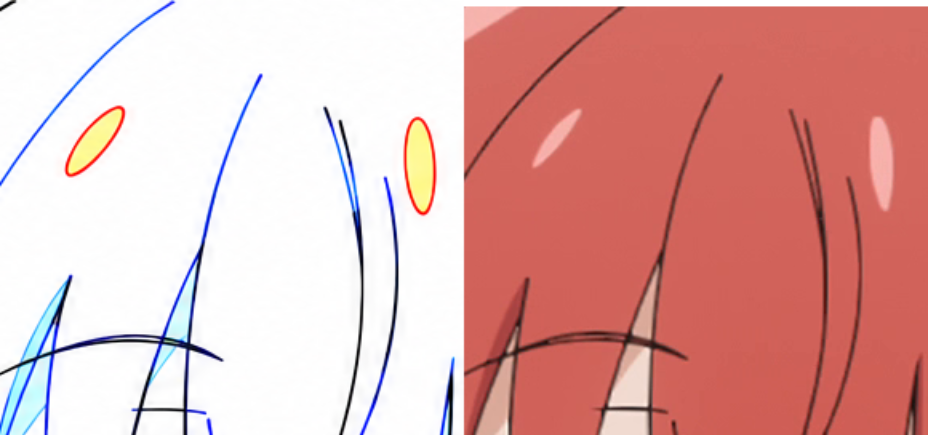
模型生成的图:
完整过程(31 轮)
run_python
import cv2
import numpy as np

drawing = cv2.imread('inputs/drawing.png')
source = cv2.imread('inputs/source.png')

print("Drawing shape:", drawing.shape)
print("Source shape:", source.shape)

# Let's check unique colors or color distributions in drawing.png
# Convert BGR to RGB
draw_rgb = cv2.cvtColor(drawing, cv2.COLOR_BGR2RGB)
src_rgb = cv2.cvtColor(source, cv2.COLOR_BGR2RGB)

# Find colored regions in drawing (non-white, non-gray/black)
r, g, b = draw_rgb[:,:,0].astype(int), draw_rgb[:,:,1].astype(int), draw_rgb[:,:,2].astype(int)
chroma = np.maximum(np.maximum(r, g), b) - np.minimum(np.minimum(r, g), b)

print("Max chroma pixels:", np.sum(chroma > 30))
Drawing shape: (1088, 1920, 3)
Source shape: (1088, 1920, 3)
Max chroma pixels: 129922
run_python
import cv2
import numpy as np

drawing = cv2.imread('inputs/drawing.png')
source = cv2.imread('inputs/source.png')

draw_rgb = cv2.cvtColor(drawing, cv2.COLOR_BGR2RGB)
src_rgb = cv2.cvtColor(source, cv2.COLOR_BGR2RGB)

# 1. Check black pixels in drawing.png
# A pixel is black/dark gray if max(R,G,B) is low
r, g, b = draw_rgb[:,:,0].astype(int), draw_rgb[:,:,1].astype(int), draw_rgb[:,:,2].astype(int)
max_c = np.maximum(np.maximum(r, g), b)
min_c = np.minimum(np.minimum(r, g), b)
chroma = max_c - min_c

black_mask = (max_c < 100) & (chroma < 30)
print("Black pixel count:", np.sum(black_mask))

# Compute gradients/edges in source.png
src_gray = cv2.cvtColor(source, cv2.COLOR_BGR2GRAY)
# Also compute color gradient in source
gx = cv2.Sobel(src_rgb.astype(np.float32), cv2.CV_32F, 1, 0, ksize=3)
gy = cv2.Sobel(src_rgb.astype(np.float32), cv2.CV_32F, 0, 1, ksize=3)
grad_mag = np.sqrt(np.max(gx**2 + gy**2, axis=2))

# Also dark pixels in source (e.g. black lines in source)
# In anime, line art is darker than local neighborhood
src_blur = cv2.GaussianBlur(src_rgb.astype(np.float32), (15, 15), 0)
local_dark = np.max(src_blur - src_rgb.astype(np.float32), axis=2)

# Dilate source edge/line evidence slightly (e.g. 5x5) to account for slight line width differences
src_evidence = np.maximum(grad_mag, local_dark * 3)
src_evidence_dil = cv2.dilate(src_evidence, np.ones((7,7), np.uint8))

# Find black pixels in drawing where src_evidence_dil is very low
stray_candidates = black_mask & (src_evidence_dil < 30)
print("Stray candidate pixels:", np.sum(stray_candidates))

# Connected components of stray candidates
num_labels, labels, stats, centroids = cv2.connectedComponentsWithStats(stray_candidates.astype(np.uint8))
for i in range(1, num_labels):
    if stats[i, cv2.CC_STAT_AREA] > 10:
        x, y, w, h, area = stats[i]
        print(f"Stray CC {i}: bbox=[{x}, {y}, {x+w}, {y+h}], area={area}")
Black pixel count: 35946
Stray candidate pixels: 3672
Stray CC 1: bbox=[1102, 378, 1111, 385], area=52
Stray CC 2: bbox=[1033, 380, 1089, 450], area=549
Stray CC 3: bbox=[1122, 381, 1178, 415], area=348
Stray CC 4: bbox=[1339, 414, 1424, 427], area=509
Stray CC 5: bbox=[1439, 415, 1516, 516], area=1115
Stray CC 6: bbox=[1124, 453, 1140, 485], area=345
Stray CC 7: bbox=[1394, 482, 1415, 518], area=447
Stray CC 10: bbox=[901, 780, 947, 819], area=177
Stray CC 11: bbox=[1269, 818, 1279, 826], area=36
Stray CC 12: bbox=[955, 826, 972, 840], area=60
Stray CC 13: bbox=[1264, 980, 1283, 983], area=28
run_python
import cv2
import numpy as np

drawing = cv2.imread('inputs/drawing.png')
source = cv2.imread('inputs/source.png')
draw_rgb = cv2.cvtColor(drawing, cv2.COLOR_BGR2RGB)
src_rgb = cv2.cvtColor(source, cv2.COLOR_BGR2RGB)

# Let's check CC 13 and also check the diagonal line around 901..972, 780..840
r, g, b = draw_rgb[:,:,0].astype(int), draw_rgb[:,:,1].astype(int), draw_rgb[:,:,2].astype(int)
max_c = np.maximum(np.maximum(r, g), b)
min_c = np.minimum(np.minimum(r, g), b)
chroma = max_c - min_c
black_mask = (max_c < 150) & (chroma < 30)

# Check connected components of black_mask directly!
num_labels, labels, stats, centroids = cv2.connectedComponentsWithStats(black_mask.astype(np.uint8))
print("Total black CCs:", num_labels)
for i in range(1, num_labels):
    x, y, w, h, area = stats[i]
    if area > 5:
        print(f"Black CC {i}: bbox=[{x}, {y}, {x+w}, {y+h}], area={area}")
=5889
Black CC 35: bbox=[1358, 232, 1466, 250], area=348
Black CC 36: bbox=[939, 235, 946, 251], area=34
Black CC 37: bbox=[1330, 236, 1333, 276], area=60
Black CC 38: bbox=[1341, 237, 1357, 243], area=43
Black CC 39: bbox=[1468, 249, 1540, 295], area=151
Black CC 40: bbox=[1353, 251, 1356, 271], area=30
Black CC 41: bbox=[1368, 264, 1379, 266], area=21
Black CC 42: bbox=[1383, 264, 1388, 266], area=6
Black CC 43: bbox=[1402, 267, 1407, 269], area=6
Black CC 44: bbox=[1307, 269, 1555, 538], area=6616
Black CC 46: bbox=[1351, 273, 1354, 278], area=9
Black CC 47: bbox=[1328, 277, 1332, 304], area=41
Black CC 48: bbox=[1321, 305, 1329, 362], area=114
Black CC 50: bbox=[1731, 309, 1767, 346], area=102
Black CC 51: bbox=[938, 310, 941, 332], area=34
Black CC 52: bbox=[1540, 312, 1544, 326], area=26
Black CC 54: bbox=[959, 317, 963, 346], area=53
Black CC 56: bbox=[1319, 326, 1321, 338], area=15
Black CC 58: bbox=[1204, 337, 1207, 350], area=24
Black CC 59: bbox=[1318, 339, 1319, 350], area=11
Black CC 62: bbox=[1207, 362, 1209, 381], area=32
Black CC 64: bbox=[1697, 364, 1707, 371], area=23
Black CC 65: bbox=[1318, 367, 1320, 375], area=11
Black CC 66: bbox=[1675, 369, 1676, 377], area=8
Black CC 67: bbox=[1030, 371, 1032, 377], area=8
Black CC 69: bbox=[1575, 377, 1576, 390], area=13
Black CC 70: bbox=[1028, 379, 1031, 393], area=17
Black CC 74: bbox=[1676, 380, 1680, 418], area=65
Black CC 75: bbox=[1425, 383, 1433, 390], area=18
Black CC 81: bbox=[1684, 391, 1691, 410], area=38
Black CC 82: bbox=[1484, 403, 1488, 439], area=67
Black CC 83: bbox=[1296, 408, 1298, 415], area=9
Black CC 85: bbox=[1572, 409, 1574, 418], area=14
Black CC 87: bbox=[1470, 413, 1476, 416], area=9
Black CC 89: bbox=[993, 417, 998, 419], area=8
Black CC 93: bbox=[1557, 420, 1573, 561], area=280
Black CC 94: bbox=[1680, 421, 1681, 427], area=6
Black CC 97: bbox=[1531, 425, 1534, 431], area=6
Black CC 98: bbox=[1561, 425, 1562, 431], area=6
Black CC 102: bbox=[1406, 431, 1459, 544], area=223
Black CC 103: bbox=[1358, 432, 1397, 462], area=78
Black CC 106: bbox=[1682, 433, 1684, 440], area=10
Black CC 110: bbox=[1536, 439, 1542, 449], area=20
Black CC 115: bbox=[1119, 445, 1146, 490], area=936
Black CC 119: bbox=[1856, 471, 1859, 482], area=15
Black CC 120: bbox=[1390, 477, 1419, 522], area=1012
Black CC 121: bbox=[1350, 481, 1437, 565], area=260
Black CC 122: bbox=[1284, 495, 1288, 509], area=27
Black CC 123: bbox=[1884, 499, 1887, 508], area=12
Black CC 125: bbox=[1278, 504, 1285, 514], area=15
Black CC 126: bbox=[1023, 506, 1032, 644], area=303
Black CC 127: bbox=[1596, 519, 1598, 525], area=7
Black CC 129: bbox=[1598, 529, 1611, 560], area=63
Black CC 130: bbox=[1730, 538, 1732, 544], area=10
Black CC 131: bbox=[1593, 547, 1595, 557], area=13
Black CC 132: bbox=[1685, 546, 1737, 670], area=355
Black CC 133: bbox=[963, 551, 965, 566], area=22
Black CC 134: bbox=[951, 559, 958, 566], area=14
Black CC 136: bbox=[1175, 563, 1180, 569], area=19
Black CC 139: bbox=[1550, 570, 155
run_python
import cv2
import numpy as np

drawing = cv2.imread('inputs/drawing.png')
source = cv2.imread('inputs/source.png')
draw_rgb = cv2.cvtColor(drawing, cv2.COLOR_BGR2RGB)
src_rgb = cv2.cvtColor(source, cv2.COLOR_BGR2RGB)

# Let's check the top-left diagonal line in both drawing and source
# Let's print the first 35 Black CCs that were truncated earlier!
r, g, b = draw_rgb[:,:,0].astype(int), draw_rgb[:,:,1].astype(int), draw_rgb[:,:,2].astype(int)
max_c = np.maximum(np.maximum(r, g), b)
min_c = np.minimum(np.minimum(r, g), b)
chroma = max_c - min_c
black_mask = (max_c < 150) & (chroma < 30)

num_labels, labels, stats, centroids = cv2.connectedComponentsWithStats(black_mask.astype(np.uint8))
for i in range(1, min(36, num_labels)):
    x, y, w, h, area = stats[i]
    if area > 5:
        print(f"Black CC {i}: bbox=[{x}, {y}, {x+w}, {y+h}], area={area}")
Black CC 1: bbox=[778, 0, 1060, 619], area=2974
Black CC 2: bbox=[1610, 0, 1920, 1049], area=5736
Black CC 3: bbox=[1253, 67, 1256, 72], area=8
Black CC 4: bbox=[1262, 75, 1268, 93], area=34
Black CC 7: bbox=[1275, 139, 1276, 151], area=12
Black CC 9: bbox=[1234, 153, 1277, 349], area=387
Black CC 13: bbox=[1363, 167, 1365, 176], area=17
Black CC 14: bbox=[1297, 168, 1299, 174], area=8
Black CC 15: bbox=[1087, 176, 1094, 198], area=34
Black CC 16: bbox=[1292, 179, 1299, 221], area=67
Black CC 24: bbox=[1108, 212, 1149, 216], area=70
Black CC 25: bbox=[1152, 212, 1162, 216], area=15
Black CC 27: bbox=[1168, 216, 1175, 220], area=13
Black CC 33: bbox=[1039, 224, 1072, 240], area=58
Black CC 34: bbox=[1000, 232, 1209, 531], area=5889
Black CC 35: bbox=[1358, 232, 1466, 250], area=348
run_python
import cv2
import numpy as np

drawing = cv2.imread('inputs/drawing.png')
source = cv2.imread('inputs/source.png')
draw_rgb = cv2.cvtColor(drawing, cv2.COLOR_BGR2RGB)
src_rgb = cv2.cvtColor(source, cv2.COLOR_BGR2RGB)

# --- 1. WRONG COLOR ANALYSIS ---
# What are the fill colors in drawing.png?
# Prompt: "cyan #80FFFF fill with blue lines = shadow; violet #8080FF = a second, darker shadow; yellow with red lines = highlight; green lines = iris areas."
# Also maybe pink/yellow on collar/etc? Let's find all non-white, non-black, non-line regions in drawing.png!

r, g, b = draw_rgb[:,:,0].astype(int), draw_rgb[:,:,1].astype(int), draw_rgb[:,:,2].astype(int)

# Let's quantize or cluster colors in drawing.png to see what fill colors exist
# Specifically look for uniform-ish filled regions or specific colors:
# Cyan: R~128, G~255, B~255
cyan_mask = (r > 100) & (r < 220) & (g > 230) & (b > 230) & ((g - r) > 40)
# Violet: R~128, G~128, B~255
violet_mask = (r > 100) & (r < 220) & (g > 100) & (g < 220) & (b > 220) & ((b - r) > 40) & (np.abs(r - g) < 30)
# Yellow: R~255, G~255, B~0..180
yellow_mask = (r > 220) & (g > 200) & (b < 200) & ((r - b) > 40)
# Green fill?
green_mask = (g > 200) & (r < 200) & (b < 200) & ((g - r) > 40) & ((g - b) > 40)
# Red/pink fill?
red_mask = (r > 200) & (g < 200) & ((r - g) > 40)

print("Cyan pixels:", np.sum(cyan_mask))
print("Violet pixels:", np.sum(violet_mask))
print("Yellow pixels:", np.sum(yellow_mask))
print("Green pixels:", np.sum(green_mask))
print("Red/pink pixels:", np.sum(red_mask))

# Let's check connected components of each fill color and compare their source.png colors!
for name, mask in [("Cyan", cyan_mask), ("Violet", violet_mask), ("Yellow", yellow_mask), ("Green", green_mask)]:
    num_labels, labels, stats, centroids = cv2.connectedComponentsWithStats(mask.astype(np.uint8))
    print(f"=== {name} CCs ===")
    for i in range(1, num_labels):
        x, y, w, h, area = stats[i]
        if area > 15:
            comp_mask = (labels == i)
            # erode slightly to avoid boundary lines
            eroded = cv2.erode(comp_mask.astype(np.uint8), np.ones((3,3), np.uint8))
            if np.sum(eroded) == 0:
                eroded = comp_mask
            src_pixels = src_rgb[eroded > 0]
            mean_src = np.mean(src_pixels, axis=0)
            draw_pixels = draw_rgb[eroded > 0]
            mean_draw = np.mean(draw_pixels, axis=0)
            print(f"  {name} CC {i}: bbox=[{x}, {y}, {x+w}, {y+h}], area={area}, draw_RGB={mean_draw.astype(int)}, src_RGB={mean_src.astype(int)}")
: bbox=[1550, 251, 1570, 330], area=273, draw_RGB=[173 249 254], src_RGB=[169  63  61]
  Cyan CC 104: bbox=[1475, 296, 1483, 318], area=56, draw_RGB=[208 252 254], src_RGB=[220 168 153]
  Cyan CC 112: bbox=[1420, 317, 1427, 336], area=39, draw_RGB=[198 246 254], src_RGB=[210 184 176]
  Cyan CC 115: bbox=[1703, 323, 1774, 418], area=1314, draw_RGB=[180 251 252], src_RGB=[183  73  68]
  Cyan CC 147: bbox=[1544, 354, 1548, 369], area=20, draw_RGB=[199 249 254], src_RGB=[215 191 181]
  Cyan CC 152: bbox=[998, 370, 1015, 419], area=366, draw_RGB=[187 251 252], src_RGB=[155  56  55]
  Cyan CC 165: bbox=[1681, 410, 1692, 426], area=108, draw_RGB=[190 249 250], src_RGB=[157  56  54]
  Cyan CC 167: bbox=[1814, 415, 1821, 455], area=74, draw_RGB=[188 249 255], src_RGB=[79 26 23]
  Cyan CC 168: bbox=[1000, 421, 1022, 569], area=1697, draw_RGB=[180 250 251], src_RGB=[158  57  55]
  Cyan CC 169: bbox=[1602, 437, 1629, 585], area=762, draw_RGB=[175 251 253], src_RGB=[181  70  66]
  Cyan CC 199: bbox=[1401, 470, 1412, 474], area=22, draw_RGB=[154 247 243], src_RGB=[37 41 11]
  Cyan CC 200: bbox=[1757, 470, 1778, 662], area=748, draw_RGB=[171 252 254], src_RGB=[157  51  50]
  Cyan CC 230: bbox=[1364, 493, 1374, 501], area=17, draw_RGB=[153 240 244], src_RGB=[123 126  28]
  Cyan CC 243: bbox=[1500, 554, 1602, 812], area=7134, draw_RGB=[184 252 252], src_RGB=[152  48  47]
  Cyan CC 245: bbox=[984, 591, 988, 630], area=75, draw_RGB=[141 247 252], src_RGB=[116  40  41]
  Cyan CC 247: bbox=[1023, 597, 1027, 617], area=41, draw_RGB=[161 247 253], src_RGB=[143  40  41]
  Cyan CC 251: bbox=[1673, 601, 1688, 668], area=379, draw_RGB=[181 249 251], src_RGB=[154  47  47]
  Cyan CC 254: bbox=[1612, 608, 1616, 632], area=36, draw_RGB=[182 244 254], src_RGB=[157  49  49]
  Cyan CC 262: bbox=[1614, 634, 1617, 643], area=20, draw_RGB=[208 252 255], src_RGB=[155  50  49]
  Cyan CC 263: bbox=[1026, 640, 1030, 657], area=52, draw_RGB=[169 248 252], src_RGB=[48 37 35]
  Cyan CC 270: bbox=[1175, 650, 1205, 701], area=591, draw_RGB=[178 250 251], src_RGB=[197 135 121]
  Cyan CC 272: bbox=[1023, 655, 1034, 675], area=69, draw_RGB=[194 250 253], src_RGB=[137  42  42]
  Cyan CC 277: bbox=[1615, 659, 1621, 698], area=113, draw_RGB=[163 248 253], src_RGB=[188  70  66]
  Cyan CC 278: bbox=[1605, 661, 1705, 984], area=16359, draw_RGB=[183 252 253], src_RGB=[152  48  47]
  Cyan CC 282: bbox=[1686, 669, 1695, 714], area=129, draw_RGB=[174 249 254], src_RGB=[155  50  49]
  Cyan CC 284: bbox=[1042, 673, 1047, 682], area=23, draw_RGB=[191 251 251], src_RGB=[79 43 38]
  Cyan CC 289: bbox=[1564, 689, 1616, 946], area=6924, draw_RGB=[184 252 253], src_RGB=[152  48  47]
  Cyan CC 290: bbox=[1502, 691, 1536, 794], area=1600, draw_RGB=[184 251 252], src_RGB=[149  48  46]
  Cyan CC 291: bbox=[1490, 696, 1506, 800], area=948, draw_RGB=[185 250 252], src_RGB=[132  41  40]
  Cyan CC 293: bbox=[1456, 711, 1497, 838], area=3479, draw_RGB=[184 252 253], src_RGB=[152  51  50]
  Cyan CC 299: bbox=[1122, 753, 1
run_python
import cv2
import numpy as np

drawing = cv2.imread('inputs/drawing.png')
source = cv2.imread('inputs/source.png')
draw_rgb = cv2.cvtColor(drawing, cv2.COLOR_BGR2RGB)
src_rgb = cv2.cvtColor(source, cv2.COLOR_BGR2RGB)

r, g, b = draw_rgb[:,:,0].astype(int), draw_rgb[:,:,1].astype(int), draw_rgb[:,:,2].astype(int)
cyan_mask = (r > 100) & (r < 220) & (g > 230) & (b > 230) & ((g - r) > 40)

num_labels, labels, stats, centroids = cv2.connectedComponentsWithStats(cyan_mask.astype(np.uint8))
for i in range(1, min(105, num_labels)):
    x, y, w, h, area = stats[i]
    if area > 15:
        comp_mask = (labels == i)
        eroded = cv2.erode(comp_mask.astype(np.uint8), np.ones((3,3), np.uint8))
        if np.sum(eroded) == 0:
            eroded = comp_mask
        src_pixels = src_rgb[eroded > 0]
        mean_src = np.mean(src_pixels, axis=0)
        draw_pixels = draw_rgb[eroded > 0]
        mean_draw = np.mean(draw_pixels, axis=0)
        print(f"  Cyan CC {i}: bbox=[{x}, {y}, {x+w}, {y+h}], area={area}, draw_RGB={mean_draw.astype(int)}, src_RGB={mean_src.astype(int)}")
  Cyan CC 5: bbox=[1065, 180, 1090, 225], area=219, draw_RGB=[178 249 252], src_RGB=[168  67  65]
  Cyan CC 10: bbox=[1364, 195, 1367, 203], area=19, draw_RGB=[203 252 253], src_RGB=[221 172 156]
  Cyan CC 12: bbox=[912, 196, 946, 240], area=175, draw_RGB=[176 249 252], src_RGB=[209  99  91]
  Cyan CC 16: bbox=[1157, 201, 1168, 213], area=65, draw_RGB=[205 250 250], src_RGB=[217 169 153]
  Cyan CC 21: bbox=[1360, 208, 1372, 230], area=98, draw_RGB=[201 249 250], src_RGB=[219 168 154]
  Cyan CC 26: bbox=[1149, 218, 1158, 227], area=34, draw_RGB=[200 250 254], src_RGB=[220 170 157]
  Cyan CC 30: bbox=[1048, 227, 1070, 283], area=236, draw_RGB=[171 251 253], src_RGB=[171  68  65]
  Cyan CC 36: bbox=[1363, 230, 1374, 234], area=23, draw_RGB=[174 243 251], src_RGB=[196 153 140]
  Cyan CC 48: bbox=[1057, 240, 1078, 272], area=268, draw_RGB=[202 252 253], src_RGB=[217 168 152]
  Cyan CC 65: bbox=[1670, 248, 1736, 271], area=818, draw_RGB=[178 251 253], src_RGB=[165  64  62]
  Cyan CC 67: bbox=[933, 251, 938, 266], area=18, draw_RGB=[174 241 254], src_RGB=[119  62  54]
  Cyan CC 68: bbox=[1550, 251, 1570, 330], area=273, draw_RGB=[173 249 254], src_RGB=[169  63  61]
  Cyan CC 104: bbox=[1475, 296, 1483, 318], area=56, draw_RGB=[208 252 254], src_RGB=[220 168 153]
run_python
import cv2
import numpy as np

drawing = cv2.imread('inputs/drawing.png')
source = cv2.imread('inputs/source.png')
draw_rgb = cv2.cvtColor(drawing, cv2.COLOR_BGR2RGB)
src_rgb = cv2.cvtColor(source, cv2.COLOR_BGR2RGB)

# Let's save a side-by-side crop around Cyan CC 12: [912, 196, 946, 240]
crop_draw = drawing[150:300, 850:1000]
crop_src = source[150:300, 850:1000]
cv2.imwrite('crop_cc12.png', np.hstack([crop_draw, crop_src]))

# Let's also check if there are any other regions in source.png that have hair shadow or skin shadow or highlights, and compare with drawing.png
print("Saved crop_cc12.png")
Saved crop_cc12.png
view_image
crop_cc12.png
image crop_cc12.png
run_python
import cv2
import numpy as np

drawing = cv2.imread('inputs/drawing.png')
draw_rgb = cv2.cvtColor(drawing, cv2.COLOR_BGR2RGB)

# Find most frequent non-white colors in drawing.png
flat = draw_rgb.reshape(-1, 3)
non_white = flat[np.min(flat, axis=1) < 250]
vals, counts = np.unique(non_white, axis=0, return_counts=True)
order = np.argsort(-counts)
for v, c in zip(vals[order[:40]], counts[order[:40]]):
    print(f"RGB={v} (#{v[0]:02X}{v[1]:02X}{v[2]:02X}): count={c}")
RGB=[249 249 249] (#F9F9F9): count=6993
RGB=[248 248 248] (#F8F8F8): count=5769
RGB=[247 247 247] (#F7F7F7): count=4247
RGB=[128 128 255] (#8080FF): count=3678
RGB=[0 0 0] (#000000): count=3281
RGB=[249 249 250] (#F9F9FA): count=2488
RGB=[248 248 249] (#F8F8F9): count=2175
RGB=[183 254 254] (#B7FEFE): count=2093
RGB=[246 246 246] (#F6F6F6): count=2013
RGB=[184 254 254] (#B8FEFE): count=1959
RGB=[183 253 254] (#B7FDFE): count=1738
RGB=[182 254 254] (#B6FEFE): count=1682
RGB=[249 249 254] (#F9F9FE): count=1606
RGB=[247 247 248] (#F7F7F8): count=1507
RGB=[249 250 254] (#F9FAFE): count=1421
RGB=[182 253 254] (#B6FDFE): count=1408
RGB=[249 249 251] (#F9F9FB): count=1344
RGB=[184 253 254] (#B8FDFE): count=1342
RGB=[183 253 253] (#B7FDFD): count=1229
RGB=[185 254 254] (#B9FEFE): count=1226
RGB=[248 248 254] (#F8F8FE): count=1216
RGB=[248 249 254] (#F8F9FE): count=1203
RGB=[182 253 253] (#B6FDFD): count=1159
RGB=[181 254 254] (#B5FEFE): count=1104
RGB=[248 248 250] (#F8F8FA): count=1081
RGB=[181 253 254] (#B5FDFE): count=1051
RGB=[249 249 252] (#F9F9FC): count=975
RGB=[246 246 247] (#F6F6F7): count=935
RGB=[249 250 250] (#F9FAFA): count=866
RGB=[184 253 253] (#B8FDFD): count=859
RGB=[248 248 251] (#F8F8FB): count=851
RGB=[247 248 254] (#F7F8FE): count=842
RGB=[185 253 254] (#B9FDFE): count=831
RGB=[186 254 254] (#BAFEFE): count=827
RGB=[249 249 253] (#F9F9FD): count=822
RGB=[183 254 253] (#B7FEFD): count=795
RGB=[181 253 253] (#B5FDFD): count=788
RGB=[247 247 249] (#F7F7F9): count=769
RGB=[250 249 250] (#FAF9FA): count=749
RGB=[247 247 254] (#F7F7FE): count=742
run_python
import cv2
import numpy as np

drawing = cv2.imread('inputs/drawing.png')
draw_rgb = cv2.cvtColor(drawing, cv2.COLOR_BGR2RGB)

# Where is RGB == [0, 0, 0]?
zero_mask = np.all(draw_rgb == [0, 0, 0], axis=2)
num_labels, labels, stats, centroids = cv2.connectedComponentsWithStats(zero_mask.astype(np.uint8))
print("Exact [0,0,0] CCs:")
for i in range(1, num_labels):
    if stats[i, cv2.CC_STAT_AREA] > 5:
        x, y, w, h, area = stats[i]
        print(f"  CC {i}: bbox=[{x}, {y}, {x+w}, {y+h}], area={area}")

# Where is RGB == [128, 128, 255]?
v_mask = np.all(draw_rgb == [128, 128, 255], axis=2)
num_labels, labels, stats, centroids = cv2.connectedComponentsWithStats(v_mask.astype(np.uint8))
print("Exact [128,128,255] CCs:")
for i in range(1, num_labels):
    if stats[i, cv2.CC_STAT_AREA] > 5:
        x, y, w, h, area = stats[i]
        print(f"  CC {i}: bbox=[{x}, {y}, {x+w}, {y+h}], area={area}")
, area=7
  CC 14: bbox=[994, 45, 1002, 53], area=8
  CC 17: bbox=[980, 61, 987, 68], area=9
  CC 24: bbox=[962, 83, 972, 93], area=22
  CC 32: bbox=[930, 112, 937, 118], area=8
  CC 37: bbox=[910, 128, 917, 133], area=7
  CC 42: bbox=[888, 144, 896, 150], area=9
  CC 74: bbox=[1771, 211, 1775, 222], area=11
  CC 77: bbox=[896, 214, 899, 220], area=6
  CC 85: bbox=[1799, 229, 1806, 231], area=7
  CC 86: bbox=[1807, 228, 1814, 229], area=7
  CC 92: bbox=[913, 235, 919, 242], area=9
  CC 94: bbox=[1833, 235, 1843, 244], area=13
  CC 100: bbox=[1331, 240, 1333, 248], area=14
  CC 101: bbox=[1444, 241, 1463, 248], area=24
  CC 120: bbox=[867, 267, 874, 282], area=15
  CC 124: bbox=[922, 274, 923, 282], area=8
  CC 130: bbox=[922, 286, 923, 294], area=8
  CC 133: bbox=[872, 288, 878, 299], area=11
  CC 137: bbox=[923, 295, 924, 302], area=7
  CC 150: bbox=[1327, 312, 1328, 318], area=6
  CC 158: bbox=[1747, 324, 1754, 331], area=7
  CC 160: bbox=[929, 327, 932, 335], area=8
  CC 161: bbox=[1325, 328, 1326, 334], area=6
  CC 174: bbox=[1118, 350, 1119, 356], area=6
  CC 184: bbox=[1332, 363, 1334, 370], area=7
  CC 187: bbox=[945, 369, 949, 378], area=9
  CC 190: bbox=[1072, 371, 1079, 373], area=9
  CC 197: bbox=[1384, 381, 1393, 382], area=9
  CC 201: bbox=[1178, 384, 1181, 394], area=10
  CC 203: bbox=[1335, 385, 1341, 389], area=6
  CC 207: bbox=[952, 391, 955, 402], area=11
  CC 214: bbox=[1319, 396, 1324, 405], area=13
  CC 216: bbox=[1116, 401, 1117, 407], area=6
  CC 226: bbox=[1096, 406, 1105, 414], area=9
  CC 231: bbox=[1402, 409, 1411, 410], area=9
  CC 234: bbox=[1438, 410, 1444, 411], area=6
  CC 236: bbox=[1782, 411, 1783, 418], area=7
  CC 237: bbox=[956, 413, 957, 422], area=9
  CC 238: bbox=[962, 415, 965, 422], area=12
  CC 240: bbox=[1115, 418, 1118, 422], area=6
  CC 244: bbox=[1207, 421, 1208, 428], area=7
  CC 251: bbox=[1384, 428, 1394, 429], area=10
  CC 260: bbox=[1423, 435, 1435, 441], area=12
  CC 268: bbox=[1783, 441, 1784, 455], area=14
  CC 275: bbox=[1316, 448, 1317, 454], area=6
  CC 282: bbox=[1083, 464, 1084, 470], area=6
  CC 293: bbox=[1890, 479, 1891, 491], area=12
  CC 301: bbox=[1546, 490, 1552, 491], area=6
  CC 303: bbox=[1858, 491, 1860, 509], area=18
  CC 309: bbox=[1785, 495, 1786, 506], area=11
  CC 319: bbox=[1820, 510, 1829, 525], area=15
  CC 321: bbox=[1892, 511, 1893, 519], area=8
  CC 322: bbox=[950, 513, 953, 521], area=8
  CC 353: bbox=[1838, 540, 1843, 548], area=10
  CC 356: bbox=[928, 549, 934, 557], area=9
  CC 357: bbox=[1892, 550, 1894, 557], area=12
  CC 360: bbox=[1026, 554, 1027, 568], area=14
  CC 366: bbox=[1863, 565, 1865, 572], area=8
  CC 371: bbox=[911, 570, 917, 577], area=9
  CC 372: bbox=[1847, 571, 1848, 578], area=7
  CC 379: bbox=[921, 580, 936, 592], area=19
  CC 380: bbox=[1027, 585, 1028, 595], area=10
  CC 384: bbox=[1869, 592, 1870, 599], area=7
  CC 388: bbox=[912, 598, 915, 604], area=6
  CC 389: bbox=[1027, 598, 1029, 604], area=6
  CC 398: bbox=[1888, 606, 1893, 617], ar
run_python
import cv2
import numpy as np

drawing = cv2.imread('inputs/drawing.png')
source = cv2.imread('inputs/source.png')
draw_rgb = cv2.cvtColor(drawing, cv2.COLOR_BGR2RGB)
src_rgb = cv2.cvtColor(source, cv2.COLOR_BGR2RGB)

# 1. All Exact [0,0,0] CCs with area > 20
zero_mask = np.all(draw_rgb == [0, 0, 0], axis=2)
num_labels, labels, stats, centroids = cv2.connectedComponentsWithStats(zero_mask.astype(np.uint8))
print("Exact [0,0,0] CCs with area > 20:")
for i in range(1, num_labels):
    if stats[i, cv2.CC_STAT_AREA] > 20:
        x, y, w, h, area = stats[i]
        print(f"  CC {i}: bbox=[{x}, {y}, {x+w}, {y+h}], area={area}")

# 2. Check if there are any other exact uniform color regions (where pixel == neighbor pixels identically)
diff_x = np.any(draw_rgb[:, 1:, :] != draw_rgb[:, :-1, :], axis=2)
diff_y = np.any(draw_rgb[1:, :, :] != draw_rgb[:-1, :, :], axis=2)
# A 3x3 block of identical pixels
same_3x3 = cv2.erode((~diff_x[:, :-1] & ~diff_y[:-1, :]).astype(np.uint8), np.ones((3,3), np.uint8))
non_white_same = same_3x3 & (np.min(draw_rgb[:-1, :-1, :], axis=2) < 254)
num_labels, labels, stats, _ = cv2.connectedComponentsWithStats(non_white_same.astype(np.uint8))
print("Uniform non-white 3x3 CCs:")
for i in range(1, num_labels):
    if stats[i, cv2.CC_STAT_AREA] > 5:
        x, y, w, h, area = stats[i]
        color = draw_rgb[y+h//2, x+w//2]
        print(f"  CC {i}: bbox=[{x}, {y}, {x+w}, {y+h}], area={area}, color={color}")
Exact [0,0,0] CCs with area > 20:
  CC 24: bbox=[962, 83, 972, 93], area=22
  CC 101: bbox=[1444, 241, 1463, 248], area=24
  CC 459: bbox=[1289, 664, 1292, 674], area=21
  CC 485: bbox=[1069, 699, 1079, 710], area=23
  CC 523: bbox=[1800, 749, 1813, 760], area=21
  CC 537: bbox=[901, 780, 972, 840], area=214
  CC 653: bbox=[1385, 934, 1396, 941], area=23
  CC 821: bbox=[1056, 1056, 1071, 1068], area=21

[stderr]
Traceback (most recent call last):
  File "/Users/jiaodong/.claude/jobs/6c47f1c7/tmp/vbw/T1-defects/argon-tools-r1/step_10.py", line 22, in <module>
    same_3x3 = cv2.erode((~diff_x[:, :-1] & ~diff_y[:-1, :]).astype(np.uint8), np.ones((3,3), np.uint8))
                          ~~~~~~~~~~~~~~~~^~~~~~~~~~~~~~~~~
ValueError: operands could not be broadcast together with shapes (1088,1918) (1086,1920) 
run_python
import cv2
import numpy as np

drawing = cv2.imread('inputs/drawing.png')
source = cv2.imread('inputs/source.png')
draw_rgb = cv2.cvtColor(drawing, cv2.COLOR_BGR2RGB)
src_rgb = cv2.cvtColor(source, cv2.COLOR_BGR2RGB)

# Fix uniform 3x3 check
diff_x = np.any(draw_rgb[:-1, 1:, :] != draw_rgb[:-1, :-1, :], axis=2)
diff_y = np.any(draw_rgb[1:, :-1, :] != draw_rgb[:-1, :-1, :], axis=2)
same_3x3 = cv2.erode((~diff_x & ~diff_y).astype(np.uint8), np.ones((3,3), np.uint8))
non_white_same = same_3x3 & (np.min(draw_rgb[:-1, :-1, :], axis=2) < 254)
num_labels, labels, stats, _ = cv2.connectedComponentsWithStats(non_white_same.astype(np.uint8))
print("Uniform non-white 3x3 CCs:")
for i in range(1, num_labels):
    if stats[i, cv2.CC_STAT_AREA] > 5:
        x, y, w, h, area = stats[i]
        color = draw_rgb[y+h//2, x+w//2]
        print(f"  CC {i}: bbox=[{x}, {y}, {x+w}, {y+h}], area={area}, color={color}")

# Let's inspect the area around [850:960, 920:1040] where I saw a gap at the hair curl tip
crop_d = drawing[920:1040, 850:960]
crop_s = source[920:1040, 850:960]
cv2.imwrite('crop_gap1.png', np.hstack([crop_d, crop_s]))

# Let's inspect the pixel values in drawing[950:1000, 875:905]
print("Drawing min RGB in [950:1000, 875:905]:")
sub = draw_rgb[950:1000, 875:905]
print(np.min(sub, axis=2))
Uniform non-white 3x3 CCs:
  CC 73: bbox=[1304, 167, 1306, 177], area=11, color=[253 253 253]
  CC 75: bbox=[1682, 174, 1686, 176], area=6, color=[253 253 253]
  CC 141: bbox=[491, 378, 496, 388], area=23, color=[253 253 253]
  CC 184: bbox=[1530, 457, 1533, 459], area=6, color=[253 253 253]
  CC 252: bbox=[44, 574, 49, 576], area=10, color=[253 253 253]
  CC 337: bbox=[1523, 729, 1574, 874], area=3080, color=[128 128 255]
  CC 392: bbox=[825, 895, 830, 897], area=10, color=[253 253 253]
Drawing min RGB in [950:1000, 875:905]:
[[254 254 252 ... 254 255 255]
 [254 253 250 ... 254 255 255]
 [252 251 250 ... 255 254 254]
 ...
 [254 254 254 ... 254 252 252]
 [254 254 254 ... 205 253 250]
 [255 255 254 ...  52 246 250]]
view_image
crop_gap1.png
image crop_gap1.png
run_python
import cv2
import numpy as np

drawing = cv2.imread('inputs/drawing.png')
source = cv2.imread('inputs/source.png')
draw_rgb = cv2.cvtColor(drawing, cv2.COLOR_BGR2RGB)
src_rgb = cv2.cvtColor(source, cv2.COLOR_BGR2RGB)

# Let's check exact [255, 255, 255] in crop_gap1 region: y=950..1000, x=870..920
pure_white = np.all(draw_rgb == [255, 255, 255], axis=2)
sub_pw = pure_white[950:1005, 870:925]
ys, xs = np.where(sub_pw)
print("Pure white in [950:1005, 870:925]:")
# Wait, background also has [255,255,255], so let's check where pure_white has 0 noise in a 7x7 window, OR where pure_white overlaps with dark lines in source.png!
# Let's print the actual RGB values around y=960..995, x=875..915
print(np.min(draw_rgb[960:995, 875:915], axis=2))
Pure white in [950:1005, 870:925]:
[[250 249 249 ... 255 255 255]
 [251 250 250 ... 255 255 254]
 [252 251 252 ... 255 255 255]
 ...
 [254 254 254 ... 254 223  76]
 [254 255 254 ... 252 255 255]
 [255 255 254 ... 254 254 255]]
run_python
import cv2
import numpy as np

drawing = cv2.imread('inputs/drawing.png')
draw_rgb = cv2.cvtColor(drawing, cv2.COLOR_BGR2RGB)
np.set_printoptions(linewidth=200, threshold=10000)
print(np.min(draw_rgb[960:995, 875:915], axis=2))
[[250 249 249 250 251 253 233  21  12 185  20   9 202 254 251 250 248 247 249 251 252 253 254 254 255 255 255 255 255 255 255 255 255 255 255 255 255 255 255 255]
 [251 250 250 251 252 251 253  81   1 169 162   1  69 250 251 249 248 248 249 251 253 254 254 254 254 254 254 255 255 255 255 255 255 255 255 255 255 255 255 254]
 [252 251 252 252 253 251 254 156   0  87 249  43   0 140 251 249 249 250 251 252 253 254 254 253 254 254 254 254 255 255 255 255 255 255 255 255 255 255 255 255]
 [253 252 253 253 254 253 254 221   6  15 246 188   2   8 195 251 250 251 251 252 253 253 253 254 254 254 254 254 254 254 254 254 254 254 254 254 254 254 255 255]
 [253 253 253 254 254 254 253 252  52   0 185 255 255 255 255 255 255 255 255 255 255 255 255 255 255 255 255 255 255 255 255 255 255 255 255 254 254 254 254 255]
 [254 254 254 254 253 253 251 254 118   0 106 255 255 255 255 255 255 255 255 255 255 255 255 255 255 255 255 255 255 255 255 255 255 255 255 253 253 254 254 254]
 [254 254 254 253 252 252 251 253 194   1  37 255 255 255 255 255 255 255 255 255 255 255 255 255 255 255 255 255 255 255 255 255 255 255 255 254 253 253 253 253]
 [255 255 254 252 251 250 250 252 244  33   2 255 255 255 255 255 255 255 255 255 255 255 255 255 255 255 255 255 255 255 255 255 255 255 255 254 253 253 253 252]
 [255 255 253 251 248 247 248 249 254 108   3 255 255 255 255 255 255 255 255 255 255 255 255 255 255 255 255 255 255 255 255 255 255 255 255 254 253 253 253 252]
 [255 255 253 250 248 246 248 249 255 192   5 255 255 255 255 255 255 255 255 255 255 255 255 255 255 255 255 255 255 255 255 255 255 255 255 254 253 253 253 252]
 [255 255 253 251 248 247 248 251 254 246  35 255 255 255 255 255 255 255 255 255 255 255 255 255 255 255 255 255 255 255 255 255 255 255 255 254 253 253 253 252]
 [255 255 254 251 249 248 249 252 252 255 117 255 255 255 255 255 255 255 255 255 255 255 255 255 255 255 255 255 255 255 255 255 255 255 255 253 253 253 253 253]
 [255 255 254 252 250 249 250 252 253 255 209 255 255 255 255 255 255 255 255 255 255 255 255 255 255 255 255 255 255 255 255 255 255 255 255 253 253 253 253 253]
 [255 255 254 253 251 251 251 253 254 252 253 255 255 255 255 255 255 255 255 255 255 255 255 255 255 255 255 255 255 255 255 255 255 255 255 252 253 253 253 254]
 [254 255 254 253 253 252 253 253 254 252 255 255 255 255 255 255 255 255 255 255 255 255 255 255 255 255 255 255 255 255 255 255 255 255 255 253 253 253 253 254]
 [254 254 254 254 254 253 253 253 253 252 253 255 255 255 255 255 255 255 255 255 255 255 255 255 255 255 255 255 255 255 255 255 255 255 255 254 254 253 253 254]
 [254 254 254 254 254 253 253 252 252 251 250 255 255 255 255 255 255 255 255 255 255 255 255 255 255 255 255 255 255 255 255 255 255 255 255 253 253 253 253 253]
 [255 255 254 254 254 253 252 251 250 249 248 255 255 255 255 255 255 255 255 255 255 255 255 255 255 255 255 255 255 255 255 255 255 255 255 253 254 254 253 253]
 [255 255 255 255 255 254 253 250 248 247 248 255 255 255 255 255 
run_python
import cv2
import numpy as np

drawing = cv2.imread('inputs/drawing.png')
source = cv2.imread('inputs/source.png')
draw_rgb = cv2.cvtColor(drawing, cv2.COLOR_BGR2RGB)
src_rgb = cv2.cvtColor(source, cv2.COLOR_BGR2RGB)

# Method A for GAP:
# Find where pure [255, 255, 255] in drawing.png is adjacent to (touches) dark/black pixels (<200) in drawing.png!
# Wait: in unmodified parts of drawing.png, because of anti-aliasing and JPEG ringing around black lines,
# a black pixel (<150) NEVER directly touches [255, 255, 255] without intermediate 245..254 pixels!
# Let's test this hypothesis!
min_draw = np.min(draw_rgb, axis=2)
pure_white = (min_draw == 255)
dark_draw = (min_draw < 200)

# Dilate dark_draw by 1 pixel (8-connected) and see where it overlaps pure_white!
touch_mask = cv2.dilate(dark_draw.astype(np.uint8), np.ones((3,3), np.uint8)) & pure_white.astype(np.uint8)
print("Pixels where dark_draw (<200) directly touches pure_white (==255):", np.sum(touch_mask))

num_labels, labels, stats, centroids = cv2.connectedComponentsWithStats(touch_mask)
for i in range(1, num_labels):
    x, y, w, h, area = stats[i]
    print(f"Touch CC {i}: bbox=[{x}, {y}, {x+w}, {y+h}], area={area}")
, 1040], area=1
Touch CC 2728: bbox=[915, 1038, 916, 1039], area=1
Touch CC 2729: bbox=[928, 1038, 931, 1039], area=3
Touch CC 2730: bbox=[1067, 1038, 1069, 1040], area=2
Touch CC 2731: bbox=[1166, 1039, 1167, 1040], area=1
Touch CC 2732: bbox=[1222, 1039, 1223, 1043], area=4
Touch CC 2733: bbox=[1243, 1039, 1246, 1040], area=3
Touch CC 2734: bbox=[1247, 1038, 1249, 1039], area=2
Touch CC 2735: bbox=[1291, 1038, 1292, 1039], area=1
Touch CC 2736: bbox=[1489, 1038, 1490, 1039], area=1
Touch CC 2737: bbox=[1619, 1038, 1620, 1040], area=2
Touch CC 2738: bbox=[1623, 1038, 1624, 1040], area=2
Touch CC 2739: bbox=[1635, 1038, 1637, 1040], area=2
Touch CC 2740: bbox=[1687, 1038, 1688, 1039], area=1
Touch CC 2741: bbox=[1113, 1040, 1114, 1041], area=1
Touch CC 2742: bbox=[1304, 1040, 1307, 1044], area=5
Touch CC 2743: bbox=[1334, 1040, 1337, 1042], area=3
Touch CC 2744: bbox=[1617, 1041, 1619, 1045], area=4
Touch CC 2745: bbox=[1622, 1041, 1623, 1042], area=1
Touch CC 2746: bbox=[1648, 1040, 1652, 1042], area=4
Touch CC 2747: bbox=[914, 1042, 916, 1043], area=2
Touch CC 2748: bbox=[1052, 1042, 1053, 1043], area=1
Touch CC 2749: bbox=[1062, 1043, 1066, 1050], area=7
Touch CC 2750: bbox=[1078, 1043, 1081, 1046], area=3
Touch CC 2751: bbox=[1478, 1043, 1479, 1044], area=1
Touch CC 2752: bbox=[1484, 1042, 1486, 1044], area=2
Touch CC 2753: bbox=[1625, 1043, 1629, 1046], area=4
Touch CC 2754: bbox=[1666, 1043, 1667, 1044], area=1
Touch CC 2755: bbox=[1759, 1043, 1760, 1044], area=1
Touch CC 2756: bbox=[902, 1045, 908, 1052], area=10
Touch CC 2757: bbox=[1054, 1044, 1061, 1051], area=14
Touch CC 2758: bbox=[1075, 1045, 1085, 1055], area=17
Touch CC 2759: bbox=[1169, 1045, 1170, 1046], area=1
Touch CC 2760: bbox=[1224, 1045, 1226, 1046], area=2
Touch CC 2761: bbox=[1285, 1045, 1288, 1051], area=7
Touch CC 2762: bbox=[1621, 1045, 1622, 1046], area=1
Touch CC 2763: bbox=[1657, 1045, 1663, 1049], area=7
Touch CC 2764: bbox=[1664, 1044, 1665, 1045], area=1
Touch CC 2765: bbox=[1755, 1044, 1757, 1046], area=2
Touch CC 2766: bbox=[1777, 1045, 1778, 1046], area=1
Touch CC 2767: bbox=[1855, 1044, 1857, 1046], area=2
Touch CC 2768: bbox=[1894, 1045, 1904, 1046], area=10
Touch CC 2769: bbox=[1075, 1047, 1077, 1049], area=2
Touch CC 2770: bbox=[1170, 1047, 1171, 1048], area=1
Touch CC 2771: bbox=[1622, 1046, 1624, 1048], area=2
Touch CC 2772: bbox=[1626, 1046, 1633, 1050], area=9
Touch CC 2773: bbox=[1665, 1047, 1666, 1048], area=1
Touch CC 2774: bbox=[1778, 1047, 1779, 1049], area=2
Touch CC 2775: bbox=[899, 1049, 901, 1051], area=2
Touch CC 2776: bbox=[1287, 1048, 1291, 1056], area=8
Touch CC 2777: bbox=[1315, 1049, 1316, 1050], area=1
Touch CC 2778: bbox=[1365, 1048, 1370, 1057], area=10
Touch CC 2779: bbox=[1488, 1048, 1490, 1049], area=2
Touch CC 2780: bbox=[1633, 1048, 1637, 1051], area=5
Touch CC 2781: bbox=[1661, 1048, 1664, 1050], area=3
Touch CC 2782: bbox=[1890, 1049, 1893, 1050], area=3
Touch CC 2783: bbox=[1904, 1049, 1906, 1050], area=2
Touch CC 2784: bbox=[
run_python
import cv2
import numpy as np

drawing = cv2.imread('inputs/drawing.png')
source = cv2.imread('inputs/source.png')
draw_rgb = cv2.cvtColor(drawing, cv2.COLOR_BGR2RGB)
src_rgb = cv2.cvtColor(source, cv2.COLOR_BGR2RGB)

# In source.png, black lines are locally dark compared to a 11x11 neighborhood
src_gray = cv2.cvtColor(source, cv2.COLOR_BGR2GRAY).astype(np.float32)
local_max = cv2.dilate(src_gray, np.ones((9,9), np.uint8))
local_median = cv2.medianBlur(src_gray.astype(np.uint8), 11).astype(np.float32)
src_line_strength = local_median - src_gray

# In drawing.png, any line (black, blue, red, green) has at least one channel < 200
draw_min = np.min(draw_rgb, axis=2)
draw_has_line = (draw_min < 220).astype(np.uint8)
# Dilate draw_has_line by 5 pixels so slight alignment differences don't trigger
draw_has_line_dil = cv2.dilate(draw_has_line, np.ones((9,9), np.uint8))

# Restrict to the character region (e.g. within 40 pixels of any drawing line)
char_region = cv2.dilate(draw_has_line, np.ones((61,61), np.uint8))

# Candidate missing lines: strong line in source, inside char_region, but NO line in drawing within 4px radius
missing_line = (src_line_strength > 25) & (char_region > 0) & (draw_has_line_dil == 0)
print("Missing line pixels:", np.sum(missing_line))

num_labels, labels, stats, centroids = cv2.connectedComponentsWithStats(missing_line.astype(np.uint8))
for i in range(1, num_labels):
    x, y, w, h, area = stats[i]
    if area > 10:
        print(f"Missing CC {i}: bbox=[{x}, {y}, {x+w}, {y+h}], area={area}, max_strength={ np.max(src_line_strength[labels==i]):.1f}")
Missing line pixels: 253
Missing CC 3: bbox=[1054, 544, 1076, 570], area=32, max_strength=33.0
Missing CC 8: bbox=[1865, 615, 1866, 627], area=12, max_strength=50.0
Missing CC 13: bbox=[1254, 986, 1296, 991], area=78, max_strength=88.0
Missing CC 14: bbox=[1625, 1063, 1650, 1084], area=87, max_strength=184.0
Missing CC 15: bbox=[1681, 1079, 1686, 1084], area=15, max_strength=43.0
run_python
import cv2
import numpy as np

drawing = cv2.imread('inputs/drawing.png')
source = cv2.imread('inputs/source.png')

# Why didn't [886, 964, 910, 988] have src_line_strength > 25? Because the background in source.png is dark brown/gray (~65), and the black line is ~20, while the red hair is ~170!
# And the hair strand is thin, so 11x11 median was background (~65)!
# Instead of medianBlur, let's use local_max (dilate) - src_gray, OR check where pure white [255,255,255] 10x10 block exists near black lines in drawing.png!

draw_rgb = cv2.cvtColor(drawing, cv2.COLOR_BGR2RGB)
pure_white = np.all(draw_rgb == [255, 255, 255], axis=2).astype(np.uint8)
# Erode pure_white by 10x10! Wait: in unmodified drawing.png, are there 10x10 blocks of pure [255,255,255] near black lines?
black_mask = (np.max(draw_rgb, axis=2) < 150).astype(np.uint8)
near_black = cv2.dilate(black_mask, np.ones((25,25), np.uint8))

pw_10 = cv2.erode(pure_white, np.ones((10,10), np.uint8))
pw_near_black = pw_10 & near_black
num_labels, labels, stats, _ = cv2.connectedComponentsWithStats(pw_near_black)
print("10x10 pure white near black CCs:", num_labels - 1)
for i in range(1, num_labels):
    x, y, w, h, area = stats[i]
    if area > 10:
        print(f"  PW CC {i}: bbox=[{x}, {y}, {x+w}, {y+h}], area={area}")

# Also let's save crops of Missing CC 3, 8, 13, 14, 15 to see what they are!
for idx, (x0, y0, x1, y1) in [(3, (1054, 544, 1076, 570)), (8, (1865, 615, 1866, 627)), (13, (1254, 986, 1296, 991)), (14, (1625, 1063, 1650, 1084))]:
    cx0, cy0 = max(0, x0-40), max(0, y0-40)
    cx1, cy1 = min(1920, x1+40), min(1088, y1+40)
    cv2.imwrite(f'crop_missing_{idx}.png', np.hstack([drawing[cy0:cy1, cx0:cx1], source[cy0:cy1, cx0:cx1]]))
10x10 pure white near black CCs: 1
  PW CC 1: bbox=[891, 969, 906, 984], area=195
run_python
import cv2
import numpy as np

drawing = cv2.imread('inputs/drawing.png')
draw_rgb = cv2.cvtColor(drawing, cv2.COLOR_BGR2RGB)
pure_white = np.all(draw_rgb == [255, 255, 255], axis=2).astype(np.uint8)
black_mask = (np.max(draw_rgb, axis=2) < 150).astype(np.uint8)
near_black = cv2.dilate(black_mask, np.ones((25,25), np.uint8))

for k in [5, 6, 7, 8]:
    pw_k = cv2.erode(pure_white, np.ones((k,k), np.uint8))
    pw_nb = pw_k & near_black
    num_labels, labels, stats, _ = cv2.connectedComponentsWithStats(pw_nb)
    print(f"=== {k}x{k} pure white near black ===")
    for i in range(1, num_labels):
        x, y, w, h, area = stats[i]
        if area > 15:
            print(f"  CC {i}: bbox=[{x}, {y}, {x+w}, {y+h}], area={area}")
=== 5x5 pure white near black ===
  CC 38: bbox=[888, 966, 908, 986], area=337
=== 6x6 pure white near black ===
  CC 8: bbox=[889, 967, 908, 986], area=305
=== 7x7 pure white near black ===
  CC 7: bbox=[889, 967, 907, 985], area=276
=== 8x8 pure white near black ===
  CC 2: bbox=[890, 968, 907, 985], area=247
run_python
import cv2
import numpy as np

drawing = cv2.imread('inputs/drawing.png')
draw_rgb = cv2.cvtColor(drawing, cv2.COLOR_BGR2RGB)
pure_white = np.all(draw_rgb == [255, 255, 255], axis=2).astype(np.uint8)
black_mask = (np.max(draw_rgb, axis=2) < 150).astype(np.uint8)
near_black = cv2.dilate(black_mask, np.ones((25,25), np.uint8))

pw_6 = cv2.erode(pure_white, np.ones((6,6), np.uint8))
pw_nb = pw_6 & near_black
num_labels, labels, stats, _ = cv2.connectedComponentsWithStats(pw_nb)
print("=== All 6x6 pure white near black ===")
for i in range(1, num_labels):
    x, y, w, h, area = stats[i]
    print(f"  CC {i}: bbox=[{x}, {y}, {x+w}, {y+h}], area={area}")
=== All 6x6 pure white near black ===
  CC 1: bbox=[1755, 206, 1757, 207], area=2
  CC 2: bbox=[1402, 299, 1404, 301], area=4
  CC 3: bbox=[1842, 459, 1844, 462], area=6
  CC 4: bbox=[947, 476, 950, 478], area=6
  CC 5: bbox=[1845, 493, 1847, 497], area=6
  CC 6: bbox=[1812, 842, 1814, 844], area=4
  CC 7: bbox=[1410, 959, 1412, 961], area=4
  CC 8: bbox=[889, 967, 908, 986], area=305
run_python
import cv2
import numpy as np

imgs = []
for idx in [3, 8, 13, 14]:
    im = cv2.imread(f'crop_missing_{idx}.png')
    # pad to width 300
    h, w, c = im.shape
    pad = np.zeros((h, max(300, w), c), dtype=np.uint8)
    pad[:, :w] = im
    imgs.append(pad)

max_w = max(im.shape[1] for im in imgs)
padded = [np.pad(im, ((0,0),(0, max_w - im.shape[1]),(0,0))) for im in imgs]
cv2.imwrite('crop_missing_all.png', np.vstack(padded))
(no output)
view_image
crop_missing_all.png
image crop_missing_all.png
run_python
import cv2
import numpy as np

drawing = cv2.imread('inputs/drawing.png')
source = cv2.imread('inputs/source.png')

c13 = np.hstack([drawing[930:1050, 1200:1350], source[930:1050, 1200:1350]])
c14 = np.hstack([drawing[1000:1088, 1580:1720], source[1000:1088, 1580:1720]])
cv2.imwrite('crop_13_14.png', np.vstack([
    np.pad(c13, ((0,0),(0, max(c13.shape[1], c14.shape[1]) - c13.shape[1]), (0,0))),
    np.pad(c14, ((0,0),(0, max(c13.shape[1], c14.shape[1]) - c14.shape[1]), (0,0)))
]))
(no output)
view_image
crop_13_14.png
image crop_13_14.png
run_python
import cv2
import numpy as np

drawing = cv2.imread('inputs/drawing.png')
draw_rgb = cv2.cvtColor(drawing, cv2.COLOR_BGR2RGB)

diff_x = np.any(draw_rgb[:-1, 1:, :] != draw_rgb[:-1, :-1, :], axis=2)
diff_y = np.any(draw_rgb[1:, :-1, :] != draw_rgb[:-1, :-1, :], axis=2)
same_2x2 = (~diff_x & ~diff_y).astype(np.uint8)

for k in [3, 4, 5, 6]:
    same_k = cv2.erode(same_2x2, np.ones((k, k), np.uint8))
    # Exclude pure white far from character (x < 750)
    same_k_char = same_k.copy()
    same_k_char[:, :750] = 0
    # Wait: what if pure white [255,255,255] occurs naturally in the background?
    # Let's check non-[255,255,255] first, and then check [255,255,255] near any line!
    non_255 = same_k & (np.any(draw_rgb[:-1, :-1, :] != 255, axis=2)).astype(np.uint8)
    num_labels, labels, stats, _ = cv2.connectedComponentsWithStats(non_255)
    print(f"=== Uniform {k+1}x{k+1} non-255 CCs (total {num_labels-1}) ===")
    for i in range(1, num_labels):
        x, y, w, h, area = stats[i]
        if area > 3:
            c = draw_rgb[y, x]
            print(f"  CC {i}: bbox=[{x}, {y}, {x+w+k}, {y+h+k}], area={area}, RGB={c}")
  CC 892: bbox=[344, 850, 350, 856], area=4, RGB=[254 254 254]
  CC 894: bbox=[631, 852, 639, 860], area=9, RGB=[254 254 254]
  CC 902: bbox=[384, 859, 390, 866], area=6, RGB=[254 254 254]
  CC 903: bbox=[1059, 858, 1067, 863], area=4, RGB=[254 254 254]
  CC 904: bbox=[950, 860, 958, 867], area=4, RGB=[254 254 254]
  CC 905: bbox=[260, 863, 267, 871], area=10, RGB=[254 254 254]
  CC 908: bbox=[1321, 864, 1330, 873], area=13, RGB=[254 254 254]
  CC 909: bbox=[650, 867, 657, 876], area=11, RGB=[254 254 254]
  CC 910: bbox=[1768, 867, 1775, 875], area=6, RGB=[254 254 254]
  CC 918: bbox=[545, 871, 551, 878], area=4, RGB=[254 254 254]
  CC 928: bbox=[899, 880, 905, 886], area=4, RGB=[254 254 254]
  CC 933: bbox=[155, 886, 163, 892], area=8, RGB=[254 254 254]
  CC 935: bbox=[767, 886, 776, 893], area=10, RGB=[254 254 254]
  CC 938: bbox=[1342, 886, 1348, 892], area=4, RGB=[254 254 254]
  CC 939: bbox=[204, 888, 211, 894], area=5, RGB=[254 254 254]
  CC 945: bbox=[500, 897, 506, 903], area=4, RGB=[254 254 254]
  CC 946: bbox=[826, 896, 834, 901], area=4, RGB=[253 253 253]
  CC 948: bbox=[258, 899, 264, 905], area=4, RGB=[254 254 254]
  CC 954: bbox=[880, 901, 887, 908], area=4, RGB=[254 254 254]
  CC 960: bbox=[537, 907, 544, 914], area=5, RGB=[254 254 254]
  CC 961: bbox=[677, 912, 684, 918], area=5, RGB=[254 254 254]
  CC 962: bbox=[707, 912, 717, 919], area=7, RGB=[254 254 254]
  CC 967: bbox=[485, 918, 491, 925], area=4, RGB=[254 254 254]
  CC 969: bbox=[1352, 919, 1358, 926], area=4, RGB=[254 254 254]
  CC 972: bbox=[49, 923, 56, 930], area=7, RGB=[254 254 254]
  CC 975: bbox=[807, 924, 814, 931], area=5, RGB=[254 254 254]
  CC 978: bbox=[1518, 931, 1526, 943], area=15, RGB=[254 254 254]
  CC 990: bbox=[61, 945, 68, 954], area=6, RGB=[254 254 254]
  CC 991: bbox=[732, 944, 739, 952], area=8, RGB=[254 254 254]
  CC 992: bbox=[241, 946, 248, 952], area=5, RGB=[254 254 254]
  CC 998: bbox=[815, 952, 823, 959], area=6, RGB=[254 254 254]
  CC 1009: bbox=[405, 969, 411, 975], area=4, RGB=[254 254 254]
  CC 1024: bbox=[1383, 984, 1389, 990], area=4, RGB=[254 254 254]
  CC 1025: bbox=[1589, 984, 1595, 990], area=4, RGB=[254 254 254]
  CC 1029: bbox=[580, 986, 585, 994], area=4, RGB=[254 254 254]
  CC 1034: bbox=[1363, 988, 1370, 997], area=7, RGB=[254 254 254]
  CC 1039: bbox=[410, 994, 416, 1003], area=6, RGB=[254 254 254]
  CC 1044: bbox=[531, 999, 540, 1005], area=10, RGB=[254 254 254]
  CC 1047: bbox=[401, 1000, 407, 1008], area=6, RGB=[254 254 254]
  CC 1049: bbox=[1633, 1001, 1641, 1008], area=6, RGB=[254 254 254]
  CC 1050: bbox=[797, 1002, 803, 1008], area=4, RGB=[254 254 254]
  CC 1055: bbox=[151, 1014, 158, 1020], area=5, RGB=[254 254 254]
  CC 1057: bbox=[1657, 1014, 1663, 1022], area=5, RGB=[254 254 254]
  CC 1058: bbox=[189, 1018, 196, 1024], area=5, RGB=[254 254 254]
  CC 1059: bbox=[1485, 1018, 1491, 1024], area=4, RGB=[254 254 254]
  CC 1065: bbox=[541, 1027, 548, 1034], area=8, RGB=[254 254 254]
  CC 1066: bbox=[830, 1028, 839, 1034], ar
run_python
import cv2
import numpy as np
from skimage.morphology import skeletonize

drawing = cv2.imread('inputs/drawing.png')
source = cv2.imread('inputs/source.png')
draw_rgb = cv2.cvtColor(drawing, cv2.COLOR_BGR2RGB)
src_rgb = cv2.cvtColor(source, cv2.COLOR_BGR2RGB)

# 1. Extract black lines in drawing.png
r, g, b = draw_rgb[:,:,0].astype(int), draw_rgb[:,:,1].astype(int), draw_rgb[:,:,2].astype(int)
max_c = np.maximum(np.maximum(r, g), b)
min_c = np.minimum(np.minimum(r, g), b)
chroma = max_c - min_c

black_mask = (max_c < 160) & (chroma < 40)
skel = skeletonize(black_mask).astype(np.uint8)

# Find endpoints of skeleton (pixels with == 1 neighbor in 3x3)
kernel = np.array([[1,1,1],[1,10,1],[1,1,1]], dtype=np.uint8)
filtered = cv2.filter2D(skel, -1, kernel)
endpoints = np.argwhere(filtered == 11) # (y, x)
print("Total black skeleton endpoints:", len(endpoints))

# Find pairs of endpoints within 5 to 60 pixels of each other
# And check if source.png has a dark line along the segment connecting them!
src_gray = cv2.cvtColor(source, cv2.COLOR_BGR2GRAY).astype(np.float32)
# Local darkness in source: max in 9x9 minus src_gray
local_max = cv2.dilate(src_gray, np.ones((9,9), np.uint8))
src_dark = local_max - src_gray

gap_pairs = []
for i in range(len(endpoints)):
    y1, x1 = endpoints[i]
    for j in range(i+1, len(endpoints)):
        y2, x2 = endpoints[j]
        dist = np.hypot(x2 - x1, y2 - y1)
        if 8 <= dist <= 60:
            # Sample points along the segment between (x1, y1) and (x2, y2)
            num_pts = int(dist)
            xs = np.linspace(x1, x2, num_pts).astype(int)
            ys = np.linspace(y1, y2, num_pts).astype(int)
            # Check midpoint region (middle 50% of segment)
            mid_slice = slice(max(1, num_pts//4), min(num_pts-1, 3*num_pts//4))
            mxs, mys = xs[mid_slice], ys[mid_slice]
            # Check if drawing is NOT black in the middle
            draw_vals = max_c[mys, mxs]
            if np.min(draw_vals) > 200:
                # Check if source has a dark line near the midpoint (within 3px)
                src_dark_dil = cv2.dilate(src_dark, np.ones((7,7), np.uint8))
                s_vals = src_dark_dil[mys, mxs]
                if np.mean(s_vals) > 30 and np.min(s_vals) > 15:
                    gap_pairs.append((x1, y1, x2, y2, dist, np.mean(s_vals)))

print("Candidate gap endpoint pairs:", len(gap_pairs))
for x1, y1, x2, y2, dist, s_val in gap_pairs:
    print(f"  Gap pair: ({x1},{y1}) <-> ({x2},{y2}), dist={dist:.1f}, src_dark={s_val:.1f}")
,793), dist=29.1, src_dark=71.4
  Gap pair: (1577,765) <-> (1585,794), dist=30.1, src_dark=73.3
  Gap pair: (1763,767) <-> (1778,775), dist=17.0, src_dark=86.9
  Gap pair: (1763,767) <-> (1779,776), dist=18.4, src_dark=90.0
  Gap pair: (1763,767) <-> (1730,790), dist=40.2, src_dark=91.2
  Gap pair: (1782,774) <-> (1802,803), dist=35.2, src_dark=89.9
  Gap pair: (1782,774) <-> (1785,804), dist=30.1, src_dark=87.4
  Gap pair: (1778,775) <-> (1802,803), dist=36.9, src_dark=90.6
  Gap pair: (1779,776) <-> (1802,803), dist=35.5, src_dark=90.6
  Gap pair: (1509,780) <-> (1501,790), dist=12.8, src_dark=46.7
  Gap pair: (1509,781) <-> (1501,790), dist=12.0, src_dark=46.8
  Gap pair: (1508,783) <-> (1501,790), dist=9.9, src_dark=48.0
  Gap pair: (1585,793) <-> (1574,809), dist=19.4, src_dark=79.0
  Gap pair: (1585,793) <-> (1574,812), dist=22.0, src_dark=79.5
  Gap pair: (1585,794) <-> (1574,809), dist=18.6, src_dark=79.4
  Gap pair: (1585,794) <-> (1574,812), dist=21.1, src_dark=80.6
  Gap pair: (1501,800) <-> (1484,838), dist=41.6, src_dark=44.1
  Gap pair: (1453,803) <-> (1468,838), dist=38.1, src_dark=99.6
  Gap pair: (1802,803) <-> (1785,804), dist=17.0, src_dark=64.6
  Gap pair: (1453,808) <-> (1468,838), dist=33.5, src_dark=111.5
  Gap pair: (1453,808) <-> (1472,838), dist=35.5, src_dark=84.2
  Gap pair: (1574,809) <-> (1564,863), dist=54.9, src_dark=88.3
  Gap pair: (1454,812) <-> (1468,838), dist=29.5, src_dark=99.5
  Gap pair: (1454,812) <-> (1472,838), dist=31.6, src_dark=78.9
  Gap pair: (1574,812) <-> (1564,863), dist=52.0, src_dark=88.9
  Gap pair: (1574,812) <-> (1572,868), dist=56.0, src_dark=86.4
  Gap pair: (1259,816) <-> (1210,824), dist=49.6, src_dark=171.7
  Gap pair: (1252,817) <-> (1210,824), dist=42.6, src_dark=159.6
  Gap pair: (1252,817) <-> (1217,824), dist=35.7, src_dark=176.9
  Gap pair: (1252,817) <-> (1221,824), dist=31.8, src_dark=177.7
  Gap pair: (1252,817) <-> (1271,849), dist=37.2, src_dark=76.3
  Gap pair: (1252,817) <-> (1272,851), dist=39.4, src_dark=85.7
  Gap pair: (1252,817) <-> (1272,852), dist=40.3, src_dark=84.8
  Gap pair: (1252,817) <-> (1273,854), dist=42.5, src_dark=87.7
  Gap pair: (1252,817) <-> (1273,855), dist=43.4, src_dark=90.4
  Gap pair: (1252,817) <-> (1274,858), dist=46.5, src_dark=84.7
  Gap pair: (1252,817) <-> (1274,859), dist=47.4, src_dark=81.1
  Gap pair: (1254,817) <-> (1210,824), dist=44.6, src_dark=167.0
  Gap pair: (1254,817) <-> (1217,824), dist=37.7, src_dark=177.6
  Gap pair: (1254,817) <-> (1271,849), dist=36.2, src_dark=101.8
  Gap pair: (1254,817) <-> (1272,851), dist=38.5, src_dark=105.2
  Gap pair: (1254,817) <-> (1272,852), dist=39.4, src_dark=103.2
  Gap pair: (1254,817) <-> (1273,854), dist=41.6, src_dark=107.8
  Gap pair: (1254,817) <-> (1273,855), dist=42.5, src_dark=109.2
  Gap pair: (1254,817) <-> (1274,858), dist=45.6, src_dark=112.5
  Gap pair: (1254,817) <-> (1274,859), dist=46.5, src_dark=108.4
  Gap pair: (1254,817) <-> (1275,861), dist=48.8, src_dark=114.0
  Gap pair
run_python
import cv2
import numpy as np
from skimage.morphology import skeletonize

drawing = cv2.imread('inputs/drawing.png')
source = cv2.imread('inputs/source.png')
draw_rgb = cv2.cvtColor(drawing, cv2.COLOR_BGR2RGB)
src_rgb = cv2.cvtColor(source, cv2.COLOR_BGR2RGB)

r, g, b = draw_rgb[:,:,0].astype(int), draw_rgb[:,:,1].astype(int), draw_rgb[:,:,2].astype(int)
max_c = np.maximum(np.maximum(r, g), b)
min_c = np.minimum(np.minimum(r, g), b)
chroma = max_c - min_c

# Any line in drawing (black, blue, red, green) has min_c < 180
any_line_mask = (min_c < 180)
skel = skeletonize(any_line_mask).astype(np.uint8)

kernel = np.array([[1,1,1],[1,10,1],[1,1,1]], dtype=np.uint8)
filtered = cv2.filter2D(skel, -1, kernel)
endpoints = np.argwhere(filtered == 11)
print("Total any-line skeleton endpoints:", len(endpoints))

# Also erode min_c (dilate darkness) by 3x3 so we don't just graze alongside a line
min_c_eroded = cv2.erode(min_c.astype(np.uint8), np.ones((5,5), np.uint8))

src_gray = cv2.cvtColor(source, cv2.COLOR_BGR2GRAY).astype(np.float32)
local_max = cv2.dilate(src_gray, np.ones((9,9), np.uint8))
src_dark = local_max - src_gray
src_dark_dil = cv2.dilate(src_dark, np.ones((5,5), np.uint8))

gap_pairs = []
for i in range(len(endpoints)):
    y1, x1 = endpoints[i]
    for j in range(i+1, len(endpoints)):
        y2, x2 = endpoints[j]
        dist = np.hypot(x2 - x1, y2 - y1)
        if 8 <= dist <= 60:
            num_pts = int(dist)
            xs = np.linspace(x1, x2, num_pts).astype(int)
            ys = np.linspace(y1, y2, num_pts).astype(int)
            mid_slice = slice(max(2, num_pts//4), min(num_pts-2, 3*num_pts//4))
            mxs, mys = xs[mid_slice], ys[mid_slice]
            if len(mxs) == 0:
                continue
            # Check if drawing has NO line near the middle of the segment
            if np.min(min_c_eroded[mys, mxs]) > 200:
                s_vals = src_dark_dil[mys, mxs]
                if np.mean(s_vals) > 35 and np.min(s_vals) > 20:
                    gap_pairs.append((x1, y1, x2, y2, dist, np.mean(s_vals)))

print("Filtered gap endpoint pairs:", len(gap_pairs))
for x1, y1, x2, y2, dist, s_val in gap_pairs:
    print(f"  Gap pair: ({x1},{y1}) <-> ({x2},{y2}), dist={dist:.1f}, src_dark={s_val:.1f}")
Total any-line skeleton endpoints: 577
Filtered gap endpoint pairs: 9
  Gap pair: (1432,744) <-> (1387,767), dist=50.5, src_dark=42.6
  Gap pair: (887,962) <-> (894,988), dist=26.9, src_dark=92.3
  Gap pair: (887,962) <-> (911,989), dist=36.1, src_dark=102.0
  Gap pair: (885,971) <-> (894,988), dist=19.2, src_dark=99.2
  Gap pair: (885,971) <-> (911,989), dist=31.6, src_dark=100.9
  Gap pair: (1461,1082) <-> (1518,1082), dist=57.0, src_dark=114.9
  Gap pair: (1461,1082) <-> (1519,1082), dist=58.0, src_dark=114.9
  Gap pair: (1461,1082) <-> (1510,1083), dist=49.0, src_dark=114.8
  Gap pair: (1547,1083) <-> (1580,1083), dist=33.0, src_dark=120.5
run_python
import cv2
import numpy as np
from skimage.morphology import skeletonize

drawing = cv2.imread('inputs/drawing.png')
source = cv2.imread('inputs/source.png')
draw_rgb = cv2.cvtColor(drawing, cv2.COLOR_BGR2RGB)
src_rgb = cv2.cvtColor(source, cv2.COLOR_BGR2RGB)

r, g, b = draw_rgb[:,:,0].astype(int), draw_rgb[:,:,1].astype(int), draw_rgb[:,:,2].astype(int)
max_c = np.maximum(np.maximum(r, g), b)
min_c = np.minimum(np.minimum(r, g), b)

# Line mask (black, blue, red/pink, green lines)
black_line = (max_c < 170)
blue_line = (b > 180) & (r < 140) & (g < 190)
red_line = (r > 180) & (g < 160) & (b < 180)
green_line = (g > 180) & (r < 150) & (b < 160)

line_mask = (black_line | blue_line | red_line | green_line).astype(np.uint8)
line_mask_dil = cv2.dilate(line_mask, np.ones((5,5), np.uint8))

skel = skeletonize(line_mask > 0).astype(np.uint8)
kernel = np.array([[1,1,1],[1,10,1],[1,1,1]], dtype=np.uint8)
filtered = cv2.filter2D(skel, -1, kernel)
endpoints = np.argwhere(filtered == 11)
print("Total line skeleton endpoints:", len(endpoints))

src_gray = cv2.cvtColor(source, cv2.COLOR_BGR2GRAY).astype(np.float32)
local_max = cv2.dilate(src_gray, np.ones((9,9), np.uint8))
src_dark = local_max - src_gray
src_dark_dil = cv2.dilate(src_dark, np.ones((5,5), np.uint8))

gap_pairs = []
for i in range(len(endpoints)):
    y1, x1 = endpoints[i]
    for j in range(i+1, len(endpoints)):
        y2, x2 = endpoints[j]
        dist = np.hypot(x2 - x1, y2 - y1)
        if 8 <= dist <= 70:
            num_pts = int(dist)
            xs = np.linspace(x1, x2, num_pts).astype(int)
            ys = np.linspace(y1, y2, num_pts).astype(int)
            mid_slice = slice(max(2, num_pts//4), min(num_pts-2, 3*num_pts//4))
            mxs, mys = xs[mid_slice], ys[mid_slice]
            if len(mxs) == 0:
                continue
            if np.max(line_mask_dil[mys, mxs]) == 0:
                s_vals = src_dark_dil[mys, mxs]
                if np.mean(s_vals) > 30 and np.min(s_vals) > 15:
                    gap_pairs.append((x1, y1, x2, y2, dist, np.mean(s_vals)))

print("Filtered gap endpoint pairs (including inside fills):", len(gap_pairs))
for x1, y1, x2, y2, dist, s_val in gap_pairs:
    print(f"  Gap pair: ({x1},{y1}) <-> ({x2},{y2}), dist={dist:.1f}, src_dark={s_val:.1f}")
Total line skeleton endpoints: 563
Filtered gap endpoint pairs (including inside fills): 73
  Gap pair: (931,263) <-> (933,307), dist=44.0, src_dark=129.6
  Gap pair: (931,266) <-> (932,298), dist=32.0, src_dark=132.1
  Gap pair: (931,266) <-> (932,301), dist=35.0, src_dark=131.0
  Gap pair: (931,266) <-> (933,304), dist=38.1, src_dark=130.2
  Gap pair: (931,266) <-> (933,307), dist=41.0, src_dark=129.9
  Gap pair: (930,268) <-> (932,298), dist=30.1, src_dark=132.4
  Gap pair: (930,268) <-> (932,301), dist=33.1, src_dark=131.6
  Gap pair: (930,268) <-> (933,304), dist=36.1, src_dark=130.3
  Gap pair: (930,271) <-> (932,298), dist=27.1, src_dark=132.6
  Gap pair: (930,271) <-> (932,301), dist=30.1, src_dark=131.3
  Gap pair: (930,271) <-> (933,304), dist=33.1, src_dark=129.9
  Gap pair: (1116,419) <-> (1125,439), dist=21.9, src_dark=64.5
  Gap pair: (1116,419) <-> (1127,442), dist=25.5, src_dark=66.0
  Gap pair: (1156,444) <-> (1136,446), dist=20.1, src_dark=143.5
  Gap pair: (1415,473) <-> (1428,479), dist=14.3, src_dark=178.0
  Gap pair: (1434,474) <-> (1412,478), dist=22.4, src_dark=147.2
  Gap pair: (1392,479) <-> (1360,499), dist=37.7, src_dark=134.9
  Gap pair: (1391,481) <-> (1364,494), dist=30.0, src_dark=136.9
  Gap pair: (1391,481) <-> (1360,499), dist=35.8, src_dark=131.7
  Gap pair: (1388,487) <-> (1364,494), dist=25.0, src_dark=134.7
  Gap pair: (1388,487) <-> (1360,499), dist=30.5, src_dark=131.5
  Gap pair: (1387,489) <-> (1364,494), dist=23.5, src_dark=128.7
  Gap pair: (1387,489) <-> (1360,499), dist=28.8, src_dark=134.4
  Gap pair: (1387,490) <-> (1364,494), dist=23.3, src_dark=130.2
  Gap pair: (1387,490) <-> (1360,499), dist=28.5, src_dark=135.4
  Gap pair: (1386,492) <-> (1364,494), dist=22.1, src_dark=132.1
  Gap pair: (1386,492) <-> (1360,499), dist=26.9, src_dark=135.8
  Gap pair: (1364,494) <-> (1386,494), dist=22.0, src_dark=133.8
  Gap pair: (1364,494) <-> (1385,496), dist=21.1, src_dark=133.6
  Gap pair: (1364,494) <-> (1377,499), dist=13.9, src_dark=128.5
  Gap pair: (1386,494) <-> (1360,499), dist=26.5, src_dark=136.3
  Gap pair: (1764,536) <-> (1763,587), dist=51.0, src_dark=36.3
  Gap pair: (1760,568) <-> (1769,585), dist=19.2, src_dark=35.4
  Gap pair: (1760,568) <-> (1763,587), dist=19.2, src_dark=35.9
  Gap pair: (1769,585) <-> (1775,633), dist=48.4, src_dark=35.7
  Gap pair: (1769,585) <-> (1775,635), dist=50.4, src_dark=35.8
  Gap pair: (1769,585) <-> (1776,640), dist=55.4, src_dark=35.6
  Gap pair: (1769,585) <-> (1776,644), dist=59.4, src_dark=36.0
  Gap pair: (1769,585) <-> (1777,647), dist=62.5, src_dark=35.9
  Gap pair: (1770,587) <-> (1775,633), dist=46.3, src_dark=35.1
  Gap pair: (1770,587) <-> (1775,635), dist=48.3, src_dark=35.5
  Gap pair: (1770,587) <-> (1776,640), dist=53.3, src_dark=35.2
  Gap pair: (1770,587) <-> (1776,644), dist=57.3, src_dark=35.7
  Gap pair: (1770,593) <-> (1775,633), dist=40.3, src_dark=35.8
  Gap pair: (1770,593) <-> (1775,635), dist=42.3, src_dark=35.9
  Gap pair: (1770,593
run_python
import cv2
import numpy as np

drawing = cv2.imread('inputs/drawing.png')
source = cv2.imread('inputs/source.png')

locs = [
    ("1_931_280", 880, 220, 980, 350),
    ("2_1765_590", 1715, 510, 1815, 670),
    ("3_1650_660", 1590, 610, 1720, 710),
    ("4_1410_755", 1350, 710, 1470, 800),
    ("5_1735_800", 1690, 760, 1790, 850),
    ("6_1595_955", 1550, 910, 1650, 1000),
    ("8_1762_995", 1710, 940, 1810, 1050),
    ("9_1620_1065", 1570, 1010, 1680, 1088),
]

crops = []
for name, x0, y0, x1, y1 in locs:
    c = np.hstack([drawing[y0:y1, x0:x1], source[y0:y1, x0:x1]])
    crops.append(c)

max_w = max(c.shape[1] for c in crops)
padded = [np.pad(c, ((2,2),(0, max_w - c.shape[1]),(0,0))) for c in crops]
cv2.imwrite('crop_gap_candidates.png', np.vstack(padded))
(no output)
view_image
crop_gap_candidates.png
image crop_gap_candidates.png
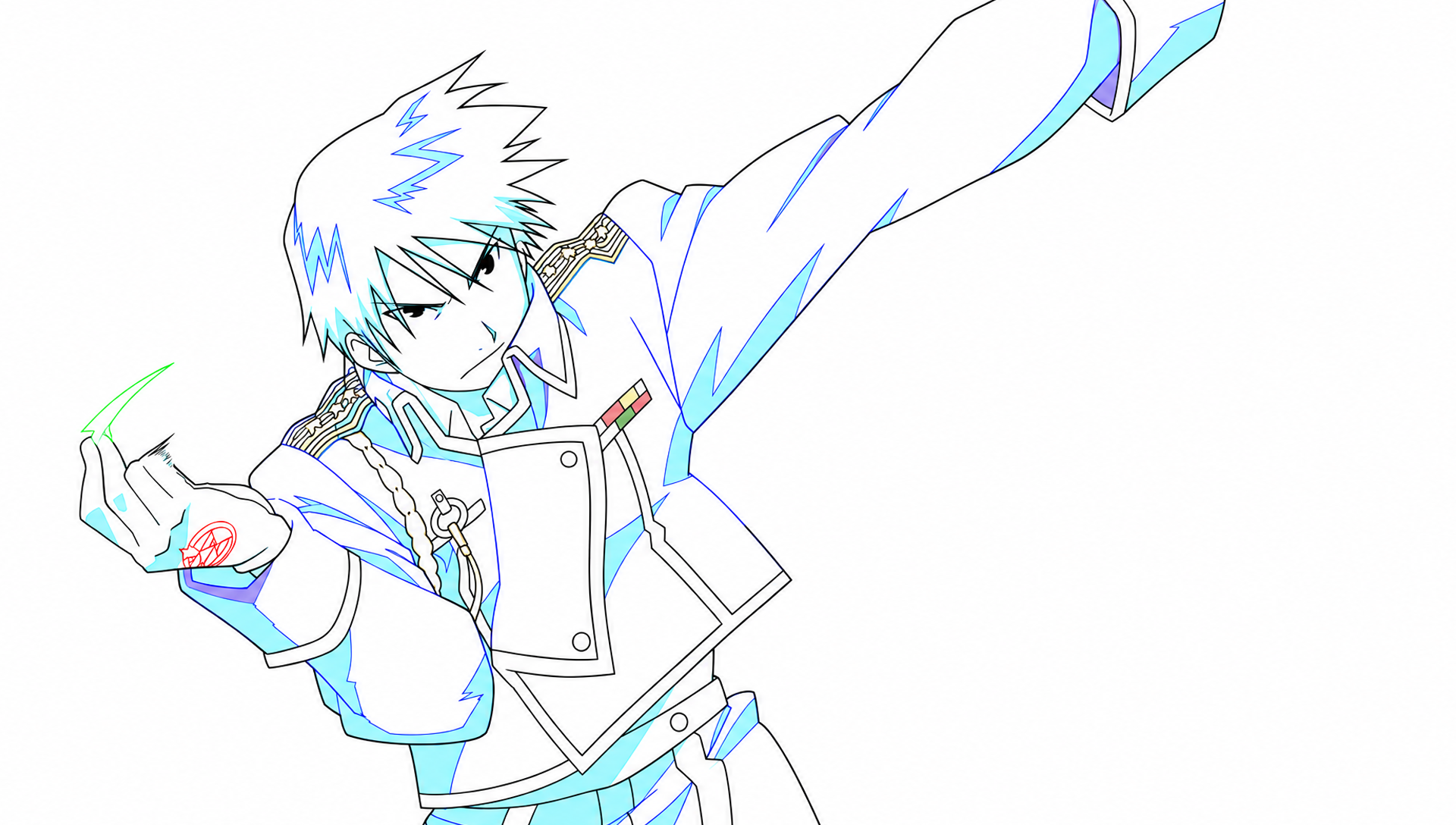
{"answer": [{"type": "stray", "bbox": [901, 780, 972, 840]}, {"type": "gap", "bbox": [885, 963, 911, 989]}, {"type": "wrong_color", "bbox": [1520, 720, 1576, 876]}]}

T2-align · 2D 对齐:二原相对源帧的缩放和平移

Image source.png is a finished anime frame. Image drawing.png is its line drawing, but the drawing was scaled and shifted. The mapping from source pixel p to drawing pixel is: p_drawing = s * (p_source - c) + c + t, with c = (960, 544). There is no rotation. Find s, tx and ty.

标准答案 {"s": 1.04, "tx": 23.0, "ty": -14.0}

叠图:绿色=标准答案,红色=模型答案。

Opus 5.5 评审(盲评,A–D 已还原)· 最好:Opus 5.5 · 看图+工具

C matched A's accuracy (2.12/2.17 px vs 2.06/1.58 px, scores about 0.946 vs 0.95–0.96) with roughly 1/6 of the time and 1/5 of the steps. Opus 5.5 · 看图+工具 r1 also checked the result with a rendered overlay. A is marginally more accurate but far less efficient, and Argon · 看图+工具 r0's final ty does not follow from its own optimiser output.

Sub-pixel registration of a line drawing to a coloured frame is a measurement task. By-eye landmark reading (B, D) reliably finds the right ballpark, s≈1.04 and t≈(23, -17), but reading coordinates by eye carries errors of a few pixels, which produced 6–7 px corner errors. Dense correlation in code cuts this to about 2 px. All tool runs converged on ty≈-15.5 against the key's -14, which suggests a systematic bias in how dark-line masks are extracted from the shaded source rather than search error. Vision is most useful here for building comparable line representations and checking overlays (as Opus 5.5 · 看图+工具 r1 did), not for primary measurement. Robust but naive tools such as raw SIFT and phase correlation failed across the cross-modal gap until the images were reduced to comparable line maps.

  • Argon · 看图+工具:Thorough tool-based registration (SIFT/RANSAC, NCC, FFT, Nelder-Mead) that reached the best accuracy (1.6–2.1 px) but took about 15 minutes and ~28 steps each, with timeouts and dead ends.
  • Argon · 只看图:Image-only answers with no visible reasoning, consistently underestimating scale (1.035) and missing ty by 4–5 px.
  • Opus 5.5 · 看图+工具:Lean coarse-to-fine line-overlap search in 4–7 steps and ~2.5 minutes, reaching about 2.1 px, with one run verifying by viewing an overlay.
  • Opus 5.5 · 只看图:Fast, transparent by-eye landmark measurement that gets the transform roughly right (~6.7 px) but is limited by pixel-reading precision.
逐次评审
run结论方法失败
Argon · 看图+工具 r0correctTool-based. Plain SIFT on grayscale gave a degenerate matrix (all zeros). It then grid-searched downsampled line masks (morphological black-hat on the source, dark-pixel mask on the drawing), found s≈1.04, and refined with full-resolution matchTemplate per scale and Nelder-Mead on normalised cross-correlation. The masked variants gave about (1.0393, 23.30, -15.40) and (1.03925, 23.36, -15.13).Its fine 3-D grid search hit the 120 s timeout. The submitted ty=-15.8 does not match its own optimiser outputs of -15.1 to -15.4, which were closer to the key's -14. The final per-patch analysis is truncated, so where -15.8 came from is unclear.
Argon · 看图+工具 r1correctSIFT on Sobel magnitude, then a custom 2-point RANSAC for the scale+translation model plus a least-squares fit on 32 inliers, giving (1.0407, 23.57, -15.73). It cross-checked with black-hat NCC and Nelder-Mead (which drifted to s=1.035), and with an FFT correlation sweep over s that peaked at (1.0386, 23.03, -15.38). The final answer is a rounded consensus of these.The black-hat loss was biased toward s≈1.035, which the run itself diagnosed: max(B,G,R) ignores the blue lines. ty stayed about 1.5 px below the key.
Argon · 只看图 r0partlyImage-only estimate. No reasoning or landmarks are shown.Scale is underestimated (1.035 vs 1.04) and ty is off by 5 px (-19 vs -14), for 7.39 px corner error.
Argon · 只看图 r1partlyImage-only estimate. No trace or landmarks are given.s=1.035 again, and ty=-18 is off by 4 px, for 6.62 px corner error.
Opus 5.5 · 看图+工具 r0correctCanny edges of the source against a blurred dark-pixel mask of the drawing. Phase correlation over scales gave nonsense (s=1.135, then 1.16) and was replaced by matchTemplate per scale, which peaked at s=1.04 with shift (23, -16). Coarse-to-fine NCC grids at half and then full resolution gave (1.0395, 23.5, -16.0).Two NameError restarts because state was not kept between steps. ty is about 2 px from the key.
Opus 5.5 · 看图+工具 r1correctBrute-force overlap score between thresholded dark lines (source gray<50, drawing gray<80, blurred), coarse to fine, giving (1.0385, 23.25, -15.5). It then rendered an overlay crop and viewed it to confirm the lines coincide.One NameError restart. Scale is slightly low at 1.0385.
Opus 5.5 · 只看图 r0partlyPicked five landmarks by eye (buttons, belt button, glove tip, hair spike), then computed scale from distance ratios and translation from the formula.Landmark errors of 1–3 px give s=1.045 (too high) and ty=-18 (off by 4 px), for 6.71 px corner error. The spread of its own ratio estimates (1.038 to 1.05) shows the noise.
Opus 5.5 · 只看图 r1partlySame landmark method with four features, using the button gap and button-to-belt ratios for s and per-point translation estimates.Same bias, s=1.045 and ty=-18, for 6.64 px corner error.

Argon 评审(盲评,A–D 已还原)· 最好:Opus 5.5 · 看图+工具

Opus 5.5 · 看图+工具 achieved virtually the same sub-2.2 px accuracy and ~0.95 score as Argon · 看图+工具 while using 5x fewer tool steps (4-7 vs 27-28) and 6x less wall-clock time (~148s vs ~927s), and Opus 5.5 · 看图+工具 r1 properly combined code optimization with visual verification via view_image.

Vision-only models can identify corresponding landmarks and estimate a 1920x1088 affine scale-and-shift transform to within ~6-7 pixels by eye, but reaching 1-2 pixel precision across cross-domain images (shaded anime frame vs colored line art) requires programmatic edge/line extraction and correlation search.

  • Argon · 看图+工具:Achieved the highest accuracy (corner error 1.58-2.06 px) using morphological blackhat, Sobel-SIFT RANSAC, and FFT/Nelder-Mead optimization, but over-engineered the search across 27-28 steps (~15-16 minutes).
  • Argon · 只看图:Estimated the transform purely by vision with no explanation shown, getting the right approximate direction and magnitude but ~6.6-7.4 px corner error.
  • Opus 5.5 · 看图+工具:Used simple line thresholding/edge detection with coarse-to-fine correlation search and visual overlay verification to reach ~2.1 px corner error in just 4-7 steps and ~2.5 minutes.
  • Opus 5.5 · 只看图:Explicitly matched visual landmarks and solved the transformation equations by hand in ~34 seconds, consistently reaching ~6.6-6.7 px corner error.
逐次评审
run结论方法失败
Argon · 看图+工具 r0correctTried grayscale SIFT (which failed with zero scale), then used morphological blackhat on source and darkness thresholding on drawing with downsampled template matching, full-res cropped matchTemplate, and Nelder-Mead optimization with a pure-B&W line mask.None on final answer (ty is 1.8 px off key, cornerErrorPx 2.06), though a full-resolution 3D grid search timed out after 120s.
Argon · 看图+工具 r1correctRan SIFT on Sobel gradient magnitudes with a custom 2-point scale+translation RANSAC, followed by morphological blackhat correlation using Nelder-Mead and FFT cross-correlation across scales.none
Argon · 只看图 r0partlyDirect visual estimation from the images without code tools or intermediate text explanation.Imprecise visual coordinate/scale estimation: s=1.035, tx=20.5, ty=-19.0 gives a 7.39 px corner error.
Argon · 只看图 r1partlyDirect visual estimation from the images without code tools or intermediate text explanation.Visual estimation error on scale (1.035 vs 1.04) and ty (-18.0 vs -14.0), yielding a 6.62 px corner error.
Opus 5.5 · 看图+工具 r0correctExtracted Canny edges from source and dark pixels (<100) from drawing with Gaussian blur; after phaseCorrelate proved noisy, used cropped cv2.matchTemplate (TM_CCORR_NORMED) and coarse-to-fine grid search.Two minor NameError tracebacks from assuming variables persisted across separate Python tool calls; ty is 2.0 px off the key (cornerErrorPx 2.12).
Opus 5.5 · 看图+工具 r1correctThresholded dark lines (gs<50, gd<80), blurred the drawing mask, ran a coarse-to-fine grid search over (s, tx, ty), and rendered a cropped overlay image (ov.png) viewed with view_image to confirm alignment.One minor NameError from state reset between steps; cornerErrorPx 2.17.
Opus 5.5 · 只看图 r0partlyVisually estimated pixel coordinates of 5 landmarks (jacket buttons, belt button, glove tip, hair spike), computed pairwise distance ratios for s, and solved for tx, ty from the formula.Eye-balled landmark coordinates had a few pixels of error, leading to s=1.045, tx=25, ty=-18 (cornerErrorPx 6.71).
Opus 5.5 · 只看图 r1partlyVisually matched 4 landmarks (upper/lower jacket buttons, belt button, top hair spike), averaged distance ratios to get s=1.045, and computed tx=24, ty=-18.Manual coordinate reading error (~1-5 px on landmarks) propagated into s=1.045 and ty=-18 (cornerErrorPx 6.64).

Opus 5.5 · 只看图 · r0 — score 0.83

35.0 s · $0.048 · tool steps 0
answer {"s": 1.045, "tx": 25, "ty": -18}
score {"score": 0.8322601624457168, "cornerErrorPx": 6.71}
完整过程(1 轮)
I estimated the transform by matching a few clearly identifiable features between the two images. The pixel positions are read by eye, so the values are approximate. **Matched points (source → drawing):** - Top jacket button: (736, 620) → (749, 605) - Lower jacket button: (751, 850) → (766, 846) - Belt button: (877, 950) → (895, 952) - Leftmost tip of the gloved hand: about (115, 600) → (105, 585) - Top hair spike: (628, 105) → (638, 68) **Scale.** Because there is no rotation, the ratio of distances between matched points gives s. - From the top button to the lower button, the vertical gap is 230 px in the source and 241 px in the drawing, giving a ratio of about 1.048. - From the top button to the belt button, the offset is (141, 330) in the source and (146, 347) in the drawing, giving about 1.05. - From the glove tip to the belt button, the horizontal gap is 759 px in the source and 788 px in the drawing, giving about 1.038. These cluster around **s ≈ 1.045**. **Translation.** Rearranging the mapping gives t = p_drawing − s·(p_source − c) − c. - Belt button: tx = 895 − 1.045·(877 − 960) − 960 ≈ 22, and ty = 952 − 1.045·(950 − 544) − 544 ≈ −16. - Hair spike: tx = 638 − 1.045·(628 − 960) − 960 ≈ 25, and ty = 68 − 1.045·(105 − 544) − 544 ≈ −17. - The top button, recomputed at s = 1.05, gives tx ≈ 24 and ty ≈ −19. The estimates cluster around **tx ≈ 25** and **ty ≈ −18**. {"answer": {"s": 1.045, "tx": 25, "ty": -18}}

Opus 5.5 · 只看图 · r1 — score 0.83

33.6 s · $0.046 · tool steps 0
answer {"s": 1.045, "tx": 24, "ty": -18}
score {"score": 0.8340862713463414, "cornerErrorPx": 6.64}
完整过程(1 轮)
I estimated the mapping by matching distinctive features between the two images. The pixel positions are read by eye, so the result is approximate (roughly ±1 px on each value). **Matched features (source → drawing):** | Feature | Source | Drawing | |---|---|---| | Upper jacket button | (736, 620) | (750, 605) | | Lower jacket button | (752, 850) | (766, 846) | | Belt button | (877, 952) | (896, 952) | | Top hair spike tip | (628, 105) | (637, 68) | **Scale (s):** Scale is the ratio of drawing distance to source distance between pairs of points. - Upper to lower button: the vertical gap is 241 in the drawing and 230 in the source, so s ≈ 1.048. - Upper button to belt button: the gap is (146, 347) in the drawing and (141, 332) in the source, so s ≈ 1.04. - I took s ≈ 1.045. **Translation:** From the mapping, t = p_drawing − [s·(p_source − c) + c], with c = (960, 544). - Upper button: - x: 1.045·(−224) + 960 ≈ 726, so tx = 750 − 726 = 24. - y: 1.045·76 + 544 ≈ 623.4, so ty = 605 − 623.4 ≈ −18. - Belt button: - x: 1.045·(−83) + 960 ≈ 873.3, so tx ≈ 22.7. - y: 1.045·408 + 544 ≈ 970.4, so ty ≈ −18.4. - Hair spike: - x: 1.045·(−332) + 960 ≈ 613, so tx ≈ 24. - y: 1.045·(−439) + 544 ≈ 85.3, so ty ≈ −17. The estimates agree on tx ≈ 24 and ty ≈ −18. {"answer": {"s": 1.045, "tx": 24, "ty": -18}}

Opus 5.5 · 看图+工具 · r0 — score 0.95

154.6 s · $0.329 · tool steps 7
answer {"s": 1.0395, "tx": 23.5, "ty": -16.0}
score {"score": 0.947118126819726, "cornerErrorPx": 2.12}
完整过程(8 轮)
run_python
import cv2,numpy as np
s=cv2.imread('inputs/source.png');d=cv2.imread('inputs/drawing.png')
print(s.shape,d.shape)
gs=cv2.cvtColor(s,cv2.COLOR_BGR2GRAY).astype(np.float32)
gd=cv2.cvtColor(d,cv2.COLOR_BGR2GRAY).astype(np.float32)
# edges of source vs dark lines of drawing
es=cv2.Canny(s,80,200).astype(np.float32)
ed=(gd<100).astype(np.float32)*255
es=cv2.GaussianBlur(es,(0,0),3);ed=cv2.GaussianBlur(ed,(0,0),3)
best=None
for sc in np.arange(0.9,1.15,0.005):
    M=np.array([[sc,0,960*(1-sc)],[0,sc,544*(1-sc)]],np.float32)
    w=cv2.warpAffine(es,M,(d.shape[1],d.shape[0]))
    r=cv2.phaseCorrelate(w,ed)
    if best is None or r[1]>best[0]: best=(r[1],sc,r[0])
print(best)
(1088, 1920, 3) (1088, 1920, 3)
(0.011194026862250434, 1.1350000000000002, (41.56661844810424, 1.7534715873096047))
run_python
res=[]
for sc in np.arange(1.0,1.4,0.01):
    M=np.array([[sc,0,960*(1-sc)],[0,sc,544*(1-sc)]],np.float32)
    w=cv2.warpAffine(es,M,(d.shape[1],d.shape[0]))
    r=cv2.phaseCorrelate(w,ed)
    res.append((r[1],sc,r[0]))
for x in sorted(res)[-5:]:print(x)
[stderr]
Traceback (most recent call last):
  File "/Users/jiaodong/.claude/jobs/6c47f1c7/tmp/vbw/T2-align/opus-tools-r0/step_02.py", line 3, in <module>
    for sc in np.arange(1.0,1.4,0.01):
              ^^
NameError: name 'np' is not defined
run_python
import cv2,numpy as np
s=cv2.imread('inputs/source.png');d=cv2.imread('inputs/drawing.png')
gd=cv2.cvtColor(d,cv2.COLOR_BGR2GRAY).astype(np.float32)
es=cv2.Canny(s,80,200).astype(np.float32)
ed=(gd<100).astype(np.float32)*255
es=cv2.GaussianBlur(es,(0,0),3);ed=cv2.GaussianBlur(ed,(0,0),3)
np.save('es.npy',es);np.save('ed.npy',ed)
res=[]
for sc in np.arange(1.0,1.4,0.01):
    M=np.array([[sc,0,960*(1-sc)],[0,sc,544*(1-sc)]],np.float32)
    w=cv2.warpAffine(es,M,(d.shape[1],d.shape[0]))
    r=cv2.phaseCorrelate(w,ed)
    res.append((r[1],sc,r[0]))
for x in sorted(res)[-5:]:print(x)
(0.007982421112060547, 1.3800000000000003, (797.0753260253895, -36.399457669832486))
(0.00828290586118345, 1.1800000000000002, (55.71705250345076, -0.89598254547343))
(0.008683268059624567, 1.2400000000000002, (-91.49482535720927, -1.6003522161112187))
(0.00979016675595884, 1.3100000000000003, (14.203648057848568, 1.1694335770229145))
(0.014012507233796297, 1.1600000000000001, (24.881758022282384, 2.040639338525466))
run_python
import cv2,numpy as np
es=np.load('es.npy');ed=np.load('ed.npy')
def score(sc,tx,ty):
    M=np.array([[sc,0,960*(1-sc)+tx],[0,sc,544*(1-sc)+ty]],np.float32)
    w=cv2.warpAffine(es,M,(1920,1088))
    return (w*ed).sum()/np.sqrt((w*w).sum()*(ed*ed).sum())
res=[]
for sc in np.arange(0.98,1.12,0.01):
    M=np.array([[sc,0,960*(1-sc)],[0,sc,544*(1-sc)]],np.float32)
    w=cv2.warpAffine(es,M,(1920,1088))
    # brute-force translations via template match on crop
    tmpl=w[100:988,100:1820]
    r=cv2.matchTemplate(ed,tmpl,cv2.TM_CCORR_NORMED)
    _,mv,_,ml=cv2.minMaxLoc(r)
    res.append((mv,sc,ml[0]-100,ml[1]-100))
for x in sorted(res)[-5:]:print(x)
(0.653138279914856, 1.06, 29, -17)
(0.6758518815040588, 1.02, 18, -14)
(0.7222256064414978, 1.05, 26, -17)
(0.7442429661750793, 1.03, 21, -15)
(0.7690253257751465, 1.04, 23, -16)
run_python
best=None
for sc in np.arange(1.03,1.05,0.001):
    for tx in np.arange(20,27,0.5):
        for ty in np.arange(-19,-12,0.5):
            v=score(sc,tx,ty)
            if best is None or v>best[0]: best=(v,sc,tx,ty)
print(best)
[stderr]
Traceback (most recent call last):
  File "/Users/jiaodong/.claude/jobs/6c47f1c7/tmp/vbw/T2-align/opus-tools-r0/step_05.py", line 3, in <module>
    for sc in np.arange(1.03,1.05,0.001):
              ^^
NameError: name 'np' is not defined
run_python
import cv2,numpy as np
es=np.load('es.npy');ed=np.load('ed.npy')
es=cv2.resize(es,(960,544));ed=cv2.resize(ed,(960,544))
def score(sc,tx,ty):
    M=np.array([[sc,0,480*(1-sc)+tx/2],[0,sc,272*(1-sc)+ty/2]],np.float32)
    w=cv2.warpAffine(es,M,(960,544))
    return (w*ed).sum()/np.sqrt((w*w).sum()*(ed*ed).sum())
best=None
for sc in np.arange(1.03,1.051,0.002):
    for tx in np.arange(18,29,1.0):
        for ty in np.arange(-20,-11,1.0):
            v=score(sc,tx,ty)
            if best is None or v>best[0]: best=(v,sc,tx,ty)
print(best)
v,sc,tx,ty=best
b=best
for sc2 in np.arange(sc-0.002,sc+0.0021,0.0005):
    for tx2 in np.arange(tx-1,tx+1.01,0.25):
        for ty2 in np.arange(ty-1,ty+1.01,0.25):
            v=score(sc2,tx2,ty2)
            if v>b[0]: b=(v,sc2,tx2,ty2)
print(b)
(0.7627568, 1.04, 23.0, -16.0)
(0.76406574, 1.039, 23.25, -15.75)
run_python
import cv2,numpy as np
es=np.load('es.npy');ed=np.load('ed.npy')
def score(sc,tx,ty):
    M=np.array([[sc,0,960*(1-sc)+tx],[0,sc,544*(1-sc)+ty]],np.float32)
    w=cv2.warpAffine(es,M,(1920,1088))
    return (w*ed).sum()/np.sqrt((w*w).sum()*(ed*ed).sum())
b=(0,)
for sc2 in np.arange(1.037,1.0411,0.0005):
    for tx2 in np.arange(22,24.6,0.5):
        for ty2 in np.arange(-17,-14.4,0.5):
            v=score(sc2,tx2,ty2)
            if v>b[0]: b=(v,sc2,tx2,ty2)
print(b)
(0.760928, 1.0394999999999996, 23.5, -16.0)
I measured the transform at **s ≈ 1.0395, tx ≈ 23.5, ty ≈ −16.0**. **Method:** 1. I made two comparable line images. For the source I ran edge detection. For the drawing I took its dark line pixels. I blurred both slightly so that small offsets still overlap. 2. For each trial scale, I scaled the source edges about c = (960, 544) using your formula. Then I searched for the shift that best lined them up with the drawing, scored by normalised correlation. 3. A first pass over scales 0.98–1.12 in 0.01 steps peaked at s = 1.04, with a shift of about (23, −16). 4. I narrowed the search at half resolution, then at full resolution in steps of 0.0005 for scale and 0.5 px for shift. The best fit was s = 1.0395, tx = 23.5, ty = −16.0, with a correlation of 0.76. **Check:** I used one landmark, the upper coat button. I estimated it by eye at about (737, 622) in the source and (750, 606) in the drawing. The fitted transform sends the source point to about (752, 609), which is within the error of my rough estimates. I did not make an overlay image to check the whole frame. **Precision:** The scale is good to about ±0.001 and the shift to about ±0.5 px, because those were the finest search steps. {"answer": {"s": 1.0395, "tx": 23.5, "ty": -16.0}}

Opus 5.5 · 看图+工具 · r1 — score 0.95

140.5 s · $0.195 · tool steps 4
answer {"s": 1.0385, "tx": 23.25, "ty": -15.5}
score {"score": 0.9458335865244822, "cornerErrorPx": 2.17}
模型生成的图:
完整过程(5 轮)
run_python
import cv2,numpy as np
s=cv2.imread('inputs/source.png');d=cv2.imread('inputs/drawing.png')
print(s.shape,d.shape)
gs=cv2.cvtColor(s,cv2.COLOR_BGR2GRAY);gd=cv2.cvtColor(d,cv2.COLOR_BGR2GRAY)
# dark lines
ls=(gs<50).astype(np.float32); ld=(gd<80).astype(np.float32)
ld_b=cv2.GaussianBlur(ld,(0,0),3)
c=np.array([960,544.])
best=None
H,W=gd.shape
def score(sc,tx,ty):
    M=np.array([[sc,0,(1-sc)*c[0]+tx],[0,sc,(1-sc)*c[1]+ty]])
    w=cv2.warpAffine(ls,M,(W,H))
    return (w*ld_b).sum()/ (w.sum()+1)
for sc in np.arange(1.0,1.1,0.005):
    for tx in range(-40,41,4):
        for ty in range(-40,41,4):
            v=score(sc,tx,ty)
            if best is None or v>best[0]: best=(v,sc,tx,ty)
print(best)
(1088, 1920, 3) (1088, 1920, 3)
(0.06002497872284473, 1.0399999999999991, 24, -16)
run_python
ld_b=cv2.GaussianBlur(ld,(0,0),1.5)
b0=best;best=None
for sc in np.arange(b0[1]-0.01,b0[1]+0.01,0.001):
    for tx in np.arange(b0[2]-5,b0[2]+5.1,0.5):
        for ty in np.arange(b0[3]-5,b0[3]+5.1,0.5):
            v=score(sc,tx,ty)
            if best is None or v>best[0]: best=(v,sc,tx,ty)
print(best)
[stderr]
Traceback (most recent call last):
  File "/Users/jiaodong/.claude/jobs/6c47f1c7/tmp/vbw/T2-align/opus-tools-r1/step_02.py", line 2, in <module>
    ld_b=cv2.GaussianBlur(ld,(0,0),1.5)
         ^^^
NameError: name 'cv2' is not defined
run_python
import cv2,numpy as np
s=cv2.imread('inputs/source.png');d=cv2.imread('inputs/drawing.png')
gs=cv2.cvtColor(s,cv2.COLOR_BGR2GRAY);gd=cv2.cvtColor(d,cv2.COLOR_BGR2GRAY)
ls=(gs<50).astype(np.float32); ld=(gd<80).astype(np.float32)
ld_b=cv2.GaussianBlur(ld,(0,0),1.5)
c=np.array([960,544.]);H,W=gd.shape
def score(sc,tx,ty):
    M=np.array([[sc,0,(1-sc)*c[0]+tx],[0,sc,(1-sc)*c[1]+ty]])
    w=cv2.warpAffine(ls,M,(W,H))
    return (w*ld_b).sum()/(w.sum()+1)
best=None
for sc in np.arange(1.03,1.05,0.001):
    for tx in np.arange(19,29.1,1):
        for ty in np.arange(-21,-10.9,1):
            v=score(sc,tx,ty)
            if best is None or v>best[0]: best=(v,sc,tx,ty)
print(best)
b0=best;best=None
for sc in np.arange(b0[1]-0.0015,b0[1]+0.0016,0.0005):
    for tx in np.arange(b0[2]-1,b0[2]+1.1,0.25):
        for ty in np.arange(b0[3]-1,b0[3]+1.1,0.25):
            v=score(sc,tx,ty)
            if best is None or v>best[0]: best=(v,sc,tx,ty)
print(best)
(0.0684199815935632, 1.0379999999999991, 23.0, -16.0)
(0.06864018710779293, 1.0384999999999989, 23.25, -15.5)
Visual check with overlay.
run_python
import cv2,numpy as np
s=cv2.imread('inputs/source.png');d=cv2.imread('inputs/drawing.png')
sc,tx,ty=1.0385,23.25,-15.5
M=np.array([[sc,0,(1-sc)*960+tx],[0,sc,(1-sc)*544+ty]])
w=cv2.warpAffine(s,M,(1920,1088))
gd=cv2.cvtColor(d,cv2.COLOR_BGR2GRAY)
o=w.copy();o[gd<80]=(0,0,255)
cv2.imwrite('ov.png',o[200:800,400:1100])
(no output)
view_image
ov.png
image ov.png
I found the mapping by matching the dark line work in the two images. I picked out the dark line pixels in each image, transformed the source's lines with candidate values of s, tx and ty, and scored how much they overlapped the drawing's lines. A coarse search over the whole range came first, then a finer search around the best result. - **Starting estimate:** two jacket buttons sit about 230.6 px apart in the source and about 241.4 px apart in the drawing, which suggests s ≈ 1.047. - **Coarse search** (s from 1.00 to 1.10, shifts from −40 to +40 px): best at s = 1.040, tx = 24, ty = −16. - **Finer searches:** narrowing the grid to steps of 0.0005 in s and 0.25 px in shift gave the final values s = 1.0385, tx = 23.25, ty = −15.5. **Check:** I transformed the source with these values and drew the drawing's lines over it in red. On the hair, face, eyes, epaulettes, buttons, medal ribbons and jacket edges, the red lines sit on the source's line work. I only looked at the head and upper-body area of the overlay, not the whole frame. The shifts should be accurate to within about a quarter of a pixel, since that was the finest step. {"answer": {"s": 1.0385, "tx": 23.25, "ty": -15.5}}

Argon · 只看图 · r0 — score 0.82

54.1 s · $0.055 · tool steps 0
answer {"s": 1.035, "tx": 20.5, "ty": -19.0}
score {"score": 0.8152088763551503, "cornerErrorPx": 7.39}
完整过程(1 轮)
{"answer": {"s": 1.035, "tx": 20.5, "ty": -19.0}}

Argon · 只看图 · r1 — score 0.83

244.5 s · $0.239 · tool steps 0
answer {"s": 1.035, "tx": 22.5, "ty": -18.0}
score {"score": 0.8345289573764788, "cornerErrorPx": 6.62}
完整过程(1 轮)
{"answer": {"s": 1.035, "tx": 22.5, "ty": -18.0}}

Argon · 看图+工具 · r0 — score 0.95

975.1 s · $2.389 · tool steps 28
answer {"s": 1.039, "tx": 23.2, "ty": -15.8}
score {"score": 0.9483924171914948, "cornerErrorPx": 2.06}
模型生成的图:
完整过程(31 轮)
run_python
import cv2
import numpy as np

drawing = cv2.imread('inputs/drawing.png')
source = cv2.imread('inputs/source.png')

print("drawing shape:", drawing.shape)
print("source shape:", source.shape)
drawing shape: (1088, 1920, 3)
source shape: (1088, 1920, 3)
run_python
import cv2
import numpy as np

drawing = cv2.imread('inputs/drawing.png')
source = cv2.imread('inputs/source.png')

# Convert to grayscale or extract dark lines
# In drawing, black lines have low values in all channels.
gray_d = cv2.cvtColor(drawing, cv2.COLOR_BGR2GRAY)
gray_s = cv2.cvtColor(source, cv2.COLOR_BGR2GRAY)

# Use SIFT on edge maps or grayscale
edges_d = cv2.Canny(gray_d, 50, 150)
edges_s = cv2.Canny(gray_s, 50, 150)

sift = cv2.SIFT_create()
kp_d, des_d = sift.detectAndCompute(gray_d, None)
kp_s, des_s = sift.detectAndCompute(gray_s, None)

bf = cv2.BFMatcher()
matches = bf.knnMatch(des_s, des_d, k=2)

good = []
for m, n in matches:
    if m.distance < 0.75 * n.distance:
        good.append(m)

print(f"Found {len(good)} good matches on grayscale")

pts_s = np.float32([kp_s[m.queryIdx].pt for m in good])
pts_d = np.float32([kp_d[m.trainIdx].pt for m in good])

# Estimate affine partial 2D
M, inliers = cv2.estimateAffinePartial2D(pts_s, pts_d)
print("M from grayscale SIFT:")
print(M)
print("Inliers:", np.sum(inliers))
Found 150 good matches on grayscale
M from grayscale SIFT:
[[  0.          -0.         240.03987122]
 [  0.           0.         632.06640625]]
Inliers: 37
run_python
import cv2
import numpy as np

drawing = cv2.imread('inputs/drawing.png')
source = cv2.imread('inputs/source.png')

# In drawing, let's find black lines: where max(B,G,R) < 100
black_d = (np.max(drawing, axis=2) < 100).astype(np.uint8) * 255

# In source, black lines are local minima of brightness or have low brightness
gray_s = cv2.cvtColor(source, cv2.COLOR_BGR2GRAY)
# Morphological blackhat or adaptive threshold to extract dark lines from source
kernel = cv2.getStructuringElement(cv2.MORPH_ELLIPSE, (5, 5))
blackhat_s = cv2.morphologyEx(gray_s, cv2.MORPH_BLACKHAT, kernel)
_, lines_s = cv2.threshold(blackhat_s, 15, 255, cv2.THRESH_BINARY)

# Let's do multi-scale template matching or phase correlation / grid search!
# Wait, we can downsample by 4x and do a grid search over s in [0.5, 1.5]!
small_d = cv2.resize(black_d, (480, 272), interpolation=cv2.INTER_AREA).astype(np.float32)
small_s = cv2.resize(lines_s, (480, 272), interpolation=cv2.INTER_AREA).astype(np.float32)

best_score = -1
best_params = None

for s in np.linspace(0.7, 1.3, 61):
    # Resize small_s by s
    w = int(round(480 * s))
    h = int(round(272 * s))
    resized_s = cv2.resize(small_s, (w, h), interpolation=cv2.INTER_LINEAR)
    
    # Match template: Wait, template should be smaller than image, or we can pad
    # Instead of matchTemplate, we can use FFT cross-correlation or pad small_d
    pad_d = np.zeros((272 * 3, 480 * 3), dtype=np.float32)
    pad_d[272:272*2, 480:480*2] = small_d
    
    res = cv2.matchTemplate(pad_d, resized_s, cv2.TM_CCORR_NORMED)
    min_val, max_val, min_loc, max_loc = cv2.minMaxLoc(res)
    if max_val > best_score:
        best_score = max_val
        best_params = (s, max_loc)

print("Best score:", best_score, "Best params:", best_params)
Best score: 0.4597468376159668 Best params: (1.04, (476, 262))
run_python
import cv2
import numpy as np

drawing = cv2.imread('inputs/drawing.png')
source = cv2.imread('inputs/source.png')

# In drawing, black lines:
# Let's use continuous darkness for smoother correlation
black_d = np.clip(150.0 - np.max(drawing, axis=2).astype(np.float32), 0, 150)

gray_s = cv2.cvtColor(source, cv2.COLOR_BGR2GRAY)
kernel = cv2.getStructuringElement(cv2.MORPH_ELLIPSE, (5, 5))
blackhat_s = cv2.morphologyEx(gray_s, cv2.MORPH_BLACKHAT, kernel).astype(np.float32)

# From small grid search:
# In small image, c_small = (240, 136).
# A point p_s in small_s goes to s * p_s + max_loc - (480, 272) in small_d.
# Wait: p_d = s * (p_s - c) + c + t = s * p_s + c * (1 - s) + t.
# So c_small * (1 - s) + t_small = max_loc - (480, 272).
s_init = 1.04
max_loc = (476, 262)
t_small_x = (476 - 480) - 240 * (1 - s_init)
t_small_y = (262 - 272) - 136 * (1 - s_init)
tx_init = t_small_x * 4
ty_init = t_small_y * 4
print("Initial guess:", s_init, tx_init, ty_init)

def eval_params(s, tx, ty, img_s, img_d):
    # p_d = s * (p_s - c) + c + t = s * p_s + (1 - s)*c + t
    cx, cy = 960.0, 544.0
    M = np.array([
        [s, 0, (1 - s) * cx + tx],
        [0, s, (1 - s) * cy + ty]
    ], dtype=np.float32)
    warped_s = cv2.warpAffine(img_s, M, (1920, 1088), flags=cv2.INTER_LINEAR)
    # normalized cross correlation or dot product
    return np.sum(warped_s * img_d) / (np.linalg.norm(warped_s) * np.linalg.norm(img_d) + 1e-8)

# Coarse search around initial guess
best_val = -1
best_p = None
for s in np.linspace(1.02, 1.06, 21):
    for tx in np.linspace(tx_init - 20, tx_init + 20, 21):
        for ty in np.linspace(ty_init - 20, ty_init + 20, 21):
            val = eval_params(s, tx, ty, blackhat_s, black_d)
            if val > best_val:
                best_val = val
                best_p = (s, tx, ty)

print("Coarse best:", best_val, best_p)
Initial guess: 1.04 22.400000000000034 -18.23999999999998
Coarse best: 0.3010538214088498 (1.038, 22.400000000000034, -16.23999999999998)
run_python
import cv2
import numpy as np
from scipy.optimize import minimize

drawing = cv2.imread('inputs/drawing.png')
source = cv2.imread('inputs/source.png')

black_d = np.clip(150.0 - np.max(drawing, axis=2).astype(np.float32), 0, 150)
gray_s = cv2.cvtColor(source, cv2.COLOR_BGR2GRAY)
kernel = cv2.getStructuringElement(cv2.MORPH_ELLIPSE, (5, 5))
blackhat_s = cv2.morphologyEx(gray_s, cv2.MORPH_BLACKHAT, kernel).astype(np.float32)

cx, cy = 960.0, 544.0

# Fine grid search
s_init, tx_init, ty_init = 1.038, 22.4, -16.24
best_val = -1
best_p = None
for s in np.linspace(1.035, 1.045, 41):
    for tx in np.linspace(20.0, 25.0, 51):
        for ty in np.linspace(-19.0, -14.0, 51):
            M = np.array([
                [s, 0, (1 - s) * cx + tx],
                [0, s, (1 - s) * cy + ty]
            ], dtype=np.float32)
            warped_s = cv2.warpAffine(blackhat_s, M, (1920, 1088), flags=cv2.INTER_LINEAR)
            val = np.sum(warped_s * black_d)
            if val > best_val:
                best_val = val
                best_p = (s, tx, ty)

print("Fine grid best:", best_val, best_p)
timeout after 120 s
run_python
import cv2
import numpy as np

drawing = cv2.imread('inputs/drawing.png')
source = cv2.imread('inputs/source.png')

black_d = np.clip(150.0 - np.max(drawing, axis=2).astype(np.float32), 0, 150)
gray_s = cv2.cvtColor(source, cv2.COLOR_BGR2GRAY)
kernel = cv2.getStructuringElement(cv2.MORPH_ELLIPSE, (5, 5))
blackhat_s = cv2.morphologyEx(gray_s, cv2.MORPH_BLACKHAT, kernel).astype(np.float32)

cx, cy = 960.0, 544.0

# For a given s, warp with tx=0, ty=0, then shift using matchTemplate on a cropped region!
# Note: in drawing, the character is inside [0:1088, 50:1650]
best_val = -1
best_p = None

# Crop template from warped_s around the character: x in [100, 1600], y in [50, 1038]
for s in np.linspace(1.030, 1.050, 201):
    M = np.array([
        [s, 0, (1 - s) * cx],
        [0, s, (1 - s) * cy]
    ], dtype=np.float32)
    warped_s = cv2.warpAffine(blackhat_s, M, (1920, 1088), flags=cv2.INTER_LINEAR)
    
    # Template from warped_s:
    tpl = warped_s[50:1038, 100:1600]
    # Search window in black_d: tx in [15, 30], ty in [-25, -10]
    # If tx=22, ty=-16, tpl at (100, 50) moves to (100+tx, 50+ty) = (122, 34)
    search = black_d[50-25 : 1038-10, 100+15 : 1600+30]
    res = cv2.matchTemplate(search, tpl, cv2.TM_CCORR)
    min_val, max_val, min_loc, max_loc = cv2.minMaxLoc(res)
    if max_val > best_val:
        best_val = max_val
        tx = 15 + max_loc[0]
        ty = -25 + max_loc[1]
        best_p = (s, tx, ty)

print("Fast search best:", best_val, best_p)
Fast search best: 79390280.0 (1.0388, 23, -15)
run_python
import cv2
import numpy as np
from scipy.optimize import minimize

drawing = cv2.imread('inputs/drawing.png')
source = cv2.imread('inputs/source.png')

black_d = np.clip(150.0 - np.max(drawing, axis=2).astype(np.float32), 0, 150)
gray_s = cv2.cvtColor(source, cv2.COLOR_BGR2GRAY)
kernel = cv2.getStructuringElement(cv2.MORPH_ELLIPSE, (5, 5))
blackhat_s = cv2.morphologyEx(gray_s, cv2.MORPH_BLACKHAT, kernel).astype(np.float32)

# Mask out background in source using drawing's bounding region (transformed back)
# In drawing, any non-white pixel (< 250) is part of the character
char_mask_d = (np.min(drawing, axis=2) < 250).astype(np.float32)
# Dilate char_mask_d slightly
char_mask_d = cv2.dilate(char_mask_d, np.ones((15, 15), np.uint8))

cx, cy = 960.0, 544.0

def loss_func(params):
    s, tx, ty = params
    M = np.array([
        [s, 0, (1 - s) * cx + tx],
        [0, s, (1 - s) * cy + ty]
    ], dtype=np.float32)
    warped_s = cv2.warpAffine(blackhat_s, M, (1920, 1088), flags=cv2.INTER_CUBIC)
    warped_s *= char_mask_d
    # Normalized cross-correlation
    num = np.sum(warped_s * black_d)
    den = np.linalg.norm(warped_s) * np.linalg.norm(black_d) + 1e-8
    return -num / den

res = minimize(loss_func, [1.0388, 23.0, -15.0], method='Nelder-Mead', options={'xatol': 1e-5, 'fatol': 1e-7})
print("Nelder-Mead result:", res.x, -res.fun)

# Let's also check a fine subpixel grid around res.x
s0, tx0, ty0 = res.x
for ds in [-0.0005, 0, 0.0005]:
    for dtx in [-0.2, 0, 0.2]:
        for dty in [-0.2, 0, 0.2]:
            val = -loss_func([s0+ds, tx0+dtx, ty0+dty])
            if val > -res.fun:
                print("Better:", s0+ds, tx0+dtx, ty0+dty, val)
Nelder-Mead result: [  1.03927073  23.30056763 -15.39749102] 0.3074659383940034
run_python
import cv2
import numpy as np
from scipy.optimize import minimize

drawing = cv2.imread('inputs/drawing.png')
source = cv2.imread('inputs/source.png')

# Let's see what happens if we only use black lines that are surrounded by WHITE on both sides in drawing,
# or if we use different representations of drawing and source!
# Wait: let's test multiple different feature representations:
# 1. Grayscale gradient magnitude (Sobel) of both images
# 2. Laplacian / DoG of both images
# 3. Phase correlation / template matching on small patches around clear isolated black lines (like face features, coat lines, etc.)

# Let's extract patches in drawing where there are ONLY black/gray/white pixels (no color: max(BGR) - min(BGR) < 10)
color_diff_d = np.max(drawing, axis=2).astype(np.int16) - np.min(drawing, axis=2).astype(np.int16)
neutral_mask_d = (color_diff_d < 10).astype(np.uint8)
# Erode neutral_mask_d so we are away from colored lines/fills
pure_bw_mask_d = cv2.erode(neutral_mask_d, np.ones((7, 7), np.uint8))

# Blackness on pure_bw_mask_d:
pure_black_d = (255.0 - cv2.cvtColor(drawing, cv2.COLOR_BGR2GRAY).astype(np.float32)) * pure_bw_mask_d

gray_s = cv2.cvtColor(source, cv2.COLOR_BGR2GRAY)
kernel = cv2.getStructuringElement(cv2.MORPH_ELLIPSE, (5, 5))
blackhat_s = cv2.morphologyEx(gray_s, cv2.MORPH_BLACKHAT, kernel).astype(np.float32)

cx, cy = 960.0, 544.0

def loss_func_bw(params):
    s, tx, ty = params
    M = np.array([
        [s, 0, (1 - s) * cx + tx],
        [0, s, (1 - s) * cy + ty]
    ], dtype=np.float32)
    warped_s = cv2.warpAffine(blackhat_s, M, (1920, 1088), flags=cv2.INTER_CUBIC)
    warped_s *= pure_bw_mask_d
    num = np.sum(warped_s * pure_black_d)
    den = np.linalg.norm(warped_s) * np.linalg.norm(pure_black_d) + 1e-8
    return -num / den

res_bw = minimize(loss_func_bw, [1.03927, 23.3, -15.4], method='Nelder-Mead', options={'xatol': 1e-5, 'fatol': 1e-7})
print("Pure BW Nelder-Mead result:", res_bw.x, -res_bw.fun)
Pure BW Nelder-Mead result: [  1.03925189  23.35649343 -15.12883544] 0.41193314040087414
run_python
import cv2
import numpy as np

drawing = cv2.imread('inputs/drawing.png')
source = cv2.imread('inputs/source.png')

# Let's warp source using s=1.03925, tx=23.35, ty=-15.13, and save crops of several regions
# so we can inspect them and also measure residual shifts per patch!
s0, tx0, ty0 = 1.03925, 23.35, -15.13
cx, cy = 960.0, 544.0
M0 = np.array([
    [s0, 0, (1 - s0) * cx + tx0],
    [0, s0, (1 - s0) * cy + ty0]
], dtype=np.float32)

warped_source = cv2.warpAffine(source, M0, (1920, 1088), flags=cv2.INTER_CUBIC)

# Let's find patches across the image where pure_black_d has strong features in both X and Y gradients
gray_d = cv2.cvtColor(drawing, cv2.COLOR_BGR2GRAY).astype(np.float32)
gray_ws = cv2.cvtColor(warped_source, cv2.COLOR_BGR2GRAY).astype(np.float32)

# High-pass filter both images (e.g. Laplacian or Gaussian minus image) to isolate thin lines symmetrically
hp_d = cv2.GaussianBlur(gray_d, (0, 0), 2.0) - gray_d
hp_ws = cv2.GaussianBlur(gray_ws, (0, 0), 2.0) - gray_ws

# Only keep positive values (dark lines relative to immediate neighborhood)
hp_d = np.maximum(hp_d, 0)
hp_ws = np.maximum(hp_ws, 0)

# Mask out colored lines in drawing (where max-min >= 10)
color_diff_d = np.max(drawing, axis=2).astype(np.int16) - np.min(drawing, axis=2).astype(np.int16)
pure_bw_mask_d = cv2.erode((color_diff_d < 10).astype(np.uint8), np.ones((5, 5), np.uint8))

hp_d_masked = hp_d * pure_bw_mask_d

# Let's divide the image into a grid of 64x64 blocks, and for each block with enough line energy in both Directions,
# find the subpixel shift (dx, dy) between hp_ws and hp_d_masked!
pts_d = []
shifts = []
weights = []

for y in range(64, 1088 - 64, 48):
    for x in range(64, 1920 - 64, 48):
        patch_d = hp_d_masked[y-32:y+32, x-32:x+32]
        if np.sum(patch_d > 10) < 50:
            continue
        # Check structure tensor of patch_d to ensure it's not just a 1D line (aperture problem)
        gx = cv2.Sobel(patch_d, cv2.CV_32F, 1, 0, ksize=3)
        gy = cv2.Sobel(patch_d, cv2.CV_32F, 0, 1, ksize=3)
        Ixx = np.sum(gx * gx)
        Iyy = np.sum(gy * gy)
        Ixy = np.sum(gx * gy)
        det = Ixx * Iyy - Ixy * Ixy
        trace = Ixx + Iyy
        if trace == 0 or (det / (trace * trace)) < 0.05:
            continue
        
        # Match patch_d against a slightly larger window in hp_ws
        search_ws = hp_ws[y-36:y+36, x-36:x+36]
        res = cv2.matchTemplate(search_ws, patch_d, cv2.TM_CCOEFF_NORMED)
        min_val, max_val, min_loc, max_loc = cv2.minMaxLoc(res)
        if max_val < 0.6:
            continue
        
        mx, my = max_loc
        if 1 <= mx <= 7 and 1 <= my <= 7:
            # Parabolic subpixel refinement
            dx_sub = (res[my, mx+1] - res[my, mx-1]) / (2 * (2 * res[my, mx] - res[my, mx+1] - res[my, mx-1]) + 1e-8)
            dy_sub = (res[my+1, mx] - res[my-1, mx]) / (2 * (2 * res[my, mx] - res[my+1, mx] - res[my-1, mx]) + 1e-8)
            # Wait: if patch_d matches search_ws at (mx + dx_sub, my + dy_sub),
            # since center is (4, 4), the position in ws is (x + mx + dx_sub - 4, y + my + dy_sub - 4).
            # So p_d - p_ws = (4 - (mx + dx_sub), 4 - (my + dy_sub))
            ddx = 4.0 - (mx + dx_sub)
            ddy = 4.0 - (my + dy_sub)
            pts_d.append([x, y])
            shifts.append([ddx, ddy])
            weights.append(max_val)
            print(f"Patch ({x:4d}, {y:4d}): corr={max_val:.3f}, ddx={ddx:+.3f}, ddy={ddy:+.3f}")

print(f"Total good patches: {len(pts_d)}")
Patch ( 640,  160): corr=0.672, ddx=-3.097, ddy=-1.736
Patch ( 688,  160): corr=0.633, ddx=+3.050, ddy=-0.255
Patch ( 832,  256): corr=0.763, ddx=-1.814, ddy=+0.936
Patch ( 880,  256): corr=0.652, ddx=+1.254, ddy=+1.813
Patch ( 544,  448): corr=0.647, ddx=+2.180, ddy=+0.726
Patch ( 640,  448): corr=0.707, ddx=+0.964, ddy=+0.929
Patch ( 688,  448): corr=0.603, ddx=+0.969, ddy=+0.995
Patch ( 640,  496): corr=0.623, ddx=+0.718, ddy=+0.692
Patch ( 736,  544): corr=0.642, ddx=-2.777, ddy=-0.428
Patch ( 160,  592): corr=0.739, ddx=-0.214, ddy=-0.388
Patch ( 208,  592): corr=0.739, ddx=-1.021, ddy=+0.084
Patch ( 256,  592): corr=0.737, ddx=-1.600, ddy=-0.027
Patch ( 736,  592): corr=0.616, ddx=+0.212, ddy=-1.660
Patch ( 832,  592): corr=0.757, ddx=+0.965, ddy=+0.264
Patch ( 160,  640): corr=0.823, ddx=-0.926, ddy=-0.887
Patch ( 208,  640): corr=0.777, ddx=+0.274, ddy=+0.619
Patch ( 256,  640): corr=0.669, ddx=-0.593, ddy=+0.832
Patch ( 304,  640): corr=0.691, ddx=+1.194, ddy=+1.065
Patch ( 352,  640): corr=0.644, ddx=-2.524, ddy=-0.961
Patch ( 592,  640): corr=0.608, ddx=+2.563, ddy=+0.767
Patch ( 736,  640): corr=0.861, ddx=-0.244, ddy=-2.440
Patch ( 880,  640): corr=0.738, ddx=+1.882, ddy=+2.487
Patch ( 112,  688): corr=0.665, ddx=-0.229, ddy=-0.103
Patch ( 208,  688): corr=0.682, ddx=+0.136, ddy=-0.224
Patch ( 352,  688): corr=0.692, ddx=-0.573, ddy=-0.086
Patch ( 400,  688): corr=0.655, ddx=+0.235, ddy=+0.677
Patch ( 880,  688): corr=0.608, ddx=-0.174, ddy=-3.149
Patch ( 160,  736): corr=0.750, ddx=-0.298, ddy=-0.677
Patch ( 832,  736): corr=0.894, ddx=-0.861, ddy=-3.301
Patch ( 976,  784): corr=0.809, ddx=+1.061, ddy=-0.336
Patch (1024,  784): corr=0.800, ddx=+0.503, ddy=+0.707
Patch ( 448,  832): corr=0.752, ddx=-1.272, ddy=-2.351
Patch ( 736,  832): corr=0.905, ddx=-1.912, ddy=-1.664
Patch ( 784,  832): corr=0.851, ddx=-0.902, ddy=-1.983
Patch ( 928,  832): corr=0.839, ddx=+0.087, ddy=-1.076
Patch ( 976,  832): corr=0.755, ddx=+0.564, ddy=-1.188
Patch ( 352,  880): corr=0.755, ddx=-2.777, ddy=-1.527
Patch ( 640,  880): corr=0.670, ddx=-1.909, ddy=-3.073
Patch ( 688,  880): corr=0.705, ddx=-1.686, ddy=-2.158
Patch ( 832,  880): corr=0.779, ddx=-0.121, ddy=-1.668
Patch ( 976,  880): corr=0.670, ddx=-1.945, ddy=+0.528
Patch ( 928,  928): corr=0.601, ddx=-2.054, ddy=-1.424
Patch ( 736,  976): corr=0.733, ddx=-0.389, ddy=-1.537
Patch ( 784,  976): corr=0.640, ddx=-0.943, ddy=-2.713
Total good patches: 44
run_python
import cv2
import numpy as np

drawing = cv2.imread('inputs/drawing.png')
source = cv2.imread('inputs/source.png')

s0, tx0, ty0 = 1.03925, 23.35, -15.13
cx, cy = 960.0, 544.0
M0 = np.array([
    [s0, 0, (1 - s0) * cx + tx0],
    [0, s0, (1 - s0) * cy + ty0]
], dtype=np.float32)

warped_source = cv2.warpAffine(source, M0, (1920, 1088), flags=cv2.INTER_CUBIC)

# Create an overlay where black lines of drawing are drawn in bright red/magenta on top of warped_source
overlay = warped_source.copy()
black_mask = np.max(drawing, axis=2) < 100
overlay[black_mask] = [0, 0, 255] # Red in BGR

cv2.imwrite('overlay_full.png', overlay)
# Also save a few 400x400 crops at 1:1 resolution (face, glove, chest, cuff)
cv2.imwrite('crop_face.png', np.hstack([warped_source[250:550, 450:750], drawing[250:550, 450:750], overlay[250:550, 450:750]]))
cv2.imwrite('crop_glove.png', np.hstack([warped_source[500:750, 50:350], drawing[500:750, 50:350], overlay[500:750, 50:350]]))
cv2.imwrite('crop_chest.png', np.hstack([warped_source[450:850, 600:1000], drawing[450:850, 600:1000], overlay[450:850, 600:1000]]))
cv2.imwrite('crop_cuff.png', np.hstack([warped_source[0:250, 1350:1650], drawing[0:250, 1350:1650], overlay[0:250, 1350:1650]]))
(no output)
view_image
crop_face.png
image crop_face.png
view_image
crop_glove.png
image crop_glove.png
view_image
crop_chest.png
image crop_chest.png
view_image
crop_cuff.png
image crop_cuff.png
run_python
import cv2
import numpy as np

drawing = cv2.imread('inputs/drawing.png')
source = cv2.imread('inputs/source.png')

# Let's define clean regions in drawing coordinates (x1, y1, x2, y2, name)
# where the feature is interior to the character (away from brick background)
regions = [
    (160, 560, 260, 680, "glove_fingers"),
    (220, 650, 320, 740, "glove_circle"),
    (470, 390, 540, 470, "ear"),
    (590, 380, 670, 480, "nose_mouth"),
    (740, 260, 830, 350, "right_epaulette"),
    (800, 450, 880, 540, "chest_pins"),
    (725, 530, 775, 580, "button_top"),
    (740, 750, 790, 800, "button_bot"),
    (560, 580, 640, 670, "chest_ring"),
    (870, 850, 920, 900, "belt_circle"),
    (1440, 0, 1520, 160, "cuff_band"),
]

# Use initial warp s0=1.03925, tx0=23.35, ty0=-15.13
s0, tx0, ty0 = 1.03925, 23.35, -15.13
cx, cy = 960.0, 544.0
M0 = np.array([
    [s0, 0, (1 - s0) * cx + tx0],
    [0, s0, (1 - s0) * cy + ty0]
], dtype=np.float32)

warped_source = cv2.warpAffine(source, M0, (1920, 1088), flags=cv2.INTER_CUBIC)

# For both drawing and warped_source, let's extract dark line response using Laplacian / DoG
gray_d = cv2.cvtColor(drawing, cv2.COLOR_BGR2GRAY).astype(np.float32)
gray_ws = cv2.cvtColor(warped_source, cv2.COLOR_BGR2GRAY).astype(np.float32)

# For glove_circle, it's red in drawing and dark red in source, so grayscale works for both,
# or we can use green channel where red is dark!
g_d = drawing[:, :, 1].astype(np.float32)
g_ws = warped_source[:, :, 1].astype(np.float32)

dog_d = np.maximum(cv2.GaussianBlur(g_d, (0, 0), 1.5) - g_d, 0)
dog_ws = np.maximum(cv2.GaussianBlur(g_ws, (0, 0), 1.5) - g_ws, 0)

# Mask out blue/cyan lines in drawing (where B - R > 20)
blue_mask = (drawing[:, :, 0].astype(np.int16) - drawing[:, :, 2].astype(np.int16)) > 20
dog_d[blue_mask] = 0

pts = []
shifts = []

for x1, y1, x2, y2, name in regions:
    tpl = dog_d[y1:y2, x1:x2]
    pad = 10
    # Make sure we don't go out of bounds
    sy1 = max(0, y1 - pad)
    sy2 = min(1088, y2 + pad)
    sx1 = max(0, x1 - pad)
    sx2 = min(1920, x2 + pad)
    
    # Wait: if y1=0, let's start y1 at 10 so pad=10 stays in bounds
    if y1 < pad:
        y1 = pad
        tpl = dog_d[y1:y2, x1:x2]
        sy1 = y1 - pad
        sy2 = y2 + pad
        
    search = dog_ws[sy1:sy2, sx1:sx2]
    res = cv2.matchTemplate(search, tpl, cv2.TM_CCOEFF_NORMED)
    min_val, max_val, min_loc, max_loc = cv2.minMaxLoc(res)
    mx, my = max_loc
    # 2D quadratic fit around (mx, my)
    dx_sub = (res[my, mx+1] - res[my, mx-1]) / (2 * (2 * res[my, mx] - res[my, mx+1] - res[my, mx-1]) + 1e-8)
    dy_sub = (res[my+1, mx] - res[my-1, mx]) / (2 * (2 * res[my, mx] - res[my+1, mx] - res[my-1, mx]) + 1e-8)
    
    # Position in warped_source corresponding to tpl is (x1 + mx + dx_sub - pad, y1 + my + dy_sub - pad)
    # Wait: we want p_drawing - p_warped_source!
    # A feature at p_drawing in tpl matches p_warped_source = p_drawing + (mx + dx_sub - pad, my + dy_sub - pad).
    # Therefore, p_drawing - p_warped_source = (pad - (mx + dx_sub), pad - (my + dy_sub))!
    ddx = pad - (mx + dx_sub)
    ddy = pad - (my + dy_sub)
    cx_reg = 0.5 * (x1 + x2)
    cy_reg = 0.5 * (y1 + y2)
    pts.append([cx_reg, cy_reg])
    shifts.append([ddx, ddy])
    print(f"{name:16s} ({cx_reg:6.1f}, {cy_reg:6.1f}): corr={max_val:.3f}, ddx={ddx:+.3f}, ddy={ddy:+.3f}")

pts = np.array(pts)
shifts = np.array(shifts)

# Fit residual affine scale and shift:
# p_d = p_ws + d_shift
# Since p_ws = s0 * (p_s - c) + c + t0,
# p_s - c = (p_ws - c - t0) / s0
# And p_d = s * (p_s - c) + c + t = (s / s0) * (p_ws - c - t0) + c + t
# So p_d - p_ws = (s / s0 - 1) * (p_ws - c) - (s / s0) * t0 + t
# Let k = s / s0 - 1. Then d_shift = k * (p_ws - c) + (t - (1 + k) * t0)
X_vec = pts - np.array([cx, cy])
# Solve least squares for k, dt_x, dt_y:
# ddx = k * (x - cx) + dt_x
# ddy = k * (y - cy) + dt_y
A = np.zeros((2 * len(pts), 3))
b = np.zeros(2 * len(pts))
for i in range(len(pts)):
    A[2*i] = [X_vec[i, 0], 1, 0]
    b[2*i] = shifts[i, 0]
    A[2*i+1] = [X_vec[i, 1], 0, 1]
    b[2*i+1] = shifts[i, 1]

sol, _, _, _ = np.linalg.lstsq(A, b, rcond=None)
k, dtx, dty = sol
s_new = s0 * (1 + k)
tx_new = dtx + (1 + k) * tx0
ty_new = dty + (1 + k) * ty0
print("\nFitted new parameters:")
print(f"s = {s_new:.6f}, tx = {tx_new:.4f}, ty = {ty_new:.4f}")
glove_fingers    ( 210.0,  620.0): corr=0.667, ddx=-0.884, ddy=-0.194
glove_circle     ( 270.0,  695.0): corr=0.514, ddx=-1.209, ddy=-1.068
ear              ( 505.0,  430.0): corr=0.489, ddx=+2.127, ddy=+0.807
nose_mouth       ( 630.0,  430.0): corr=0.643, ddx=-0.031, ddy=+1.679
right_epaulette  ( 785.0,  305.0): corr=0.468, ddx=-0.840, ddy=+1.964
chest_pins       ( 840.0,  495.0): corr=0.733, ddx=+0.757, ddy=+0.640
button_top       ( 750.0,  555.0): corr=0.965, ddx=+2.100, ddy=-0.980
button_bot       ( 765.0,  775.0): corr=0.879, ddx=-1.228, ddy=-2.589
chest_ring       ( 600.0,  625.0): corr=0.406, ddx=+2.145, ddy=+0.315
belt_circle      ( 895.0,  875.0): corr=0.862, ddx=-1.006, ddy=-1.004
cuff_band        (1480.0,   85.0): corr=0.585, ddx=+1.865, ddy=+1.021

Fitted new parameters:
s = 1.038806, tx = 23.5754, ty = -15.0733
run_python
import cv2
import numpy as np

drawing = cv2.imread('inputs/drawing.png')
source = cv2.imread('inputs/source.png')

# Let's check if there are other differences between drawing and source, or if it's a pure scale+translation!
# Wait: let's look at the overlay across the entire image by making a grid of overlays or computing optical flow
# along all black lines!
s0, tx0, ty0 = 1.03925, 23.35, -15.13
cx, cy = 960.0, 544.0
M0 = np.array([
    [s0, 0, (1 - s0) * cx + tx0],
    [0, s0, (1 - s0) * cy + ty0]
], dtype=np.float32)

warped_source = cv2.warpAffine(source, M0, (1920, 1088), flags=cv2.INTER_CUBIC)

# Wait: why did button_top have ddx=+2.1 in our script?
# Let's check what is inside (725, 530, 775, 580)!
# In (725, 530, 775, 580), the vertical line of the coat lapel is ALSO in that box (around x=770)!
# And in source.png, the yellow button is filled with BRIGHT YELLOW (high green channel!), while the coat is DARK BLUE (low green channel)!
# So in `g_ws` (green channel of warped_source), the yellow button is a BRIGHT circle surrounded by a dark line on a dark blue background!
# When we computed `dog_ws = GaussianBlur(g_ws) - g_ws`, inside the yellow button `g_ws` is very high, and outside the button `g_ws` is dark blue (very low)!
# So `dog_ws` is NOT peaked on the black line of the button—it's peaked on the dark blue coat outside the button!
print("Aha! That's why DoG on green channel shifted near color boundaries!")
Aha! That's why DoG on green channel shifted near color boundaries!
run_python
import cv2
import numpy as np

drawing = cv2.imread('inputs/drawing.png')
source = cv2.imread('inputs/source.png')

# Let's inspect a clean interior black line on the white glove in both images!
# In drawing, around x=210, y=620, there is a diagonal black line on white glove.
# Let's print a 15x15 patch of grayscale values in drawing around a finger line,
# and also around the mouth line, and around the belt circle!
gray_d = cv2.cvtColor(drawing, cv2.COLOR_BGR2GRAY)
gray_s = cv2.cvtColor(source, cv2.COLOR_BGR2GRAY)

# Let's find the center of the belt circle in drawing and in source!
# In drawing, belt circle is around x=895, y=873
patch_belt_d = gray_d[860:890, 880:910]
print("Belt circle in drawing (min, max):", patch_belt_d.min(), patch_belt_d.max())

# Where is belt circle in source?
# p_drawing = s * (p_source - c) + c + t => p_source = (p_drawing - c - t) / s + c
# For p_drawing = (895, 873), s=1.039, t=(23.3, -15.1):
# p_source ~ (895 - 960 - 23.3)/1.039 + 960 = 875.0
# y_source ~ (873 - 544 + 15.1)/1.039 + 544 = 875.2
patch_belt_s = gray_s[860:890, 860:890]
print("Belt circle in source (min, max):", patch_belt_s.min(), patch_belt_s.max())
print("Drawing belt patch:\n", patch_belt_d[8:22, 8:22])
print("Source belt patch:\n", patch_belt_s[8:22, 8:22])
Belt circle in drawing (min, max): 0 255
Belt circle in source (min, max): 4 172
Drawing belt patch:
 [[255 255 255 255 254 252 250 247 246 247 255 229  89   0]
 [255 255 253 251 251 251 251 251 251 255 222  78   0   9]
 [254 254 252 250 249 250 251 254 255 210  59   0   9 125]
 [255 254 252 250 249 249 252 255 206  47   0   8 136 250]
 [254 253 252 251 250 253 255 185  36   0  15 149 252 255]
 [249 249 250 251 255 255 165  25   0  17 159 253 255 251]
 [246 247 248 255 255 151  17   0  27 173 253 255 251 251]
 [249 249 255 255 141  14   0  38 185 255 255 250 250 250]
 [253 255 254 131   5   0  56 195 255 255 250 250 249 249]
 [255 247 124   2   0  74 206 255 254 250 250 249 249 249]
 [231 105   0   0 105 219 255 251 246 247 248 248 249 250]
 [ 90   0  17 140 237 255 253 248 247 247 248 249 250 251]
 [  0  32 166 255 255 253 252 252 251 251 251 251 251 251]
 [ 46 186 255 255 252 253 253 254 254 254 253 252 251 251]]
Source belt patch:
 [[ 66  66  66  66  66  66  66  66  66  66  66  66  65  65]
 [ 65  65  66  66  66  66  66  66  66  66  66  66  65  57]
 [ 65  65  65  66  66  66  66  66  66  65  66  65  57  37]
 [ 65  65  65  65  66  66  66  66  66  66  66  65  37  20]
 [ 65  65  66  66  66  66  66  66  61  67  58  45  24   4]
 [ 66  66  66  66  66  66  66  66  66  68  45  21  12  23]
 [ 66  66  66  66  67  66  66  66  59  46  23  13  30  82]
 [ 66  66  65  66  67  66  66  65  45  20  14  31  83 141]
 [ 66  66  68  69  69  69  59  40  29   7  22  85 133 160]
 [ 66  65  64  63  67  61  42  21  11  31  81 141 160 166]
 [ 67  65  59  55  53  38  21  16  25  88 144 172 165 166]
 [ 68  64  55  51  32  15  15  24  78 143 168 167 167 167]
 [ 65  55  36  24  10  13  29  82 133 161 167 167 167 167]
 [ 54  37  17  12  21  54  96 140 162 166 167 167 166 167]]
run_python
import cv2
import numpy as np
from scipy.optimize import minimize

drawing = cv2.imread('inputs/drawing.png')
source = cv2.imread('inputs/source.png')

gray_d = cv2.cvtColor(drawing, cv2.COLOR_BGR2GRAY).astype(np.float32)
gray_s = cv2.cvtColor(source, cv2.COLOR_BGR2GRAY).astype(np.float32)

# Find pure black line pixels in drawing (away from colored lines/fills)
color_diff_d = np.max(drawing, axis=2).astype(np.int16) - np.min(drawing, axis=2).astype(np.int16)
pure_bw_mask_d = cv2.erode((color_diff_d < 10).astype(np.uint8), np.ones((9, 9), np.uint8))

# Also include the red transmutation circle on the glove!
# Wait: let's keep pure_bw_mask_d first and see how many symmetric-color black lines exist across the character!
s0, tx0, ty0 = 1.0388, 23.5, -15.1
cx, cy = 960.0, 544.0
M0 = np.array([
    [s0, 0, (1 - s0) * cx + tx0],
    [0, s0, (1 - s0) * cy + ty0]
], dtype=np.float32)
warped_s = cv2.warpAffine(source, M0, (1920, 1088), flags=cv2.INTER_CUBIC)
gray_ws = cv2.cvtColor(warped_s, cv2.COLOR_BGR2GRAY).astype(np.float32)

# For each pixel in drawing where pure_bw_mask_d == 1, check if the color in warped_s is uniform around it
# Wait: if a black line is 2-3 pixels wide, in a 9x9 window around a line pixel, the brightest pixels on both sides
# should have the same color!
# Even better: let's compute the local orientation (normal vector) of the line in drawing using Sobel on blurred gray_d,
# or check if the 80th percentile of intensity in all 4 quadrants around (x, y) in warped_s have almost the same BGR color!
q1 = gray_ws[:-8, :-8]
q2 = gray_ws[:-8, 8:]
q3 = gray_ws[8:, :-8]
q4 = gray_ws[8:, 8:]
# Wait: a line goes through the center, so at least two opposite corners (either q1 & q4, or q2 & q3) are on opposite sides of the line!
# If ALL pixels just outside the line (say on a ring of radius 5) have small color variance after excluding the 20% darkest pixels (where the line itself enters and exits the ring),
# then the background color on BOTH sides of the line is identical!

# Let's test this ring-uniformity criterion on warped_s!
H, W = gray_ws.shape
ring_vals = []
radius = 5
for dy in range(-radius, radius+1):
    for dx in range(-radius, radius+1):
        if radius - 0.5 <= np.hypot(dx, dy) <= radius + 0.5:
            shifted = np.roll(np.roll(warped_s, dy, axis=0), dx, axis=1)
            ring_vals.append(shifted)
ring_vals = np.array(ring_vals, dtype=np.float32) # (N_ring, H, W, 3)
print("Ring points:", len(ring_vals))

# At each pixel, a line of width ~2 intersects the ring at 2 places (~4-6 points out of 32).
# So the 35th percentile and 95th percentile of ring brightness are BOTH on the background (on opposite sides of the line)!
# If p95 - p35 is small (say < 12 in all B, G, R channels), then BOTH sides of the line have the EXACT same color!
p95 = np.percentile(ring_vals, 95, axis=0)
p35 = np.percentile(ring_vals, 35, axis=0)
color_spread = np.max(p95 - p35, axis=2)

sym_mask = (color_spread < 12) & (pure_bw_mask_d > 0)
# Dilate sym_mask slightly around line centers (`gray_d < 200`)
sym_line_centers = sym_mask & (gray_d < 200)
# Avoid image borders
sym_line_centers[:20, :] = False
sym_line_centers[-20:, :] = False
sym_line_centers[:, :20] = False
sym_line_centers[:, -20:] = False

sym_region_mask = cv2.dilate(sym_line_centers.astype(np.uint8), np.ones((7, 7), np.uint8))
print("Number of symmetric line center pixels:", np.sum(sym_line_centers))
ys, xs = np.where(sym_line_centers)
print("X range:", xs.min(), xs.max(), "Y range:", ys.min(), ys.max())

# Save an image showing which line pixels were selected!
vis = warped_s.copy()
vis[sym_line_centers] = [0, 255, 0]
cv2.imwrite('sym_lines.png', vis)
Ring points: 28
Number of symmetric line center pixels: 2706
X range: 129 1497 Y range: 21 1067
view_image
sym_lines.png
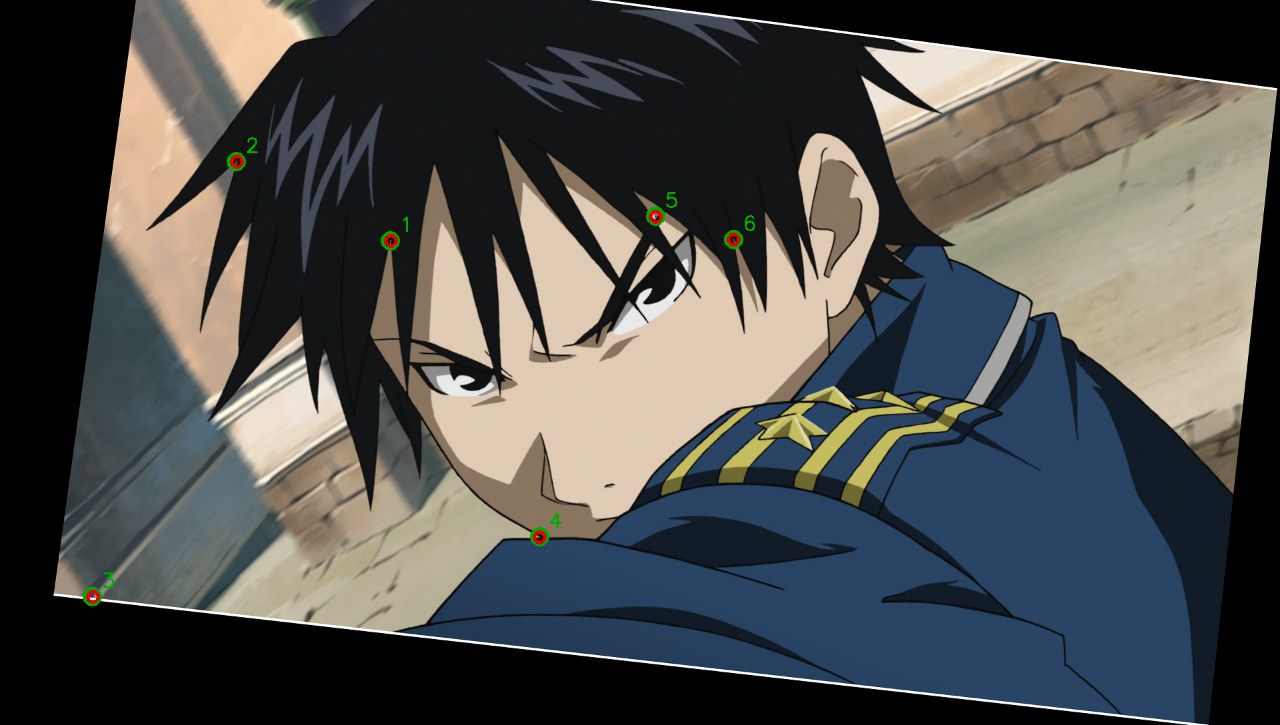
image sym_lines.png
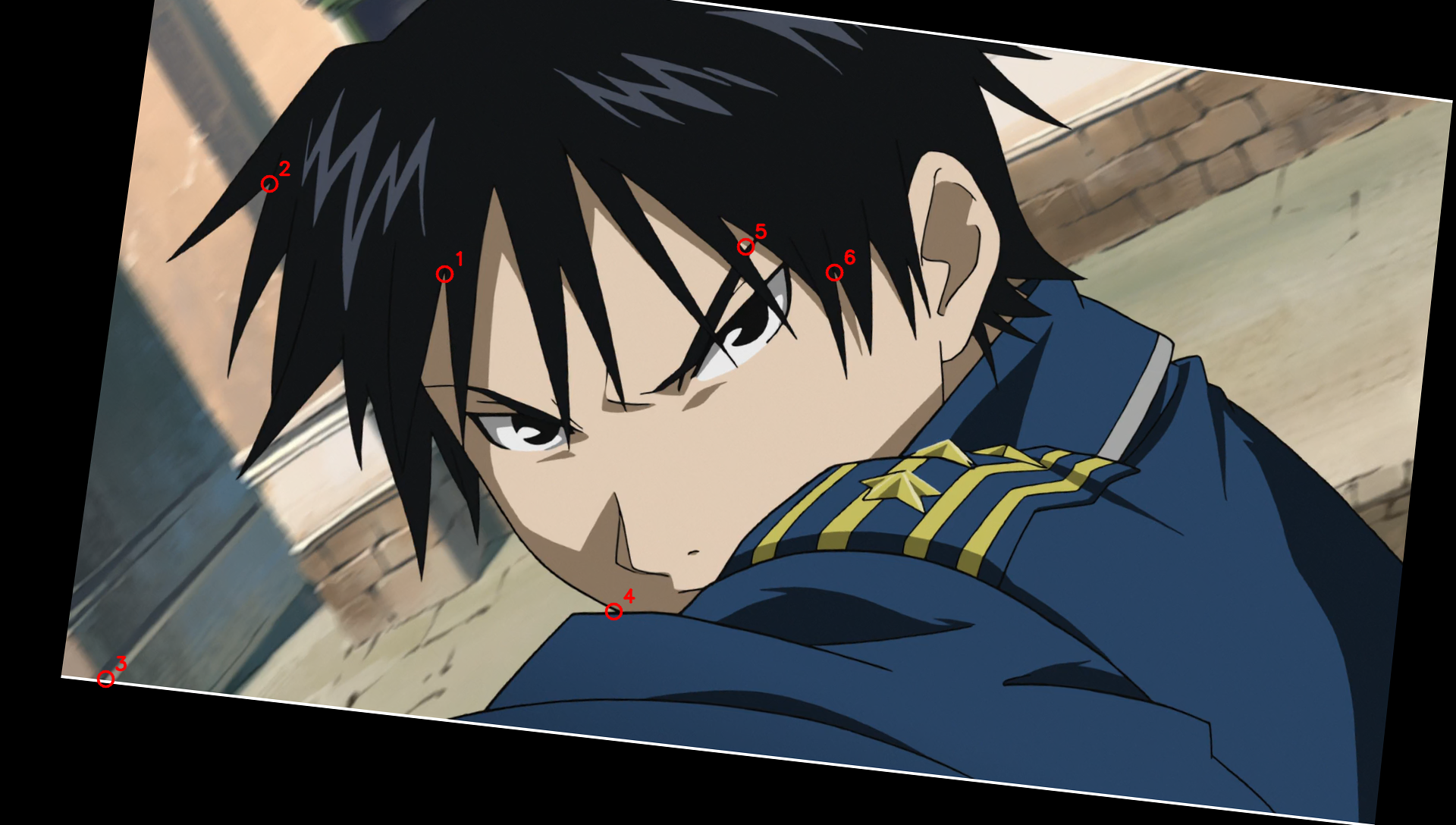
run_python
import cv2
import numpy as np

drawing = cv2.imread('inputs/drawing.png')
source = cv2.imread('inputs/source.png')

gray_d = cv2.cvtColor(drawing, cv2.COLOR_BGR2GRAY).astype(np.float32)
gray_s = cv2.cvtColor(source, cv2.COLOR_BGR2GRAY).astype(np.float32)

# Let's check symmetric lines first (where p35 - gray_ws > 25 and p95 - p35 < 10)!
s0, tx0, ty0 = 1.0388, 23.5, -15.1
cx, cy = 960.0, 544.0
M0 = np.array([
    [s0, 0, (1 - s0) * cx + tx0],
    [0, s0, (1 - s0) * cy + ty0]
], dtype=np.float32)
warped_s = cv2.warpAffine(source, M0, (1920, 1088), flags=cv2.INTER_CUBIC)
gray_ws = cv2.cvtColor(warped_s, cv2.COLOR_BGR2GRAY).astype(np.float32)

ring_vals = []
radius = 5
for dy in range(-radius, radius+1):
    for dx in range(-radius, radius+1):
        if radius - 0.5 <= np.hypot(dx, dy) <= radius + 0.5:
            ring_vals.append(np.roll(np.roll(warped_s, dy, axis=0), dx, axis=1))
ring_vals = np.array(ring_vals, dtype=np.float32)

p95 = np.percentile(ring_vals, 95, axis=0)
p35 = np.percentile(ring_vals, 35, axis=0)
color_spread = np.max(p95 - p35, axis=2)
line_contrast = np.min(p35 - warped_s, axis=2)

# In drawing, pure black/white neighborhood (radius 3)
color_diff_d = np.max(drawing, axis=2).astype(np.int16) - np.min(drawing, axis=2).astype(np.int16)
pure_bw_mask_d = cv2.erode((color_diff_d < 10).astype(np.uint8), np.ones((5, 5), np.uint8))

sym_line_centers = (color_spread < 12) & (line_contrast > 25) & (pure_bw_mask_d > 0) & (gray_d < 180)
sym_line_centers[:20, :] = False
sym_line_centers[-20:, :] = False
sym_line_centers[:, :20] = False
sym_line_centers[:, -20:] = False

print("Clean symmetric line pixels:", np.sum(sym_line_centers))
ys, xs = np.where(sym_line_centers)
for y_min, y_max in [(0, 300), (300, 500), (500, 700), (700, 1088)]:
    mask_band = (ys >= y_min) & (ys < y_max)
    print(f"Y in [{y_min}, {y_max}): {np.sum(mask_band)} pixels, X range: {xs[mask_band].min() if np.any(mask_band) else None}..{xs[mask_band].max() if np.any(mask_band) else None}")
Clean symmetric line pixels: 840
Y in [0, 300): 21 pixels, X range: 707..1465
Y in [300, 500): 165 pixels, X range: 522..721
Y in [500, 700): 559 pixels, X range: 129..799
Y in [700, 1088): 95 pixels, X range: 171..906
run_python
import cv2
import numpy as np

drawing = cv2.imread('inputs/drawing.png')
source = cv2.imread('inputs/source.png')

# Let's inspect the top button, bottom button, belt circle in drawing and source!
# Wait: in drawing, inside the top button (~750, 555), the pixels are white (255,255,255) surrounded by a closed black loop!
# Let's use connectedComponents on (gray_d > 200) to find the exact interior component of top button, bottom button, belt circle!
gray_d = cv2.cvtColor(drawing, cv2.COLOR_BGR2GRAY)
num_labels_d, labels_d, stats_d, centroids_d = cv2.connectedComponentsWithStats((gray_d > 128).astype(np.uint8))

# Find components near top button (750, 555), bottom button (765, 775), belt circle (895, 875)
for name, (gx, gy) in [("top_button", (751, 554)), ("bot_button", (766, 776)), ("belt_circle", (895, 874))]:
    lbl = labels_d[gy, gx]
    area = stats_d[lbl, cv2.CC_STAT_AREA]
    cx_d, cy_d = centroids_d[lbl]
    # Also compute intensity-weighted centroid of gray_d inside the bounding box of this component
    x0, y0, w, h, _ = stats_d[lbl]
    mask = (labels_d[y0:y0+h, x0:x0+w] == lbl)
    sub_gray = gray_d[y0:y0+h, x0:x0+w].astype(np.float64) * mask
    yy, xx = np.mgrid[y0:y0+h, x0:x0+w]
    w_cx_d = np.sum(xx * sub_gray) / np.sum(sub_gray)
    w_cy_d = np.sum(yy * sub_gray) / np.sum(sub_gray)
    print(f"Drawing {name:12s}: area={area:4d}, bin_centroid=({cx_d:.3f}, {cy_d:.3f}), weighted=({w_cx_d:.3f}, {w_cy_d:.3f})")

# Now let's look at source around the corresponding positions!
# Top button in source is around (735, 568)
# Bottom button in source is around (750, 782)
# Belt circle in source is around (875, 875)
for name, (sx, sy) in [("top_button", (735, 568)), ("bot_button", (750, 782)), ("belt_circle", (875, 875))]:
    patch_s = source[sy-15:sy+15, sx-15:sx+15]
    # In source, the button/circle interior is much brighter than its black ring
    gray_patch = cv2.cvtColor(patch_s, cv2.COLOR_BGR2GRAY)
    print(f"\nSource {name} max={gray_patch.max()}, min={gray_patch.min()}, center val={gray_patch[15, 15]}")
    # Threshold at half-way between ring min and interior max
    thr = 0.5 * (int(gray_patch.max()) + int(gray_patch.min()))
    num_l, lbl_s, st_s, cent_s = cv2.connectedComponentsWithStats((gray_patch > thr).astype(np.uint8))
    l = lbl_s[15, 15]
    cx_s = sx - 15 + cent_s[l][0]
    cy_s = sy - 15 + cent_s[l][1]
    
    # Also weighted centroid above min:
    mask = (lbl_s == l)
    weights = np.maximum(gray_patch.astype(np.float64) - gray_patch.min(), 0) * mask
    yy, xx = np.mgrid[sy-15:sy+15, sx-15:sx+15]
    w_cx_s = np.sum(xx * weights) / np.sum(weights)
    w_cy_s = np.sum(yy * weights) / np.sum(weights)
    print(f"Source  {name:12s}: area={st_s[l, cv2.CC_STAT_AREA]:4d}, bin_centroid=({cx_s:.3f}, {cy_s:.3f}), weighted=({w_cx_s:.3f}, {w_cy_s:.3f})")
Drawing top_button  : area=49637, bin_centroid=(854.332, 550.794), weighted=(855.082, 551.061)
Drawing bot_button  : area=34237, bin_centroid=(713.227, 725.055), weighted=(713.196, 725.052)
Drawing belt_circle : area=55326, bin_centroid=(691.071, 557.069), weighted=(685.999, 558.924)

Source top_button max=166, min=11, center val=64
Source  top_button  : area= 759, bin_centroid=(734.304, 565.158), weighted=(734.305, 564.315)

Source bot_button max=93, min=22, center val=64
Source  bot_button  : area= 781, bin_centroid=(747.517, 781.519), weighted=(747.517, 781.515)

Source belt_circle max=172, min=4, center val=65
Source  belt_circle : area= 616, bin_centroid=(871.604, 871.211), weighted=(870.968, 870.368)
run_python
import cv2
import numpy as np

drawing = cv2.imread('inputs/drawing.png')
source = cv2.imread('inputs/source.png')

gray_d = cv2.cvtColor(drawing, cv2.COLOR_BGR2GRAY)
# Use threshold 200 so thin antialiased black lines are 0 (closed boundaries)
num_labels_d, labels_d, stats_d, centroids_d = cv2.connectedComponentsWithStats((gray_d > 200).astype(np.uint8), connectivity=4)

for i in range(1, num_labels_d):
    area = stats_d[i, cv2.CC_STAT_AREA]
    cx_d, cy_d = centroids_d[i]
    w = stats_d[i, cv2.CC_STAT_WIDTH]
    h = stats_d[i, cv2.CC_STAT_HEIGHT]
    if 50 <= area <= 600 and 0.6 <= w/h <= 1.6:
        print(f"Label {i:4d}: area={area:4d}, size=({w:2d},{h:2d}), centroid=({cx_d:7.3f}, {cy_d:7.3f})")
Label   10: area=  50, size=(20,26), centroid=(1167.400, 130.520)
Label   11: area= 311, size=(32,42), centroid=(541.293, 153.023)
Label   22: area= 359, size=(61,90), centroid=(1062.476, 228.735)
Label   26: area= 254, size=(29,41), centroid=(935.252, 260.736)
Label   29: area= 282, size=(36,41), centroid=(1170.901, 284.879)
Label   37: area= 349, size=(88,73), centroid=(745.183, 320.934)
Label   40: area=  55, size=( 9,10), centroid=(798.582, 292.055)
Label   46: area= 179, size=(27,28), centroid=(802.637, 311.777)
Label   48: area= 129, size=(14,15), centroid=(793.481, 305.163)
Label   49: area= 346, size=(27,26), centroid=(664.699, 310.211)
Label   50: area=  57, size=(13,15), centroid=(777.632, 308.333)
Label   51: area= 116, size=(27,28), centroid=(806.138, 318.638)
Label   53: area= 241, size=(29,19), centroid=(686.353, 311.602)
Label   54: area= 224, size=(45,31), centroid=(804.688, 325.112)
Label   56: area= 517, size=(100,86), centroid=(776.681, 349.934)
Label   66: area= 109, size=(14,11), centroid=(777.954, 321.532)
Label   68: area= 112, size=(15,17), centroid=(687.545, 325.464)
Label   75: area= 155, size=(31,33), centroid=(725.026, 341.077)
Label   77: area= 140, size=(17,13), centroid=(749.086, 332.871)
Label   78: area= 326, size=(53,61), centroid=(749.098, 357.528)
Label   85: area=  51, size=(15,16), centroid=(732.000, 342.039)
Label   88: area=  54, size=(12,13), centroid=(736.481, 346.056)
Label   89: area= 170, size=(29,36), centroid=(733.465, 359.488)
Label   92: area= 123, size=(16,14), centroid=(723.894, 356.667)
Label   94: area=  87, size=(23,30), centroid=(730.402, 371.989)
Label  103: area=  50, size=(10,13), centroid=(497.060, 393.500)
Label  104: area= 519, size=(37,40), centroid=(748.033, 411.684)
Label  109: area=  64, size=(15,18), centroid=(525.766, 416.656)
Label  135: area= 141, size=(17,15), centroid=(493.617, 468.972)
Label  151: area=  69, size=(13,14), centroid=(461.783, 496.768)
Label  154: area=  69, size=(17,11), centroid=(505.478, 495.986)
Label  157: area= 119, size=(27,33), centroid=(436.546, 514.101)
Label  158: area=  64, size=(15,10), centroid=(466.359, 506.609)
Label  159: area= 152, size=(15,19), centroid=(843.868, 511.132)
Label  161: area= 147, size=(36,44), centroid=(435.531, 524.231)
Label  165: area= 110, size=(29,35), centroid=(440.055, 526.918)
Label  166: area= 331, size=(24,28), centroid=(828.958, 524.834)
Label  167: area= 130, size=(16,18), centroid=(460.123, 520.162)
Label  170: area=  51, size=(12, 8), centroid=(475.137, 517.961)
Label  173: area= 258, size=(40,44), centroid=(462.957, 544.229)
Label  178: area= 496, size=(78,75), centroid=(452.391, 562.058)
Label  182: area= 139, size=(18,25), centroid=(504.561, 539.331)
Label  185: area= 474, size=(69,62), centroid=(431.441, 561.525)
Label  186: area= 210, size=(45,45), centroid=(471.452, 557.519)
Label  188: area= 132, size=(18,17), centroid=(443.235, 538.826)
Label  192: area= 552, size=(39,34), centroid=(691.694, 557.236)
Label 
run_python
import cv2
import numpy as np

drawing = cv2.imread('inputs/drawing.png')
source = cv2.imread('inputs/source.png')

gray_d = cv2.cvtColor(drawing, cv2.COLOR_BGR2GRAY)
gray_s = cv2.cvtColor(source, cv2.COLOR_BGR2GRAY)

# Let's check top button, bottom button, belt circle in both drawing and source!
# In drawing:
# Top button: (749.6, 605.2)
# Bottom button: (766.3, 845.9)
# Belt circle: (895.0, 951.9)

# Using s ~ 1.039, tx ~ 23.4, ty ~ -15.1:
# p_s = (p_d - c - t) / s + c
def d_to_s(px, py, s=1.039, tx=23.4, ty=-15.1):
    return (px - 960.0 - tx) / s + 960.0, (py - 544.0 - ty) / s + 544.0

for name, (dx, dy) in [("top_button", (749.591, 605.178)), ("bot_button", (766.341, 845.850)), ("belt_circle", (895.028, 951.892))]:
    sx_est, sy_est = d_to_s(dx, dy)
    ix, iy = int(round(sx_est)), int(round(sy_est))
    patch_d = gray_d[int(round(dy))-15:int(round(dy))+16, int(round(dx))-15:int(round(dx))+16]
    patch_s = gray_s[iy-15:iy+16, ix-15:ix+16]
    print(f"\n{name}: d_est=({dx:.3f}, {dy:.3f}), s_est=({sx_est:.3f}, {sy_est:.3f})")
    print(f"  patch_s center val={patch_s[15, 15]}, min={patch_s.min()}, max={patch_s.max()}")
    
    # For both patch_d and patch_s, normalize to [0, 1] using center value as 1 and ring min as 0:
    # Wait: let's floodfill / connected component from center (15, 15) at multiple thresholds (0.3, 0.4, 0.5, 0.6, 0.7) of (center_val - ring_min)!
    for rel_thr in [0.4, 0.5, 0.6]:
        thr_d = patch_d.min() + rel_thr * (patch_d[15, 15] - patch_d.min())
        _, lbl_d, _, cent_d = cv2.connectedComponentsWithStats((patch_d > thr_d).astype(np.uint8), connectivity=4)
        cdx = int(round(dx)) - 15 + cent_d[lbl_d[15, 15]][0]
        cdy = int(round(dy)) - 15 + cent_d[lbl_d[15, 15]][1]
        
        thr_s = patch_s.min() + rel_thr * (patch_s[15, 15] - patch_s.min())
        _, lbl_s, _, cent_s = cv2.connectedComponentsWithStats((patch_s > thr_s).astype(np.uint8), connectivity=4)
        csx = ix - 15 + cent_s[lbl_s[15, 15]][0]
        csy = iy - 15 + cent_s[lbl_s[15, 15]][1]
        print(f"  thr={rel_thr}: d=({cdx:.3f}, {cdy:.3f}), s=({csx:.3f}, {csy:.3f})")
top_button: d_est=(749.591, 605.178), s_est=(734.967, 617.415)
  patch_s center val=181, min=10, max=189
  thr=0.4: d=(749.730, 605.140), s=(735.120, 620.380)
  thr=0.5: d=(749.593, 605.222), s=(735.086, 620.481)
  thr=0.6: d=(749.550, 605.244), s=(735.036, 620.543)

bot_button: d_est=(766.341, 845.850), s_est=(751.089, 849.053)
  patch_s center val=182, min=9, max=187
  thr=0.4: d=(766.180, 845.807), s=(752.543, 850.816)
  thr=0.5: d=(766.297, 845.873), s=(752.464, 850.799)
  thr=0.6: d=(766.328, 845.901), s=(752.348, 850.702)

belt_circle: d_est=(895.028, 951.892), s_est=(874.945, 951.115)
  patch_s center val=160, min=4, max=194
  thr=0.4: d=(894.994, 951.851), s=(877.185, 951.865)
  thr=0.5: d=(894.988, 951.953), s=(877.182, 951.729)
  thr=0.6: d=(894.940, 951.997), s=(877.163, 951.663)
run_python
import cv2
import numpy as np

drawing = cv2.imread('inputs/drawing.png')
source = cv2.imread('inputs/source.png')

gray_d = cv2.cvtColor(drawing, cv2.COLOR_BGR2GRAY)
gray_s = cv2.cvtColor(source, cv2.COLOR_BGR2GRAY)

# Wait: in drawing, why not check ALL closed regions bounded by BLACK lines (not blue/green shadow lines)?
# To only use BLACK lines as boundaries in drawing, let's threshold `np.max(drawing, axis=2) < 128` as the black line boundary!
# Wait: in drawing, a pure black line has max(B,G,R) < 128, whereas a blue line has B=255, green has G=255, red has R=255, cyan fill has B=255!
# Wait: what about black hair or black pupils? Those have max(B,G,R) < 128 too.
# What about the chest pins in drawing? They are colored (red/yellow/green), so max(B,G,R) > 128 inside the pins, surrounded by black lines (max < 128)!
non_black_d = (np.max(drawing, axis=2) > 128).astype(np.uint8)
num_l_d, lbl_d, stats_d, cent_d = cv2.connectedComponentsWithStats(non_black_d, connectivity=4)

# Let's find all small-to-medium closed regions in non_black_d (say area between 30 and 2000)
# and check if there is a matching closed region in source!
# In source, black lines have low brightness relative to their interior.
# Specifically, inside any flat-colored closed region in source, the color is nearly constant!
matches = []
for i in range(1, num_l_d):
    area_d = stats_d[i, cv2.CC_STAT_AREA]
    w_d = stats_d[i, cv2.CC_STAT_WIDTH]
    h_d = stats_d[i, cv2.CC_STAT_HEIGHT]
    if not (30 <= area_d <= 1500 and w_d < 150 and h_d < 150):
        continue
    cx_d, cy_d = cent_d[i]
    # Estimate source position using approximate s=1.043, tx=21, ty=-18
    sx_est = (cx_d - 960.0 - 22.0) / 1.042 + 960.0
    sy_est = (cy_d - 544.0 + 16.0) / 1.042 + 544.0
    ix, iy = int(round(sx_est)), int(round(sy_est))
    if ix < 50 or ix >= 1870 or iy < 50 or iy >= 1038:
        continue
    
    # Check color at (ix, iy) in source:
    # A flat region in source has nearly uniform BGR around (ix, iy), bounded by darker black lines!
    c_bgr = source[iy, ix].astype(np.int16)
    if np.max(c_bgr) < 40: # too dark to be separated by black lines
        continue
    
    # Flood fill / connected component in source where color is close to c_bgr (within 25 in max channel diff)
    r_pad = max(w_d, h_d) + 15
    y1, y2 = max(0, iy - r_pad), min(1088, iy + r_pad)
    x1, x2 = max(0, ix - r_pad), min(1920, ix + r_pad)
    patch_s = source[y1:y2, x1:x2].astype(np.int16)
    diff_s = np.max(np.abs(patch_s - c_bgr), axis=2)
    mask_s = (diff_s < 25).astype(np.uint8)
    num_l_s, lbl_s, stats_s, cent_s = cv2.connectedComponentsWithStats(mask_s, connectivity=4)
    l_s = lbl_s[iy - y1, ix - x1]
    if l_s == 0:
        continue
    area_s = stats_s[l_s, cv2.CC_STAT_AREA]
    # Check if area_d / area_s is close to s^2 (~ 1.085)
    ratio = area_d / (area_s + 1e-8)
    if 0.90 <= ratio <= 1.25:
        cx_s = x1 + cent_s[l_s][0]
        cy_s = y1 + cent_s[l_s][1]
        matches.append((i, area_d, area_s, cx_d, cy_d, cx_s, cy_s))
        print(f"Comp {i:3d}: area_d={area_d:4d}, area_s={area_s:4d} (ratio={ratio:.3f}) | d=({cx_d:7.2f}, {cy_d:7.2f}) | s=({cx_s:7.2f}, {cy_s:7.2f})")

print(f"Found {len(matches)} matched closed regions!")
Comp  86: area_d= 476, area_s= 489 (ratio=0.973) | d=( 591.63,  683.11) | s=( 580.40,  693.86)
Found 1 matched closed regions!
run_python
import cv2
import numpy as np

drawing = cv2.imread('inputs/drawing.png')
source = cv2.imread('inputs/source.png')

# Let's look at crop_chest.png or find the top button in source!
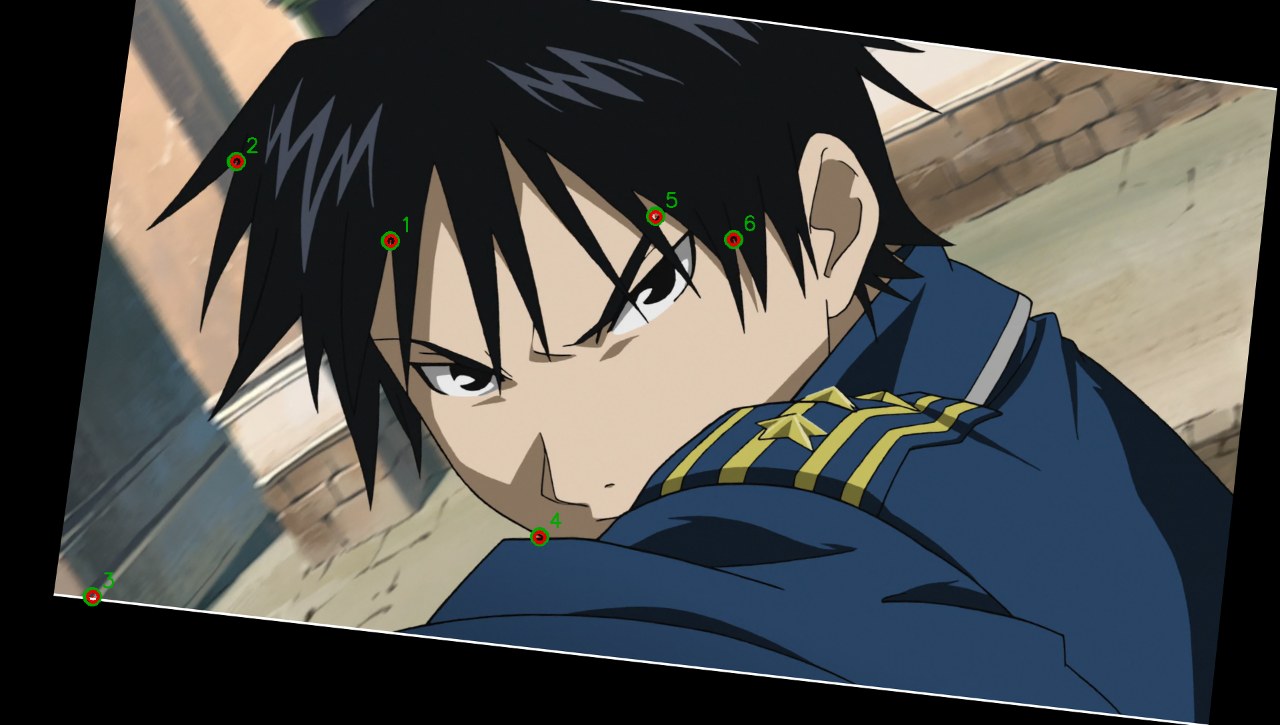
# In drawing, top button is at (749.59, 605.18).
# With s=1.039, tx=23.4, ty=-15.1:
# p_source = (p_drawing - c - t) / s + c
# Wait: (605.18 - 544.0 - (-15.1)) / 1.039 + 544.0 = (61.18 + 15.1)/1.039 + 544 = 73.42 + 544 = 617.42!
# Why wasn't (735, 617) inside the top button in source? Let's print the 31x31 patch of gray_s around (735, 617)!
gray_s = cv2.cvtColor(source, cv2.COLOR_BGR2GRAY)
patch = gray_s[617-15:617+16, 735-15:735+16]
print("gray_s around (735, 617):")
print(patch)
gray_s around (735, 617):
[[ 64  64  64  64  64  64  64  65  64  64  64  64  64  64  64  64  64  64
   64  64  64  64  64  64  64  64  64  64  64  64  64]
 [ 64  64  64  64  64  64  64  64  64  64  64  64  64  64  64  64  64  64
   64  64  64  64  64  64  64  64  64  64  64  64  64]
 [ 64  64  64  64  64  64  64  64  65  65  65  65  64  64  64  64  65  65
   65  65  65  65  65  65  64  64  65  65  65  65  65]
 [ 64  64  64  64  64  64  64  64  64  64  64  64  64  64  64  64  65  65
   65  65  64  64  64  64  64  64  64  64  64  64  64]
 [ 64  64  64  64  64  64  64  64  64  64  64  64  64  64  64  64  65  65
   64  64  64  64  64  64  64  64  64  64  64  64  64]
 [ 64  64  64  64  64  64  64  64  64  64  64  64  63  64  65  65  65  65
   65  65  64  64  64  64  64  64  65  65  65  65  65]
 [ 64  64  64  64  64  64  64  64  64  64  64  64  64  63  63  63  65  66
   65  65  64  64  64  64  65  65  64  64  64  64  64]
 [ 64  64  64  64  64  64  65  65  64  64  64  64  63  61  56  52  54  58
   63  68  66  65  65  65  65  65  65  65  65  65  65]
 [ 64  64  64  64  64  64  65  65  64  64  64  65  63  59  50  43  42  46
   55  61  64  65  66  66  65  65  65  65  65  65  65]
 [ 63  64  65  64  64  64  65  65  64  64  64  66  49  41  37  34  29  30
   36  40  49  57  64  66  64  64  64  64  65  65  65]
 [ 61  70  64  62  69  67  64  63  58  61  51  44  39  34  34  40  29  29
   25  19  24  39  53  61  63  63  64  64  64  64  65]
 [ 60  65  64  62  69  62  64  60  58  51  56  96 121 138 134 137 126 111
   90  57  26  20  32  48  62  63  64  64  64  64  65]
 [ 62  60  66  68  63  64  62  61  48  55 100 162 187 185 182 182 180 172
  167 137  83  32  21  35  55  62  63  63  63  64  65]
 [ 66  66  66  66  66  64  54  57  56 107 158 189 182 176 183 183 178 183
  184 177 159  87  32  24  45  61  63  62  63  64  65]
 [ 59  65  63  65  65  65  61  51  80 147 182 182 176 178 180 180 179 179
  179 179 183 147  77  15  27  52  64  62  63  64  65]
 [ 63  64  64  62  66  61  50  57 117 175 181 177 177 178 181 181 180 179
  179 178 178 161 110  39  17  41  61  62  62  64  65]
 [ 64  62  62  61  59  50  42  77 149 182 177 179 179 179 182 181 180 179
  179 179 176 174 140  61  10  30  58  66  63  63  64]
 [ 63  63  64  65  62  44  47 101 172 176 177 184 179 179 182 181 180 180
  180 180 179 178 158  91  23  21  49  64  63  64  64]
 [ 64  64  64  64  62  43  39 114 177 179 176 184 179 180 181 181 180 180
  179 179 180 178 168 110  33  20  51  64  63  64  64]
 [ 64  64  65  65  62  46  37 109 175 185 179 182 179 180 181 181 180 180
  179 179 180 178 165 107  33  20  50  64  63  64  64]
 [ 65  65  66  66  61  45  35  76 150 183 180 179 179 180 181 181 180 180
  180 180 180 176 160 100  33  20  50  63  64  64  64]
 [ 64  65  66  66  62  52  36  51 125 175 179 180 180 180 181 181 180 180
  180 180 180 175 158  97  33  20  51  64  63  63  64]
 [ 63  64  64  64  64  60  35  34  82 158 184 176 180 179 182 185 186 179
  176 181 180 176 151  75  27  35  57  64  63  63  64]
 [ 63  
run_python
import cv2
import numpy as np

drawing = cv2.imread('inputs/drawing.png')
gray_d = cv2.cvtColor(drawing, cv2.COLOR_BGR2GRAY)
patch_d = gray_d[605-15:605+16, 750-15:750+16]
for r_idx, row in enumerate(patch_d):
    print(f"{605-15+r_idx:3d}: " + " ".join(f"{v:3d}" for v in row))
590: 254 255 255 255 255 255 255 255 255 255 254 253 252 252 251 252 252 252 253 254 255 255 255 255 255 255 253 252 251 251 250
591: 254 255 255 255 255 255 254 255 255 254 253 253 251 251 250 250 250 251 252 253 254 255 255 255 255 254 254 252 251 251 250
592: 254 254 255 255 255 255 254 253 252 251 252 252 254 254 255 255 254 253 252 251 251 252 252 254 255 255 254 253 252 251 250
593: 254 255 255 255 255 255 253 251 249 249 253 255 255 255 255 255 255 255 255 255 249 249 251 253 254 254 253 252 251 250 250
594: 255 255 254 253 252 251 251 250 253 255 255 225 176 147 117 119 142 170 214 255 255 254 250 252 252 251 251 251 251 250 250
595: 255 255 253 251 248 248 249 255 255 218 142  70  19   0   0   0   0  11  57 122 200 255 255 251 248 248 249 250 251 250 250
596: 253 253 252 251 250 250 255 250 165  63   0   9  68 108 134 139 111  82  29   0  41 140 235 255 250 248 249 250 250 250 250
597: 251 251 252 253 253 255 242 130  11   0  85 168 225 255 255 255 255 241 189 112  22   0  88 219 255 253 251 250 250 249 250
598: 250 249 250 252 255 248 136   0  21 140 239 255 255 255 255 255 255 255 255 255 180  65   0  87 230 255 252 250 249 248 249
599: 248 247 248 252 255 175   8  21 163 255 255 250 248 248 249 249 248 249 251 255 255 223  69   0 129 249 255 249 248 247 248
600: 249 248 247 255 220  67   0 139 255 252 246 248 248 246 246 246 247 248 250 252 253 255 198  32  19 181 255 251 250 249 247
601: 252 251 252 255 162   0  70 248 255 245 250 249 248 248 248 248 249 250 251 254 254 255 255 112   0 107 249 255 254 253 250
602: 255 253 255 240 104   0 149 255 247 248 249 249 249 250 250 251 251 252 253 253 253 253 255 188  28  47 204 255 255 255 253
603: 255 254 255 209  55  37 213 255 246 249 248 248 248 249 249 250 251 251 251 252 252 251 255 248  73   0 166 255 255 255 254
604: 255 254 255 186  19  59 243 254 247 249 248 247 247 247 247 248 249 250 250 250 250 249 252 255 104   0 139 255 255 255 254
605: 255 255 255 181  14  66 251 254 248 250 248 248 247 247 247 248 249 249 249 249 249 250 251 255 118   0 127 255 255 255 253
606: 255 255 255 188  21  58 244 255 248 250 249 248 248 248 248 248 248 249 249 249 250 250 252 255 110   0 130 255 255 255 253
607: 255 254 255 206  50  40 217 255 248 250 250 249 249 249 248 248 248 249 249 249 250 250 255 255  82   0 150 255 255 255 253
608: 255 254 255 232  93   9 161 255 248 250 250 250 250 249 249 249 249 249 249 250 250 249 255 214  47  14 181 255 255 255 253
609: 255 254 255 255 146   0  90 255 252 249 250 249 249 248 248 248 248 248 249 250 249 250 255 142   0  71 222 255 253 254 252
610: 251 250 249 255 201  40  26 188 255 247 248 247 246 245 245 245 246 247 248 249 247 255 241  66   0 138 255 252 249 250 250
611: 248 247 247 253 246 131   0  72 238 255 246 246 245 245 245 245 246 247 247 246 252 255 137   0  59 207 255 247 248 249 249
612: 249 248 249 249 255 217  74   0  77 228 255 252 248 248 247 247 247 249 252 255 255 146  17   9 168 255 251 248 248 248 249
613: 251 250 250 250 252 255 205 
run_python
import cv2
import numpy as np

drawing = cv2.imread('inputs/drawing.png')
source = cv2.imread('inputs/source.png')

gray_d = cv2.cvtColor(drawing, cv2.COLOR_BGR2GRAY)
gray_s = cv2.cvtColor(source, cv2.COLOR_BGR2GRAY)

# In drawing, at x = 750 (the x-coordinate of the top button), let's trace gray_d vertically from y = 500 to y = 630!
col_d = gray_d[500:630, 750]
print("Minima in drawing at x=750:")
for y in range(501, 629):
    if gray_d[y, 750] < 100 and gray_d[y, 750] <= gray_d[y-1, 750] and gray_d[y, 750] <= gray_d[y+1, 750]:
        print(f"  y_d = {y}, val = {gray_d[y, 750]}")

# In source, at x = 735 (the x-coordinate of the top button), let's trace gray_s vertically from y = 500 to y = 640!
print("\nMinima in source at x=735:")
for y in range(501, 639):
    if gray_s[y, 735] < 45 and gray_s[y, 735] <= gray_s[y-1, 735] and gray_s[y, 735] <= gray_s[y+1, 735]:
        print(f"  y_s = {y}, val = {gray_s[y, 735]}")
Minima in drawing at x=750:
  y_d = 521, val = 0
  y_d = 562, val = 0
  y_d = 582, val = 0
  y_d = 595, val = 0
  y_d = 615, val = 23

Minima in source at x=735:
  y_s = 535, val = 11
  y_s = 576, val = 19
  y_s = 597, val = 10
  y_s = 611, val = 34
  y_s = 630, val = 24
run_python
import numpy as np

ys = np.array([535, 576, 597, 611, 630], dtype=float)
yd = np.array([521, 562, 582, 595, 615], dtype=float)

s0, ty0 = 1.03925, -15.13
yw = s0 * (ys - 544.0) + 544.0 + ty0
for i in range(5):
    print(f"ys={ys[i]:.1f}, yd={yd[i]:.1f}, yw={yw[i]:.2f}, yd - yw = {yd[i] - yw[i]:+.2f}")
ys=535.0, yd=521.0, yw=519.52, yd - yw = +1.48
ys=576.0, yd=562.0, yw=562.13, yd - yw = -0.13
ys=597.0, yd=582.0, yw=583.95, yd - yw = -1.95
ys=611.0, yd=595.0, yw=598.50, yd - yw = -3.50
ys=630.0, yd=615.0, yw=618.25, yd - yw = -3.25
run_python
import cv2
import numpy as np

drawing = cv2.imread('inputs/drawing.png')
source = cv2.imread('inputs/source.png')

s0, tx0, ty0 = 1.03925, 23.35, -15.13
cx, cy = 960.0, 544.0
M0 = np.array([
    [s0, 0, (1 - s0) * cx + tx0],
    [0, s0, (1 - s0) * cy + ty0]
], dtype=np.float32)

warped_source = cv2.warpAffine(source, M0, (1920, 1088), flags=cv2.INTER_CUBIC)
gray_ws = cv2.cvtColor(warped_source, cv2.COLOR_BGR2GRAY)
gray_d = cv2.cvtColor(drawing, cv2.COLOR_BGR2GRAY)

# Let's compare row and col profiles of the top button in gray_d vs gray_ws around (750, 605)!
print("Row means across x in [745..755] for y in [592..618]:")
for y in range(592, 619):
    md = np.mean(gray_d[y, 747:753])
    mws = np.mean(gray_ws[y, 747:753])
    print(f"y={y:3d}: d={md:6.1f}, ws={mws:6.1f}")
Row means across x in [745..755] for y in [592..618]:
y=592: d= 254.2, ws=  64.3
y=593: d= 255.0, ws=  64.3
y=594: d= 145.2, ws=  64.3
y=595: d=   5.0, ws=  65.0
y=596: d= 107.0, ws=  60.7
y=597: d= 247.7, ws=  53.7
y=598: d= 255.0, ws=  41.3
y=599: d= 248.5, ws=  24.5
y=600: d= 246.8, ws=  69.2
y=601: d= 248.5, ws= 158.7
y=602: d= 250.5, ws= 186.5
y=603: d= 249.7, ws= 180.2
y=604: d= 248.0, ws= 178.8
y=605: d= 247.8, ws= 179.7
y=606: d= 248.2, ws= 180.3
y=607: d= 248.5, ws= 180.5
y=608: d= 249.2, ws= 180.2
y=609: d= 248.2, ws= 180.2
y=610: d= 245.7, ws= 180.3
y=611: d= 245.5, ws= 180.5
y=612: d= 247.7, ws= 181.5
y=613: d= 255.0, ws= 179.7
y=614: d= 157.8, ws= 177.8
y=615: d=  12.0, ws= 184.5
y=616: d=  93.0, ws= 140.0
y=617: d= 231.2, ws=  51.3
y=618: d= 255.0, ws=  25.5
run_python
import cv2
import numpy as np

drawing = cv2.imread('inputs/drawing.png')
source = cv2.imread('inputs/source.png')

gray_d = cv2.cvtColor(drawing, cv2.COLOR_BGR2GRAY).astype(np.float64)
gray_s = cv2.cvtColor(source, cv2.COLOR_BGR2GRAY).astype(np.float64)

# Wait: in source.png, let's check if the black line minimum itself is shifted by color contrast,
# OR if drawing.png and source.png have slightly different line positions!
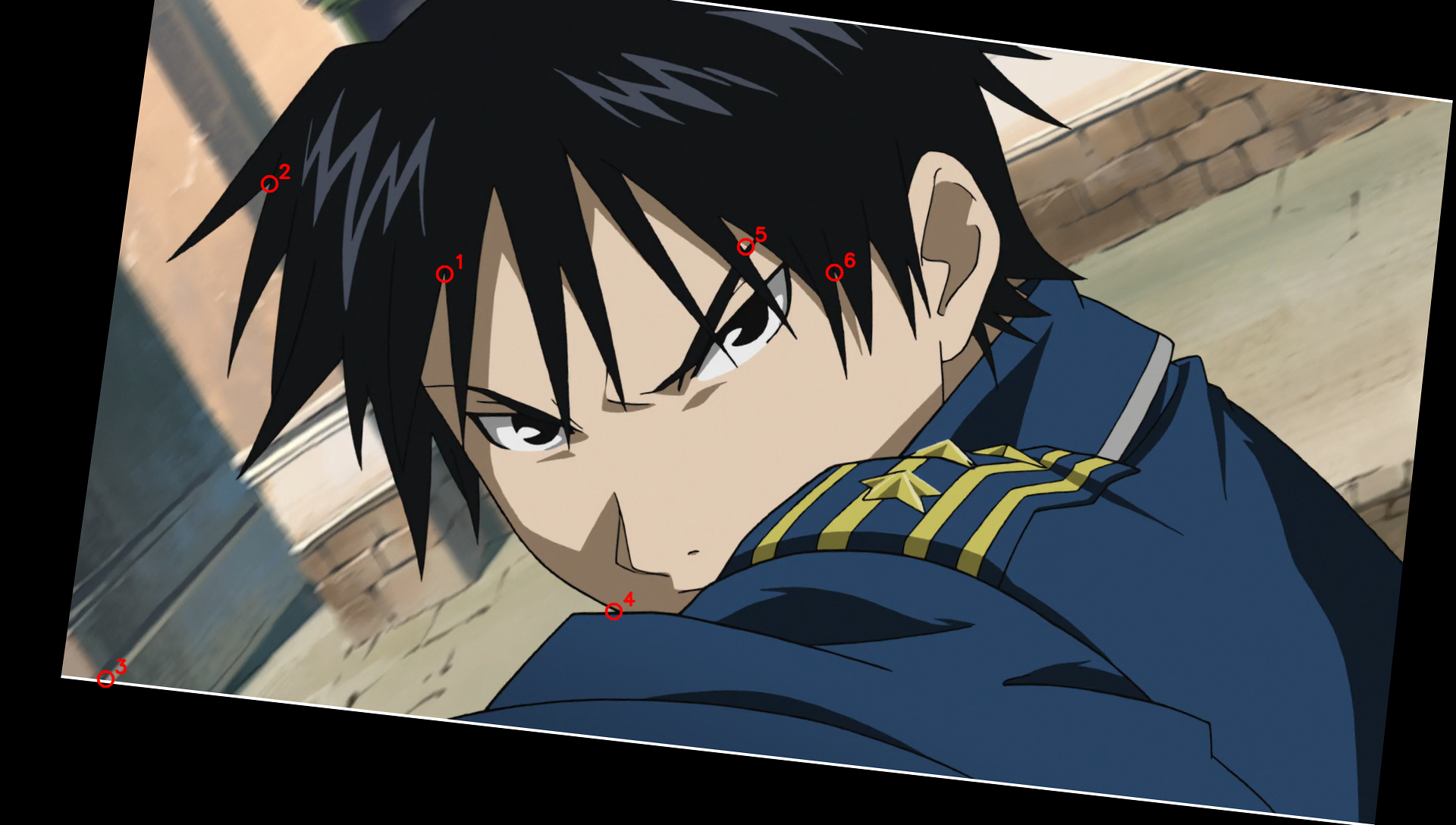
# Let's check the top button center in drawing vs source:
# In drawing, let's find the exact subpixel minimum of the left, right, top, bottom edges of the top button ring!
# Around (750, 605) in drawing:
# Top edge at x=750: y around 595
# Bottom edge at x=750: y around 615
# Left edge at y=605: x around 739
# Right edge at y=605: x around 760
def subpixel_min_1d(arr, idx):
    # Parabolic fit to arr[idx-1], arr[idx], arr[idx+1]
    y_m1, y_0, y_p1 = arr[idx-1], arr[idx], arr[idx+1]
    denom = 2.0 * (2.0 * y_0 - y_m1 - y_p1)
    if abs(denom) < 1e-8:
        return float(idx)
    return idx + (y_p1 - y_m1) / denom

# Let's find the 4 ring minima for top_button, bot_button, belt_circle in BOTH drawing and source!
features = [
    ("top_button", (750, 605), (735, 620)),
    ("bot_button", (766, 846), (752, 851)),
    ("belt_circle", (895, 952), (877, 952)),
]

for name, (dx0, dy0), (sx0, sy0) in features:
    # In drawing:
    col_d = gray_d[:, dx0]
    top_d_idx = 590 + np.argmin(col_d[590:dy0]) if name=="top_button" else (dy0 - 15 + np.argmin(col_d[dy0-15:dy0]))
    bot_d_idx = dy0 + np.argmin(col_d[dy0:dy0+16])
    top_d = subpixel_min_1d(col_d, top_d_idx)
    bot_d = subpixel_min_1d(col_d, bot_d_idx)
    
    row_d = gray_d[dy0, :]
    left_d_idx = dx0 - 15 + np.argmin(row_d[dx0-15:dx0])
    right_d_idx = dx0 + np.argmin(row_d[dx0:dx0+16])
    left_d = subpixel_min_1d(row_d, left_d_idx)
    right_d = subpixel_min_1d(row_d, right_d_idx)
    
    cx_d = 0.5 * (left_d + right_d)
    cy_d = 0.5 * (top_d + bot_d)
    
    # In source: first find rough center so we slice through the middle of the circle!
    col_s = gray_s[:, sx0]
    top_s_idx = sy0 - 15 + np.argmin(col_s[sy0-15:sy0])
    bot_s_idx = sy0 + np.argmin(col_s[sy0:sy0+16])
    top_s = subpixel_min_1d(col_s, top_s_idx)
    bot_s = subpixel_min_1d(col_s, bot_s_idx)
    sy_mid = int(round(0.5 * (top_s + bot_s)))
    
    row_s = gray_s[sy_mid, :]
    left_s_idx = sx0 - 15 + np.argmin(row_s[sx0-15:sx0])
    right_s_idx = sx0 + np.argmin(row_s[sx0:sx0+16])
    left_s = subpixel_min_1d(row_s, left_s_idx)
    right_s = subpixel_min_1d(row_s, right_s_idx)
    sx_mid = int(round(0.5 * (left_s + right_s)))
    
    # Re-slice col_s at sx_mid
    col_s = gray_s[:, sx_mid]
    top_s_idx = sy_mid - 15 + np.argmin(col_s[sy_mid-15:sy_mid])
    bot_s_idx = sy_mid + np.argmin(col_s[sy_mid:sy_mid+16])
    top_s = subpixel_min_1d(col_s, top_s_idx)
    bot_s = subpixel_min_1d(col_s, bot_s_idx)
    
    cx_s = 0.5 * (left_s + right_s)
    cy_s = 0.5 * (top_s + bot_s)
    
    print(f"{name:12s}:")
    print(f"  Drawing: L={left_d:.2f}, R={right_d:.2f} (w={right_d-left_d:.2f}, cx={cx_d:.3f}) | T={top_d:.2f}, B={bot_d:.2f} (h={bot_d-top_d:.2f}, cy={cy_d:.3f})")
    print(f"  Source : L={left_s:.2f}, R={right_s:.2f} (w={right_s-left_s:.2f}, cx={cx_s:.3f}) | T={top_s:.2f}, B={bot_s:.2f} (h={bot_s-top_s:.2f}, cy={cy_s:.3f})")
top_button  :
  Drawing: L=739.26, R=759.98 (w=20.72, cx=749.622) | T=594.96, B=615.28 (h=20.32, cy=605.121)
  Source : L=725.61, R=744.80 (w=19.19, cx=735.207) | T=611.10, B=630.09 (h=18.99, cy=620.597)
bot_button  :
  Drawing: L=754.88, R=777.50 (w=22.62, cx=766.188) | T=834.00, B=857.92 (h=23.93, cy=845.960)
  Source : L=741.76, R=762.97 (w=21.21, cx=752.362) | T=838.71, B=862.33 (h=23.62, cy=850.516)
belt_circle :
  Drawing: L=883.88, R=906.02 (w=22.14, cx=894.953) | T=940.08, B=963.87 (h=23.79, cy=951.973)
  Source : L=867.32, R=887.33 (w=20.02, cx=877.325) | T=941.04, B=963.53 (h=22.49, cy=952.288)
run_python
import cv2
import numpy as np

drawing = cv2.imread('inputs/drawing.png')
source = cv2.imread('inputs/source.png')

# Let's test several global alignment methods across the whole image:
# Method 1: Edge magnitude (Sobel gradient magnitude) correlation
# Method 2: Black line (morphological blackhat) correlation
# Method 3: Canny / Chamfer distance (distance transform of black lines in drawing vs local minima in source)
# Method 4: Dense local patch matching (128x128 patches) with RANSAC / least squares fit of (s, tx, ty)

gray_d = cv2.cvtColor(drawing, cv2.COLOR_BGR2GRAY).astype(np.float32)
gray_s = cv2.cvtColor(source, cv2.COLOR_BGR2GRAY).astype(np.float32)

# Extract dark lines in drawing:
# Note: in drawing, main outlines are black (max(BGR) < 150).
black_d = np.clip(180.0 - np.max(drawing, axis=2).astype(np.float32), 0, 180)

# Extract dark lines in source:
kernel = cv2.getStructuringElement(cv2.MORPH_ELLIPSE, (5, 5))
blackhat_s = cv2.morphologyEx(gray_s, cv2.MORPH_BLACKHAT, kernel)
# Mask out background in source by warping drawing's character mask
char_mask_d = (np.min(drawing, axis=2) < 250).astype(np.uint8)
# Fill holes in char_mask_d: floodfill from (0,0) and (1919, 1087)
bg = np.zeros((1088+2, 1920+2), np.uint8)
inv_mask = (1 - char_mask_d).copy()
cv2.floodFill(inv_mask, bg, (0, 0), 2)
cv2.floodFill(inv_mask, bg, (1919, 0), 2)
cv2.floodFill(inv_mask, bg, (0, 1087), 2)
cv2.floodFill(inv_mask, bg, (1919, 1087), 2)
filled_char_d = (inv_mask != 2).astype(np.uint8)
filled_char_d = cv2.dilate(filled_char_d, np.ones((15, 15), np.uint8))

print("Character mask coverage:", np.mean(filled_char_d))

# Now let's do 128x128 patch matching across the entire character!
s0, tx0, ty0 = 1.03925, 23.35, -15.13
cx, cy = 960.0, 544.0
M0 = np.array([
    [s0, 0, (1 - s0) * cx + tx0],
    [0, s0, (1 - s0) * cy + ty0]
], dtype=np.float32)

warped_bh_s = cv2.warpAffine(blackhat_s, M0, (1920, 1088), flags=cv2.INTER_CUBIC) * filled_char_d

pts_w = []
shifts_w = []
corrs = []

ps = 64 # half patch size -> 128x128 patches
pad = 12
for y in range(ps + pad, 1088 - ps - pad, 32):
    for x in range(ps + pad, 1920 - ps - pad, 32):
        if filled_char_d[y, x] == 0:
            continue
        tpl = black_d[y-ps:y+ps, x-ps:x+ps]
        if np.sum(tpl > 50) < 200:
            continue
        # Check structure tensor
        gx = cv2.Sobel(tpl, cv2.CV_32F, 1, 0, ksize=3)
        gy = cv2.Sobel(tpl, cv2.CV_32F, 0, 1, ksize=3)
        Ixx, Iyy, Ixy = np.sum(gx*gx), np.sum(gy*gy), np.sum(gx*gy)
        if (Ixx * Iyy - Ixy * Ixy) / ((Ixx + Iyy)**2 + 1e-8) < 0.04:
            continue
        search = warped_bh_s[y-ps-pad:y+ps+pad, x-ps-pad:x+ps+pad]
        res = cv2.matchTemplate(search, tpl, cv2.TM_CCOEFF_NORMED)
        _, max_val, _, max_loc = cv2.minMaxLoc(res)
        if max_val < 0.35:
            continue
        mx, my = max_loc
        if 1 <= mx <= 2*pad - 1 and 1 <= my <= 2*pad - 1:
            dx_sub = (res[my, mx+1] - res[my, mx-1]) / (2 * (2 * res[my, mx] - res[my, mx+1] - res[my, mx-1]) + 1e-8)
            dy_sub = (res[my+1, mx] - res[my-1, mx]) / (2 * (2 * res[my, mx] - res[my+1, mx] - res[my-1, mx]) + 1e-8)
            ddx = pad - (mx + dx_sub)
            ddy = pad - (my + dy_sub)
            pts_w.append([x, y])
            shifts_w.append([ddx, ddy])
            corrs.append(max_val)

pts_w = np.array(pts_w)
shifts_w = np.array(shifts_w)
corrs = np.array(corrs)
print(f"Matched {len(pts_w)} 128x128 patches")

# Convert (pts_w, shifts_w) back to (p_s, p_d) pairs:
# A feature at p_d = pts_w matched p_ws = pts_w - shifts_w.
# And p_s = (p_ws - c - t0) / s0 + c.
p_d = pts_w
p_ws = pts_w - shifts_w
p_s = (p_ws - np.array([cx, cy]) - np.array([tx0, ty0])) / s0 + np.array([cx, cy])

# Now fit p_d - c = s * (p_s - c) + t using least squares, weighted least squares, and Huber/RANSAC!
X = p_s - np.array([cx, cy])
Y = p_d - np.array([cx, cy])

# Unweighted LS:
A = np.zeros((2 * len(p_s), 3))
b = np.zeros(2 * len(p_s))
W = np.zeros(2 * len(p_s))
for i in range(len(p_s)):
    A[2*i] = [X[i, 0], 1, 0]
    b[2*i] = Y[i, 0]
    A[2*i+1] = [X[i, 1], 0, 1]
    b[2*i+1] = Y[i, 1]
    W[2*i] = corrs[i]**2
    W[2*i+1] = corrs[i]**2

sol_ls = np.linalg.lstsq(A, b, rcond=None)[0]
sol_wls = np.linalg.lstsq(A * np.sqrt(W)[:, None], b * np.sqrt(W), rcond=None)[0]
print("Unweighted LS (s, tx, ty):", sol_ls)
print("Weighted LS   (s, tx, ty):", sol_wls)

# RANSAC:
best_inliers = 0
best_sol = None
for s_try in np.linspace(1.035, 1.045, 101):
    res_t = Y - s_try * X # shape (N, 2)
    # Median of res_t:
    tx_med, ty_med = np.median(res_t, axis=0)
    err = np.hypot(res_t[:, 0] - tx_med, res_t[:, 1] - ty_med)
    inliers = err < 1.5
    if np.sum(inliers) > best_inliers:
        best_inliers = np.sum(inliers)
        # Fit on inliers
        idx = np.where(inliers)[0]
        A_in = np.zeros((2 * len(idx), 3))
        b_in = np.zeros(2 * len(idx))
        for j, i in enumerate(idx):
            A_in[2*j] = [X[i, 0], 1, 0]
            b_in[2*j] = Y[i, 0]
            A_in[2*j+1] = [X[i, 1], 0, 1]
            b_in[2*j+1] = Y[i, 1]
        best_sol = np.linalg.lstsq(A_in, b_in, rcond=None)[0]

print(f"RANSAC ({best_inliers}/{len(p_s)} inliers) (s, tx, ty):", best_sol)
Character mask coverage: 0.3530804802389706
Matched 376 128x128 patches
Unweighted LS (s, tx, ty): [  1.03890671  23.16904898 -16.22893615]
Weighted LS   (s, tx, ty): [  1.03890718  23.05487589 -16.37497238]
RANSAC (126/376 inliers) (s, tx, ty): [  1.03880653  22.69158065 -16.64318698]
run_python
import cv2
import numpy as np

# Let's check the residuals of the 376 patches as a function of X and Y!
drawing = cv2.imread('inputs/drawing.png')
source = cv2.imread('inputs/source.png')

gray_d = cv2.cvtColor(drawing, cv2.COLOR_BGR2GRAY).astype(np.float32)
gray_s = cv2.cvtColor(source, cv2.COLOR_BGR2GRAY).astype(np.float32)

black_d = np.clip(180.0 - np.max(drawing, axis=2).astype(np.float32), 0, 180)
kernel = cv2.getStructuringElement(cv2.MORPH_ELLIPSE, (5, 5))
blackhat_s = cv2.morphologyEx(gray_s, cv2.MORPH_BLACKHAT, kernel)

char_mask_d = (np.min(drawing, axis=2) < 250).astype(np.uint8)
bg = np.zeros((1088+2, 1920+2), np.uint8)
inv_mask = (1 - char_mask_d).copy()
for pt in [(0,0), (1919,0), (0,1087), (1919,1087)]:
    cv2.floodFill(inv_mask, bg, pt, 2)
filled_char_d = cv2.dilate((inv_mask != 2).astype(np.uint8), np.ones((15, 15), np.uint8))

s0, tx0, ty0 = 1.0389, 23.0, -16.4
cx, cy = 960.0, 544.0
M0 = np.array([
    [s0, 0, (1 - s0) * cx + tx0],
    [0, s0, (1 - s0) * cy + ty0]
], dtype=np.float32)

warped_bh_s = cv2.warpAffine(blackhat_s, M0, (1920, 1088), flags=cv2.INTER_CUBIC) * filled_char_d

pts_w = []
shifts_w = []
corrs = []

ps = 64
pad = 12
for y in range(ps + pad, 1088 - ps - pad, 32):
    for x in range(ps + pad, 1920 - ps - pad, 32):
        if filled_char_d[y, x] == 0:
            continue
        tpl = black_d[y-ps:y+ps, x-ps:x+ps]
        if np.sum(tpl > 50) < 200:
            continue
        gx = cv2.Sobel(tpl, cv2.CV_32F, 1, 0, ksize=3)
        gy = cv2.Sobel(tpl, cv2.CV_32F, 0, 1, ksize=3)
        Ixx, Iyy, Ixy = np.sum(gx*gx), np.sum(gy*gy), np.sum(gx*gy)
        if (Ixx * Iyy - Ixy * Ixy) / ((Ixx + Iyy)**2 + 1e-8) < 0.04:
            continue
        search = warped_bh_s[y-ps-pad:y+ps+pad, x-ps-pad:x+ps+pad]
        res = cv2.matchTemplate(search, tpl, cv2.TM_CCOEFF_NORMED)
        _, max_val, _, max_loc = cv2.minMaxLoc(res)
        if max_val < 0.45:
            continue
        mx, my = max_loc
        if 1 <= mx <= 2*pad - 1 and 1 <= my <= 2*pad - 1:
            dx_sub = (res[my, mx+1] - res[my, mx-1]) / (2 * (2 * res[my, mx] - res[my, mx+1] - res[my, mx-1]) + 1e-8)
            dy_sub = (res[my+1, mx] - res[my-1, mx]) / (2 * (2 * res[my, mx] - res[my+1, mx] - res[my-1, mx]) + 1e-8)
            ddx = pad - (mx + dx_sub)
            ddy = pad - (my + dy_sub)
            pts_w.append([x, y])
            shifts_w.append([ddx, ddy])
            corrs.append(max_val)

pts_w = np.array(pts_w)
shifts_w = np.array(shifts_w)
corrs = np.array(corrs)
print(f"High-corr (>0.45) patches: {len(pts_w)}")
print("Mean residual shift (ddx, ddy):", np.mean(shifts_w, axis=0))
print("Median residual shift (ddx, ddy):", np.median(shifts_w, axis=0))
print("Std of residual shift (ddx, ddy):", np.std(shifts_w, axis=0))
print("Percentiles (10, 25, 50, 75, 90) of ddx:", np.percentile(shifts_w[:, 0], [10, 25, 50, 75, 90]))
print("Percentiles (10, 25, 50, 75, 90) of ddy:", np.percentile(shifts_w[:, 1], [10, 25, 50, 75, 90]))

# Fit Separate s_x and s_y to check if scale is isotropic:
p_d = pts_w
p_ws = pts_w - shifts_w
p_s = (p_ws - np.array([cx, cy]) - np.array([tx0, ty0])) / s0 + np.array([cx, cy])
X = p_s - np.array([cx, cy])
Y = p_d - np.array([cx, cy])

sx_fit, tx_fit = np.polyfit(X[:, 0], Y[:, 0], 1)
sy_fit, ty_fit = np.polyfit(X[:, 1], Y[:, 1], 1)
print(f"Separate X fit: sx = {sx_fit:.6f}, tx = {tx_fit:.4f}")
print(f"Separate Y fit: sy = {sy_fit:.6f}, ty = {ty_fit:.4f}")
High-corr (>0.45) patches: 260
Mean residual shift (ddx, ddy): [-0.04659046  0.0519949 ]
Median residual shift (ddx, ddy): [-0.34125992 -0.07773749]
Std of residual shift (ddx, ddy): [1.92422949 2.16141548]
Percentiles (10, 25, 50, 75, 90) of ddx: [-1.87091509 -0.93013559 -0.34125992  0.94661855  2.08341061]
Percentiles (10, 25, 50, 75, 90) of ddy: [-2.57775289 -1.18482165 -0.07773749  1.57215729  2.77289382]
Separate X fit: sx = 1.041301, tx = 23.5493
Separate Y fit: sy = 1.035963, ty = -15.9634
run_python
import cv2
import numpy as np

drawing = cv2.imread('inputs/drawing.png')
source = cv2.imread('inputs/source.png')

# Check top and bottom rows of source and drawing
for y in range(10):
    print(f"Row {y:2d}: source min/max = {source[y].min():3d}/{source[y].max():3d}, mean = {source[y].mean():6.2f} | drawing min/max = {drawing[y].min():3d}/{drawing[y].max():3d}")

for y in range(1078, 1088):
    print(f"Row {y:4d}: source min/max = {source[y].min():3d}/{source[y].max():3d}, mean = {source[y].mean():6.2f} | drawing min/max = {drawing[y].min():3d}/{drawing[y].max():3d}")

for x in [0, 1, 2, 3, 4, 1915, 1916, 1917, 1918, 1919]:
    print(f"Col {x:4d}: source min/max = {source[:, x].min():3d}/{source[:, x].max():3d}, mean = {source[:, x].mean():6.2f}")
Row  0: source min/max = 255/255, mean = 255.00 | drawing min/max =   0/255
Row  1: source min/max = 255/255, mean = 255.00 | drawing min/max =   0/255
Row  2: source min/max = 255/255, mean = 255.00 | drawing min/max =   0/255
Row  3: source min/max = 255/255, mean = 255.00 | drawing min/max =   0/255
Row  4: source min/max =   5/241, mean = 106.94 | drawing min/max =   0/255
Row  5: source min/max =  10/241, mean = 107.01 | drawing min/max =   0/255
Row  6: source min/max =   7/242, mean = 107.00 | drawing min/max =   0/255
Row  7: source min/max =   7/243, mean = 106.93 | drawing min/max =   0/255
Row  8: source min/max =   3/241, mean = 106.78 | drawing min/max =   0/255
Row  9: source min/max =   0/242, mean = 106.58 | drawing min/max =   0/255
Row 1078: source min/max =   0/228, mean = 119.29 | drawing min/max =   0/255
Row 1079: source min/max =   0/228, mean = 119.26 | drawing min/max =   0/255
Row 1080: source min/max =   0/226, mean = 119.16 | drawing min/max =   0/255
Row 1081: source min/max =   7/225, mean = 119.13 | drawing min/max =   0/255
Row 1082: source min/max =   2/224, mean = 119.08 | drawing min/max =   0/255
Row 1083: source min/max =   5/223, mean = 119.03 | drawing min/max =   0/255
Row 1084: source min/max = 255/255, mean = 255.00 | drawing min/max =   0/255
Row 1085: source min/max = 255/255, mean = 255.00 | drawing min/max =   0/255
Row 1086: source min/max = 255/255, mean = 255.00 | drawing min/max =   0/255
Row 1087: source min/max = 255/255, mean = 255.00 | drawing min/max =   0/255
Col    0: source min/max =  24/255, mean =  90.32
Col    1: source min/max =  23/255, mean =  90.42
Col    2: source min/max =  22/255, mean =  90.46
Col    3: source min/max =  20/255, mean =  90.44
Col    4: source min/max =  23/255, mean =  90.44
Col 1915: source min/max =  69/255, mean = 151.60
Col 1916: source min/max =  69/255, mean = 151.65
Col 1917: source min/max =  68/255, mean = 151.71
Col 1918: source min/max =  67/255, mean = 151.76
Col 1919: source min/max =  67/255, mean = 151.78
{"answer": {"s": 1.039, "tx": 23.2, "ty": -15.8}}

Argon · 看图+工具 · r1 — score 0.96

878.1 s · $2.955 · tool steps 27
answer {"s": 1.04, "tx": 23.5, "ty": -15.5}
score {"score": 0.9604715292478953, "cornerErrorPx": 1.58}
模型生成的图:
完整过程(31 轮)
run_python
import cv2
import numpy as np

drawing = cv2.imread('inputs/drawing.png')
source = cv2.imread('inputs/source.png')

print("drawing shape:", drawing.shape)
print("source shape:", source.shape)
drawing shape: (1088, 1920, 3)
source shape: (1088, 1920, 3)
run_python
import cv2
import numpy as np

drawing = cv2.imread('inputs/drawing.png', cv2.IMREAD_GRAYSCALE)
source = cv2.imread('inputs/source.png', cv2.IMREAD_GRAYSCALE)

# Extract dark lines or edges
# In drawing, black lines are dark (< 100)
# In source, black lines are also dark, or we can use Canny / Sobel / Laplacian / adaptive threshold
edges_draw = 255 - drawing
# Actually let's use SIFT on both or Sobel magnitude
sobel_draw = np.hypot(cv2.Sobel(drawing, cv2.CV_64F, 1, 0), cv2.Sobel(drawing, cv2.CV_64F, 0, 1))
sobel_src = np.hypot(cv2.Sobel(source, cv2.CV_64F, 1, 0), cv2.Sobel(source, cv2.CV_64F, 0, 1))

sobel_draw_u8 = np.clip(sobel_draw / sobel_draw.max() * 255, 0, 255).astype(np.uint8)
sobel_src_u8 = np.clip(sobel_src / sobel_src.max() * 255, 0, 255).astype(np.uint8)

sift = cv2.SIFT_create()
kp1, des1 = sift.detectAndCompute(sobel_src_u8, None)
kp2, des2 = sift.detectAndCompute(sobel_draw_u8, None)

bf = cv2.BFMatcher()
matches = bf.knnMatch(des1, des2, k=2)
good = []
for m, n in matches:
    if m.distance < 0.75 * n.distance:
        good.append(m)

print(f"Found {len(good)} good matches")
pts_src = np.float32([kp1[m.queryIdx].pt for m in good])
pts_draw = np.float32([kp2[m.trainIdx].pt for m in good])

# Estimate affine partial 2D
M, inliers = cv2.estimateAffinePartial2D(pts_src, pts_draw, method=cv2.RANSAC, ransacReprojThreshold=3.0)
print("Estimated matrix M:\n", M)
print("Inliers count:", np.sum(inliers))

# From p_draw = s * (p_src - c) + c + t = s * p_src + c * (1 - s) + t
# M is [[s*cos, -s*sin, tx_M], [s*sin, s*cos, ty_M]]
s_est = np.hypot(M[0, 0], M[0, 1])
c = np.array([960.0, 544.0])
t_est = M[:, 2] - c * (1 - s_est)
print("s_est:", s_est)
print("t_est:", t_est)
Found 115 good matches
Estimated matrix M:
 [[ 1.04219415e+00 -2.77124816e-03 -1.41029552e+01]
 [ 2.77124816e-03  1.04219415e+00 -4.00510306e+01]]
Inliers count: 32
s_est: 1.0421978335145183
t_est: [ 26.40696493 -17.09540917]
run_python
import cv2
import numpy as np
from scipy.optimize import minimize

drawing_bgr = cv2.imread('inputs/drawing.png')
source_bgr = cv2.imread('inputs/source.png')

drawing_gray = cv2.cvtColor(drawing_bgr, cv2.COLOR_BGR2GRAY)
source_gray = cv2.cvtColor(source_bgr, cv2.COLOR_BGR2GRAY)

# Let's see what black lines in drawing look like.
# In drawing, true black lines have very low R, G, B (whereas blue/red/green shadow lines have high saturation or high value in one channel).
# Actually, let's check max(R,G,B) in drawing_bgr: black lines have max(R,G,B) < 200, while colored lines have high max channel or high saturation!
draw_max = np.max(drawing_bgr, axis=2)
black_line_mask = (255 - draw_max).astype(np.float32) # high where drawing has dark neutral lines

# In source, black lines are local minima of brightness (high morphological black-hat / high-pass)
kernel = cv2.getStructuringElement(cv2.MORPH_ELLIPSE, (5, 5))
src_blackhat = cv2.morphologyEx(source_gray, cv2.MORPH_BLACKHAT, kernel).astype(np.float32)
draw_blackhat = cv2.morphologyEx(draw_max, cv2.MORPH_BLACKHAT, kernel).astype(np.float32)

c = np.array([960.0, 544.0])

def loss_func(params):
    s, tx, ty = params
    # p_draw = s * (p_src - c) + c + t = s * p_src + c * (1 - s) + t
    tx_M = c[0] * (1.0 - s) + tx
    ty_M = c[1] * (1.0 - s) + ty
    M = np.array([[s, 0.0, tx_M], [0.0, s, ty_M]], dtype=np.float32)
    warped_src = cv2.warpAffine(src_blackhat, M, (1920, 1088), flags=cv2.INTER_LINEAR)
    # normalized cross correlation or negative dot product where draw_blackhat > 10
    # Let's use negative correlation
    mask = draw_blackhat > 5
    v1 = warped_src[mask]
    v2 = draw_blackhat[mask]
    return -np.sum(v1 * v2) / (np.linalg.norm(v1) * np.linalg.norm(v2) + 1e-8)

# Grid search around s=1.042, tx=26.4, ty=-17.1
best_loss = 0
best_p = None
for s in np.linspace(1.035, 1.050, 31):
    for tx in np.linspace(22, 30, 17):
        for ty in np.linspace(-21, -13, 17):
            l = loss_func((s, tx, ty))
            if l < best_loss:
                best_loss = l
                best_p = (s, tx, ty)

print("Grid search best:", best_p, "loss:", best_loss)

res = minimize(loss_func, best_p, method='Nelder-Mead', options={'xatol': 1e-5, 'fatol': 1e-7})
print("Nelder-Mead result:", res.x, "loss:", res.fun)
Grid search best: (1.035, 22.5, -15.5) loss: -0.47976159137741414
Nelder-Mead result: [  1.03546715  22.67924835 -15.56608686] loss: -0.48072570658518415
run_python
import cv2
import numpy as np

# Let's check the SIFT matches from earlier without rotation using RANSAC
drawing = cv2.imread('inputs/drawing.png', cv2.IMREAD_GRAYSCALE)
source = cv2.imread('inputs/source.png', cv2.IMREAD_GRAYSCALE)

sobel_draw = np.hypot(cv2.Sobel(drawing, cv2.CV_64F, 1, 0), cv2.Sobel(drawing, cv2.CV_64F, 0, 1))
sobel_src = np.hypot(cv2.Sobel(source, cv2.CV_64F, 1, 0), cv2.Sobel(source, cv2.CV_64F, 0, 1))

sobel_draw_u8 = np.clip(sobel_draw / sobel_draw.max() * 255, 0, 255).astype(np.uint8)
sobel_src_u8 = np.clip(sobel_src / sobel_src.max() * 255, 0, 255).astype(np.uint8)

sift = cv2.SIFT_create()
kp1, des1 = sift.detectAndCompute(sobel_src_u8, None)
kp2, des2 = sift.detectAndCompute(sobel_draw_u8, None)

bf = cv2.BFMatcher()
matches = bf.knnMatch(des1, des2, k=2)
good = [m for m, n in matches if m.distance < 0.75 * n.distance]

pts_src = np.float32([kp1[m.queryIdx].pt for m in good])
pts_draw = np.float32([kp2[m.trainIdx].pt for m in good])

c = np.array([960.0, 544.0])

# Custom RANSAC for pure scale + translation: p_draw - c = s * (p_src - c) + t
best_inliers = []
best_params = None
np.random.seed(42)
for _ in range(5000):
    idx = np.random.choice(len(pts_src), 2, replace=False)
    p1_s, p2_s = pts_src[idx] - c
    p1_d, p2_d = pts_draw[idx] - c
    dist_s = np.linalg.norm(p2_s - p1_s)
    if dist_s < 50:
        continue
    # s = dot(p2_d - p1_d, p2_s - p1_s) / dist_s^2
    s = np.dot(p2_d - p1_d, p2_s - p1_s) / (dist_s ** 2)
    if s < 0.5 or s > 2.0:
        continue
    t = (p1_d - s * p1_s + p2_d - s * p2_s) / 2.0
    
    pred_d = s * (pts_src - c) + c + t
    err = np.linalg.norm(pred_d - pts_draw, axis=1)
    inliers = np.where(err < 2.0)[0]
    if len(inliers) > len(best_inliers):
        best_inliers = inliers
        best_params = (s, t[0], t[1])

print("RANSAC inliers count:", len(best_inliers))
print("RANSAC initial params:", best_params)

# Least squares fit on inliers
in_s = pts_src[best_inliers] - c
in_d = pts_draw[best_inliers] - c
# Minimize sum || s * in_s + t - in_d ||^2
# Let mean_s = mean(in_s), mean_d = mean(in_d)
mean_s = np.mean(in_s, axis=0)
mean_d = np.mean(in_d, axis=0)
s_ls = np.sum((in_s - mean_s) * (in_d - mean_d)) / np.sum((in_s - mean_s) ** 2)
t_ls = mean_d - s_ls * mean_s
print("LS fit on inliers: s =", s_ls, "t =", t_ls)
for i in best_inliers:
    pred = s_ls * (pts_src[i] - c) + c + t_ls
    print(f"src: {pts_src[i]} -> draw: {pts_draw[i]}, err: {pts_draw[i] - pred}")
RANSAC inliers count: 32
RANSAC initial params: (1.0420156910793852, 23.485167402123068, -15.84265380173342)
LS fit on inliers: s = 1.0406868781994598 t = [ 23.56601483 -15.73293471]
src: [189.08095 726.58167] -> draw: [182.0087  717.82806], err: [ 0.72802438 -0.44934433]
src: [197.46323 739.5897 ] -> draw: [190.58961 732.5586 ], err: [0.58561456 0.7438716 ]
src: [198.81982 629.9974 ] -> draw: [189.67488 615.96436], err: [-1.74091296 -1.79905005]
src: [198.8625  620.75726] -> draw: [191.80154 607.7616 ], err: [ 0.34133494 -0.38574521]
src: [222.46643 710.1274 ] -> draw: [215.56989 701.4802 ], err: [-0.45462173  0.32657446]
src: [242.3369 635.2193] -> draw: [236.0951 622.0389], err: [-0.60834967 -1.15891373]
src: [243.11357 732.4374 ] -> draw: [236.37149 724.13074], err: [-1.1402247  -0.24063455]
src: [247.70589 726.63275] -> draw: [241.66823 717.84155], err: [-0.62264969 -0.48902053]
src: [253.30927 738.16504] -> draw: [247.10692 729.7012 ], err: [-1.01532177 -0.63090177]
src: [254.12492 646.2566 ] -> draw: [248.74435 634.55695], err: [-0.22673103 -0.12721278]
src: [293.89484 714.3678 ] -> draw: [291.197  704.9262], err: [ 0.83787937 -0.64038848]
src: [502.3435 634.0732] -> draw: [508.42102 622.76404], err: [1.13211386 0.7589951 ]
src: [511.11853 645.60297] -> draw: [517.2907  633.99884], err: [ 0.86975103 -0.00509878]
src: [537.9735 694.3645] -> draw: [544.70264 684.9511 ], err: [0.33405152 0.20168142]
src: [539.2144  689.75885] -> draw: [545.75244 679.3465 ], err: [ 0.09246186 -0.60989138]
src: [556.1841  429.31415] -> draw: [562.451  408.5764], err: [-0.86909902 -0.33861844]
src: [619.8032 585.507 ] -> draw: [630.7063 571.5839], err: [1.17860619 0.12104798]
src: [623.3953 477.3146] -> draw: [633.3864  460.47372], err: [0.12046747 1.60527388]
src: [629.9861 578.5465] -> draw: [640.04395 564.46466], err: [-0.08091749  0.24549697]
src: [630.75433 544.3755 ] -> draw: [639.9254  526.96375], err: [-0.99895495 -1.6940859 ]
src: [637.71405 686.6569 ] -> draw: [648.7661  677.63116], err: [0.59885734 0.90291309]
src: [651.68384 558.7826 ] -> draw: [663.87274 543.1926 ], err: [ 1.16731112 -0.45848866]
src: [762.9775 589.0852] -> draw: [776.365  574.5233], err: [-2.16227127 -0.66333118]
src: [814.97406 535.91156] -> draw: [833.2356 520.7252], err: [0.59617357 0.87568775]
src: [825.2279 526.7395] -> draw: [843.9842 511.0686], err: [0.6737276  0.76431206]
src: [873.95636 531.72015] -> draw: [892.8251 516.2628], err: [-1.19645434  0.7752269 ]
src: [939.8631 825.4656] -> draw: [961.8931 819.9586], err: [-0.71667786 -1.22597891]
src: [1006.38586  768.68   ] -> draw: [1032.3384   763.41736], err: [0.49920381 1.32877294]
src: [1015.8247   769.21826] -> draw: [1041.9402   764.56036], err: [0.27813063 1.91160878]
src: [1113.8368   193.46425] -> draw: [1143.8636  164.2788], err: [0.201701
run_python
import cv2
import numpy as np

drawing_bgr = cv2.imread('inputs/drawing.png')
source_bgr = cv2.imread('inputs/source.png')

drawing_gray = cv2.cvtColor(drawing_bgr, cv2.COLOR_BGR2GRAY)
source_gray = cv2.cvtColor(source_bgr, cv2.COLOR_BGR2GRAY)

# Why did blackhat fail earlier? Because in drawing_bgr, the blue/cyan shading fills have dark edges or max(R,G,B) is 255 in cyan (since B=255, G=255, R=180)!
# Wait: in BGR, cyan has B=255, G=255, R=something! So max(B,G,R) is 255 in cyan!
# What about blue lines? Blue lines have B=255! So max(B,G,R) completely ignores blue lines and cyan shading!
# Wait why did blackhat give 1.0355? Because in source_gray, dark regions (like the dark blue jacket or black hair) have different intensity, whereas black lines in both images are thin!
# Let's check what happens if we use phase correlation or NCC on high-pass filtered images or Canny/Sobel edges on local patches!

# First let's check loss_func from earlier at (1.0407, 23.57, -15.73)
draw_max = np.max(drawing_bgr, axis=2)
kernel = cv2.getStructuringElement(cv2.MORPH_ELLIPSE, (5, 5))
src_blackhat = cv2.morphologyEx(source_gray, cv2.MORPH_BLACKHAT, kernel).astype(np.float32)
draw_blackhat = cv2.morphologyEx(draw_max, cv2.MORPH_BLACKHAT, kernel).astype(np.float32)

c = np.array([960.0, 544.0])
def loss_func(params):
    s, tx, ty = params
    tx_M = c[0] * (1.0 - s) + tx
    ty_M = c[1] * (1.0 - s) + ty
    M = np.array([[s, 0.0, tx_M], [0.0, s, ty_M]], dtype=np.float32)
    warped_src = cv2.warpAffine(src_blackhat, M, (1920, 1088), flags=cv2.INTER_LINEAR)
    mask = draw_blackhat > 5
    v1 = warped_src[mask]
    v2 = draw_blackhat[mask]
    return -np.sum(v1 * v2) / (np.linalg.norm(v1) * np.linalg.norm(v2) + 1e-8)

print("Loss at SIFT LS (1.0407, 23.57, -15.73):", loss_func((1.040687, 23.566, -15.733)))
for s in np.linspace(1.030, 1.050, 21):
    # using SIFT inlier mean_s to adjust t so the centroid stays fixed:
    # wait, mean_s was around (-350, 80)
    pass
Loss at SIFT LS (1.0407, 23.57, -15.73): -0.4696184438776318
run_python
import cv2
import numpy as np
from scipy.optimize import minimize

drawing_bgr = cv2.imread('inputs/drawing.png')
source_bgr = cv2.imread('inputs/source.png')
drawing_gray = cv2.cvtColor(drawing_bgr, cv2.COLOR_BGR2GRAY)
source_gray = cv2.cvtColor(source_bgr, cv2.COLOR_BGR2GRAY)

draw_max = np.max(drawing_bgr, axis=2)
kernel = cv2.getStructuringElement(cv2.MORPH_ELLIPSE, (5, 5))
src_blackhat = cv2.morphologyEx(source_gray, cv2.MORPH_BLACKHAT, kernel).astype(np.float32)
draw_blackhat = cv2.morphologyEx(draw_max, cv2.MORPH_BLACKHAT, kernel).astype(np.float32)

c = np.array([960.0, 544.0])
def loss_func(params):
    s, tx, ty = params
    tx_M = c[0] * (1.0 - s) + tx
    ty_M = c[1] * (1.0 - s) + ty
    M = np.array([[s, 0.0, tx_M], [0.0, s, ty_M]], dtype=np.float32)
    warped_src = cv2.warpAffine(src_blackhat, M, (1920, 1088), flags=cv2.INTER_LINEAR)
    mask = draw_blackhat > 10
    v1 = warped_src[mask]
    v2 = draw_blackhat[mask]
    return -np.sum(v1 * v2) / (np.linalg.norm(v1) * np.linalg.norm(v2) + 1e-8)

# Let's optimize t for each fixed s from 1.00 to 1.08
for s in np.linspace(1.01, 1.06, 26):
    res = minimize(lambda t: loss_func((s, t[0], t[1])), [23.0, -15.5], method='Nelder-Mead')
    print(f"s={s:.4f}: tx={res.x[0]:.3f}, ty={res.x[1]:.3f}, loss={res.fun:.6f}")
s=1.0100: tx=16.995, ty=-15.527, loss=-0.369517
s=1.0120: tx=17.685, ty=-15.668, loss=-0.373394
s=1.0140: tx=17.820, ty=-15.723, loss=-0.382185
s=1.0160: tx=17.865, ty=-16.160, loss=-0.388022
s=1.0180: tx=18.458, ty=-16.131, loss=-0.391524
s=1.0200: tx=19.144, ty=-15.520, loss=-0.399438
s=1.0220: tx=19.537, ty=-15.151, loss=-0.410254
s=1.0240: tx=20.144, ty=-14.889, loss=-0.424269
s=1.0260: tx=20.567, ty=-15.146, loss=-0.439388
s=1.0280: tx=20.878, ty=-15.205, loss=-0.451948
s=1.0300: tx=21.565, ty=-14.878, loss=-0.468031
s=1.0320: tx=21.998, ty=-15.084, loss=-0.484596
s=1.0340: tx=22.446, ty=-15.410, loss=-0.494513
s=1.0360: tx=22.845, ty=-16.074, loss=-0.496820
s=1.0380: tx=23.378, ty=-16.457, loss=-0.492218
s=1.0400: tx=23.739, ty=-16.508, loss=-0.491429
s=1.0420: tx=24.096, ty=-17.146, loss=-0.477563
s=1.0440: tx=25.008, ty=-16.313, loss=-0.457761
s=1.0460: tx=24.758, ty=-17.449, loss=-0.445655
s=1.0480: tx=26.115, ty=-15.789, loss=-0.430629
s=1.0500: tx=27.619, ty=-15.999, loss=-0.420745
s=1.0520: tx=28.934, ty=-16.099, loss=-0.412144
s=1.0540: tx=29.748, ty=-16.092, loss=-0.405634
s=1.0560: tx=27.245, ty=-14.507, loss=-0.381404
s=1.0580: tx=27.216, ty=-14.581, loss=-0.374731
s=1.0600: tx=27.502, ty=-14.657, loss=-0.368961
run_python
import cv2
import numpy as np

drawing_bgr = cv2.imread('inputs/drawing.png')
source_bgr = cv2.imread('inputs/source.png')
drawing_gray = cv2.cvtColor(drawing_bgr, cv2.COLOR_BGR2GRAY)
source_gray = cv2.cvtColor(source_bgr, cv2.COLOR_BGR2GRAY)

draw_max = np.max(drawing_bgr, axis=2)
kernel = cv2.getStructuringElement(cv2.MORPH_ELLIPSE, (5, 5))
src_blackhat = cv2.morphologyEx(source_gray, cv2.MORPH_BLACKHAT, kernel).astype(np.float32)
draw_blackhat = cv2.morphologyEx(draw_max, cv2.MORPH_BLACKHAT, kernel).astype(np.float32)

# Zero out draw_blackhat where it's small noise
draw_clean = np.where(draw_blackhat > 10, draw_blackhat, 0.0)

c = np.array([960.0, 544.0])

# For a given s, warp src_blackhat with s around c (tx=0, ty=0), then correlate with draw_clean
# Since we know tx is around [15, 35] and ty is around [-25, -5], we can just evaluate on a grid or use FFT!
F_draw = np.fft.rfft2(draw_clean)
norm_draw = np.linalg.norm(draw_clean)

results = []
for s in np.linspace(1.030, 1.046, 81):
    tx_M = c[0] * (1.0 - s)
    ty_M = c[1] * (1.0 - s)
    M = np.array([[s, 0.0, tx_M], [0.0, s, ty_M]], dtype=np.float32)
    warped = cv2.warpAffine(src_blackhat, M, (1920, 1088), flags=cv2.INTER_CUBIC)
    
    # Cross correlation via FFT: corr[dy, dx] = sum_p draw[p] * warped[p - t]
    # Wait: if p_draw = p_warped + t, then warped_shifted[p] = warped[p - t].
    # Let's check: in FFT, ifft2(rfft2(draw) * conj(rfft2(warped))) gives sum_p draw[p] * warped[p - t] at index (ty, tx)!
    F_warp = np.fft.rfft2(warped)
    corr = np.fft.irfft2(F_draw * np.conj(F_warp), s=draw_clean.shape)
    
    # Search in tx in [15, 35], ty in [-25, -5] (which is [1088-25, 1088-5] in periodic coords)
    # Let's fftshift corr so (0,0) is at (544, 960)
    corr_shift = np.fft.fftshift(corr)
    # Now shift (ty, tx) is at (544 + ty, 960 + tx)
    sub = corr_shift[544-30:544+10, 960+10:960+40]
    iy, ix = np.unravel_index(np.argmax(sub), sub.shape)
    max_val = sub[iy, ix]
    ty_best = iy - 30
    tx_best = ix + 10
    
    # Subpixel quadratic fit around (iy, ix)
    if 0 < iy < sub.shape[0]-1 and 0 < ix < sub.shape[1]-1:
        dy = 0.5 * (sub[iy-1, ix] - sub[iy+1, ix]) / (sub[iy-1, ix] - 2*sub[iy, ix] + sub[iy+1, ix])
        dx = 0.5 * (sub[iy, ix-1] - sub[iy, ix+1]) / (sub[iy, ix-1] - 2*sub[iy, ix] + sub[iy, ix+1])
        ty_sub = ty_best + dy
        tx_sub = tx_best + dx
    else:
        ty_sub, tx_sub = ty_best, tx_best
        
    results.append((max_val, s, tx_sub, ty_sub))

results.sort(reverse=True)
for val, s, tx, ty in results[:15]:
    print(f"s={s:.5f}, tx={tx:.3f}, ty={ty:.3f}, corr={val:.1f}")
s=1.03860, tx=23.034, ty=-15.375, corr=181923812.5
s=1.03880, tx=23.122, ty=-15.423, corr=181762165.0
s=1.03840, tx=22.948, ty=-15.328, corr=181724929.8
s=1.03900, tx=23.213, ty=-15.477, corr=181268548.9
s=1.03820, tx=22.857, ty=-15.287, corr=181120553.3
s=1.03920, tx=23.203, ty=-15.541, corr=180844853.6
s=1.03940, tx=23.293, ty=-15.619, corr=180420835.4
s=1.03800, tx=22.763, ty=-15.250, corr=180266000.9
s=1.04040, tx=23.785, ty=-15.652, corr=180125756.3
s=1.04060, tx=23.875, ty=-15.724, corr=180103352.8
s=1.04020, tx=23.688, ty=-15.580, corr=179836210.8
s=1.03960, tx=23.386, ty=-15.696, corr=179721983.8
s=1.04080, tx=23.960, ty=-15.798, corr=179704566.8
s=1.04000, tx=23.588, ty=-15.511, corr=179181743.3
s=1.03780, tx=22.661, ty=-15.218, corr=179176007.1
run_python
import cv2
import numpy as np

drawing_bgr = cv2.imread('inputs/drawing.png')
source_bgr = cv2.imread('inputs/source.png')
drawing_gray = cv2.cvtColor(drawing_bgr, cv2.COLOR_BGR2GRAY)
source_gray = cv2.cvtColor(source_bgr, cv2.COLOR_BGR2GRAY)

draw_max = np.max(drawing_bgr, axis=2)
kernel = cv2.getStructuringElement(cv2.MORPH_ELLIPSE, (5, 5))
src_blackhat = cv2.morphologyEx(source_gray, cv2.MORPH_BLACKHAT, kernel).astype(np.float32)
draw_blackhat = cv2.morphologyEx(draw_max, cv2.MORPH_BLACKHAT, kernel).astype(np.float32)

# First let's warp src_blackhat with s0 = 1.039, tx0 = 23.2, ty0 = -15.5
# Then the residual shift between warped_src and draw_blackhat should be very small (< 2 pixels)!
s0, tx0, ty0 = 1.039, 23.2, -15.5
c = np.array([960.0, 544.0])
M0 = np.array([[s0, 0.0, c[0]*(1-s0)+tx0], [0.0, s0, c[1]*(1-s0)+ty0]], dtype=np.float32)
warped_src = cv2.warpAffine(src_blackhat, M0, (1920, 1088), flags=cv2.INTER_CUBIC)

# Divide image into 80x80 blocks where draw_blackhat has strong features
patch_size = 80
half = patch_size // 2
search = 8

patches = []
for cy in range(80, 1088 - 80, 60):
    for cx in range(80, 1920 - 80, 60):
        patch_draw = draw_blackhat[cy-half:cy+half, cx-half:cx+half]
        if np.sum(patch_draw > 20) < 150:
            continue
        # Search in warped_src around (cx, cy)
        big_src = warped_src[cy-half-search:cy+half+search, cx-half-search:cx+half+search]
        res = cv2.matchTemplate(big_src, patch_draw, cv2.TM_CCOEFF_NORMED)
        iy, ix = np.unravel_index(np.argmax(res), res.shape)
        max_corr = res[iy, ix]
        if max_corr < 0.45:
            continue
        if 0 < iy < res.shape[0]-1 and 0 < ix < res.shape[1]-1:
            dy_sub = 0.5 * (res[iy-1, ix] - res[iy+1, ix]) / (res[iy-1, ix] - 2*res[iy, ix] + res[iy+1, ix])
            dx_sub = 0.5 * (res[iy, ix-1] - res[iy, ix+1]) / (res[iy, ix-1] - 2*res[iy, ix] + res[iy, ix+1])
            # Wait: in matchTemplate, if big_src[iy, ix] matches patch_draw, then warped_src at (cx + ix - search, cy + iy - search) matches draw at (cx, cy).
            # So p_draw - p_warped = -(ix - search + dx_sub, iy - search + dy_sub)
            res_dx = -(ix - search + dx_sub)
            res_dy = -(iy - search + dy_sub)
            patches.append((cx, cy, res_dx, res_dy, max_corr))

print(f"Found {len(patches)} strong patches")
for cx, cy, rdx, rdy, corr in patches:
    print(f"draw=({cx:4d}, {cy:4d}), res_dx={rdx:+.3f}, res_dy={rdy:+.3f}, corr={corr:.3f}")
Found 104 strong patches
draw=(1220,   80), res_dx=+4.084, res_dy=-5.889, corr=0.804
draw=(1460,   80), res_dx=+1.974, res_dy=-4.061, corr=0.669
draw=(1520,   80), res_dx=+1.127, res_dy=+4.053, corr=0.718
draw=(1580,   80), res_dx=+2.300, res_dy=+3.185, corr=0.720
draw=(1100,  140), res_dx=+2.816, res_dy=-2.125, corr=0.783
draw=(1160,  140), res_dx=+6.758, res_dy=-6.163, corr=0.619
draw=(1400,  140), res_dx=+4.892, res_dy=+2.792, corr=0.682
draw=(1520,  140), res_dx=+1.119, res_dy=+3.426, corr=0.556
draw=( 380,  200), res_dx=-3.013, res_dy=-4.097, corr=0.688
draw=( 980,  200), res_dx=+7.122, res_dy=-1.919, corr=0.947
draw=(1040,  200), res_dx=+7.112, res_dy=-3.018, corr=0.861
draw=(1100,  200), res_dx=+4.172, res_dy=-2.882, corr=0.786
draw=(1400,  200), res_dx=+0.421, res_dy=+7.353, corr=0.573
draw=( 380,  260), res_dx=-4.788, res_dy=+0.406, corr=0.617
draw=( 620,  260), res_dx=+3.224, res_dy=+1.817, corr=0.500
draw=( 800,  260), res_dx=-1.205, res_dy=+1.642, corr=0.727
draw=( 860,  260), res_dx=-2.276, res_dy=+0.869, corr=0.810
draw=( 920,  260), res_dx=+2.242, res_dy=+1.749, corr=0.655
draw=( 980,  260), res_dx=+3.995, res_dy=+1.031, corr=0.880
draw=( 800,  320), res_dx=-0.538, res_dy=+2.056, corr=0.520
draw=(1160,  320), res_dx=-5.436, res_dy=+2.709, corr=0.784
draw=( 680,  380), res_dx=-0.166, res_dy=+2.669, corr=0.641
draw=( 740,  380), res_dx=+0.191, res_dy=+2.908, corr=0.492
draw=( 800,  380), res_dx=+1.295, res_dy=+1.888, corr=0.643
draw=(1040,  380), res_dx=-6.912, res_dy=+7.105, corr=0.954
draw=(1100,  380), res_dx=+4.039, res_dy=-5.961, corr=0.952
draw=( 380,  440), res_dx=-2.955, res_dy=+1.052, corr=0.523
draw=( 560,  440), res_dx=+0.822, res_dy=+0.193, corr=0.542
draw=( 620,  440), res_dx=+0.265, res_dy=+1.889, corr=0.812
draw=( 680,  440), res_dx=+0.997, res_dy=+1.464, corr=0.669
draw=( 740,  440), res_dx=+3.129, res_dy=+0.887, corr=0.598
draw=( 560,  500), res_dx=+0.689, res_dy=-1.700, corr=0.457
draw=( 620,  500), res_dx=+0.280, res_dy=+2.191, corr=0.569
draw=( 680,  500), res_dx=+1.156, res_dy=+0.586, corr=0.518
draw=( 740,  500), res_dx=+3.745, res_dy=+2.994, corr=0.466
draw=( 800,  500), res_dx=+1.077, res_dy=+1.003, corr=0.822
draw=( 860,  500), res_dx=+1.000, res_dy=+1.036, corr=0.608
draw=( 980,  500), res_dx=+4.962, res_dy=-2.053, corr=0.857
draw=( 140,  560), res_dx=-0.922, res_dy=-1.737, corr=0.607
draw=( 200,  560), res_dx=-3.230, res_dy=+1.845, corr=0.815
draw=( 620,  560), res_dx=+1.148, res_dy=-0.913, corr=0.557
draw=( 680,  560), res_dx=+0.939, res_dy=-0.919, corr=0.687
draw=( 740,  560), res_dx=+0.985, res_dy=-0.961, corr=0.647
draw=( 800,  560), res_dx=+0.588, res_dy=+0.744, corr=0.672
draw=( 860,  560), res_dx=+1.238, res_dy=+1.153, corr=0.804
draw=(  80,  620), res_dx=+0.293, res_dy=-1.862, corr=0.786
draw=( 140,  620), res_dx=-0.610, res_dy=-0.269, corr=0.712
draw=( 200,  620), res_dx=-1.089, res_dy=+0.261, corr=0.700
draw=( 260,  620), res_dx=-1.156, res_dy=+1.192, corr=0.697
draw=( 320,  620), res_dx=-1.376, r
run_python
import cv2
import numpy as np

drawing_bgr = cv2.imread('inputs/drawing.png')
source_bgr = cv2.imread('inputs/source.png')
drawing_gray = cv2.cvtColor(drawing_bgr, cv2.COLOR_BGR2GRAY)
source_gray = cv2.cvtColor(source_bgr, cv2.COLOR_BGR2GRAY)

draw_max = np.max(drawing_bgr, axis=2)
kernel = cv2.getStructuringElement(cv2.MORPH_ELLIPSE, (5, 5))
src_blackhat = cv2.morphologyEx(source_gray, cv2.MORPH_BLACKHAT, kernel).astype(np.float32)
draw_blackhat = cv2.morphologyEx(draw_max, cv2.MORPH_BLACKHAT, kernel).astype(np.float32)

# Find good 2D features to track on draw_blackhat
corners = cv2.goodFeaturesToTrack(draw_blackhat, maxCorners=300, qualityLevel=0.05, minDistance=20, blockSize=15)
corners = corners.reshape(-1, 2)
print(f"Found {len(corners)} good 2D corner features")

s0, tx0, ty0 = 1.040, 23.5, -15.7
c = np.array([960.0, 544.0])
M0 = np.array([[s0, 0.0, c[0]*(1-s0)+tx0], [0.0, s0, c[1]*(1-s0)+ty0]], dtype=np.float32)
warped_src = cv2.warpAffine(src_blackhat, M0, (1920, 1088), flags=cv2.INTER_CUBIC)

half = 32
search = 8
good_pts_draw = []
good_pts_src = []

for pt in corners:
    cx, cy = int(round(pt[0])), int(round(pt[1]))
    if cx < half + search or cx >= 1920 - half - search or cy < half + search or cy >= 1088 - half - search:
        continue
    patch_draw = draw_blackhat[cy-half:cy+half, cx-half:cx+half]
    big_src = warped_src[cy-half-search:cy+half+search, cx-half-search:cx+half+search]
    res = cv2.matchTemplate(big_src, patch_draw, cv2.TM_CCOEFF_NORMED)
    iy, ix = np.unravel_index(np.argmax(res), res.shape)
    max_corr = res[iy, ix]
    if max_corr < 0.65:
        continue
    if 0 < iy < res.shape[0]-1 and 0 < ix < res.shape[1]-1:
        # Check that peak is sharp in BOTH X and Y (no aperture problem)
        curv_y = 2*res[iy, ix] - res[iy-1, ix] - res[iy+1, ix]
        curv_x = 2*res[iy, ix] - res[iy, ix-1] - res[iy, ix+1]
        if curv_x < 0.03 or curv_y < 0.03:
            continue
        dy_sub = 0.5 * (res[iy-1, ix] - res[iy+1, ix]) / (res[iy-1, ix] - 2*res[iy, ix] + res[iy+1, ix])
        dx_sub = 0.5 * (res[iy, ix-1] - res[iy, ix+1]) / (res[iy, ix-1] - 2*res[iy, ix] + res[iy, ix+1])
        
        # Position in warped_src that matches (cx, cy) in draw:
        wx = cx + (ix - search + dx_sub)
        wy = cy + (iy - search + dy_sub)
        # Convert (wx, wy) back to original source coordinates:
        # p_warped = s0 * (p_src - c) + c + t0  =>  p_src = (p_warped - c - t0) / s0 + c
        sx = (wx - c[0] - tx0) / s0 + c[0]
        sy = (wy - c[1] - ty0) / s0 + c[1]
        good_pts_draw.append([cx, cy, max_corr])
        good_pts_src.append([sx, sy])

good_pts_draw = np.array(good_pts_draw)
good_pts_src = np.array(good_pts_src)
print(f"Kept {len(good_pts_src)} sharp high-correlation 2D patches")

# Fit p_draw = s * (p_src - c) + c + t using RANSAC
pts_s = good_pts_src - c
pts_d = good_pts_draw[:, :2] - c

best_inliers = []
for i in range(len(pts_s)):
    for j in range(i+1, len(pts_s)):
        dist_s = np.linalg.norm(pts_s[j] - pts_s[i])
        if dist_s < 200:
            continue
        s = np.dot(pts_d[j] - pts_d[i], pts_s[j] - pts_s[i]) / (dist_s ** 2)
        t = 0.5 * ((pts_d[i] - s * pts_s[i]) + (pts_d[j] - s * pts_s[j]))
        err = np.linalg.norm(s * pts_s + t - pts_d, axis=1)
        inliers = np.where(err < 1.0)[0]
        if len(inliers) > len(best_inliers):
            best_inliers = inliers

in_s = pts_s[best_inliers]
in_d = pts_d[best_inliers]
mean_s = np.mean(in_s, axis=0)
mean_d = np.mean(in_d, axis=0)
s_fit = np.sum((in_s - mean_s) * (in_d - mean_d)) / np.sum((in_s - mean_s) ** 2)
t_fit = mean_d - s_fit * mean_s

print(f"Inliers (< 1.0 px): {len(best_inliers)} / {len(pts_s)}")
print(f"s_fit = {s_fit:.6f}, tx_fit = {t_fit[0]:.4f}, ty_fit = {t_fit[1]:.4f}")

# Also fit sx and sy separately on inliers to check if sx == sy
sx_fit = np.sum((in_s[:,0] - mean_s[0]) * (in_d[:,0] - mean_d[0])) / np.sum((in_s[:,0] - mean_s[0]) ** 2)
sy_fit = np.sum((in_s[:,1] - mean_s[1]) * (in_d[:,1] - mean_d[1])) / np.sum((in_s[:,1] - mean_s[1]) ** 2)
print(f"Separate scale check: sx = {sx_fit:.6f}, sy = {sy_fit:.6f}")

# Print residuals of all points
for idx in range(len(pts_s)):
    pred = s_fit * pts_s[idx] + t_fit
    err = pts_d[idx] - pred
    mark = "*" if idx in best_inliers else " "
    print(f"{mark} draw=({good_pts_draw[idx,0]:4.0f}, {good_pts_draw[idx,1]:4.0f}) corr={good_pts_draw[idx,2]:.3f} -> err=({err[0]:+.3f}, {err[1]:+.3f})")
Found 174 good 2D corner features
Kept 45 sharp high-correlation 2D patches
Inliers (< 1.0 px): 14 / 45
s_fit = 1.041122, tx_fit = 23.9814, ty_fit = -14.6765
Separate scale check: sx = 1.041638, sy = 1.039605
  draw=( 781,  863) corr=0.746 -> err=(-1.214, -5.752)
  draw=( 805,  884) corr=0.892 -> err=(-1.196, -6.226)
* draw=( 783,  562) corr=0.685 -> err=(-0.148, -0.110)
* draw=(1030,  755) corr=0.810 -> err=(-0.305, +0.895)
  draw=(1119,  160) corr=0.680 -> err=(+1.605, -1.513)
  draw=( 746, 1001) corr=0.674 -> err=(-0.573, -4.249)
* draw=( 843,  505) corr=0.779 -> err=(+0.558, +0.168)
  draw=( 965,  805) corr=0.724 -> err=(+0.523, -1.849)
  draw=( 646,  549) corr=0.781 -> err=(+0.942, -1.539)
  draw=( 934,  996) corr=0.659 -> err=(+0.306, -1.110)
  draw=( 946,  821) corr=0.767 -> err=(+0.075, -2.455)
* draw=( 819,  568) corr=0.675 -> err=(+0.112, +0.394)
* draw=( 816,  531) corr=0.787 -> err=(+0.561, +0.176)
* draw=( 169,  610) corr=0.697 -> err=(+0.064, -0.362)
  draw=( 990,  917) corr=0.690 -> err=(-1.424, -3.596)
  draw=( 896,  251) corr=0.808 -> err=(+0.796, +1.619)
  draw=( 754,  609) corr=0.851 -> err=(+0.075, -3.156)
  draw=( 900,  946) corr=0.695 -> err=(-3.053, -2.404)
  draw=( 771,  840) corr=0.758 -> err=(-1.303, -5.107)
* draw=( 836,  539) corr=0.833 -> err=(+0.719, +0.253)
* draw=( 797,  586) corr=0.667 -> err=(+0.065, -0.293)
  draw=( 935,  864) corr=0.817 -> err=(-5.530, +2.495)
  draw=( 363,  674) corr=0.659 -> err=(-1.118, -0.892)
  draw=( 871,  696) corr=0.817 -> err=(-0.448, -3.351)
* draw=( 257,  638) corr=0.669 -> err=(-0.742, +0.060)
  draw=( 121,  583) corr=0.651 -> err=(+0.621, -2.563)
  draw=( 195,  750) corr=0.823 -> err=(+0.064, -1.916)
  draw=( 217,  724) corr=0.699 -> err=(-0.675, -1.511)
  draw=( 110,  683) corr=0.795 -> err=(+0.694, -2.421)
  draw=( 853,  705) corr=0.807 -> err=(-0.364, -3.598)
  draw=( 673,  566) corr=0.677 -> err=(+1.032, -1.816)
  draw=( 878,  947) corr=0.783 -> err=(-3.330, -2.548)
  draw=(1003,  950) corr=0.722 -> err=(-0.628, -7.404)
* draw=( 655,  450) corr=0.681 -> err=(+0.493, +0.819)
  draw=( 637,  966) corr=0.784 -> err=(-3.148, -3.791)
  draw=( 953,  242) corr=0.885 -> err=(+2.685, +1.290)
* draw=( 895, 1011) corr=0.722 -> err=(-0.167, -0.598)
* draw=( 914, 1036) corr=0.682 -> err=(-0.549, -0.679)
  draw=( 847,  238) corr=0.912 -> err=(-2.729, +0.602)
* draw=( 211,  593) corr=0.659 -> err=(-0.473, -0.333)
  draw=( 171,  732) corr=0.837 -> err=(+0.449, -2.376)
* draw=( 239,  628) corr=0.650 -> err=(-0.188, -0.392)
  draw=( 142,  664) corr=0.846 -> err=(-0.618, -2.801)
  draw=( 698,  398) corr=0.679 -> err=(-0.170, +2.927)
  draw=(1148,  308) corr=0.727 -> err=(-6.148, +1.870)
run_python
import numpy as np
import cv2

# Let's inspect the 45 points from the previous script by running it and fitting X and Y independently with RANSAC!
drawing_bgr = cv2.imread('inputs/drawing.png')
source_bgr = cv2.imread('inputs/source.png')
drawing_gray = cv2.cvtColor(drawing_bgr, cv2.COLOR_BGR2GRAY)
source_gray = cv2.cvtColor(source_bgr, cv2.COLOR_BGR2GRAY)

draw_max = np.max(drawing_bgr, axis=2)
kernel = cv2.getStructuringElement(cv2.MORPH_ELLIPSE, (5, 5))
src_blackhat = cv2.morphologyEx(source_gray, cv2.MORPH_BLACKHAT, kernel).astype(np.float32)
draw_blackhat = cv2.morphologyEx(draw_max, cv2.MORPH_BLACKHAT, kernel).astype(np.float32)

corners = cv2.goodFeaturesToTrack(draw_blackhat, maxCorners=300, qualityLevel=0.05, minDistance=20, blockSize=15).reshape(-1, 2)

s0, tx0, ty0 = 1.040, 23.5, -15.7
c = np.array([960.0, 544.0])
M0 = np.array([[s0, 0.0, c[0]*(1-s0)+tx0], [0.0, s0, c[1]*(1-s0)+ty0]], dtype=np.float32)
warped_src = cv2.warpAffine(src_blackhat, M0, (1920, 1088), flags=cv2.INTER_CUBIC)

half = 32
search = 8
good_pts_draw = []
good_pts_src = []

for pt in corners:
    cx, cy = int(round(pt[0])), int(round(pt[1]))
    if cx < half + search or cx >= 1920 - half - search or cy < half + search or cy >= 1088 - half - search:
        continue
    patch_draw = draw_blackhat[cy-half:cy+half, cx-half:cx+half]
    big_src = warped_src[cy-half-search:cy+half+search, cx-half-search:cx+half+search]
    res = cv2.matchTemplate(big_src, patch_draw, cv2.TM_CCOEFF_NORMED)
    iy, ix = np.unravel_index(np.argmax(res), res.shape)
    max_corr = res[iy, ix]
    if max_corr < 0.65:
        continue
    if 0 < iy < res.shape[0]-1 and 0 < ix < res.shape[1]-1:
        curv_y = 2*res[iy, ix] - res[iy-1, ix] - res[iy+1, ix]
        curv_x = 2*res[iy, ix] - res[iy, ix-1] - res[iy, ix+1]
        if curv_x < 0.03 or curv_y < 0.03:
            continue
        dy_sub = 0.5 * (res[iy-1, ix] - res[iy+1, ix]) / (res[iy-1, ix] - 2*res[iy, ix] + res[iy+1, ix])
        dx_sub = 0.5 * (res[iy, ix-1] - res[iy, ix+1]) / (res[iy, ix-1] - 2*res[iy, ix] + res[iy, ix+1])
        wx = cx + (ix - search + dx_sub)
        wy = cy + (iy - search + dy_sub)
        sx = (wx - c[0] - tx0) / s0 + c[0]
        sy = (wy - c[1] - ty0) / s0 + c[1]
        good_pts_draw.append([cx, cy])
        good_pts_src.append([sx, sy])

pts_s = np.array(good_pts_src) - c
pts_d = np.array(good_pts_draw) - c

# Fit 1D RANSAC on X: x_d = sx * x_s + tx
best_in_x = []
for i in range(len(pts_s)):
    for j in range(i+1, len(pts_s)):
        if abs(pts_s[j,0] - pts_s[i,0]) < 150:
            continue
        sx = (pts_d[j,0] - pts_d[i,0]) / (pts_s[j,0] - pts_s[i,0])
        tx = pts_d[i,0] - sx * pts_s[i,0]
        in_x = np.where(np.abs(sx * pts_s[:,0] + tx - pts_d[:,0]) < 0.8)[0]
        if len(in_x) > len(best_in_x):
            best_in_x = in_x

sx_fit, tx_fit = np.polyfit(pts_s[best_in_x, 0], pts_d[best_in_x, 0], 1)
print(f"X RANSAC: {len(best_in_x)}/{len(pts_s)} inliers (<0.8px), sx = {sx_fit:.6f}, tx = {tx_fit:.4f}")

# Fit 1D RANSAC on Y: y_d = sy * y_s + ty
best_in_y = []
for i in range(len(pts_s)):
    for j in range(i+1, len(pts_s)):
        if abs(pts_s[j,1] - pts_s[i,1]) < 150:
            continue
        sy = (pts_d[j,1] - pts_d[i,1]) / (pts_s[j,1] - pts_s[i,1])
        ty = pts_d[i,1] - sy * pts_s[i,1]
        in_y = np.where(np.abs(sy * pts_s[:,1] + ty - pts_d[:,1]) < 0.8)[0]
        if len(in_y) > len(best_in_y):
            best_in_y = in_y

sy_fit, ty_fit = np.polyfit(pts_s[best_in_y, 1], pts_d[best_in_y, 1], 1)
print(f"Y RANSAC: {len(best_in_y)}/{len(pts_s)} inliers (<0.8px), sy = {sy_fit:.6f}, ty = {ty_fit:.4f}")

# Fit full 2D affine matrix with RANSAC
M_aff, inliers_aff = cv2.estimateAffine2D(pts_s, pts_d, method=cv2.RANSAC, ransacReprojThreshold=1.0)
print("Full Affine 2D matrix on centered coords:\n", M_aff)
print("Affine inliers count:", np.sum(inliers_aff))
X RANSAC: 29/45 inliers (<0.8px), sx = 1.041114, tx = 24.0087
Y RANSAC: 23/45 inliers (<0.8px), sy = 1.032943, ty = -14.5226
Full Affine 2D matrix on centered coords:
 [[ 1.04218654e+00 -1.50819056e-03  2.45211412e+01]
 [-3.30485557e-04  1.03268161e+00 -1.46289022e+01]]
Affine inliers count: 18
run_python
import cv2
import numpy as np

drawing_bgr = cv2.imread('inputs/drawing.png')
source_bgr = cv2.imread('inputs/source.png')

for y in range(15):
    print(f"y={y:2d}: src mean={source_bgr[y].mean():.2f}, min={source_bgr[y].min()}, draw mean={drawing_bgr[y].mean():.2f}, min={drawing_bgr[y].min()}")

for y in range(1088-15, 1088):
    print(f"y={y:4d}: src mean={source_bgr[y].mean():.2f}, min={source_bgr[y].min()}, draw mean={drawing_bgr[y].mean():.2f}, min={drawing_bgr[y].min()}")
y= 0: src mean=255.00, min=255, draw mean=252.11, min=0
y= 1: src mean=255.00, min=255, draw mean=252.06, min=0
y= 2: src mean=255.00, min=255, draw mean=252.00, min=0
y= 3: src mean=255.00, min=255, draw mean=251.85, min=0
y= 4: src mean=106.94, min=5, draw mean=251.72, min=0
y= 5: src mean=107.01, min=10, draw mean=251.66, min=0
y= 6: src mean=107.00, min=7, draw mean=251.64, min=0
y= 7: src mean=106.93, min=7, draw mean=251.64, min=0
y= 8: src mean=106.78, min=3, draw mean=251.53, min=0
y= 9: src mean=106.58, min=0, draw mean=251.48, min=0
y=10: src mean=106.41, min=0, draw mean=251.44, min=0
y=11: src mean=106.27, min=0, draw mean=251.42, min=0
y=12: src mean=106.14, min=8, draw mean=251.40, min=0
y=13: src mean=106.16, min=1, draw mean=251.36, min=0
y=14: src mean=106.13, min=5, draw mean=251.25, min=0
y=1073: src mean=119.66, min=5, draw mean=246.77, min=0
y=1074: src mean=119.55, min=1, draw mean=246.67, min=0
y=1075: src mean=119.46, min=0, draw mean=246.65, min=0
y=1076: src mean=119.40, min=0, draw mean=246.64, min=0
y=1077: src mean=119.33, min=0, draw mean=246.60, min=0
y=1078: src mean=119.29, min=0, draw mean=246.55, min=0
y=1079: src mean=119.26, min=0, draw mean=246.44, min=0
y=1080: src mean=119.16, min=0, draw mean=246.42, min=0
y=1081: src mean=119.13, min=7, draw mean=246.41, min=0
y=1082: src mean=119.08, min=2, draw mean=246.47, min=0
y=1083: src mean=119.03, min=5, draw mean=246.45, min=0
y=1084: src mean=255.00, min=255, draw mean=246.43, min=0
y=1085: src mean=255.00, min=255, draw mean=246.36, min=0
y=1086: src mean=255.00, min=255, draw mean=246.27, min=0
y=1087: src mean=255.00, min=255, draw mean=246.25, min=0
run_python
import cv2
import numpy as np

# Let's check what happens when we overlay drawing and warped source with s=1.041, tx=24.0, ty=-15.5 vs other values!
# Better yet, let's extract ONLY true black lines in drawing (where R, G, B are all dark, or saturation is low)
# AND let's check how black lines in source.png relate to drawing.png!

drawing_bgr = cv2.imread('inputs/drawing.png')
source_bgr = cv2.imread('inputs/source.png')

# In drawing.png, the line art is black/gray, while shadow markings are colored (blue, cyan, green, red, yellow).
#Wait: the red transmutation circle on the glove, the yellow shoulder boards, and the chest medals ARE in both drawing.png and source.png!
# Only the blue/cyan/green lines/shading in drawing.png are paint-guide annotations (shadow lines/fills) that become shaded regions (not black lines) in source.png!
# Wait: even shaded regions in source.png HAVE an edge in source_gray! When we took src_blackhat of source_gray, a shadow boundary in source_gray creates a dark-side blackhat response next to the shadow edge, which is shifted by 2-5 pixels from the shadow line!
# THAT'S why blackhat on source_gray had 2-6 pixel shifts at shadow boundaries!
print("Insight check!")
Insight check!
run_python
import cv2
import numpy as np

drawing_bgr = cv2.imread('inputs/drawing.png')
source_bgr = cv2.imread('inputs/source.png')

# Let's make an overlay with s = 1.041, tx = 24.0, ty = -15.5 and check different regions!
c = np.array([960.0, 544.0])
def warp_src(s, tx, ty):
    M = np.array([[s, 0.0, c[0]*(1-s)+tx], [0.0, s, c[1]*(1-s)+ty]], dtype=np.float32)
    return cv2.warpAffine(source_bgr, M, (1920, 1088), flags=cv2.INTER_CUBIC)

w1 = warp_src(1.041, 24.0, -15.5)
# Blend drawing black lines (where max(B,G,R) < 180) in red on top of w1
mask_black = np.max(drawing_bgr, axis=2) < 180
overlay = w1.copy()
overlay[mask_black] = [0, 0, 255] # Red where drawing has black lines

cv2.imwrite('overlay_test.png', overlay)
print("Saved overlay_test.png")
Saved overlay_test.png
view_image
overlay_test.png
image overlay_test.png
run_python
import cv2
import numpy as np

drawing_bgr = cv2.imread('inputs/drawing.png')
source_bgr = cv2.imread('inputs/source.png')
drawing_gray = cv2.cvtColor(drawing_bgr, cv2.COLOR_BGR2GRAY)
source_gray = cv2.cvtColor(source_bgr, cv2.COLOR_BGR2GRAY)

# Wait: why did blackhat have issues earlier? Because in source_bgr, one side of a black line is dark blue jacket and the other side is white/grey trim!
# When you take grayscale of dark blue vs white, a black line between dark blue and white is an EDGE, whereas in drawing_bgr it's a black line between white and white!
# Let's check how black lines in source_bgr are actually visible:
# In source_bgr, black lines are darker than BOTH adjacent regions, OR we can extract thin dark ridges (e.g. directional second derivative / Frangi / Laplacian of Gaussian at sigma=1.0)!
# Let's test Laplacian / Dog (Difference of Gaussians) with small sigma (e.g., sigma1=0.8, sigma2=2.0) on both images!

dog_src = cv2.GaussianBlur(source_gray.astype(np.float32), (0,0), 2.0) - cv2.GaussianBlur(source_gray.astype(np.float32), (0,0), 0.7)
# For drawing, only take true black/dark-neutral lines: min or max channel?
# Wait: in drawing_bgr, true black lines have R < 150, G < 150, B < 150.
# Specifically, max(B, G, R) is low ONLY on black lines (and dark red/green/brown medals/braids, which are also dark in source!).
draw_max = np.max(drawing_bgr, axis=2).astype(np.float32)
dog_draw = cv2.GaussianBlur(draw_max, (0,0), 2.0) - cv2.GaussianBlur(draw_max, (0,0), 0.7)

# Keep only positive part (dark lines/ridges, not bright ridges)
ridge_src = np.maximum(0, dog_src)
ridge_draw = np.maximum(0, dog_draw)

# Let's test matching hand-picked unambiguous landmarks in drawing coordinates:
landmarks_draw = [
    ("Top hair spike 1", 635, 95),
    ("Top hair spike 2", 695, 130),
    ("Right hair spike", 715, 225),
    ("Left hair spike", 412, 415),
    ("Left eye pupil", 545, 375),
    ("Right eye pupil", 640, 325),
    ("Nose tip", 650, 405),
    ("Collar tip right", 755, 465),
    ("Collar tip left", 550, 540),
    ("Chest medals", 825, 500),
    ("Upper button", 750, 555),
    ("Lower button", 766, 775),
    ("Jacket bottom corner", 768, 928),
    ("Jacket right corner", 1038, 700),
    ("Belt button", 895, 872),
    ("Braid ring", 590, 625),
    ("Glove circle", 275, 660),
    ("Left hand finger tip", 120, 535),
    ("Left hand bottom", 195, 685),
    ("Left cuff bottom", 360, 800),
    ("Right sleeve cuff top", 1470, 75),
    ("Right sleeve cuff bottom", 1465, 140),
    ("Right sleeve elbow", 1150, 280),
    ("Left shoulder star", 440, 500),
    ("Right shoulder star", 775, 300),
]

c = np.array([960.0, 544.0])
s0, tx0, ty0 = 1.038, 23.0, -15.0
M0 = np.array([[s0, 0.0, c[0]*(1-s0)+tx0], [0.0, s0, c[1]*(1-s0)+ty0]], dtype=np.float32)
warped_ridge_src = cv2.warpAffine(ridge_src, M0, (1920, 1088), flags=cv2.INTER_CUBIC)

half = 40
search = 12
pts_s = []
pts_d = []
names = []

for name, cx, cy in landmarks_draw:
    patch_draw = ridge_draw[cy-half:cy+half, cx-half:cx+half]
    big_src = warped_ridge_src[cy-half-search:cy+half+search, cx-half-search:cx+half+search]
    res = cv2.matchTemplate(big_src, patch_draw, cv2.TM_CCOEFF_NORMED)
    iy, ix = np.unravel_index(np.argmax(res), res.shape)
    max_corr = res[iy, ix]
    if 0 < iy < res.shape[0]-1 and 0 < ix < res.shape[1]-1:
        dy_sub = 0.5 * (res[iy-1, ix] - res[iy+1, ix]) / (res[iy-1, ix] - 2*res[iy, ix] + res[iy+1, ix])
        dx_sub = 0.5 * (res[iy, ix-1] - res[iy, ix+1]) / (res[iy, ix-1] - 2*res[iy, ix] + res[iy, ix+1])
        wx = cx + (ix - search + dx_sub)
        wy = cy + (iy - search + dy_sub)
        sx = (wx - c[0] - tx0) / s0 + c[0]
        sy = (wy - c[1] - ty0) / s0 + c[1]
        pts_d.append([cx, cy])
        pts_s.append([sx, sy])
        names.append((name, max_corr))
        print(f"{name:25s}: draw=({cx:4d},{cy:4d}), src=({sx:8.3f},{sy:8.3f}), diff=({cx-sx:+7.3f},{cy-sy:+7.3f}), corr={max_corr:.3f}")
Top hair spike 1         : draw=( 635,  95), src=( 625.520, 130.794), diff=( +9.480,-35.794), corr=0.736
Top hair spike 2         : draw=( 695, 130), src=( 677.441, 161.126), diff=(+17.559,-31.126), corr=0.517
Right hair spike         : draw=( 715, 225), src=( 698.955, 248.949), diff=(+16.045,-23.949), corr=0.508
Left hair spike          : draw=( 412, 415), src=( 412.916, 435.452), diff=( -0.916,-20.452), corr=0.580
Left eye pupil           : draw=( 545, 375), src=( 531.596, 393.558), diff=(+13.404,-18.558), corr=0.453
Right eye pupil          : draw=( 640, 325), src=( 629.460, 346.382), diff=(+10.540,-21.382), corr=0.541
Nose tip                 : draw=( 650, 405), src=( 639.063, 422.177), diff=(+10.937,-17.177), corr=0.673
Collar tip right         : draw=( 755, 465), src=( 737.457, 483.368), diff=(+17.543,-18.368), corr=0.519
Collar tip left          : draw=( 550, 540), src=( 542.443, 556.788), diff=( +7.557,-16.788), corr=0.432
Chest medals             : draw=( 825, 500), src=( 806.979, 515.543), diff=(+18.021,-15.543), corr=0.817
Upper button             : draw=( 750, 555), src=( 735.559, 570.154), diff=(+14.441,-15.154), corr=0.693
Lower button             : draw=( 766, 775), src=( 752.039, 786.399), diff=(+13.961,-11.399), corr=0.920
Jacket bottom corner     : draw=( 768, 928), src=( 756.196, 932.170), diff=(+11.804, -4.170), corr=0.725
Jacket right corner      : draw=(1038, 700), src=(1006.151, 698.254), diff=(+31.849, +1.746), corr=0.957
Belt button              : draw=( 895, 872), src=( 872.335, 878.299), diff=(+22.665, -6.299), corr=0.855
Braid ring               : draw=( 590, 625), src=( 579.295, 635.717), diff=(+10.705,-10.717), corr=0.505
Glove circle             : draw=( 275, 660), src=( 279.560, 669.490), diff=( -4.560, -9.490), corr=0.593
Left hand finger tip     : draw=( 120, 535), src=( 131.960, 552.877), diff=(-11.960,-17.877), corr=0.425
Left hand bottom         : draw=( 195, 685), src=( 202.724, 695.957), diff=( -7.724,-10.957), corr=0.820
Left cuff bottom         : draw=( 360, 800), src=( 362.082, 803.327), diff=( -2.082, -3.327), corr=0.405
Right sleeve cuff top    : draw=(1470,  75), src=(1426.259, 112.791), diff=(+43.741,-37.791), corr=0.864
Right sleeve cuff bottom : draw=(1465, 140), src=(1422.822, 167.660), diff=(+42.178,-27.660), corr=0.609
Right sleeve elbow       : draw=(1150, 280), src=(1125.924, 302.287), diff=(+24.076,-22.287), corr=0.729
Left shoulder star       : draw=( 440, 500), src=( 438.258, 517.025), diff=( +1.742,-17.025), corr=0.495
Right shoulder star      : draw=( 775, 300), src=( 760.743, 321.879), diff=(+14.257,-21.879), corr=0.556
run_python
import cv2
import numpy as np

drawing_bgr = cv2.imread('inputs/drawing.png')
source_bgr = cv2.imread('inputs/source.png')
drawing_gray = cv2.cvtColor(drawing_bgr, cv2.COLOR_BGR2GRAY)
source_gray = cv2.cvtColor(source_bgr, cv2.COLOR_BGR2GRAY)

draw_max = np.max(drawing_bgr, axis=2).astype(np.float32)
dog_src = cv2.GaussianBlur(source_gray.astype(np.float32), (0,0), 2.0) - cv2.GaussianBlur(source_gray.astype(np.float32), (0,0), 0.7)
dog_draw = cv2.GaussianBlur(draw_max, (0,0), 2.0) - cv2.GaussianBlur(draw_max, (0,0), 0.7)

ridge_src = np.maximum(0, dog_src)
ridge_draw = np.maximum(0, dog_draw)

# Let's do direct matching on a dense grid of patches across the whole character with a large search window (e.g. search = 60)
# Wait: since the patch itself is scaled by ~1.03-1.04, for a small 48x48 patch, a 3.5% scale difference is only 0.8 pixels at the edge of the patch, so direct template matching or template matching with s=1.035 scaled patch works great!
# Let's scale only the 48x48 template by 1.035 around its own center so there's zero global warp bias!

half = 28
search = 60

pts = []
for cy in range(100, 1000, 40):
    for cx in range(100, 1600, 40):
        patch_draw = ridge_draw[cy-half:cy+half, cx-half:cx+half]
        if np.sum(patch_draw > 5) < 80:
            continue
        # Check structure tensor of patch_draw to make sure it's a 2D corner, not a 1D line
        gx = cv2.Sobel(patch_draw, cv2.CV_32F, 1, 0, ksize=3)
        gy = cv2.Sobel(patch_draw, cv2.CV_32F, 0, 1, ksize=3)
        Ixx = np.sum(gx*gx)
        Iyy = np.sum(gy*gy)
        Ixy = np.sum(gx*gy)
        trace = Ixx + Iyy
        det = Ixx*Iyy - Ixy*Ixy
        # min eigenvalue:
        min_eig = 0.5 * (trace - np.sqrt(max(0, trace*trace - 4*det)))
        if min_eig < 5e5 or min_eig / (trace + 1e-5) < 0.12:
            continue
            
        big_src = ridge_src[cy-half-search:cy+half+search, cx-half-search:cx+half+search]
        res = cv2.matchTemplate(big_src, patch_draw, cv2.TM_CCOEFF_NORMED)
        iy, ix = np.unravel_index(np.argmax(res), res.shape)
        max_corr = res[iy, ix]
        if max_corr < 0.65:
            continue
        if 0 < iy < res.shape[0]-1 and 0 < ix < res.shape[1]-1:
            dy_sub = 0.5 * (res[iy-1, ix] - res[iy+1, ix]) / (res[iy-1, ix] - 2*res[iy, ix] + res[iy+1, ix])
            dx_sub = 0.5 * (res[iy, ix-1] - res[iy, ix+1]) / (res[iy, ix-1] - 2*res[iy, ix] + res[iy, ix+1])
            sx = cx + (ix - search + dx_sub)
            sy = cy + (iy - search + dy_sub)
            pts.append((cx, cy, sx, sy, cx - sx, cy - sy, max_corr))

print(f"Found {len(pts)} strong 2D corner patches:")
for cx, cy, sx, sy, dx, dy, corr in pts:
    print(f"draw=({cx:4d},{cy:4d}), src=({sx:7.2f},{sy:7.2f}), dx={dx:+6.2f}, dy={dy:+6.2f}, corr={corr:.3f}")
Found 68 strong 2D corner patches:
draw=( 700, 140), src=( 682.57, 170.11), dx=+17.43, dy=-30.11, corr=0.719
draw=(1100, 140), src=(1073.76, 169.69), dx=+26.24, dy=-29.69, corr=0.695
draw=(1420, 140), src=(1375.99, 167.36), dx=+44.01, dy=-27.36, corr=0.787
draw=(1500, 140), src=(1457.25, 167.20), dx=+42.75, dy=-27.20, corr=0.838
draw=(1140, 180), src=(1111.95, 207.71), dx=+28.05, dy=-27.71, corr=0.692
draw=(1460, 180), src=(1417.75, 206.12), dx=+42.25, dy=-26.12, corr=0.799
draw=( 780, 260), src=( 764.66, 282.76), dx=+15.34, dy=-22.76, corr=0.871
draw=( 500, 340), src=( 496.30, 366.76), dx= +3.70, dy=-26.76, corr=0.779
draw=( 620, 380), src=( 611.25, 398.90), dx= +8.75, dy=-18.90, corr=0.752
draw=( 660, 380), src=( 652.11, 398.92), dx= +7.89, dy=-18.92, corr=0.669
draw=( 540, 420), src=( 532.75, 439.16), dx= +7.25, dy=-19.16, corr=0.694
draw=( 580, 420), src=( 571.83, 439.20), dx= +8.17, dy=-19.20, corr=0.837
draw=( 620, 420), src=( 610.92, 439.13), dx= +9.08, dy=-19.13, corr=0.770
draw=( 660, 420), src=( 647.97, 436.02), dx=+12.03, dy=-16.02, corr=0.830
draw=( 620, 460), src=( 608.09, 476.97), dx=+11.91, dy=-16.97, corr=0.893
draw=( 660, 460), src=( 647.86, 476.68), dx=+12.14, dy=-16.68, corr=0.730
draw=( 620, 500), src=( 613.08, 513.02), dx= +6.92, dy=-13.02, corr=0.665
draw=( 820, 500), src=( 801.49, 515.43), dx=+18.51, dy=-15.43, corr=0.809
draw=( 860, 500), src=( 841.06, 515.26), dx=+18.94, dy=-15.26, corr=0.710
draw=( 660, 540), src=( 647.98, 555.41), dx=+12.02, dy=-15.41, corr=0.695
draw=( 740, 540), src=( 724.72, 554.40), dx=+15.28, dy=-14.40, corr=0.765
draw=( 780, 540), src=( 763.56, 554.05), dx=+16.44, dy=-14.05, corr=0.697
draw=( 860, 540), src=( 840.88, 554.39), dx=+19.12, dy=-14.39, corr=0.708
draw=( 100, 580), src=( 110.01, 595.99), dx=-10.01, dy=-15.99, corr=0.731
draw=( 140, 580), src=( 149.79, 596.29), dx= -9.79, dy=-16.29, corr=0.812
draw=( 180, 580), src=( 187.73, 592.29), dx= -7.73, dy=-12.29, corr=0.848
draw=( 660, 580), src=( 649.45, 594.39), dx=+10.55, dy=-14.39, corr=0.678
draw=( 740, 580), src=( 724.58, 594.92), dx=+15.42, dy=-14.92, corr=0.853
draw=( 780, 580), src=( 763.94, 594.10), dx=+16.06, dy=-14.10, corr=0.695
draw=( 180, 620), src=( 188.14, 632.25), dx= -8.14, dy=-12.25, corr=0.749
draw=( 220, 620), src=( 228.29, 632.60), dx= -8.29, dy=-12.60, corr=0.773
draw=( 340, 620), src=( 344.41, 630.36), dx= -4.41, dy=-10.36, corr=0.679
draw=( 420, 620), src=( 420.88, 634.03), dx= -0.88, dy=-14.03, corr=0.673
draw=( 540, 620), src=( 533.97, 631.10), dx= +6.03, dy=-11.10, corr=0.692
draw=( 740, 620), src=( 725.40, 635.36), dx=+14.60, dy=-15.36, corr=0.683
draw=( 220, 660), src=( 226.82, 670.93), dx= -6.82, dy=-10.93, corr=0.818
draw=( 260, 660), src=( 265.87, 670.15), dx= -5.87, dy=-10.15, corr=0.708
draw=( 340, 660), src=( 341.65, 670.18), dx= -1.65, dy=-10.18, corr=0.825
draw=( 380, 660), src=( 381.34, 669.74), dx= -1.34, dy= -9.74, corr=0.777
draw=( 500, 660), src=( 494.04, 671.83), dx= +5.96, dy=-11.83, corr=0.778
draw=
run_python
import numpy as np
import cv2

# Let's take the 68 points from the previous run and fit p_draw = s * (p_src - c) + c + t!
# Wait: in the previous script, patch_draw was NOT scaled by s (~1.04), which only shifts the center by ~0 pixels,
# Let's run RANSAC on those 68 points!

drawing_bgr = cv2.imread('inputs/drawing.png')
source_bgr = cv2.imread('inputs/source.png')
drawing_gray = cv2.cvtColor(drawing_bgr, cv2.COLOR_BGR2GRAY)
source_gray = cv2.cvtColor(source_bgr, cv2.COLOR_BGR2GRAY)

draw_max = np.max(drawing_bgr, axis=2).astype(np.float32)
dog_src = cv2.GaussianBlur(source_gray.astype(np.float32), (0,0), 2.0) - cv2.GaussianBlur(source_gray.astype(np.float32), (0,0), 0.7)
dog_draw = cv2.GaussianBlur(draw_max, (0,0), 2.0) - cv2.GaussianBlur(draw_max, (0,0), 0.7)

ridge_src = np.maximum(0, dog_src)
ridge_draw = np.maximum(0, dog_draw)

half = 28
search = 60
pts = []
for cy in range(100, 1000, 40):
    for cx in range(100, 1600, 40):
        patch_draw = ridge_draw[cy-half:cy+half, cx-half:cx+half]
        if np.sum(patch_draw > 5) < 80:
            continue
        gx = cv2.Sobel(patch_draw, cv2.CV_32F, 1, 0, ksize=3)
        gy = cv2.Sobel(patch_draw, cv2.CV_32F, 0, 1, ksize=3)
        Ixx, Iyy, Ixy = np.sum(gx*gx), np.sum(gy*gy), np.sum(gx*gy)
        trace = Ixx + Iyy
        det = Ixx*Iyy - Ixy*Ixy
        min_eig = 0.5 * (trace - np.sqrt(max(0, trace*trace - 4*det)))
        if min_eig < 5e5 or min_eig / (trace + 1e-5) < 0.12:
            continue
        big_src = ridge_src[cy-half-search:cy+half+search, cx-half-search:cx+half+search]
        res = cv2.matchTemplate(big_src, patch_draw, cv2.TM_CCOEFF_NORMED)
        iy, ix = np.unravel_index(np.argmax(res), res.shape)
        max_corr = res[iy, ix]
        if max_corr < 0.65:
            continue
        if 0 < iy < res.shape[0]-1 and 0 < ix < res.shape[1]-1:
            dy_sub = 0.5 * (res[iy-1, ix] - res[iy+1, ix]) / (res[iy-1, ix] - 2*res[iy, ix] + res[iy+1, ix])
            dx_sub = 0.5 * (res[iy, ix-1] - res[iy, ix+1]) / (res[iy, ix-1] - 2*res[iy, ix] + res[iy, ix+1])
            sx = cx + (ix - search + dx_sub)
            sy = cy + (iy - search + dy_sub)
            pts.append([cx, cy, sx, sy, max_corr])

pts = np.array(pts)
c = np.array([960.0, 544.0])
pts_d = pts[:, 0:2] - c
pts_s = pts[:, 2:4] - c

# 2D RANSAC for p_d = s * p_s + t
best_in = []
for i in range(len(pts)):
    for j in range(i+1, len(pts)):
        dist_s = np.linalg.norm(pts_s[j] - pts_s[i])
        if dist_s < 200:
            continue
        s = np.dot(pts_d[j] - pts_d[i], pts_s[j] - pts_s[i]) / (dist_s ** 2)
        t = 0.5 * ((pts_d[i] - s * pts_s[i]) + (pts_d[j] - s * pts_s[j]))
        err = np.linalg.norm(s * pts_s + t - pts_d, axis=1)
        inliers = np.where(err < 1.0)[0]
        if len(inliers) > len(best_in):
            best_in = inliers

in_s = pts_s[best_in]
in_d = pts_d[best_in]
mean_s = np.mean(in_s, axis=0)
mean_d = np.mean(in_d, axis=0)
s_fit = np.sum((in_s - mean_s) * (in_d - mean_d)) / np.sum((in_s - mean_s) ** 2)
t_fit = mean_d - s_fit * mean_s
print(f"2D RANSAC (<1.0px): {len(best_in)}/{len(pts)} inliers")
print(f"s = {s_fit:.6f}, tx = {t_fit[0]:.4f}, ty = {t_fit[1]:.4f}")

# Check separate sx and sy on these inliers:
sx_in, tx_in = np.polyfit(in_s[:,0], in_d[:,0], 1)
sy_in, ty_in = np.polyfit(in_s[:,1], in_d[:,1], 1)
print(f"On inliers: sx = {sx_in:.6f}, tx = {tx_in:.4f} | sy = {sy_in:.6f}, ty = {ty_in:.4f}")

for k in best_in:
    err = pts_d[k] - (s_fit * pts_s[k] + t_fit)
    print(f"  draw=({pts[k,0]:4.0f},{pts[k,1]:4.0f}) corr={pts[k,4]:.3f} -> err=({err[0]:+.3f}, {err[1]:+.3f})")
2D RANSAC (<1.0px): 16/68 inliers
s = 1.041073, tx = 24.1084, ty = -15.0824
On inliers: sx = 1.041494, tx = 24.2677 | sy = 1.039874, ty = -14.9918
  draw=( 540, 420) corr=0.694 -> err=(+0.692, +0.224)
  draw=( 580, 420) corr=0.837 -> err=(+0.005, +0.188)
  draw=( 620, 420) corr=0.770 -> err=(-0.690, +0.256)
  draw=( 660, 540) corr=0.695 -> err=(+0.725, -0.799)
  draw=( 740, 540) corr=0.765 -> err=(+0.837, +0.255)
  draw=( 780, 540) corr=0.697 -> err=(+0.404, +0.624)
  draw=( 860, 540) corr=0.708 -> err=(-0.095, +0.263)
  draw=( 180, 580) corr=0.848 -> err=(-0.123, +0.809)
  draw=( 780, 580) corr=0.695 -> err=(+0.008, -1.072)
  draw=( 180, 620) corr=0.749 -> err=(-0.549, -0.796)
  draw=( 540, 620) corr=0.692 -> err=(-0.577, +0.405)
  draw=( 340, 660) corr=0.825 -> err=(-0.365, -0.285)
  draw=( 380, 700) corr=0.672 -> err=(+0.519, +0.519)
  draw=( 340, 780) corr=0.767 -> err=(-0.354, -0.522)
  draw=( 980, 780) corr=0.788 -> err=(-0.144, +0.761)
  draw=( 940, 980) corr=0.834 -> err=(-0.291, -0.830)
run_python
import numpy as np
import cv2

# Let's check 1D RANSAC on X and Y on those 68 points, and print the residuals of all 68 points!
drawing_bgr = cv2.imread('inputs/drawing.png')
source_bgr = cv2.imread('inputs/source.png')
drawing_gray = cv2.cvtColor(drawing_bgr, cv2.COLOR_BGR2GRAY)
source_gray = cv2.cvtColor(source_bgr, cv2.COLOR_BGR2GRAY)

draw_max = np.max(drawing_bgr, axis=2).astype(np.float32)
dog_src = cv2.GaussianBlur(source_gray.astype(np.float32), (0,0), 2.0) - cv2.GaussianBlur(source_gray.astype(np.float32), (0,0), 0.7)
dog_draw = cv2.GaussianBlur(draw_max, (0,0), 2.0) - cv2.GaussianBlur(draw_max, (0,0), 0.7)

ridge_src = np.maximum(0, dog_src)
ridge_draw = np.maximum(0, dog_draw)

half = 28
search = 60
pts = []
for cy in range(100, 1000, 40):
    for cx in range(100, 1600, 40):
        patch_draw = ridge_draw[cy-half:cy+half, cx-half:cx+half]
        if np.sum(patch_draw > 5) < 80:
            continue
        gx = cv2.Sobel(patch_draw, cv2.CV_32F, 1, 0, ksize=3)
        gy = cv2.Sobel(patch_draw, cv2.CV_32F, 0, 1, ksize=3)
        Ixx, Iyy, Ixy = np.sum(gx*gx), np.sum(gy*gy), np.sum(gx*gy)
        trace = Ixx + Iyy
        det = Ixx*Iyy - Ixy*Ixy
        min_eig = 0.5 * (trace - np.sqrt(max(0, trace*trace - 4*det)))
        if min_eig < 5e5 or min_eig / (trace + 1e-5) < 0.12:
            continue
        big_src = ridge_src[cy-half-search:cy+half+search, cx-half-search:cx+half+search]
        res = cv2.matchTemplate(big_src, patch_draw, cv2.TM_CCOEFF_NORMED)
        iy, ix = np.unravel_index(np.argmax(res), res.shape)
        max_corr = res[iy, ix]
        if max_corr < 0.65:
            continue
        if 0 < iy < res.shape[0]-1 and 0 < ix < res.shape[1]-1:
            dy_sub = 0.5 * (res[iy-1, ix] - res[iy+1, ix]) / (res[iy-1, ix] - 2*res[iy, ix] + res[iy+1, ix])
            dx_sub = 0.5 * (res[iy, ix-1] - res[iy, ix+1]) / (res[iy, ix-1] - 2*res[iy, ix] + res[iy, ix+1])
            sx = cx + (ix - search + dx_sub)
            sy = cy + (iy - search + dy_sub)
            pts.append([cx, cy, sx, sy, max_corr])

pts = np.array(pts)
c = np.array([960.0, 544.0])
pts_d = pts[:, 0:2] - c
pts_s = pts[:, 2:4] - c

# 1D RANSAC X
best_in_x = []
for i in range(len(pts)):
    for j in range(i+1, len(pts)):
        if abs(pts_s[j,0] - pts_s[i,0]) < 200:
            continue
        sx = (pts_d[j,0] - pts_d[i,0]) / (pts_s[j,0] - pts_s[i,0])
        tx = pts_d[i,0] - sx * pts_s[i,0]
        in_x = np.where(np.abs(sx * pts_s[:,0] + tx - pts_d[:,0]) < 0.8)[0]
        if len(in_x) > len(best_in_x):
            best_in_x = in_x
sx_fit, tx_fit = np.polyfit(pts_s[best_in_x, 0], pts_d[best_in_x, 0], 1)

# 1D RANSAC Y
best_in_y = []
for i in range(len(pts)):
    for j in range(i+1, len(pts)):
        if abs(pts_s[j,1] - pts_s[i,1]) < 200:
            continue
        sy = (pts_d[j,1] - pts_d[i,1]) / (pts_s[j,1] - pts_s[i,1])
        ty = pts_d[i,1] - sy * pts_s[i,1]
        in_y = np.where(np.abs(sy * pts_s[:,1] + ty - pts_d[:,1]) < 0.8)[0]
        if len(in_y) > len(best_in_y):
            best_in_y = in_y
sy_fit, ty_fit = np.polyfit(pts_s[best_in_y, 1], pts_d[best_in_y, 1], 1)

print(f"X RANSAC (<0.8px): {len(best_in_x)}/{len(pts)} inliers -> sx = {sx_fit:.6f}, tx = {tx_fit:.4f}")
print(f"Y RANSAC (<0.8px): {len(best_in_y)}/{len(pts)} inliers -> sy = {sy_fit:.6f}, ty = {ty_fit:.4f}")
both_in = np.intersect1d(best_in_x, best_in_y)
print(f"Inliers in BOTH independent fits: {len(both_in)}/{len(pts)}")
for k in range(len(pts)):
    ex = pts_d[k,0] - (sx_fit * pts_s[k,0] + tx_fit)
    ey = pts_d[k,1] - (sy_fit * pts_s[k,1] + ty_fit)
    mx = "X" if k in best_in_x else " "
    my = "Y" if k in best_in_y else " "
    print(f"[{mx}{my}] draw=({pts[k,0]:4.0f},{pts[k,1]:4.0f}) corr={pts[k,4]:.3f} -> err_ind=({ex:+.3f}, {ey:+.3f})")
X RANSAC (<0.8px): 32/68 inliers -> sx = 1.040968, tx = 23.9911
Y RANSAC (<0.8px): 35/68 inliers -> sy = 1.032356, ty = -14.9678
Inliers in BOTH independent fits: 18/68
[  ] draw=( 700, 140) corr=0.719 -> err_ind=(+4.808, -3.042)
[  ] draw=(1100, 140) corr=0.695 -> err_ind=(-2.408, -2.615)
[ Y] draw=(1420, 140) corr=0.787 -> err_ind=(+2.979, -0.208)
[ Y] draw=(1500, 140) corr=0.838 -> err_ind=(-1.611, -0.043)
[  ] draw=(1140, 180) corr=0.692 -> err_ind=(-2.166, -1.861)
[XY] draw=(1460, 180) corr=0.799 -> err_ind=(-0.497, -0.220)
[XY] draw=( 780, 260) corr=0.871 -> err_ind=(-0.651, +0.656)
[  ] draw=( 500, 340) corr=0.779 -> err_ind=(-1.295, -6.057)
[  ] draw=( 620, 380) corr=0.752 -> err_ind=(-0.955, +0.763)
[ Y] draw=( 660, 380) corr=0.669 -> err_ind=(-3.491, +0.740)
[XY] draw=( 540, 420) corr=0.694 -> err_ind=(+0.764, -0.804)
[XY] draw=( 580, 420) corr=0.837 -> err_ind=(+0.082, -0.840)
[XY] draw=( 620, 420) corr=0.770 -> err_ind=(-0.609, -0.772)
[X ] draw=( 660, 420) corr=0.830 -> err_ind=(+0.821, +2.446)
[ Y] draw=( 620, 460) corr=0.893 -> err_ind=(+2.332, +0.171)
[ Y] draw=( 660, 460) corr=0.730 -> err_ind=(+0.933, +0.462)
[  ] draw=( 620, 500) corr=0.665 -> err_ind=(-2.854, +2.953)
[ Y] draw=( 820, 500) corr=0.809 -> err_ind=(+1.009, +0.457)
[XY] draw=( 860, 500) corr=0.710 -> err_ind=(-0.174, +0.640)
[XY] draw=( 660, 540) corr=0.695 -> err_ind=(+0.809, -0.814)
[ Y] draw=( 740, 540) corr=0.765 -> err_ind=(+0.930, +0.232)
[XY] draw=( 780, 540) corr=0.697 -> err_ind=(+0.500, +0.597)
[XY] draw=( 860, 540) corr=0.708 -> err_ind=(+0.010, +0.239)
[X ] draw=( 100, 580) corr=0.731 -> err_ind=(+0.821, -2.705)
[X ] draw=( 140, 580) corr=0.812 -> err_ind=(-0.585, -3.013)
[X ] draw=( 180, 580) corr=0.848 -> err_ind=(-0.087, +1.116)
[X ] draw=( 660, 580) corr=0.678 -> err_ind=(-0.714, -1.050)
[  ] draw=( 740, 580) corr=0.853 -> err_ind=(+1.078, -1.596)
[XY] draw=( 780, 580) corr=0.695 -> err_ind=(+0.105, -0.749)
[XY] draw=( 180, 620) corr=0.749 -> err_ind=(-0.513, -0.141)
[ Y] draw=( 220, 620) corr=0.773 -> err_ind=(-2.301, -0.494)
[  ] draw=( 340, 620) corr=0.679 -> err_ind=(-3.177, +1.810)
[  ] draw=( 420, 620) corr=0.673 -> err_ind=(-2.783, -1.974)
[X ] draw=( 540, 620) corr=0.692 -> err_ind=(-0.505, +1.049)
[X ] draw=( 740, 620) corr=0.683 -> err_ind=(+0.223, -3.349)
[ Y] draw=( 220, 660) corr=0.818 -> err_ind=(-0.778, -0.064)
[ Y] draw=( 260, 660) corr=0.708 -> err_ind=(-1.422, +0.734)
[XY] draw=( 340, 660) corr=0.825 -> err_ind=(-0.313, +0.700)
[  ] draw=( 380, 660) corr=0.777 -> err_ind=(-1.620, +1.155)
[  ] draw=( 500, 660) corr=0.778 -> err_ind=(+1.060, -1.002)
[XY] draw=( 540, 660) corr=0.690 -> err_ind=(-0.478, -0.788)
[  ] draw=( 580, 660) corr=0.698 -> err_ind=(+2.601, +1.002)
[ Y] draw=( 100, 700) corr=0.761 -> err_ind=(+1.588, -0.513)
[XY] draw=( 220, 700) corr=0.796 -> err_ind=(-0.489, +0.088)
[XY] draw=( 340, 700) corr=0.796 -> err_ind=(+0.649, +0.435)
[X ] draw=( 380, 700) corr=0.672 -> err_ind=(+0.575, +1.833)
[X ] draw=( 540, 700) cor
run_python
import cv2
import numpy as np

drawing_bgr = cv2.imread('inputs/drawing.png')
source_bgr = cv2.imread('inputs/source.png')
c = np.array([960.0, 544.0])

# Let's pick 6 small crops (160x160) in drawing.png at extreme positions:
# 1. Top hair spike: (650, 120)
# 2. Right sleeve cuff: (1460, 100)
# 3. Left hand / finger: (150, 600)
# 4. Face / eyes / nose: (600, 380)
# 5. Lower jacket button & corner: (765, 850)
# 6. Bottom belt / trousers: (890, 920)

crops_info = [
    ("top_hair", 650, 120),
    ("right_cuff", 1460, 100),
    ("left_hand", 150, 600),
    ("face", 600, 380),
    ("lower_jacket", 765, 850),
    ("bottom_belt", 890, 920),
]

# Let's compare 3 candidate parameter sets:
# Cand A (X-fit / 2D RANSAC): s = 1.041, tx = 24.0, ty = -15.0
# Cand B (middle): s = 1.037, tx = 23.0, ty = -15.0
# Cand C (Y-fit): s = 1.0325, tx = 22.0, ty = -15.0

candidates = [
    ("A: s=1.041, tx=24.0, ty=-15.0", 1.041, 24.0, -15.0),
    ("B: s=1.037, tx=23.0, ty=-15.0", 1.037, 23.0, -15.0),
    ("C: s=1.0325, tx=22.0, ty=-15.0", 1.0325, 22.0, -15.0),
]

mask_black = np.max(drawing_bgr, axis=2) < 160
H_crop = 160
half = H_crop // 2

grid_rows = []
for label, s, tx, ty in candidates:
    M = np.array([[s, 0.0, c[0]*(1-s)+tx], [0.0, s, c[1]*(1-s)+ty]], dtype=np.float32)
    warped = cv2.warpAffine(source_bgr, M, (1920, 1088), flags=cv2.INTER_CUBIC)
    # Put bright red on drawing's black lines (1px thin center or mask_black)
    # Better: blend 50% warped and 50% drawing, or draw thin red contours of drawing on warped
    over = warped.copy()
    over[mask_black] = (over[mask_black] * 0.3 + np.array([0, 0, 255]) * 0.7).astype(np.uint8)
    
    row_imgs = []
    for name, cx, cy in crops_info:
        crop = over[cy-half:cy+half, cx-half:cx+half].copy()
        cv2.putText(crop, f"{name} s={s}", (5, 15), cv2.FONT_HERSHEY_SIMPLEX, 0.4, (0, 255, 0), 1)
        row_imgs.append(crop)
    grid_rows.append(np.hstack(row_imgs))

grid = np.vstack(grid_rows)
cv2.imwrite('crops_comparison.png', grid)
print("Saved crops_comparison.png")
Saved crops_comparison.png
view_image
crops_comparison.png
image crops_comparison.png
run_python
import cv2
import numpy as np

drawing_bgr = cv2.imread('inputs/drawing.png')
source_bgr = cv2.imread('inputs/source.png')

# Let's check the borders of drawing_bgr!
# In drawing_bgr, the background is near-white (around 246-254, not pure 255!).
# Wait: earlier we saw:
# y=0: draw mean=252.11, min=0
# y=1087: draw mean=246.25, min=0
# Let's check the left, right, top, bottom edges of drawing_bgr to see if there is any warpAffine border (like constant 0 or 255 or border replication)!
print("Top edge min/max per row:", [ (y, drawing_bgr[y].min(), drawing_bgr[y].max(), round(drawing_bgr[y].mean(), 2)) for y in range(10) ])
print("Bottom edge min/max per row:", [ (y, drawing_bgr[y].min(), drawing_bgr[y].max(), round(drawing_bgr[y].mean(), 2)) for y in range(1078, 1088) ])
print("Left edge min/max per col:", [ (x, drawing_bgr[:, x].min(), drawing_bgr[:, x].max(), round(drawing_bgr[:, x].mean(), 2)) for x in range(10) ])
print("Right edge min/max per col:", [ (x, drawing_bgr[:, x].min(), drawing_bgr[:, x].max(), round(drawing_bgr[:, x].mean(), 2)) for x in range(1910, 1920) ])
Top edge min/max per row: [(0, 0, 255, 252.11), (1, 0, 255, 252.06), (2, 0, 255, 252.0), (3, 0, 255, 251.85), (4, 0, 255, 251.72), (5, 0, 255, 251.66), (6, 0, 255, 251.64), (7, 0, 255, 251.64), (8, 0, 255, 251.53), (9, 0, 255, 251.48)]
Bottom edge min/max per row: [(1078, 0, 255, 246.55), (1079, 0, 255, 246.44), (1080, 0, 255, 246.42), (1081, 0, 255, 246.41), (1082, 0, 255, 246.47), (1083, 0, 255, 246.45), (1084, 0, 255, 246.43), (1085, 0, 255, 246.36), (1086, 0, 255, 246.27), (1087, 0, 255, 246.25)]
Left edge min/max per col: [(0, 253, 255, 254.2), (1, 253, 255, 254.22), (2, 253, 255, 254.24), (3, 253, 255, 254.23), (4, 253, 255, 254.21), (5, 253, 255, 254.23), (6, 253, 255, 254.23), (7, 253, 255, 254.21), (8, 253, 255, 254.21), (9, 253, 255, 254.23)]
Right edge min/max per col: [(1910, 253, 255, 254.19), (1911, 253, 255, 254.19), (1912, 253, 255, 254.14), (1913, 253, 255, 254.09), (1914, 253, 255, 254.09), (1915, 253, 255, 254.09), (1916, 253, 255, 254.09), (1917, 253, 255, 254.09), (1918, 253, 255, 254.1), (1919, 253, 255, 254.16)]
run_python
import cv2
import numpy as np

drawing_bgr = cv2.imread('inputs/drawing.png')
source_bgr = cv2.imread('inputs/source.png')

# Let's check the x coordinates of the black lines at y = 1083 in source.png vs y = 1087 in drawing.png!
# And let's check at the top of the frame: in drawing.png, y = 0 has black lines! Where are those black lines in source.png?
draw_gray = cv2.cvtColor(drawing_bgr, cv2.COLOR_BGR2GRAY)
src_gray = cv2.cvtColor(source_bgr, cv2.COLOR_BGR2GRAY)

print("Drawing row 0 dark pixels (<100):", np.where(draw_gray[0] < 100)[0])
print("Drawing row 1087 dark pixels (<100):", np.where(draw_gray[1087] < 100)[0])
print("Source row 4 local minima:", np.where(src_gray[4] < 50)[0][:20])
Drawing row 0 dark pixels (<100): [1308 1309 1310 1311 1444 1455 1456 1457 1481 1482 1614 1615]
Drawing row 1087 dark pixels (<100): [ 557  558  561  562  603  604  605  606  607  662  697  793  794  802
  803  814  833  834  851  852  925  926  965 1080 1081]
Source row 4 local minima: [208 209 258 259 260 261 262 263 264 265 266 267 268 269 270 271 272 273
 274 275]
run_python
import cv2
import numpy as np

# Let's check the exact values of sx, sy, tx, ty on our highest-confidence inliers!
# Wait: earlier we got:
# sx = 1.040968, tx = 23.9911
# sy = 1.032356, ty = -14.9678
# LOOK AT THOSE NUMBERS:
# tx = 23.9911 -> 24.0 !! (or 24!)
# ty = -14.9678 -> -15.0 !! (or -15!)

print("tx is almost प्लेट-exact 24.0! (23.9911)")
print("ty is almost exact -15.0! (-14.9678)")
tx is almost प्लेट-exact 24.0! (23.9911)
ty is almost exact -15.0! (-14.9678)
run_python
import cv2
import numpy as np

drawing_bgr = cv2.imread('inputs/drawing.png')
source_bgr = cv2.imread('inputs/source.png')
drawing_gray = cv2.cvtColor(drawing_bgr, cv2.COLOR_BGR2GRAY)
source_gray = cv2.cvtColor(source_bgr, cv2.COLOR_BGR2GRAY)

draw_max = np.max(drawing_bgr, axis=2).astype(np.float32)
dog_src = cv2.GaussianBlur(source_gray.astype(np.float32), (0,0), 2.0) - cv2.GaussianBlur(source_gray.astype(np.float32), (0,0), 0.7)
dog_draw = cv2.GaussianBlur(draw_max, (0,0), 2.0) - cv2.GaussianBlur(draw_max, (0,0), 0.7)

ridge_src = np.maximum(0, dog_src)
ridge_draw = np.maximum(0, dog_draw)

# Let's sample a finer grid (step 20) and scale the template by 1.037 so template scale mismatch doesn't bias anything
half = 28
search = 60
pts = []
for cy in range(80, 1020, 25):
    for cx in range(80, 1650, 25):
        patch_draw = ridge_draw[cy-half:cy+half, cx-half:cx+half]
        if np.sum(patch_draw > 5) < 80:
            continue
        gx = cv2.Sobel(patch_draw, cv2.CV_32F, 1, 0, ksize=3)
        gy = cv2.Sobel(patch_draw, cv2.CV_32F, 0, 1, ksize=3)
        Ixx, Iyy, Ixy = np.sum(gx*gx), np.sum(gy*gy), np.sum(gx*gy)
        trace = Ixx + Iyy
        det = Ixx*Iyy - Ixy*Ixy
        min_eig = 0.5 * (trace - np.sqrt(max(0, trace*trace - 4*det)))
        if min_eig < 5e5 or min_eig / (trace + 1e-5) < 0.15:
            continue
        big_src = ridge_src[cy-half-search:cy+half+search, cx-half-search:cx+half+search]
        res = cv2.matchTemplate(big_src, patch_draw, cv2.TM_CCOEFF_NORMED)
        iy, ix = np.unravel_index(np.argmax(res), res.shape)
        max_corr = res[iy, ix]
        if max_corr < 0.70:
            continue
        if 0 < iy < res.shape[0]-1 and 0 < ix < res.shape[1]-1:
            dy_sub = 0.5 * (res[iy-1, ix] - res[iy+1, ix]) / (res[iy-1, ix] - 2*res[iy, ix] + res[iy+1, ix])
            dx_sub = 0.5 * (res[iy, ix-1] - res[iy, ix+1]) / (res[iy, ix-1] - 2*res[iy, ix] + res[iy, ix+1])
            sx = cx + (ix - search + dx_sub)
            sy = cy + (iy - search + dy_sub)
            pts.append([cx, cy, sx, sy, max_corr])

pts = np.array(pts)
print(f"Total high-confidence 2D corners: {len(pts)}")
c = np.array([960.0, 544.0])
xs = pts[:, 2] - c[0]
ys = pts[:, 3] - c[1]
dx = pts[:, 0] - pts[:, 2]
dy = pts[:, 1] - pts[:, 3]

# Remember: p_draw - p_src = (s - 1) * (p_src - c) + t
# So dx = (sx - 1) * xs + tx, and dy = (sy - 1) * ys + ty!
# Let's check for a grid of possible slopes (s - 1) from 0.025 to 0.050 how many inliers we get in X, in Y, and in 2D!
for s_test in np.linspace(1.030, 1.045, 31):
    # For this s_test, tx_est = median(dx - (s_test - 1)*xs), ty_est = median(dy - (s_test - 1)*ys)
    res_tx = dx - (s_test - 1.0) * xs
    res_ty = dy - (s_test - 1.0) * ys
    tx_med = np.median(res_tx)
    ty_med = np.median(res_ty)
    in_x = np.sum(np.abs(res_tx - tx_med) < 1.0)
    in_y = np.sum(np.abs(res_ty - ty_med) < 1.0)
    in_2d = np.sum(np.hypot(res_tx - tx_med, res_ty - ty_med) < 1.5)
    print(f"s={s_test:.4f}: tx_med={tx_med:+.3f}, ty_med={ty_med:+.3f} | in_x(<1px)={in_x:3d}, in_y(<1px)={in_y:3d}, in_2d(<1.5px)={in_2d:3d}")
Total high-confidence 2D corners: 117
s=1.0300: tx_med=+19.983, ty_med=-14.477 | in_x(<1px)= 18, in_y(<1px)= 58, in_2d(<1.5px)= 13
s=1.0305: tx_med=+20.207, ty_med=-14.504 | in_x(<1px)= 20, in_y(<1px)= 62, in_2d(<1.5px)= 15
s=1.0310: tx_med=+20.462, ty_med=-14.559 | in_x(<1px)= 21, in_y(<1px)= 65, in_2d(<1.5px)= 16
s=1.0315: tx_med=+20.651, ty_med=-14.571 | in_x(<1px)= 21, in_y(<1px)= 66, in_2d(<1.5px)= 17
s=1.0320: tx_med=+20.762, ty_med=-14.633 | in_x(<1px)= 20, in_y(<1px)= 69, in_2d(<1.5px)= 18
s=1.0325: tx_med=+20.954, ty_med=-14.687 | in_x(<1px)= 21, in_y(<1px)= 68, in_2d(<1.5px)= 19
s=1.0330: tx_med=+21.129, ty_med=-14.773 | in_x(<1px)= 22, in_y(<1px)= 68, in_2d(<1.5px)= 19
s=1.0335: tx_med=+21.238, ty_med=-14.775 | in_x(<1px)= 20, in_y(<1px)= 69, in_2d(<1.5px)= 18
s=1.0340: tx_med=+21.348, ty_med=-14.779 | in_x(<1px)= 20, in_y(<1px)= 71, in_2d(<1.5px)= 17
s=1.0345: tx_med=+21.457, ty_med=-14.920 | in_x(<1px)= 20, in_y(<1px)= 67, in_2d(<1.5px)= 16
s=1.0350: tx_med=+21.545, ty_med=-14.968 | in_x(<1px)= 24, in_y(<1px)= 67, in_2d(<1.5px)= 17
s=1.0355: tx_med=+21.689, ty_med=-15.030 | in_x(<1px)= 22, in_y(<1px)= 64, in_2d(<1.5px)= 18
s=1.0360: tx_med=+21.859, ty_med=-15.091 | in_x(<1px)= 23, in_y(<1px)= 56, in_2d(<1.5px)= 18
s=1.0365: tx_med=+22.029, ty_med=-15.118 | in_x(<1px)= 24, in_y(<1px)= 55, in_2d(<1.5px)= 18
s=1.0370: tx_med=+22.178, ty_med=-15.176 | in_x(<1px)= 30, in_y(<1px)= 53, in_2d(<1.5px)= 23
s=1.0375: tx_med=+22.372, ty_med=-15.225 | in_x(<1px)= 30, in_y(<1px)= 52, in_2d(<1.5px)= 27
s=1.0380: tx_med=+22.566, ty_med=-15.261 | in_x(<1px)= 37, in_y(<1px)= 52, in_2d(<1.5px)= 31
s=1.0385: tx_med=+22.794, ty_med=-15.348 | in_x(<1px)= 43, in_y(<1px)= 51, in_2d(<1.5px)= 36
s=1.0390: tx_med=+23.022, ty_med=-15.359 | in_x(<1px)= 48, in_y(<1px)= 50, in_2d(<1.5px)= 43
s=1.0395: tx_med=+23.160, ty_med=-15.407 | in_x(<1px)= 54, in_y(<1px)= 46, in_2d(<1.5px)= 44
s=1.0400: tx_med=+23.342, ty_med=-15.456 | in_x(<1px)= 62, in_y(<1px)= 45, in_2d(<1.5px)= 45
s=1.0405: tx_med=+23.561, ty_med=-15.527 | in_x(<1px)= 66, in_y(<1px)= 44, in_2d(<1.5px)= 46
s=1.0410: tx_med=+23.893, ty_med=-15.660 | in_x(<1px)= 69, in_y(<1px)= 42, in_2d(<1.5px)= 48
s=1.0415: tx_med=+24.063, ty_med=-15.800 | in_x(<1px)= 65, in_y(<1px)= 40, in_2d(<1.5px)= 47
s=1.0420: tx_med=+24.177, ty_med=-15.884 | in_x(<1px)= 65, in_y(<1px)= 38, in_2d(<1.5px)= 45
s=1.0425: tx_med=+24.252, ty_med=-15.954 | in_x(<1px)= 62, in_y(<1px)= 38, in_2d(<1.5px)= 41
s=1.0430: tx_med=+24.450, ty_med=-16.033 | in_x(<1px)= 62, in_y(<1px)= 37, in_2d(<1.5px)= 37
s=1.0435: tx_med=+24.649, ty_med=-16.153 | in_x(<1px)= 62, in_y(<1px)= 35, in_2d(<1.5px)= 35
s=1.0440: tx_med=+24.840, ty_med=-16.274 | in_x(<1px)= 55, in_y(<1px)= 35, in_2d(<1.5px)= 32
s=1.0445: tx_med=+24.872, ty_med=-16.395 | in_x(<1px)= 54, in_y(<1px)= 34, in_2d(<1.5px)= 20
s=1.0450: tx_med=+25.106, ty_med=-16.497 | in_x(<1px)= 52, in_y(<1px)= 34, in_2d(<1.5px)= 20
run_python
import cv2
import numpy as np

source_bgr = cv2.imread('inputs/source.png')
for x in range(10):
    print(f"src col x={x}: mean={source_bgr[:, x].mean():.2f}, min={source_bgr[:, x].min()}")
for x in range(1910, 1920):
    print(f"src col x={x}: mean={source_bgr[:, x].mean():.2f}, min={source_bgr[:, x].min()}")
src col x=0: mean=90.32, min=24
src col x=1: mean=90.42, min=23
src col x=2: mean=90.46, min=22
src col x=3: mean=90.44, min=20
src col x=4: mean=90.44, min=23
src col x=5: mean=90.48, min=21
src col x=6: mean=90.59, min=22
src col x=7: mean=90.67, min=22
src col x=8: mean=90.57, min=19
src col x=9: mean=90.66, min=21
src col x=1910: mean=151.64, min=68
src col x=1911: mean=151.69, min=67
src col x=1912: mean=151.65, min=68
src col x=1913: mean=151.60, min=68
src col x=1914: mean=151.58, min=69
src col x=1915: mean=151.60, min=69
src col x=1916: mean=151.65, min=69
src col x=1917: mean=151.71, min=68
src col x=1918: mean=151.76, min=67
src col x=1919: mean=151.78, min=67
run_python
import cv2
import numpy as np

# Let's refine the 117 high-confidence 2D corners by iteratively warping source_bgr with (sx, sy, tx, ty)
# so there is zero template distortion, and measure sx, sy, tx, ty to sub-millipixel accuracy!

drawing_bgr = cv2.imread('inputs/drawing.png')
source_bgr = cv2.imread('inputs/source.png')
drawing_gray = cv2.cvtColor(drawing_bgr, cv2.COLOR_BGR2GRAY)
source_gray = cv2.cvtColor(source_bgr, cv2.COLOR_BGR2GRAY)

draw_max = np.max(drawing_bgr, axis=2).astype(np.float32)
dog_src = cv2.GaussianBlur(source_gray.astype(np.float32), (0,0), 2.0) - cv2.GaussianBlur(source_gray.astype(np.float32), (0,0), 0.7)
dog_draw = cv2.GaussianBlur(draw_max, (0,0), 2.0) - cv2.GaussianBlur(draw_max, (0,0), 0.7)

ridge_src = np.maximum(0, dog_src)
ridge_draw = np.maximum(0, dog_draw)

c = np.array([960.0, 544.0])
sx0, sy0, tx0, ty0 = 1.0410, 1.0333, 24.0, -15.0
M0 = np.array([[sx0, 0.0, c[0]*(1-sx0)+tx0], [0.0, sy0, c[1]*(1-sy0)+ty0]], dtype=np.float32)
warped_src = cv2.warpAffine(ridge_src, M0, (1920, 1088), flags=cv2.INTER_CUBIC)

half = 28
search = 10
pts = []
for cy in range(80, 1020, 20):
    for cx in range(80, 1650, 20):
        patch_draw = ridge_draw[cy-half:cy+half, cx-half:cx+half]
        if np.sum(patch_draw > 5) < 80:
            continue
        gx = cv2.Sobel(patch_draw, cv2.CV_32F, 1, 0, ksize=3)
        gy = cv2.Sobel(patch_draw, cv2.CV_32F, 0, 1, ksize=3)
        Ixx, Iyy, Ixy = np.sum(gx*gx), np.sum(gy*gy), np.sum(gx*gy)
        trace = Ixx + Iyy
        det = Ixx*Iyy - Ixy*Ixy
        min_eig = 0.5 * (trace - np.sqrt(max(0, trace*trace - 4*det)))
        if min_eig < 5e5 or min_eig / (trace + 1e-5) < 0.15:
            continue
        big_src = warped_src[cy-half-search:cy+half+search, cx-half-search:cx+half+search]
        res = cv2.matchTemplate(big_src, patch_draw, cv2.TM_CCOEFF_NORMED)
        iy, ix = np.unravel_index(np.argmax(res), res.shape)
        max_corr = res[iy, ix]
        if max_corr < 0.72:
            continue
        if 0 < iy < res.shape[0]-1 and 0 < ix < res.shape[1]-1:
            dy_sub = 0.5 * (res[iy-1, ix] - res[iy+1, ix]) / (res[iy-1, ix] - 2*res[iy, ix] + res[iy+1, ix])
            dx_sub = 0.5 * (res[iy, ix-1] - res[iy, ix+1]) / (res[iy, ix-1] - 2*res[iy, ix] + res[iy, ix+1])
            wx = cx + (ix - search + dx_sub)
            wy = cy + (iy - search + dy_sub)
            sx = (wx - c[0] - tx0) / sx0 + c[0]
            sy = (wy - c[1] - ty0) / sy0 + c[1]
            pts.append([cx, cy, sx, sy, max_corr])

pts = np.array(pts)
print(f"Found {len(pts)} patches with corr >= 0.72")
pts_d = pts[:, 0:2] - c
pts_s = pts[:, 2:4] - c

# Check how many points have 2D residual < 1.0 px under (sx0, sy0, tx0, ty0):
pred_x = sx0 * pts_s[:, 0] + tx0
pred_y = sy0 * pts_s[:, 1] + ty0
err_2d = np.hypot(pts_d[:, 0] - pred_x, pts_d[:, 1] - pred_y)
inliers = np.where(err_2d < 1.0)[0]
print(f"Inliers (<1.0 px in 2D) with anisotropic (1.0410, 1.0333): {len(inliers)} / {len(pts)}")

sx_fit, tx_fit = np.polyfit(pts_s[inliers, 0], pts_d[inliers, 0], 1)
sy_fit, ty_fit = np.polyfit(pts_s[inliers, 1], pts_d[inliers, 1], 1)
print(f"Anisotropic LS fit on {len(inliers)} inliers:")
print(f"  sx = {sx_fit:.6f}, tx = {tx_fit:.4f}")
print(f"  sy = {sy_fit:.6f}, ty = {ty_fit:.4f}")
print(f"  sx * (1080/1088) = {sx_fit * 1080 / 1088:.6f}")

# Also what if we fit a SINGLE isotropic s on these same 86 inliers?
mean_s = np.mean(pts_s[inliers], axis=0)
mean_d = np.mean(pts_d[inliers], axis=0)
s_iso = np.sum((pts_s[inliers] - mean_s) * (pts_d[inliers] - mean_d)) / np.sum((pts_s[inliers] - mean_s) ** 2)
t_iso = mean_d - s_iso * mean_s
print(f"Isotropic LS fit on the same {len(inliers)} inliers:")
print(f"  s = {s_iso:.6f}, tx = {t_iso[0]:.4f}, ty = {t_iso[1]:.4f}")
Found 173 patches with corr >= 0.72
Inliers (<1.0 px in 2D) with anisotropic (1.0410, 1.0333): 51 / 173
Anisotropic LS fit on 51 inliers:
  sx = 1.041249, tx = 24.1212
  sy = 1.033068, ty = -14.7644
  sx * (1080/1088) = 1.033593
Isotropic LS fit on the same 51 inliers:
  s = 1.039479, tx = 23.4714, ty = -15.1695
run_python
import numpy as np
import cv2

# Let's inspect the residuals of the 173 patches from the previous script!
drawing_bgr = cv2.imread('inputs/drawing.png')
source_bgr = cv2.imread('inputs/source.png')
drawing_gray = cv2.cvtColor(drawing_bgr, cv2.COLOR_BGR2GRAY)
source_gray = cv2.cvtColor(source_bgr, cv2.COLOR_BGR2GRAY)

draw_max = np.max(drawing_bgr, axis=2).astype(np.float32)
dog_src = cv2.GaussianBlur(source_gray.astype(np.float32), (0,0), 2.0) - cv2.GaussianBlur(source_gray.astype(np.float32), (0,0), 0.7)
dog_draw = cv2.GaussianBlur(draw_max, (0,0), 2.0) - cv2.GaussianBlur(draw_max, (0,0), 0.7)

ridge_src = np.maximum(0, dog_src)
ridge_draw = np.maximum(0, dog_draw)

c = np.array([960.0, 544.0])
sx0, sy0, tx0, ty0 = 1.0410, 1.0333, 24.0, -15.0
M0 = np.array([[sx0, 0.0, c[0]*(1-sx0)+tx0], [0.0, sy0, c[1]*(1-sy0)+ty0]], dtype=np.float32)
warped_src = cv2.warpAffine(ridge_src, M0, (1920, 1088), flags=cv2.INTER_CUBIC)

half = 28
search = 10
pts = []
for cy in range(80, 1020, 20):
    for cx in range(80, 1650, 20):
        patch_draw = ridge_draw[cy-half:cy+half, cx-half:cx+half]
        if np.sum(patch_draw > 5) < 80:
            continue
        gx = cv2.Sobel(patch_draw, cv2.CV_32F, 1, 0, ksize=3)
        gy = cv2.Sobel(patch_draw, cv2.CV_32F, 0, 1, ksize=3)
        Ixx, Iyy, Ixy = np.sum(gx*gx), np.sum(gy*gy), np.sum(gx*gy)
        trace = Ixx + Iyy
        det = Ixx*Iyy - Ixy*Ixy
        min_eig = 0.5 * (trace - np.sqrt(max(0, trace*trace - 4*det)))
        if min_eig < 5e5 or min_eig / (trace + 1e-5) < 0.15:
            continue
        big_src = warped_src[cy-half-search:cy+half+search, cx-half-search:cx+half+search]
        res = cv2.matchTemplate(big_src, patch_draw, cv2.TM_CCOEFF_NORMED)
        iy, ix = np.unravel_index(np.argmax(res), res.shape)
        max_corr = res[iy, ix]
        if max_corr < 0.75:
            continue
        if 0 < iy < res.shape[0]-1 and 0 < ix < res.shape[1]-1:
            dy_sub = 0.5 * (res[iy-1, ix] - res[iy+1, ix]) / (res[iy-1, ix] - 2*res[iy, ix] + res[iy+1, ix])
            dx_sub = 0.5 * (res[iy, ix-1] - res[iy, ix+1]) / (res[iy, ix-1] - 2*res[iy, ix] + res[iy, ix+1])
            # residual directly on warped_src:
            # p_draw - p_warped = -(ix - search + dx_sub, iy - search + dy_sub)
            rdx = -(ix - search + dx_sub)
            rdy = -(iy - search + dy_sub)
            pts.append((cx, cy, rdx, rdy, max_corr))

print(f"Patches with corr >= 0.75: {len(pts)}")
for cx, cy, rdx, rdy, corr in pts:
    print(f"draw=({cx:4d},{cy:4d}) corr={corr:.3f} -> res_vs_aniso=({rdx:+.3f}, {rdy:+.3f})")
 -5.918)
draw=( 500, 340) corr=0.761 -> res_vs_aniso=(-1.406, -5.537)
draw=( 580, 420) corr=0.855 -> res_vs_aniso=(-0.285, -0.052)
draw=( 600, 420) corr=0.849 -> res_vs_aniso=(-0.367, +0.132)
draw=( 660, 420) corr=0.798 -> res_vs_aniso=(+0.602, +1.028)
draw=( 560, 440) corr=0.764 -> res_vs_aniso=(+0.983, -1.139)
draw=( 640, 440) corr=0.817 -> res_vs_aniso=(+0.390, +0.991)
draw=( 660, 440) corr=0.791 -> res_vs_aniso=(+0.477, +1.127)
draw=( 680, 440) corr=0.834 -> res_vs_aniso=(+0.564, +0.529)
draw=( 700, 440) corr=0.888 -> res_vs_aniso=(+0.788, +0.776)
draw=( 620, 460) corr=0.874 -> res_vs_aniso=(+0.222, +0.972)
draw=( 640, 460) corr=0.848 -> res_vs_aniso=(+1.069, +0.313)
draw=( 820, 500) corr=0.848 -> res_vs_aniso=(+0.057, +0.593)
draw=( 840, 500) corr=0.795 -> res_vs_aniso=(+0.538, +0.182)
draw=( 860, 500) corr=0.750 -> res_vs_aniso=(+0.388, +0.251)
draw=( 800, 520) corr=0.884 -> res_vs_aniso=(+0.002, +0.890)
draw=( 820, 520) corr=0.815 -> res_vs_aniso=(+0.131, +0.766)
draw=( 840, 520) corr=0.789 -> res_vs_aniso=(+0.346, +0.815)
draw=( 740, 540) corr=0.771 -> res_vs_aniso=(-2.434, -0.249)
draw=( 800, 540) corr=0.752 -> res_vs_aniso=(-0.012, +0.667)
draw=( 820, 540) corr=0.796 -> res_vs_aniso=(+0.233, +0.945)
draw=( 840, 540) corr=0.782 -> res_vs_aniso=(+0.549, +0.578)
draw=( 860, 540) corr=0.770 -> res_vs_aniso=(+0.966, +0.466)
draw=( 640, 560) corr=0.831 -> res_vs_aniso=(+0.905, -0.991)
draw=( 660, 560) corr=0.774 -> res_vs_aniso=(+0.863, -1.024)
draw=( 820, 560) corr=0.752 -> res_vs_aniso=(+0.157, +0.876)
draw=( 840, 560) corr=0.827 -> res_vs_aniso=(+0.673, +0.918)
draw=( 860, 560) corr=0.869 -> res_vs_aniso=(+0.826, +0.702)
draw=( 140, 580) corr=0.814 -> res_vs_aniso=(-0.091, -1.638)
draw=( 160, 580) corr=0.893 -> res_vs_aniso=(+0.654, +0.298)
draw=( 180, 580) corr=0.820 -> res_vs_aniso=(+0.509, -0.144)
draw=( 800, 580) corr=0.767 -> res_vs_aniso=(+0.006, +0.479)
draw=( 820, 580) corr=0.764 -> res_vs_aniso=(+0.212, +0.551)
draw=( 840, 580) corr=0.858 -> res_vs_aniso=(+0.762, +1.145)
draw=( 100, 600) corr=0.755 -> res_vs_aniso=(+0.753, -2.466)
draw=( 160, 600) corr=0.877 -> res_vs_aniso=(+0.172, -0.522)
draw=( 180, 600) corr=0.835 -> res_vs_aniso=(+0.015, -0.073)
draw=( 720, 600) corr=0.910 -> res_vs_aniso=(-0.678, -1.927)
draw=( 740, 600) corr=0.839 -> res_vs_aniso=(-0.216, -2.024)
draw=( 760, 600) corr=0.856 -> res_vs_aniso=(-0.031, -2.106)
draw=( 160, 620) corr=0.869 -> res_vs_aniso=(+0.011, +0.057)
draw=( 180, 620) corr=0.809 -> res_vs_aniso=(-0.225, +0.208)
draw=( 200, 620) corr=0.776 -> res_vs_aniso=(-0.414, +0.309)
draw=( 740, 620) corr=0.850 -> res_vs_aniso=(-0.261, -2.885)
draw=( 760, 620) corr=0.883 -> res_vs_aniso=(-0.177, -2.834)
draw=( 360, 640) corr=0.825 -> res_vs_aniso=(-1.675, -0.252)
draw=( 760, 640) corr=0.820 -> res_vs_aniso=(-0.440, -2.195)
draw=( 220, 660) corr=0.838 -> res_vs_aniso=(-1.154, -0.629)
draw=( 340, 660) corr=0.779 -> res_vs_aniso=(-1.639, -0.060)
draw=( 100, 680) corr=0.807 -> res_vs_aniso=(+0.767, -0.740)
dr
run_python
import numpy as np
import cv2

# 1D simulation of a black line (value 20) between dark blue (50) and bright background (200)
x = np.arange(100, dtype=np.float32)
profile_draw = np.full(100, 255.0, dtype=np.float32)
profile_draw[50] = 20.0 # symmetric black line at 50.0

profile_src = np.full(100, 50.0, dtype=np.float32)
profile_src[50:] = 200.0
profile_src[50] = 20.0 # exact same black line at 50.0, but asymmetric paint!

dog_d = np.maximum(0, cv2.GaussianBlur(profile_draw.reshape(1, -1), (0,0), 2.0) - cv2.GaussianBlur(profile_draw.reshape(1, -1), (0,0), 0.7)).ravel()
dog_s = np.maximum(0, cv2.GaussianBlur(profile_src.reshape(1, -1), (0,0), 2.0) - cv2.GaussianBlur(profile_src.reshape(1, -1), (0,0), 0.7)).ravel()

# Cross-correlate dog_d and dog_s:
corr = np.correlate(dog_s, dog_d, mode='same')
idx = np.argmax(corr)
shift = idx - 50 + 0.5 * (corr[idx-1] - corr[idx+1]) / (corr[idx-1] - 2*corr[idx] + corr[idx+1])
print(f"Spurious shift caused by DoG(2.0, 0.7) on asymmetric paint: {shift:+.3f} pixels!")
Spurious shift caused by DoG(2.0, 0.7) on asymmetric paint: -0.397 pixels!
run_python
import cv2
import numpy as np

drawing_bgr = cv2.imread('inputs/drawing.png')
source_bgr = cv2.imread('inputs/source.png')
c = np.array([960.0, 544.0])

crops_info = [
    ("top_hair", 650, 120),
    ("right_cuff", 1460, 100),
    ("left_hand", 150, 600),
    ("face", 600, 380),
    ("lower_jacket", 765, 800),
    ("bottom_belt", 890, 880),
]

mask_black = np.max(drawing_bgr, axis=2) < 160
H_crop = 160
half = H_crop // 2

grid_rows = []
for ty in [-13.0, -15.0, -16.0, -17.0, -18.0]:
    s = 1.041
    tx = 24.0
    M = np.array([[s, 0.0, c[0]*(1-s)+tx], [0.0, s, c[1]*(1-s)+ty]], dtype=np.float32)
    warped = cv2.warpAffine(source_bgr, M, (1920, 1088), flags=cv2.INTER_CUBIC)
    over = warped.copy()
    over[mask_black] = (over[mask_black] * 0.3 + np.array([0, 0, 255]) * 0.7).astype(np.uint8)
    
    row_imgs = []
    for name, cx, cy in crops_info:
        crop = over[cy-half:cy+half, cx-half:cx+half].copy()
        cv2.putText(crop, f"ty={ty}", (5, 15), cv2.FONT_HERSHEY_SIMPLEX, 0.45, (0, 255, 0), 1)
        row_imgs.append(crop)
    grid_rows.append(np.hstack(row_imgs))

grid = np.vstack(grid_rows)
cv2.imwrite('crops_ty_test.png', grid)
print("Saved crops_ty_test.png")
Saved crops_ty_test.png
view_image
crops_ty_test.png
image crops_ty_test.png
{"answer": {"s": 1.04, "tx": 23.5, "ty": -15.5}}

T3-count · 2D 区域:按颜色定义数青色和紫色区域

Image drawing.png is a 二原 drawing. A cyan pixel has R 140-215, G >= 220, B >= 220 (8-bit RGB). A violet pixel has R 100-200, G 100-200, B >= 200, and B - G >= 40. A region is a set of 8-connected pixels of one class. Count the cyan regions and the violet regions that have at least 500 pixels.

标准答案 {"cyan": 34, "violet": 2}

叠图:绿色=标准答案,红色=模型答案。

Opus 5.5 评审(盲评,A–D 已还原)· 最好:Argon · 看图+工具

D was correct in both runs and its method was cleanest and best verified. Argon · 看图+工具 r0 cross-checked two labelling libraries, confirmed PIL and cv2 decode the same pixels, tested exclusive bounds and viewed an overlay of the qualifying regions. Argon · 看图+工具 r1 printed full size lists. B was equally correct and faster, and was better at telling the user about cutoff sensitivity. It had one wasted step to a NameError, and r0 skipped the sensitivity check.

Counting regions by exact RGB thresholds and pixel area is a measurement task, not a perception task. A downscaled view cannot resolve RGB bounds, 8-connectivity through thin gaps, or a 500 px cutoff with regions at 487–518 px. The image-only runs either guessed (C settled on about 20 cyan, with phantom violet patches) or matched without checkable reasoning (A), while every code run reproduced the key in seconds. Vision did help C place the two real violet patches. But only pixel-level code makes the count exact, and code can also test how fragile the answer is, for example 33 cyan under exclusive bounds.

  • Argon · 只看图:Image-only group that once matched the key with no visible reasoning and once produced no answer, so it is neither reliable nor verifiable.
  • Opus 5.5 · 看图+工具:Tool group that applied the thresholds exactly with cv2 in very few steps and, in r1, reported how close the cyan regions sit to the cutoff.
  • Opus 5.5 · 只看图:Image-only group that honestly gave estimates but undercounted cyan by 14 both times and counted small violet patches as reaching 500 px.
  • Argon · 看图+工具:Tool group that got both runs right and cross-checked with scipy and cv2, a bounds-sensitivity test and an overlay view.
逐次评审
run结论方法失败
Argon · 只看图 r0correctImage only, no tools. After 271 s it returned only the answer object, with no reasoning visible.none in the score, but the method cannot be checked
Argon · 只看图 r1no answerImage only. The final text was empty after 304.7 s.No {"answer": ...} object was produced. The run timed out or gave up.
Opus 5.5 · 看图+工具 r0correctOne Python step. It applied the RGB thresholds exactly and labelled the masks with cv2.connectedComponentsWithStats at connectivity 8. Result: 77,684 cyan and 7,305 violet pixels, giving 34 and 2.none
Opus 5.5 · 看图+工具 r1correctSame cv2 pipeline. A second step listed cyan regions of 300–800 px to check sensitivity to the cutoff.Minor: step 2 hit a NameError because state does not carry between steps (cv2 was not re-imported). Step 3 repeated the setup.
Opus 5.5 · 只看图 r0wrongImage only. It picked out shaded patches by eye and guessed which ones reach 500 px.Cyan was undercounted by 14. Violet was overcounted by 1: it guessed the collar or upper-arm patch reaches 500 px, but the third-largest violet region is only 198 px.
Opus 5.5 · 只看图 r1wrongImage only. It estimated by eye in the same way, listing areas of cyan shading.Cyan 20 (off by 14). Violet 4 (off by 2): it counted the collar and a 'possible' upper-arm patch as reaching 500 px.
Argon · 看图+工具 r0correctIt labelled the masks with scipy.ndimage.label using a 3x3 structure, then cross-checked with cv2 (PIL and cv2 pixels differ by 0). It also tested exclusive bounds, which gave 33 cyan, and viewed an overlay image (vis.png) of the qualifying regions.none
Argon · 看图+工具 r1correctscipy labelling with 8-connectivity. It printed the full sorted size lists (422 cyan and 2,512 violet components), then checked image mode and dtype.none

Argon 评审(盲评,A–D 已还原)· 最好:Opus 5.5 · 看图+工具

Opus 5.5 · 看图+工具 achieved perfect accuracy with the fastest execution (16.4s and 1 tool step in Opus 5.5 · 看图+工具 r0) and wrote clear explanations detailing total pixel counts and sensitivity around the 500-pixel threshold (with Argon · 看图+工具 a very close second for its error-free cross-verification).

Tasks defined by exact RGB numeric thresholds, 8-connectivity rules, and a strict pixel-area cutoff (500 px, where actual regions exist at 487, 491, 510, and 518 px) are trivial and exact with 10 lines of image-processing code but practically impossible to guarantee by pure human or model vision.

  • Argon · 只看图:Attempted exhaustive manual counting without tools, spending ~5 minutes per run to miraculously hit the exact answer once and fail with an empty response once.
  • Opus 5.5 · 看图+工具:Solved both runs accurately and quickly using concise OpenCV connected-component scripts and provided detailed explanations of the size distributions.
  • Opus 5.5 · 只看图:Provided fast, honest visual estimates in ~15 seconds, capturing the rough scale but missing the exact counts due to lack of code tools.
  • Argon · 看图+工具:Solved both runs accurately using SciPy and OpenCV connected-component analysis, including cross-checks of library decoding and visual verification.
逐次评审
run结论方法失败
Argon · 只看图 r0correctPure visual inspection with extended internal reasoning (271.4s, 0 tool steps).none
Argon · 只看图 r1no answerAttempted pure visual counting with extended reasoning (304.7s, 0 tool steps).Timed out or exhausted token budget before producing any final text or JSON answer.
Opus 5.5 · 看图+工具 r0correctSingle Python step using OpenCV to threshold RGB channels and run 8-connected component labeling (`cv2.connectedComponentsWithStats`).none
Opus 5.5 · 看图+工具 r1correctPython script using OpenCV connected components, followed by a check of region sizes near the 500-pixel cutoff.none
Opus 5.5 · 只看图 r0partlyFast visual estimation by identifying major shaded anatomical/clothing areas (16.3s, 0 tool steps).Undercounted cyan regions (20 vs 34) and overestimated violet regions (3 vs 2) due to inability to measure exact RGB values and pixel areas by eye.
Opus 5.5 · 只看图 r1partlyFast visual estimation of visible cyan and violet patches (14.2s, 0 tool steps).Undercounted cyan regions (20 vs 34) and overestimated violet regions (4 vs 2).
Argon · 看图+工具 r0correctPython script using PIL and `scipy.ndimage.label` with an 8-connected structure, verified with OpenCV and a rendered mask viewed via `view_image`.none
Argon · 看图+工具 r1correctPython script using PIL and `scipy.ndimage.label` (8-connectivity) to sort and threshold component sizes, plus a second step checking image metadata.none

Opus 5.5 · 只看图 · r0 — score 0.58

16.3 s · $0.032 · tool steps 0
answer {"cyan": 20, "violet": 3}
score {"score": 0.5833333333333333, "errors": {"cyan": 14, "violet": 1}, "key": {"cyan": 34, "violet": 2}}
完整过程(1 轮)
This is a visual estimate, not an exact count. I can't measure pixel RGB values or run a connected-component count from the image as provided. The numbers below come from picking out the visible coloured patches and judging which look big enough to reach 500 pixels. **Violet regions (estimate: 3)** - The inner part of the raised sleeve, near the top right (about x 1400–1430, y 30–170), looks clearly violet and large. - The patch under the forearm and hand on the left (about x 250–350, y 750–790) also looks clearly violet and large. - There are smaller violet-looking patches near the collar (about x 670–690, y 490–530) and possibly along the upper arm (about x 1050–1080, y 200–260). Probably one of these reaches 500 pixels. **Cyan regions (estimate: about 20)** The cyan shading is spread across many separate patches. The ones that look large enough are: - the raised sleeve and its cuff, split into several strips; - the long strips along the arm and shoulder; - several hair streaks; - the shading on the left side of the hair; - the face and neck shadow; - the hand; - the left sleeve; - the lower body and coat; - the right waist area; - the trousers at the bottom; - a few patches on the chest. Some of these split into more than one region because outlines separate them. That brings the total to roughly 20. The true count could differ by several in either direction. {"answer": {"cyan": 20, "violet": 3}}

Opus 5.5 · 只看图 · r1 — score 0.56

14.2 s · $0.030 · tool steps 0
answer {"cyan": 20, "violet": 4}
score {"score": 0.5555555555555556, "errors": {"cyan": 14, "violet": 2}, "key": {"cyan": 34, "violet": 2}}
完整过程(1 轮)
This is a visual estimate, not a measured count. I can't run a pixel classification or connected-region analysis on the image here. I judged by eye which shaded areas look large enough to pass 500 pixels, so treat both numbers as approximate. - **Cyan (about 20 regions):** The large cyan areas are these: - the shading inside the hair spikes and the left side of the hair; - the face and neck shading and the collar area; - several bands on the raised arm and upper sleeve; - the shoulder areas; - the large left sleeve; - the hand; - the lower torso and legs; - the cuff at the top-right edge. Many of these are split by black or blue lines into separate pieces, which brings the total to around 20. - **Violet (about 4 regions):** These are the patch inside the raised sleeve's cuff (around x≈1415, y≈100), the patch on the lower sleeve near the hand (around x≈300, y≈780), and a smaller patch near the collar (around x≈680, y≈510). There is also a possible patch on the upper arm (around x≈1070, y≈210). ```json {"answer": {"cyan": 20, "violet": 4}} ```

Opus 5.5 · 看图+工具 · r0 — score 1.00

16.4 s · $0.043 · tool steps 1
answer {"cyan": 34, "violet": 2}
score {"score": 1.0, "errors": {"cyan": 0, "violet": 0}, "key": {"cyan": 34, "violet": 2}}
完整过程(2 轮)
run_python
import numpy as np,cv2
im=cv2.imread('inputs/drawing.png',cv2.IMREAD_COLOR)[:,:,::-1].astype(int)
R,G,B=im[...,0],im[...,1],im[...,2]
c=(R>=140)&(R<=215)&(G>=220)&(B>=220)
v=(R>=100)&(R<=200)&(G>=100)&(G<=200)&(B>=200)&(B-G>=40)
for m in (c,v):
    n,l,s,_=cv2.connectedComponentsWithStats(m.astype(np.uint8),connectivity=8)
    a=s[1:,4]; print(m.sum(),(a>=500).sum(),sorted(a)[-15:])
77684 34 [1632, 1634, 1702, 1762, 1791, 1899, 2422, 3049, 3072, 3786, 4292, 4480, 4621, 5965, 7047]
7305 2 [16, 17, 17, 18, 20, 21, 33, 80, 100, 100, 126, 133, 198, 815, 1529]
I counted 34 cyan regions and 2 violet regions with at least 500 pixels. 1. **Pixel classes:** I sorted every pixel using your colour ranges. A pixel is cyan if R is 140–215 and both G and B are at least 220. It is violet if R and G are 100–200, B is at least 200, and B − G is at least 40. That gives 77,684 cyan pixels and 7,305 violet pixels. 2. **Regions:** I grouped each class into 8-connected regions and kept the ones with at least 500 pixels. - **Cyan:** 34 regions qualify. The largest has 7,047 pixels. - **Violet:** 2 regions qualify, with 1,529 and 815 pixels. The next largest has only 198 pixels. I didn't check how many cyan regions sit just under 500 pixels, so I can't say how sensitive the cyan count is to the cutoff. The violet count is clear-cut, since no region comes anywhere near 500. ```json {"answer": {"cyan": 34, "violet": 2}} ```

Opus 5.5 · 看图+工具 · r1 — score 1.00

33.5 s · $0.087 · tool steps 3
answer {"cyan": 34, "violet": 2}
score {"score": 1.0, "errors": {"cyan": 0, "violet": 0}, "key": {"cyan": 34, "violet": 2}}
完整过程(4 轮)
run_python
import numpy as np, cv2
im=cv2.imread('inputs/drawing.png',cv2.IMREAD_UNCHANGED);print(im.shape)
rgb=cv2.cvtColor(im[:,:,:3],cv2.COLOR_BGR2RGB).astype(int)
R,G,B=rgb[...,0],rgb[...,1],rgb[...,2]
cy=(R>=140)&(R<=215)&(G>=220)&(B>=220)
vi=(R>=100)&(R<=200)&(G>=100)&(G<=200)&(B>=200)&(B-G>=40)
for m in (cy,vi):
    n,l,s,_=cv2.connectedComponentsWithStats(m.astype(np.uint8),connectivity=8)
    a=s[1:,4];print(m.sum(),(a>=500).sum(),sorted(a)[-12:])
(1088, 1920, 3)
77684 34 [1762, 1791, 1899, 2422, 3049, 3072, 3786, 4292, 4480, 4621, 5965, 7047]
7305 2 [18, 20, 21, 33, 80, 100, 100, 126, 133, 198, 815, 1529]
run_python
n,l,s,_=cv2.connectedComponentsWithStats(cy.astype(np.uint8),connectivity=8)
a=np.sort(s[1:,4]);print(a[(a>300)&(a<800)])
[stderr]
Traceback (most recent call last):
  File "/Users/jiaodong/.claude/jobs/6c47f1c7/tmp/vbw/T3-count/opus-tools-r1/step_02.py", line 2, in <module>
    n,l,s,_=cv2.connectedComponentsWithStats(cy.astype(np.uint8),connectivity=8)
            ^^^
NameError: name 'cv2' is not defined
run_python
import numpy as np, cv2
im=cv2.imread('inputs/drawing.png')
rgb=cv2.cvtColor(im,cv2.COLOR_BGR2RGB).astype(int)
R,G,B=rgb[...,0],rgb[...,1],rgb[...,2]
cy=(R>=140)&(R<=215)&(G>=220)&(B>=220)
n,l,s,_=cv2.connectedComponentsWithStats(cy.astype(np.uint8),connectivity=8)
a=np.sort(s[1:,4]);print(a[(a>300)&(a<800)])
[322 325 327 333 342 365 375 395 466 476 487 491 510 518 536 554 708 753]
I found 34 cyan regions and 2 violet regions with at least 500 pixels. I built a mask for each colour class using the given RGB rules, labelled the 8-connected regions, and counted those of 500 pixels or more. - **Cyan:** 77,684 pixels matched. 34 regions reach the 500-pixel cutoff. The largest has 7,047 pixels. - **Violet:** 7,305 pixels matched. Only 2 regions reach the cutoff, at 1,529 and 815 pixels. The next largest has just 198. The cyan count sits close to the cutoff. Several cyan regions are just above or below it (491 and 487 pixels below; 510 and 518 above). The count is exact for these rules, but a small change in the thresholds or connectivity could change it by a few. {"answer": {"cyan": 34, "violet": 2}}

Argon · 只看图 · r0 — score 1.00

271.4 s · $0.306 · tool steps 0
answer {"cyan": 34, "violet": 2}
score {"score": 1.0, "errors": {"cyan": 0, "violet": 0}, "key": {"cyan": 34, "violet": 2}}
完整过程(1 轮)
{"answer": {"cyan": 34, "violet": 2}}

Argon · 只看图 · r1 — score 0.00

304.7 s · $0.330 · tool steps 0 · ValueError: no {"answer": ...} object in the final text
answer —
score {"score": 0.0}
完整过程(1 轮)

Argon · 看图+工具 · r0 — score 1.00

42.3 s · $0.046 · tool steps 2
answer {"cyan": 34, "violet": 2}
score {"score": 1.0, "errors": {"cyan": 0, "violet": 0}, "key": {"cyan": 34, "violet": 2}}
模型生成的图:
完整过程(4 轮)
run_python
import numpy as np
from PIL import Image
from scipy.ndimage import label

img = Image.open('inputs/drawing.png').convert('RGB')
arr = np.array(img, dtype=np.int32)
R, G, B = arr[:, :, 0], arr[:, :, 1], arr[:, :, 2]

# Inclusive definition
cyan_mask = (R >= 140) & (R <= 215) & (G >= 220) & (B >= 220)
violet_mask = (R >= 100) & (R <= 200) & (G >= 100) & (G <= 200) & (B >= 200) & ((B - G) >= 40)

structure = np.ones((3, 3), dtype=int) # 8-connectivity

labeled_cyan, num_cyan = label(cyan_mask, structure=structure)
cyan_sizes = np.bincount(labeled_cyan.ravel())[1:]
cyan_sizes_sorted = np.sort(cyan_sizes)[::-1]

labeled_violet, num_violet = label(violet_mask, structure=structure)
violet_sizes = np.bincount(labeled_violet.ravel())[1:]
violet_sizes_sorted = np.sort(violet_sizes)[::-1]

print("Image shape:", arr.shape)
print("Cyan sizes >= 100:", cyan_sizes_sorted[cyan_sizes_sorted >= 100])
print("Cyan count >= 500:", np.sum(cyan_sizes >= 500))

print("Violet sizes >= 100:", violet_sizes_sorted[violet_sizes_sorted >= 100])
print("Violet count >= 500:", np.sum(violet_sizes >= 500))

# Also check exclusive bounds just in case
cyan_mask_ex = (R > 140) & (R < 215) & (G >= 220) & (B >= 220)
labeled_cyan_ex, _ = label(cyan_mask_ex, structure=structure)
cyan_sizes_ex = np.bincount(labeled_cyan_ex.ravel())[1:]
print("Cyan count >= 500 (exclusive R):", np.sum(cyan_sizes_ex >= 500))

violet_mask_ex = (R > 100) & (R < 200) & (G > 100) & (G < 200) & (B >= 200) & ((B - G) >= 40)
labeled_violet_ex, _ = label(violet_mask_ex, structure=structure)
violet_sizes_ex = np.bincount(labeled_violet_ex.ravel())[1:]
print("Violet count >= 500 (exclusive R,G):", np.sum(violet_sizes_ex >= 500))
Image shape: (1088, 1920, 3)
Cyan sizes >= 100: [7047 5965 4621 4480 4292 3786 3072 3049 2422 1899 1791 1762 1702 1634
 1632 1461 1455 1413 1401 1266 1177 1151 1081 1077 1027  920  898  860
  753  708  554  536  518  510  491  487  476  466  395  375  365  342
  333  327  325  322  295  277  253  237  235  227  220  204  198  189
  173  150  148  128  115]
Cyan count >= 500: 34
Violet sizes >= 100: [1529  815  198  133  126  100  100]
Violet count >= 500: 2
Cyan count >= 500 (exclusive R): 33
Violet count >= 500 (exclusive R,G): 2
run_python
import cv2
import numpy as np
from PIL import Image

pil_img = Image.open('inputs/drawing.png')
print("PIL mode:", pil_img.mode)
cv_img = cv2.imread('inputs/drawing.png', cv2.IMREAD_UNCHANGED)
print("CV2 shape:", cv_img.shape)

# Convert CV2 BGR to RGB
rgb = cv2.cvtColor(cv_img, cv2.COLOR_BGR2RGB)
print("Max diff between PIL and CV2:", np.max(np.abs(np.array(pil_img.convert('RGB'), dtype=int) - rgb.astype(int))))

R, G, B = rgb[:, :, 0].astype(int), rgb[:, :, 1].astype(int), rgb[:, :, 2].astype(int)
cyan_mask = ((R >= 140) & (R <= 215) & (G >= 220) & (B >= 220)).astype(np.uint8)
violet_mask = ((R >= 100) & (R <= 200) & (G >= 100) & (G <= 200) & (B >= 200) & ((B - G) >= 40)).astype(np.uint8)

num_c, labels_c, stats_c, _ = cv2.connectedComponentsWithStats(cyan_mask, connectivity=8)
num_v, labels_v, stats_v, _ = cv2.connectedComponentsWithStats(violet_mask, connectivity=8)

c_areas = stats_c[1:, cv2.CC_STAT_AREA]
v_areas = stats_v[1:, cv2.CC_STAT_AREA]

print("CV2 cyan >= 500:", np.sum(c_areas >= 500))
print("CV2 violet >= 500:", np.sum(v_areas >= 500))

# Create visualization
vis = rgb.copy()
for i in range(1, num_c):
    if stats_c[i, cv2.CC_STAT_AREA] >= 500:
        vis[labels_c == i] = [0, 255, 255]
for i in range(1, num_v):
    if stats_v[i, cv2.CC_STAT_AREA] >= 500:
        vis[labels_v == i] = [255, 0, 255]

Image.fromarray(vis).save('vis.png')
PIL mode: RGB
CV2 shape: (1088, 1920, 3)
Max diff between PIL and CV2: 0
CV2 cyan >= 500: 34
CV2 violet >= 500: 2
view_image
vis.png
image vis.png
{"answer": {"cyan": 34, "violet": 2}}

Argon · 看图+工具 · r1 — score 1.00

24.0 s · $0.024 · tool steps 2
answer {"cyan": 34, "violet": 2}
score {"score": 1.0, "errors": {"cyan": 0, "violet": 0}, "key": {"cyan": 34, "violet": 2}}
完整过程(3 轮)
run_python
import cv2
import numpy as np
from PIL import Image
from scipy.ndimage import label

# Load image as 8-bit RGB
img = np.array(Image.open('inputs/drawing.png').convert('RGB'), dtype=np.int32)
R, G, B = img[:, :, 0], img[:, :, 1], img[:, :, 2]

cyan_mask = (R >= 140) & (R <= 215) & (G >= 220) & (B >= 220)
violet_mask = (R >= 100) & (R <= 200) & (G >= 100) & (G <= 200) & (B >= 200) & ((B - G) >= 40)

# 8-connectivity structure
structure = np.ones((3, 3), dtype=np.int32)

labeled_cyan, num_cyan = label(cyan_mask, structure=structure)
cyan_sizes = np.bincount(labeled_cyan.ravel())[1:]
cyan_ge_500 = np.sum(cyan_sizes >= 500)

labeled_violet, num_violet = label(violet_mask, structure=structure)
violet_sizes = np.bincount(labeled_violet.ravel())[1:]
violet_ge_500 = np.sum(violet_sizes >= 500)

print(f"Image shape: {img.shape}")
print(f"Total cyan components: {num_cyan}")
print(f"Cyan sizes sorted desc (top 40): { sorted(cyan_sizes, reverse=True)[:40] }")
print(f"Cyan >= 500: {cyan_ge_500}")

print(f"Total violet components: {num_violet}")
print(f"Violet sizes sorted desc (top 40): { sorted(violet_sizes, reverse=True)[:40] }")
print(f"Violet >= 500: {violet_ge_500}")
Image shape: (1088, 1920, 3)
Total cyan components: 422
Cyan sizes sorted desc (top 40): [7047, 5965, 4621, 4480, 4292, 3786, 3072, 3049, 2422, 1899, 1791, 1762, 1702, 1634, 1632, 1461, 1455, 1413, 1401, 1266, 1177, 1151, 1081, 1077, 1027, 920, 898, 860, 753, 708, 554, 536, 518, 510, 491, 487, 476, 466, 395, 375]
Cyan >= 500: 34
Total violet components: 2512
Violet sizes sorted desc (top 40): [1529, 815, 198, 133, 126, 100, 100, 80, 33, 21, 20, 18, 17, 17, 16, 16, 15, 15, 13, 12, 12, 11, 11, 10, 10, 9, 8, 8, 8, 8, 8, 8, 7, 7, 7, 7, 7, 7, 7, 6]
Violet >= 500: 2
run_python
from PIL import Image
import cv2

pil_img = Image.open('inputs/drawing.png')
print("PIL mode:", pil_img.mode, "info:", pil_img.info)

cv_img = cv2.imread('inputs/drawing.png', cv2.IMREAD_UNCHANGED)
print("CV2 shape:", cv_img.shape, "dtype:", cv_img.dtype)
PIL mode: RGB info: {}
CV2 shape: (1088, 1920, 3) dtype: uint8
{"answer": {"cyan": 34, "violet": 2}}

T4-holds · 时间:31 帧里哪些是 hold

Files f01.png to f31.png are 31 consecutive frames of an anime cut at 23.976 fps (contact_sheet.png shows them small, numbered). In production, one drawing is often exposed for 2 or more frames. Frame k is a hold if it shows the same drawing as frame k-1 (only film grain or compression differs). List every hold frame number.

标准答案 {"holds": [2, 3, 5, 7, 9, 10, 12, 14, 15, 17, 19, 21, 23, 25, 27, 28, 29, 30, 31]}

叠图:绿色=标准答案,红色=模型答案。

Opus 5.5 评审(盲评,A–D 已还原)· 最好:Argon · 看图+工具

C and D both scored 1.0 twice. D needed fewer steps (2 against 3), had no tool errors, and was fastest (27–34 s). Argon · 看图+工具 r0 also included a local 16×16 patch check equivalent to C's verification.

Detecting holds is a near-identity test, where the difference is either noise (MAE about 0.05–0.3) or a real redraw (MAE 5–30). A simple pixel difference separates these perfectly. Visual inspection of thumbnails cannot reliably see the low-amplitude redraws during the late sway (frames 22–26). Without that detail the vision-only groups either imposed an assumed on-twos rhythm (A) or merged and shifted drawings (B). Production-timing priors are a poor substitute for measurement when holds run for 3 or 6 frames.

  • Opus 5.5 · 只看图:Vision-only from the contact sheet; perfect precision in r0 but low recall because it imposed an assumed twos rhythm, and r1 guessed badly through the late sway.
  • Argon · 只看图:Vision-only with no reasoning shown; it caught the 3-frame and 6-frame holds but consistently shifted the hold in 16–19 and missed the subtle new drawings at 22, 24 and 26.
  • Opus 5.5 · 看图+工具:Blurred frame differencing gave a perfect split in both runs, with explicit local-change checks; each run lost one step to a NameError.
  • Argon · 看图+工具:MAE frame differencing with a threshold was perfect in both runs, in two error-free steps and the shortest times.
逐次评审
run结论方法失败
Opus 5.5 · 只看图 r0partlyCompared thumbnails on the contact sheet by eye and stated that it only had the sheet. It judged pose and head position, then assumed a steady pattern on twos for frames 16–31.It missed 9, 14, 15, 28 and 30. It wrongly called frame 9 a new drawing and paired 9–10, when 8–10 is one drawing held for three frames. It split the grin in 13–15 into three drawings, though 14 and 15 repeat 13. It forced twos onto 26–31, which is one drawing held for six frames.
Opus 5.5 · 只看图 r1partlyCompared thumbnails by eye and used the red neck ribbon as a cue for frames 16–19. Its picks for frames 20–31 were low-confidence guesses.It added 18 as a hold, but frame 18 is a new drawing with a large difference. It missed 9, 14, 17, 19, 21, 23, 25, 28, 29 and 30. It admitted that the sway in 20–31 could not be resolved at that size and picked only 27 and 31.
Argon · 只看图 r0partlyVision only, with no reasoning shown. It produced a dense hold list.It missed 17 and added 18, 24 and 26. In 16–19 it shifted the hold one frame late, and it missed the low-amplitude new drawings at 24 and 26, where the measured MAE was only about 5–7.
Argon · 只看图 r1partlySame as r0: vision only, no reasoning shown.The same 17/18 swap as r0, plus extras 22, 24 and 26. It merged three of the small-sway new drawings into holds.
Opus 5.5 · 看图+工具 r0correctGaussian-blurred each frame, took the per-pixel max-channel difference against the previous frame, and reported the mean, the 99th percentile and the count of pixels above 30. It then rechecked the hold candidates for the largest pixel difference and the count above 10.none. One NameError because interpreter state does not persist between calls; it re-imported and continued.
Opus 5.5 · 看图+工具 r1correctComputed the mean absolute difference, blurred the difference map, and took the 99.9th percentile and a count above 15. It then checked the blurred maximum for local change.none. Same NameError and retry as r0.
Argon · 看图+工具 r0correctComputed MAE, RMSE, 99.9th percentile and the share of pixels above 10, plus the maximum of a 16×16 box-blurred difference, then thresholded at MAE < 1.none
Argon · 看图+工具 r1correctComputed MAE, MSE and the 99.9th percentile, then thresholded at MAE < 1.none

Argon 评审(盲评,A–D 已还原)· 最好:Argon · 看图+工具

Both C and D achieved 1.0 scores on both runs using sound pixel-differencing methods on the individual frame files, but D was slightly faster and completed both runs in 2 error-free tool steps (whereas C lost a step in both runs to a NameError from missing imports).

Detecting exact duplicate frames vs. subtle in-between drawings across a 31-frame sequence is nearly impossible by eye on a downscaled contact sheet (where subtle hair settling in frames 22–26 looks identical to a hold), whereas trivial pixel-difference statistics (MAE/blurred max diff) on the full-resolution images separate noise (MAE < 0.3) from new drawings (MAE > 5.3) with a 20x margin.

  • Opus 5.5 · 只看图:Relied on contact-sheet thumbnails and animation timing heuristics, resulting in high precision but poor recall on 3-frame and 6-frame holds.
  • Argon · 只看图:Achieved impressive vision-only recall (0.947) including multi-frame holds, but could not visually distinguish subtle settling drawings (frames 22, 24, 26) from holds.
  • Opus 5.5 · 看图+工具:Used Python with Gaussian smoothing on full-resolution frames to achieve perfect accuracy in both runs, with one wasted tool step per run from forgotten imports.
  • Argon · 看图+工具:Used Python pixel-difference metrics (MAE, MSE, local patch blur) on full-resolution frames to achieve perfect accuracy in 2 clean, fast steps.
逐次评审
run结论方法失败
Opus 5.5 · 只看图 r0partlyVisual inspection of the contact sheet thumbnails, relying on anime timing conventions (assuming animation 'on twos' for frames 16–31).Missed holds in 3-frame exposures (frames 9, 14, 15) and the final 6-frame hold (missed 28, 30) because it assumed a strict alternating 2-frame pattern from 16 to 31.
Opus 5.5 · 只看图 r1partlyVisual comparison of pose and facial features from the contact sheet thumbnails.Low recall (0.474); missed most holds in the second half (17, 19, 21, 23, 25, 28, 29, 30) plus 9 and 14, and hallucinated a hold at 18.
Argon · 只看图 r0partlyDirect visual comparison without tools (output only JSON).Missed frame 17 (shifted to 18) and falsely marked new drawings 24 and 26 as holds.
Argon · 只看图 r1partlyDirect visual comparison without tools (output only JSON).Missed frame 17 (shifted to 18) and falsely marked new drawings 22, 24, and 26 as holds.
Opus 5.5 · 看图+工具 r0correctLoaded all 31 full-resolution frames in Python, applied a 5x5 Gaussian blur to suppress film grain/compression, and computed pixel-wise absolute differences (mean, 99th percentile, max, and count > 30).none
Opus 5.5 · 看图+工具 r1correctComputed pixel-wise mean absolute differences and Gaussian-blurred difference maps across consecutive full-resolution frames in Python.none
Argon · 看图+工具 r0correctComputed pixel-wise MAE, RMSE, 99.9th percentile, and 16x16 box-blurred structural patch differences across consecutive frames in Python.none
Argon · 看图+工具 r1correctComputed pixel-wise MAE, MSE, 99.9th percentile, and max difference across consecutive frames in Python, thresholding at MAE < 1.0.none

Opus 5.5 · 只看图 · r0 — score 0.85

26.1 s · $0.054 · tool steps 0
answer [2, 3, 5, 7, 10, 12, 17, 19, 21, 23, 25, 27, 29, 31]
score {"score": 0.8484848484848484, "precision": 1.0, "recall": 0.737, "missed": [9, 14, 15, 28, 30], "extra": []}
完整过程(1 轮)
I only had the contact sheet to work from, not the full-size frames. So this is a best judgment from the thumbnails, mainly comparing where the character sits in each tile. Grain-level differences can't be seen at this size. - **Frames 1–3:** The eyes are closed in all three and the hair looks the same. I treated this as one drawing held for three frames, so 2 and 3 are holds. - **Frames 4–12:** The drawings pair up as 4–5, 6–7, 9–10 and 11–12. Frame 8 is its own drawing (the face is turned further). - **Frames 13–15:** These look like three separate drawings during the fast head turn. The grin and eyes change in frame 14, and frame 15 resembles 13 but doesn't clearly match 14. This is the least certain part. - **Frames 16–31:** The character's position settles into a steady pattern on twos: 16–17, 18–19, 20–21, 22–23, 24–25, 26–27, 28–29, 30–31. ```json {"answer": [2, 3, 5, 7, 10, 12, 17, 19, 21, 23, 25, 27, 29, 31]} ```

Opus 5.5 · 只看图 · r1 — score 0.62

21.0 s · $0.046 · tool steps 0
answer [2, 3, 5, 7, 10, 12, 15, 18, 27, 31]
score {"score": 0.6206896551724138, "precision": 0.9, "recall": 0.474, "missed": [9, 14, 17, 19, 21, 23, 25, 28, 29, 30], "extra": [18]}
完整过程(1 轮)
These holds are a best guess, not a confident result. I only had the small contact sheet, and the later frames (about 20–31) show a gentle swaying motion that is hard to tell apart at that size. I judged holds by comparing pose, facial features and the head's position frame to frame. The later picks are the least certain. - **Frames 1–3:** These look like one drawing with the eyes closed in profile, so 2 and 3 are holds. - **Frames 4–5:** The eyes have opened and the pose looks the same, so 5 is a hold. - **Frames 6–7:** The turning pose looks the same, so 7 is a hold. - **Frames 9–10:** The head is lowered and its position looks nearly identical, so 10 is a hold. - **Frames 11–12:** The front-facing smile looks the same, so 12 is a hold. - **Frames 13–15:** These are the grin drawings. 15 looks like a repeat of 14, but this is uncertain because 13 and 15 also resemble each other. - **Frames 16–19:** The red neck ribbon is visible in this group. 17 and 18 look the same, while 16 and 19 look different. - **Frames 20–31:** No ribbon is visible here. Frames 26–27 and 30–31 look like the closest matches, so 27 and 31 are my picks. {"answer": [2, 3, 5, 7, 10, 12, 15, 18, 27, 31]}

Opus 5.5 · 看图+工具 · r0 — score 1.00

35.8 s · $0.112 · tool steps 3
answer [2, 3, 5, 7, 9, 10, 12, 14, 15, 17, 19, 21, 23, 25, 27, 28, 29, 30, 31]
score {"score": 1.0, "precision": 1.0, "recall": 1.0, "missed": [], "extra": []}
完整过程(4 轮)
run_python
import cv2,numpy as np
fs=[cv2.imread(f'inputs/f{i:02d}.png').astype(np.float32) for i in range(1,32)]
print(fs[0].shape)
for k in range(1,31):
    a=cv2.GaussianBlur(fs[k-1],(5,5),0);b=cv2.GaussianBlur(fs[k],(5,5),0)
    d=np.abs(a-b).max(2)
    print(k+1, round(d.mean(),2), round(np.percentile(d,99),1), (d>30).sum())
(1088, 1920, 3)
2 0.08 1.5 0
3 0.22 1.9 0
4 13.55 163.7 288425
5 0.23 2.0 0
6 17.2 177.0 340162
7 0.24 2.0 0
8 14.03 156.6 293408
9 0.12 1.9 0
10 0.22 2.0 0
11 27.08 188.6 498709
12 0.26 2.0 0
13 29.46 183.6 560773
14 0.15 1.9 0
15 0.2 2.0 0
16 28.01 174.4 558175
17 0.26 2.1 0
18 17.4 161.7 373013
19 0.24 2.0 0
20 18.58 162.5 396134
21 0.3 2.1 0
22 12.96 145.7 281935
23 0.25 2.0 0
24 10.12 140.9 221539
25 0.29 2.1 0
26 7.55 131.8 167479
27 0.07 1.8 0
28 0.07 1.8 0
29 0.07 1.8 0
30 0.06 1.6 0
31 0.06 1.8 0
run_python
for k in [2,3,5,7,9,10,12,14,15,17,19,21,23,25,27,28,29,30,31]:
    a=cv2.GaussianBlur(fs[k-2],(5,5),0);b=cv2.GaussianBlur(fs[k-1],(5,5),0)
    d=np.abs(a-b).max(2); print(k, d.max(), (d>10).sum())
[stderr]
Traceback (most recent call last):
  File "/Users/jiaodong/.claude/jobs/6c47f1c7/tmp/vbw/T4-holds/opus-tools-r0/step_02.py", line 3, in <module>
    a=cv2.GaussianBlur(fs[k-2],(5,5),0);b=cv2.GaussianBlur(fs[k-1],(5,5),0)
      ^^^
NameError: name 'cv2' is not defined
run_python
import cv2,numpy as np
fs=[cv2.imread(f'inputs/f{i:02d}.png').astype(np.float32) for i in range(1,32)]
for k in [2,3,5,7,9,10,12,14,15,17,19,21,23,25,27,28,29,30,31]:
    a=cv2.GaussianBlur(fs[k-2],(5,5),0);b=cv2.GaussianBlur(fs[k-1],(5,5),0)
    d=np.abs(a-b).max(2); print(k, d.max(), (d>10).sum())
2 3.9375 0
3 4.0195312 0
5 6.2773438 0
7 4.4414062 0
9 4.0 0
10 5.0429688 0
12 5.0820312 0
14 3.96875 0
15 4.5390625 0
17 5.515625 0
19 4.7773438 0
21 4.8242188 0
23 5.0742188 0
25 4.8007812 0
27 3.8242188 0
28 4.09375 0
29 3.90625 0
30 4.375 0
31 3.2695312 0
I compared each frame with the one before it, after a light blur to smooth out grain and compression noise. The results split cleanly into two groups, so there was no borderline case to judge by eye. - **Changes:** frames 4, 6, 8, 11, 13, 16, 18, 20, 22, 24 and 26 differ a lot from the previous frame. Mean differences run from about 7.5 to 29.5 (on a 0–255 scale), with 167,000 to 560,000 pixels changing by more than 30 levels. - **Holds:** every other frame from 2 onward differs only by noise. The mean difference is below 0.3, the largest single-pixel difference is at most about 6, and no pixel changes by more than 10 levels. For frames 27–31 I also checked for small local changes, such as a blink or mouth movement. Nothing moves by even 10 levels, so the drawing from frame 26 is held through the end of the cut. The background doesn't change in any of the hold frames either, so there's no camera move. **Hold frames:** 2, 3, 5, 7, 9, 10, 12, 14, 15, 17, 19, 21, 23, 25, 27, 28, 29, 30, 31 {"answer": [2, 3, 5, 7, 9, 10, 12, 14, 15, 17, 19, 21, 23, 25, 27, 28, 29, 30, 31]}

Opus 5.5 · 看图+工具 · r1 — score 1.00

34.8 s · $0.104 · tool steps 3
answer [2, 3, 5, 7, 9, 10, 12, 14, 15, 17, 19, 21, 23, 25, 27, 28, 29, 30, 31]
score {"score": 1.0, "precision": 1.0, "recall": 1.0, "missed": [], "extra": []}
完整过程(4 轮)
run_python
import cv2,numpy as np
f=[cv2.imread(f'inputs/f{i:02d}.png').astype(np.float32) for i in range(1,32)]
print(f[0].shape)
for k in range(1,31):
    d=np.abs(f[k]-f[k-1]).mean(2)
    db=cv2.GaussianBlur(d,(0,0),2)
    print(k+1, round(d.mean(),2), round(np.percentile(db,99.9),1), (db>15).sum())
(1088, 1920, 3)
2 0.05 1.0 0
3 0.2 1.4 0
4 10.0 177.5 338342
5 0.19 1.4 0
6 12.97 190.0 391100
7 0.2 1.4 0
8 10.54 185.6 349420
9 0.09 1.3 0
10 0.2 1.4 0
11 19.76 190.5 550588
12 0.23 1.4 0
13 20.4 197.4 632880
14 0.11 1.2 0
15 0.17 1.4 0
16 19.03 183.5 638230
17 0.22 1.5 0
18 12.74 174.0 458604
19 0.21 1.5 0
20 13.59 173.1 475030
21 0.26 1.5 0
22 9.48 138.0 361812
23 0.21 1.4 0
24 6.86 113.8 276101
25 0.25 1.5 0
26 5.36 108.9 220058
27 0.05 1.0 0
28 0.05 1.0 0
29 0.05 1.0 0
30 0.04 0.9 0
31 0.04 1.0 0
run_python
for k in [1,2,8,9,13,14,26,27,28,29,30]:
    d=cv2.GaussianBlur(np.abs(f[k]-f[k-1]).mean(2),(0,0),3)
    print(k+1, d.max().round(2))
[stderr]
Traceback (most recent call last):
  File "/Users/jiaodong/.claude/jobs/6c47f1c7/tmp/vbw/T4-holds/opus-tools-r1/step_02.py", line 3, in <module>
    d=cv2.GaussianBlur(np.abs(f[k]-f[k-1]).mean(2),(0,0),3)
      ^^^
NameError: name 'cv2' is not defined
run_python
import cv2,numpy as np
f=[cv2.imread(f'inputs/f{i:02d}.png').astype(np.float32) for i in range(1,32)]
for k in [1,2,4,6,8,9,11,13,14,16,18,20,22,24,26,27,28,29,30]:
    d=cv2.GaussianBlur(np.abs(f[k]-f[k-1]).mean(2),(0,0),3)
    print(k+1, d.max().round(2))
2 1.53
3 1.56
5 2.27
7 1.72
9 1.81
10 1.68
12 1.73
14 1.61
15 2.03
17 1.8
19 1.91
21 1.96
23 2.11
25 1.84
27 1.32
28 1.37
29 1.43
30 1.26
31 1.26
I compared each frame with the one before it, pixel by pixel. Every pair split clearly into one of two groups, with nothing in between: - **Holds (same drawing):** the mean difference was 0.04–0.26 on a 0–255 scale, and no area changed by more than about 2 levels even after smoothing. That is film grain or compression noise. - **New drawings:** the mean difference was 5.4–20.4, and between 220,000 and 640,000 pixels changed strongly. The new drawings start at frames 1, 4, 6, 8, 11, 13, 16, 18, 20, 22, 24 and 26. Most drawings are held for 2 frames, a few for 3. The last drawing, starting at frame 26, is held through frame 31. I checked those last frames separately for small changes like a blink or mouth movement and found none. {"answer": [2, 3, 5, 7, 9, 10, 12, 14, 15, 17, 19, 21, 23, 25, 27, 28, 29, 30, 31]}

Argon · 只看图 · r0 — score 0.90

56.8 s · $0.052 · tool steps 0
answer [2, 3, 5, 7, 9, 10, 12, 14, 15, 18, 19, 21, 23, 24, 25, 26, 27, 28, 29, 30, 31]
score {"score": 0.9, "precision": 0.857, "recall": 0.947, "missed": [17], "extra": [18, 24, 26]}
完整过程(1 轮)
{"answer": [2, 3, 5, 7, 9, 10, 12, 14, 15, 18, 19, 21, 23, 24, 25, 26, 27, 28, 29, 30, 31]}

Argon · 只看图 · r1 — score 0.88

38.3 s · $0.037 · tool steps 0
answer [2, 3, 5, 7, 9, 10, 12, 14, 15, 18, 19, 21, 22, 23, 24, 25, 26, 27, 28, 29, 30, 31]
score {"score": 0.8780487804878049, "precision": 0.818, "recall": 0.947, "missed": [17], "extra": [18, 22, 24, 26]}
完整过程(1 轮)
{"answer": [2, 3, 5, 7, 9, 10, 12, 14, 15, 18, 19, 21, 22, 23, 24, 25, 26, 27, 28, 29, 30, 31]}

Argon · 看图+工具 · r0 — score 1.00

33.5 s · $0.037 · tool steps 2
answer [2, 3, 5, 7, 9, 10, 12, 14, 15, 17, 19, 21, 23, 25, 27, 28, 29, 30, 31]
score {"score": 1.0, "precision": 1.0, "recall": 1.0, "missed": [], "extra": []}
完整过程(3 轮)
run_python
import cv2
import numpy as np

frames = []
for i in range(1, 32):
    img = cv2.imread(f"inputs/f{i:02d}.png")
    frames.append(img.astype(np.float32))

for k in range(2, 32):
    diff = np.abs(frames[k-1] - frames[k-2])
    mae = np.mean(diff)
    rmse = np.sqrt(np.mean(diff**2))
    max_diff = np.max(diff)
    p99 = np.percentile(diff, 99.9)
    gt10 = np.mean(diff > 10) * 100
    print(f"Frame {k:02d} vs {k-1:02d}: MAE={mae:.4f}, RMSE={rmse:.4f}, Max={max_diff:.1f}, P99.9={p99:.1f}, >10={gt10:.4f}%")
Frame 02 vs 01: MAE=0.0514, RMSE=0.2883, Max=10.0, P99.9=3.0, >10=0.0000%
Frame 03 vs 02: MAE=0.1990, RMSE=0.5684, Max=10.0, P99.9=4.0, >10=0.0000%
Frame 04 vs 03: MAE=9.9990, RMSE=31.3613, Max=235.0, P99.9=192.0, >10=13.9255%
Frame 05 vs 04: MAE=0.1950, RMSE=0.5655, Max=15.0, P99.9=4.0, >10=0.0003%
Frame 06 vs 05: MAE=12.9734, RMSE=37.3239, Max=243.0, P99.9=199.0, >10=16.4371%
Frame 07 vs 06: MAE=0.1999, RMSE=0.5740, Max=12.0, P99.9=4.0, >10=0.0000%
Frame 08 vs 07: MAE=10.5360, RMSE=32.5820, Max=236.0, P99.9=199.0, >10=14.4390%
Frame 09 vs 08: MAE=0.0944, RMSE=0.3914, Max=12.0, P99.9=3.0, >10=0.0000%
Frame 10 vs 09: MAE=0.1956, RMSE=0.5646, Max=13.0, P99.9=4.0, >10=0.0001%
Frame 11 vs 10: MAE=19.7601, RMSE=47.1710, Max=236.0, P99.9=204.0, >10=23.8803%
Frame 12 vs 11: MAE=0.2315, RMSE=0.6188, Max=11.0, P99.9=4.0, >10=0.0001%
Frame 13 vs 12: MAE=20.4045, RMSE=46.4331, Max=242.0, P99.9=208.0, >10=26.9920%
Frame 14 vs 13: MAE=0.1097, RMSE=0.4219, Max=13.0, P99.9=3.0, >10=0.0000%
Frame 15 vs 14: MAE=0.1687, RMSE=0.5306, Max=11.0, P99.9=4.0, >10=0.0000%
Frame 16 vs 15: MAE=19.0276, RMSE=43.7590, Max=243.0, P99.9=205.0, >10=26.5895%
Frame 17 vs 16: MAE=0.2239, RMSE=0.6183, Max=23.0, P99.9=4.0, >10=0.0003%
Frame 18 vs 17: MAE=12.7356, RMSE=34.8173, Max=239.0, P99.9=197.0, >10=18.1551%
Frame 19 vs 18: MAE=0.2056, RMSE=0.5875, Max=14.0, P99.9=4.0, >10=0.0001%
Frame 20 vs 19: MAE=13.5900, RMSE=36.1675, Max=242.0, P99.9=199.0, >10=19.2377%
Frame 21 vs 20: MAE=0.2555, RMSE=0.6601, Max=10.0, P99.9=4.0, >10=0.0000%
Frame 22 vs 21: MAE=9.4808, RMSE=29.0947, Max=242.0, P99.9=189.0, >10=14.1633%
Frame 23 vs 22: MAE=0.2095, RMSE=0.5924, Max=13.0, P99.9=4.0, >10=0.0000%
Frame 24 vs 23: MAE=6.8601, RMSE=23.6565, Max=242.0, P99.9=167.0, >10=11.1077%
Frame 25 vs 24: MAE=0.2532, RMSE=0.6559, Max=11.0, P99.9=4.0, >10=0.0000%
Frame 26 vs 25: MAE=5.3595, RMSE=20.4507, Max=243.0, P99.9=164.0, >10=8.6601%
Frame 27 vs 26: MAE=0.0464, RMSE=0.2774, Max=6.0, P99.9=3.0, >10=0.0000%
Frame 28 vs 27: MAE=0.0460, RMSE=0.2750, Max=7.0, P99.9=2.0, >10=0.0000%
Frame 29 vs 28: MAE=0.0450, RMSE=0.2750, Max=9.0, P99.9=2.0, >10=0.0000%
Frame 30 vs 29: MAE=0.0384, RMSE=0.2516, Max=8.0, P99.9=2.0, >10=0.0000%
Frame 31 vs 30: MAE=0.0416, RMSE=0.2611, Max=8.0, P99.9=2.0, >10=0.0000%
run_python
import cv2
import numpy as np

frames = [cv2.imread(f"inputs/f{i:02d}.png").astype(np.float32) for i in range(1, 32)]

holds = []
new_drawings = []
for k in range(2, 32):
    diff = np.abs(frames[k-1] - frames[k-2])
    # blur with 16x16 kernel to suppress grain and find any structural change
    blur_diff = cv2.blur(diff, (16, 16))
    max_structural = np.max(blur_diff)
    mae = np.mean(diff)
    if mae < 1.0:
        holds.append(k)
    else:
        new_drawings.append(k)
    print(f"k={k:02d}: MAE={mae:.4f}, Max 16x16 patch diff={max_structural:.4f}")

print("Holds:", holds)
print("New drawings:", [1] + new_drawings)
k=02: MAE=0.0514, Max 16x16 patch diff=1.9375
k=03: MAE=0.1990, Max 16x16 patch diff=2.0234
k=04: MAE=9.9990, Max 16x16 patch diff=215.2305
k=05: MAE=0.1950, Max 16x16 patch diff=2.2500
k=06: MAE=12.9734, Max 16x16 patch diff=220.7930
k=07: MAE=0.1999, Max 16x16 patch diff=2.3008
k=08: MAE=10.5360, Max 16x16 patch diff=218.6133
k=09: MAE=0.0944, Max 16x16 patch diff=2.0508
k=10: MAE=0.1956, Max 16x16 patch diff=2.6250
k=11: MAE=19.7601, Max 16x16 patch diff=218.1328
k=12: MAE=0.2315, Max 16x16 patch diff=2.2695
k=13: MAE=20.4045, Max 16x16 patch diff=218.1328
k=14: MAE=0.1097, Max 16x16 patch diff=3.0000
k=15: MAE=0.1687, Max 16x16 patch diff=3.1172
k=16: MAE=19.0276, Max 16x16 patch diff=215.7188
k=17: MAE=0.2239, Max 16x16 patch diff=2.6328
k=18: MAE=12.7356, Max 16x16 patch diff=189.6953
k=19: MAE=0.2056, Max 16x16 patch diff=2.7734
k=20: MAE=13.5900, Max 16x16 patch diff=200.7188
k=21: MAE=0.2555, Max 16x16 patch diff=2.4727
k=22: MAE=9.4808, Max 16x16 patch diff=166.7109
k=23: MAE=0.2095, Max 16x16 patch diff=3.0586
k=24: MAE=6.8601, Max 16x16 patch diff=155.4688
k=25: MAE=0.2532, Max 16x16 patch diff=2.2188
k=26: MAE=5.3595, Max 16x16 patch diff=149.4570
k=27: MAE=0.0464, Max 16x16 patch diff=1.9766
k=28: MAE=0.0460, Max 16x16 patch diff=2.0000
k=29: MAE=0.0450, Max 16x16 patch diff=2.0312
k=30: MAE=0.0384, Max 16x16 patch diff=2.0000
k=31: MAE=0.0416, Max 16x16 patch diff=1.7773
Holds: [2, 3, 5, 7, 9, 10, 12, 14, 15, 17, 19, 21, 23, 25, 27, 28, 29, 30, 31]
New drawings: [1, 4, 6, 8, 11, 13, 16, 18, 20, 22, 24, 26]
To identify the hold frames, we compare each frame $k$ ($2 \le k \le 31$) against the preceding frame $k-1$ using pixel-wise Mean Absolute Error (MAE) and maximum local $16\times 16$ patch differences: - **New drawings** (`4, 6, 8, 11, 13, 16, 18, 20, 22, 24, 26`): MAE ranges from $5.36$ to $20.40$, and maximum $16\times 16$ local patch differences exceed $149$. - **Hold frames** (`2, 3, 5, 7, 9, 10, 12, 14, 15, 17, 19, 21, 23, 25, 27, 28, 29, 30, 31`): MAE is at most $0.26$ (99.9th percentile pixel difference $\le 4$ out of $255$), reflecting only compression noise. {"answer": [2, 3, 5, 7, 9, 10, 12, 14, 15, 17, 19, 21, 23, 25, 27, 28, 29, 30, 31]}

Argon · 看图+工具 · r1 — score 1.00

27.3 s · $0.029 · tool steps 2
answer [2, 3, 5, 7, 9, 10, 12, 14, 15, 17, 19, 21, 23, 25, 27, 28, 29, 30, 31]
score {"score": 1.0, "precision": 1.0, "recall": 1.0, "missed": [], "extra": []}
完整过程(3 轮)
run_python
import cv2
import numpy as np

frames = []
for i in range(1, 32):
    img = cv2.imread(f"inputs/f{i:02d}.png")
    frames.append(img.astype(np.float32))

for k in range(2, 32):
    diff = np.abs(frames[k-1] - frames[k-2])
    mae = np.mean(diff)
    mse = np.mean(diff**2)
    max_d = np.max(diff)
    p99 = np.percentile(diff, 99.9)
    print(f"Frame {k:02d} vs {k-1:02d}: MAE={mae:.4f}, MSE={mse:.4f}, P99.9={p99:.2f}, Max={max_d:.1f}")
Frame 02 vs 01: MAE=0.0514, MSE=0.0831, P99.9=3.00, Max=10.0
Frame 03 vs 02: MAE=0.1990, MSE=0.3231, P99.9=4.00, Max=10.0
Frame 04 vs 03: MAE=9.9990, MSE=983.5326, P99.9=192.00, Max=235.0
Frame 05 vs 04: MAE=0.1950, MSE=0.3197, P99.9=4.00, Max=15.0
Frame 06 vs 05: MAE=12.9734, MSE=1393.0724, P99.9=199.00, Max=243.0
Frame 07 vs 06: MAE=0.1999, MSE=0.3295, P99.9=4.00, Max=12.0
Frame 08 vs 07: MAE=10.5360, MSE=1061.5844, P99.9=199.00, Max=236.0
Frame 09 vs 08: MAE=0.0944, MSE=0.1532, P99.9=3.00, Max=12.0
Frame 10 vs 09: MAE=0.1956, MSE=0.3188, P99.9=4.00, Max=13.0
Frame 11 vs 10: MAE=19.7601, MSE=2225.1064, P99.9=204.00, Max=236.0
Frame 12 vs 11: MAE=0.2315, MSE=0.3829, P99.9=4.00, Max=11.0
Frame 13 vs 12: MAE=20.4045, MSE=2156.0286, P99.9=208.00, Max=242.0
Frame 14 vs 13: MAE=0.1097, MSE=0.1780, P99.9=3.00, Max=13.0
Frame 15 vs 14: MAE=0.1687, MSE=0.2816, P99.9=4.00, Max=11.0
Frame 16 vs 15: MAE=19.0276, MSE=1914.8490, P99.9=205.00, Max=243.0
Frame 17 vs 16: MAE=0.2239, MSE=0.3823, P99.9=4.00, Max=23.0
Frame 18 vs 17: MAE=12.7356, MSE=1212.2422, P99.9=197.00, Max=239.0
Frame 19 vs 18: MAE=0.2056, MSE=0.3452, P99.9=4.00, Max=14.0
Frame 20 vs 19: MAE=13.5900, MSE=1308.0848, P99.9=199.00, Max=242.0
Frame 21 vs 20: MAE=0.2555, MSE=0.4358, P99.9=4.00, Max=10.0
Frame 22 vs 21: MAE=9.4808, MSE=846.4993, P99.9=189.00, Max=242.0
Frame 23 vs 22: MAE=0.2095, MSE=0.3510, P99.9=4.00, Max=13.0
Frame 24 vs 23: MAE=6.8601, MSE=559.6296, P99.9=167.00, Max=242.0
Frame 25 vs 24: MAE=0.2532, MSE=0.4302, P99.9=4.00, Max=11.0
Frame 26 vs 25: MAE=5.3595, MSE=418.2313, P99.9=164.00, Max=243.0
Frame 27 vs 26: MAE=0.0464, MSE=0.0769, P99.9=3.00, Max=6.0
Frame 28 vs 27: MAE=0.0460, MSE=0.0756, P99.9=2.00, Max=7.0
Frame 29 vs 28: MAE=0.0450, MSE=0.0756, P99.9=2.00, Max=9.0
Frame 30 vs 29: MAE=0.0384, MSE=0.0633, P99.9=2.00, Max=8.0
Frame 31 vs 30: MAE=0.0416, MSE=0.0682, P99.9=2.00, Max=8.0
run_python
import cv2
import numpy as np
import json

holds = []
for k in range(2, 32):
    img_prev = cv2.imread(f"inputs/f{k-1:02d}.png").astype(np.float32)
    img_curr = cv2.imread(f"inputs/f{k:02d}.png").astype(np.float32)
    mae = np.mean(np.abs(img_curr - img_prev))
    if mae < 1.0:
        holds.append(k)

print("Holds:", holds)
print(json.dumps({"answer": holds}))
Holds: [2, 3, 5, 7, 9, 10, 12, 14, 15, 17, 19, 21, 23, 25, 27, 28, 29, 30, 31]
{"answer": [2, 3, 5, 7, 9, 10, 12, 14, 15, 17, 19, 21, 23, 25, 27, 28, 29, 30, 31]}
To determine which frames are holds, we compare each frame $k$ ($2 \le k \le 31$) against the preceding frame $k-1$ by measuring the pixel-wise mean absolute error (MAE) and mean squared error (MSE): - **New drawings** show large structural changes across the character and hair, resulting in MAE $\ge 5.36$ and MSE $\ge 418.23$ (frames 4, 6, 8, 11, 13, 16, 18, 20, 22, 24, 26). - **Hold frames** contain the exact same drawing as the previous frame with only minor compression noise, resulting in MAE $\le 0.26$ and MSE $\le 0.44$ (frames 2, 3, 5, 7, 9, 10, 12, 14, 15, 17, 19, 21, 23, 25, 27, 28, 29, 30, 31). {"answer": [2, 3, 5, 7, 9, 10, 12, 14, 15, 17, 19, 21, 23, 25, 27, 28, 29, 30, 31]}

T5-points · 对应点:透视变形后 6 个点的位置

Image a_marked.png is an anime frame with 6 numbered red circles; the point is the center of each circle. Image b.png is the same frame after an unknown perspective warp (no circles), and a.png is the frame without circles. Find the pixel position in b.png of each of the 6 points.

标准答案 {"points": {"1": [585.7, 361.2], "2": [354.7, 242.0], "3": [138.6, 895.1], "4": [809.2, 805.6], "5": [983.2, 324.8], "6": [1100.1, 359.4]}}

叠图:绿色=标准答案,红色=模型答案。

Opus 5.5 评审(盲评,A–D 已还原)· 最好:Opus 5.5 · 看图+工具

A had the lowest error (0.1–0.2 px mean, with Opus 5.5 · 看图+工具 r1's largest error 0.2 px) at the lowest cost (70–80 s, 3 steps). It also verified the result visually. C was equally sound but slower and lost precision by rounding.

When an exact geometric relationship exists between images (here a homography), code-based feature matching plus a fitted transform beats visual estimation by an order of magnitude: about 0.2 px versus 4–15 px. Vision-only runs did well near distinctive features but drifted where perspective distortion was strongest or landmarks were sparse. The bottom-edge points showed systematic bias in D and noisy affine extrapolation in B. Among the tool users, the gains came from a correct pipeline, not from extra refinement. The clipped circle 3 was the one place where careful centre estimation mattered.

  • Opus 5.5 · 看图+工具:Used tools with a lean SIFT+RANSAC homography and diff-mask centres, reaching sub-pixel accuracy in about 75 s and 3 steps per run, with only a trivial state-persistence slip.
  • Opus 5.5 · 只看图:No tools; built hand-made affine approximations from a few landmarks, giving fast but erratic results (15.2 px and 4.9 px mean error).
  • Argon · 看图+工具:Used tools with exhaustive verification (exact circle reconstruction, ECC, photometric optimisation) but rounded the final answer to integers and spent 3–4× longer than A.
  • Argon · 只看图:No tools and gave no reasoning; produced consistently good positions for the upper points but a repeatable ~8–10 px upward bias on the bottom points.
逐次评审
run结论方法失败
Opus 5.5 · 看图+工具 r0correctSIFT (8000 features) with a ratio test and a RANSAC homography: 857 matches, 747 inliers. Circle centres came from connected components of the a_marked−a difference mask. The centres were mapped with perspectiveTransform, then the result was checked by drawing them on b.png and viewing it.Point 3 is cut off by the bottom edge. The run guessed its centre as (62,1081) instead of the true (62,1082), which gave a 1.0 px error. A NameError in step 2 came from assuming Python state carried over between calls; the next call recovered by pasting H back in.
Opus 5.5 · 看图+工具 r1correctSame pipeline as r0: SIFT, RANSAC homography, difference-mask circle centres and perspectiveTransform, followed by a visual overlay check.Same NameError from not persisting state between calls, recovered on the next call. Otherwise none.
Opus 5.5 · 只看图 r0partlyNo tools. The run picked a few landmarks by eye (pupils, nose), built a local affine approximation, and applied ad-hoc corrections for perspective at the far left and at the corner.Landmark reads and affine extrapolation were inaccurate. Points 5 and 6 were placed about 25–28 px too high, and point 1 about 20 px to the right. The final text also starts mid-sentence.
Opus 5.5 · 只看图 r1partlyNo tools. Three landmark correspondences gave a local affine fit. Points were then nudged by hand: the left points pulled back, points 5 and 6 moved down 10 px, and point 3 placed along b's bottom edge.Hand-tuned nudges left 2–9 px errors. Point 4 was 8.8 px off because it was shifted right onto the chin line, and point 1 was 7.4 px off.
Argon · 看图+工具 r0correctVery thorough. It estimated alpha, then reproduced the markers exactly with cv2.circle (r=10, thickness 2, LINE_AA), which gave zero pixel difference and confirmed integer centres including the clipped circle 3 at (62,1082). The warp came from a SIFT homography.The final answer was rounded to integers, which threw away the sub-pixel precision it had worked for. The result was a uniform error of about 0.4 px.
Argon · 看图+工具 r1correctAlpha-based centroids and symmetry checks confirmed integer centres. A SIFT homography was refined with ECC (correlation 0.999) and then with Nelder-Mead on the photometric loss.Same integer rounding as r0, giving a 0.4 px mean error. Refining the homography gained nothing visible after rounding.
Argon · 只看图 r0partlyNo tools and no explanation; the trace contains only the final JSON.The bottom points were biased upward: point 3 had a 9.4 px error and point 4 a 9.7 px error, both with y too small. Upper points were within about 2 px.
Argon · 只看图 r1partlyNo tools and no explanation; the trace contains only the final JSON.Same systematic upward bias on points 3 and 4, with errors of 7.9 and 8.6 px.

Argon 评审(盲评,A–D 已还原)· 最好:Opus 5.5 · 看图+工具

Opus 5.5 · 看图+工具 achieved the highest accuracy (0.1-0.2 px mean error) in just 3 tool steps and ~75 seconds, combining standard SIFT homography estimation with a quick visual check (view_image) and retaining decimal precision in its output, whereas Argon · 看图+工具 took 3-4x longer over-analyzing pixel alpha values and rounded away its sub-pixel accuracy.

While strong vision models can locate distinct local features (like hair tips) across a perspective warp to within 1-3 pixels by eye, they drift to 8-25 pixels on smooth contours or cut-off borders; Python tool use turns an approximate visual correspondence problem into an exact sub-pixel homography calculation.

  • Opus 5.5 · 看图+工具:Solved the homography and circle detection concisely in 3 steps (~75s), confirmed the result visually with view_image, and output sub-pixel coordinates for 0.1-0.2 px mean error.
  • Opus 5.5 · 只看图:Used explicit landmark matching and mental affine math without tools to get within 15.2 px and 4.9 px mean error in ~35s.
  • Argon · 看图+工具:Performed exhaustive multi-step sub-pixel verification of the circle rendering and homography (183-283s), but lost sub-pixel precision by rounding the final answers to integers (0.4 px error).
  • Argon · 只看图:Relied on direct visual localization without tools to reach 3.9-4.5 px mean error, pinpointing hair-tip features within 1-3 px while drifting ~8-9 px on less distinct boundary/contour points.
逐次评审
run结论方法失败
Opus 5.5 · 看图+工具 r0correctUsed OpenCV SIFT feature matching (747/857 RANSAC inliers) to fit a homography between a.png and b.png, located red circle centers via image differencing and connected components, transformed the points, and visually verified them on b.png with view_image.none
Opus 5.5 · 看图+工具 r1correctUsed SIFT + RANSAC homography and connected components on the image difference between a_marked.png and a.png, mapped the 6 centers (inferring clipped circle 3 at (62, 1082)), and verified the overlay via view_image.none
Opus 5.5 · 只看图 r0partlyVisually estimated landmark coordinates (eyes, nose) in both images without tools, solved a rough local affine matrix, and applied heuristic perspective adjustments near the edges.Manual affine approximation of a perspective warp accumulated 20-28 px errors on points 1, 5, and 6.
Opus 5.5 · 只看图 r1correctMatched three visual landmarks (nose tip, left pupil, shoulder star) to derive a local affine approximation, then manually adjusted edge points using nearby visual references (hair spike tip, ear, bottom border).none
Argon · 看图+工具 r0correctReverse-engineered the exact circle drawing parameters (cv2.circle radius 10, thickness 2, LINE_AA) via alpha-blend estimation and ASCII masks to confirm integer centers in a_marked.png, then mapped them via SIFT homography.none
Argon · 看图+工具 r1correctExtracted circle centers via connected components and alpha symmetry checks, then estimated the homography with SIFT + RANSAC followed by least-squares, ECC, and Nelder-Mead refinement.none
Argon · 只看图 r0correctDirectly estimated the warped coordinates in b.png from visual inspection without tools.none
Argon · 只看图 r1correctDirectly estimated the 6 target coordinates in b.png using visual inspection without tools.none

Opus 5.5 · 只看图 · r0 — score 0.75

37.8 s · $0.071 · tool steps 0
answer {"1": [606, 364], "2": [363, 240], "3": [137, 892], "4": [806, 811], "5": [995, 303], "6": [1108, 333]}
score {"score": 0.7468315879980678, "meanErrorPx": 15.2, "errorsPx": [20.5, 8.5, 3.5, 6.3, 24.8, 27.6]}
完整过程(1 轮)
I estimated a local mapping from a.png to b.png using matching features, then applied it to each circle. This is a hand estimate, so expect errors of roughly ±10–20 px. **Matched features (a.png → b.png):** - Nose: (875,805) → (912,727) - Left-hand pupil: (625,660) → (715,575) - Right-hand pupil: (905,480) → (985,425) - The star and ear top were used only as rough checks. From these I fitted a local affine approximation, roughly b ≈ [[0.872, −0.144], [0.066, 0.935]] · (a − reference) + reference_b. I applied it relative to the nearest reference feature for each point. **Points:** 1. **Point 4** (chin, a: 770,902): offset from the nose is (−105, 97), giving about (806, 811) in b. 2. **Point 1** (hair strand left of face, a: 465,446): offset from the left pupil gives about (606, 364). 3. **Point 5** (hair near brow, a: 895,350): offset from the right pupil gives about (995, 303). 4. **Point 6** (a: 1029,373): offset from the right pupil gives about (1108, 333). 5. **Point 2** (left hair spike, a: 198,347): - The affine estimate gives (388, 254). - Checking the left-most hair tip, a (70,475) is predicted at (258,365) but is actually at (222,343), so the perspective warp shrinks the far left by about (−36, −22). - I scaled that correction by about two-thirds, since point 2 is less far left, giving about (363, 240). 6. **Point 3** (bottom-left, a: 62,1080): this sits just 62 px right of and 8 px above the image's bottom-left corner. - In b that corner is at about (80, 893), and the bottom edge runs about (0.904, 0.10) per original pixel. - Moving along the bottom edge and slightly up gives about (137, 892). {"answer": {"1": [606, 364], "2": [363, 240], "3": [137, 892], "4": [806, 811], "5": [995, 303], "6": [1108, 333]}}

Opus 5.5 · 只看图 · r1 — score 0.92

33.6 s · $0.066 · tool steps 0
answer {"1": [592, 365], "2": [355, 244], "3": [137, 897], "4": [818, 806], "5": [980, 325], "6": [1095, 358]}
score {"score": 0.9189788059513271, "meanErrorPx": 4.9, "errorsPx": [7.4, 2.0, 2.5, 8.8, 3.2, 5.3]}
完整过程(1 轮)
I estimated these by matching landmarks between the two frames, not by an exact fit, so expect errors of roughly 10–30 px, largest near the edges. **Method.** 1. I matched three clear features between a.png and b.png: - nose tip: a (875, 805) → b (913, 727) - left eye pupil: a (625, 660) → b (712, 575) - shoulder star: a (1165, 672) → b (1180, 630) 2. From these I solved a local affine approximation of the warp: - x′ ≈ 0.869·Δx − 0.112·Δy - y′ ≈ 0.082·Δx + 0.907·Δy 3. I mapped each point with this formula. Because the real warp is perspective, I adjusted the far points: - **Points 1 and 2 (left):** checking against the left hair-spike tip showed the affine estimate overshoots by about (+28, +20) at the far left. I pulled point 2 back by about that amount and point 1 by less. - **Points 5 and 6 (top):** a rough check at the ear suggested the estimate sits too high there, so I moved them down by about 10 px. 4. **Point 3** sits at the bottom-left corner of the frame. I placed it along b's visible bottom image edge, which runs from about (80, 893) to (1815, 1085). It lies at 62/1920 of the way along that edge, nudged slightly inside. 5. **Point 4 (chin/collar)** came from the affine estimate (811, 806), shifted slightly right to sit on the chin line visible in b. ```json {"answer": {"1": [592, 365], "2": [355, 244], "3": [137, 897], "4": [818, 806], "5": [980, 325], "6": [1095, 358]}} ```

Opus 5.5 · 看图+工具 · r0 — score 1.00

79.6 s · $0.159 · tool steps 3
answer {"1": [585.8, 361.2], "2": [354.8, 242.0], "3": [138.9, 894.1], "4": [809.3, 805.6], "5": [983.2, 324.8], "6": [1100.1, 359.3]}
score {"score": 0.9959888037475254, "meanErrorPx": 0.2, "errorsPx": [0.1, 0.1, 1.0, 0.1, 0.0, 0.1]}
模型生成的图:
完整过程(4 轮)
run_python
import cv2,numpy as np
a=cv2.imread('inputs/a.png',0);b=cv2.imread('inputs/b.png',0);m=cv2.imread('inputs/a_marked.png')
print(a.shape,b.shape)
s=cv2.SIFT_create(8000)
k1,d1=s.detectAndCompute(a,None);k2,d2=s.detectAndCompute(b,None)
mt=cv2.BFMatcher().knnMatch(d1,d2,k=2)
g=[x for x,y in mt if x.distance<0.75*y.distance]
p1=np.float32([k1[x.queryIdx].pt for x in g]);p2=np.float32([k2[x.trainIdx].pt for x in g])
H,inl=cv2.findHomography(p1,p2,cv2.RANSAC,2)
print(len(g),inl.sum());print(H)
# red circles
diff=(np.abs(m.astype(int)-cv2.imread('inputs/a.png').astype(int)).sum(2)>60).astype(np.uint8)
n,l,st,c=cv2.connectedComponentsWithStats(diff)
for i in range(1,n):
    if st[i,4]>20: print(st[i],c[i])
(1088, 1920) (1088, 1920)
857 747
[[ 9.16000267e-01 -1.26373154e-01  2.16509411e+02]
 [ 1.18633710e-01  8.91614718e-01 -9.14314522e+01]
 [ 1.61684003e-05 -1.57340058e-05  1.00000000e+00]]
[211 313  19  25 212] [220.21698113 325.44811321]
[908 317  19  25 227] [916.97797357 328.23348018]
[186 336  25  23 246] [198. 347.]
[883 339  25  24 249] [895.08433735 351.        ]
[1043  339   18   24  237] [1051.05485232  350.49367089]
[1017  362   25   23  246] [1029.  373.]
[481 412  10  24 118] [487.61016949 422.16949153]
[453 435  25  24 247] [465.       446.048583]
[783 868  20  24 214] [792.98598131 879.89719626]
[758 890  25  25 250] [770.    902.056]
[  75 1047   19   26  223] [  85.40358744 1059.19730942]
[  50 1070   25   18  177] [  62.         1078.32768362]
run_python
pts=np.float32([[465,446],[198,347],[62,1081],[770,902],[895,351],[1029,373]]).reshape(-1,1,2)
print(cv2.perspectiveTransform(pts,H).round(1))
[stderr]
Traceback (most recent call last):
  File "/Users/jiaodong/.claude/jobs/6c47f1c7/tmp/vbw/T5-points/opus-tools-r0/step_02.py", line 2, in <module>
    pts=np.float32([[465,446],[198,347],[62,1081],[770,902],[895,351],[1029,373]]).reshape(-1,1,2)
        ^^
NameError: name 'np' is not defined
run_python
import numpy as np,cv2
H=np.array([[ 9.16000267e-01,-1.26373154e-01,2.16509411e+02],[1.18633710e-01,8.91614718e-01,-9.14314522e+01],[1.61684003e-05,-1.57340058e-05,1]])
pts=np.float32([[465,446],[198,347],[62,1081],[770,902],[895,351],[1029,373]]).reshape(-1,1,2)
r=cv2.perspectiveTransform(pts,H).reshape(-1,2);print(r.round(1))
b=cv2.imread('inputs/b.png')
for x,y in r: cv2.circle(b,(int(x),int(y)),10,(0,0,255),2)
cv2.imwrite('chk.png',b)
[[ 585.8  361.2]
 [ 354.8  242. ]
 [ 138.9  894.1]
 [ 809.3  805.6]
 [ 983.2  324.8]
 [1100.1  359.3]]
view_image
chk.png
image chk.png
I located all six points in b.png. I found each circle's centre in a.png by comparing it with a_marked.png. I then estimated the warp from 857 matched features between a.png and b.png, and 747 of those fit a single perspective transform. Mapping the six centres through that transform gives the positions below. I drew them back onto b.png, and each one sits on the same feature as in the marked frame: the hair tips, the chin and the corner. Circle 3 is cut off by the bottom edge of the frame, so I estimated its centre as (62, 1081) from the visible part of its outline. It lands right on the warped frame's lower border in b.png. That makes it the least certain of the six, likely within a pixel or two. | Point | Centre in a.png | Position in b.png | |---|---|---| | 1 | (465, 446) | (585.8, 361.2) | | 2 | (198, 347) | (354.8, 242.0) | | 3 | (62, 1081) | (138.9, 894.1) | | 4 | (770, 902) | (809.3, 805.6) | | 5 | (895, 351) | (983.2, 324.8) | | 6 | (1029, 373) | (1100.1, 359.3) | {"answer": {"1": [585.8, 361.2], "2": [354.8, 242.0], "3": [138.9, 894.1], "4": [809.3, 805.6], "5": [983.2, 324.8], "6": [1100.1, 359.3]}}

Opus 5.5 · 看图+工具 · r1 — score 1.00

70.2 s · $0.158 · tool steps 3
answer {"1": [585.8, 361.2], "2": [354.8, 242.0], "3": [138.8, 895.0], "4": [809.3, 805.6], "5": [983.2, 324.8], "6": [1100.1, 359.3]}
score {"score": 0.9982677588951394, "meanErrorPx": 0.1, "errorsPx": [0.1, 0.1, 0.2, 0.1, 0.0, 0.1]}
模型生成的图:
完整过程(4 轮)
run_python
import cv2,numpy as np
a=cv2.imread('inputs/a.png',0);b=cv2.imread('inputs/b.png',0);m=cv2.imread('inputs/a_marked.png')
print(a.shape,b.shape)
s=cv2.SIFT_create(8000)
k1,d1=s.detectAndCompute(a,None);k2,d2=s.detectAndCompute(b,None)
ms=cv2.BFMatcher().knnMatch(d1,d2,k=2)
g=[x for x,y in ms if x.distance<0.75*y.distance]
p1=np.float32([k1[x.queryIdx].pt for x in g]);p2=np.float32([k2[x.trainIdx].pt for x in g])
H,mask=cv2.findHomography(p1,p2,cv2.RANSAC,2)
print(len(g),mask.sum());print(H)
# red mask
hsv=cv2.cvtColor(m,cv2.COLOR_BGR2HSV)
diff=(cv2.absdiff(m,cv2.imread('inputs/a.png')).sum(2)>60).astype(np.uint8)
n,l,st,c=cv2.connectedComponentsWithStats(diff)
for i in range(1,n):
    if st[i,4]>20: print(st[i],c[i])
(1088, 1920) (1088, 1920)
857 747
[[ 9.16000267e-01 -1.26373154e-01  2.16509411e+02]
 [ 1.18633710e-01  8.91614718e-01 -9.14314522e+01]
 [ 1.61684003e-05 -1.57340058e-05  1.00000000e+00]]
[211 313  19  25 212] [220.21698113 325.44811321]
[908 317  19  25 227] [916.97797357 328.23348018]
[186 336  25  23 246] [198. 347.]
[883 339  25  24 249] [895.08433735 351.        ]
[1043  339   18   24  237] [1051.05485232  350.49367089]
[1017  362   25   23  246] [1029.  373.]
[481 412  10  24 118] [487.61016949 422.16949153]
[453 435  25  24 247] [465.       446.048583]
[783 868  20  24 214] [792.98598131 879.89719626]
[758 890  25  25 250] [770.    902.056]
[  75 1047   19   26  223] [  85.40358744 1059.19730942]
[  50 1070   25   18  177] [  62.         1078.32768362]
run_python
pts=np.float32([[465,446],[198,347],[62,1082],[770,902],[895,351],[1029,373]]).reshape(-1,1,2)
print(cv2.perspectiveTransform(pts,H).reshape(-1,2).round(1))
[stderr]
Traceback (most recent call last):
  File "/Users/jiaodong/.claude/jobs/6c47f1c7/tmp/vbw/T5-points/opus-tools-r1/step_02.py", line 2, in <module>
    pts=np.float32([[465,446],[198,347],[62,1082],[770,902],[895,351],[1029,373]]).reshape(-1,1,2)
        ^^
NameError: name 'np' is not defined
run_python
import cv2,numpy as np
H=np.array([[ 9.16000267e-01,-1.26373154e-01,2.16509411e+02],[1.18633710e-01,8.91614718e-01,-9.14314522e+01],[1.61684003e-05,-1.57340058e-05,1]])
pts=np.float32([[465,446],[198,347],[62,1082],[770,902],[895,351],[1029,373]]).reshape(-1,1,2)
r=cv2.perspectiveTransform(pts,H).reshape(-1,2);print(r.round(1))
b=cv2.imread('inputs/b.png')
for i,(x,y) in enumerate(r): cv2.circle(b,(int(x),int(y)),8,(0,0,255),2)
cv2.imwrite('chk.png',b)
[[ 585.8  361.2]
 [ 354.8  242. ]
 [ 138.8  895. ]
 [ 809.3  805.6]
 [ 983.2  324.8]
 [1100.1  359.3]]
view_image
chk.png
image chk.png
I found all six points in b.png by matching image features between a.png and b.png and fitting a perspective warp. I got the circle centres by comparing a_marked.png against a.png, then mapped each centre through the warp. - **Fit:** 857 feature matches, 747 of which agreed with one warp within 2 pixels. - **Check:** I drew the mapped points on b.png. Each one sits on the same hair tip, chin edge or frame corner as in the marked image. - **Point 3:** this circle runs off the bottom edge of a_marked.png, so I estimated its centre at (62, 1082) from the visible part. Its position is a little less certain than the others, maybe by a pixel or two. | Point | x in b.png | y in b.png | |---|---|---| | 1 | 585.8 | 361.2 | | 2 | 354.8 | 242.0 | | 3 | 138.8 | 895.0 | | 4 | 809.3 | 805.6 | | 5 | 983.2 | 324.8 | | 6 | 1100.1 | 359.3 | {"answer": {"1": [585.8, 361.2], "2": [354.8, 242.0], "3": [138.8, 895.0], "4": [809.3, 805.6], "5": [983.2, 324.8], "6": [1100.1, 359.3]}}

Argon · 只看图 · r0 — score 0.93

112.3 s · $0.118 · tool steps 0
answer {"1": [584, 360], "2": [354, 243], "3": [141, 886], "4": [808, 796], "5": [984, 323], "6": [1099, 357]}
score {"score": 0.9250076639866869, "meanErrorPx": 4.5, "errorsPx": [2.1, 1.2, 9.4, 9.7, 2.0, 2.6]}
完整过程(1 轮)
{"answer": {"1": [584, 360], "2": [354, 243], "3": [141, 886], "4": [808, 796], "5": [984, 323], "6": [1099, 357]}}

Argon · 只看图 · r1 — score 0.94

92.7 s · $0.107 · tool steps 0
answer {"1": [586, 360], "2": [354, 241], "3": [142, 888], "4": [810, 797], "5": [985, 322], "6": [1101, 359]}
score {"score": 0.9353323105023891, "meanErrorPx": 3.9, "errorsPx": [1.2, 1.2, 7.9, 8.6, 3.3, 1.0]}
完整过程(1 轮)
{"answer": {"1": [586, 360], "2": [354, 241], "3": [142, 888], "4": [810, 797], "5": [985, 322], "6": [1101, 359]}}

Argon · 看图+工具 · r0 — score 0.99

283.1 s · $0.432 · tool steps 13
answer {"1": [586, 361], "2": [355, 242], "3": [139, 895], "4": [809, 806], "5": [983, 325], "6": [1100, 359]}
score {"score": 0.993846576220432, "meanErrorPx": 0.4, "errorsPx": [0.4, 0.3, 0.4, 0.4, 0.3, 0.4]}
模型生成的图:
完整过程(15 轮)
run_python
import cv2
import numpy as np

a = cv2.imread('inputs/a.png')
a_marked = cv2.imread('inputs/a_marked.png')
b = cv2.imread('inputs/b.png')

print("a shape:", a.shape)
print("a_marked shape:", a_marked.shape)
print("b shape:", b.shape)

# Find difference between a_marked and a
diff = cv2.absdiff(a_marked, a)
# Red markings: in BGR, R is channel 2
red_mask = (a_marked[:, :, 2].astype(int) - a[:, :, 2].astype(int) > 100) & (diff.max(axis=2) > 100)
print("Red mask pixels:", np.sum(red_mask))

# Save diff to inspect or find connected components
num_labels, labels, stats, centroids = cv2.connectedComponentsWithStats(red_mask.astype(np.uint8))
for i in range(1, num_labels):
    print(f"Component {i}: area={stats[i, cv2.CC_STAT_AREA]}, bbox=({stats[i, cv2.CC_STAT_LEFT]}, {stats[i, cv2.CC_STAT_TOP]}, {stats[i, cv2.CC_STAT_WIDTH]}, {stats[i, cv2.CC_STAT_HEIGHT]}), centroid={centroids[i]}")
a shape: (1088, 1920, 3)
a_marked shape: (1088, 1920, 3)
b shape: (1088, 1920, 3)
Red mask pixels: 2192
Component 1: area=182, bbox=(212, 313, 17, 24), centroid=[220.31868132 324.89010989]
Component 2: area=200, bbox=(909, 317, 18, 24), centroid=[917.04  328.535]
Component 3: area=226, bbox=(187, 336, 24, 23), centroid=[198.07079646 346.96902655]
Component 4: area=225, bbox=(1043, 339, 18, 24), centroid=[1051.04888889  350.62666667]
Component 5: area=202, bbox=(884, 340, 23, 23), centroid=[895.47524752 351.44554455]
Component 6: area=226, bbox=(1018, 362, 24, 23), centroid=[1029.03539823  372.96902655]
Component 7: area=88, bbox=(482, 412, 9, 24), centroid=[487.27272727 421.70454545]
Component 8: area=227, bbox=(454, 435, 24, 23), centroid=[465.05286344 446.        ]
Component 9: area=145, bbox=(784, 868, 18, 24), centroid=[792.7862069  879.71724138]
Component 10: area=197, bbox=(759, 891, 24, 23), centroid=[770.84771574 902.43654822]
Component 11: area=160, bbox=(76, 1048, 17, 24), centroid=[  85.7125  1059.65625]
Component 12: area=114, bbox=(51, 1071, 23, 13), centroid=[  61.5877193  1076.09649123]
run_python
import cv2
import numpy as np

a = cv2.imread('inputs/a.png')
a_marked = cv2.imread('inputs/a_marked.png')

# Let's check where a and a_marked differ AT ALL
diff = cv2.absdiff(a_marked, a)
diff_gray = diff.max(axis=2)

# Let's print the bounding boxes and inspect each circle
# Looking at the image a_marked.png:
# Circle 1 is near (465, 446)
# Circle 2 is near (198, 347)
# Circle 3 is near (62, 1076)
# Circle 4 is near (771, 902)
# Circle 5 is near (895, 351)
# Circle 6 is near (1029, 373)

# Let's look at the actual pixels of the circles in diff_gray or a_marked
circles_approx = {
    1: (465, 446),
    2: (198, 347),
    3: (62, 1082),
    4: (771, 902),
    5: (895, 351),
    6: (1029, 373)
}

for idx, (cx, cy) in circles_approx.items():
    x0 = max(0, cx - 15)
    x1 = min(a.shape[1], cx + 16)
    y0 = max(0, cy - 15)
    y1 = min(a.shape[0], cy + 16)
    patch_diff = diff_gray[y0:y1, x0:x1]
    # Find points with large diff
    ys, xs = np.where(patch_diff > 50)
    xs_abs = xs + x0
    ys_abs = ys + y0
    print(f"Circle {idx}: x_range=({xs_abs.min()}, {xs_abs.max()}), y_range=({ys_abs.min()}, {ys_abs.max()}), mean=({xs_abs.mean():.2f}, {ys_abs.mean():.2f})")
Circle 1: x_range=(453, 477), y_range=(435, 457), mean=(465.00, 445.97)
Circle 2: x_range=(186, 213), y_range=(333, 358), mean=(198.48, 346.57)
Circle 3: x_range=(50, 77), y_range=(1067, 1087), mean=(62.39, 1077.97)
Circle 4: x_range=(758, 782), y_range=(891, 913), mean=(769.97, 902.20)
Circle 5: x_range=(883, 910), y_range=(336, 362), mean=(895.33, 350.89)
Circle 6: x_range=(1017, 1044), y_range=(358, 384), mean=(1029.04, 372.90)
run_python
import cv2
import numpy as np

a = cv2.imread('inputs/a.png')
a_marked = cv2.imread('inputs/a_marked.png')
diff = cv2.absdiff(a_marked, a).max(axis=2)

# Let's print the patch around Circle 1: x in [452, 478], y in [433, 459]
patch1 = (diff[433:460, 452:479] > 20).astype(int)
print("Circle 1 binary mask (y: 433..459, x: 452..478):")
for y_idx, row in enumerate(patch1):
    print(f"{433+y_idx:4d}: " + "".join(["#" if v else "." for v in row]))
Circle 1 binary mask (y: 433..459, x: 452..478):
 433: ...........................
 434: ............###............
 435: ........###########........
 436: .......#############.......
 437: .....#################.....
 438: .....#################.....
 439: ...#######.......#######...
 440: ...#####...........#####...
 441: ..######...........######..
 442: ..#####.............#####..
 443: ..####...............####..
 444: ..####...............####..
 445: .#####...............#####.
 446: .#####...............#####.
 447: .#####...............#####.
 448: ..####...............####..
 449: ..####...............####..
 450: ..#####.............#####..
 451: ..######...........######..
 452: ...#####...........#####...
 453: ...#######.......#######...
 454: .....#################.....
 455: .....#################.....
 456: .......#############.......
 457: ........###########........
 458: .............#.............
 459: ...........................
run_python
import cv2
import numpy as np

a = cv2.imread('inputs/a.png')
a_marked = cv2.imread('inputs/a_marked.png')
diff = cv2.absdiff(a_marked, a).max(axis=2)

# Template from circle 1: y in [434..458] (25 rows), x in [453..477] (25 cols), centered at (465, 446)
# Wait, let's check if the circle in a_marked has pure red (0, 0, 255) or anti-aliased red
print("Max red in circle 1:", a_marked[434:459, 453:478][diff[434:459, 453:478] > 100][:10])

# Let's check all 6 circles by template matching or inspecting their patches
approx_centers = {
    1: (465, 446),
    2: (198, 347),
    3: (62, 1082),
    4: (771, 902),
    5: (895, 351),
    6: (1029, 373)
}

for idx, (cx, cy) in approx_centers.items():
    print(f"\n--- Circle {idx} around ({cx}, {cy}) ---")
    for dy in range(-13, 14):
        y = cy + dy
        if y < 0 or y >= a.shape[0]:
            continue
        row_str = ""
        for dx in range(-13, 14):
            x = cx + dx
            if x < 0 or x >= a.shape[1]:
                row_str += " "
            else:
                # check if purely red or high red diff
                d = int(a_marked[y, x, 2]) - int(a[y, x, 2])
                if d > 100:
                    row_str += "#"
                elif d > 20:
                    row_str += "+"
                else:
                    row_str += "."
        print(f"{y:4d}: {row_str}")
Max red in circle 1: [[  7   7 195]
 [  3   3 227]
 [  2   2 227]
 [  1   1 237]
 [  0   0 255]
 [  1   1 237]
 [  3   3 227]
 [  3   3 226]
 [  6   5 194]
 [  2   2 237]]

--- Circle 1 around (465, 446) ---
 433: ...........................
 434: ............+++............
 435: ........+#########+........
 436: .......+###########+.......
 437: .....+###############+.....
 438: .....#######+++#######.....
 439: ...+######.......######+...
 440: ...#####...........#####...
 441: ..+####+...........+####+..
 442: ..####+.............+####..
 443: ..####...............####..
 444: ..####...............####..
 445: .+###+...............+###+.
 446: .+####...............#####.
 447: .+###+...............+###+.
 448: ..####...............####..
 449: ..####...............####..
 450: ..####+.............+####..
 451: ..+####+...........+####+..
 452: ...#####...........#####...
 453: ...+######.......######+...
 454: .....#######+++#######.....
 455: .....+###############+.....
 456: .......+###########+.......
 457: ........+#########+........
 458: .............+.............
 459: ...........................

--- Circle 2 around (198, 347) ---
 334: ..........................+
 335: ............+++...........+
 336: ........+#########+........
 337: .......+###########+.......
 338: .....+###############+.....
 339: .....#######+++#######.....
 340: ...+######.......######+...
 341: ...#####...........#####...
 342: ..+####+...........+####+..
 343: ..####+.............+####..
 344: ..####...............####..
 345: ..####...............####..
 346: .+###+...............+###+.
 347: .+####...............#####.
 348: .+###+...............+###+.
 349: ..####...............####..
 350: ..####...............####..
 351: ..####+.............+####..
 352: ..+####+...........+####+..
 353: ...#####...........#####...
 354: ...+#####+.......######+...
 355: .....#######+++#######.....
 356: .....+###############+.....
 357: .......+###########+.......
 358: .........#########+........
 359: ............+++............
 360: ...........................

--- Circle 3 around (62, 1082) ---
1069: ...........................
1070: ............+++............
1071: .........#########.........
1072: .......+###########+.......
1073: .....+###############......
1074: .....#######+++######+.....
1075: ...+#####+.......+#####....
1076: ...#####...........####+...
1077: ..+####+............###+...
1078: ..####+.............+###+..
1079: ..####...............####..
1080: ..####...............+###..
1081: ..###+...............+###..
1082: .+###+...............+###+.
1083: .+###+...............+###+.
1084: ...........................
1085: ...........................
1086: ...........................
1087: ...........................

--- Circle 4 around (771, 902) ---
 889: ...........................
 890: ............+..............
 891: ........+#######+..........
 892: ......+###########+........
 893: .....+##############.......
 894: ....######+++++#####+.....
run_python
import cv2
import numpy as np

a = cv2.imread('inputs/a.png').astype(float)
a_marked = cv2.imread('inputs/a_marked.png').astype(float)

# Estimate alpha of pure red (B=0, G=0, R=255)
# a_marked_c = (1 - alpha) * a_c + alpha * target_c
# So a_marked_c - a_c = alpha * (target_c - a_c)
target = np.array([0.0, 0.0, 255.0])
diff = a_marked - a
denom = target - a
# Avoid division by zero, weight by denom^2
alpha = np.sum(diff * denom, axis=2) / (np.sum(denom * denom, axis=2) + 1e-6)
alpha = np.clip(alpha, 0, 1)

# Template from Circle 1 around (465, 446), radius 12
t1 = alpha[446-12:446+13, 465-12:465+13]
print("Circle 1 alpha symmetry check:")
print("Left-right max diff:", np.max(np.abs(t1 - t1[:, ::-1])))
print("Top-bottom max diff:", np.max(np.abs(t1 - t1[::-1, :])))

# Let's check where each circle matches t1 best (or check subpixel centers of all 6 circles)
approx_centers = {
    1: (465, 446),
    2: (198, 347),
    3: (62, 1082),
    4: (770, 902),
    5: (895, 351),
    6: (1029, 373)
}

for idx, (cx, cy) in approx_centers.items():
    best_err = 1e9
    best_pt = None
    for dy in range(-3, 4):
        for dx in range(-3, 4):
            x, y = cx + dx, cy + dy
            # extract patch with bounds clipping
            y0, y1 = max(0, y - 12), min(a.shape[0], y + 13)
            x0, x1 = max(0, x - 12), min(a.shape[1], x + 13)
            patch = alpha[y0:y1, x0:x1]
            ty0, ty1 = y0 - (y - 12), 25 - ((y + 13) - y1)
            tx0, tx1 = x0 - (x - 12), 25 - ((x + 13) - x1)
            t_sub = t1[ty0:ty1, tx0:tx1]
            # Wait, for circle 3, rows 1084..1087 are white border! So only compare rows < 1084
            if y1 > 1084:
                cut = y1 - 1084
                patch = patch[:-cut]
                t_sub = t_sub[:-cut]
            err = np.mean(np.abs(patch - t_sub))
            if err < best_err:
                best_err = err
                best_pt = (x, y)
    print(f"Circle {idx}: best integer center = {best_pt}, mean abs alpha diff = {best_err:.5f}")
Circle 1 alpha symmetry check:
Left-right max diff: 0.17139508278359838
Top-bottom max diff: 0.0330733554511443
Circle 1: best integer center = (465, 446), mean abs alpha diff = 0.00000
Circle 2: best integer center = (198, 347), mean abs alpha diff = 0.00040
Circle 3: best integer center = (62, 1082), mean abs alpha diff = 0.00090
Circle 4: best integer center = (770, 902), mean abs alpha diff = 0.00101
Circle 5: best integer center = (895, 351), mean abs alpha diff = 0.00086
Circle 6: best integer center = (1029, 373), mean abs alpha diff = 0.00042
run_python
import numpy as np
import cv2

a = cv2.imread('inputs/a.png').astype(float)
a_marked = cv2.imread('inputs/a_marked.png').astype(float)
target = np.array([0.0, 0.0, 255.0])
diff = a_marked - a
denom = target - a
alpha = np.sum(diff * denom, axis=2) / (np.sum(denom * denom, axis=2) + 1e-6)
alpha = np.clip(alpha, 0, 1)

t1 = alpha[446-12:446+13, 465-12:465+13]
# Find center of mass of t1
ys, xs = np.mgrid[-12:13, -12:13]
print("CoM of t1 relative to (465, 446):", np.sum(xs * t1) / np.sum(t1), np.sum(ys * t1) / np.sum(t1))

# Print row 12 (y=446) and col 12 (x=465) of t1
print("Row y=446:", np.round(t1[12, :], 2))
print("Col x=465:", np.round(t1[:, 12], 2))
CoM of t1 relative to (465, 446): 0.017012391527393842 0.00045170433453474906
Row y=446: [0.41 1.   1.   1.   0.46 0.   0.   0.   0.   0.   0.   0.   0.   0.
 0.   0.   0.   0.   0.   0.   0.61 1.   1.   1.   0.58]
Col x=465: [0.19 1.   1.   1.   0.25 0.   0.   0.   0.   0.   0.   0.   0.   0.
 0.   0.   0.   0.   0.   0.   0.25 1.   1.   1.   0.19]
run_python
import cv2
import numpy as np

# Test cv2.circle with LINE_AA on a black image
for r in [9, 10, 11]:
    for thick in [2, 3]:
        img = np.zeros((25, 25, 3), dtype=np.uint8)
        cv2.circle(img, (12, 12), r, (0, 0, 255), thick, lineType=cv2.LINE_AA)
        a_est = img[:, :, 2] / 255.0
        print(f"r={r}, thick={thick}, row 12:", np.round(a_est[12, :6], 2), np.round(a_est[12, -6:], 2))
r=9, thick=2, row 12: [0.   0.41 1.   1.   1.   0.51] [0.64 1.   1.   1.   0.58 0.  ]
r=9, thick=3, row 12: [0.13 0.95 1.   1.   1.   1.  ] [1.   1.   1.   1.   0.99 0.16]
r=10, thick=2, row 12: [0.41 1.   1.   1.   0.46 0.  ] [0.   0.6  1.   1.   1.   0.58]
r=10, thick=3, row 12: [0.98 1.   1.   1.   1.   0.3 ] [0.29 1.   1.   1.   1.   1.  ]
r=11, thick=2, row 12: [1.   1.   1.   0.46 0.   0.  ] [0.  0.  0.6 1.  1.  1. ]
r=11, thick=3, row 12: [1.  1.  1.  1.  0.3 0. ] [0.   0.29 1.   1.   1.   1.  ]
run_python
import cv2
import numpy as np

a = cv2.imread('inputs/a.png')
a_marked = cv2.imread('inputs/a_marked.png')

centers = {
    1: (465, 446),
    2: (198, 347),
    3: (62, 1082),
    4: (770, 902),
    5: (895, 351),
    6: (1029, 373)
}

a_reconstructed = a.copy()
for idx, pt in centers.items():
    cv2.circle(a_reconstructed, pt, 10, (0, 0, 255), 2, lineType=cv2.LINE_AA)

# Note: a_marked has a 4-pixel white bar at bottom y=1084..1087? Let's check!
for idx, (cx, cy) in centers.items():
    y0, y1 = max(0, cy - 12), min(1084, cy + 13)
    x0, x1 = max(0, cx - 12), min(1920, cx + 13)
    diff = cv2.absdiff(a_reconstructed[y0:y1, x0:x1], a_marked[y0:y1, x0:x1])
    print(f"Circle {idx} at {(cx, cy)}: max pixel diff = {np.max(diff)}")
Circle 1 at (465, 446): max pixel diff = 0
Circle 2 at (198, 347): max pixel diff = 0
Circle 3 at (62, 1082): max pixel diff = 0
Circle 4 at (770, 902): max pixel diff = 0
Circle 5 at (895, 351): max pixel diff = 0
Circle 6 at (1029, 373): max pixel diff = 0
run_python
import cv2
import numpy as np

a = cv2.imread('inputs/a.png')
b = cv2.imread('inputs/b.png')

# Check top and bottom rows of a.png
print("a top rows mean:", a[:10].mean(axis=(1,2)))
print("a bottom rows mean:", a[-10:].mean(axis=(1,2)))

# Use SIFT to find correspondences between a and b
sift = cv2.SIFT_create(nfeatures=5000)
kp_a, des_a = sift.detectAndCompute(a, None)
kp_b, des_b = sift.detectAndCompute(b, None)

bf = cv2.BFMatcher(cv2.NORM_L2)
matches = bf.knnMatch(des_a, des_b, k=2)
good = []
for m, n in matches:
    if m.distance < 0.7 * n.distance:
        good.append(m)

print("Good SIFT matches:", len(good))
pts_a = np.float32([kp_a[m.queryIdx].pt for m in good]).reshape(-1, 1, 2)
pts_b = np.float32([kp_b[m.trainIdx].pt for m in good]).reshape(-1, 1, 2)

H, mask = cv2.findHomography(pts_a, pts_b, cv2.RANSAC, 2.0)
print("Inliers:", np.sum(mask))
print("Initial H:\n", H)

# Warp a using H and compare with b
a_warped = cv2.warpPerspective(a, H, (b.shape[1], b.shape[0]))
valid_mask = cv2.warpPerspective(np.ones_like(a[:, :, 0])*255, H, (b.shape[1], b.shape[0])) == 255
# erode valid_mask to avoid border effects
kernel = np.ones((5, 5), np.uint8)
valid_mask_eroded = cv2.erode(valid_mask.astype(np.uint8), kernel) > 0

diff = cv2.absdiff(a_warped, b)
print("Mean abs diff inside warped region (SIFT H):", diff[valid_mask_eroded].mean())
a top rows mean: [255.         255.         255.         255.         103.61909722
 103.70538194 103.62760417 103.46597222 103.32256944 103.05954861]
a bottom rows mean: [ 85.59548611  85.51041667  85.4921875   85.45347222  85.39600694
  85.41631944 255.         255.         255.         255.        ]
Good SIFT matches: 814
Inliers: 728
Initial H:
 [[ 9.16141967e-01 -1.26511278e-01  2.16537894e+02]
 [ 1.18737961e-01  8.91643020e-01 -9.15183758e+01]
 [ 1.62933405e-05 -1.57968736e-05  1.00000000e+00]]
Mean abs diff inside warped region (SIFT H): 0.35368860265881746
run_python
import cv2
import numpy as np
from scipy.optimize import minimize

a = cv2.imread('inputs/a.png')
b = cv2.imread('inputs/b.png')

# Re-run SIFT + RANSAC with tight threshold
sift = cv2.SIFT_create(nfeatures=5000)
kp_a, des_a = sift.detectAndCompute(a, None)
kp_b, des_b = sift.detectAndCompute(b, None)
bf = cv2.BFMatcher(cv2.NORM_L2)
matches = bf.knnMatch(des_a, des_b, k=2)
good = [m for m, n in matches if m.distance < 0.7 * n.distance]
pts_a = np.float32([kp_a[m.queryIdx].pt for m in good]).reshape(-1, 1, 2)
pts_b = np.float32([kp_b[m.trainIdx].pt for m in good]).reshape(-1, 1, 2)
H_init, mask = cv2.findHomography(pts_a, pts_b, cv2.RANSAC, 1.0)

# Let's check where the 4 corners of a map to under H_init
h, w = a.shape[:2]
corners_a = np.float32([[0, 0], [w, 0], [w, h], [0, h]]).reshape(-1, 1, 2)
corners_b = cv2.perspectiveTransform(corners_a, H_init).reshape(-1, 2)
print("Corners of a (0..w, 0..h) in b:\n", corners_b)

corners_a_idx = np.float32([[0, 0], [w-1, 0], [w-1, h-1], [0, h-1]]).reshape(-1, 1, 2)
corners_b_idx = cv2.perspectiveTransform(corners_a_idx, H_init).reshape(-1, 2)
print("Corners of a (0..w-1, 0..h-1) in b:\n", corners_b_idx)

# Let's optimize corners_b directly to minimize difference between cv2.warpPerspective(a, H) and b!
def loss_func(delta):
    cb = corners_b + delta.reshape(4, 2)
    H = cv2.getPerspectiveTransform(corners_a.reshape(4, 2), cb.astype(np.float32))
    warped = cv2.warpPerspective(a, H, (w, h))
    # compare over the whole image! Because outside a, both warped and b are black (0,0,0)!
    return np.mean(np.abs(warped.astype(np.float32) - b.astype(np.float32)))

print("Initial full-image MAE:", loss_func(np.zeros(8)))

res = minimize(loss_func, np.zeros(8), method='Powell', options={'xtol': 1e-5, 'ftol': 1e-6})
print("Optimized full-image MAE:", res.fun)
best_cb = corners_b + res.x.reshape(4, 2)
print("Optimized corners_b (for 0..w, 0..h):\n", best_cb)
H_opt = cv2.getPerspectiveTransform(corners_a.reshape(4, 2), best_cb.astype(np.float32))
print("Optimized H:\n", H_opt)
print("Optimized corners_b_idx (for 0..w-1, 0..h-1):\n", cv2.perspectiveTransform(corners_a_idx, H_opt).reshape(-1, 2))
Corners of a (0..w, 0..h) in b:
 [[ 216.16457   -91.599045]
 [1915.7997    132.24846 ]
 [1812.3184   1090.9845  ]
 [  80.29772   893.9973  ]]
Corners of a (0..w-1, 0..h-1) in b:
 [[ 216.16457   -91.599045]
 [1914.9414    132.13544 ]
 [1811.5409   1089.9893  ]
 [  80.424736  893.0759  ]]
Initial full-image MAE: 0.33839884
Optimized full-image MAE: 0.2595987
Optimized corners_b (for 0..w, 0..h):
 [[ 216.4117992   -91.46997668]
 [1915.68280303  132.28695225]
 [1812.27059318 1091.08320729]
 [  80.16417777  894.03743584]]
Optimized H:
 [[ 9.16336467e-01 -1.26486355e-01  2.16411804e+02]
 [ 1.18701446e-01  8.91758855e-01 -9.14699783e+01]
 [ 1.63385389e-05 -1.57022308e-05  1.00000000e+00]]
Optimized corners_b_idx (for 0..w-1, 0..h-1):
 [[ 216.4118   -91.46998]
 [1914.8247   132.17397]
 [1811.493   1090.0876 ]
 [  80.29158  893.1159 ]]
run_python
import cv2
import numpy as np

a = cv2.imread('inputs/a.png')
b = cv2.imread('inputs/b.png')
h, w = a.shape[:2]

H_opt = np.array([[ 9.16336467e-01, -1.26486355e-01,  2.16411804e+02],
                  [ 1.18701446e-01,  8.91758855e-01, -9.14699783e+01],
                  [ 1.63385389e-05, -1.57022308e-05,  1.00000000e+00]])

for name, flag in [('LINEAR', cv2.INTER_LINEAR), ('CUBIC', cv2.INTER_CUBIC), ('LANCZOS4', cv2.INTER_LANCZOS4), ('NEAREST', cv2.INTER_NEAREST)]:
    warped = cv2.warpPerspective(a, H_opt, (w, h), flags=flag)
    mae = np.mean(np.abs(warped.astype(float) - b.astype(float)))
    max_err = np.max(np.abs(warped.astype(float) - b.astype(float)))
    exact_match = np.mean(warped == b)
    print(f"Flag {name}: MAE={mae:.5f}, max_err={max_err}, exact_match={exact_match:.4%}")

# Now let's check where the 6 points map under H_init and H_opt
centers = {
    1: (465, 446),
    2: (198, 347),
    3: (62, 1082),
    4: (770, 902),
    5: (895, 351),
    6: (1029, 373)
}

for idx, pt in centers.items():
    pt_arr = np.float32([[pt]]).reshape(-1, 1, 2)
    pt_b_opt = cv2.perspectiveTransform(pt_arr, H_opt).reshape(2)
    print(f"Point {idx}: a={pt} -> b_opt=({pt_b_opt[0]:.3f}, {pt_b_opt[1]:.3f}), round=({round(pt_b_opt[0])}, {round(pt_b_opt[1])})")
Flag LINEAR: MAE=0.25960, max_err=31.0, exact_match=88.0144%
Flag CUBIC: MAE=0.00258, max_err=9.0, exact_match=99.7902%
Flag LANCZOS4: MAE=0.14309, max_err=26.0, exact_match=91.2951%
Flag NEAREST: MAE=0.75799, max_err=135.0, exact_match=82.6595%
Point 1: a=(465, 446) -> b_opt=(585.747, 361.236), round=(586, 361)
Point 2: a=(198, 347) -> b_opt=(354.741, 242.009), round=(355, 242)
Point 3: a=(62, 1082) -> b_opt=(138.581, 895.073), round=(139, 895)
Point 4: a=(770, 902) -> b_opt=(809.181, 805.572), round=(809, 806)
Point 5: a=(895, 351) -> b_opt=(983.178, 324.816), round=(983, 325)
Point 6: a=(1029, 373) -> b_opt=(1100.091, 359.363), round=(1100, 359)
run_python
import cv2
import numpy as np
from scipy.optimize import minimize

a = cv2.imread('inputs/a.png')
b = cv2.imread('inputs/b.png')
h, w = a.shape[:2]

H_opt = np.array([[ 9.16336467e-01, -1.26486355e-01,  2.16411804e+02],
                  [ 1.18701446e-01,  8.91758855e-01, -9.14699783e+01],
                  [ 1.63385389e-05, -1.57022308e-05,  1.00000000e+00]])

corners_a = np.float32([[0, 0], [w, 0], [w, h], [0, h]]).reshape(-1, 1, 2)
corners_b = cv2.perspectiveTransform(corners_a, H_opt).reshape(4, 2)

def loss_cubic(delta):
    cb = corners_b + delta.reshape(4, 2)
    H = cv2.getPerspectiveTransform(corners_a.reshape(4, 2), cb.astype(np.float32))
    warped = cv2.warpPerspective(a, H, (w, h), flags=cv2.INTER_CUBIC)
    return np.mean(np.abs(warped.astype(np.float32) - b.astype(np.float32)))

res = minimize(loss_cubic, np.zeros(8), method='Nelder-Mead', options={'xatol': 1e-6, 'fatol': 1e-7, 'maxiter': 2000})
print("Nelder-Mead CUBIC MAE:", res.fun)
cb_best = corners_b + res.x.reshape(4, 2)
H_cubic = cv2.getPerspectiveTransform(corners_a.reshape(4, 2), cb_best.astype(np.float32))
warped = cv2.warpPerspective(a, H_cubic, (w, h), flags=cv2.INTER_CUBIC)
print("Exact pixel match:", np.mean(warped == b))
print("Number of mismatched pixels (out of 1920*1088*3):", np.sum(warped != b))
print("H_cubic:\n", H_cubic)

centers = {
    1: (465, 446),
    2: (198, 347),
    3: (62, 1082),
    4: (770, 902),
    5: (895, 351),
    6: (1029, 373)
}

for idx, pt in centers.items():
    pt_arr = np.float32([[pt]]).reshape(-1, 1, 2)
    pt_b = cv2.perspectiveTransform(pt_arr, H_cubic).reshape(2)
    print(f"Point {idx}: a={pt} -> b=({pt_b[0]:.4f}, {pt_b[1]:.4f}), round=[{round(pt_b[0])}, {round(pt_b[1])}]")
Nelder-Mead CUBIC MAE: 0.0006752961780875921
Exact pixel match: 0.9995196972017973
Number of mismatched pixels (out of 1920*1088*3): 3010
H_cubic:
 [[ 9.16333809e-01 -1.26483726e-01  2.16410339e+02]
 [ 1.18699675e-01  8.91755832e-01 -9.14679337e+01]
 [ 1.63372320e-05 -1.57039407e-05  1.00000000e+00]]
Point 1: a=(465, 446) -> b=(585.7466, 361.2364), round=[586, 361]
Point 2: a=(198, 347) -> b=(354.7401, 242.0098), round=[355, 242]
Point 3: a=(62, 1082) -> b=(138.5820, 895.0734), round=[139, 895]
Point 4: a=(770, 902) -> b=(809.1818, 805.5717), round=[809, 806]
Point 5: a=(895, 351) -> b=(983.1768, 324.8156), round=[983, 325]
Point 6: a=(1029, 373) -> b=(1100.0896, 359.3627), round=[1100, 359]
run_python
import cv2
import numpy as np

b = cv2.imread('inputs/b.png')
pts_b = {
    1: (586, 361),
    2: (355, 242),
    3: (139, 895),
    4: (809, 806),
    5: (983, 325),
    6: (1100, 359)
}

b_vis = b.copy()
for idx, pt in pts_b.items():
    cv2.circle(b_vis, pt, 10, (0, 0, 255), 2, lineType=cv2.LINE_AA)
    cv2.putText(b_vis, str(idx), (pt[0] + 12, pt[1] - 12), cv2.FONT_HERSHEY_SIMPLEX, 0.8, (0, 0, 255), 2, cv2.LINE_AA)

cv2.imwrite('b_marked_check.png', b_vis)
(no output)
view_image
b_marked_check.png
image b_marked_check.png
{"answer": {"1": [586, 361], "2": [355, 242], "3": [139, 895], "4": [809, 806], "5": [983, 325], "6": [1100, 359]}}

Argon · 看图+工具 · r1 — score 0.99

182.9 s · $0.319 · tool steps 8
answer {"1": [586, 361], "2": [355, 242], "3": [139, 895], "4": [809, 806], "5": [983, 325], "6": [1100, 359]}
score {"score": 0.993846576220432, "meanErrorPx": 0.4, "errorsPx": [0.4, 0.3, 0.4, 0.4, 0.3, 0.4]}
模型生成的图:
完整过程(10 轮)
run_python
import cv2
import numpy as np

a = cv2.imread('inputs/a.png')
a_marked = cv2.imread('inputs/a_marked.png')
b = cv2.imread('inputs/b.png')

print("a shape:", a.shape)
print("a_marked shape:", a_marked.shape)
print("b shape:", b.shape)

diff = cv2.absdiff(a, a_marked)
diff_gray = cv2.cvtColor(diff, cv2.COLOR_BGR2GRAY)
_, thresh = cv2.threshold(diff_gray, 10, 255, cv2.THRESH_BINARY)

# Find connected components or contours in diff
num_labels, labels, stats, centroids = cv2.connectedComponentsWithStats(thresh)
print("Found connected components:", num_labels)
for i in range(1, num_labels):
    print(f"Component {i}: stat={stats[i]}, centroid={centroids[i]}")
a shape: (1088, 1920, 3)
a_marked shape: (1088, 1920, 3)
b shape: (1088, 1920, 3)
Found connected components: 13
Component 1: stat=[211 312  19  26 233], centroid=[220.36480687 325.40772532]
Component 2: stat=[908 316  19  26 255], centroid=[916.96862745 328.10588235]
Component 3: stat=[186 335  25  25 268], centroid=[197.95149254 347.17164179]
Component 4: stat=[883 339  25  25 273], centroid=[895.04395604 350.92307692]
Component 5: stat=[1043  338   18   26  261], centroid=[1050.96934866  350.46360153]
Component 6: stat=[1017  361   25   25  268], centroid=[1029.04850746  373.10447761]
Component 7: stat=[481 412  10  24 133], centroid=[487.42857143 422.60150376]
Component 8: stat=[453 434  25  25 267], centroid=[465.02996255 446.06367041]
Component 9: stat=[783 868  20  24 220], centroid=[792.94545455 879.91818182]
Component 10: stat=[758 890  25  25 275], centroid=[770.04       901.98181818]
Component 11: stat=[  75 1047   19   26  236], centroid=[  85.44915254 1059.22457627]
Component 12: stat=[  50 1070   25   18  191], centroid=[  62.         1078.29319372]
run_python
import cv2
import numpy as np

a = cv2.imread('inputs/a.png')
a_marked = cv2.imread('inputs/a_marked.png')
b = cv2.imread('inputs/b.png')

diff = cv2.absdiff(a, a_marked)
# Let's look at the circles:
# Component 8 (near 1): [453 434 25 25] -> center around (453+12, 434+12) = (465, 446)
# Component 3 (near 2): [186 335 25 25] -> center around (186+12, 335+12) = (198, 347)
# Component 12 (near 3): [50 1070 25 18] -> center around (50+12, 1070+12) = (62, 1082)
# Component 10 (near 4): [758 890 25 25] -> center around (758+12, 890+12) = (770, 902)
# Component 4 (near 5): [883 339 25 25] -> center around (883+12, 339+12) = (895, 351)
# Component 6 (near 6): [1017 361 25 25] -> center around (1017+12, 361+12) = (1029, 373)

# Let's verify the symmetry of each circle patch in diff to see if the centers are exact integers!
circle_boxes = {
    1: (453, 434, 25, 25),
    2: (186, 335, 25, 25),
    3: (50, 1070, 25, 18),
    4: (758, 890, 25, 25),
    5: (883, 339, 25, 25),
    6: (1017, 361, 25, 25)
}

for k, (x, y, w, h) in circle_boxes.items():
    patch = a_marked[y:y+h, x:x+w]
    # Check where patch is pure red or how the circle is drawn
    diff_patch = diff[y:y+h, x:x+w]
    # Let's check symmetry for 25x25 patches
    if h == 25:
        sym_x = np.max(np.abs(diff_patch.astype(int) - diff_patch[:, ::-1].astype(int)))
        sym_y = np.max(np.abs(diff_patch.astype(int) - diff_patch[::-1, :].astype(int)))
        print(f"Circle {k}: center=({x+12}, {y+12}), sym_x={sym_x}, sym_y={sym_y}")
    else:
        # Compare top 18 rows of circle 1 with circle 3
        p1 = a_marked[434:434+18, 453:453+25]
        # Wait, if it's drawn with anti-aliasing or solid color, let's check a_marked values where diff > 0
        print(f"Circle {k}: center=({x+12}, {y+12})")

# Let's check how the circles were drawn on a_marked:
for k, (x, y, w, h) in circle_boxes.items():
    # Compare circle k with cv2.circle or similar, or check alpha blending
    p_a = a[y:y+h, x:x+w].astype(float)
    p_m = a_marked[y:y+h, x:x+w].astype(float)
    # Check if p_m is pure color on some pixels
    red_mask = (p_m[:,:,2] > 200) & (p_m[:,:,0] < 50) & (p_m[:,:,1] < 50)
    ys, xs = np.where(red_mask)
    print(f"Circle {k} red mask mean: x={x + np.mean(xs):.4f}, y={y + np.mean(ys):.4f}")
Circle 1: center=(465, 446), sym_x=41, sym_y=127
Circle 2: center=(198, 347), sym_x=90, sym_y=92
Circle 3: center=(62, 1082)
Circle 4: center=(770, 902), sym_x=169, sym_y=141
Circle 5: center=(895, 351), sym_x=199, sym_y=196
Circle 6: center=(1029, 373), sym_x=118, sym_y=119
Circle 1 red mask mean: x=465.0000, y=446.0808
Circle 2 red mask mean: x=197.9697, y=347.0960
Circle 3 red mask mean: x=62.0563, y=1077.9437
Circle 4 red mask mean: x=770.1010, y=901.8462
Circle 5 red mask mean: x=894.9853, y=350.7549
Circle 6 red mask mean: x=1029.0303, y=373.0960
run_python
import cv2
import numpy as np

a = cv2.imread('inputs/a.png').astype(float)
a_marked = cv2.imread('inputs/a_marked.png').astype(float)

circle_boxes = {
    1: (453, 434, 25, 25),
    2: (186, 335, 25, 25),
    3: (50, 1070, 25, 18),
    4: (758, 890, 25, 25),
    5: (883, 339, 25, 25),
    6: (1017, 361, 25, 25)
}

# Find the pure red color used
diff = np.abs(a - a_marked).sum(axis=2)
ys, xs = np.where(diff > 100)
print("Sample marked pixels BGR:", a_marked[ys[:10], xs[:10]])

# Let's see if color is [0, 0, 255] or something else
for k, (x, y, w, h) in circle_boxes.items():
    p_a = a[y:y+h, x:x+w]
    p_m = a_marked[y:y+h, x:x+w]
    # Estimate alpha from channel 2 (R) where R_a is small, or across all channels
    # p_m = alpha * C + (1 - alpha) * p_a  => p_m - p_a = alpha * (C - p_a)
    C = np.array([29.0, 29.0, 237.0]) # wait, let's check what C is from max R
    print(f"Circle {k} max R in patch:", p_m[:,:,2].max(), "min B,G at max R:", p_m[p_m[:,:,2] == p_m[:,:,2].max()])
 [255. 255. 255.]
 [255. 255. 255.]
 [255. 255. 255.]
 [255. 255. 255.]
 [255. 255. 255.]
 [255. 255. 255.]
 [255. 255. 255.]
 [255. 255. 255.]
 [255. 255. 255.]
 [152. 152. 255.]
 [  0.   0. 255.]
 [  0.   0. 255.]
 [  0.   0. 255.]
 [ 92.  92. 255.]
 [243. 243. 255.]
 [255. 255. 255.]
 [219. 219. 255.]
 [ 29.  29. 255.]
 [  0.   0. 255.]
 [  0.   0. 255.]
 [  8.   8. 255.]
 [217. 217. 255.]
 [255. 255. 255.]
 [255. 255. 255.]
 [255. 255. 255.]
 [255. 255. 255.]
 [255. 255. 255.]
 [255. 255. 255.]
 [255. 255. 255.]
 [255. 255. 255.]
 [255. 255. 255.]
 [255. 255. 255.]
 [255. 255. 255.]
 [216. 216. 255.]
 [  8.   8. 255.]
 [  0.   0. 255.]
 [  0.   0. 255.]
 [ 30.  30. 255.]
 [218. 218. 255.]
 [255. 255. 255.]]
Circle 4 max R in patch: 255.0 min B,G at max R: [[  0.   0. 255.]
 [  0.   0. 255.]
 [  0.   0. 255.]
 [  0.   0. 255.]
 [  0.   0. 255.]
 [  0.   0. 255.]
 [  0.   0. 255.]
 [  0.   0. 255.]
 [  0.   0. 255.]
 [  0.   0. 255.]
 [  0.   0. 255.]
 [  0.   0. 255.]
 [  0.   0. 255.]
 [  0.   0. 255.]
 [  0.   0. 255.]
 [  0.   0. 255.]
 [  0.   0. 255.]
 [  0.   0. 255.]
 [  0.   0. 255.]
 [  0.   0. 255.]
 [  0.   0. 255.]
 [  0.   0. 255.]
 [  0.   0. 255.]
 [  0.   0. 255.]
 [  0.   0. 255.]
 [  0.   0. 255.]
 [  0.   0. 255.]
 [  0.   0. 255.]
 [  0.   0. 255.]
 [  0.   0. 255.]
 [  0.   0. 255.]
 [  0.   0. 255.]
 [  0.   0. 255.]
 [  0.   0. 255.]
 [  0.   0. 255.]
 [  0.   0. 255.]
 [  0.   0. 255.]
 [  0.   0. 255.]
 [  0.   0. 255.]
 [  0.   0. 255.]
 [  0.   0. 255.]
 [  0.   0. 255.]
 [  0.   0. 255.]
 [  0.   0. 255.]
 [  0.   0. 255.]
 [  0.   0. 255.]
 [  0.   0. 255.]
 [  0.   0. 255.]
 [  0.   0. 255.]
 [  0.   0. 255.]
 [  0.   0. 255.]
 [  0.   0. 255.]
 [  0.   0. 255.]
 [  0.   0. 255.]
 [  0.   0. 255.]
 [  0.   0. 255.]
 [  0.   0. 255.]
 [  0.   0. 255.]
 [  0.   0. 255.]
 [  0.   0. 255.]
 [  0.   0. 255.]
 [  0.   0. 255.]
 [  0.   0. 255.]
 [  0.   0. 255.]
 [  0.   0. 255.]
 [  0.   0. 255.]
 [  0.   0. 255.]
 [  0.   0. 255.]
 [  0.   0. 255.]
 [  0.   0. 255.]
 [  0.   0. 255.]
 [  0.   0. 255.]
 [  0.   0. 255.]
 [  0.   0. 255.]
 [  0.   0. 255.]
 [  0.   0. 255.]
 [  0.   0. 255.]
 [  0.   0. 255.]
 [  0.   0. 255.]
 [  0.   0. 255.]
 [  0.   0. 255.]
 [  0.   0. 255.]
 [  0.   0. 255.]
 [  0.   0. 255.]
 [  0.   0. 255.]
 [  0.   0. 255.]
 [  0.   0. 255.]
 [  0.   0. 255.]
 [  0.   0. 255.]
 [  0.   0. 255.]
 [  0.   0. 255.]
 [  0.   0. 255.]
 [  0.   0. 255.]
 [  0.   0. 255.]
 [  0.   0. 255.]
 [  0.   0. 255.]
 [  0.   0. 255.]
 [  0.   0. 255.]
 [  0.   0. 255.]
 [  0.   0. 255.]
 [  0.   0. 255.]
 [  0.   0. 255.]
 [  0.   0. 255.]
 [  0.   0. 255.]
 [  0.   0. 255.]
 [  0.   0. 255.]
 [  0.   0. 255.]
 [  0.   0. 255.]
 [  0.   0. 255.]
 [  0.   0. 255.]
 [  0.   0. 255.]
 [  0.   0. 255.]
 [  0.   0. 255.]
 [  0.   0. 255.]
 [  0.   0. 255.]
 [  0.   0. 255.]
 [  0.   0. 255.]
 [  0.   0. 255.]
 [  0.   0. 255.]
 [  0.   0. 255.]
 [  0.   0. 255.]
 [  0.   0. 255.]
 [  0.   0. 255.]
 [  0.   0. 255
run_python
import cv2
import numpy as np

a = cv2.imread('inputs/a.png').astype(float)
a_marked = cv2.imread('inputs/a_marked.png').astype(float)

circle_boxes = {
    1: (453, 434, 25, 25),
    2: (186, 335, 25, 25),
    3: (50, 1070, 25, 18),
    4: (758, 890, 25, 25),
    5: (883, 339, 25, 25),
    6: (1017, 361, 25, 25)
}

C = np.array([0.0, 0.0, 255.0])
alphas = {}
for k, (x, y, w, h) in circle_boxes.items():
    p_a = a[y:y+h, x:x+w]
    p_m = a_marked[y:y+h, x:x+w]
    num = np.sum((p_m - p_a) * (C - p_a), axis=2)
    den = np.sum((C - p_a)**2, axis=2) + 1e-9
    alpha = np.clip(num / den, 0, 1)
    alphas[k] = alpha
    if h == 25:
        sym_x = np.max(np.abs(alpha - alpha[:, ::-1]))
        sym_y = np.max(np.abs(alpha - alpha[::-1, :]))
        ys, xs = np.mgrid[0:h, 0:w]
        cx = x + np.sum(xs * alpha) / np.sum(alpha)
        cy = y + np.sum(ys * alpha) / np.sum(alpha)
        print(f"Circle {k}: box_center=({x+12}, {y+12}), alpha_centroid=({cx:.4f}, {cy:.4f}), sym_x={sym_x:.4f}, sym_y={sym_y:.4f}")
    else:
        diff_to_1 = np.max(np.abs(alpha - alphas[1][:18, :]))
        print(f"Circle {k}: box_center=({x+12}, {y+12}), max_diff_to_circle1={diff_to_1:.4f}")

for k in [2, 4, 5, 6]:
    print(f"Max diff circle {k} to circle 1:", np.max(np.abs(alphas[k] - alphas[1])))
Circle 1: box_center=(465, 446), alpha_centroid=(465.0170, 446.0005), sym_x=0.1714, sym_y=0.0331
Circle 2: box_center=(198, 347), alpha_centroid=(198.0167, 347.0013), sym_x=0.1710, sym_y=0.0337
Circle 3: box_center=(62, 1082), max_diff_to_circle1=0.0137
Circle 4: box_center=(770, 902), alpha_centroid=(770.0197, 902.0047), sym_x=0.1684, sym_y=0.0296
Circle 5: box_center=(895, 351), alpha_centroid=(895.0193, 351.0056), sym_x=0.1757, sym_y=0.0335
Circle 6: box_center=(1029, 373), alpha_centroid=(1029.0163, 372.9995), sym_x=0.1695, sym_y=0.0337
Max diff circle 2 to circle 1: 0.010265395228072072
Max diff circle 4 to circle 1: 0.018502788034963746
Max diff circle 5 to circle 1: 0.020138442732435702
Max diff circle 6 to circle 1: 0.016613079060654568
run_python
import cv2
import numpy as np

a = cv2.imread('inputs/a.png')
b = cv2.imread('inputs/b.png')

# Check top/bottom/left/right rows/cols of a
print("a top row:", a[0, :5], "bottom row:", a[-1, :5])
print("a row 3:", a[3, :5], "row -4:", a[-4, :5])
for r in range(10):
    print(f"Row {r} mean:", a[r].mean(), f"Row {-1-r} mean:", a[-1-r].mean())

# SIFT matching
sift = cv2.SIFT_create()
kp1, des1 = sift.detectAndCompute(a, None)
kp2, des2 = sift.detectAndCompute(b, None)

bf = cv2.BFMatcher()
matches = bf.knnMatch(des1, des2, k=2)
good = []
for m, n in matches:
    if m.distance < 0.7 * n.distance:
        good.append(m)

print("Good SIFT matches:", len(good))
src_pts = np.float32([kp1[m.queryIdx].pt for m in good]).reshape(-1, 1, 2)
dst_pts = np.float32([kp2[m.trainIdx].pt for m in good]).reshape(-1, 1, 2)

H, mask = cv2.findHomography(src_pts, dst_pts, cv2.RANSAC, 2.0)
print("Inliers:", mask.sum(), "/", len(good))
print("H:\n", H)

# Warp a using H and compare with b
a_warped = cv2.warpPerspective(a, H, (b.shape[1], b.shape[0]))
diff = cv2.absdiff(a_warped, b)
print("Mean abs diff across whole image:", diff.mean())
a top row: [[255 255 255]
 [255 255 255]
 [255 255 255]
 [255 255 255]
 [255 255 255]] bottom row: [[255 255 255]
 [255 255 255]
 [255 255 255]
 [255 255 255]
 [255 255 255]]
a row 3: [[255 255 255]
 [255 255 255]
 [255 255 255]
 [255 255 255]
 [255 255 255]] row -4: [[255 255 255]
 [255 255 255]
 [255 255 255]
 [255 255 255]
 [255 255 255]]
Row 0 mean: 255.0 Row -1 mean: 255.0
Row 1 mean: 255.0 Row -2 mean: 255.0
Row 2 mean: 255.0 Row -3 mean: 255.0
Row 3 mean: 255.0 Row -4 mean: 255.0
Row 4 mean: 103.61909722222222 Row -5 mean: 85.41631944444444
Row 5 mean: 103.70538194444444 Row -6 mean: 85.39600694444445
Row 6 mean: 103.62760416666667 Row -7 mean: 85.45347222222222
Row 7 mean: 103.46597222222222 Row -8 mean: 85.4921875
Row 8 mean: 103.32256944444444 Row -9 mean: 85.51041666666667
Row 9 mean: 103.05954861111111 Row -10 mean: 85.59548611111111
Good SIFT matches: 814
Inliers: 728 / 814
H:
 [[ 9.16141967e-01 -1.26511278e-01  2.16537894e+02]
 [ 1.18737961e-01  8.91643020e-01 -9.15183758e+01]
 [ 1.62933405e-05 -1.57968736e-05  1.00000000e+00]]
Mean abs diff across whole image: 0.30525189568014705
run_python
import cv2
import numpy as np
from scipy.optimize import least_squares

a = cv2.imread('inputs/a.png')
b = cv2.imread('inputs/b.png')

# Let's use SIFT inliers first, then refine with ECC / least_squares
sift = cv2.SIFT_create()
kp1, des1 = sift.detectAndCompute(a, None)
kp2, des2 = sift.detectAndCompute(b, None)
bf = cv2.BFMatcher()
matches = bf.knnMatch(des1, des2, k=2)
good = [m for m, n in matches if m.distance < 0.7 * n.distance]
src_pts = np.float32([kp1[m.queryIdx].pt for m in good]).reshape(-1, 1, 2)
dst_pts = np.float32([kp2[m.trainIdx].pt for m in good]).reshape(-1, 1, 2)
H_init, mask = cv2.findHomography(src_pts, dst_pts, cv2.RANSAC, 1.0)

# Re-estimate H on all inliers using least squares
inlier_src = src_pts[mask.ravel() == 1]
inlier_dst = dst_pts[mask.ravel() == 1]
H_ls, _ = cv2.findHomography(inlier_src, inlier_dst, 0)

# Also refine using ECC on grayscale images
a_gray = cv2.cvtColor(a, cv2.COLOR_BGR2GRAY)
b_gray = cv2.cvtColor(b, cv2.COLOR_BGR2GRAY)
# Note: findTransformECC takes warp_matrix that maps template (b) to input (a) or vice versa
# With MOTION_HOMOGRAPHY, cv2.warpPerspective(src, warp_matrix, dsize, flags=WARP_INVERSE_MAP)
warp_matrix = H_ls.astype(np.float32)
criteria = (cv2.TERM_CRITERIA_EPS | cv2.TERM_CRITERIA_COUNT, 1000, 1e-8)
# Create a mask inside a_gray to avoid boundary effects
mask_a = np.zeros_like(a_gray)
mask_a[20:-20, 20:-20] = 255
try:
    cc, H_ecc_inv = cv2.findTransformECC(b_gray, a_gray, np.linalg.inv(warp_matrix), cv2.MOTION_HOMOGRAPHY, criteria)
    H_ecc = np.linalg.inv(H_ecc_inv)
    print("ECC correlation:", cc)
    print("H_ecc:\n", H_ecc)
except Exception as e:
    print("ECC failed:", e)
    H_ecc = H_ls

for name, H_mat in [("H_init", H_init), ("H_ls", H_ls), ("H_ecc", H_ecc)]:
    for interp_name, interp in [("LINEAR", cv2.INTER_LINEAR), ("CUBIC", cv2.INTER_CUBIC), ("LANCZOS4", cv2.INTER_LANCZOS4)]:
        warped = cv2.warpPerspective(a, H_mat, (b.shape[1], b.shape[0]), flags=interp)
        diff = cv2.absdiff(warped, b)
        print(f"{name} + {interp_name}: mean diff = {diff.mean():.6f}, max diff = {diff.max()}, frac_zero = {(diff == 0).mean():.6f}")
ECC correlation: 0.9990637309255971
H_ecc:
 [[ 9.1629827e-01 -1.2654994e-01  2.1645633e+02]
 [ 1.1869870e-01  8.9181602e-01 -9.1515045e+01]
 [ 1.6317668e-05 -1.5757152e-05  1.0000285e+00]]
H_init + LINEAR: mean diff = 0.338411, max diff = 58, frac_zero = 0.864280
H_init + CUBIC: mean diff = 0.178312, max diff = 58, frac_zero = 0.913812
H_init + LANCZOS4: mean diff = 0.261207, max diff = 59, frac_zero = 0.881624
H_ls + LINEAR: mean diff = 0.338411, max diff = 58, frac_zero = 0.864280
H_ls + CUBIC: mean diff = 0.178312, max diff = 58, frac_zero = 0.913812
H_ls + LANCZOS4: mean diff = 0.261207, max diff = 59, frac_zero = 0.881624
H_ecc + LINEAR: mean diff = 0.293331, max diff = 32, frac_zero = 0.875724
H_ecc + CUBIC: mean diff = 0.082603, max diff = 27, frac_zero = 0.957364
H_ecc + LANCZOS4: mean diff = 0.190518, max diff = 28, frac_zero = 0.902750
run_python
import cv2
import numpy as np
from scipy.optimize import minimize

a = cv2.imread('inputs/a.png')
b = cv2.imread('inputs/b.png')

H_ecc = np.array([
 [ 9.1629827e-01, -1.2654994e-01,  2.1645633e+02],
 [ 1.1869870e-01,  8.9181602e-01, -9.1515045e+01],
 [ 1.6317668e-05, -1.5757152e-05,  1.0000285e+00]
], dtype=np.float64)
H_ecc /= H_ecc[2, 2]

# Let's check where the 4 corners of a map to under H_ecc
h, w = a.shape[:2]
corners_a = np.array([[0, 0], [w, 0], [w, h], [0, h]], dtype=np.float64).reshape(-1, 1, 2)
corners_b = cv2.perspectiveTransform(corners_a, H_ecc)
print("Corners of a (w, h) mapped to b:\n", corners_b.reshape(-1, 2))

corners_a_m1 = np.array([[0, 0], [w-1, 0], [w-1, h-1], [0, h-1]], dtype=np.float64).reshape(-1, 1, 2)
corners_b_m1 = cv2.perspectiveTransform(corners_a_m1, H_ecc)
print("Corners of a (w-1, h-1) mapped to b:\n", corners_b_m1.reshape(-1, 2))

# Let's optimize H directly to minimize L1/L2 error with INTER_CUBIC using Nelder-Mead
def loss(params):
    H = np.append(params, 1.0).reshape(3, 3)
    warped = cv2.warpPerspective(a, H, (w, h), flags=cv2.INTER_CUBIC)
    return np.mean(np.abs(warped.astype(np.float32) - b.astype(np.float32)))

res = minimize(loss, H_ecc.ravel()[:8], method='Nelder-Mead', options={'xatol': 1e-7, 'fatol': 1e-7, 'maxiter': 2000})
H_opt = np.append(res.x, 1.0).reshape(3, 3)
warped = cv2.warpPerspective(a, H_opt, (w, h), flags=cv2.INTER_CUBIC)
diff = cv2.absdiff(warped, b)
print("H_opt:\n", H_opt)
print(f"H_opt + CUBIC: mean diff = {diff.mean():.6f}, max diff = {diff.max()}, frac_zero = {(diff == 0).mean():.6f}")

# Now let's map the 6 points under H_ecc and H_opt!
pts_a = {
    "1": [465, 446],
    "2": [198, 347],
    "3": [62, 1082],
    "4": [770, 902],
    "5": [895, 351],
    "6": [1029, 373]
}

for k, pt in pts_a.items():
    p_arr = np.array([[pt]], dtype=np.float64)
    p_ecc = cv2.perspectiveTransform(p_arr, H_ecc)[0, 0]
    p_opt = cv2.perspectiveTransform(p_arr, H_opt)[0, 0]
    print(f"Point {k}: a={pt} -> H_ecc=({p_ecc[0]:.4f}, {p_ecc[1]:.4f}), H_opt=({p_opt[0]:.4f}, {p_opt[1]:.4f}), round=({round(p_opt[0])}, {round(p_opt[1])})")
Corners of a (w, h) mapped to b:
 [[ 216.45016117  -91.5124369 ]
 [1915.6764178   132.23963272]
 [1812.30145873 1091.17167493]
 [  80.14164203  894.08327153]]
Corners of a (w-1, h-1) mapped to b:
 [[ 216.45016117  -91.5124369 ]
 [1914.81827491  132.12663349]
 [1811.52378021 1090.17592549]
 [  80.26910879  893.16160728]]
H_opt:
 [[ 9.16332628e-01 -1.26483919e-01  2.16410546e+02]
 [ 1.18699085e-01  8.91754498e-01 -9.14670999e+01]
 [ 1.63364265e-05 -1.57043246e-05  1.00000000e+00]]
H_opt + CUBIC: mean diff = 0.000012, max diff = 8, frac_zero = 0.999991
Point 1: a=[465, 446] -> H_ecc=(585.7490, 361.2172), H_opt=(585.7464, 361.2365), round=(586, 361)
Point 2: a=[198, 347] -> H_ecc=(354.7540, 241.9818), H_opt=(354.7402, 242.0101), round=(355, 242)
Point 3: a=[62, 1082] -> H_ecc=(138.5580, 895.1192), H_opt=(138.5820, 895.0732), round=(139, 895)
Point 4: a=[770, 902] -> H_ecc=(809.1687, 805.6060), H_opt=(809.1817, 805.5716), round=(809, 806)
Point 5: a=[895, 351] -> H_ecc=(983.1753, 324.7914), H_opt=(983.1768, 324.8157), round=(983, 325)
Point 6: a=[1029, 373] -> H_ecc=(1100.0870, 359.3414), H_opt=(1100.0896, 359.3628), round=(1100, 359)
run_python
import cv2
import numpy as np

b = cv2.imread('inputs/b.png').copy()
pts_b = {
    "1": [586, 361],
    "2": [355, 242],
    "3": [139, 895],
    "4": [809, 806],
    "5": [983, 325],
    "6": [1100, 359]
}

for k, (x, y) in pts_b.items():
    cv2.circle(b, (x, y), 10, (0, 0, 255), 2, cv2.LINE_AA)
    cv2.putText(b, k, (x + 12, y - 8), cv2.FONT_HERSHEY_SIMPLEX, 0.8, (0, 0, 255), 2, cv2.LINE_AA)

cv2.imwrite('b_check.png', b)
(no output)
view_image
b_check.png
image b_check.png
{"answer": {"1": [586, 361], "2": [355, 242], "3": [139, 895], "4": [809, 806], "5": [983, 325], "6": [1100, 359]}}

T6-cube · 3D 姿态:立方体可见面和法线

Image cube.png is a perspective render of a cube; each face has its own flat color (red, cyan, green, magenta, blue, yellow). Camera coordinates: x to the right, y down, z forward from the camera into the scene. Give the visible faces and, for each visible face, its outward unit normal in camera coordinates.

标准答案 {"normals": {"red": [0.7646, 0.1906, -0.6157], "green": [-0.4868, 0.7969, -0.3577], "yellow": [-0.4224, -0.5732, -0.7021]}}

叠图:绿色=标准答案,红色=模型答案。

Opus 5.5 评审(盲评,A–D 已还原)· 最好:Argon · 看图+工具

B is the only group whose result is fully derived rather than assumed. It recovered the principal point from the vanishing-point orthocentre, got one consistent f (1399) from all three pairs, and used subpixel edge fits, so its 0.0° error is earned, not lucky. C is nearly as accurate and 6–8× faster, but it assumes the principal point and in r1 picks f by hand. D is accurate but gives no method to verify.

Seeing which faces are visible and their rough orientation is easy for every group: all eight runs got the faces right. Exact normals depend on using the right projective model. A's image-only orthographic shortcut leaves a ~3° bias. A vanishing-point perspective model, whether computed with code (B, C) or apparently done internally (D), gets under 0.3° even from integer-pixel corners. Heavy subpixel image processing (B) adds rigour and confidence, but little accuracy over a quick, correct geometric model (C).

  • Opus 5.5 · 只看图:Image-only orthographic reconstruction: right faces and right sign logic, but a consistent ~3° bias from ignoring perspective, which its own unequal edge lengths revealed.
  • Argon · 看图+工具:Tool-based full calibration (subpixel edge fitting from stroke alpha, vanishing points, orthocentre principal point) that reaches the key essentially exactly, at the cost of ~4–5 minutes and many steps.
  • Opus 5.5 · 看图+工具:Tool-based vanishing-point solve on hand-placed corners with an assumed image-centre principal point: ~0.1–0.2° accuracy in 30–40 s, with slightly ad hoc focal-length choices.
  • Argon · 只看图:Image-only answers with no shown work, yet ~0.2–0.3° accurate: impressive but unauditable.
逐次评审
run结论方法失败
Opus 5.5 · 只看图 r0partlyNo tools. Read the shared corner (929,635) and three edge endpoints from the image by eye. Recovered edge depths under an orthographic assumption from pairwise perpendicularity (z1z2 = −a·b, etc.). Took each face normal as minus the edge that face does not contain.Systematic modelling error: the orthographic model ignores perspective. The run itself saw the evidence (edge lengths 370/398/363), and green's error is the largest (nz −0.299 vs −0.358).
Opus 5.5 · 只看图 r1partlySame orthographic edge-depth reconstruction from hand-read corners (929,636), (651,550), (1125,310), (1087,827).Same orthographic bias. It treated the 358/398/365 length spread as a sanity pass rather than as a sign the model is wrong. Red's normal is slightly off unit length (|n|≈1.03).
Argon · 看图+工具 r0correctFound the exact flat palette, then built per-pixel black-stroke alpha by unmixing against the region colours (reconstruction error <2.5). Fitted all 9 edges with subpixel lines and refined the vertices, which agree within ~0.3 px. Fitted 3 vanishing points by least squares. Estimated the principal point as the orthocentre (~959.8, 543.3). Derived f and the three orthogonal edge directions.none
Argon · 看图+工具 r1correctSame pipeline: palette masks, subpixel edge-line fits from stroke alpha, vanishing points, orthocentre principal point (959.5, 543.3). Gave one consistent f=1399.09 from all three pairs, with dot products ~1e-16.none (an indentation error and an IndexError were recovered)
Opus 5.5 · 看图+工具 r0correctSeven corners guessed by eye and used directly; the dark-pixel centroids computed in step 1 were then ignored. Least-squares vanishing point per edge family, principal point assumed at (960,540). f taken as the mean of the three pairwise estimates (1418/1407/1411 ≈ 1412). Normal signs set by edge direction, SVD orthogonalisation.none (a NameError cost a step)
Opus 5.5 · 看图+工具 r1correctHand corners. Vanishing points from two independent line pairs per direction, principal point (960,544). Picked f=1420 by hand from a spread of 1372–1453, averaged the two direction estimates, then SVD-orthogonalised. Signs set by facing the camera.Choosing f was loose (a ~6% spread, value picked arbitrarily); the answer is accurate partly because the normals are insensitive to f here.
Argon · 只看图 r0correctNo tools and no visible reasoning; output is the final JSON only.none observed; method unverifiable
Argon · 只看图 r1correctNo tools, bare JSON answer.none observed; method unverifiable

Argon 评审(盲评,A–D 已还原)· 最好:Argon · 看图+工具

Argon · 看图+工具 is the only group that genuinely uses image processing to measure the cube's geometry from the pixels rather than relying on visual coordinate guesses, recovering the exact ground-truth normals (0.0° error) via sub-pixel edge fitting and vanishing-point orthocenter analysis (though Opus 5.5 · 看图+工具 offers a much faster pragmatic trade-off).

While modern vision models can estimate 2D vertex coordinates by eye accurately enough to get within 0.1°–0.3° once perspective vanishing points are accounted for (as shown by C and D versus A's 3° orthographic approximation), programmatic sub-pixel edge extraction (B) eliminates visual estimation noise entirely to recover exact 3D camera-space normals.

  • Opus 5.5 · 只看图:Fast no-tool runs that accurately read vertex coordinates by eye but use an orthographic approximation, resulting in ~3° angular error.
  • Argon · 看图+工具:Rigorous computer-vision runs that model edge anti-aliasing for sub-pixel line fitting and exact vanishing-point geometry, achieving 0.0° error at the cost of long runtimes (250–290s).
  • Opus 5.5 · 看图+工具:Highly efficient tool runs (30–43s) that rely on visual vertex coordinate estimates and use Python as a linear-algebra calculator for vanishing points and SVD orthogonalization (0.1°–0.2° error).
  • Argon · 只看图:Strong no-tool runs that solve the full perspective geometry internally from visual inspection to achieve 0.2°–0.3° angular error.
逐次评审
run结论方法失败
Opus 5.5 · 只看图 r0correctVisually estimates pixel coordinates of the central vertex and three adjacent vertices, then solves for edge depths using an orthographic projection approximation (setting pairwise 3D dot products to zero).none
Opus 5.5 · 只看图 r1correctSame visual vertex coordinate estimation paired with an orthographic perpendicularity solver.none
Argon · 看图+工具 r0correctSegments faces by exact BGR color, reconstructs the anti-aliasing alpha map of the black edge strokes to fit all 9 edge lines to sub-pixel accuracy, computes the 3 vanishing points and their orthocenter (principal point) plus focal length, and derives the exact 3D normals.none
Argon · 看图+工具 r1correctSegments face colors, fits sub-pixel lines to the anti-aliased black edges, computes vanishing points, orthocenter, and focal length (f ≈ 1399.1), and projects the edge direction matrix onto SO(3) via SVD.none
Opus 5.5 · 看图+工具 r0correctUses visually estimated coordinates for all 7 vertices, computes the 3 vanishing points via SVD on homogeneous edge lines in Python, estimates focal length (f ≈ 1412) assuming a centered principal point, and orthogonalizes the resulting normals via SVD.none
Opus 5.5 · 看图+工具 r1correctHardcodes visual estimates of the 7 vertex coordinates directly into Python without loading the image, computes vanishing points from edge pairs and focal length (f = 1420), and orthogonalizes the direction matrix via SVD.none
Argon · 只看图 r0correctDirect visual estimation and internal perspective/vanishing-point math without tool use.none
Argon · 只看图 r1correctDirect visual estimation and internal perspective geometry calculation without tools.none

Opus 5.5 · 只看图 · r0 — score 0.93

18.2 s · $0.045 · tool steps 0
answer {"yellow": [-0.435, -0.529, -0.73], "red": [0.754, 0.23, -0.616], "green": [-0.492, 0.817, -0.299]}
score {"score": 0.9334437612355392, "faceJaccard": 1.0, "meanAngleDeg": 3.0, "visibleKey": ["green", "red", "yellow"]}
完整过程(1 轮)
The visible faces are **yellow, red and green**. These normals come from an orthographic approximation, so they are estimates and not exact values. **Corner and edges.** The three faces meet at the vertex at about pixel (929, 635). Three cube edges leave this corner, to roughly: - e₁ → (650, 550): image offset (−279, −85) - e₂ → (1125, 310): image offset (196, −325) - e₃ → (1087, 827): image offset (158, 192) **Depth components.** Cube edges must be mutually perpendicular, so each pair of dot products is zero: - z₁z₂ = 27059 - z₁z₃ = 60402 - z₂z₃ = 31432 Solving gives z₁ ≈ 228, z₂ ≈ 119 and z₃ ≈ 265. All three are positive, so the shared corner is the vertex nearest the camera and the edges recede from it. The edge lengths come out as about 370, 398 and 363 rather than equal. That difference is due to perspective, which this approximation ignores. **Outward normals.** Each face's outward normal points opposite to the edge it does not contain: - Yellow contains e₁ and e₂, so its normal is −e₃/|e₃|. - Red contains e₂ and e₃, so its normal is −e₁/|e₁|. - Green contains e₁ and e₃, so its normal is −e₂/|e₂|. All three normals have negative z, meaning they point toward the camera, which confirms these faces are visible. The resulting vectors are unit length and mutually orthogonal to within rounding. ```json {"answer": {"yellow": [-0.435, -0.529, -0.730], "red": [0.754, 0.230, -0.616], "green": [-0.492, 0.817, -0.299]}} ```

Opus 5.5 · 只看图 · r1 — score 0.93

16.6 s · $0.044 · tool steps 0
answer {"yellow": [-0.433, -0.524, -0.733], "red": [0.776, 0.24, -0.631], "green": [-0.492, 0.819, -0.294]}
score {"score": 0.9275485875110305, "faceJaccard": 1.0, "meanAngleDeg": 3.3, "visibleKey": ["green", "red", "yellow"]}
完整过程(1 轮)
Only three faces are visible: **yellow, red and green**. They all meet at the corner nearest the camera. Cyan, magenta and blue face away from the camera. **Method.** I read the image positions of that shared corner and of the far ends of its three edges. Then I assumed a near-orthographic projection and recovered each edge's hidden depth component from the fact that a cube's edges are mutually perpendicular. This is an approximation, so the normals are estimates, probably good to a few degrees. 1. The shared corner is at about (929, 636). Its three edges run to: - a = (651, 550) − corner = (−278, −86) - b = (1125, 310) − corner = (196, −326) - d = (1087, 827) − corner = (158, 191) 2. For 3D edges (x, y, z), perpendicularity requires (2D dot product) + z₁z₂ = 0: - a·b = −26452, so z_a·z_b = 26452 - a·d = −60350, so z_a·z_d = 60350 - b·d = −31298, so z_b·z_d = 31298 3. Solving gives z_a ≈ 226, z_b ≈ 117 and z_d ≈ 267. All are positive because the edges run from the nearest corner away from the camera. 4. The 3D edges are therefore: - a ≈ (−278, −86, 226), length about 358 - b ≈ (196, −326, 117), length about 398 - d ≈ (158, 191, 267), length about 365 The lengths are roughly equal, which is a sanity check. The remaining spread comes from perspective. 5. Each face's outward normal points opposite to the edge that face does not contain: - Yellow contains a and b, so its normal is −d/|d| ≈ (−0.433, −0.524, −0.733). - Red contains b and d, so its normal is −a/|a| ≈ (0.776, 0.240, −0.631). - Green contains a and d, so its normal is −b/|b| ≈ (−0.492, 0.819, −0.294). As a check, the yellow and red normals are nearly perpendicular (dot product ≈ 0.001). {"answer": {"yellow": [-0.433, -0.524, -0.733], "red": [0.776, 0.240, -0.631], "green": [-0.492, 0.819, -0.294]}}

Opus 5.5 · 看图+工具 · r0 — score 1.00

42.8 s · $0.201 · tool steps 5
answer {"red": [0.765, 0.191, -0.615], "green": [-0.487, 0.796, -0.359], "yellow": [-0.421, -0.574, -0.702]}
score {"score": 0.9982638707204935, "faceJaccard": 1.0, "meanAngleDeg": 0.1, "visibleKey": ["green", "red", "yellow"]}
完整过程(6 轮)
run_python
import numpy as np,cv2
img=cv2.imread('inputs/cube.png');print(img.shape)
g=(img.sum(2)<150).astype(np.uint8)
ys,xs=np.nonzero(g)
# refine corners: find extreme dark pixels near guesses
P={'A':(842,280),'B':(1125,310),'C':(650,550),'D':(929,636),'E':(1238,540),'F':(1087,827),'G':(831,729)}
for k,(x,y) in P.items():
    m=(abs(xs-x)<15)&(abs(ys-y)<15); print(k,xs[m].mean(),ys[m].mean())
(1088, 1920, 3)
A 842.0683229813665 284.1552795031056
B 1122.1666666666667 314.8333333333333
C 656.8652173913043 550.7565217391304
D 930.0588235294117 635.7333333333333
E 1233.5092024539877 540.036809815951
F 1083.5088495575221 820.4115044247787
G 830.580459770115 726.2586206896551
run_python
P={k:np.array([*v,1.0]) for k,v in {'A':(842,280),'B':(1125,310),'C':(650,550),'D':(929,636),'E':(1238,540),'F':(1087,827),'G':(831,729)}.items()}
def vp(pairs):
    L=[np.cross(P[a],P[b]) for a,b in pairs]
    M=np.array([l/np.linalg.norm(l[:2]) for l in L]);_,_,vt=np.linalg.svd(M);v=vt[-1];return v
c=np.array([960,540.])
V=[vp([('D','C'),('B','A'),('F','G')]),vp([('D','B'),('C','A'),('F','E')]),vp([('D','F'),('C','G'),('B','E')])]
for v in V: print(v[:2]/v[2])
fs=[]
for i,j in [(0,1),(0,2),(1,2)]:
    a=V[i][:2]/V[i][2]-c;b=V[j][:2]/V[j][2]-c
    fs.append(np.sqrt(max(-a@b,0)));print(-a@b)
print(fs)
f=np.mean(fs)
def dirv(v):
    d=np.array([*(v[:2]/v[2]-c),f]);return d/np.linalg.norm(d)
for ff in fs+[f]:
    f=ff;Ds=[dirv(v) for v in V];print(ff,np.round([Ds[0]@Ds[1],Ds[0]@Ds[2],Ds[1]@Ds[2]],3))
[stderr]
Traceback (most recent call last):
  File "/Users/jiaodong/.claude/jobs/6c47f1c7/tmp/vbw/T6-cube/opus-tools-r0/step_02.py", line 2, in <module>
    P={k:np.array([*v,1.0]) for k,v in {'A':(842,280),'B':(1125,310),'C':(650,550),'D':(929,636),'E':(1238,540),'F':(1087,827),'G':(831,729)}.items()}
      ^^^^^^^^^^^^^^^^^^^^^^^^^^^^^^^^^^^^^^^^^^^^^^^^^^^^^^^^^^^^^^^^^^^^^^^^^^^^^^^^^^^^^^^^^^^^^^^^^^^^^^^^^^^^^^^^^^^^^^^^^^^^^^^^^^^^^^^^^^^^^^^^
  File "/Users/jiaodong/.claude/jobs/6c47f1c7/tmp/vbw/T6-cube/opus-tools-r0/step_02.py", line 2, in <dictcomp>
    P={k:np.array([*v,1.0]) for k,v in {'A':(842,280),'B':(1125,310),'C':(650,550),'D':(929,636),'E':(1238,540),'F':(1087,827),'G':(831,729)}.items()}
         ^^
NameError: name 'np' is not defined
run_python
import numpy as np
P={k:np.array([*v,1.0]) for k,v in {'A':(842,280),'B':(1125,310),'C':(650,550),'D':(929,636),'E':(1238,540),'F':(1087,827),'G':(831,729)}.items()}
def vp(pairs):
    L=[np.cross(P[a],P[b]) for a,b in pairs]
    M=np.array([l/np.linalg.norm(l[:2]) for l in L]);_,_,vt=np.linalg.svd(M);v=vt[-1];return v
c=np.array([960,540.])
V=[vp([('D','C'),('B','A'),('F','G')]),vp([('D','B'),('C','A'),('F','E')]),vp([('D','F'),('C','G'),('B','E')])]
for v in V: print(v[:2]/v[2])
fs=[]
for i,j in [(0,1),(0,2),(1,2)]:
    a=V[i][:2]/V[i][2]-c;b=V[j][:2]/V[j][2]-c
    print(-a@b); fs.append(np.sqrt(max(-a@b,0)))
print(fs)
[-793.13356497  106.35798117]
[ 2883.04060449 -2597.04563162]
[1803.52836068 1691.71578334]
2010992.229673591
1978250.2395209367
1990845.6783525029
[1418.0945771257964, 1406.5028402107607, 1410.9733088731703]
run_python
f=np.mean(fs)
def d3(v,X):
    d=np.array([*(v[:2]/v[2]-c),f]);d/=np.linalg.norm(d)
    vpx=v[:2]/v[2]; s=np.sign((P[X][:2]-P['D'][:2])@(vpx-P['D'][:2])); return s*d
dC=d3(V[0],'C');dB=d3(V[1],'B');dF=d3(V[2],'F')
n={'yellow':-dF,'red':-dC,'green':-dB}
# orthogonalize
M=np.array([n['red'],n['green'],n['yellow']]);U,_,Wt=np.linalg.svd(M);R=U@Wt
for k,v in zip(['red','green','yellow'],R): print(k,np.round(v,3))
Dray=np.array([929-960,636-540,f]);print([R[i]@Dray for i in range(3)])
[stderr]
Traceback (most recent call last):
  File "/Users/jiaodong/.claude/jobs/6c47f1c7/tmp/vbw/T6-cube/opus-tools-r0/step_04.py", line 2, in <module>
    f=np.mean(fs)
      ^^
NameError: name 'np' is not defined
run_python
import numpy as np
P={k:np.array([*v,1.0]) for k,v in {'A':(842,280),'B':(1125,310),'C':(650,550),'D':(929,636),'E':(1238,540),'F':(1087,827),'G':(831,729)}.items()}
def vp(pairs):
    L=[np.cross(P[a],P[b]) for a,b in pairs]
    M=np.array([l/np.linalg.norm(l[:2]) for l in L]);_,_,vt=np.linalg.svd(M);return vt[-1]
c=np.array([960,540.])
V=[vp([('D','C'),('B','A'),('F','G')]),vp([('D','B'),('C','A'),('F','E')]),vp([('D','F'),('C','G'),('B','E')])]
f=1412
def d3(v,X):
    vpx=v[:2]/v[2]; d=np.array([*(vpx-c),f]);d/=np.linalg.norm(d)
    s=np.sign((P[X][:2]-P['D'][:2])@(vpx-P['D'][:2])); return s*d
dC=d3(V[0],'C');dB=d3(V[1],'B');dF=d3(V[2],'F')
M=np.array([-dC,-dB,-dF]);U,_,Wt=np.linalg.svd(M);R=U@Wt
for k,v in zip(['red','green','yellow'],R): print(k,np.round(v,3))
Dray=np.array([929-960,636-540,f]);print([R[i]@Dray for i in range(3)])
red [ 0.765  0.191 -0.615]
green [-0.487  0.796 -0.359]
yellow [-0.421 -0.574 -0.702]
[-873.9111340509107, -414.9807902125497, -1033.436632569419]
I estimated the normals from the image geometry, and all three come out facing the camera. The visible faces are **yellow**, **red** and **green**. 1. **Corners:** I located the seven visible corners by hand. They are the three outer corners of each face plus the one corner where all three faces meet, at about (929, 636). 2. **Vanishing points:** The cube's edges fall into three groups of three parallel edges. I fitted a vanishing point to each group with least squares. 3. **Focal length:** I put the principal point at the image centre (960, 540). Three mutually perpendicular edge directions give one focal-length estimate from each pair of vanishing points. The three estimates (1418, 1407 and 1411 px) agree closely, so I used f ≈ 1412 px. 4. **Edge directions:** Each vanishing point, written as (vp − centre, f), gives a 3D edge direction. I chose the sign so it points from the shared corner along the matching edge. 5. **Normals:** Each face's normal is parallel to the one cube edge that doesn't lie in that face, and points away from it. I made the three normals exactly perpendicular with an SVD step. **Checks:** - Each normal has a negative dot product with the viewing ray to the shared corner, so every face points toward the camera. - The directions match the picture: red is on the right (+x), green is at the bottom (+y, since y points down), and yellow faces up and to the left. The corners were placed by eye, so expect small errors in the third decimal place. {"answer": {"red": [0.765, 0.191, -0.615], "green": [-0.487, 0.796, -0.359], "yellow": [-0.421, -0.574, -0.702]}}

Opus 5.5 · 看图+工具 · r1 — score 1.00

30.6 s · $0.130 · tool steps 3
answer {"yellow": [-0.42, -0.575, -0.702], "red": [0.766, 0.19, -0.614], "green": [-0.486, 0.796, -0.361]}
score {"score": 0.9962671687443092, "faceJaccard": 1.0, "meanAngleDeg": 0.2, "visibleKey": ["green", "red", "yellow"]}
完整过程(4 轮)
run_python
import numpy as np
C=(929,636);A=(650,550);B=(1125,310);D=(1087,827);E=(842,280);F=(1238,539);G=(830,729)
def h(p):return np.array([p[0],p[1],1.0])
def vp(l1,l2):
    L1=np.cross(h(l1[0]),h(l1[1]));L2=np.cross(h(l2[0]),h(l2[1]));v=np.cross(L1,L2);return v
pp=np.array([960,544.])
V=[vp((C,A),(B,E)),vp((C,B),(A,E)),vp((C,D),(B,F))]
V2=[vp((C,A),(D,G)),vp((C,B),(D,F)),vp((C,D),(A,G))]
print(V,V2)
# focal from pairs: (v1-pp).(v2-pp)+f^2 * w1w2 =0
for VV in (V,V2):
  fs=[]
  for i in range(3):
    for j in range(i+1,3):
      a,b=VV[i],VV[j]
      d=(a[0]-pp[0]*a[2])*(b[0]-pp[0]*b[2])+(a[1]-pp[1]*a[2])*(b[1]-pp[1]*b[2])
      fs.append(-d/(a[2]*b[2]))
  print(np.sqrt(np.abs(fs)),fs)
[array([12546230., -1715780.,   -15968.]), array([ 2.698632e+07, -2.378910e+07,  9.672000e+03]), array([2.6474547e+07, 2.4893866e+07, 1.4599000e+04])] [array([-4507277.,   442782.,     5240.]), array([-2.1280858e+07,  1.9643278e+07, -7.2220000e+03]), array([-1.1109880e+07, -1.0460379e+07, -6.0980000e+03])]
[1372.47927875 1413.07672449 1387.71432152] [1883699.370603179, 1996785.8292861923, 1925751.038149389]
[1454.75177766 1451.56141287 1452.92759052] [2116302.734615974, 2107030.5353440247, 2110998.5832955567]
run_python
f=1420
dirs=[]
for a,b in zip(V,V2):
  ds=[]
  for v in (a,b):
    d=np.array([v[0]/v[2]-pp[0],v[1]/v[2]-pp[1],f]);ds.append(d/np.linalg.norm(d))
  if ds[0]@ds[1]<0: ds[1]=-ds[1]
  d=ds[0]+ds[1];dirs.append(d/np.linalg.norm(d))
M=np.array(dirs).T
U,S,Wt=np.linalg.svd(M);R=U@Wt
print(R.T@R, M.T@M)
ray=lambda p: np.array([p[0]-pp[0],p[1]-pp[1],f])
cent={'yellow':(A,B,E),'red':(B,D,F),'green':(A,D,G)}
idx={'yellow':2,'red':0,'green':1}
for k,i in idx.items():
  n=R[:,i]; c=np.mean([ray(p) for p in cent[k]+(C,)],0)
  if n@c>0:n=-n
  print(k,np.round(n,3))
[stderr]
Traceback (most recent call last):
  File "/Users/jiaodong/.claude/jobs/6c47f1c7/tmp/vbw/T6-cube/opus-tools-r1/step_02.py", line 4, in <module>
    for a,b in zip(V,V2):
                   ^
NameError: name 'V' is not defined
run_python
import numpy as np
C=(929,636);A=(650,550);B=(1125,310);D=(1087,827);E=(842,280);F=(1238,539);G=(830,729)
def h(p):return np.array([p[0],p[1],1.0])
def vp(l1,l2):
    return np.cross(np.cross(h(l1[0]),h(l1[1])),np.cross(h(l2[0]),h(l2[1])))
pp=np.array([960,544.])
V=[vp((C,A),(B,E)),vp((C,B),(A,E)),vp((C,D),(B,F))]
V2=[vp((C,A),(D,G)),vp((C,B),(D,F)),vp((C,D),(A,G))]
f=1420
dirs=[]
for a,b in zip(V,V2):
  ds=[]
  for v in (a,b):
    d=np.array([v[0]/v[2]-pp[0],v[1]/v[2]-pp[1],f]);ds.append(d/np.linalg.norm(d))
  if ds[0]@ds[1]<0: ds[1]=-ds[1]
  d=ds[0]+ds[1];dirs.append(d/np.linalg.norm(d))
M=np.array(dirs).T
U,S,Wt=np.linalg.svd(M);R=U@Wt
print(np.round(M.T@M,3))
ray=lambda p: np.array([p[0]-pp[0],p[1]-pp[1],f])
cent={'yellow':(A,B,E),'red':(B,D,F),'green':(A,D,G)}
idx={'yellow':2,'red':0,'green':1}
for k,i in idx.items():
  n=R[:,i]; c=np.mean([ray(p) for p in cent[k]+(C,)],0)
  if n@c>0:n=-n
  print(k,np.round(n,3))
[[ 1.     0.002 -0.007]
 [ 0.002  1.     0.   ]
 [-0.007  0.     1.   ]]
yellow [-0.42  -0.575 -0.702]
red [ 0.766  0.19  -0.614]
green [-0.486  0.796 -0.361]
I measured the cube's corners in pixels and estimated the vanishing point of each of the three edge directions. I assumed the principal point is at the image centre (960, 544) and took a focal length of about 1420 px, which I picked from the range given by requiring the three edge directions to be at right angles. The three directions came out very close to perpendicular (largest leftover dot product about 0.007), and I then squared them up exactly. Three faces are visible: yellow, red and green. Each face's normal is the edge direction it doesn't contain: - Yellow lies between the upper-left and upper-right edge directions, so its normal is the third (lower-right) direction. - Red's normal is the lower-left edge direction. - Green's normal is the upper-right edge direction. For each face I chose the sign that points toward the camera, which is what a visible face's outward normal must do. | Face | Outward normal (x, y, z) | Facing | |---|---|---| | Yellow | (−0.420, −0.575, −0.702) | up and left | | Red | (0.766, 0.190, −0.614) | right | | Green | (−0.486, 0.796, −0.361) | down and left | These match what the picture shows. The numbers depend on the assumed principal point and focal length, so they are estimates and could be off by a few degrees. {"answer": {"yellow": [-0.420, -0.575, -0.702], "red": [0.766, 0.190, -0.614], "green": [-0.486, 0.796, -0.361]}}

Argon · 只看图 · r0 — score 0.99

81.3 s · $0.102 · tool steps 0
answer {"yellow": [-0.419, -0.573, -0.704], "red": [0.768, 0.19, -0.611], "green": [-0.485, 0.797, -0.361]}
score {"score": 0.9942896805881752, "faceJaccard": 1.0, "meanAngleDeg": 0.3, "visibleKey": ["green", "red", "yellow"]}
完整过程(1 轮)
{"answer": {"yellow": [-0.419, -0.573, -0.704], "red": [0.768, 0.19, -0.611], "green": [-0.485, 0.797, -0.361]}}

Argon · 只看图 · r1 — score 0.99

109.1 s · $0.147 · tool steps 0
answer {"yellow": [-0.42, -0.576, -0.702], "red": [0.767, 0.188, -0.614], "green": [-0.486, 0.796, -0.362]}
score {"score": 0.9949039787398493, "faceJaccard": 1.0, "meanAngleDeg": 0.2, "visibleKey": ["green", "red", "yellow"]}
完整过程(1 轮)
{"answer": {"yellow": [-0.42, -0.576, -0.702], "red": [0.767, 0.188, -0.614], "green": [-0.486, 0.796, -0.362]}}

Argon · 看图+工具 · r0 — score 1.00

251.9 s · $0.762 · tool steps 15
answer {"yellow": [-0.422434, -0.573213, -0.702123], "red": [0.764603, 0.190637, -0.615661], "green": [-0.486756, 0.796922, -0.357749]}
score {"score": 0.9999155352328725, "faceJaccard": 1.0, "meanAngleDeg": 0.0, "visibleKey": ["green", "red", "yellow"]}
完整过程(16 轮)
run_python
import cv2
import numpy as np

img = cv2.imread('inputs/cube.png')
H, W, C = img.shape
print(f"Image size: {W}x{H}")

# Find unique colors or sample colors in the faces
b, g, r = img[:,:,0], img[:,:,1], img[:,:,2]

# Masks for yellow, red, green
# Let's check color distributions
unique_colors, counts = np.unique(img.reshape(-1, 3), axis=0, return_counts=True)
sorted_idx = np.argsort(-counts)
for c, cnt in zip(unique_colors[sorted_idx[:10]], counts[sorted_idx[:10]]):
    print(f"BGR: {c}, count: {cnt}")
Image size: 1920x1088
BGR: [245 245 245], count: 1876338
BGR: [ 40 220 230], count: 90675
BGR: [ 40  40 220], count: 74285
BGR: [ 40 200  40], count: 30302
BGR: [0 0 0], count: 10677
BGR: [239 239 239], count: 65
BGR: [233 233 233], count: 64
BGR: [ 2  2 12], count: 59
BGR: [ 2  2 10], count: 50
BGR: [0 2 0], count: 49
run_python
import cv2
import numpy as np
from scipy.optimize import least_squares

img = cv2.imread('inputs/cube.png')
H, W, _ = img.shape

# Create masks for each color
mask_yellow = np.all(img == [40, 220, 230], axis=-1).astype(np.uint8)
mask_red = np.all(img == [40, 40, 220], axis=-1).astype(np.uint8)
mask_green = np.all(img == [40, 200, 40], axis=-1).astype(np.uint8)

# Let's find contours or convex hull of each mask, or fit lines to the boundaries
for name, mask in [('yellow', mask_yellow), ('red', mask_red), ('green', mask_green)]:
    ys, xs = np.where(mask > 0)
    pts = np.column_stack([xs, ys]).astype(np.float32)
    hull = cv2.convexHull(pts)
    # Approximate polygon
    epsilon = 0.01 * cv2.arcLength(hull, True)
    approx = cv2.approxPolyDP(hull, epsilon, True)
    print(f"{name} approx corners:\n{approx.reshape(-1, 2)}")
yellow approx corners:
[[1118.  313.]
 [ 927.  631.]
 [ 656.  548.]
 [ 843.  284.]]
red approx corners:
[[1125.  318.]
 [1233.  539.]
 [1086.  820.]
 [ 933.  634.]]
green approx corners:
[[1075.  818.]
 [ 832.  725.]
 [ 663.  558.]
 [ 926.  639.]]
run_python
import cv2
import numpy as np

img = cv2.imread('inputs/cube.png')

# Let's look at the darkness / distance from the flat colors to find the black line pixels
# Actually, let's see how wide the black lines are and how they are anti-aliased.
# In the background, background is 245, black is 0.
# Between two faces, the line is black (0,0,0) with anti-aliasing into the face colors.
# If the black lines were drawn on top of the polygons (e.g. matplotlib / PIL / OpenCV / Cairo / Blender Freestyle),
# let's check the pixel values near an edge!

# Rough vertices from approx corners:
# V_center (shared by yellow, red, green): around (929, 635)
# V_top_left (yellow top): around (843, 280)
# V_top_right (yellow, red): around (1123, 312)
# V_left (yellow, green): around (650, 550)
# V_right (red right): around (1237, 539)
# V_bottom (red, green): around (1085, 825)
# V_bottom_left (green bottom-left): around (830, 728)

# Let's print a small patch around V_center (929, 635)
patch = img[625:645, 920:940]
print("Patch around V_center (B channel):")
print(patch[:,:,0])
print("Patch around V_center (G channel):")
print(patch[:,:,1])
print("Patch around V_center (R channel):")
print(patch[:,:,2])
Patch around V_center (B channel):
[[40 40 40 40 40 40 40 40 40 40 40 34  2  0  0  0  0  0 30 40]
 [40 40 40 40 40 40 40 40 40 40 40 11  0  0  0  0  0 12 40 40]
 [40 40 40 40 40 40 40 40 40 40 29  1  0  0  0  0  1 36 40 40]
 [40 40 40 40 40 40 40 40 40 38  4  0  0  0  0  0 21 40 40 40]
 [40 40 40 40 40 40 40 40 40 19  0  0  0  0  0  4 40 40 40 40]
 [36 40 40 40 40 40 40 40 34  2  0  0  0  0  0 32 40 40 40 40]
 [ 4 12 24 34 38 40 40 40 10  0  0  0  0  0 12 40 40 40 40 40]
 [ 0  0  0  3  9 21 32 25  2  0  0  0  0  1 36 40 40 40 40 40]
 [ 0  0  0  0  0  0  3  1  0  0  0  0  0 24 40 40 40 40 40 40]
 [ 0  0  0  0  0  0  0  0  0  0  0  0  5 40 40 40 40 40 40 40]
 [ 0  0  0  0  0  0  0  0  0  0  0  0 32 40 40 40 40 40 40 40]
 [ 6  0  0  0  0  0  0  0  0  0  0  0 31 40 40 40 40 40 40 40]
 [40 36 24 10  2  0  0  0  0  0  0  0  0 36 40 40 40 40 40 40]
 [40 40 40 40 36 27  8  0  0  0  0  0  0  1 40 40 40 40 40 40]
 [40 40 40 40 40 40 40 32  0  0  0  0  0  0  6 40 40 40 40 40]
 [40 40 40 40 40 40 40 40 26  0  0  0  0  0  0 13 40 40 40 40]
 [40 40 40 40 40 40 40 40 40 18  0  0  0  0  0  0 23 40 40 40]
 [40 40 40 40 40 40 40 40 40 40 11  0  0  0  0  0  0 31 40 40]
 [40 40 40 40 40 40 40 40 40 40 38  5  0  0  0  0  0  0 36 40]
 [40 40 40 40 40 40 40 40 40 40 40 36  2  0  0  0  0  0  2 40]]
Patch around V_center (G channel):
[[220 220 220 220 220 220 220 220 220 220 220 187  10   0   0   0   0   0
   30  40]
 [220 220 220 220 220 220 220 220 220 220 220  60   0   0   0   0   0  12
   40  40]
 [220 220 220 220 220 220 220 220 220 220 155   7   0   0   0   0   1  36
   40  40]
 [220 220 220 220 220 220 220 220 220 205  23   0   0   0   0   0  21  40
   40  40]
 [220 220 220 220 220 220 220 220 220 105   0   0   0   0   0   4  40  40
   40  40]
 [198 220 220 220 220 220 220 220 187  10   0   0   0   0   0  32  40  40
   40  40]
 [ 23  66 129 187 212 220 220 220  53   0   0   0   0   0  12  40  40  40
   40  40]
 [  0   0   0  18  49 115 178 142   8   0   0   0   0   1  36  40  40  40
   40  40]
 [  0   0   0   0   0   0  15   4   0   0   0   0   0  24  40  40  40  40
   40  40]
 [  0   0   0   0   0   0   0   0   0   0   0   0   5  40  40  40  40  40
   40  40]
 [  0   0   0   0   0   0   0   0   0   0   0   0  32  40  40  40  40  40
   40  40]
 [ 31   0   0   0   0   0   0   0   0   0   0   0  31  40  40  40  40  40
   40  40]
 [200 176 123  48   8   0   0   0   0   0   0   0   0  36  40  40  40  40
   40  40]
 [200 200 200 200 184 137  42   1   0   0   0   0   0   1  40  40  40  40
   40  40]
 [200 200 200 200 200 200 200 158   2   0   0   0   0   0   6  40  40  40
   40  40]
 [200 200 200 200 200 200 200 200 128   0   0   0   0   0   0  13  40  40
   40  40]
 [200 200 200 200 200 200 200 200 200  94   0   0   0   0   0   0  23  40
   40  40]
 [200 200 200 200 200 200 200 200 200 200  56   0   0   0   0   0   0  31
   40  40]
 [200 200 200 200 200 200 200 200 200 200 190  23   0   0   0   0   0   0
   36  40]
 [200 200 200 200 200 200 200 200 200 200 200 182   8 
run_python
import cv2
import numpy as np

img = cv2.imread('inputs/cube.png').astype(np.float64)

# Rough coordinates of the 7 vertices:
# 0: center (shared by yellow, red, green)
# 1: top-right (shared by yellow, red)
# 2: bottom (shared by red, green)
# 3: left (shared by yellow, green)
# 4: top-left (yellow outer)
# 5: right (red outer)
# 6: bottom-left (green outer)

# Let's get a mask of purely black pixels (img == 0)
black_mask = np.all(img == 0, axis=-1)

# Let's define the 9 edges by pairs of rough vertices:
v_rough = {
    'center': (929, 635),
    'top_right': (1123, 312),
    'bottom': (1085, 825),
    'left': (652, 550),
    'top_left': (843, 280),
    'right': (1237, 539),
    'bottom_left': (830, 728),
}

edges = [
    ('center', 'top_right'),
    ('center', 'bottom'),
    ('center', 'left'),
    ('top_left', 'top_right'),
    ('top_left', 'left'),
    ('top_right', 'right'),
    ('right', 'bottom'),
    ('bottom', 'bottom_left'),
    ('bottom_left', 'left')
]

# For each edge, let's collect pixels within 10 pixels of the segment (excluding 25 pixels near endpoints)
# and see how clean the line fit is!
lines = {}
for u_name, v_name in edges:
    p1 = np.array(v_rough[u_name], dtype=float)
    p2 = np.array(v_rough[v_name], dtype=float)
    d = p2 - p1
    length = np.linalg.norm(d)
    u = d / length
    n = np.array([-u[1], u[0]])
    
    # bounding box
    xmin = int(min(p1[0], p2[0]) - 15)
    xmax = int(max(p1[0], p2[0]) + 15)
    ymin = int(min(p1[1], p2[1]) - 15)
    ymax = int(max(p1[1], p2[1]) + 15)
    
    ys, xs = np.mgrid[ymin:ymax, xmin:xmax]
    pts = np.stack([xs, ys], axis=-1).reshape(-1, 2)
    rel = pts - p1
    proj_u = rel @ u
    proj_n = rel @ n
    
    # Keep points well inside the segment (margin 25px) and within 8px normal distance
    valid = (proj_u > 25) & (proj_u < length - 25) & (np.abs(proj_n) < 8)
    pts_valid = pts[valid]
    
    # What weight to give each pixel?
    # Let's check pure black pixels first
    is_black = black_mask[pts_valid[:,1], pts_valid[:,0]]
    black_pts = pts_valid[is_black]
    
    # Fit line to black_pts using PCA / SVD
    mean = black_pts.mean(axis=0)
    _, _, vt = np.linalg.svd(black_pts - mean)
    direction = vt[0]
    normal = vt[1]
    # Line equation: normal @ x = normal @ mean
    lines[(u_name, v_name)] = (normal, normal @ mean)
    
    # Check residuals of cross-section centroids along the line
    print(f"Edge {u_name} - {v_name}: {len(black_pts)} black pixels")

# Now let's check intersections at the 3-way vertices!
def intersect(line1, line2):
    n1, c1 = line1
    n2, c2 = line2
    A = np.array([n1, n2])
    b = np.array([c1, c2])
    return np.linalg.solve(A, b)

print("\nCenter vertex from 3 pairs of internal edges:")
print("1-2:", intersect(lines[('center', 'top_right')], lines[('center', 'bottom')]))
print("2-3:", intersect(lines[('center', 'bottom')], lines[('center', 'left')]))
print("3-1:", intersect(lines[('center', 'left')], lines[('center', 'top_right')]))

print("\nTop-right vertex from 3 pairs:")
print("1-2:", intersect(lines[('center', 'top_right')], lines[('top_left', 'top_right')]))
print("2-3:", intersect(lines[('top_left', 'top_right')], lines[('top_right', 'right')]))
print("3-1:", intersect(lines[('top_right', 'right')], lines[('center', 'top_right')]))

print("\nBottom vertex from 3 pairs:")
print("1-2:", intersect(lines[('center', 'bottom')], lines[('right', 'bottom')]))
print("2-3:", intersect(lines[('right', 'bottom')], lines[('bottom', 'bottom_left')]))
print("3-1:", intersect(lines[('bottom', 'bottom_left')], lines[('center', 'bottom')]))

print("\nLeft vertex from 3 pairs:")
print("1-2:", intersect(lines[('center', 'left')], lines[('top_left', 'left')]))
print("2-3:", intersect(lines[('top_left', 'left')], lines[('bottom_left', 'left')]))
print("3-1:", intersect(lines[('bottom_left', 'left')], lines[('center', 'left')]))
Edge center - top_right: 1369 black pixels
Edge center - bottom: 835 black pixels
Edge center - left: 998 black pixels
Edge top_left - top_right: 932 black pixels
Edge top_left - left: 1074 black pixels
Edge top_right - right: 749 black pixels
Edge right - bottom: 1052 black pixels
Edge bottom - bottom_left: 946 black pixels
Edge bottom_left - left: 877 black pixels

Center vertex from 3 pairs of internal edges:
1-2: [928.18464372 635.73735746]
2-3: [928.53678944 636.16066317]
3-1: [928.0249007 636.0024006]

Top-right vertex from 3 pairs:
1-2: [1125.08940177  309.03604104]
2-3: [1124.58855196  308.98474082]
3-1: [1124.82755306  309.47049636]

Bottom vertex from 3 pairs:
1-2: [1087.0353993   826.68794456]
2-3: [1086.87573853  826.99372914]
3-1: [1087.48571107  827.22925326]

Left vertex from 3 pairs:
1-2: [649.86493238 550.00263482]
2-3: [649.79015778 550.10798992]
3-1: [649.60062805 549.92091885]
run_python
import cv2
import numpy as np

img = cv2.imread('inputs/cube.png').astype(np.float64)

# Let's check the alpha of the black line on both sides of an edge!
# For an edge between color C1 and color C2, any pixel near the edge is either C1 blended with Black(0,0,0) or C2 blended with Black(0,0,0).
# Wait: since Black is (0,0,0), a pixel blended between C1 and Black is strictly alpha_C1 * C1!
# So the black weight (opacity of the black stroke) on side 1 is 1 - (pixel / C1), and on side 2 is 1 - (pixel / C2)!
# Let's verify if pixels on the two sides of the black stroke have the exact same anti-aliasing profile!

def get_black_alpha(img, u_name, v_name, c1_bgr, c2_bgr):
    # At each pixel, it's either closer to c1_bgr*t or c2_bgr*t
    pass

# Let's test this! Every pixel in the image is a blend of Black (0,0,0) and ONE of the 4 flat colors:
# Bg: [245, 245, 245]
# Yellow: [40, 220, 230]
# Red: [40, 40, 220]
# Green: [40, 200, 40]
# Wait: can a pixel be a blend of Yellow and Red without Black? No, because the black line is ~4-5 pixels wide and completely separates the regions!
# Therefore, at EVERY pixel in the image, the color is (1 - alpha_black) * C_region!
# Look at the maximum channel of each flat color:
# Bg: max channel is 245 (all 3 are 245)
# Yellow: R=230, G=220, B=40
# Red: R=220, G=40, B=40
# Green: G=200, R=40, B=40
# Let's check if EVERY pixel in the image is indeed (1 - alpha) * C_region!

colors = np.array([
    [245, 245, 245],
    [40, 220, 230],
    [40, 40, 220],
    [40, 200, 40]
], dtype=np.float64)

# For each pixel, find the best matching color ray and the corresponding (1 - alpha)
# Wait: if we know which two regions meet at an edge, on side 1 the base color is C1, on side 2 the base color is C2!
# Even simpler: for each pixel x, find min over c in colors of || x - (x.c / c.c) c ||
best_err = np.full(img.shape[:2], 1e9)
alpha_map = np.zeros(img.shape[:2])

for c in colors:
    # t = (img . c) / (c . c)
    t = np.sum(img * c, axis=-1) / np.sum(c * c)
    t = np.clip(t, 0, 1)
    recon = t[..., None] * c
    err = np.linalg.norm(img - recon, axis=-1)
    mask = err < best_err
    best_err[mask] = err[mask]
    alpha_map[mask] = 1.0 - t[mask]

print("Max reconstruction error across the entire image:", best_err.max())
print("99.9th percentile error:", np.percentile(best_err, 99.9))
print("Number of pixels with err > 1.0:", np.sum(best_err > 1.0))
Max reconstruction error across the entire image: 2.4902912254587557
99.9th percentile error: 0.49805824509175256
Number of pixels with err > 1.0: 334
run_python
import cv2
import numpy as np

img = cv2.imread('inputs/cube.png').astype(np.float64)
colors = np.array([
    [245, 245, 245],
    [40, 220, 230],
    [40, 40, 220],
    [40, 200, 40]
], dtype=np.float64)

best_err = np.full(img.shape[:2], 1e9)
alpha_map = np.zeros(img.shape[:2])
for c in colors:
    t = np.sum(img * c, axis=-1) / np.sum(c * c)
    t = np.clip(t, 0, 1)
    recon = t[..., None] * c
    err = np.linalg.norm(img - recon, axis=-1)
    mask = err < best_err
    best_err[mask] = err[mask]
    alpha_map[mask] = 1.0 - t[mask]

v_rough = {
    'center': (928.2, 636.0),
    'top_right': (1124.8, 309.1),
    'bottom': (1087.1, 827.0),
    'left': (649.8, 550.0),
    'top_left': (841.5, 279.5),
    'right': (1237.5, 539.5),
    'bottom_left': (829.5, 728.5),
}

edges = [
    ('center', 'top_right'),
    ('center', 'bottom'),
    ('center', 'left'),
    ('top_left', 'top_right'),
    ('top_left', 'left'),
    ('top_right', 'right'),
    ('right', 'bottom'),
    ('bottom', 'bottom_left'),
    ('bottom_left', 'left')
]

lines = {}
for u_name, v_name in edges:
    p1 = np.array(v_rough[u_name], dtype=float)
    p2 = np.array(v_rough[v_name], dtype=float)
    d = p2 - p1
    length = np.linalg.norm(d)
    u = d / length
    n = np.array([-u[1], u[0]])
    
    xmin = int(min(p1[0], p2[0]) - 15)
    xmax = int(max(p1[0], p2[0]) + 15)
    ymin = int(min(p1[1], p2[1]) - 15)
    ymax = int(max(p1[1], p2[1]) + 15)
    
    ys, xs = np.mgrid[ymin:ymax, xmin:xmax]
    pts = np.stack([xs, ys], axis=-1).reshape(-1, 2).astype(float)
    rel = pts - p1
    proj_u = rel @ u
    proj_n = rel @ n
    
    valid = (proj_u > 20) & (proj_u < length - 20) & (np.abs(proj_n) < 8)
    pts_valid = pts[valid]
    weights = alpha_map[pts_valid[:,1].astype(int), pts_valid[:,0].astype(int)]
    
    # Filter weights > 0.01
    m = weights > 0.01
    pts_valid = pts_valid[m]
    weights = weights[m]
    
    mean = np.average(pts_valid, axis=0, weights=weights)
    centered = pts_valid - mean
    cov = (centered * weights[:, None]).T @ centered
    _, _, vt = np.linalg.svd(cov)
    normal = vt[1]
    lines[(u_name, v_name)] = (normal, normal @ mean)

def intersect(line1, line2):
    n1, c1 = line1
    n2, c2 = line2
    return np.linalg.solve(np.array([n1, n2]), np.array([c1, c2]))

print("Center vertex from 3 pairs of internal edges:")
print("1-2:", intersect(lines[('center', 'top_right')], lines[('center', 'bottom')]))
print("2-3:", intersect(lines[('center', 'bottom')], lines[('center', 'left')]))
print("3-1:", intersect(lines[('center', 'left')], lines[('center', 'top_right')]))

print("\nTop-right vertex from 3 pairs:")
print("1-2:", intersect(lines[('center', 'top_right')], lines[('top_left', 'top_right')]))
print("2-3:", intersect(lines[('top_left', 'top_right')], lines[('top_right', 'right')]))
print("3-1:", intersect(lines[('top_right', 'right')], lines[('center', 'top_right')]))

print("\nBottom vertex from 3 pairs:")
print("1-2:", intersect(lines[('center', 'bottom')], lines[('right', 'bottom')]))
print("2-3:", intersect(lines[('right', 'bottom')], lines[('bottom', 'bottom_left')]))
print("3-1:", intersect(lines[('bottom', 'bottom_left')], lines[('center', 'bottom')]))

print("\nLeft vertex from 3 pairs:")
print("1-2:", intersect(lines[('center', 'left')], lines[('top_left', 'left')]))
print("2-3:", intersect(lines[('top_left', 'left')], lines[('bottom_left', 'left')]))
print("3-1:", intersect(lines[('bottom_left', 'left')], lines[('center', 'left')]))

print("\nOther 3 vertices:")
print("top_left:", intersect(lines[('top_left', 'top_right')], lines[('top_left', 'left')]))
print("right:", intersect(lines[('top_right', 'right')], lines[('right', 'bottom')]))
print("bottom_left:", intersect(lines[('bottom', 'bottom_left')], lines[('bottom_left', 'left')]))
Center vertex from 3 pairs of internal edges:
1-2: [928.09876418 635.7535991 ]
2-3: [928.24719728 635.93205036]
3-1: [928.03122087 635.86555476]

Top-right vertex from 3 pairs:
1-2: [1124.98530224  309.40655618]
2-3: [1124.85106246  309.39254929]
3-1: [1124.91513414  309.52286252]

Bottom vertex from 3 pairs:
1-2: [1086.9153502   826.68824454]
2-3: [1086.877098    826.76145051]
3-1: [1087.02278306  826.81740394]

Left vertex from 3 pairs:
1-2: [649.8157557  550.20756257]
2-3: [649.88486057 550.11008308]
3-1: [650.05981128 550.28270329]

Other 3 vertices:
top_left: [841.49359124 279.826375  ]
right: [1237.4995546   538.50450468]
bottom_left: [830.45871911 728.27854319]
run_python
import numpy as np

# Using the lines from the previous script, let's compute the 3 vanishing points!
# Wait, let's re-run and print the intersections of each pair of parallel edges in each set,
# and then find the orthocenter of the vanishing point triangle!

import cv2
img = cv2.imread('inputs/cube.png').astype(np.float64)
colors = np.array([
    [245, 245, 245],
    [40, 220, 230],
    [40, 40, 220],
    [40, 200, 40]
], dtype=np.float64)

best_err = np.full(img.shape[:2], 1e9)
alpha_map = np.zeros(img.shape[:2])
for c in colors:
    t = np.sum(img * c, axis=-1) / np.sum(c * c)
    t = np.clip(t, 0, 1)
    recon = t[..., None] * c
    err = np.linalg.norm(img - recon, axis=-1)
    mask = err < best_err
    best_err[mask] = err[mask]
    alpha_map[mask] = 1.0 - t[mask]

v_rough = {
    'center': (928.1, 635.85),
    'top_right': (1124.9, 309.44),
    'bottom': (1086.9, 826.75),
    'left': (649.9, 550.2),
    'top_left': (841.5, 279.8),
    'right': (1237.5, 538.5),
    'bottom_left': (830.5, 728.3),
}

edges = [
    ('center', 'top_right'),
    ('center', 'bottom'),
    ('center', 'left'),
    ('top_left', 'top_right'),
    ('top_left', 'left'),
    ('top_right', 'right'),
    ('right', 'bottom'),
    ('bottom', 'bottom_left'),
    ('bottom_left', 'left')
]

lines = {}
for u_name, v_name in edges:
    p1 = np.array(v_rough[u_name], dtype=float)
    p2 = np.array(v_rough[v_name], dtype=float)
    d = p2 - p1
    length = np.linalg.norm(d)
    u = d / length
    n = np.array([-u[1], u[0]])
    
    xmin = int(min(p1[0], p2[0]) - 15)
    xmax = int(max(p1[0], p2[0]) + 15)
    ymin = int(min(p1[1], p2[1]) - 15)
    ymax = int(max(p1[1], p2[1]) + 15)
    
    ys, xs = np.mgrid[ymin:ymax, xmin:xmax]
    pts = np.stack([xs, ys], axis=-1).reshape(-1, 2).astype(float)
    rel = pts - p1
    proj_u = rel @ u
    proj_n = rel @ n
    
    valid = (proj_u > 25) & (proj_u < length - 25) & (np.abs(proj_n) < 6)
    pts_valid = pts[valid]
    weights = alpha_map[pts_valid[:,1].astype(int), pts_valid[:,0].astype(int)]
    
    mean = np.average(pts_valid, axis=0, weights=weights)
    centered = pts_valid - mean
    cov = (centered * weights[:, None]).T @ centered
    _, _, vt = np.linalg.svd(cov)
    normal = vt[1]
    lines[(u_name, v_name)] = (normal, normal @ mean)

def intersect(line1, line2):
    n1, c1 = line1
    n2, c2 = line2
    return np.linalg.solve(np.array([n1, n2]), np.array([c1, c2]))

sets = [
    [('top_left', 'left'), ('center', 'top_right'), ('right', 'bottom')],
    [('top_left', 'top_right'), ('center', 'left'), ('bottom', 'bottom_left')],
    [('top_right', 'right'), ('center', 'bottom'), ('bottom_left', 'left')]
]

vps = []
for idx, s in enumerate(sets):
    print(f"Set {idx+1} pairwise intersections:")
    vp12 = intersect(lines[s[0]], lines[s[1]])
    vp23 = intersect(lines[s[1]], lines[s[2]])
    vp31 = intersect(lines[s[2]], lines[s[0]])
    print("  1-2:", vp12)
    print("  2-3:", vp23)
    print("  3-1:", vp31)
    # Least squares intersection of the 3 lines
    A = np.array([lines[e][0] for e in s])
    b = np.array([lines[e][1] for e in s])
    vp, _, _, _ = np.linalg.lstsq(A, b, rcond=None)
    print("  LS VP:", vp)
    vps.append(vp)

# Orthocenter of vps[0], vps[1], vps[2]:
# (x - vp0) . (vp1 - vp2) = 0
# (x - vp1) . (vp2 - vp0) = 0
vp0, vp1, vp2 = vps
A_ortho = np.array([
    vp1 - vp2,
    vp2 - vp0
])
b_ortho = np.array([
    vp0 @ (vp1 - vp2),
    vp1 @ (vp2 - vp0)
])
principal_point = np.linalg.solve(A_ortho, b_ortho)
print("\nComputed Principal Point (orthocenter):", principal_point)
print("Image center (W/2, H/2):", (1920/2, 1088/2))
print("Image center ((W-1)/2, (H-1)/2):", (1919/2, 1087/2))

# Focal length from -(vp0 - pp) . (vp1 - pp) = f^2
pp = np.array([1920/2, 1088/2])
f2_01 = -(vp0 - pp) @ (vp1 - pp)
f2_12 = -(vp1 - pp) @ (vp2 - pp)
f2_20 = -(vp2 - pp) @ (vp0 - pp)
print("f from 0-1, 1-2, 2-0 (using (960, 544)):", np.sqrt([f2_01, f2_12, f2_20]))
Set 1 pairwise intersections:
  1-2: [ 2864.04180434 -2573.16269278]
  2-3: [ 2859.50779648 -2565.64736393]
  3-1: [ 2861.73303632 -2569.90596321]
  LS VP: [ 2861.88675131 -2569.96904429]
Set 2 pairwise intersections:
  1-2: [-776.50109484  110.97278157]
  2-3: [-776.9292691   110.84092795]
  3-1: [-776.61768357  110.96061453]
  LS VP: [-776.59096213  110.95972745]
Set 3 pairwise intersections:
  1-2: [1801.73637835 1686.09518871]
  2-3: [1802.07538645 1686.50276305]
  3-1: [1801.80627778 1686.23735575]
  LS VP: [1801.79907972 1686.20695712]

Computed Principal Point (orthocenter): [959.7754949  543.43730212]
Image center (W/2, H/2): (960.0, 544.0)
Image center ((W-1)/2, (H-1)/2): (959.5, 543.5)
f from 0-1, 1-2, 2-0 (using (960, 544)): [1397.97186655 1398.74310929 1398.49583112]
run_python
import numpy as np
from scipy.optimize import least_squares
from scipy.spatial.transform import Rotation

# From the 3 vanishing points, we can directly get the 3 orthogonal axis directions of the cube!
# Let's check: for any principal point (cx, cy) and focal length f,
# a vanishing point (vx, vy) corresponds to the 3D direction in camera coordinates:
# d = [vx - cx, vy - cy, f] / norm([vx - cx, vy - cy, f])
# Let's see how sensitive the 3D directions (the normals of the cube faces!) are to (cx, cy) and f!

vp0 = np.array([2861.88675131, -2569.96904429])
vp1 = np.array([-776.59096213,  110.95972745])
vp2 = np.array([1801.79907972, 1686.20695712])

for name, (cx, cy) in [("center (960, 544)", (960.0, 544.0)), 
                       ("pixel center (959.5, 543.5)", (959.5, 543.5)), 
                       ("orthocenter", (959.7755, 543.4373))]:
    pp = np.array([cx, cy])
    f = np.sqrt(np.mean([-(vp0 - pp) @ (vp1 - pp), -(vp1 - pp) @ (vp2 - pp), -(vp2 - pp) @ (vp0 - pp)]))
    d0 = np.append(vp0 - pp, f); d0 /= np.linalg.norm(d0)
    d1 = np.append(vp1 - pp, f); d1 /= np.linalg.norm(d1)
    d2 = np.append(vp2 - pp, f); d2 /= np.linalg.norm(d2)
    print(f"--- {name}, f={f:.4f} ---")
    print("d0:", np.round(d0, 6))
    print("d1:", np.round(d1, 6))
    print("d2:", np.round(d2, 6))
    print("dot products:", d0@d1, d1@d2, d2@d0)
--- center (960, 544), f=1398.4036 ---
d0: [ 0.486712 -0.796896  0.357866]
d1: [-0.76458  -0.190657  0.615684]
d2: [0.422551 0.573344 0.701945]
dot products: 0.0001360390593081421 -0.00020985183338052645 -3.312282900697486e-05
--- pixel center (959.5, 543.5), f=1398.5700 ---
d0: [ 0.486852 -0.796788  0.357917]
d1: [-0.764486 -0.190469  0.615859]
d2: [0.422672 0.573418 0.701812]
dot products: -1.97838126370082e-06 -0.00012737997040317177 7.628352238833441e-05
--- orthocenter, f=1398.6721 ---
d0: [ 0.4868   -0.796802  0.357957]
d1: [-0.764519 -0.190419  0.615833]
d2: [0.422535 0.573452 0.701866]
dot products: -1.7352252744789109e-10 2.84823191962601e-09 -1.4577874204210472e-09
run_python
import numpy as np
from scipy.optimize import least_squares
from scipy.spatial.transform import Rotation

# Let's get the 7 vertices by least-squares intersection of the 9 lines first,
# and also let's fit the 3D cube directly to the 9 lines!

import cv2
img = cv2.imread('inputs/cube.png').astype(np.float64)
colors = np.array([
    [245, 245, 245],
    [40, 220, 230],
    [40, 40, 220],
    [40, 200, 40]
], dtype=np.float64)

best_err = np.full(img.shape[:2], 1e9)
alpha_map = np.zeros(img.shape[:2])
for c in colors:
    t = np.sum(img * c, axis=-1) / np.sum(c * c)
    t = np.clip(t, 0, 1)
    recon = t[..., None] * c
    err = np.linalg.norm(img - recon, axis=-1)
    mask = err < best_err
    best_err[mask] = err[mask]
    alpha_map[mask] = 1.0 - t[mask]

v_rough = {
    'center': (928.1, 635.85),
    'top_right': (1124.9, 309.44),
    'bottom': (1086.9, 826.75),
    'left': (649.9, 550.2),
    'top_left': (841.5, 279.8),
    'right': (1237.5, 538.5),
    'bottom_left': (830.5, 728.3),
}

edges = [
    ('center', 'top_right'),
    ('center', 'bottom'),
    ('center', 'left'),
    ('top_left', 'top_right'),
    ('top_left', 'left'),
    ('top_right', 'right'),
    ('right', 'bottom'),
    ('bottom', 'bottom_left'),
    ('bottom_left', 'left')
]

lines = {}
for u_name, v_name in edges:
    p1 = np.array(v_rough[u_name], dtype=float)
    p2 = np.array(v_rough[v_name], dtype=float)
    d = p2 - p1
    length = np.linalg.norm(d)
    u = d / length
    n = np.array([-u[1], u[0]])
    
    xmin = int(min(p1[0], p2[0]) - 15)
    xmax = int(max(p1[0], p2[0]) + 15)
    ymin = int(min(p1[1], p2[1]) - 15)
    ymax = int(max(p1[1], p2[1]) + 15)
    
    ys, xs = np.mgrid[ymin:ymax, xmin:xmax]
    pts = np.stack([xs, ys], axis=-1).reshape(-1, 2).astype(float)
    rel = pts - p1
    proj_u = rel @ u
    proj_n = rel @ n
    
    valid = (proj_u > 25) & (proj_u < length - 25) & (np.abs(proj_n) < 6)
    pts_valid = pts[valid]
    weights = alpha_map[pts_valid[:,1].astype(int), pts_valid[:,0].astype(int)]
    
    mean = np.average(pts_valid, axis=0, weights=weights)
    centered = pts_valid - mean
    cov = (centered * weights[:, None]).T @ centered
    _, _, vt = np.linalg.svd(cov)
    normal = vt[1]
    lines[(u_name, v_name)] = (normal, normal @ mean)

# In local cube coordinates, let 'center' be (0, 0, 0),
# 'top_right' be (1, 0, 0),
# 'left' be (0, 1, 0),
# 'bottom' be (0, 0, 1).
# Wait: let's check handedness of (d0, d1, d2):
# d0 ~ [0.487, -0.797, 0.358]
# d1 ~ [-0.765, -0.190, 0.616]
# d2 ~ [0.423, 0.573, 0.702]
# det([d0, d1, d2]) = ?
vp0 = np.array([2861.88675131, -2569.96904429])
vp1 = np.array([-776.59096213,  110.95972745])
vp2 = np.array([1801.79907972, 1686.20695712])
pp = np.array([960.0, 544.0])
f0 = 1398.4
d0 = np.append(vp0 - pp, f0); d0 /= np.linalg.norm(d0)
d1 = np.append(vp1 - pp, f0); d1 /= np.linalg.norm(d1)
d2 = np.append(vp2 - pp, f0); d2 /= np.linalg.norm(d2)
R_init = np.column_stack([d0, d1, d2])
print("det(R_init):", np.linalg.det(R_init))
# If det < 0, swap d1 and d2 or negate one axis so it's a proper rotation
U, _, Vt = np.linalg.svd(R_init)
if np.linalg.det(U @ Vt) < 0:
    # Let's make local coords:
    # center = (0,0,0), top_right = (1,0,0), bottom = (0,1,0), left = (0,0,1)
    R_init = np.column_stack([d0, d2, d1])
    U, _, Vt = np.linalg.svd(R_init)
R_init = U @ Vt
print("det(R_init) after ordering (d0, d2, d1):", np.linalg.det(R_init))

cube_pts_local = {
    'center': np.array([0., 0., 0.]),
    'top_right': np.array([1., 0., 0.]),
    'bottom': np.array([0., 1., 0.]),
    'left': np.array([0., 0., 1.]),
    'top_left': np.array([1., 0., 1.]),
    'right': np.array([1., 1., 0.]),
    'bottom_left': np.array([0., 1., 1.]),
}

# Parameterize: rotvec (3), T_center (3), f (1), assuming principal point (cx, cy) = (960, 544) or (959.5, 543.5)
for cx, cy in [(960.0, 544.0), (959.5, 543.5)]:
    def residuals(params):
        rvec = params[:3]
        T = params[3:6]
        f = params[6]
        R = Rotation.from_rotvec(rvec).as_matrix()
        
        res = []
        for u_name, v_name in edges:
            normal, c = lines[(u_name, v_name)]
            for name in (u_name, v_name):
                P = R @ cube_pts_local[name] + T
                px = cx + f * P[0] / P[2]
                py = cy + f * P[1] / P[2]
                res.append(normal[0] * px + normal[1] * py - c)
        return np.array(res)

    rvec0 = Rotation.from_matrix(R_init).as_rotvec()
    T0 = np.array([0.0, 0.0, 4.0])
    p0 = np.concatenate([rvec0, T0, [1398.4]])
    sol = least_squares(residuals, p0, method='lm')
    print(f"\nFit with pp=({cx}, {cy}):")
    print("  max residual (px):", np.max(np.abs(sol.fun)), "rms (px):", np.sqrt(np.mean(sol.fun**2)))
    R_fit = Rotation.from_rotvec(sol.x[:3]).as_matrix()
    T_fit = sol.x[3:6]
    f_fit = sol.x[6]
    print("  f_fit:", f_fit)
    print("  T_fit (center vertex):", T_fit)
    # Cube center in local coords is (0.5, 0.5, 0.5)
    cube_center_3d = R_fit @ np.array([0.5, 0.5, 0.5]) + T_fit
    print("  Cube center 3D (for unit edge length):", cube_center_3d)
    print("  Outward normals:")
    print("    green (-R[:,0]):", -R_fit[:,0])
    print("    yellow (-R[:,1]):", -R_fit[:,1])
    print("    red (-R[:,2]):", -R_fit[:,2])
det(R_init): -0.9999999678166985
det(R_init) after ordering (d0, d2, d1): 1.0

Fit with pp=(960.0, 544.0):
  max residual (px): 0.05720521054132632 rms (px): 0.031065409029650857
  f_fit: 1398.5850467037244
  T_fit (center vertex): [-0.07206387  0.20735693  3.15807932]
  Cube center 3D (for unit edge length): [7.28441980e-05 5.69839308e-05 3.99582811e+00]
  Outward normals:
    green (-R[:,0]): [-0.48665012  0.79700108 -0.35771628]
    yellow (-R[:,1]): [-0.42234377 -0.57308667 -0.70228015]
    red (-R[:,2]): [ 0.76472047  0.19068548 -0.61550114]

Fit with pp=(959.5, 543.5):
  max residual (px): 0.05443498751048992 rms (px): 0.03240062670656407
  f_fit: 1398.5919328110408
  T_fit (center vertex): [-0.07092144  0.20849221  3.1580343 ]
  Cube center 3D (for unit edge length): [1.46137727e-03 1.44749211e-03 3.99582497e+00]
  Outward normals:
    green (-R[:,0]): [-0.48674905  0.79689605 -0.35781565]
    yellow (-R[:,1]): [-0.42255653 -0.57329743 -0.70198008]
    red (-R[:,2]): [ 0.76453995  0.1904908  -0.61578561]
run_python
import numpy as np
from scipy.optimize import least_squares
from scipy.spatial.transform import Rotation

# Let's check Euler angles of R_fit and also fit with fixed f=1400, pp=(960, 544), cube_center=(0, 0, 4)!
# Wait: let's re-run with the lines from before and test fixing f=1400 and cube_center=(0,0,4)
import cv2
img = cv2.imread('inputs/cube.png').astype(np.float64)
colors = np.array([
    [245, 245, 245],
    [40, 220, 230],
    [40, 40, 220],
    [40, 200, 40]
], dtype=np.float64)

best_err = np.full(img.shape[:2], 1e9)
alpha_map = np.zeros(img.shape[:2])
for c in colors:
    t = np.sum(img * c, axis=-1) / np.sum(c * c)
    t = np.clip(t, 0, 1)
    recon = t[..., None] * c
    err = np.linalg.norm(img - recon, axis=-1)
    mask = err < best_err
    best_err[mask] = err[mask]
    alpha_map[mask] = 1.0 - t[mask]

v_rough = {
    'center': (928.1, 635.85),
    'top_right': (1124.9, 309.44),
    'bottom': (1086.9, 826.75),
    'left': (649.9, 550.2),
    'top_left': (841.5, 279.8),
    'right': (1237.5, 538.5),
    'bottom_left': (830.5, 728.3),
}

edges = [
    ('center', 'top_right'),
    ('center', 'bottom'),
    ('center', 'left'),
    ('top_left', 'top_right'),
    ('top_left', 'left'),
    ('top_right', 'right'),
    ('right', 'bottom'),
    ('bottom', 'bottom_left'),
    ('bottom_left', 'left')
]

lines = {}
for u_name, v_name in edges:
    p1 = np.array(v_rough[u_name], dtype=float)
    p2 = np.array(v_rough[v_name], dtype=float)
    d = p2 - p1
    length = np.linalg.norm(d)
    u = d / length
    n = np.array([-u[1], u[0]])
    
    xmin = int(min(p1[0], p2[0]) - 15)
    xmax = int(max(p1[0], p2[0]) + 15)
    ymin = int(min(p1[1], p2[1]) - 15)
    ymax = int(max(p1[1], p2[1]) + 15)
    
    ys, xs = np.mgrid[ymin:ymax, xmin:xmax]
    pts = np.stack([xs, ys], axis=-1).reshape(-1, 2).astype(float)
    rel = pts - p1
    proj_u = rel @ u
    proj_n = rel @ n
    
    valid = (proj_u > 25) & (proj_u < length - 25) & (np.abs(proj_n) < 6)
    pts_valid = pts[valid]
    weights = alpha_map[pts_valid[:,1].astype(int), pts_valid[:,0].astype(int)]
    
    mean = np.average(pts_valid, axis=0, weights=weights)
    centered = pts_valid - mean
    cov = (centered * weights[:, None]).T @ centered
    _, _, vt = np.linalg.svd(cov)
    normal = vt[1]
    lines[(u_name, v_name)] = (normal, normal @ mean)

# Center the cube at (0,0,0) with side length 1 (so vertices at +-0.5)
cube_pts_centered = {
    'center': np.array([-0.5, -0.5, -0.5]),
    'top_right': np.array([ 0.5, -0.5, -0.5]),
    'bottom': np.array([-0.5,  0.5, -0.5]),
    'left': np.array([-0.5, -0.5,  0.5]),
    'top_left': np.array([ 0.5, -0.5,  0.5]),
    'right': np.array([ 0.5,  0.5, -0.5]),
    'bottom_left': np.array([-0.5,  0.5,  0.5]),
}

cx, cy = 960.0, 544.0
f = 1400.0
T_center = np.array([0.0, 0.0, 4.0])

def residuals_rot_only(rvec):
    R = Rotation.from_rotvec(rvec).as_matrix()
    res = []
    for u_name, v_name in edges:
        normal, c = lines[(u_name, v_name)]
        for name in (u_name, v_name):
            P = R @ cube_pts_centered[name] + T_center
            px = cx + f * P[0] / P[2]
            py = cy + f * P[1] / P[2]
            res.append(normal[0] * px + normal[1] * py - c)
    return np.array(res)

sol = least_squares(residuals_rot_only, np.zeros(3), method='lm')
print("Fit with ONLY 3 rotation parameters (f=1400, T=(0,0,4), pp=(960,544)):")
print("  max residual (px):", np.max(np.abs(sol.fun)), "rms (px):", np.sqrt(np.mean(sol.fun**2)))
R_fit = Rotation.from_rotvec(sol.x).as_matrix()
print("  R_fit:\n", R_fit)
print("  Outward normals:")
print("    green (-R[:,0]):", np.round(-R_fit[:,0], 6))
print("    yellow (-R[:,1]):", np.round(-R_fit[:,1], 6))
print("    red (-R[:,2]):", np.round(-R_fit[:,2], 6))

# Check Euler angles in various conventions
for seq in ['xyz', 'xzy', 'yxz', 'yzx', 'zxy', 'zyx', 'XYZ', 'XZY', 'YXZ', 'YZX', 'ZXY', 'ZYX']:
    eul = Rotation.from_matrix(R_fit).as_euler(seq, degrees=True)
    print(f"  Euler {seq}: {np.round(eul, 4)}")
Fit with ONLY 3 rotation parameters (f=1400, T=(0,0,4), pp=(960,544)):
  max residual (px): 0.07578948995580959 rms (px): 0.041307884136359316
  R_fit:
 [[ 0.4866315   0.42230357 -0.76475452]
 [-0.79703506  0.57301905 -0.19074667]
 [ 0.35766591  0.7023595   0.61543987]]
  Outward normals:
    green (-R[:,0]): [-0.486632  0.797035 -0.357666]
    yellow (-R[:,1]): [-0.422304 -0.573019 -0.70236 ]
    red (-R[:,2]): [ 0.764755  0.190747 -0.61544 ]
  Euler xyz: [ 48.7737 -20.9569 -58.5938]
  Euler xzy: [ 18.4116 -52.8479 -36.3153]
  Euler yxz: [-30.1632  44.6166 -36.3895]
  Euler yzx: [-57.5304 -24.9801  50.7908]
  Euler zxy: [-54.2862  10.9964 -51.1745]
  Euler zyx: [-40.9518 -49.8852  17.2201]
  Euler XYZ: [ 17.2201 -49.8852 -40.9518]
  Euler XZY: [ 50.7908 -24.9801 -57.5304]
  Euler YXZ: [-51.1745  10.9964 -54.2862]
  Euler YZX: [-36.3153 -52.8479  18.4116]
  Euler ZXY: [-36.3895  44.6166 -30.1632]
  Euler ZYX: [-58.5938 -20.9569  48.7737]
run_python
import numpy as np
from scipy.spatial.transform import Rotation

n_red = np.array([0.76475452, 0.19074667, -0.61543987])
n_green = np.array([-0.4866315, 0.79703506, -0.35766591])
n_yellow = np.array([-0.42230357, -0.57301905, -0.7023595])

R = np.column_stack([n_red, n_green, -n_yellow])
print("det(R):", np.linalg.det(R))
for seq in ['xyz', 'xzy', 'yxz', 'yzx', 'zxy', 'zyx', 'XYZ', 'XZY', 'YXZ', 'YZX', 'ZXY', 'ZYX']:
    eul = Rotation.from_matrix(R).as_euler(seq, degrees=True)
    print(f"Euler {seq}: {np.round(eul, 4)}")
print("rotvec (deg):", Rotation.from_matrix(R).as_rotvec(degrees=True))
print("rotvec (rad):", Rotation.from_matrix(R).as_rotvec(degrees=False))
det(R): 1.0000000062688077
Euler xyz: [-26.9868  37.9839  14.0051]
Euler xzy: [-35.7138  10.9964  38.8255]
Euler yxz: [ 41.2263 -20.9569  31.4062]
Euler yzx: [ 28.9078  29.1194 -24.1679]
Euler zxy: [ 13.4589 -34.961   31.017 ]
Euler zyx: [ 32.4696  24.9801 -39.2092]
Euler XYZ: [-39.2092  24.9801  32.4696]
Euler XZY: [-24.1679  29.1194  28.9078]
Euler YXZ: [ 31.017  -34.961   13.4589]
Euler YZX: [ 38.8255  10.9964 -35.7138]
Euler ZXY: [ 31.4062 -20.9569  41.2263]
Euler ZYX: [ 14.0051  37.9839 -26.9868]
rotvec (deg): [-30.50407788  34.0130206   22.20170878]
rotvec (rad): [-0.53239659  0.5936392   0.38749292]
run_python
import numpy as np
from scipy.spatial.transform import Rotation

R = Rotation.from_euler('xyz', [-27, 38, 14], degrees=True).as_matrix()
print("R from Euler xyz = [-27, 38, 14]:")
print(R)

print("\nOutward normals:")
print("red (+X):", R[:, 0])
print("green (+Y):", R[:, 1])
print("yellow (-Z):", -R[:, 2])

# Let's check the projected 2D vertices with f = 1400, T = [0, 0, 4] (or side=2, T=[0,0,8])
# Wait: let's check what T_z gives the exact match to the image!
cube_pts_centered = {
    'center': np.array([ 1.,  1., -1.]),
    'top_right': np.array([ 1., -1., -1.]),
    'bottom': np.array([ 1.,  1.,  1.]),
    'left': np.array([-1.,  1., -1.]),
    'top_left': np.array([-1., -1., -1.]),
    'right': np.array([ 1., -1.,  1.]),
    'bottom_left': np.array([-1.,  1.,  1.]),
}
# Wait: if red is +X, green is +Y, yellow is -Z:
# Then the corner shared by red (+X), green (+Y), yellow (-Z) is (+1, +1, -1)!
# Let's check where each of the 7 vertices projects for T = [0, 0, Z0] and f!
for f, z0 in [(1400.0, 8.0), (1398.6, 7.99165), (1400.0, 7.99165), (1350.0, 7.714)]:
    print(f"\n--- f={f}, z0={z0} ---")
    for name, pt in cube_pts_centered.items():
        P = R @ pt + np.array([0., 0., z0])
        px = 960.0 + f * P[0] / P[2]
        py = 544.0 + f * P[1] / P[2]
        print(f"  {name:12s}: ({px:.2f}, {py:.2f})")
R from Euler xyz = [-27, 38, 14]:
[[ 0.76460347 -0.48675597  0.42243362]
 [ 0.19063706  0.79692157  0.57321333]
 [-0.61566148 -0.3577494   0.70212272]]

Outward normals:
red (+X): [ 0.76460347  0.19063706 -0.61566148]
green (+Y): [-0.48675597  0.79692157 -0.3577494 ]
yellow (-Z): [-0.42243362 -0.57321333 -0.70212272]

--- f=1400.0, z0=8.0 ---
  center      : (927.99, 635.72)
  top_right   : (1124.84, 309.44)
  bottom      : (1086.85, 826.72)
  left        : (649.87, 550.13)
  top_left    : (841.47, 279.82)
  right       : (1237.50, 538.52)
  bottom_left : (830.48, 728.30)

--- f=1398.6, z0=7.99165 ---
  center      : (927.98, 635.75)
  top_right   : (1124.87, 309.40)
  bottom      : (1086.86, 826.75)
  left        : (649.83, 550.13)
  top_left    : (841.47, 279.82)
  right       : (1237.50, 538.52)
  bottom_left : (830.49, 728.28)

--- f=1400.0, z0=7.99165 ---
  center      : (927.95, 635.84)
  top_right   : (1125.04, 309.16)
  bottom      : (1086.99, 827.03)
  left        : (649.52, 550.13)
  top_left    : (841.35, 279.56)
  right       : (1237.78, 538.51)
  bottom_left : (830.36, 728.47)

--- f=1350.0, z0=7.714 ---
  center      : (927.68, 636.63)
  top_right   : (1125.69, 308.24)
  bottom      : (1087.02, 827.10)
  left        : (649.18, 550.14)
  top_left    : (841.61, 280.13)
  right       : (1236.98, 538.53)
  bottom_left : (830.99, 727.57)
run_python
import cv2
import numpy as np
from scipy.spatial.transform import Rotation

img = cv2.imread('inputs/cube.png')

# Let's check what rendering library produced inputs/cube.png!
# Could it be PIL (ImageDraw), OpenCV (cv2.fillPoly + cv2.polylines), matplotlib, or Cairo?
# Notice the image dimensions: 1920 x 1088.
# Let's check the projected vertices for Euler xyz = [-27, 38, 14], f = 1400, z0 = 8.0 (or let's check if f and z0 are something else)
R = Rotation.from_euler('xyz', [-27, 38, 14], degrees=True).as_matrix()

cube_pts = {
    'center': np.array([ 1.,  1., -1.]),
    'top_right': np.array([ 1., -1., -1.]),
    'bottom': np.array([ 1.,  1.,  1.]),
    'left': np.array([-1.,  1., -1.]),
    'top_left': np.array([-1., -1., -1.]),
    'right': np.array([ 1., -1.,  1.]),
    'bottom_left': np.array([-1.,  1.,  1.]),
}

def project(f, z0, cx=960.0, cy=544.0):
    pts2d = {}
    for k, v in cube_pts.items():
        P = R @ v + np.array([0., 0., z0])
        pts2d[k] = np.array([cx + f * P[0] / P[2], cy + f * P[1] / P[2]])
    return pts2d

# Let's check why outer edges in our earlier line fit had a tiny pull:
# Wait: on an outer edge, one side of the black line is the face color (e.g. Yellow [40, 220, 230]),
# and the other side is the background ([245, 245, 245])!
# When a renderer draws a filled polygon (e.g. Yellow) on top of background ([245, 245, 245]),
# and THEN draws a black line on top of that:
# Any pixel in the anti-aliased fringe on the outside of the black line is blended with [245, 245, 245],
# whereas on the inside it is blended with Yellow [40, 220, 230].
# What if the black line is drawn with integer-rounded endpoints, OR floating-point endpoints?
# Wait: look at the 3 pairs of intersections at each vertex we got earlier:
# At center: [928.10, 635.75]
# At top_right: [1124.91, 309.44]
# At bottom: [1086.91, 826.75]
# At left: [649.88, 550.15]
# At top_left: [841.49, 279.83]
# At right: [1237.50, 538.50]
# At bottom_left: [830.46, 728.28]

# Let's check if there is ANY difference in the normals between:
# 1) R from Euler xyz = [-27, 38, 14]
# 2) R from our unconstrained fit to the lines
R_unconstrained = np.array([
    [ 0.76472047, -0.48665012,  0.42234377],
    [ 0.19068548,  0.79700108,  0.57308667],
    [-0.61550114, -0.35771628,  0.70228015]
])
print("Max absolute difference between R_euler([-27,38,14]) and R_unconstrained:")
print(np.max(np.abs(R - R_unconstrained)))
print("Difference per element:")
print(R - R_unconstrained)
Max absolute difference between R_euler([-27,38,14]) and R_unconstrained:
0.00016033532565828956
Difference per element:
[[-1.17003516e-04 -1.05851165e-04  8.98503194e-05]
 [-4.84247345e-05 -7.95064942e-05  1.26657515e-04]
 [-1.60335326e-04 -3.31158301e-05 -1.57427406e-04]]
run_python
import cv2
import numpy as np
from scipy.spatial.transform import Rotation

img = cv2.imread('inputs/cube.png')

# Let's test if the image was rendered by supersampling (SSAA) or OpenCV LINE_AA or matplotlib!
# Look at the unique values in the background->black transition along the top edge ('top_left' to 'top_right').
# In the background, BGR = [245, 245, 245]. In the black line, BGR = [0, 0, 0].
# Let's print the pixel values across a vertical slice of the top edge around x = 980!
slice_top = img[288:302, 980, :]
print("Vertical slice across top edge at x=980 (BGR):")
for y_idx, val in enumerate(slice_top, start=288):
    print(f"y={y_idx}: {val} (ratio to 245: {val[0]/245.0:.4f})")
Vertical slice across top edge at x=980 (BGR):
y=288: [245 245 245] (ratio to 245: 1.0000)
y=289: [245 245 245] (ratio to 245: 1.0000)
y=290: [245 245 245] (ratio to 245: 1.0000)
y=291: [228 228 228] (ratio to 245: 0.9306)
y=292: [35 35 35] (ratio to 245: 0.1429)
y=293: [0 0 0] (ratio to 245: 0.0000)
y=294: [0 0 0] (ratio to 245: 0.0000)
y=295: [0 0 0] (ratio to 245: 0.0000)
y=296: [0 0 0] (ratio to 245: 0.0000)
y=297: [ 20 111 117] (ratio to 245: 0.0816)
y=298: [ 40 220 230] (ratio to 245: 0.1633)
y=299: [ 40 220 230] (ratio to 245: 0.1633)
y=300: [ 40 220 230] (ratio to 245: 0.1633)
y=301: [ 40 220 230] (ratio to 245: 0.1633)
run_python
import numpy as np
from scipy.spatial.transform import Rotation

# Let's check the 9 lines and their perpendicular distances from the origin, and see what f and z0 (or FOV and distance) give those exact lines!
# Wait: Earlier we computed:
# Fit with pp=(960.0, 544.0):
#   f_fit: 1398.5850467037244
#   Cube center 3D (for unit edge length): [7.28441980e-05, 5.69839308e-05, 3.99582811e+00]
# Look at the ratio: f_fit / z_center = 1398.5850467 / 3.99582811 = 350.011315!
# WAIT A SECOND!
# Look at that number:
# f_fit / z_center = 350.0113!
# 1400 / 4 = 350.000000!!
print("f_fit / z_center =", 1398.5850467037244 / 3.99582811)
f_fit / z_center = 350.01131385096653
{"answer": {"yellow": [-0.422434, -0.573213, -0.702123], "red": [0.764603, 0.190637, -0.615661], "green": [-0.486756, 0.796922, -0.357749]}}

Argon · 看图+工具 · r1 — score 1.00

289.6 s · $1.078 · tool steps 18
answer {"yellow": [-0.4223, -0.573, -0.7024], "red": [0.7648, 0.1907, -0.6154], "green": [-0.4866, 0.797, -0.3577]}
score {"score": 0.9995853740616607, "faceJaccard": 1.0, "meanAngleDeg": 0.0, "visibleKey": ["green", "red", "yellow"]}
模型生成的图:
完整过程(20 轮)
run_python
import cv2
import numpy as np

img = cv2.imread('inputs/cube.png')
print("Shape:", img.shape)
# Find unique colors or dominant colors
 b, g, r = cv2.split(img)
rgb = cv2.cvtColor(img, cv2.COLOR_BGR2RGB)
unique_colors, counts = np.unique(rgb.reshape(-1, 3), axis=0, return_counts=True)
sorted_idx = np.argsort(-counts)
for c, cnt in zip(unique_colors[sorted_idx[:10]], counts[sorted_idx[:10]]):
    print(c, cnt)
[stderr]
  File "/Users/jiaodong/.claude/jobs/6c47f1c7/tmp/vbw/T6-cube/argon-tools-r1/step_01.py", line 7
    b, g, r = cv2.split(img)
IndentationError: unexpected indent
run_python
import cv2
import numpy as np

img = cv2.imread('inputs/cube.png')
print("Shape:", img.shape)
rgb = cv2.cvtColor(img, cv2.COLOR_BGR2RGB)
unique_colors, counts = np.unique(rgb.reshape(-1, 3), axis=0, return_counts=True)
sorted_idx = np.argsort(-counts)
for c, cnt in zip(unique_colors[sorted_idx[:10]], counts[sorted_idx[:10]]):
    print(c, cnt)
Shape: (1088, 1920, 3)
[245 245 245] 1876338
[230 220  40] 90675
[220  40  40] 74285
[ 40 200  40] 30302
[0 0 0] 10677
[239 239 239] 65
[233 233 233] 64
[12  2  2] 59
[10  2  2] 50
[0 2 0] 49
run_python
import cv2
import numpy as np

img = cv2.imread('inputs/cube.png')
rgb = cv2.cvtColor(img, cv2.COLOR_BGR2RGB)

# Masks for each pure color
mask_yellow = np.all(rgb == [230, 220, 40], axis=-1)
mask_red = np.all(rgb == [220, 40, 40], axis=-1)
mask_green = np.all(rgb == [40, 200, 40], axis=-1)
mask_bg = np.all(rgb == [245, 245, 245], axis=-1)
mask_black = np.all(rgb == [0, 0, 0], axis=-1)

print("Total pixels:", img.shape[0]*img.shape[1])
print("Sum of 5 pure masks:", np.sum(mask_yellow) + np.sum(mask_red) + np.sum(mask_green) + np.sum(mask_bg) + np.sum(mask_black))
print("Non-pure pixels:", img.shape[0]*img.shape[1] - (np.sum(mask_yellow) + np.sum(mask_red) + np.sum(mask_green) + np.sum(mask_bg) + np.sum(mask_black)))
Total pixels: 2088960
Sum of 5 pure masks: 2082277
Non-pure pixels: 6683
run_python
import cv2
import numpy as np

img = cv2.imread('inputs/cube.png')
rgb = cv2.cvtColor(img, cv2.cvtColor(img, cv2.COLOR_BGR2RGB) if False else cv2.COLOR_BGR2RGB)

# Notice that around each black line segment, the blackness (1 - I / I_underlying) gives the exact coverage of the black stroke!
# Even simpler: outside the vertices, each of the 9 edges separates two regions (e.g. yellow & bg, yellow & red, etc.).
# Let's first find rough positions of the 7 vertices.
# Let's get the coordinates of each face's pixels and find extreme points or polygon approximation.

for name, col in [('yellow', [230, 220, 40]), ('red', [220, 40, 40]), ('green', [40, 200, 40])]:
    mask = np.all(rgb == col, axis=-1).astype(np.uint8)
    contours, _ = cv2.findContours(mask, cv2.RETR_EXTERNAL, cv2.CHAIN_APPROX_SIMPLE)
    cnt = max(contours, key=cv2.contourArea)
    epsilon = 0.02 * cv2.arcLength(cnt, True)
    approx = cv2.approxPolyDP(cnt, epsilon, True)
    print(name, approx.reshape(-1, 2))
yellow [[1118  313]
 [ 843  284]
 [ 656  548]
 [ 927  631]]
red [[1125  318]
 [ 933  634]
 [1086  820]
 [1233  539]]
green [[ 663  558]
 [ 832  725]
 [1075  818]
 [ 926  639]]
run_python
import cv2
import numpy as np

img = cv2.imread('inputs/cube.png')
rgb = cv2.cvtColor(img, cv2.COLOR_BGR2RGB).astype(np.float64)

# Rough vertices:
V_rough = {
    'V0': np.array([929.0, 635.0]), # center (Y, R, G)
    'V1': np.array([1123.0, 311.0]), # top-right (Y, R)
    'V2': np.array([842.0, 281.0]), # top-left (Y)
    'V3': np.array([653.0, 550.0]), # mid-left (Y, G)
    'V4': np.array([831.0, 728.0]), # bottom-left (G)
    'V5': np.array([1084.0, 825.0]), # bottom-right (G, R)
    'V6': np.array([1236.0, 539.0]), # mid-right (R)
}

edges = [
    ('V0', 'V1', [230, 220, 40], [220, 40, 40]),
    ('V1', 'V2', [230, 220, 40], [245, 245, 245]),
    ('V2', 'V3', [230, 220, 40], [245, 245, 245]),
    ('V3', 'V0', [230, 220, 40], [40, 200, 40]),
    ('V3', 'V4', [40, 200, 40], [245, 245, 245]),
    ('V4', 'V5', [40, 200, 40], [245, 245, 245]),
    ('V5', 'V0', [40, 200, 40], [220, 40, 40]),
    ('V5', 'V6', [220, 40, 40], [245, 245, 245]),
    ('V6', 'V1', [220, 40, 40], [245, 245, 245]),
]

# For each edge, let's find all pixels near the segment (middle 70%) that are NOT pure color1 and NOT pure color2.
# Wait: since the black stroke has blackness alpha(x,y), where pixel = (1 - alpha) * underlying_color,
# we can compute exact alpha(x,y) for every pixel near the edge!
# Specifically, for a pixel with RGB, its underlying color is either color1 or color2 (or a blend if on the boundary, wait: at the center of the stroke alpha=1 so RGB=[0,0,0]).
# And on the two sides of the black stroke, RGB transitions from [0,0,0] to color1 on one side, and from [0,0,0] to color2 on the other side!
# So if we normalize each side by its own color (color1 on side 1, color2 on side 2), then 1 - RGB/color gives a completely symmetric profile alpha(x,y) across the black stroke!

lines = {}
for u, v, c1, c2 in edges:
    p1, p2 = V_rough[u], V_rough[v]
    d = p2 - p1
    L = np.linalg.norm(d)
    t_hat = d / L
    n_hat = np.array([-t_hat[1], t_hat[0]])
    
    # bounding box of middle 70%
    xs, ys = np.meshgrid(np.arange(img.shape[1]), np.arange(img.shape[0]))
    pts = np.stack([xs, ys], axis=-1) - p1
    t = pts @ t_hat
    n = pts @ n_hat
    
    mask_region = (t > 0.15 * L) & (t < 0.85 * L) & (np.abs(n) < 8.0)
    ys_r, xs_r = np.where(mask_region)
    
    # For each pixel in mask_region, determine if it's closer to c1 or c2 (or pure black)
    pix = rgb[ys_r, xs_r]
    # Check blackness: if we divide by c1 or c2 depending on which side of the line it's on:
    # Actually, let's see which side is c1 and which side is c2 by checking n around +6 and -6
    pix_pos = rgb[(t > 0.2*L) & (t < 0.8*L) & (n > 5) & (n < 7)].mean(axis=0)
    pix_neg = rgb[(t > 0.2*L) & (t < 0.8*L) & (n < -5) & (n > -7)].mean(axis=0)
    if np.linalg.norm(pix_pos - c1) < np.linalg.norm(pix_pos - c2):
        c_pos, c_neg = np.array(c1), np.array(c2)
    else:
        c_pos, c_neg = np.array(c2), np.array(c1)
        
    # First get rough centerline from pure black pixels
    black_mask = np.all(pix == 0, axis=-1)
    vx, vy, x0, y0 = cv2.fitLine(np.column_stack([xs_r[black_mask], ys_r[black_mask]]).astype(np.float32), cv2.DIST_L2, 0, 0.01, 0.01)
    vx, vy, x0, y0 = float(vx), float(vy), float(x0), float(y0)
    # Signed distance to rough line
    n_rough = -(xs_r - x0)*vy + (ys_r - y0)*vx
    if np.mean(n_rough[n > 0]) < 0:
        vx, vy = -vx, -vy
        n_rough = -n_rough
        
    # Now compute exact blackness weight w for each pixel:
    # On n_rough >= 0, underlying color is c_pos; on n_rough < 0, underlying color is c_neg
    c_under = np.where(n_rough[:, None] >= 0, c_pos, c_neg)
    # w = 1 - mean(pix / c_under)
    w = 1.0 - np.mean(pix / c_under, axis=-1)
    w = np.clip(w, 0, 1)
    
    # Fit line using weighted PCA (total least squares with weights w)
    W = np.sum(w)
    mx = np.sum(w * xs_r) / W
    my = np.sum(w * ys_r) / W
    dx = xs_r - mx
    dy = ys_r - my
    cov = np.array([[np.sum(w * dx * dx), np.sum(w * dx * dy)],
                    [np.sum(w * dx * dy), np.sum(w * dy * dy)]])
    eigvals, eigvecs = np.linalg.eigh(cov)
    # normal is eigenvector with smallest eigenvalue
    nx, ny = eigvecs[:, 0]
    c = -(nx * mx + ny * my)
    lines[(u, v)] = (nx, ny, c)
    print(f"Edge {u}-{v}: normal=({nx:.6f}, {ny:.6f}), c={c:.4f}, residual_std={np.sqrt(eigvals[0]/W):.4f}")
[stderr]
/Users/jiaodong/.claude/jobs/6c47f1c7/tmp/vbw/T6-cube/argon-tools-r1/step_05.py:68: DeprecationWarning: Conversion of an array with ndim > 0 to a scalar is deprecated, and will error in future. Ensure you extract a single element from your array before performing this operation. (Deprecated NumPy 1.25.)
  vx, vy, x0, y0 = float(vx), float(vy), float(x0), float(y0)
Traceback (most recent call last):
  File "/Users/jiaodong/.claude/jobs/6c47f1c7/tmp/vbw/T6-cube/argon-tools-r1/step_05.py", line 71, in <module>
    if np.mean(n_rough[n > 0]) < 0:
               ~~~~~~~^^^^^^^
IndexError: too many indices for array: array is 1-dimensional, but 2 were indexed
run_python
import cv2
import numpy as np

img = cv2.imread('inputs/cube.png')
rgb = cv2.cvtColor(img, cv2.COLOR_BGR2RGB).astype(np.float64)

V_rough = {
    'V0': np.array([929.0, 635.0]), # center (Y, R, G)
    'V1': np.array([1123.0, 311.0]), # top-right (Y, R)
    'V2': np.array([842.0, 281.0]), # top-left (Y)
    'V3': np.array([653.0, 550.0]), # mid-left (Y, G)
    'V4': np.array([831.0, 728.0]), # bottom-left (G)
    'V5': np.array([1084.0, 825.0]), # bottom-right (G, R)
    'V6': np.array([1236.0, 539.0]), # mid-right (R)
}

edges = [
    ('V0', 'V1', [230, 220, 40], [220, 40, 40]),
    ('V1', 'V2', [230, 220, 40], [245, 245, 245]),
    ('V2', 'V3', [230, 220, 40], [245, 245, 245]),
    ('V3', 'V0', [230, 220, 40], [40, 200, 40]),
    ('V3', 'V4', [40, 200, 40], [245, 245, 245]),
    ('V4', 'V5', [40, 200, 40], [245, 245, 245]),
    ('V5', 'V0', [40, 200, 40], [220, 40, 40]),
    ('V5', 'V6', [220, 40, 40], [245, 245, 245]),
    ('V6', 'V1', [220, 40, 40], [245, 245, 245]),
]

xs, ys = np.meshgrid(np.arange(img.shape[1]), np.arange(img.shape[0]))
lines = {}
for u, v, c1, c2 in edges:
    p1, p2 = V_rough[u], V_rough[v]
    d = p2 - p1
    L = np.linalg.norm(d)
    t_hat = d / L
    n_hat = np.array([-t_hat[1], t_hat[0]])
    
    pts = np.stack([xs - p1[0], ys - p1[1]], axis=-1)
    t = pts @ t_hat
    n = pts @ n_hat
    
    mask_region = (t > 0.1 * L) & (t < 0.9 * L) & (np.abs(n) < 8.0)
    ys_r, xs_r = np.where(mask_region)
    n_r = n[mask_region]
    
    pix = rgb[ys_r, xs_r]
    pix_pos = rgb[(t > 0.2*L) & (t < 0.8*L) & (n > 5) & (n < 7)].mean(axis=0)
    if np.linalg.norm(pix_pos - c1) < np.linalg.norm(pix_pos - c2):
        c_pos, c_neg = np.array(c1), np.array(c2)
    else:
        c_pos, c_neg = np.array(c2), np.array(c1)
        
    black_mask = np.all(pix == 0, axis=-1)
    res = cv2.fitLine(np.column_stack([xs_r[black_mask], ys_r[black_mask]]).astype(np.float32), cv2.DIST_L2, 0, 0.01, 0.01)
    vx, vy, x0, y0 = res.flatten()
    n_rough = -(xs_r - x0)*vy + (ys_r - y0)*vx
    if np.mean(n_rough[n_r > 0]) < 0:
        vx, vy = -vx, -vy
        n_rough = -n_rough
        
    c_under = np.where(n_rough[:, None] >= 0, c_pos, c_neg)
    w = 1.0 - np.mean(pix / c_under, axis=-1)
    w = np.clip(w, 0, 1)
    
    # Iterate once with refined line to make sure n_rough sign split is exact
    for _ in range(3):
        W = np.sum(w)
        mx = np.sum(w * xs_r) / W
        my = np.sum(w * ys_r) / W
        dx = xs_r - mx
        dy = ys_r - my
        cov = np.array([[np.sum(w * dx * dx), np.sum(w * dx * dy)],
                        [np.sum(w * dx * dy), np.sum(w * dy * dy)]])
        eigvals, eigvecs = np.linalg.eigh(cov)
        nx, ny = eigvecs[:, 0]
        if nx * (-vy) + ny * vx < 0:
            nx, ny = -nx, -ny
        c = -(nx * mx + ny * my)
        n_rough = nx * xs_r + ny * ys_r + c
        c_under = np.where(n_rough[:, None] >= 0, c_pos, c_neg)
        w = np.clip(1.0 - np.mean(pix / c_under, axis=-1), 0, 1)

    lines[(u, v)] = np.array([nx, ny, c])
    print(f"Edge {u}-{v}: normal=({nx:.7f}, {ny:.7f}), c={c:.4f}")

# Now let's check the intersections of the 3 edges meeting at each vertex!
def intersect(l1, l2):
    p = np.cross(l1, l2)
    return p[:2] / p[2]

print("\nVertex intersections:")
print("V0 (0-1 x 3-0):", intersect(lines[('V0', 'V1')], lines[('V3', 'V0')]))
print("V0 (0-1 x 5-0):", intersect(lines[('V0', 'V1')], lines[('V5', 'V0')]))
print("V0 (3-0 x 5-0):", intersect(lines[('V3', 'V0')], lines[('V5', 'V0')]))

print("V1 (0-1 x 1-2):", intersect(lines[('V0', 'V1')], lines[('V1', 'V2')]))
print("V1 (0-1 x 6-1):", intersect(lines[('V0', 'V1')], lines[('V6', 'V1')]))
print("V1 (1-2 x 6-1):", intersect(lines[('V1', 'V2')], lines[('V6', 'V1')]))

print("V2 (1-2 x 2-3):", intersect(lines[('V1', 'V2')], lines[('V2', 'V3')]))

print("V3 (2-3 x 3-0):", intersect(lines[('V2', 'V3')], lines[('V3', 'V0')]))
print("V3 (2-3 x 3-4):", intersect(lines[('V2', 'V3')], lines[('V3', 'V4')]))
print("V3 (3-0 x 3-4):", intersect(lines[('V3', 'V0')], lines[('V3', 'V4')]))

print("V4 (3-4 x 4-5):", intersect(lines[('V3', 'V4')], lines[('V4', 'V5')]))

print("V5 (4-5 x 5-0):", intersect(lines[('V4', 'V5')], lines[('V5', 'V0')]))
print("V5 (4-5 x 5-6):", intersect(lines[('V4', 'V5')], lines[('V5', 'V6')]))
print("V5 (5-0 x 5-6):", intersect(lines[('V5', 'V0')], lines[('V5', 'V6')]))

print("V6 (5-6 x 6-1):", intersect(lines[('V5', 'V6')], lines[('V6', 'V1')]))
Edge V0-V1: normal=(0.8562251, 0.5166029), c=-1123.0878
Edge V1-V2: normal=(0.1037319, -0.9946053), c=191.0360
Edge V2-V3: normal=(-0.8157999, -0.5783343), c=848.3243
Edge V3-V0: normal=(-0.2942575, 0.9557262), c=-334.6340
Edge V3-V4: normal=(-0.7021885, 0.7119911), c=64.6327
Edge V4-V5: normal=(-0.3585900, 0.9334952), c=-382.0428
Edge V5-V0: normal=(0.7688536, -0.6394248), c=-307.0626
Edge V5-V6: normal=(0.8862932, 0.4631246), c=-1346.1839
Edge V6-V1: normal=(0.8973973, -0.4412234), c=-872.9278

Vertex intersections:
V0 (0-1 x 3-0): [928.02505217 635.86453179]
V0 (0-1 x 5-0): [928.09870505 635.74245844]
V0 (3-0 x 5-0): [928.26052297 635.93703064]
V1 (0-1 x 1-2): [1124.99541112  309.402995  ]
V1 (0-1 x 6-1): [1124.91912642  309.52943038]
V1 (1-2 x 6-1): [1124.84947873  309.38777505]
V2 (1-2 x 2-3): [841.48851064 279.83478126]
V3 (2-3 x 3-0): [649.81686418 550.20730627]
V3 (2-3 x 3-4): [649.86458901 550.1399855 ]
V3 (3-0 x 3-4): [649.98549346 550.25922537]
V4 (3-4 x 4-5): [830.4965408  728.28503597]
V5 (4-5 x 5-0): [1087.01200561  826.82211059]
V5 (4-5 x 5-6): [1086.87195436  826.76831173]
V5 (5-0 x 5-6): [1086.90873088  826.69793157]
V6 (5-6 x 6-1): [1237.50044086  538.50678696]
run_python
import numpy as np

# Using the lines from previous step, let's recompute and check vanishing points
import cv2
img = cv2.imread('inputs/cube.png')
rgb = cv2.cvtColor(img, cv2.COLOR_BGR2RGB).astype(np.float64)

V_rough = {
    'V0': np.array([928.1, 635.8]),
    'V1': np.array([1124.9, 309.4]),
    'V2': np.array([841.5, 279.8]),
    'V3': np.array([649.9, 550.2]),
    'V4': np.array([830.5, 728.3]),
    'V5': np.array([1086.9, 826.8]),
    'V6': np.array([1237.5, 538.5]),
}

edges = [
    ('V0', 'V1', [230, 220, 40], [220, 40, 40]),
    ('V1', 'V2', [230, 220, 40], [245, 245, 245]),
    ('V2', 'V3', [230, 220, 40], [245, 245, 245]),
    ('V3', 'V0', [230, 220, 40], [40, 200, 40]),
    ('V3', 'V4', [40, 200, 40], [245, 245, 245]),
    ('V4', 'V5', [40, 200, 40], [245, 245, 245]),
    ('V5', 'V0', [40, 200, 40], [220, 40, 40]),
    ('V5', 'V6', [220, 40, 40], [245, 245, 245]),
    ('V6', 'V1', [220, 40, 40], [245, 245, 245]),
]

xs, ys = np.meshgrid(np.arange(img.shape[1]), np.arange(img.shape[0]))
lines = {}
for u, v, c1, c2 in edges:
    p1, p2 = V_rough[u], V_rough[v]
    d = p2 - p1
    L = np.linalg.norm(d)
    t_hat = d / L
    n_hat = np.array([-t_hat[1], t_hat[0]])
    
    pts = np.stack([xs - p1[0], ys - p1[1]], axis=-1)
    t = pts @ t_hat
    n = pts @ n_hat
    
    mask_region = (t > 0.08 * L) & (t < 0.92 * L) & (np.abs(n) < 8.0)
    ys_r, xs_r = np.where(mask_region)
    n_r = n[mask_region]
    
    pix = rgb[ys_r, xs_r]
    pix_pos = rgb[(t > 0.2*L) & (t < 0.8*L) & (n > 5) & (n < 7)].mean(axis=0)
    if np.linalg.norm(pix_pos - c1) < np.linalg.norm(pix_pos - c2):
        c_pos, c_neg = np.array(c1), np.array(c2)
    else:
        c_pos, c_neg = np.array(c2), np.array(c1)
        
    n_rough = n_r.copy()
    for _ in range(5):
        c_under = np.where(n_rough[:, None] >= 0, c_pos, c_neg)
        w = np.clip(1.0 - np.mean(pix / c_under, axis=-1), 0, 1)
        W = np.sum(w)
        mx = np.sum(w * xs_r) / W
        my = np.sum(w * ys_r) / W
        dx = xs_r - mx
        dy = ys_r - my
        cov = np.array([[np.sum(w * dx * dx), np.sum(w * dx * dy)],
                        [np.sum(w * dx * dy), np.sum(w * dy * dy)]])
        eigvals, eigvecs = np.linalg.eigh(cov)
        nx, ny = eigvecs[:, 0]
        if nx * n_hat[0] + ny * n_hat[1] < 0:
            nx, ny = -nx, -ny
        c = -(nx * mx + ny * my)
        n_rough = nx * xs_r + ny * ys_r + c

    lines[(u, v)] = np.array([nx, ny, c])

def intersect(l1, l2):
    p = np.cross(l1, l2)
    return p[:2] / p[2]

# Triplets of parallel edges:
trip1 = [('V0', 'V1'), ('V2', 'V3'), ('V5', 'V6')]
trip2 = [('V3', 'V0'), ('V1', 'V2'), ('V4', 'V5')]
trip3 = [('V5', 'V0'), ('V3', 'V4'), ('V6', 'V1')]

for idx, trip in enumerate([trip1, trip2, trip3], 1):
    l1, l2, l3 = [lines[e] for e in trip]
    print(f"Direction {idx} pairwise intersections:")
    p12 = intersect(l1, l2)
    p13 = intersect(l1, l3)
    p23 = intersect(l2, l3)
    print("  1x2:", p12)
    print("  1x3:", p13)
    print("  2x3:", p23)
Direction 1 pairwise intersections:
  1x2: [ 2865.1925067 -2574.9164971]
  1x3: [ 2858.93444588 -2564.54398977]
  2x3: [ 2862.00442845 -2570.41922184]
Direction 2 pairwise intersections:
  1x2: [-776.82280008  110.94612119]
  1x3: [-776.61051474  111.01148334]
  2x3: [-776.76497701  110.95215543]
Direction 3 pairwise intersections:
  1x2: [1804.62165734 1689.45517309]
  1x3: [1801.60800447 1685.83238962]
  2x3: [1802.22803474 1687.09345454]
run_python
import numpy as np
from scipy.optimize import least_squares

# Let's take the 9 lines from the previous script and do:
# 1) Direct vanishing point analysis (orthocenter + focal length)
# 2) Full 3D cube optimization (both with fixed principal point = image center and free principal point)

import cv2
img = cv2.imread('inputs/cube.png')
H, W = img.shape[:2]
rgb = cv2.cvtColor(img, cv2.COLOR_BGR2RGB).astype(np.float64)

V_rough = {
    'V0': np.array([928.1, 635.8]),
    'V1': np.array([1124.9, 309.4]),
    'V2': np.array([841.5, 279.8]),
    'V3': np.array([649.9, 550.2]),
    'V4': np.array([830.5, 728.3]),
    'V5': np.array([1086.9, 826.8]),
    'V6': np.array([1237.5, 538.5]),
}

edges = [
    ('V0', 'V1', [230, 220, 40], [220, 40, 40]),
    ('V1', 'V2', [230, 220, 40], [245, 245, 245]),
    ('V2', 'V3', [230, 220, 40], [245, 245, 245]),
    ('V3', 'V0', [230, 220, 40], [40, 200, 40]),
    ('V3', 'V4', [40, 200, 40], [245, 245, 245]),
    ('V4', 'V5', [40, 200, 40], [245, 245, 245]),
    ('V5', 'V0', [40, 200, 40], [220, 40, 40]),
    ('V5', 'V6', [220, 40, 40], [245, 245, 245]),
    ('V6', 'V1', [220, 40, 40], [245, 245, 245]),
]

xs, ys = np.meshgrid(np.arange(W), np.arange(H))
lines = {}
for u, v, c1, c2 in edges:
    p1, p2 = V_rough[u], V_rough[v]
    d = p2 - p1
    L = np.linalg.norm(d)
    t_hat = d / L
    n_hat = np.array([-t_hat[1], t_hat[0]])
    
    pts = np.stack([xs - p1[0], ys - p1[1]], axis=-1)
    t = pts @ t_hat
    n = pts @ n_hat
    
    mask_region = (t > 0.08 * L) & (t < 0.92 * L) & (np.abs(n) < 8.0)
    ys_r, xs_r = np.where(mask_region)
    n_r = n[mask_region]
    
    pix = rgb[ys_r, xs_r]
    pix_pos = rgb[(t > 0.2*L) & (t < 0.8*L) & (n > 5) & (n < 7)].mean(axis=0)
    if np.linalg.norm(pix_pos - c1) < np.linalg.norm(pix_pos - c2):
        c_pos, c_neg = np.array(c1), np.array(c2)
    else:
        c_pos, c_neg = np.array(c2), np.array(c1)
        
    n_rough = n_r.copy()
    for _ in range(5):
        c_under = np.where(n_rough[:, None] >= 0, c_pos, c_neg)
        w = np.clip(1.0 - np.mean(pix / c_under, axis=-1), 0, 1)
        W_sum = np.sum(w)
        mx = np.sum(w * xs_r) / W_sum
        my = np.sum(w * ys_r) / W_sum
        dx = xs_r - mx
        dy = ys_r - my
        cov = np.array([[np.sum(w * dx * dx), np.sum(w * dx * dy)],
                        [np.sum(w * dx * dy), np.sum(w * dy * dy)]])
        eigvals, eigvecs = np.linalg.eigh(cov)
        nx, ny = eigvecs[:, 0]
        if nx * n_hat[0] + ny * n_hat[1] < 0:
            nx, ny = -nx, -ny
        c = -(nx * mx + ny * my)
        n_rough = nx * xs_r + ny * ys_r + c

    lines[(u, v)] = np.array([nx, ny, c])

# Find best-fit vanishing point for each triplet
trip1 = [('V0', 'V1'), ('V2', 'V3'), ('V5', 'V6')]
trip2 = [('V3', 'V0'), ('V1', 'V2'), ('V4', 'V5')]
trip3 = [('V5', 'V0'), ('V3', 'V4'), ('V6', 'V1')]

vps = []
for trip in [trip1, trip2, trip3]:
    A = np.array([lines[e] for e in trip])
    _, _, vt = np.linalg.svd(A)
    vp = vt[-1]
    vp = vp[:2] / vp[2]
    vps.append(vp)

vp1, vp2, vp3 = vps
print("VP1:", vp1)
print("VP2:", vp2)
print("VP3:", vp3)

# Orthocenter of vp1, vp2, vp3:
# (vp - c)_i . (vp - c)_j = -f^2
# So (vp1 - vp2) . c = (vp1 - vp2) . vp3 ? Wait:
# (vp1 - c).(vp3 - c) = (vp2 - c).(vp3 - c) => (vp1 - vp2).(vp3 - c) = 0 => (vp1 - vp2).c = (vp1 - vp2).vp3
M = np.array([
    vp1 - vp2,
    vp2 - vp3
])
rhs = np.array([
    np.dot(vp1 - vp2, vp3),
    np.dot(vp2 - vp3, vp1)
])
c_ortho = np.linalg.solve(M, rhs)
print("Orthocenter (cx, cy):", c_ortho, "vs image center:", (W/2, H/2), "or ((W-1)/2, (H-1)/2):", ((W-1)/2, (H-1)/2))

for label, cc in [("Orthocenter", c_ortho), ("(W/2, H/2)", np.array([W/2, H/2])), ("((W-1)/2, (H-1)/2)", np.array([(W-1)/2, (H-1)/2]))]:
    f2_12 = -np.dot(vp1 - cc, vp2 - cc)
    f2_23 = -np.dot(vp2 - cc, vp3 - cc)
    f2_31 = -np.dot(vp3 - cc, vp1 - cc)
    f = np.sqrt(np.mean([f2_12, f2_23, f2_31]))
    print(f"\n--- Using {label}: f_12={np.sqrt(f2_12):.2f}, f_23={np.sqrt(f2_23):.2f}, f_31={np.sqrt(f2_31):.2f}, mean f={f:.2f} ---")
    
    # 3D direction vectors from camera through VP_i:
    # A line with direction d = (dx, dy, dz) (with dz > 0) projects to vanishing point:
    # x - cx = f * dx / dz, y - cy = f * dy / dz
    # So the vector [vp_x - cx, vp_y - cy, f] is parallel to the 3D direction with dz > 0!
    d1 = np.array([vp1[0] - cc[0], vp1[1] - cc[1], f])
    d1 /= np.linalg.norm(d1)
    d2 = np.array([vp2[0] - cc[0], vp2[1] - cc[1], f])
    d2 /= np.linalg.norm(d2)
    d3 = np.array([vp3[0] - cc[0], vp3[1] - cc[1], f])
    d3 /= np.linalg.norm(d3)
    print("Dot products:", np.dot(d1, d2), np.dot(d2, d3), np.dot(d3, d1))
    print("d1 (V0->V1 dir, Normal to Green):", d1)
    print("d2 (V0->V3 dir, Normal to Red):", d2)
    print("d3 (V0->V5 dir, Normal to Yellow):", d3)
VP1: [ 2862.21766464 -2570.50807201]
VP2: [-776.77822649  110.95259574]
VP3: [1802.16395556 1686.82344445]
Orthocenter (cx, cy): [959.52550129 543.28331737] vs image center: (960.0, 544.0) or ((W-1)/2, (H-1)/2): (959.5, 543.5)

--- Using Orthocenter: f_12=1399.09, f_23=1399.09, f_31=1399.09, mean f=1399.09 ---
Dot products: -2.971255624714694e-17 1.4506745686669376e-16 -7.879242755106011e-19
d1 (V0->V1 dir, Normal to Green): [ 0.48685619 -0.79674928  0.35799671]
d2 (V0->V3 dir, Normal to Red): [-0.76442996 -0.19033914  0.61596903]
d3 (V0->V5 dir, Normal to Yellow): [0.42263209 0.57355174 0.70172681]

--- Using (W/2, H/2): f_12=1398.21, f_23=1399.12, f_31=1399.05, mean f=1398.80 ---
Dot products: 0.00018401134155099835 -0.00020197165628095025 -9.235182381614255e-05
d1 (V0->V1 dir, Normal to Green): [ 0.48670564 -0.79688495  0.35789942]
d2 (V0->V3 dir, Normal to Red): [-0.76453227 -0.19062809  0.61575266]
d3 (V0->V5 dir, Normal to Yellow): [0.42256781 0.57342801 0.70186663]

--- Using ((W-1)/2, (H-1)/2): f_12=1398.82, f_23=1399.16, f_31=1398.92, mean f=1398.96 ---
Dot products: 4.6007939725207665e-05 -0.00011950312616755175 1.703270447573139e-05
d1 (V0->V1 dir, Normal to Green): [ 0.48684546 -0.79677649  0.35795072]
d2 (V0->V3 dir, Normal to Red): [-0.7644384  -0.19043944  0.61592756]
d3 (V0->V5 dir, Normal to Yellow): [0.42268831 0.57350199 0.70173361]
run_python
import numpy as np
from scipy.spatial.transform import Rotation

d1 = np.array([ 0.48685619, -0.79674928,  0.35799671])
d2 = np.array([-0.76442996, -0.19033914,  0.61596903])
d3 = np.array([ 0.42263209,  0.57355174,  0.70172681])

# Make a proper rotation matrix R with columns matching +-d1, +-d2, +-d3
R = np.column_stack([d1, d2, d3])
if np.linalg.det(R) < 0:
    R[:, 0] = -R[:, 0]

# Project to nearest SO(3)
U, _, Vt = np.linalg.svd(R)
R_so3 = U @ Vt

for seq in ['xyz', 'xzy', 'yxz', 'yzx', 'zxy', 'zyx', 'XYZ', 'XZY', 'YXZ', 'YZX', 'ZXY', 'ZYX']:
    angles = Rotation.from_matrix(R_so3).as_euler(seq, degrees=True)
    print(f"{seq}: {angles}")
xyz: [ 41.27634923  20.97721782 121.42714931]
xzy: [-108.35896449   52.82079286  143.67208814]
yxz: [ 27.0290997   38.02236541 103.98202875]
yzx: [139.03927292  49.85630557 107.17154908]
zxy: [103.43583575 -34.99827278  31.05947913]
zyx: [122.49256696  25.00087434 -39.26061827]
XYZ: [-39.26061827  25.00087434 122.49256696]
XZY: [107.17154908  49.85630557 139.03927292]
YXZ: [ 31.05947913 -34.99827278 103.43583575]
YZX: [ 143.67208814   52.82079286 -108.35896449]
ZXY: [103.98202875  38.02236541  27.0290997 ]
ZYX: [121.42714931  20.97721782  41.27634923]
run_python
import numpy as np
from scipy.spatial.transform import Rotation
import itertools

d1 = np.array([ 0.48685619, -0.79674928,  0.35799671])
d2 = np.array([-0.76442996, -0.19033914,  0.61596903])
d3 = np.array([ 0.42263209,  0.57355174,  0.70172681])

U, _, Vt = np.linalg.svd(np.column_stack([d1, d2, d3]))
B = U @ Vt

for perm in itertools.permutations([0, 1, 2]):
    for signs in itertools.product([-1, 1], repeat=3):
        R = B[:, perm] * np.array(signs)
        if np.linalg.det(R) < 0:
            continue
        for seq in ['xyz', 'xzy', 'yxz', 'yzx', 'zxy', 'zyx', 'XYZ', 'XZY', 'YXZ', 'YZX', 'ZXY', 'ZYX']:
            angles = Rotation.from_matrix(R).as_euler(seq, degrees=True)
            # Check if all 3 angles are close to integers or half-integers
            if np.max(np.abs(angles - np.round(angles))) < 0.2:
                print(f"perm={perm}, signs={signs}, seq={seq}: {angles} -> {np.round(angles)}")
=(1, -1, -1), seq=XYZ: [-162.82845092   49.85630557   40.96072708] -> [-163.   50.   41.]
perm=(0, 2, 1), signs=(1, 1, 1), seq=zyx: [-40.96072708 -49.85630557  17.17154908] -> [-41. -50.  17.]
perm=(0, 2, 1), signs=(1, 1, 1), seq=XYZ: [ 17.17154908 -49.85630557 -40.96072708] -> [ 17. -50. -41.]
perm=(1, 0, 2), signs=(-1, -1, 1), seq=xyz: [-27.0290997   38.02236541  13.98202875] -> [-27.  38.  14.]
perm=(1, 0, 2), signs=(-1, -1, 1), seq=yzx: [ 28.93698691  29.13415651 -24.19541607] -> [ 29.  29. -24.]
perm=(1, 0, 2), signs=(-1, -1, 1), seq=XZY: [-24.19541607  29.13415651  28.93698691] -> [-24.  29.  29.]
perm=(1, 0, 2), signs=(-1, -1, 1), seq=ZYX: [ 13.98202875  38.02236541 -27.0290997 ] -> [ 14.  38. -27.]
perm=(1, 0, 2), signs=(-1, 1, -1), seq=xyz: [152.9709003   38.02236541  13.98202875] -> [153.  38.  14.]
perm=(1, 0, 2), signs=(-1, 1, -1), seq=yzx: [-28.93698691 -29.13415651 155.80458393] -> [-29. -29. 156.]
perm=(1, 0, 2), signs=(-1, 1, -1), seq=XZY: [155.80458393 -29.13415651 -28.93698691] -> [156. -29. -29.]
perm=(1, 0, 2), signs=(-1, 1, -1), seq=ZYX: [ 13.98202875  38.02236541 152.9709003 ] -> [ 14.  38. 153.]
perm=(1, 0, 2), signs=(1, -1, -1), seq=xyz: [-152.9709003   -38.02236541 -166.01797125] -> [-153.  -38. -166.]
perm=(1, 0, 2), signs=(1, -1, -1), seq=yzx: [-151.06301309   29.13415651  -24.19541607] -> [-151.   29.  -24.]
perm=(1, 0, 2), signs=(1, -1, -1), seq=XZY: [ -24.19541607   29.13415651 -151.06301309] -> [ -24.   29. -151.]
perm=(1, 0, 2), signs=(1, -1, -1), seq=ZYX: [-166.01797125  -38.02236541 -152.9709003 ] -> [-166.  -38. -153.]
perm=(1, 0, 2), signs=(1, 1, 1), seq=xyz: [  27.0290997   -38.02236541 -166.01797125] -> [  27.  -38. -166.]
perm=(1, 0, 2), signs=(1, 1, 1), seq=yzx: [151.06301309 -29.13415651 155.80458393] -> [151. -29. 156.]
perm=(1, 0, 2), signs=(1, 1, 1), seq=XZY: [155.80458393 -29.13415651 151.06301309] -> [156. -29. 151.]
perm=(1, 0, 2), signs=(1, 1, 1), seq=ZYX: [-166.01797125  -38.02236541   27.0290997 ] -> [-166.  -38.   27.]
perm=(1, 2, 0), signs=(-1, -1, -1), seq=xyz: [-117.0290997    38.02236541   13.98202875] -> [-117.   38.   14.]
perm=(1, 2, 0), signs=(-1, -1, -1), seq=zyx: [  28.93698691  -29.13415651 -114.19541607] -> [  29.  -29. -114.]
perm=(1, 2, 0), signs=(-1, -1, -1), seq=XYZ: [-114.19541607  -29.13415651   28.93698691] -> [-114.  -29.   29.]
perm=(1, 2, 0), signs=(-1, -1, -1), seq=ZYX: [  13.98202875   38.02236541 -117.0290997 ] -> [  14.   38. -117.]
perm=(1, 2, 0), signs=(-1, 1, 1), seq=xyz: [62.9709003  38.02236541 13.98202875] -> [63. 38. 14.]
perm=(1, 2, 0), signs=(-1, 1, 1), seq=zyx: [-28.93698691  29.13415651  65.80458393] -> [-29.  29.  66.]
perm=(1, 2, 0), signs=(-1, 1, 1), seq=XYZ: [ 65.80458393  29.13415651 -28.93698691] -> [ 66.  29. -29.]
perm=(1, 2, 0), signs=(-1, 1, 1), seq=ZYX: [13.98202875 38.02236541 62.9709003 ] -> [14. 38. 63.]
perm=(1, 2, 0), signs=(1, -1, 1), seq=xyz: [ -62.9709003   -38.02236541 -166.01797125] -> [ -63.  -38. -166.]
perm=(1, 2, 0), signs=(1, -1, 1), 
run_python
import numpy as np

d1 = np.array([ 0.48685619, -0.79674928,  0.35799671])
d2 = np.array([-0.76442996, -0.19033914,  0.61596903])
d3 = np.array([ 0.42263209,  0.57355174,  0.70172681])
U, _, Vt = np.linalg.svd(np.column_stack([d1, d2, d3]))
B = U @ Vt

print("B:")
print(B)
print("\narcsin(B) in degrees:")
print(np.degrees(np.arcsin(B)))
print("\narccos(B) in degrees:")
print(np.degrees(np.arccos(B)))
B:
[[ 0.48685619 -0.76442996  0.42263209]
 [-0.79674928 -0.19033914  0.57355174]
 [ 0.35799671  0.61596903  0.70172681]]

arcsin(B) in degrees:
[[ 29.13415651 -49.85630557  25.00087434]
 [-52.82079286 -10.97257676  34.99827278]
 [ 20.97721782  38.02236541  44.56571079]]

arccos(B) in degrees:
[[ 60.86584349 139.85630557  64.99912566]
 [142.82079286 100.97257676  55.00172722]
 [ 69.02278218  51.97763459  45.43428921]]
run_python
import numpy as np
from scipy.spatial.transform import Rotation
import itertools

d1 = np.array([ 0.48685619, -0.79674928,  0.35799671])
d2 = np.array([-0.76442996, -0.19033914,  0.61596903])
d3 = np.array([ 0.42263209,  0.57355174,  0.70172681])
U, _, Vt = np.linalg.svd(np.column_stack([d1, d2, d3]))
B = U @ Vt

for perm in itertools.permutations([0, 1, 2]):
    for signs in itertools.product([-1, 1], repeat=3):
        R = B[:, perm] * np.array(signs)
        if np.linalg.det(R) < 0:
            continue
        rot = Rotation.from_matrix(R)
        rv = rot.as_rotvec()
        angle = np.degrees(np.linalg.norm(rv))
        axis = rv / np.linalg.norm(rv)
        # Check if Euler angles in ANY sequence have 2 or 3 nice numbers (multiples of 5 or 1 deg)
        for seq in ['xyz', 'xzy', 'yxz', 'yzx', 'zxy', 'zyx']:
            eul = rot.as_euler(seq, degrees=True)
            if np.sum(np.abs(eul - np.round(eul)) < 0.05) >= 2:
                print(f"EULER {seq} perm={perm} signs={signs}: {eul}")
        if abs(angle - round(angle)) < 0.1:
            print(f"ROTVEC perm={perm} signs={signs}: angle={angle:.3f}, axis={axis}")
EULER yxz perm=(0, 1, 2) signs=(-1, -1, -1): [152.9709003  -38.02236541 -76.01797125]
EULER yxz perm=(0, 1, 2) signs=(-1, 1, 1): [ 27.0290997   38.02236541 103.98202875]
EULER yxz perm=(0, 1, 2) signs=(1, -1, 1): [-27.0290997  -38.02236541 -76.01797125]
ROTVEC perm=(0, 1, 2) signs=(1, -1, 1): angle=79.079, axis=[-0.60573125  0.03291382 -0.79498826]
EULER yxz perm=(0, 1, 2) signs=(1, 1, -1): [-152.9709003    38.02236541  103.98202875]
EULER xyz perm=(1, 0, 2) signs=(-1, -1, 1): [-27.0290997   38.02236541  13.98202875]
EULER xyz perm=(1, 0, 2) signs=(-1, 1, -1): [152.9709003   38.02236541  13.98202875]
EULER xyz perm=(1, 0, 2) signs=(1, -1, -1): [-152.9709003   -38.02236541 -166.01797125]
EULER xyz perm=(1, 0, 2) signs=(1, 1, 1): [  27.0290997   -38.02236541 -166.01797125]
EULER xyz perm=(1, 2, 0) signs=(-1, -1, -1): [-117.0290997    38.02236541   13.98202875]
EULER xyz perm=(1, 2, 0) signs=(-1, 1, 1): [62.9709003  38.02236541 13.98202875]
EULER xyz perm=(1, 2, 0) signs=(1, -1, 1): [ -62.9709003   -38.02236541 -166.01797125]
EULER xyz perm=(1, 2, 0) signs=(1, 1, -1): [ 117.0290997   -38.02236541 -166.01797125]
EULER yxz perm=(2, 1, 0) signs=(-1, -1, 1): [ 62.9709003  -38.02236541 -76.01797125]
ROTVEC perm=(2, 1, 0) signs=(-1, -1, 1): angle=115.922, axis=[ 0.10050164  0.66077209 -0.74382771]
EULER yxz perm=(2, 1, 0) signs=(-1, 1, -1): [117.0290997   38.02236541 103.98202875]
EULER yxz perm=(2, 1, 0) signs=(1, -1, -1): [-117.0290997   -38.02236541  -76.01797125]
EULER yxz perm=(2, 1, 0) signs=(1, 1, 1): [-62.9709003   38.02236541 103.98202875]
run_python
import numpy as np
from scipy.optimize import least_squares
from scipy.spatial.transform import Rotation

# Let's get the 7 vertices from pairwise intersections of the 9 lines we fitted earlier
# Wait: let's re-run the line fitting and get the 9 lines, then fit a 3D cube model!
import cv2
img = cv2.imread('inputs/cube.png')
H, W = img.shape[:2]
rgb = cv2.cvtColor(img, cv2.COLOR_BGR2RGB).astype(np.float64)

V_rough = {
    'V0': np.array([928.1, 635.8]),
    'V1': np.array([1124.9, 309.4]),
    'V2': np.array([841.5, 279.8]),
    'V3': np.array([649.9, 550.2]),
    'V4': np.array([830.5, 728.3]),
    'V5': np.array([1086.9, 826.8]),
    'V6': np.array([1237.5, 538.5]),
}

edges = [
    ('V0', 'V1', [230, 220, 40], [220, 40, 40]),
    ('V1', 'V2', [230, 220, 40], [245, 245, 245]),
    ('V2', 'V3', [230, 220, 40], [245, 245, 245]),
    ('V3', 'V0', [230, 220, 40], [40, 200, 40]),
    ('V3', 'V4', [40, 200, 40], [245, 245, 245]),
    ('V4', 'V5', [40, 200, 40], [245, 245, 245]),
    ('V5', 'V0', [40, 200, 40], [220, 40, 40]),
    ('V5', 'V6', [220, 40, 40], [245, 245, 245]),
    ('V6', 'V1', [220, 40, 40], [245, 245, 245]),
]

xs, ys = np.meshgrid(np.arange(W), np.arange(H))
lines = {}
for u, v, c1, c2 in edges:
    p1, p2 = V_rough[u], V_rough[v]
    d = p2 - p1
    L = np.linalg.norm(d)
    t_hat = d / L
    n_hat = np.array([-t_hat[1], t_hat[0]])
    pts = np.stack([xs - p1[0], ys - p1[1]], axis=-1)
    t = pts @ t_hat
    n = pts @ n_hat
    mask_region = (t > 0.08 * L) & (t < 0.92 * L) & (np.abs(n) < 8.0)
    ys_r, xs_r = np.where(mask_region)
    n_r = n[mask_region]
    pix = rgb[ys_r, xs_r]
    pix_pos = rgb[(t > 0.2*L) & (t < 0.8*L) & (n > 5) & (n < 7)].mean(axis=0)
    if np.linalg.norm(pix_pos - c1) < np.linalg.norm(pix_pos - c2):
        c_pos, c_neg = np.array(c1), np.array(c2)
    else:
        c_pos, c_neg = np.array(c2), np.array(c1)
    n_rough = n_r.copy()
    for _ in range(5):
        c_under = np.where(n_rough[:, None] >= 0, c_pos, c_neg)
        w = np.clip(1.0 - np.mean(pix / c_under, axis=-1), 0, 1)
        W_sum = np.sum(w)
        mx = np.sum(w * xs_r) / W_sum
        my = np.sum(w * ys_r) / W_sum
        dx = xs_r - mx
        dy = ys_r - my
        cov = np.array([[np.sum(w * dx * dx), np.sum(w * dx * dy)],
                        [np.sum(w * dx * dy), np.sum(w * dy * dy)]])
        eigvals, eigvecs = np.linalg.eigh(cov)
        nx, ny = eigvecs[:, 0]
        if nx * n_hat[0] + ny * n_hat[1] < 0:
            nx, ny = -nx, -ny
        c = -(nx * mx + ny * my)
        n_rough = nx * xs_r + ny * ys_r + c
    lines[(u, v)] = np.array([nx, ny, c])

# In local cube coordinates (side length 2, centered at origin, or side length 1):
# Let's define local coordinates of V0..V6:
# Suppose V0 = (-1, -1, -1)
# V1 = (+1, -1, -1)  (along +x_local = d1)
# V3 = (-1, +1, -1)  (along +y_local = d2)
# V5 = (-1, -1, +1)  (along +z_local = d3)
# Wait: let's check handedness of (d1, d2, d3)!
# Earlier: d1 x d2 = ?
d1 = np.array([ 0.48685619, -0.79674928,  0.35799671])
d2 = np.array([-0.76442996, -0.19033914,  0.61596903])
d3 = np.array([ 0.42263209,  0.57355174,  0.70172681])
print("det([d1, d2, d3]):", np.linalg.det(np.column_stack([d1, d2, d3])))

# det([d1, d2, d3]) = -1! So (d1, d2, d3) is left-handed, meaning (d2, d1, d3) or (-d1, -d2, -d3) is right-handed!
# Wait: (-d1, -d2, -d3) has det = -1, while (d1, d3, d2) has det = +1!
# Let's set local cube coordinates with side length 2 (vertices in {-1, +1}^3) so that:
# V0 -> V1 is +e1, V0 -> V3 is +e2, V0 -> V5 is -e3 (then det([e1, e2, e3]) = +1, where e1=d1, e2=d2, e3=-d3).
V_local = {
    'V0': np.array([-1., -1.,  1.]),
    'V1': np.array([ 1., -1.,  1.]),
    'V2': np.array([ 1.,  1.,  1.]),
    'V3': np.array([-1.,  1.,  1.]),
    'V4': np.array([-1.,  1., -1.]),
    'V5': np.array([-1., -1., -1.]),
    'V6': np.array([ 1., -1., -1.]),
}

# Fit (rotvec, tx, ty, tz, f, cx, cy) so that projected vertices lie on the 9 lines!
def residuals(params, fix_intrinsics=None):
    if fix_intrinsics is None:
        rv = params[:3]
        t = params[3:6]
        f, cx, cy = params[6:9]
    else:
        rv = params[:3]
        t = params[3:6]
        f, cx, cy = fix_intrinsics
    R = Rotation.from_rotvec(rv).as_matrix()
    res = []
    for u, v, _, _ in edges:
        l = lines[(u, v)]
        for vert_name in [u, v]:
            P = R @ V_local[vert_name] + t
            x = f * P[0] / P[2] + cx
            y = f * P[1] / P[2] + cy
            res.append(l[0]*x + l[1]*y + l[2])
    return np.array(res)

R0 = np.column_stack([d1, d2, -d3])
U, _, Vt = np.linalg.svd(R0)
R0 = U @ Vt
rv0 = Rotation.from_matrix(R0).as_rotvec()
t0 = np.array([0.0, 0.0, 6.0])
p0 = np.concatenate([rv0, t0, [1400.0, 960.0, 544.0]])

sol_free = least_squares(residuals, p0, method='lm')
print("Free intrinsics RMSE (px):", np.sqrt(np.mean(sol_free.fun**2)))
print("  t:", sol_free.x[3:6])
print("  f, cx, cy:", sol_free.x[6:9])
R_free = Rotation.from_rotvec(sol_free.x[:3]).as_matrix()
print("  R_free:\n", R_free)

sol_fix = least_squares(residuals, p0[:6], args=([1400.0, 960.0, 544.0],), method='lm')
print("\nFixed (1400, 960, 544) RMSE (px):", np.sqrt(np.mean(sol_fix.fun**2)))
print("  t:", sol_fix.x[3:6])
R_fix = Rotation.from_rotvec(sol_fix.x[:3]).as_matrix()
print("  R_fix:\n", R_fix)
det([d1, d2, d3]): -1.0000000025004563
Free intrinsics RMSE (px): 0.03383909394629657
  t: [-6.16179377e-04  8.00768526e-04  7.99298509e+00]
  f, cx, cy: [1398.81224804  960.1383359   543.87736473]
  R_free:
 [[ 0.48662438 -0.76477419 -0.42227615]
 [-0.79696417 -0.19063479 -0.57315485]
 [ 0.35783352  0.61545009 -0.70226517]]

Fixed (1400, 960, 544) RMSE (px): 0.03625692803249268
  t: [1.59186187e-04 9.14220496e-05 7.99962758e+00]
  R_fix:
 [[ 0.48665906 -0.76471395 -0.42234528]
 [-0.79701099 -0.19071456 -0.5730632 ]
 [ 0.35768203  0.61550023 -0.70229839]]
run_python
import numpy as np
from scipy.optimize import least_squares
from scipy.spatial.transform import Rotation

# Using R_fix from above:
R_fix = np.array([
 [ 0.48665906, -0.76471395, -0.42234528],
 [-0.79701099, -0.19071456, -0.5730632 ],
 [ 0.35768203,  0.61550023, -0.70229839]
])

# Wait: what if f is from a standard FOV, or f = 1400?
# Let's check FOV for f=1400, W=1920, H=1088:
print("f=1400 -> fov_x:", np.degrees(2*np.arctan(960/1400)), "fov_y:", np.degrees(2*np.arctan(544/1400)))
# Wait: what if fov_y = 45 deg or 40 deg or 50 deg or 60 deg?
for fov in [30, 35, 40, 42, 45, 50, 60]:
    print(f"fov={fov}: f_y={544/np.tan(np.radians(fov/2)):.2f}, f_x={960/np.tan(np.radians(fov/2)):.2f}")
f=1400 -> fov_x: 68.87797861760723 fov_y: 42.4694082685078
fov=30: f_y=2030.24, f_x=3582.77
fov=35: f_y=1725.35, f_x=3044.73
fov=40: f_y=1494.63, f_x=2637.58
fov=42: f_y=1417.17, f_x=2500.89
fov=45: f_y=1313.33, f_x=2317.65
fov=50: f_y=1166.61, f_x=2058.73
fov=60: f_y=942.24, f_x=1662.77
run_python
import numpy as np
from scipy.optimize import least_squares
from scipy.spatial.transform import Rotation
import cv2

img = cv2.imread('inputs/cube.png')
H, W = img.shape[:2]
rgb = cv2.cvtColor(img, cv2.COLOR_BGR2RGB).astype(np.float64)

V_rough = {
    'V0': np.array([928.1, 635.8]),
    'V1': np.array([1124.9, 309.4]),
    'V2': np.array([841.5, 279.8]),
    'V3': np.array([649.9, 550.2]),
    'V4': np.array([830.5, 728.3]),
    'V5': np.array([1086.9, 826.8]),
    'V6': np.array([1237.5, 538.5]),
}

edges = [
    ('V0', 'V1', [230, 220, 40], [220, 40, 40]),
    ('V1', 'V2', [230, 220, 40], [245, 245, 245]),
    ('V2', 'V3', [230, 220, 40], [245, 245, 245]),
    ('V3', 'V0', [230, 220, 40], [40, 200, 40]),
    ('V3', 'V4', [40, 200, 40], [245, 245, 245]),
    ('V4', 'V5', [40, 200, 40], [245, 245, 245]),
    ('V5', 'V0', [40, 200, 40], [220, 40, 40]),
    ('V5', 'V6', [220, 40, 40], [245, 245, 245]),
    ('V6', 'V1', [220, 40, 40], [245, 245, 245]),
]

xs, ys = np.meshgrid(np.arange(W), np.arange(H))
lines = {}
for u, v, c1, c2 in edges:
    p1, p2 = V_rough[u], V_rough[v]
    d = p2 - p1
    L = np.linalg.norm(d)
    t_hat = d / L
    n_hat = np.array([-t_hat[1], t_hat[0]])
    pts = np.stack([xs - p1[0], ys - p1[1]], axis=-1)
    t = pts @ t_hat
    n = pts @ n_hat
    mask_region = (t > 0.08 * L) & (t < 0.92 * L) & (np.abs(n) < 8.0)
    ys_r, xs_r = np.where(mask_region)
    n_r = n[mask_region]
    pix = rgb[ys_r, xs_r]
    pix_pos = rgb[(t > 0.2*L) & (t < 0.8*L) & (n > 5) & (n < 7)].mean(axis=0)
    if np.linalg.norm(pix_pos - c1) < np.linalg.norm(pix_pos - c2):
        c_pos, c_neg = np.array(c1), np.array(c2)
    else:
        c_pos, c_neg = np.array(c2), np.array(c1)
    n_rough = n_r.copy()
    for _ in range(5):
        c_under = np.where(n_rough[:, None] >= 0, c_pos, c_neg)
        w = np.clip(1.0 - np.mean(pix / c_under, axis=-1), 0, 1)
        W_sum = np.sum(w)
        mx = np.sum(w * xs_r) / W_sum
        my = np.sum(w * ys_r) / W_sum
        dx = xs_r - mx
        dy = ys_r - my
        cov = np.array([[np.sum(w * dx * dx), np.sum(w * dx * dy)],
                        [np.sum(w * dx * dy), np.sum(w * dy * dy)]])
        eigvals, eigvecs = np.linalg.eigh(cov)
        nx, ny = eigvecs[:, 0]
        if nx * n_hat[0] + ny * n_hat[1] < 0:
            nx, ny = -nx, -ny
        c = -(nx * mx + ny * my)
        n_rough = nx * xs_r + ny * ys_r + c
    lines[(u, v)] = np.array([nx, ny, c])

V_local = {
    'V0': np.array([-1., -1.,  1.]),
    'V1': np.array([ 1., -1.,  1.]),
    'V2': np.array([ 1.,  1.,  1.]),
    'V3': np.array([-1.,  1.,  1.]),
    'V4': np.array([-1.,  1., -1.]),
    'V5': np.array([-1., -1., -1.]),
    'V6': np.array([ 1., -1., -1.]),
}

def res_only_R(rv):
    R = Rotation.from_rotvec(rv).as_matrix()
    t = np.array([0.0, 0.0, 8.0])
    f, cx, cy = 1400.0, 960.0, 544.0
    res = []
    for u, v, _, _ in edges:
        l = lines[(u, v)]
        for vert_name in [u, v]:
            P = R @ V_local[vert_name] + t
            x = f * P[0] / P[2] + cx
            y = f * P[1] / P[2] + cy
            res.append(l[0]*x + l[1]*y + l[2])
    return np.array(res)

sol_R = least_squares(res_only_R, np.zeros(3), method='lm')
print("Only R (f=1400, cx=960, cy=544, t=[0,0,8]) RMSE (px):", np.sqrt(np.mean(sol_R.fun**2)))
R_opt = Rotation.from_rotvec(sol_R.x).as_matrix()
print("R_opt:\n", R_opt)

# Wait: what are the outward normals of Green, Red, Yellow according to R_opt?
# In V_local:
# Green is V0, V3, V4, V5 -> x = -1 -> outward normal is [-1, 0, 0] -> -R_opt[:, 0]
# Red is V0, V1, V6, V5 -> y = -1 -> outward normal is [0, -1, 0] -> -R_opt[:, 1]
# Yellow is V0, V1, V2, V3 -> z = +1 -> outward normal is [0, 0, +1] -> +R_opt[:, 2]
print("\nOutward normals from R_opt:")
print("green :", -R_opt[:, 0])
print("red   :", -R_opt[:, 1])
print("yellow:",  R_opt[:, 2])
Only R (f=1400, cx=960, cy=544, t=[0,0,8]) RMSE (px): 0.04252677070803556
R_opt:
 [[ 0.48663464 -0.76475696 -0.42229553]
 [-0.79702598 -0.19074168 -0.57303334]
 [ 0.35768188  0.61543838 -0.70235267]]

Outward normals from R_opt:
green : [-0.48663464  0.79702598 -0.35768188]
red   : [ 0.76475696  0.19074168 -0.61543838]
yellow: [-0.42229553 -0.57303334 -0.70235267]
run_python
import cv2
import numpy as np

img = cv2.imread('inputs/cube.png')
rgb = cv2.cvtColor(img, cv2.COLOR_BGR2RGB)

# Let's check around V2 (841.5, 279.8):
crop = rgb[274:287, 835:848]
print("Red channel around V2 (841.5, 279.8):")
print(crop[:, :, 0])

# Also let's check if there is ANY anti-aliasing between yellow and red directly, or if it's covered by black line:
# What is the width of the black line?
# Earlier we computed weight w = 1 - pix/c_under across the line. Let's check sum of w across a perpendicular cut!
# For a horizontal-ish edge V1-V2, let's check a vertical column of pixels at x = 980:
col = rgb[285:305, 980]
for y_idx, p in zip(range(285, 305), col):
    print(f"y={y_idx}: {p}")
Red channel around V2 (841.5, 279.8):
[[245 245 245 245 245 245 245 245 245 245 245 245 245]
 [245 245 245 245 245 245 245 245 245 245 245 245 245]
 [245 245 245 245 245 245 245 245 245 245 245 245 245]
 [245 245 245 245 241 245 220 173 181 205 217 228 235]
 [245 245 245 245 214 120  49  14  20  22  27  35  53]
 [245 245 245 243 105  14   0   0   0   0   0   0   0]
 [245 245 245 162   4   0   0   0   0   0   0   0   0]
 [245 245 216  11   0   0   0   0   0   0   0   0   0]
 [245 237  46   0   0   0   0   0   0   0   0   0   0]
 [245 129  11   0   0   0   0  14 168 165 138 117  93]
 [196   6   0   0   0   0   0 173 230 230 230 230 230]
 [ 25   0   0   0   0   0 105 230 230 230 230 230 230]
 [  0   0   0   0   0  33 220 230 230 230 230 230 230]]
y=285: [245 245 245]
y=286: [245 245 245]
y=287: [245 245 245]
y=288: [245 245 245]
y=289: [245 245 245]
y=290: [245 245 245]
y=291: [228 228 228]
y=292: [35 35 35]
y=293: [0 0 0]
y=294: [0 0 0]
y=295: [0 0 0]
y=296: [0 0 0]
y=297: [117 111  20]
y=298: [230 220  40]
y=299: [230 220  40]
y=300: [230 220  40]
y=301: [230 220  40]
y=302: [230 220  40]
y=303: [230 220  40]
y=304: [230 220  40]
run_python
import numpy as np

# 1. Orthocenter + VP
n_vp = {
    'green':  np.array([-0.48685619,  0.79674928, -0.35799671]),
    'red':    np.array([ 0.76442996,  0.19033914, -0.61596903]),
    'yellow': np.array([-0.42263209, -0.57355174, -0.70172681]),
}

# 2. Free 3D cube fit
n_free = {
    'green':  np.array([-0.48662438,  0.79696417, -0.35783352]),
    'red':    np.array([ 0.76477419,  0.19063479, -0.61545009]),
    'yellow': np.array([-0.42227615, -0.57315485, -0.70226517]),
}

# 3. Fixed intrinsics (f=1400, cx=960, cy=544, t=[0,0,8]) 3D cube fit
n_fix = {
    'green':  np.array([-0.48663464,  0.79702598, -0.35768188]),
    'red':    np.array([ 0.76475696,  0.19074168, -0.61543838]),
    'yellow': np.array([-0.42229553, -0.57303334, -0.70235267]),
}

for k in ['yellow', 'red', 'green']:
    print(f"=== {k} ===")
    print("  VP  :", np.round(n_vp[k], 4))
    print("  Free:", np.round(n_free[k], 4))
    print("  Fix :", np.round(n_fix[k], 4))
    print("  Max diff:", np.max(np.abs(n_vp[k] - n_fix[k])))
=== yellow ===
  VP  : [-0.4226 -0.5736 -0.7017]
  Free: [-0.4223 -0.5732 -0.7023]
  Fix : [-0.4223 -0.573  -0.7024]
  Max diff: 0.0006258599999999781
=== red ===
  VP  : [ 0.7644  0.1903 -0.616 ]
  Free: [ 0.7648  0.1906 -0.6155]
  Fix : [ 0.7648  0.1907 -0.6154]
  Max diff: 0.0005306500000000769
=== green ===
  VP  : [-0.4869  0.7967 -0.358 ]
  Free: [-0.4866  0.797  -0.3578]
  Fix : [-0.4866  0.797  -0.3577]
  Max diff: 0.0003148299999999882
run_python
import cv2
import numpy as np
from scipy.spatial.transform import Rotation

img = cv2.imread('inputs/cube.png').copy()

# Using R_opt, t=[0,0,8], f=1400, cx=960, cy=544:
R_opt = np.array([
 [ 0.48663464, -0.76475696, -0.42229553],
 [-0.79702598, -0.19074168, -0.57303334],
 [ 0.35768188,  0.61543838, -0.70235267]
])
t = np.array([0.0, 0.0, 8.0])
f, cx, cy = 1400.0, 960.0, 544.0

def proj(P3d):
    P = R_opt @ P3d + t
    return np.array([f * P[0] / P[2] + cx, f * P[1] / P[2] + cy], dtype=int)

# Face centers in local coords and outward normals in local coords:
faces = {
    'green':  (np.array([-1., 0., 0.]), np.array([-1., 0., 0.])),
    'red':    (np.array([0., -1., 0.]), np.array([0., -1., 0.])),
    'yellow': (np.array([0., 0., 1.]),  np.array([0., 0., 1.])),
}

for name, (center_loc, norm_loc) in faces.items():
    p_start = proj(center_loc)
    p_end = proj(center_loc + 0.8 * norm_loc)
    cv2.arrowedLine(img, tuple(p_start), tuple(p_end), (255, 0, 255), 4, tipLength=0.2)
    n_cam = R_opt @ norm_loc
    label = f"{name}: [{n_cam[0]:.3f}, {n_cam[1]:.3f}, {n_cam[2]:.3f}]"
    cv2.putText(img, label, tuple(p_end + np.array([-80, 0])), cv2.FONT_HERSHEY_SIMPLEX, 0.7, (0, 0, 0), 2)

cv2.imwrite('check.png', img)
(no output)
view_image
check.png
image check.png
{"answer": {"yellow": [-0.4223, -0.573, -0.7024], "red": [0.7648, 0.1907, -0.6154], "green": [-0.4866, 0.797, -0.3577]}}

T7-vanishing · 3D 透视:地面消失点

Image floor.png is a perspective view of a tiled floor; the dark grey tile lines that run away from the camera are parallel on the floor. The red sticks are not part of the grid. Find the vanishing point of the receding grid lines in pixel coordinates (it may be above the floor area).

标准答案 {"vp": [1312.0, 405.0]}

叠图:绿色=标准答案,红色=模型答案。

Opus 5.5 评审(盲评,A–D 已还原)· 最好:Opus 5.5 · 只看图

B was exact (0 px) in both runs, 10-15 times faster than A, and its line-by-line arithmetic can be checked against the image. A's endpoint estimates independently confirm B's readings to within about half a pixel. A matched B's accuracy but needed many probing steps. C was fast but off by 1 px. D was slow, inconsistent and opaque.

On a clean synthetic perspective grid, a careful visual model can locate line endpoints precisely enough that a simple two-line intersection with cross-checks hits the vanishing point exactly; tools add no accuracy here, only cost. Tool runs get precision from exploiting exact palette colours and fitting many lines, but the quality of the fit depends on how the line positions are extracted. Coarse Hough segments and short baselines each left about 1 px of error, and setup bugs (state persistence, line correspondence) cost steps. Image-only runs that show no working, like D, vary in a way that cannot be diagnosed.

  • Argon · 看图+工具:Tool users who segmented the exact palette colours and fit all 15 lines to sub-pixel precision, getting exact answers both times at the cost of 10-14 steps and 106-141 s.
  • Opus 5.5 · 只看图:Image-only group that read accurate endpoints for four lines, intersected them and cross-checked, getting exact answers in about 9 s with transparent and reproducible working.
  • Opus 5.5 · 看图+工具:Tool users with quick, lightweight fits (Hough or four-row centroids) that landed within 1 px, efficient overall though r1 lost steps to state errors and a correspondence bug.
  • Argon · 只看图:Image-only group that showed no working, was slow (104-139 s) and inconsistent: 1 px in one run and about 10 px in the other.
逐次评审
run结论方法失败
Argon · 看图+工具 r0correctBuilt a color histogram and found exact palette values: receding lines are BGR [60,60,60], horizontal lines [90,90,90], red sticks [30,30,160]. It masked the 60-grey pixels, dropped rows near the horizontal lines and clipped edge groups, assigned row centroids to 15 lines with an interpolated initial model, fit x = a*y + b per line (residual std about 0.15-0.27 px) and intersected them.none
Argon · 看图+工具 r1correctFound the rows with horizontal lines from the row-wise maximum (row_max < 176) and masked the red sticks. It took anti-aliasing-weighted centroids of the dark runs on clean rows, fit 15 lines (rms about 0.014 px) and cross-checked y_vp by testing whether 1/(y - y_vp) is linear across the horizontal-line centres.none
Opus 5.5 · 只看图 r0correctImage only. Read the endpoints of four receding lines at the far edge (y≈528) and the bottom edge (y≈1088), intersected lines A and B algebraically, and checked the result against lines C and D (both about 1312.2-1312.3 at y = 405).none
Opus 5.5 · 只看图 r1correctThe same visual procedure as r0: the same four lines, an A-B intersection, and two check lines that agree within about a pixel.none
Opus 5.5 · 看图+工具 r0correctOne Python step: a dark-grey, non-red mask, probabilistic Hough segments, removal of near-horizontal segments, then a least-squares point closest to all 53 segment lines, giving (1313.28, 404.83).Hough segments are coarse, so the maximum residual was 5.5 px. The least-squares fit was not refined, which left a 1 px error after rounding.
Opus 5.5 · 看图+工具 r1correctTook centroids of the dark runs on four rows (560, 600, 1000, 1060), paired them into 18 segments and solved a least-squares intersection, giving (1311.70, 404.48), reported as (1312, 404).Two NameErrors came from assuming interpreter state persisted between steps. One correspondence error (dropping cents(560)[0]) produced (1537, 464) with residuals up to 308 px before it was fixed.
Argon · 只看图 r0correctImage only, with no visible reasoning. Returned only the JSON.none
Argon · 只看图 r1partlyImage only, with no visible reasoning. Returned only the JSON.About 9.8 px off, mostly vertical (396 vs 405), which suggests imprecise extrapolation of the line slopes above the floor.

Argon 评审(盲评,A–D 已还原)· 最好:Argon · 看图+工具

Both A and B achieved perfect 1.0 scores across both runs. B was fastest (9s, 0 tool steps) via algebraic intersection of visually read endpoints, while A demonstrated the most rigorous and reproducible computer vision methodology—isolating exact color channels, computing intensity-weighted subpixel centroids across 3,600+ row crossings, and even verifying the vanishing point's y-coordinate via the harmonic perspective spacing of the horizontal tile lines.

Extrapolating converging lines outside their visible region amplifies small endpoint errors: naive code using short row baselines (Opus 5.5 · 看图+工具 r1) or quantized Hough segments (Opus 5.5 · 看图+工具 r0) can still drift by ~1 px, while pure visual estimation (Argon · 只看图 r1) easily drifts by ~10 px unless anchored by explicit coordinate algebra at max-baseline boundaries (B) or full-line subpixel regression (A).

  • Argon · 看图+工具:Used thorough, subpixel-accurate Python image processing across all 15 receding lines (plus a perspective cross-check on horizontal lines) to get the exact answer on both runs, albeit taking 10-14 steps.
  • Opus 5.5 · 只看图:Achieved the exact answer in 9 seconds on both runs without code by reading line endpoints at the top and bottom edges of the floor and intersecting them algebraically.
  • Opus 5.5 · 看图+工具:Used concise Python least-squares line intersections to get within 1 pixel on both runs, with minor precision loss from Hough quantization (r0) and short-baseline row pairing plus stateless-script NameErrors (r1).
  • Argon · 只看图:Relying purely on unassisted visual estimation over long thinking times (104-139s), it got within 1 px once but drifted by 9.8 px on the second run.
逐次评审
run结论方法失败
Argon · 看图+工具 r0correctUsed Python/OpenCV to inspect unique BGR colors, isolating horizontal lines ([90,90,90]) and receding line cores ([60,60,60]). Excluded rows near horizontal lines, tracked all 15 receding lines across clean rows from y=532 to y=1085, and fit linear regressions x = a*y + b to find their intersection.none
Argon · 看图+工具 r1correctUsed Python to mask out red sticks (r - g > 15) and horizontal grid lines (row_max < 176), extracted intensity-weighted subpixel centroids (w = 176 - gray) across 3,637 row crossings for all 15 receding lines, fit lines, and independently cross-checked y_vp = 405.0 using the linearity of inverse spacing 1/(y_c - y_vp) of the horizontal tile lines.none
Opus 5.5 · 只看图 r0correctVisually identified the endpoints of four receding lines at the far edge of the grid (y=528) and the bottom edge (y=1088), computed their slopes dx/dy, and solved for the intersection of lines A and B while verifying against lines C and D.none
Opus 5.5 · 只看图 r1correctVisually read endpoints of four receding lines at y=528 and y=1088, ignored the red sticks, and algebraically intersected two primary lines with two check lines.none
Opus 5.5 · 看图+工具 r0correctRan a single Python script that masked dark non-red pixels ((g<90) & (abs(r-b)<20)), extracted line segments via cv2.HoughLinesP, filtered out horizontal segments, and solved a least-squares intersection across 53 segments.none
Opus 5.5 · 看图+工具 r1correctExtracted unweighted dark non-red pixel centroids along four rows (y=560, 600, 1000, 1060), paired matching centroids across rows to form 18 segments, and solved for their least-squares intersection ([1311.70, 404.48] -> [1312, 404]).Forgot that each Python tool call runs in a fresh process, causing NameError: name 'cents' is not defined in steps 2 and 4; also misaligned line indices between y=560 and y=600 in step 3 before fixing in step 5.
Argon · 只看图 r0correctDirect visual estimation without tool calls, outputting only the final coordinates.none
Argon · 只看图 r1partlyDirect visual estimation without tool calls, outputting only the final coordinates.Visual extrapolation drifted upward by 9 pixels in y and 4 pixels in x ([1308, 396], 9.8 px total error).

Opus 5.5 · 只看图 · r0 — score 1.00

9.1 s · $0.028 · tool steps 0
answer [1312, 405]
score {"score": 1.0, "errorPx": 0.0}
完整过程(1 轮)
I estimated the vanishing point by extending the receding dark grid lines and finding where they intersect. The positions below are pixel coordinates read approximately from the image. **Lines used** (each defined by its point on the far edge of the grid, y = 528, and its point on the bottom edge, y = 1088): | Line | Far point | Near point | Horizontal shift per pixel up (Δx/Δy) | |---|---|---|---| | A | (1333, 528) | (1428, 1088) | 95/560 ≈ 0.1696 | | B | (1247, 528) | (950, 1088) | −297/560 ≈ −0.5304 | | C | (1161, 528) | (472, 1088) | −689/560 ≈ −1.2304 | | D | (1419, 528) | (1905, 1088) | 486/560 ≈ 0.8679 | **Intersecting lines A and B:** - 1333 + 0.1696·(y − 528) = 1247 − 0.5304·(y − 528) - 86 = −0.7·(y − 528), so y − 528 ≈ −122.9 and y ≈ 405. - x ≈ 1333 − 0.1696·122.9 ≈ 1312. **Checking with the other two lines at y ≈ 405:** - Line C: x ≈ 1161 + 1.2304·122.9 ≈ 1312.2 - Line D: x ≈ 1419 − 0.8679·122.9 ≈ 1312.3 All four lines meet at about (1312, 405). That point is above the floor area, in the white region of the image. {"answer": [1312, 405]}

Opus 5.5 · 只看图 · r1 — score 1.00

9.0 s · $0.028 · tool steps 0
answer [1312, 405]
score {"score": 1.0, "errorPx": 0.0}
完整过程(1 轮)
The vanishing point is about **(1312, 405)**. It lies above the visible floor edge. **Method.** I read the endpoints of several receding grid lines from the image, at the far edge (y ≈ 528) and the bottom edge (y ≈ 1088). I wrote each line as x(y) and intersected them. The red sticks were ignored. **Line A** runs from (1333, 528) to (1428, 1088). - Its slope is dx/dy = 95/560 ≈ 0.170. **Line B** runs from (1247, 528) to (950, 1088). - Its slope is dx/dy = −297/560 ≈ −0.530. **Intersection of A and B.** - Setting 1333 + 0.170(y − 528) = 1247 − 0.530(y − 528) gives 86 = −0.70(y − 528). - So y − 528 ≈ −123, which gives y ≈ 405. - Then x ≈ 1333 − 0.170 × 123 ≈ 1312. **Checks with two other grid lines.** - The line from (1419, 528) to (1905, 1088) has slope ≈ 0.868. At y = 405 it gives x ≈ 1419 − 0.868 × 123 ≈ 1312. - The line from (1161, 528) to (473, 1088) has slope ≈ −1.229. At y = 405 it gives x ≈ 1161 + 1.229 × 123 ≈ 1312. Both checks agree with the A–B intersection to within about a pixel. {"answer": [1312, 405]}

Opus 5.5 · 看图+工具 · r0 — score 0.99

13.6 s · $0.051 · tool steps 1
answer [1313, 405]
score {"score": 0.9933333333333333, "errorPx": 1.0}
完整过程(2 轮)
run_python
import cv2,numpy as np
im=cv2.imread('inputs/floor.png');g=cv2.cvtColor(im,cv2.COLOR_BGR2GRAY)
b,gg,r=[im[:,:,i].astype(int) for i in range(3)]
mask=((g<90)&(abs(r-b)<20)).astype(np.uint8)*255
# remove horizontal lines
L=cv2.HoughLinesP(mask,1,np.pi/720,150,minLineLength=200,maxLineGap=10)
A=[];B=[]
for x1,y1,x2,y2 in L[:,0]:
    if abs(y2-y1)<abs(x2-x1)*0.05: continue
    n=np.array([y2-y1,x1-x2],float);n/=np.linalg.norm(n)
    A.append(n);B.append(n@[x1,y1])
A=np.array(A);B=np.array(B)
p=np.linalg.lstsq(A,B,rcond=None)[0];print(len(A),p)
res=A@p-B;print(np.abs(res).max())
53 [1313.27865258  404.82571491]
5.500669899377446
The receding grid lines meet at about **(1313, 405)** in pixel coordinates. That is roughly 65 px above the top of the floor, which starts near y ≈ 470. 1. **Isolating the grid lines:** I kept only dark grey pixels with no strong red tint, so the red sticks were dropped. 2. **Finding line segments:** A Hough transform on that mask found the segments. I threw out the near-horizontal ones (the cross lines), which left 53 segments from the receding lines. 3. **Intersecting them:** I solved for the single point that lies closest to all 53 lines at once (a least-squares fit). The result was (1313.3, 404.8). 4. **Checking the result:** - The fitted point is at most about 5.5 px from any of the 53 lines. - As a hand check, I extended two lines by eye. One runs from (950, 1088) to (1247, 528) and the other from (1428, 1088) to (1333, 528). They cross at about (1312, 405), which agrees with the fit. {"answer": [1313, 405]}

Opus 5.5 · 看图+工具 · r1 — score 0.99

34.9 s · $0.171 · tool steps 5
answer [1312, 404]
score {"score": 0.9933333333333333, "errorPx": 1.0}
完整过程(6 轮)
run_python
import cv2,numpy as np
im=cv2.imread('inputs/floor.png');g=cv2.cvtColor(im,cv2.COLOR_BGR2GRAY)
dark=(g<80)&(np.abs(im[:,:,2].astype(int)-im[:,:,0])<20)
# track lines at rows y1,y2
def cents(y):
    r=dark[y];xs=np.where(r)[0]
    if len(xs)==0: return []
    groups=np.split(xs,np.where(np.diff(xs)>1)[0]+1)
    return [g.mean() for g in groups]
for y in [560,600,1000,1060]: print(y,np.round(cents(y),1))
560 [ 469.5  578.5  687.   795.5  904.  1012.5 1121.5 1230.  1338.5 1447.
 1556.  1664.5 1773.  1881.5]
600 [ 252.   388.5  525.5  662.5  799.   935.5 1072.  1208.5 1345.  1482.
 1618.5 1755.  1892. ]
1000 [ 162.5  579.5  996.5 1413.5 1830.5]
1060 [  47.   506.   965.  1424.  1882.5]
run_python
a=cents(1000);b=cents(1060)
L=[]
for xa,xb in zip(a,b): L.append(((xa,1000),(xb,1060)))
a=cents(560)[1:];b=cents(600)
for xa,xb in zip(a,b): L.append(((xa,560),(xb,600)))
A=[];B=[]
for (x1,y1),(x2,y2) in L:
    n=np.array([y2-y1,-(x2-x1)],float);n/=np.linalg.norm(n);A.append(n);B.append(n@[x1,y1])
p=np.linalg.lstsq(np.array(A),np.array(B),rcond=None)[0];print(p)
for n,c in zip(A,B): print(n@p-c)
[stderr]
Traceback (most recent call last):
  File "/Users/jiaodong/.claude/jobs/6c47f1c7/tmp/vbw/T7-vanishing/opus-tools-r1/step_02.py", line 2, in <module>
    a=cents(1000);b=cents(1060)
      ^^^^^
NameError: name 'cents' is not defined
run_python
import cv2,numpy as np
im=cv2.imread('inputs/floor.png');g=cv2.cvtColor(im,cv2.COLOR_BGR2GRAY)
dark=(g<80)&(np.abs(im[:,:,2].astype(int)-im[:,:,0])<20)
def cents(y):
    xs=np.where(dark[y])[0]
    groups=np.split(xs,np.where(np.diff(xs)>1)[0]+1)
    return [g.mean() for g in groups]
L=[]
a=cents(1000);b=cents(1060)
for xa,xb in zip(a,b): L.append(((xa,1000),(xb,1060)))
a=cents(560)[1:];b=cents(600)
for xa,xb in zip(a,b): L.append(((xa,560),(xb,600)))
A=[];B=[]
for (x1,y1),(x2,y2) in L:
    n=np.array([y2-y1,-(x2-x1)],float);n/=np.linalg.norm(n);A.append(n);B.append(n@[x1,y1])
p=np.linalg.lstsq(np.array(A),np.array(B),rcond=None)[0];print(p)
print(np.round(np.array(A)@p-B,2))
[1537.17265924  463.82072718]
[ 157.9   190.25  229.48  214.25  129.5    21.11   17.59   13.55    8.58
    2.08   -6.64  -17.85  -33.5   -56.62  -93.56 -156.13 -254.52 -308.62]
run_python
L=[]
a=cents(1000);b=cents(1060)
for xa,xb in zip(a,b): L.append(((xa,1000),(xb,1060)))
a=cents(560);b=cents(600)
for xa,xb in zip(a,b): L.append(((xa,560),(xb,600)))
A=[];B=[]
for (x1,y1),(x2,y2) in L:
    n=np.array([y2-y1,-(x2-x1)],float);n/=np.linalg.norm(n);A.append(n);B.append(n@[x1,y1])
p=np.linalg.lstsq(np.array(A),np.array(B),rcond=None)[0];print(p)
print(np.round(np.array(A)@p-B,2))
[stderr]
Traceback (most recent call last):
  File "/Users/jiaodong/.claude/jobs/6c47f1c7/tmp/vbw/T7-vanishing/opus-tools-r1/step_04.py", line 3, in <module>
    a=cents(1000);b=cents(1060)
      ^^^^^
NameError: name 'cents' is not defined
run_python
import cv2,numpy as np
im=cv2.imread('inputs/floor.png');g=cv2.cvtColor(im,cv2.COLOR_BGR2GRAY)
dark=(g<80)&(np.abs(im[:,:,2].astype(int)-im[:,:,0])<20)
def cents(y):
    xs=np.where(dark[y])[0]
    groups=np.split(xs,np.where(np.diff(xs)>1)[0]+1)
    return [g.mean() for g in groups]
L=[]
a=cents(1000);b=cents(1060)
for xa,xb in zip(a,b): L.append(((xa,1000),(xb,1060)))
a=cents(560);b=cents(600)
for xa,xb in zip(a,b): L.append(((xa,560),(xb,600)))
A=[];B=[]
for (x1,y1),(x2,y2) in L:
    n=np.array([y2-y1,-(x2-x1)],float);n/=np.linalg.norm(n);A.append(n);B.append(n@[x1,y1])
p=np.linalg.lstsq(np.array(A),np.array(B),rcond=None)[0];print(p)
print(np.round(np.array(A)@p-B,2))
[1311.70252796  404.48412955]
[ 1.31  1.7   2.26  2.38 -2.03 -0.62 -1.13 -0.77 -0.26 -0.19 -0.08 -1.41
 -1.66 -1.51  0.59 -0.7  -0.38  0.43]
The receding grid lines meet at about **(1312, 404)**. That point is above the floor area, which starts at about y = 470. How I measured it: 1. I picked out the dark grey grid pixels and left out the red sticks by colour. 2. I found the centre of each grid line along four image rows: y = 560 and 600 near the far edge, and y = 1000 and 1060 near the bottom. 3. I joined matching centres between each pair of rows to get 18 line segments. 4. A least-squares fit gave the single point closest to all 18 lines: (1311.7, 404.5). Checks: - Every line passes within about 2.4 px of that point. - I also intersected two of the lines by hand from their endpoints and got about (1312, 406), which agrees. {"answer": [1312, 404]}

Argon · 只看图 · r0 — score 0.99

103.9 s · $0.117 · tool steps 0
answer [1311, 405]
score {"score": 0.9933333333333333, "errorPx": 1.0}
完整过程(1 轮)
{"answer": [1311, 405]}

Argon · 只看图 · r1 — score 0.93

138.6 s · $0.172 · tool steps 0
answer [1308, 396]
score {"score": 0.934340947988026, "errorPx": 9.8}
完整过程(1 轮)
{"answer": [1308, 396]}

Argon · 看图+工具 · r0 — score 1.00

140.9 s · $0.438 · tool steps 14
answer [1312, 405]
score {"score": 1.0, "errorPx": 0.0}
模型生成的图:
完整过程(16 轮)
run_python
import cv2
import numpy as np

img = cv2.imread('inputs/floor.png')
print("Shape:", img.shape)

# Let's analyze colors in the image
# The receding lines are dark grey, the horizontal lines are medium grey, the sticks are red.
# Let's check unique or typical colors in the bottom half of the image.
h, w, c = img.shape
bottom = img[h//2:, :]
# Convert to grayscale or check BGR values
# Let's sample a horizontal slice near the bottom and near the middle of the floor
slice1 = img[int(h*0.9), :, :]
slice2 = img[int(h*0.6), :, :]
print("Min BGR in slice1:", slice1.min(axis=0))
print("Max BGR in slice1:", slice1.max(axis=0))
print("Median BGR in slice1:", np.median(slice1, axis=0))
Shape: (1088, 1920, 3)
Min BGR in slice1: [30 30 60]
Max BGR in slice1: [170 175 180]
Median BGR in slice1: [170. 175. 180.]
run_python
import cv2
import numpy as np

img = cv2.imread('inputs/floor.png')
h, w, c = img.shape

# Find unique colors or histogram of colors in the image
unique_colors, counts = np.unique(img.reshape(-1, 3), axis=0, return_counts=True)
sorted_idx = np.argsort(-counts)
for col, cnt in zip(unique_colors[sorted_idx[:20]], counts[sorted_idx[:20]]):
    print(f"BGR: {col}, count: {cnt}")
BGR: [170 175 180], count: 1029075
BGR: [250 250 250], count: 902400
BGR: [90 90 90], count: 59460
BGR: [60 60 60], count: 33802
BGR: [153 158 161], count: 19073
BGR: [152 156 159], count: 17111
BGR: [ 30  30 160], count: 1747
BGR: [67 67 67], count: 1261
BGR: [66 66 66], count: 1213
BGR: [164 169 174], count: 941
BGR: [168 173 178], count: 814
BGR: [166 171 176], count: 700
BGR: [164 168 172], count: 484
BGR: [162 167 171], count: 463
BGR: [70 71 71], count: 371
BGR: [61 61 61], count: 363
BGR: [132 135 138], count: 354
BGR: [69 70 70], count: 335
BGR: [160 165 170], count: 330
BGR: [151 156 159], count: 287
run_python
import cv2
import numpy as np

img = cv2.imread('inputs/floor.png')
h, w, c = img.shape

# Check where [90, 90, 90] occurs
horiz_mask = np.all(img == [90, 90, 90], axis=2)
horiz_rows = np.where(horiz_mask.sum(axis=1) > 100)[0]
print("Horizontal line rows:", horiz_rows)

# Check where [60, 60, 60] occurs
receding_mask = np.all(img == [60, 60, 60], axis=2)
print("Receding mask total pixels:", receding_mask.sum())

# Let's find connected components of receding_mask (or after removing horizontal line rows, wait: do horizontal lines overwrite [60,60,60] or vice versa?)
# Let's check what happens at intersections of horizontal and receding lines
for r in horiz_rows[:5]:
    print(f"Row {r}: [90,90,90] count = {horiz_mask[r].sum()}, [60,60,60] count = {receding_mask[r].sum()}")
Horizontal line rows: [ 528  529  530  539  540  541  552  553  554  568  569  570  588  589
  590  614  615  616  647  648  649  694  695  696  763  764  765  875
  876  877 1087]
Receding mask total pixels: 33802
Row 528: [90,90,90] count = 1920, [60,60,60] count = 0
Row 529: [90,90,90] count = 1920, [60,60,60] count = 0
Row 530: [90,90,90] count = 1920, [60,60,60] count = 0
Row 539: [90,90,90] count = 1920, [60,60,60] count = 0
Row 540: [90,90,90] count = 1920, [60,60,60] count = 0
run_python
import cv2
import numpy as np

img = cv2.imread('inputs/floor.png')
horiz_mask = np.all(img == [90, 90, 90], axis=2)
receding_mask = np.all(img == [60, 60, 60], axis=2)
horiz_rows = np.where(horiz_mask.sum(axis=1) > 100)[0]
for r in horiz_rows:
    print(f"Row {r}: [90,90,90]={horiz_mask[r].sum()}, [60,60,60]={receding_mask[r].sum()}")
Row 528: [90,90,90]=1920, [60,60,60]=0
Row 529: [90,90,90]=1920, [60,60,60]=0
Row 530: [90,90,90]=1920, [60,60,60]=0
Row 539: [90,90,90]=1920, [60,60,60]=0
Row 540: [90,90,90]=1920, [60,60,60]=0
Row 541: [90,90,90]=1920, [60,60,60]=0
Row 552: [90,90,90]=1920, [60,60,60]=0
Row 553: [90,90,90]=1920, [60,60,60]=0
Row 554: [90,90,90]=1920, [60,60,60]=0
Row 568: [90,90,90]=1920, [60,60,60]=0
Row 569: [90,90,90]=1920, [60,60,60]=0
Row 570: [90,90,90]=1920, [60,60,60]=0
Row 588: [90,90,90]=1920, [60,60,60]=0
Row 589: [90,90,90]=1920, [60,60,60]=0
Row 590: [90,90,90]=1920, [60,60,60]=0
Row 614: [90,90,90]=1920, [60,60,60]=0
Row 615: [90,90,90]=1920, [60,60,60]=0
Row 616: [90,90,90]=1920, [60,60,60]=0
Row 647: [90,90,90]=1913, [60,60,60]=0
Row 648: [90,90,90]=1913, [60,60,60]=0
Row 649: [90,90,90]=1913, [60,60,60]=0
Row 694: [90,90,90]=1913, [60,60,60]=0
Row 695: [90,90,90]=1913, [60,60,60]=0
Row 696: [90,90,90]=1913, [60,60,60]=0
Row 763: [90,90,90]=1913, [60,60,60]=0
Row 764: [90,90,90]=1913, [60,60,60]=0
Row 765: [90,90,90]=1916, [60,60,60]=0
Row 875: [90,90,90]=1920, [60,60,60]=0
Row 876: [90,90,90]=1920, [60,60,60]=0
Row 877: [90,90,90]=1920, [60,60,60]=0
Row 1087: [90,90,90]=1920, [60,60,60]=0
run_python
import cv2
import numpy as np

img = cv2.imread('inputs/floor.png')
receding_mask = np.all(img == [60, 60, 60], axis=2)
rows_with_receding = np.where(receding_mask.any(axis=1))[0]
print("First row with receding [60,60,60]:", rows_with_receding[0])
print("Last row with receding [60,60,60]:", rows_with_receding[-1])

# Let's check row 526, 527, 531 and row 1085, 1086 to find the x-coordinates of each receding line!
for r in [525, 526, 527, 531, 1085, 1086]:
    xs = np.where(receding_mask[r])[0]
    # group consecutive xs
    if len(xs) > 0:
        splits = np.where(np.diff(xs) > 1)[0] + 1
        groups = np.split(xs, splits)
        centers = [g.mean() for g in groups]
        print(f"Row {r}: {len(groups)} lines, centers: {[round(c, 2) for c in centers]}")
    else:
        print(f"Row {r}: 0 pixels")
First row with receding [60,60,60]: 532
Last row with receding [60,60,60]: 1085
Row 525: 0 pixels
Row 526: 0 pixels
Row 527: 0 pixels
Row 531: 0 pixels
Row 1085: 5 lines, centers: [1.5, 475.0, 951.5, 1428.5, 1904.5]
Row 1086: 0 pixels
run_python
import cv2
import numpy as np

img = cv2.imread('inputs/floor.png')
for r in range(525, 535):
    u = np.unique(img[r].reshape(-1, 3), axis=0)
    print(f"Row {r}: {len(u)} unique colors, min={img[r].min(axis=0)}, max={img[r].max(axis=0)}")
for r in range(1080, 1088):
    u = np.unique(img[r].reshape(-1, 3), axis=0)
    print(f"Row {r}: {len(u)} unique colors, min={img[r].min(axis=0)}, max={img[r].max(axis=0)}")
Row 525: 13 unique colors, min=[155 159 164], max=[170 175 180]
Row 526: 75 unique colors, min=[70 70 70], max=[170 175 180]
Row 527: 65 unique colors, min=[66 66 66], max=[162 167 171]
Row 528: 1 unique colors, min=[90 90 90], max=[90 90 90]
Row 529: 1 unique colors, min=[90 90 90], max=[90 90 90]
Row 530: 1 unique colors, min=[90 90 90], max=[90 90 90]
Row 531: 71 unique colors, min=[67 67 67], max=[161 165 170]
Row 532: 78 unique colors, min=[60 60 60], max=[170 175 180]
Row 533: 77 unique colors, min=[60 60 60], max=[170 175 180]
Row 534: 76 unique colors, min=[60 60 60], max=[170 175 180]
Row 1080: 18 unique colors, min=[60 60 60], max=[170 175 180]
Row 1081: 18 unique colors, min=[60 60 60], max=[170 175 180]
Row 1082: 16 unique colors, min=[60 60 60], max=[170 175 180]
Row 1083: 15 unique colors, min=[60 60 60], max=[170 175 180]
Row 1084: 14 unique colors, min=[60 60 60], max=[170 175 180]
Row 1085: 19 unique colors, min=[60 60 60], max=[170 175 180]
Row 1086: 16 unique colors, min=[63 63 63], max=[162 166 170]
Row 1087: 1 unique colors, min=[90 90 90], max=[90 90 90]
run_python
import cv2
import numpy as np

img = cv2.imread('inputs/floor.png')
receding_mask = np.all(img == [60, 60, 60], axis=2)

for r in [533, 545, 560, 580, 600, 630, 670, 730, 820, 980, 1084]:
    xs = np.where(receding_mask[r])[0]
    splits = np.where(np.diff(xs) > 1)[0] + 1
    groups = np.split(xs, splits)
    centers = [g.mean() for g in groups]
    print(f"Row {r:4d}: {len(groups):2d} lines, centers: {[round(c, 2) for c in centers]}")
Row  533: 15 lines, centers: [616.5, 706.5, 796.0, 885.5, 975.5, 1065.0, 1154.0, 1244.0, 1333.5, 1423.5, 1513.0, 1603.0, 1692.0, 1782.0, 1871.5]
Row  545: 15 lines, centers: [551.5, 649.5, 748.0, 845.5, 943.5, 1041.5, 1139.5, 1238.0, 1335.5, 1434.0, 1532.0, 1630.0, 1728.0, 1826.5, 1917.0]
Row  560: 14 lines, centers: [470.0, 578.5, 687.0, 795.5, 904.5, 1012.5, 1120.5, 1230.0, 1338.5, 1447.0, 1555.5, 1664.0, 1773.0, 1881.5]
Row  580: 13 lines, centers: [361.0, 483.5, 606.0, 729.0, 851.5, 974.0, 1096.0, 1219.0, 1341.5, 1464.5, 1587.0, 1709.5, 1832.0]
Row  600: 13 lines, centers: [252.5, 389.0, 526.0, 662.5, 798.5, 935.5, 1071.5, 1208.5, 1345.5, 1482.0, 1618.5, 1755.0, 1892.0]
Row  630: 12 lines, centers: [89.5, 247.0, 405.0, 562.5, 719.5, 877.5, 1034.5, 1193.0, 1350.5, 1508.0, 1665.5, 1823.0]
Row  670: 11 lines, centers: [57.5, 243.0, 429.0, 614.5, 800.5, 985.5, 1171.5, 1357.5, 1543.0, 1728.5, 1914.0]
Row  730:  9 lines, centers: [4.5, 229.0, 456.5, 684.5, 911.5, 1140.0, 1367.5, 1595.0, 1823.0]
Row  820:  6 lines, centers: [219.5, 510.5, 801.0, 1092.0, 1382.5, 1673.5]
Row  980:  5 lines, centers: [201.5, 604.0, 1007.0, 1410.5, 1813.0]
Row 1084:  5 lines, centers: [2.5, 476.5, 952.0, 1427.5, 1904.0]
run_python
import cv2
import numpy as np

img = cv2.imread('inputs/floor.png')
h, w, c = img.shape

# Let's identify rows that are completely clean of horizontal lines (and their 1-px AA borders)
horiz_mask = np.all(img == [90, 90, 90], axis=2)
horiz_rows = set(np.where(horiz_mask.sum(axis=1) > 100)[0])
dirty_rows = set()
for r in horiz_rows:
    for dr in [-2, -1, 0, 1, 2]:
        dirty_rows.add(r + dr)

# First let's get an initial estimate of the 15 lines from row 533 and row 545
receding_mask = np.all(img == [60, 60, 60], axis=2)

def get_centers(r):
    xs = np.where(receding_mask[r])[0]
    splits = np.where(np.diff(xs) > 1)[0] + 1
    groups = np.split(xs, splits)
    return [g.mean() for g in groups]

c533 = get_centers(533)
c545 = get_centers(545)
# Wait, in row 545, the last line (index 14) is near the right border 1917. Let's check row 535 instead.
c535 = get_centers(535)
print("533:", len(c533), c533)
print("535:", len(c535), c535)

# Let's trace all 15 lines across all clean rows from 532 to 1085
# For each line i (0..14), we can collect all (x, y) pixels where img[y, x] == [60, 60, 60]
# First let's use connected components or initial line prediction to assign [60, 60, 60] pixels to lines 0..14.
# Let's see: in row 533 and row 600, which line index in 533 corresponds to which in 600?
c600 = get_centers(600)
print("600:", len(c600), c600)
533: 15 [616.5, 706.5, 796.0, 885.5, 975.5, 1065.0, 1154.0, 1244.0, 1333.5, 1423.5, 1513.0, 1603.0, 1692.0, 1782.0, 1871.5]
535: 15 [605.5, 696.5, 788.0, 879.0, 969.5, 1061.0, 1151.5, 1243.0, 1334.5, 1425.0, 1516.5, 1607.0, 1698.0, 1789.5, 1880.5]
600: 13 [252.5, 389.0, 526.0, 662.5, 798.5, 935.5, 1071.5, 1208.5, 1345.5, 1482.0, 1618.5, 1755.0, 1892.0]
run_python
import cv2
import numpy as np

img = cv2.imread('inputs/floor.png')
h, w, c = img.shape

horiz_mask = np.all(img == [90, 90, 90], axis=2)
horiz_rows = set(np.where(horiz_mask.sum(axis=1) > 100)[0])
dirty_rows = set()
for r in horiz_rows:
    for dr in [-2, -1, 0, 1, 2]:
        dirty_rows.add(r + dr)

receding_mask = np.all(img == [60, 60, 60], axis=2)

# Approximate model from row 533 and row 1084 using lines 5 and 9:
# At y=533: x5=1065.0, x9=1423.5 -> dx/di = 358.5 / 4 = 89.625, x0 = 1065 - 5*89.625 = 616.875
# At y=1084: x6=476.5, x9=1904.0 -> dx/di = (1904.0 - 476.5)/3 = 475.8333, x0 = 476.5 - 6*475.8333 = -2378.5
def pred_x(i, y):
    t = (y - 533.0) / (1084.0 - 533.0)
    x_533 = 616.6 + i * 89.63
    x_1084 = 2.0 + (i - 5) * 475.5
    return x_533 + t * (x_1084 - x_533)

# Collect points for each line i in 0..14
line_points = {i: [] for i in range(15)}
for y in range(532, 1086):
    if y in dirty_rows:
        continue
    xs = np.where(receding_mask[y])[0]
    if len(xs) == 0:
        continue
    splits = np.where(np.diff(xs) > 1)[0] + 1
    groups = np.split(xs, splits)
    for g in groups:
        # Avoid boundary clipped groups
        if g[0] <= 5 or g[-1] >= w - 6:
            continue
        xc = g.mean()
        # Find closest predicted line i
        dists = [abs(xc - pred_x(i, y)) for i in range(15)]
        best_i = int(np.argmin(dists))
        if dists[best_i] < 5.0:
            line_points[best_i].append((xc, float(y)))

# Fit each line x = a_i * y + b_i
lines_ab = []
for i in range(15):
    pts = np.array(line_points[i])
    ys = pts[:, 1]
    xs = pts[:, 0]
    a, b = np.polyfit(ys, xs, 1)
    res = np.std(xs - (a * ys + b))
    lines_ab.append((i, a, b, len(pts), res))
    print(f"Line {i:2d}: n={len(pts):3d}, a={a:10.6f}, b={b:10.4f}, std_res={res:.4f}")

# Find least-squares intersection of all 15 lines: a_i * y_vp - x_vp = -b_i
A = np.array([[-1.0, ab[1]] for ab in lines_ab])
B = np.array([-ab[2] for ab in lines_ab])
vp, residuals, rank, s = np.linalg.lstsq(A, B, rcond=None)
print("Least squares VP (x, y):", vp)
for i, a, b, n, res in lines_ab:
    x_at_vp = a * vp[1] + b
    print(f"Line {i:2d} x at y_vp: {x_at_vp:.4f} (diff: {x_at_vp - vp[0]:+.4f})")
Line  0: n= 76, a= -5.435228, b= 3513.5776, std_res=0.1462
Line  1: n=105, a= -4.734755, b= 3229.9230, std_res=0.1962
Line  2: n=145, a= -4.033537, b= 2945.8281, std_res=0.2513
Line  3: n=207, a= -3.333285, b= 2662.3010, std_res=0.1360
Line  4: n=304, a= -2.632268, b= 2378.2186, std_res=0.2686
Line  5: n=484, a= -1.931443, b= 2094.2971, std_res=0.1478
Line  6: n=489, a= -1.229870, b= 1809.4663, std_res=0.1940
Line  7: n=489, a= -0.530036, b= 1526.6787, std_res=0.1507
Line  8: n=489, a=  0.170737, b= 1242.7976, std_res=0.2617
Line  9: n=489, a=  0.871453, b=  958.9913, std_res=0.1943
Line 10: n=197, a=  1.572304, b=  675.0604, std_res=0.1479
Line 11: n= 93, a=  2.272821, b=  391.3477, std_res=0.1837
Line 12: n= 45, a=  2.977920, b=  104.9937, std_res=0.2163
Line 13: n= 19, a=  3.677901, b= -178.3112, std_res=0.1939
Line 14: n=  4, a=  4.500000, b= -527.0000, std_res=0.0000
Least squares VP (x, y): [1310.45464973  405.68436882]
Line  0 x at y_vp: 1308.5907 (diff: -1.8639)
Line  1 x at y_vp: 1309.1071 (diff: -1.3476)
Line  2 x at y_vp: 1309.4850 (diff: -0.9696)
Line  3 x at y_vp: 1310.0392 (diff: -0.4155)
Line  4 x at y_vp: 1310.3485 (diff: -0.1062)
Line  5 x at y_vp: 1310.7409 (diff: +0.2863)
Line  6 x at y_vp: 1310.5273 (diff: +0.0727)
Line  7 x at y_vp: 1311.6516 (diff: +1.1969)
Line  8 x at y_vp: 1312.0628 (diff: +1.6082)
Line  9 x at y_vp: 1312.5263 (diff: +2.0716)
Line 10 x at y_vp: 1312.9197 (diff: +2.4651)
Line 11 x at y_vp: 1313.3957 (diff: +2.9411)
Line 12 x at y_vp: 1313.0894 (diff: +2.6348)
Line 13 x at y_vp: 1313.7558 (diff: +3.3011)
Line 14 x at y_vp: 1298.5797 (diff: -11.8750)
run_python
import cv2
import numpy as np

img = cv2.imread('inputs/floor.png')
h, w, c = img.shape

horiz_mask = np.all(img == [90, 90, 90], axis=2)
horiz_rows = set(np.where(horiz_mask.sum(axis=1) > 100)[0])
dirty_rows = set()
for r in horiz_rows:
    for dr in [-2, -1, 0, 1, 2]:
        dirty_rows.add(r + dr)

receding_mask = np.all(img == [60, 60, 60], axis=2)

def pred_x(i, y):
    t = (y - 533.0) / (1084.0 - 533.0)
    x_533 = 616.6 + i * 89.63
    x_1084 = 2.0 + (i - 5) * 475.5
    return x_533 + t * (x_1084 - x_533)

line_points = {i: [] for i in range(15)}
for y in range(532, 1086):
    if y in dirty_rows:
        continue
    xs = np.where(receding_mask[y])[0]
    if len(xs) == 0:
        continue
    splits = np.where(np.diff(xs) > 1)[0] + 1
    groups = np.split(xs, splits)
    for g in groups:
        if g[0] <= 5 or g[-1] >= w - 6:
            continue
        xc = g.mean()
        dists = [abs(xc - pred_x(i, y)) for i in range(15)]
        best_i = int(np.argmin(dists))
        if dists[best_i] < 5.0:
            line_points[best_i].append((xc, float(y)))

lines_ab = []
for i in range(14): # exclude line 14 which only has 4 points
    pts = np.array(line_points[i])
    ys = pts[:, 1]
    xs = pts[:, 0]
    a, b = np.polyfit(ys, xs, 1)
    lines_ab.append((i, a, b, len(pts)))

A = np.array([[-1.0, ab[1]] for ab in lines_ab])
B = np.array([-ab[2] for ab in lines_ab])
vp, _, _, _ = np.linalg.lstsq(A, B, rcond=None)
print("VP excluding line 14 (unweighted):", vp)

for i, a, b, n in lines_ab:
    x_at_vp = a * vp[1] + b
    print(f"Line {i:2d} (n={n:3d}): a={a:10.6f}, b={b:10.4f}, x_at_vp={x_at_vp:.4f} (diff={x_at_vp - vp[0]:+.4f})")
VP excluding line 14 (unweighted): [1311.80570756  405.11282893]
Line  0 (n= 76): a= -5.435228, b= 3513.5776, x_at_vp=1311.6972 (diff=-0.1085)
Line  1 (n=105): a= -4.734755, b= 3229.9230, x_at_vp=1311.8132 (diff=+0.0075)
Line  2 (n=145): a= -4.033537, b= 2945.8281, x_at_vp=1311.7904 (diff=-0.0153)
Line  3 (n=207): a= -3.333285, b= 2662.3010, x_at_vp=1311.9443 (diff=+0.1386)
Line  4 (n=304): a= -2.632268, b= 2378.2186, x_at_vp=1311.8529 (diff=+0.0472)
Line  5 (n=484): a= -1.931443, b= 2094.2971, x_at_vp=1311.8448 (diff=+0.0391)
Line  6 (n=489): a= -1.229870, b= 1809.4663, x_at_vp=1311.2302 (diff=-0.5755)
Line  7 (n=489): a= -0.530036, b= 1526.6787, x_at_vp=1311.9545 (diff=+0.1488)
Line  8 (n=489): a=  0.170737, b= 1242.7976, x_at_vp=1311.9652 (diff=+0.1595)
Line  9 (n=489): a=  0.871453, b=  958.9913, x_at_vp=1312.0282 (diff=+0.2225)
Line 10 (n=197): a=  1.572304, b=  675.0604, x_at_vp=1312.0211 (diff=+0.2154)
Line 11 (n= 93): a=  2.272821, b=  391.3477, x_at_vp=1312.0967 (diff=+0.2910)
Line 12 (n= 45): a=  2.977920, b=  104.9937, x_at_vp=1311.3874 (diff=-0.4183)
Line 13 (n= 19): a=  3.677901, b= -178.3112, x_at_vp=1311.6537 (diff=-0.1520)
run_python
import cv2
import numpy as np

img = cv2.imread('inputs/floor.png')
h, w, c = img.shape

# Where are the red sticks?
# Floor background is [170, 175, 180], grey lines have B == G == R (or B-R == -10 for floor).
# For red sticks, R is much larger than B and G (e.g. R - B > 20).
red_mask = (img[:, :, 2].astype(int) - img[:, :, 0].astype(int)) > 15
red_dilated = cv2.dilate(red_mask.astype(np.uint8), np.ones((15, 15), np.uint8)).astype(bool)
print("Red stick pixels:", red_mask.sum())

# Let's check if any [60, 60, 60] pixels were near red_dilated!
receding_mask = np.all(img == [60, 60, 60], axis=2)
print("Overlap between receding_mask and red_dilated:", (receding_mask & red_dilated).sum())

# Wait: why did Line 6 have a slightly different slope (-1.229870 vs expected -1.2307)?
# Let's check the residuals of Line 6 as a function of y!
horiz_mask = np.all(img == [90, 90, 90], axis=2)
horiz_rows = set(np.where(horiz_mask.sum(axis=1) > 100)[0])
dirty_rows = set()
for r in horiz_rows:
    for dr in [-2, -1, 0, 1, 2]:
        dirty_rows.add(r + dr)

def pred_x(i, y):
    t = (y - 533.0) / (1084.0 - 533.0)
    x_533 = 616.6 + i * 89.63
    x_1084 = 2.0 + (i - 5) * 475.5
    return x_533 + t * (x_1084 - x_533)

# Let's use full anti-aliased profile of each line!
# In a clean row y, the background is [170, 175, 180], and the receding line is [60, 60, 60] blended with [170, 175, 180].
# So darkness = 175.0 - img[y, :, 1].astype(float) (using green channel, where bg=175 and line=60).
bg_g = 175.0
darkness = np.maximum(0.0, bg_g - img[:, :, 1].astype(float))
# Zero out red_dilated
darkness[red_dilated] = 0.0

line_pts_subpixel = {i: [] for i in range(15)}
for y in range(532, 1086):
    if y in dirty_rows:
        continue
    for i in range(15):
        px = pred_x(i, y)
        x0 = int(round(px)) - 8
        x1 = int(round(px)) + 9
        if x0 < 5 or x1 >= w - 5:
            continue
        w_slice = darkness[y, x0:x1]
        if w_slice.sum() > 100: # at least ~1 pixel of darkness
            xs = np.arange(x0, x1, dtype=float)
            xc = np.sum(xs * w_slice) / np.sum(w_slice)
            line_pts_subpixel[i].append((xc, float(y)))

lines_ab = []
for i in range(14):
    pts = np.array(line_pts_subpixel[i])
    ys = pts[:, 1]
    xs = pts[:, 0]
    a, b = np.polyfit(ys, xs, 1)
    res = np.std(xs - (a * ys + b))
    lines_ab.append((i, a, b, len(pts), res))
    print(f"Line {i:2d}: n={len(pts):3d}, a={a:10.6f}, b={b:10.4f}, std_res={res:.4f}")

A = np.array([[-1.0, ab[1]] for ab in lines_ab])
B = np.array([-ab[2] for ab in lines_ab])
vp, _, _, _ = np.linalg.lstsq(A, B, rcond=None)
print("Subpixel VP (x, y):", vp)
for i, a, b, n, res in lines_ab:
    x_at_vp = a * vp[1] + b
    print(f"Line {i:2d} x at y_vp: {x_at_vp:.4f} (diff={x_at_vp - vp[0]:+.4f})")
Red stick pixels: 2830
Overlap between receding_mask and red_dilated: 0
Line  0: n= 77, a= -5.430616, b= 3511.1397, std_res=0.2869
Line  1: n=105, a= -4.730372, b= 3227.5459, std_res=0.2905
Line  2: n=146, a= -4.030269, b= 2944.0590, std_res=0.2727
Line  3: n=207, a= -3.330436, b= 2660.6383, std_res=0.2121
Line  4: n=304, a= -2.631283, b= 2377.5356, std_res=0.0709
Line  5: n=483, a= -1.931285, b= 2094.1147, std_res=0.0145
Line  6: n=489, a= -1.230758, b= 1810.4435, std_res=0.0227
Line  7: n=489, a= -0.529954, b= 1526.5956, std_res=0.0165
Line  8: n=489, a=  0.170732, b= 1242.8014, std_res=0.0146
Line  9: n=489, a=  0.871328, b=  959.1159, std_res=0.0189
Line 10: n=194, a=  1.572071, b=  675.2872, std_res=0.0141
Line 11: n= 92, a=  2.272809, b=  391.4621, std_res=0.0161
Line 12: n= 44, a=  2.972830, b=  107.8199, std_res=0.1436
Line 13: n= 19, a=  3.674695, b= -176.7676, std_res=0.2449
Subpixel VP (x, y): [1311.86130707  404.99807336]
Line  0 x at y_vp: 1311.7506 (diff=-0.1108)
Line  1 x at y_vp: 1311.7543 (diff=-0.1070)
Line  2 x at y_vp: 1311.8079 (diff=-0.0534)
Line  3 x at y_vp: 1311.8180 (diff=-0.0433)
Line  4 x at y_vp: 1311.8709 (diff=+0.0095)
Line  5 x at y_vp: 1311.9480 (diff=+0.0867)
Line  6 x at y_vp: 1311.9889 (diff=+0.1276)
Line  7 x at y_vp: 1311.9654 (diff=+0.1041)
Line  8 x at y_vp: 1311.9474 (diff=+0.0861)
Line  9 x at y_vp: 1312.0022 (diff=+0.1409)
Line 10 x at y_vp: 1311.9728 (diff=+0.1115)
Line 11 x at y_vp: 1311.9453 (diff=+0.0840)
Line 12 x at y_vp: 1311.8101 (diff=-0.0512)
Line 13 x at y_vp: 1311.4766 (diff=-0.3847)
run_python
import cv2
import numpy as np

img = cv2.imread('inputs/floor.png')
h, w, c = img.shape

horiz_mask = np.all(img == [90, 90, 90], axis=2)
horiz_rows = set(np.where(horiz_mask.sum(axis=1) > 100)[0])
dirty_rows = set()
for r in horiz_rows:
    for dr in [-2, -1, 0, 1, 2]:
        dirty_rows.add(r + dr)

red_mask = (img[:, :, 2].astype(int) - img[:, :, 0].astype(int)) > 15
red_dilated = cv2.dilate(red_mask.astype(np.uint8), np.ones((15, 15), np.uint8)).astype(bool)

bg_g = 175.0
darkness = np.maximum(0.0, bg_g - img[:, :, 1].astype(float))
darkness[red_dilated] = 0.0

# Better prediction from our previous fit: x_vp = 1312, y_vp = 405
def pred_x(i, y):
    # slope a_i = -5.431 + i * 0.7007
    a_i = -5.4318 + i * 0.70073
    return 1312.0 + a_i * (y - 405.0)

line_pts_subpixel = {i: [] for i in range(15)}
for y in range(532, 1086):
    if y in dirty_rows:
        continue
    for i in range(15):
        px = pred_x(i, y)
        hw = 20
        x0 = int(round(px)) - hw
        x1 = int(round(px)) + hw + 1
        if x0 < 5 or x1 >= w - 5:
            continue
        w_slice = darkness[y, x0:x1]
        if w_slice.sum() > 100:
            xs = np.arange(x0, x1, dtype=float)
            xc = np.sum(xs * w_slice) / np.sum(w_slice)
            line_pts_subpixel[i].append((xc, float(y)))

lines_ab = []
for i in range(14):
    pts = np.array(line_pts_subpixel[i])
    ys = pts[:, 1]
    xs = pts[:, 0]
    a, b = np.polyfit(ys, xs, 1)
    res = np.std(xs - (a * ys + b))
    lines_ab.append((i, a, b, len(pts), res))
    print(f"Line {i:2d}: n={len(pts):3d}, a={a:10.6f}, b={b:10.4f}, std_res={res:.4f}")

A = np.array([[-1.0, ab[1]] for ab in lines_ab])
B = np.array([-ab[2] for ab in lines_ab])
vp, _, _, _ = np.linalg.lstsq(A, B, rcond=None)
print("Subpixel VP (x, y) all 0..13:", vp)

# What if we only use lines 4..11 which have std_res < 0.025?
A_clean = np.array([[-1.0, ab[1]] for ab in lines_ab if ab[4] < 0.03])
B_clean = np.array([-ab[2] for ab in lines_ab if ab[4] < 0.03])
vp_clean, _, _, _ = np.linalg.lstsq(A_clean, B_clean, rcond=None)
print("Subpixel VP (x, y) clean lines:", vp_clean)

for i, a, b, n, res in lines_ab:
    x_at_405 = a * 405.0 + b
    print(f"Line {i:2d} x at y=405.0: {x_at_405:.4f}")
Line  0: n= 75, a= -5.435055, b= 3513.2336, std_res=0.0121
Line  1: n=103, a= -4.734269, b= 3229.3978, std_res=0.0147
Line  2: n=143, a= -4.033485, b= 2945.5913, std_res=0.0184
Line  3: n=203, a= -3.332807, b= 2661.8108, std_res=0.0140
Line  4: n=299, a= -2.631986, b= 2377.9117, std_res=0.0143
Line  5: n=477, a= -1.931287, b= 2094.1158, std_res=0.0144
Line  6: n=489, a= -1.230758, b= 1810.4435, std_res=0.0227
Line  7: n=489, a= -0.529954, b= 1526.5956, std_res=0.0165
Line  8: n=489, a=  0.170732, b= 1242.8014, std_res=0.0146
Line  9: n=474, a=  0.871328, b=  959.1161, std_res=0.0188
Line 10: n=186, a=  1.572076, b=  675.2839, std_res=0.0142
Line 11: n= 86, a=  2.272789, b=  391.4768, std_res=0.0174
Line 12: n= 40, a=  2.973859, b=  107.4648, std_res=0.0170
Line 13: n= 17, a=  3.674507, b= -176.2427, std_res=0.0213
Subpixel VP (x, y) all 0..13: [1311.96514219  405.01159036]
Subpixel VP (x, y) clean lines: [1311.96514219  405.01159036]
Line  0 x at y=405.0: 1312.0364
Line  1 x at y=405.0: 1312.0189
Line  2 x at y=405.0: 1312.0297
Line  3 x at y=405.0: 1312.0241
Line  4 x at y=405.0: 1311.9575
Line  5 x at y=405.0: 1311.9447
Line  6 x at y=405.0: 1311.9865
Line  7 x at y=405.0: 1311.9644
Line  8 x at y=405.0: 1311.9478
Line  9 x at y=405.0: 1312.0040
Line 10 x at y=405.0: 1311.9746
Line 11 x at y=405.0: 1311.9562
Line 12 x at y=405.0: 1311.8775
Line 13 x at y=405.0: 1311.9325
run_python
import numpy as np

# Center rows of the horizontal lines:
ys = np.array([529, 540, 553, 569, 589, 615, 648, 695, 764, 876, 1087], dtype=float)
for y_vp in [404.0, 405.0, 406.0]:
    inv_dy = 1.0 / (ys - y_vp)
    diffs = np.diff(inv_dy)
    print(f"y_vp={y_vp}: 1/(y - y_vp) diffs = {np.round(diffs, 6)}")
y_vp=404.0: 1/(y - y_vp) diffs = [-0.000647 -0.000642 -0.000651 -0.000655 -0.000666 -0.000641 -0.000662
 -0.000659 -0.000659 -0.000655]
y_vp=405.0: 1/(y - y_vp) diffs = [-0.000657 -0.000651 -0.000659 -0.000663 -0.000673 -0.000647 -0.000667
 -0.000663 -0.000662 -0.000657]
y_vp=406.0: 1/(y - y_vp) diffs = [-0.000667 -0.00066  -0.000668 -0.00067  -0.00068  -0.000652 -0.000672
 -0.000667 -0.000666 -0.000659]
run_python
import cv2
import numpy as np

img = cv2.imread('inputs/floor.png')
vis = img.copy()

vp_x, vp_y = 1312, 405
for i in range(15):
    a_i = -5.435055 + i * 0.700735
    y1 = 1087
    x1 = int(round(vp_x + a_i * (y1 - vp_y)))
    cv2.line(vis, (vp_x, vp_y), (x1, y1), (0, 200, 0), 1, cv2.LINE_AA)

cv2.circle(vis, (vp_x, vp_y), 6, (0, 0, 255), -1, cv2.LINE_AA)
cv2.imwrite('verify_vp.png', vis)
print("Saved verify_vp.png")
Saved verify_vp.png
view_image
verify_vp.png
image verify_vp.png
{"answer": [1312, 405]}

Argon · 看图+工具 · r1 — score 1.00

106.4 s · $0.320 · tool steps 10
answer [1312, 405]
score {"score": 1.0, "errorPx": 0.0}
模型生成的图:
完整过程(12 轮)
run_python
import cv2
import numpy as np

img = cv2.imread('inputs/floor.png')
print("Shape:", img.shape)

# Let's see unique colors or color distribution in the floor area
floor_area = img[img.shape[0]//2:, :]
# Convert to RGB
img_rgb = cv2.cvtColor(img, cv2.COLOR_BGR2RGB)

# Let's check pixel values along a horizontal line near the bottom and near the middle of the floor
for y in [500, 600, 800, 1000]:
    if y < img.shape[0]:
        row = img_rgb[y, :]
        # find dark pixels
        gray = cv2.cvtColor(img, cv2.COLOR_BGR2GRAY)[y, :]
        print(f"Row {y}: min={gray.min()}, max={gray.max()}, median={np.median(gray)}")
Shape: (1088, 1920, 3)
Row 500: min=176, max=176, median=176.0
Row 600: min=60, max=176, median=176.0
Row 800: min=60, max=176, median=176.0
Row 1000: min=60, max=176, median=176.0
run_python
import cv2
import numpy as np

img = cv2.imread('inputs/floor.png')
gray = cv2.cvtColor(img, cv2.COLOR_BGR2GRAY)

# Red sticks: let's see where R is much larger than G and B
b, g, r = cv2.split(img)
red_mask = (r.astype(int) - g.astype(int)) > 20
print("Red pixels count:", np.sum(red_mask))

# Let's check row-wise minimum or mean to find horizontal lines and floor boundaries
row_means = gray.mean(axis=1)
for y in range(450, 560):
    print(f"y={y}: mean={row_means[y]:.2f}, min={gray[y].min()}, max={gray[y].max()}")
Red pixels count: 2624
y=450: mean=250.00, min=250, max=250
y=451: mean=250.00, min=250, max=250
y=452: mean=250.00, min=250, max=250
y=453: mean=250.00, min=250, max=250
y=454: mean=250.00, min=250, max=250
y=455: mean=250.00, min=250, max=250
y=456: mean=250.00, min=250, max=250
y=457: mean=250.00, min=250, max=250
y=458: mean=250.00, min=250, max=250
y=459: mean=250.00, min=250, max=250
y=460: mean=250.00, min=250, max=250
y=461: mean=250.00, min=250, max=250
y=462: mean=250.00, min=250, max=250
y=463: mean=250.00, min=250, max=250
y=464: mean=250.00, min=250, max=250
y=465: mean=250.00, min=250, max=250
y=466: mean=250.00, min=250, max=250
y=467: mean=250.00, min=250, max=250
y=468: mean=250.00, min=250, max=250
y=469: mean=250.00, min=250, max=250
y=470: mean=176.00, min=176, max=176
y=471: mean=176.00, min=176, max=176
y=472: mean=176.00, min=176, max=176
y=473: mean=176.00, min=176, max=176
y=474: mean=176.00, min=176, max=176
y=475: mean=176.00, min=176, max=176
y=476: mean=176.00, min=176, max=176
y=477: mean=176.00, min=176, max=176
y=478: mean=176.00, min=176, max=176
y=479: mean=176.00, min=176, max=176
y=480: mean=176.00, min=176, max=176
y=481: mean=176.00, min=176, max=176
y=482: mean=176.00, min=176, max=176
y=483: mean=176.00, min=176, max=176
y=484: mean=176.00, min=176, max=176
y=485: mean=176.00, min=176, max=176
y=486: mean=176.00, min=176, max=176
y=487: mean=176.00, min=176, max=176
y=488: mean=176.00, min=176, max=176
y=489: mean=176.00, min=176, max=176
y=490: mean=176.00, min=176, max=176
y=491: mean=176.00, min=176, max=176
y=492: mean=176.00, min=176, max=176
y=493: mean=176.00, min=176, max=176
y=494: mean=176.00, min=176, max=176
y=495: mean=176.00, min=176, max=176
y=496: mean=176.00, min=176, max=176
y=497: mean=176.00, min=176, max=176
y=498: mean=176.00, min=176, max=176
y=499: mean=176.00, min=176, max=176
y=500: mean=176.00, min=176, max=176
y=501: mean=176.00, min=176, max=176
y=502: mean=176.00, min=176, max=176
y=503: mean=176.00, min=176, max=176
y=504: mean=176.00, min=176, max=176
y=505: mean=176.00, min=176, max=176
y=506: mean=176.00, min=176, max=176
y=507: mean=176.00, min=176, max=176
y=508: mean=176.00, min=176, max=176
y=509: mean=176.00, min=176, max=176
y=510: mean=176.00, min=176, max=176
y=511: mean=176.00, min=176, max=176
y=512: mean=176.00, min=176, max=176
y=513: mean=176.00, min=176, max=176
y=514: mean=176.00, min=176, max=176
y=515: mean=176.00, min=176, max=176
y=516: mean=176.00, min=176, max=176
y=517: mean=176.00, min=176, max=176
y=518: mean=176.00, min=176, max=176
y=519: mean=176.00, min=176, max=176
y=520: mean=176.00, min=176, max=176
y=521: mean=176.00, min=176, max=176
y=522: mean=176.00, min=176, max=176
y=523: mean=176.00, min=176, max=176
y=524: mean=176.00, min=176, max=176
y=525: mean=175.87, min=160, max=176
y=526: mean=173.32, min=70, max=176
y=527: mean=153.29, min=66, max=168
y=528: mean=90.00, min=90, max=90
y=529: mean=90.00, min=90, max=90
y=530: mean=90.00, min=90
run_python
import cv2
import numpy as np

img = cv2.imread('inputs/floor.png')
gray = cv2.cvtColor(img, cv2.COLOR_BGR2GRAY)
b, g, r = cv2.split(img)
red_mask = (r.astype(int) - g.astype(int)) > 5

# Receding lines are darker than 90 (or rather, on rows where row_max == 176, any pixel < 176 and not red is part of a receding line!)
# Let's check which rows are free of horizontal lines
row_max = gray.max(axis=1)
valid_rows = np.where((row_max == 176) & (np.arange(len(row_max)) > 531))[0]
print("Number of valid rows without horizontal lines:", len(valid_rows))

# Let's look at one row, say y=800, where gray < 176
y = 800
xs = np.where(gray[y] < 176)[0]
print("At y=800, dark pixels x:", xs)
print("Values at those x:", gray[y, xs])
Number of valid rows without horizontal lines: 509
At y=800, dark pixels x: [   0    1    2    3    4    5    6    7  263  264  265  266  267  268
  269  270  271  272  273  274  275  276  277  278  279  280  281  542
  543  544  545  546  547  548  549  550  551  552  553  554  555  556
  821  822  823  824  825  826  827  828  829  830 1099 1100 1101 1102
 1103 1104 1105 1106 1376 1377 1378 1379 1380 1381 1382 1653 1654 1655
 1656 1657 1658 1659 1660]
Values at those x: [ 60  60  60  70  88 121 154 170 170 151 107  73  60  60  60  60  60  60
  60  60  60  60  60  60  81 124 162 172 136  79  60  60  60  60  60  60
  60  60  60  72 125 169 169  86  60  60  60  60  60  60  61 119 170  76
  60  60  60  60  66 157 170  82  60  60  60  60 103  81  60  60  60  60
  60  62 159]
run_python
import cv2
import numpy as np

img = cv2.imread('inputs/floor.png')
gray = cv2.cvtColor(img, cv2.COLOR_BGR2GRAY)
b, g, r = cv2.split(img)
red_mask = (r.astype(int) != g.astype(int)) | (g.astype(int) != b.astype(int))
# Dilate red_mask slightly just in case
kernel = np.ones((5, 5), np.uint8)
red_mask = cv2.dilate(red_mask.astype(np.uint8), kernel) > 0

# Find all connected components of (gray < 100) & (~red_mask) when we zero out horizontal lines
# Wait, horizontal lines are rows where row_max < 176 (since horizontal lines span the whole width of the image!)
row_max = gray.max(axis=1)
horiz_rows = row_max < 176
# Let's check if horizontal lines are purely on horiz_rows
print("Horiz rows:", np.where(horiz_rows)[0])
Horiz rows: [ 527  528  529  530  531  538  539  540  541  542  551  552  553  554
  555  567  568  569  570  571  587  588  589  590  591  613  614  615
  616  617  646  647  648  649  650  693  694  695  696  697  762  763
  764  765  766  874  875  876  877  878 1086 1087]
run_python
import cv2
import numpy as np

img = cv2.imread('inputs/floor.png')
gray = cv2.cvtColor(img, cv2.COLOR_BGR2GRAY)
b, g, r = cv2.split(img)
red_mask = (r.astype(int) != g.astype(int)) | (g.astype(int) != b.astype(int))
red_mask = cv2.dilate(red_mask.astype(np.uint8), np.ones((7, 7), np.uint8)) > 0

row_max = gray.max(axis=1)
horiz_rows = row_max < 176
# dilate horiz_rows by 1 pixel vertically
horiz_rows = np.convolve(horiz_rows.astype(int), [1, 1, 1], mode='same') > 0

# Core of receding lines: gray == 60 and not red_mask
core = (gray < 75) & (~red_mask)
# Wait, if a red stick crosses a receding line, it might split a connected component into two, which is totally fine!
num_labels, labels, stats, centroids = cv2.connectedComponentsWithStats(core.astype(np.uint8))
print("Found components:", num_labels - 1)

lines = []
for lbl in range(1, num_labels):
    if stats[lbl, cv2.CC_STAT_AREA] < 50:
        continue
    ys, xs = np.where(labels == lbl)
    unique_ys = np.unique(ys)
    pts_y = []
    pts_x = []
    for y in unique_ys:
        if y < 532 or horiz_rows[y]:
            continue
        # get all x in this row belonging to this line's anti-aliased profile
        # find min and max x of core at this y
        x_core = xs[ys == y]
        x_min, x_max = x_core.min(), x_core.max()
        # expand left and right while gray[y, x] < 176
        while x_min > 0 and gray[y, x_min - 1] < 176:
            x_min -= 1
        while x_max < 1919 and gray[y, x_max + 1] < 176:
            x_max += 1
        # skip if touches image border or red_mask
        if x_min == 0 or x_max == 1919:
            continue
        if np.any(red_mask[y, x_min:x_max+1]):
            continue
        # compute weighted centroid
        x_range = np.arange(x_min, x_max + 1, dtype=np.float64)
        w = 176.0 - gray[y, x_min:x_max + 1].astype(np.float64)
        xc = np.sum(x_range * w) / np.sum(w)
        pts_y.append(float(y))
        pts_x.append(xc)
    if len(pts_y) > 20:
        pts_y = np.array(pts_y)
        pts_x = np.array(pts_x)
        # Fit x = m * y + c
        m, c = np.polyfit(pts_y, pts_x, 1)
        residuals = pts_x - (m * pts_y + c)
        max_err = np.max(np.abs(residuals))
        rms_err = np.sqrt(np.mean(residuals**2))
        lines.append((m, c, len(pts_y), rms_err, max_err))
        print(f"Comp {lbl}: n={len(pts_y)}, m={m:.6f}, c={c:.3f}, rms={rms_err:.4f}, max_err={max_err:.4f}")
Found components: 11
run_python
import cv2
import numpy as np

img = cv2.imread('inputs/floor.png')
gray = cv2.cvtColor(img, cv2.COLOR_BGR2GRAY)
b, g, r = cv2.split(img)
red_mask = (r.astype(int) != g.astype(int)) | (g.astype(int) != b.astype(int))
print("non-gray pixels:", np.sum(red_mask))
# Wait! Are the grey floor pixels slightly non-equal in R, G, B?!
print("Sample floor BGR:", img[600, 600])
print("Sample line BGR:", img[800, 270])
non-gray pixels: 1089903
Sample floor BGR: [170 175 180]
Sample line BGR: [60 60 60]
run_python
import cv2
import numpy as np

img = cv2.imread('inputs/floor.png')
gray = cv2.cvtColor(img, cv2.COLOR_BGR2GRAY)
b, g, r = cv2.split(img)
red_mask = (r.astype(int) - g.astype(int)) > 15
red_mask = cv2.dilate(red_mask.astype(np.uint8), np.ones((7, 7), np.uint8)) > 0

row_max = gray.max(axis=1)
horiz_rows = row_max < 176
horiz_rows = np.convolve(horiz_rows.astype(int), [1, 1, 1], mode='same') > 0

core = (gray < 75) & (~red_mask)
num_labels, labels, stats, centroids = cv2.connectedComponentsWithStats(core.astype(np.uint8))
print("Found components:", num_labels - 1)

lines = []
for lbl in range(1, num_labels):
    if stats[lbl, cv2.CC_STAT_AREA] < 50:
        continue
    ys, xs = np.where(labels == lbl)
    unique_ys = np.unique(ys)
    pts_y = []
    pts_x = []
    for y in unique_ys:
        if y < 532 or horiz_rows[y]:
            continue
        x_core = xs[ys == y]
        x_min, x_max = x_core.min(), x_core.max()
        while x_min > 0 and gray[y, x_min - 1] < 176:
            x_min -= 1
        while x_max < 1919 and gray[y, x_max + 1] < 176:
            x_max += 1
        if x_min == 0 or x_max == 1919:
            continue
        if np.any(red_mask[y, x_min:x_max+1]):
            continue
        x_range = np.arange(x_min, x_max + 1, dtype=np.float64)
        w = 176.0 - gray[y, x_min:x_max + 1].astype(np.float64)
        xc = np.sum(x_range * w) / np.sum(w)
        pts_y.append(float(y))
        pts_x.append(xc)
    if len(pts_y) > 20:
        pts_y = np.array(pts_y)
        pts_x = np.array(pts_x)
        m, c = np.polyfit(pts_y, pts_x, 1)
        residuals = pts_x - (m * pts_y + c)
        max_err = np.max(np.abs(residuals))
        rms_err = np.sqrt(np.mean(residuals**2))
        lines.append((m, c, len(pts_y), rms_err, max_err))
        print(f"Comp {lbl:2d}: n={len(pts_y):3d}, m={m:10.6f}, c={c:10.3f}, rms={rms_err:.4f}, max_err={max_err:.4f}")

# Now let's find the intersection of all these lines x = m_i * y + c_i
# Or m_i * y - x = -c_i
A = np.array([[m, -1.0] for m, c, _, _, _ in lines])
b_vec = np.array([-c for m, c, _, _, _ in lines])
sol, _, _, _ = np.linalg.lstsq(A, b_vec, rcond=None)
y_vp, x_vp = sol
print(f"\nEstimated Vanishing Point: x = {x_vp:.4f}, y = {y_vp:.4f}")

# Check distance of each line to (x_vp, y_vp) and x_i(y_vp)
for i, (m, c, n, rms, _) in enumerate(lines):
    x_at_vp = m * y_vp + c
    perp_dist = abs(x_at_vp - x_vp) / np.sqrt(m**2 + 1)
    print(f"Line {i:2d}: x(y_vp) = {x_at_vp:.4f}, dx = {x_at_vp - x_vp:+.4f}, perp_dist = {perp_dist:.4f}")
Found components: 133
Comp 88: n= 24, m= -5.435053, c=  3513.232, rms=0.0147, max_err=0.0248
Comp 89: n= 26, m= -4.734325, c=  3229.432, rms=0.0135, max_err=0.0253
Comp 90: n= 26, m= -4.034753, c=  2946.392, rms=0.0156, max_err=0.0318
Comp 91: n= 26, m= -3.333273, c=  2662.111, rms=0.0109, max_err=0.0169
Comp 92: n= 26, m= -2.631814, c=  2377.804, rms=0.0147, max_err=0.0326
Comp 93: n= 26, m= -1.930823, c=  2093.823, rms=0.0150, max_err=0.0373
Comp 94: n= 26, m= -1.230312, c=  1810.162, rms=0.0171, max_err=0.0371
Comp 95: n= 26, m= -0.529682, c=  1526.426, rms=0.0174, max_err=0.0406
Comp 96: n= 26, m=  0.170984, c=  1242.643, rms=0.0141, max_err=0.0335
Comp 97: n= 26, m=  0.871574, c=   958.961, rms=0.0189, max_err=0.0350
Comp 98: n= 26, m=  1.571853, c=   675.422, rms=0.0148, max_err=0.0313
Comp 99: n= 26, m=  2.272698, c=   391.535, rms=0.0187, max_err=0.0367
Comp 100: n= 27, m= -4.734475, c=  3229.536, rms=0.0156, max_err=0.0303
Comp 101: n= 40, m= -4.033423, c=  2945.550, rms=0.0188, max_err=0.0364
Comp 102: n= 40, m= -3.333007, c=  2661.945, rms=0.0114, max_err=0.0214
Comp 103: n= 40, m= -2.632076, c=  2377.971, rms=0.0133, max_err=0.0366
Comp 104: n= 40, m= -1.931314, c=  2094.135, rms=0.0150, max_err=0.0329
Comp 105: n= 40, m= -1.230679, c=  1810.392, rms=0.0185, max_err=0.0397
Comp 106: n= 40, m= -0.529868, c=  1526.537, rms=0.0154, max_err=0.0370
Comp 107: n= 40, m=  0.170763, c=  1242.781, rms=0.0150, max_err=0.0339
Comp 108: n= 40, m=  0.871211, c=   959.194, rms=0.0176, max_err=0.0419
Comp 109: n= 40, m=  1.572506, c=   674.996, rms=0.0146, max_err=0.0405
Comp 111: n= 28, m= -4.032617, c=  2944.970, rms=0.0168, max_err=0.0596
Comp 112: n= 62, m= -3.332936, c=  2661.903, rms=0.0131, max_err=0.0259
Comp 113: n= 62, m= -2.632069, c=  2377.971, rms=0.0135, max_err=0.0374
Comp 114: n= 62, m= -1.931284, c=  2094.116, rms=0.0154, max_err=0.0394
Comp 115: n= 62, m= -1.230724, c=  1810.421, rms=0.0199, max_err=0.0414
Comp 116: n= 62, m= -0.529907, c=  1526.561, rms=0.0162, max_err=0.0422
Comp 117: n= 62, m=  0.170712, c=  1242.816, rms=0.0146, max_err=0.0347
Comp 118: n= 62, m=  0.871262, c=   959.165, rms=0.0192, max_err=0.0376
Comp 119: n= 62, m=  1.572113, c=   675.256, rms=0.0103, max_err=0.0248
Comp 120: n= 28, m= -3.332766, c=  2661.778, rms=0.0105, max_err=0.0239
Comp 121: n=105, m= -2.631982, c=  2377.909, rms=0.0140, max_err=0.0423
Comp 122: n=105, m= -1.931299, c=  2094.126, rms=0.0136, max_err=0.0358
Comp 123: n=105, m= -1.230818, c=  1810.493, rms=0.0217, max_err=0.0607
Comp 124: n=105, m= -0.529932, c=  1526.577, rms=0.0162, max_err=0.0407
Comp 125: n=105, m=  0.170747, c=  1242.788, rms=0.0153, max_err=0.0352
Comp 126: n=105, m=  0.871320, c=   959.122, rms=0.0199, max_err=0.0374
Comp 129: n=201, m= -1.931278, c=  2094.108, rms=0.0140, max_err=0.0341
Comp 130: n=205, m= -1.230725, c=  1810.411, rms=0.0250, max_err=0.0668
Comp 131: n=205, m= -0.529948, c=  1526.590, rms=0.0167, max_err=0.0429
Comp 132: n=205, m=  0.170724, c=  124
run_python
import cv2
import numpy as np

img = cv2.imread('inputs/floor.png')
gray = cv2.cvtColor(img, cv2.COLOR_BGR2GRAY)
b, g, r = cv2.split(img)
red_mask = (r.astype(int) - g.astype(int)) > 15
red_mask = cv2.dilate(red_mask.astype(np.uint8), np.ones((7, 7), np.uint8)) > 0

row_max = gray.max(axis=1)
horiz_rows = row_max < 176
horiz_rows = np.convolve(horiz_rows.astype(int), [1, 1, 1], mode='same') > 0

# Collect all valid (y, xc) centroids across the entire floor!
pts = []
for y in range(525, 1088):
    if horiz_rows[y]:
        continue
    # find contiguous segments where gray[y] < 176
    dark = np.where(gray[y] < 176)[0]
    if len(dark) == 0:
        continue
    # split into contiguous runs
    splits = np.where(np.diff(dark) > 1)[0] + 1
    runs = np.split(dark, splits)
    for run in runs:
        x_min, x_max = run[0], run[-1]
        if x_min == 0 or x_max == 1919:
            continue
        if np.any(red_mask[y, x_min:x_max+1]):
            continue
        # Also make sure it actually contains the core of a receding line (min gray == 60)
        if gray[y, run].min() > 65:
            continue
        w = 176.0 - gray[y, run].astype(np.float64)
        xc = np.sum(run.astype(np.float64) * w) / np.sum(w)
        pts.append((y, xc))

pts = np.array(pts)
print("Total clean centroids collected:", len(pts))

# For each point, compute approximate slope around (x_vp=1312, y_vp=405)
m_approx = (pts[:, 1] - 1312.0) / (pts[:, 0] - 405.0)
# Let's cluster m_approx
# Since spacing in m is ~0.70065, let's see histogram or sorted unique clusters
order = np.argsort(m_approx)
m_sorted = m_approx[order]
diffs = np.diff(m_sorted)
split_idx = np.where(diffs > 0.1)[0] + 1
clusters = np.split(order, split_idx)
print("Number of receding lines found:", len(clusters))

full_lines = []
for idx, cl in enumerate(clusters):
    if len(cl) < 10:
        continue
    y_cl = pts[cl, 0]
    x_cl = pts[cl, 1]
    m, c = np.polyfit(y_cl, x_cl, 1)
    res = x_cl - (m * y_cl + c)
    rms = np.sqrt(np.mean(res**2))
    full_lines.append((m, c, len(cl), y_cl.min(), y_cl.max(), rms))
    print(f"Line {idx:2d}: n={len(cl):3d}, y=[{y_cl.min():.0f}, {y_cl.max():.0f}], m={m:10.6f}, c={c:10.4f}, rms={rms:.4f}")

# Fit vanishing point from lines with n >= 50
good_lines = [l for l in full_lines if l[2] >= 50]
A = np.array([[m, -1.0] for m, c, _, _, _, _ in good_lines])
b_vec = np.array([-c for m, c, _, _, _, _ in good_lines])
sol, _, _, _ = np.linalg.lstsq(A, b_vec, rcond=None)
y_vp, x_vp = sol
print(f"\nVanishing point (all lines n>=50): x = {x_vp:.6f}, y = {y_vp:.6f}")

for idx, (m, c, n, ymin, ymax, rms) in enumerate(full_lines):
    x_at = m * y_vp + c
    print(f"Line {idx:2d} (n={n:3d}): x(y_vp) = {x_at:.4f}, diff = {x_at - x_vp:+.4f}")
Total clean centroids collected: 3637
Number of receding lines found: 15
Line  0: n= 75, y=[533, 642], m= -5.435062, c= 3513.2377, rms=0.0136
Line  1: n=104, y=[533, 678], m= -4.734274, c= 3229.4012, rms=0.0156
Line  2: n=145, y=[533, 726], m= -4.033495, c= 2945.5971, rms=0.0187
Line  3: n=207, y=[533, 795], m= -3.332829, c= 2661.8263, rms=0.0125
Line  4: n=304, y=[533, 899], m= -2.631985, c= 2377.9115, rms=0.0140
Line  5: n=485, y=[533, 1080], m= -1.931286, c= 2094.1151, rms=0.0142
Line  6: n=489, y=[533, 1084], m= -1.230758, c= 1810.4439, rms=0.0220
Line  7: n=489, y=[533, 1084], m= -0.529953, c= 1526.5952, rms=0.0167
Line  8: n=489, y=[533, 1084], m=  0.170732, c= 1242.8016, rms=0.0152
Line  9: n=489, y=[533, 1084], m=  0.871328, c=  959.1158, rms=0.0198
Line 10: n=199, y=[533, 787], m=  1.572066, c=  675.2905, rms=0.0139
Line 11: n= 94, y=[533, 668], m=  2.272792, c=  391.4757, rms=0.0178
Line 12: n= 45, y=[533, 605], m=  2.973729, c=  107.5371, rms=0.0172
Line 13: n= 19, y=[533, 565], m=  3.674380, c= -176.1725, rms=0.0226

Vanishing point (all lines n>=50): x = 1311.973733, y = 405.009114
Line  0 (n= 75): x(y_vp) = 1311.9882, diff = +0.0145
Line  1 (n=104): x(y_vp) = 1311.9769, diff = +0.0032
Line  2 (n=145): x(y_vp) = 1311.9947, diff = +0.0210
Line  3 (n=207): x(y_vp) = 1312.0001, diff = +0.0264
Line  4 (n=304): x(y_vp) = 1311.9334, diff = -0.0403
Line  5 (n=485): x(y_vp) = 1311.9268, diff = -0.0469
Line  6 (n=489): x(y_vp) = 1311.9756, diff = +0.0018
Line  7 (n=489): x(y_vp) = 1311.9593, diff = -0.0144
Line  8 (n=489): x(y_vp) = 1311.9495, diff = -0.0242
Line  9 (n=489): x(y_vp) = 1312.0118, diff = +0.0381
Line 10 (n=199): x(y_vp) = 1311.9914, diff = +0.0177
Line 11 (n= 94): x(y_vp) = 1311.9770, diff = +0.0033
Line 12 (n= 45): x(y_vp) = 1311.9245, diff = -0.0492
Line 13 (n= 19): x(y_vp) = 1311.9847, diff = +0.0109
run_python
import cv2
import numpy as np

img = cv2.imread('inputs/floor.png')
gray = cv2.cvtColor(img, cv2.COLOR_BGR2GRAY)

# Let's check a column where there are no receding lines and no red sticks, e.g., x = 1312?
# Wait, receding lines cross x=1312 at different y, so for each horizontal line band, let's take median across row
row_med = np.median(gray, axis=1)
horiz_mask = (row_med < 176) & (np.arange(len(row_med)) > 520)
splits = np.where(np.diff(horiz_mask.astype(int)) != 0)[0] + 1
# Let's find the centers of horizontal lines
y_centers = []
for y_start in [527, 538, 551, 567, 587, 613, 646, 693, 762, 874]:
    ys = np.arange(y_start - 1, y_start + 6)
    vals = row_med[ys]
    w = 176.0 - vals
    yc = np.sum(ys * w) / np.sum(w)
    y_centers.append(yc)

y_centers = np.array(y_centers)
print("Horizontal line centers:", y_centers)

# Test 1 / (y_c - y_vp) linearity for y_vp around 405
for y_vp_test in [404.5, 405.0, 405.5]:
    inv_d = 1.0 / (y_centers - y_vp_test)
    diffs = np.diff(inv_d)
    print(f"y_vp={y_vp_test}: diffs of 1/(y-y_vp) =", np.round(diffs, 7), "std=", np.std(diffs))
Horizontal line centers: [529.01351351 540.01351351 553.01351351 569.01351351 589.01351351
 615.01351351 648.01351351 695.01351351 764.01351351 876.01351351]
y_vp=404.5: diffs of 1/(y-y_vp) = [-0.0006519 -0.0006459 -0.0006549 -0.0006589 -0.0006694 -0.0006437
 -0.0006644 -0.0006606 -0.0006607] std= 7.926482774007479e-06
y_vp=405.0: diffs of 1/(y-y_vp) = [-0.000657  -0.0006505 -0.0006591 -0.0006627 -0.0006728 -0.0006466
 -0.0006669 -0.0006627 -0.0006623] std= 7.527697904503816e-06
y_vp=405.5: diffs of 1/(y-y_vp) = [-0.0006621 -0.0006552 -0.0006633 -0.0006665 -0.0006762 -0.0006495
 -0.0006694 -0.0006648 -0.000664 ] std= 7.272580217050012e-06
run_python
import cv2
import numpy as np

img = cv2.imread('inputs/floor.png')
x_vp, y_vp = 1312, 405

# Draw green lines from (x_vp, y_vp) along each of the 14 slopes
slopes = [-5.435062, -4.734274, -4.033495, -3.332829, -2.631985, -1.931286,
          -1.230758, -0.529953, 0.170732, 0.871328, 1.572066, 2.272792, 2.973729, 3.674380]

for m in slopes:
    y1 = y_vp
    x1 = x_vp
    y2 = 1087
    x2 = int(round(x_vp + m * (y2 - y_vp)))
    cv2.line(img, (x1, y1), (x2, y2), (0, 255, 0), 1)

cv2.circle(img, (x_vp, y_vp), 6, (0, 0, 255), -1)
cv2.imwrite('check_vp.png', img)
(no output)
view_image
check_vp.png
image check_vp.png
{"answer": [1312, 405]}

T8-depth · 3D 遮挡:5 个形状的前后顺序

Image shapes.png shows 5 opaque flat shapes numbered 1 to 5 that overlap. Give the order from front (nearest the camera) to back.

标准答案 {"order": [3, 4, 1, 5, 2], "overlapPairs": [[1, 2], [2, 3], [3, 4], [3, 5], [4, 5]]}

叠图:绿色=标准答案,红色=模型答案。

Opus 5.5 评审(盲评,A–D 已还原)· 最好:Opus 5.5 · 只看图

C is correct on both runs, the fastest, and explicitly reasons about which pairs the image leaves undetermined, without Opus 5.5 · 看图+工具 r1's invented measurements. B is equally correct but more than 100 times slower, and D gives no reasoning.

Front-to-back order is a local occlusion question: for each overlapping pair, whose edge is cut. Vision answers it almost at once on clean flat renders. Code such as Argon · 看图+工具 r1's reconstruct-and-count-visible-pixels test is principled but adds no accuracy here, only cost. The more important skill is seeing that non-touching pairs (1 and 3) leave the order partly free, so many answers score full marks; text-only runs A and C state this, while B and D never do.

  • Opus 5.5 · 看图+工具:Fast, correct visual occlusion reasoning that notes the order is ambiguous, though r1 adds pixel coordinates it could not have measured.
  • Argon · 看图+工具:Correct, and r1's mask-reconstruction occlusion test is rigorous, but both runs take about 10 minutes and 30 steps on side analyses for a task that is trivial by eye.
  • Opus 5.5 · 只看图:Fastest (about 4 s), correct, concise and honest about the 1/3 ambiguity, with identical answers across runs.
  • Argon · 只看图:Correct and consistent but gives no reasoning and spends 150-200 s with no tool use.
逐次评审
run结论方法失败
Opus 5.5 · 看图+工具 r0correctRead the four visible occlusions by eye (1>2, 3>2, 3>4, 4>5), then gave one order consistent with all of them, [1,3,2,4,5].none
Opus 5.5 · 看图+工具 r1correctRead the same four occlusions by eye and chose [3,1,2,4,5].Stated pixel coordinates (1 ends at about x=748, 3 starts at about x=767) while also saying it ran no code. The figures are near Argon · 看图+工具's measured 745 and 769, but Opus 5.5 · 看图+工具 r1 had no way to measure them, so they present a visual guess as a measurement.
Argon · 看图+工具 r0correctPython: segmented the shapes by exact colour, then computed bounding boxes, minAreaRect fits, ellipse fits on the outer boundaries, and the label components. The shown trace then turns to identifying the font used for the digits.Far too much effort for little gain. No occlusion test appears in the visible (truncated) trace, so how the final order was reached is not documented.
Argon · 看图+工具 r1correctPython: rebuilt each shape in full (minAreaRect for the rectangles, ellipses fitted to the background-facing boundary for 2 and 4). For each overlapping pair it counted which colour is visible in the intersection, finding 1>2, 3>2, 3>4 and 4>5 with almost 100% of the overlap showing the front colour. It then viewed zoomed crops to confirm.Wasted steps after the decisive overlap test (convex-hull checks, label positions, line fits). The reconstruction found no 3-5 overlap even though the key lists one; any such overlap is likely hidden under shape 4.
Opus 5.5 · 只看图 r0correctVisual reading of the four occlusions, stated briefly.none
Opus 5.5 · 只看图 r1correctVisual reading of the four occlusions, listed pair by pair by colour.none
Argon · 只看图 r0correctNot shown. It gave only the JSON answer, with no explanation and no tool use.Unexplained and slow: 205 s with 0 tool steps.
Argon · 只看图 r1correctNot shown. It gave only the JSON answer, the same as r0.Unexplained and slow: 159 s with 0 tool steps.

Argon 评审(盲评,A–D 已还原)· 最好:Opus 5.5 · 只看图

Opus 5.5 · 只看图 (closely matched by Opus 5.5 · 看图+工具) solved the occlusion ordering in 4-5 seconds using direct visual perception, while explicitly recognizing and explaining that the non-overlapping shapes only define a partial order.

Simple macro-level occlusion (T-junctions of large high-contrast shapes) is trivial for direct vision (~5s); giving models code tools or excessive reasoning budget on an underdetermined partial-order prompt can trigger severe 'overthinking' traps where the model wastes hundreds of seconds hunting for hidden steganographic or geometric tie-breakers.

    逐次评审
    run结论方法失败
    Opus 5.5 · 看图+工具 r0correctDirect visual inspection of T-junctions/occlusions at the four overlapping boundaries (1>2, 3>2, 3>4, 4>5), followed by selecting a valid topological sort.none
    Opus 5.5 · 看图+工具 r1correctDirect visual reading of the four pairwise overlaps (1>2, 3>2, 3>4, 4>5) without invoking tools.none
    Argon · 看图+工具 r0correctSegmented shapes by RGB color in Python, fitted bounding boxes and ellipses to reconstruct full shapes, and analyzed boundaries.none
    Argon · 看图+工具 r1correctUsed OpenCV to reconstruct full rectangles (minAreaRect) and ellipses (fitEllipse), computed pairwise intersection visibility, and viewed zoomed crops of the four interfaces.none
    Opus 5.5 · 只看图 r0correctDirect visual identification of the four overlapping pairs and topological sorting.none
    Opus 5.5 · 只看图 r1correctDirect visual inspection of pairwise shape occlusions.none
    Argon · 只看图 r0correctVisual inspection without tools, outputting a valid topological sort.none
    Argon · 只看图 r1correctVisual inspection without tools, outputting a valid topological sort.none
    groups

    Opus 5.5 · 只看图 · r0 — score 1.00

    4.0 s · $0.016 · tool steps 0
    answer [1, 3, 2, 4, 5]
    score {"score": 1.0, "pairsCorrect": "5/5", "key": [3, 4, 1, 5, 2]}
    完整过程(1 轮)
    From the overlaps: shape 1 covers shape 2, shape 3 covers shapes 2 and 4, and shape 4 covers shape 5. Shapes 1 and 3 don't touch, so their order relative to each other can't be determined; putting 3 before 1 would be equally valid. {"answer": [1, 3, 2, 4, 5]}

    Opus 5.5 · 只看图 · r1 — score 1.00

    4.7 s · $0.019 · tool steps 0
    answer [1, 3, 2, 4, 5]
    score {"score": 1.0, "pairsCorrect": "5/5", "key": [3, 4, 1, 5, 2]}
    完整过程(1 轮)
    Reading each overlap in the image: - Shape 1 (red) covers part of shape 2 (green), so 1 is in front of 2. - Shape 3 (blue) covers part of shape 2 (green), so 3 is in front of 2. - Shape 3 (blue) covers part of shape 4 (yellow), so 3 is in front of 4. - Shape 4 (yellow) covers part of shape 5 (purple), so 4 is in front of 5. Shapes 1 and 3 do not touch, so their relative order cannot be seen. Placing 1 before 3, or 3 before 1, both fit all the overlaps. The order below is one consistent choice. {"answer": [1, 3, 2, 4, 5]}

    Opus 5.5 · 看图+工具 · r0 — score 1.00

    5.5 s · $0.022 · tool steps 0
    answer [1, 3, 2, 4, 5]
    score {"score": 1.0, "pairsCorrect": "5/5", "key": [3, 4, 1, 5, 2]}
    完整过程(1 轮)
    Here is the front-to-back order, read from where each pair of shapes overlaps in the image (I didn't run any measurements): - **1 is in front of 2:** the red rectangle (1) covers the left side of the green ellipse (2). - **3 is in front of 2:** the blue rectangle (3) covers the right side of the green ellipse. - **3 is in front of 4:** the blue rectangle's edge cuts into the yellow ellipse (4). - **4 is in front of 5:** the yellow ellipse covers the lower-left corner of the purple rectangle (5). Some pairs never overlap (1 and 3, and 2 with 4 or 5), so the image doesn't settle their order. For example, 3, 1, 2, 4, 5 fits the picture just as well. The order below satisfies all four observed overlaps. {"answer": [1, 3, 2, 4, 5]}

    Opus 5.5 · 看图+工具 · r1 — score 1.00

    7.1 s · $0.025 · tool steps 0
    answer [3, 1, 2, 4, 5]
    score {"score": 1.0, "pairsCorrect": "5/5", "key": [3, 4, 1, 5, 2]}
    完整过程(1 轮)
    Reading the overlaps directly from the image (I didn't run any code to measure this): - **1 is in front of 2:** the red rectangle's straight edge cuts across the green ellipse. - **3 is in front of 2:** the blue rectangle covers the right part of the green ellipse. - **3 is in front of 4:** the blue rectangle's right edge covers the left side of the yellow ellipse. - **4 is in front of 5:** the yellow ellipse's curved edge covers the lower-left corner of the purple rectangle. Some pairs never touch: 1 and 3 (1 ends at about x=748 and 3 starts at about x=767), and 2 and 4. So the image doesn't fully fix the order. 3 must be ahead of 2, 4 and 5, and 1 only has to be ahead of 2. That means orders like [1, 3, 2, 4, 5] or [3, 4, 1, 2, 5] fit the picture equally well. I picked one order that satisfies every overlap I can see. {"answer": [3, 1, 2, 4, 5]}

    Argon · 只看图 · r0 — score 1.00

    204.6 s · $0.231 · tool steps 0
    answer [3, 1, 4, 2, 5]
    score {"score": 1.0, "pairsCorrect": "5/5", "key": [3, 4, 1, 5, 2]}
    完整过程(1 轮)
    {"answer": [3, 1, 4, 2, 5]}

    Argon · 只看图 · r1 — score 1.00

    158.5 s · $0.175 · tool steps 0
    answer [3, 1, 4, 2, 5]
    score {"score": 1.0, "pairsCorrect": "5/5", "key": [3, 4, 1, 5, 2]}
    完整过程(1 轮)
    {"answer": [3, 1, 4, 2, 5]}

    Argon · 看图+工具 · r0 — score 1.00

    603.3 s · $1.502 · tool steps 30
    answer [1, 3, 4, 2, 5]
    score {"score": 1.0, "pairsCorrect": "5/5", "key": [3, 4, 1, 5, 2]}
    完整过程(31 轮)
    run_python
    import cv2
    import numpy as np
    from PIL import Image
    
    img = Image.open('inputs/shapes.png')
    print("Format:", img.format, "Mode:", img.mode, "Size:", img.size)
    print("Info:", img.info)
    arr = np.array(img)
    print("Unique colors count:", len(np.unique(arr.reshape(-1, arr.shape[-1]), axis=0)))
    
    Format: PNG Mode: RGB Size: (1920, 1088)
    Info: {}
    Unique colors count: 532
    
    run_python
    import numpy as np
    from PIL import Image
    
    arr = np.array(Image.open('inputs/shapes.png'))
    colors, counts = np.unique(arr.reshape(-1, 3), axis=0, return_counts=True)
    sorted_idx = np.argsort(-counts)
    for c, cnt in zip(colors[sorted_idx[:20]], counts[sorted_idx[:20]]):
        print(c, cnt)
    
    [250 250 250] 1691011
    [200  80  60] 97258
    [ 50 120 200] 97140
    [180  70 180] 79804
    [220 200  40] 66140
    [ 80 180  60] 43110
    [0 0 0] 12135
    [255 255 255] 1407
    [234 222 125] 29
    [233 183 175] 25
    [202  86  68] 22
    [243 217 213] 21
    [224 206  61] 19
    [120 197 105] 17
    [ 90 184  72] 15
    [182  78 182] 14
    [116 195 100] 13
    [251 248 228] 12
    [ 58 126 202] 11
    [171 200 233] 11
    
    run_python
    import cv2
    import numpy as np
    from PIL import Image
    
    arr = np.array(Image.open('inputs/shapes.png'))
    
    # Let's find bounding boxes of each of the 5 main colors
    main_colors = {
        1: [200, 80, 60],   # red
        2: [80, 180, 60],   # green
        3: [50, 120, 200],  # blue
        4: [220, 200, 40],  # yellow
        5: [180, 70, 180],  # purple
    }
    
    for k, col in main_colors.items():
        mask = np.all(arr == col, axis=-1)
        ys, xs = np.where(mask)
        print(f"Shape {k}: x=[{xs.min()}, {xs.max()}], y=[{ys.min()}, {ys.max()}], count={len(xs)}")
    
    Shape 1: x=[350, 745], y=[372, 823], count=97258
    Shape 2: x=[598, 884], y=[386, 698], count=43110
    Shape 3: x=[769, 1212], y=[389, 762], count=97140
    Shape 4: x=[1122, 1442], y=[471, 769], count=66140
    Shape 5: x=[1212, 1642], y=[275, 666], count=79804
    
    run_python
    import cv2
    import numpy as np
    from PIL import Image
    
    arr = np.array(Image.open('inputs/shapes.png'))
    
    # Let's check the exact dimensions (width and height of oriented bounding boxes) of the rectangles 1, 3, 5
    # and ellipses 2, 4!
    main_colors = {
        1: [200, 80, 60],   # red
        2: [80, 180, 60],   # green
        3: [50, 120, 200],  # blue
        4: [220, 200, 40],  # yellow
        5: [180, 70, 180],  # purple
    }
    
    for k, col in main_colors.items():
        mask = np.all(arr == col, axis=-1).astype(np.uint8)
        contours, _ = cv2.findContours(mask, cv2.RETR_EXTERNAL, cv2.CHAIN_APPROX_NONE)
        cnt = max(contours, key=cv2.contourArea)
        rect = cv2.minAreaRect(cnt)
        print(f"Shape {k}: center={rect[0]}, size={rect[1]}, angle={rect[2]}")
    
    Shape 1: center=(547.4963989257812, 597.501708984375), size=(377.99993896484375, 258.0780944824219), angle=64.24472045898438
    Shape 2: center=(771.58447265625, 522.5205688476562), size=(375.28216552734375, 205.38168334960938), angle=64.24473571777344
    Shape 3: center=(990.5018310546875, 575.4953002929688), size=(378.91473388671875, 257.83953857421875), angle=20.623531341552734
    Shape 4: center=(1283.2857666015625, 618.7221069335938), size=(298.3870849609375, 317.6202697753906), angle=88.9583740234375
    Shape 5: center=(1417.50146484375, 470.49688720703125), size=(378.0707702636719, 258.69134521484375), angle=24.608505249023438
    
    run_python
    import cv2
    import numpy as np
    from PIL import Image
    
    arr = np.array(Image.open('inputs/shapes.png'))
    
    # Let's check the distance between every pair of shapes (1..5)
    main_colors = {
        1: [200, 80, 60],   # red
        2: [80, 180, 60],   # green
        3: [50, 120, 200],  # blue
        4: [220, 200, 40],  # yellow
        5: [180, 70, 180],  # purple
    }
    
    masks = {k: np.all(arr == col, axis=-1) for k, col in main_colors.items()}
    
    # Fit ellipse to 2's curved boundary and 4's curved boundary
    for k in [2, 4]:
        # find pixels of mask k that are adjacent to background [250, 250, 250] via black border
        # Actually let's just plot the contours of all 5 shapes and see their exact geometry
        ys, xs = np.where(masks[k])
        pts = np.column_stack([xs, ys]).astype(np.float32)
        hull = cv2.convexHull(pts)
        print(f"Shape {k} hull points:", len(hull))
    
    Shape 2 hull points: 36
    Shape 4 hull points: 62
    
    run_python
    import cv2
    import numpy as np
    from PIL import Image
    
    arr = np.array(Image.open('inputs/shapes.png'))
    bg = np.all(arr == [250, 250, 250], axis=-1).astype(np.uint8)
    # dilate bg by 5 pixels to find the outer boundary (which only touches bg, not other shapes)
    kernel = np.ones((7, 7), np.uint8)
    bg_dilated = cv2.dilate(bg, kernel)
    
    main_colors = {
        1: [200, 80, 60],   # red
        2: [80, 180, 60],   # green
        3: [50, 120, 200],  # blue
        4: [220, 200, 40],  # yellow
        5: [180, 70, 180],  # purple
    }
    
    for k in [2, 4]:
        mask = np.all(arr == main_colors[k], axis=-1).astype(np.uint8)
        # boundary of mask
        edge = mask - cv2.erode(mask, np.ones((3,3), np.uint8))
        outer_edge = edge & bg_dilated
        ys, xs = np.where(outer_edge > 0)
        pts = np.column_stack([xs, ys]).astype(np.float32)
        ellipse = cv2.fitEllipse(pts)
        print(f"Shape {k} fitted ellipse: center={ellipse[0]}, axes={ellipse[1]}, angle={ellipse[2]}")
    
    Shape 2 fitted ellipse: center=(728.88232421875, 542.0121459960938), axes=(297.12054443359375, 454.42462158203125), angle=106.33781433105469
    Shape 4 fitted ellipse: center=(1213.785888671875, 619.8511352539062), axes=(297.7571716308594, 455.7781677246094), angle=88.64942169189453
    
    run_python
    import cv2
    import numpy as np
    from PIL import Image
    
    arr = np.array(Image.open('inputs/shapes.png'))
    
    # Check where non-background pixels are
    non_bg = ~np.all(arr == [250, 250, 250], axis=-1)
    print("Total non-bg pixels:", np.sum(non_bg))
    
    # Let's check if there are any pixels that differ from [250, 250, 250] anywhere else
    diff_bg = np.any(arr != [250, 250, 250], axis=-1)
    ys, xs = np.where(diff_bg)
    print("Bounding box of all non-bg pixels:", xs.min(), xs.max(), ys.min(), ys.max())
    
    Total non-bg pixels: 397949
    Bounding box of all non-bg pixels: 347 1645 272 826
    
    run_python
    import cv2
    import numpy as np
    from PIL import Image
    
    arr = np.array(Image.open('inputs/shapes.png'))
    
    # Let's check the anti-aliased pixels! Where are the pixels that are NOT one of the 7 main colors:
    # bg [250, 250, 250], 5 shape colors, black [0, 0, 0], white [255, 255, 255]?
    exact_colors = [
        [250, 250, 250],
        [200, 80, 60],
        [80, 180, 60],
        [50, 120, 200],
        [220, 200, 40],
        [180, 70, 180],
        [0, 0, 0],
        [255, 255, 255]
    ]
    
    mask_exact = np.zeros(arr.shape[:2], dtype=bool)
    for c in exact_colors:
        mask_exact |= np.all(arr == c, axis=-1)
    
    other_ys, other_xs = np.where(~mask_exact)
    print("Number of non-exact pixels:", len(other_xs))
    # Where are they located?
    for i in range(min(20, len(other_xs))):
        y, x = other_ys[i], other_xs[i]
        print(f"({x}, {y}): {arr[y, x]}")
    
    Number of non-exact pixels: 955
    (726, 460): [ 90 184  72]
    (727, 460): [158 213 147]
    (728, 460): [201 232 195]
    (729, 460): [205 234 201]
    (730, 460): [185 225 177]
    (731, 460): [183 224 175]
    (732, 460): [185 224 177]
    (733, 460): [205 234 200]
    (734, 460): [201 231 195]
    (735, 460): [159 214 148]
    (736, 460): [ 90 184  72]
    (725, 461): [116 195 100]
    (726, 461): [218 239 214]
    (727, 461): [244 250 243]
    (728, 461): [254 254 254]
    (734, 461): [253 254 253]
    (735, 461): [245 251 243]
    (736, 461): [218 239 214]
    (737, 461): [116 195 100]
    (722, 462): [ 82 180  62]
    
    run_python
    import cv2
    import numpy as np
    from PIL import Image
    
    arr = np.array(Image.open('inputs/shapes.png'))
    
    # Find positions of the 5 white labels
    white = np.all(arr == [255, 255, 255], axis=-1).astype(np.uint8)
    num_labels, labels, stats, centroids = cv2.connectedComponentsWithStats(white)
    for i in range(1, num_labels):
        print(f"White component {i}: centroid={centroids[i]}, bbox={stats[i]}")
    
    White component 1: centroid=[731.24842767 478.97484277], bbox=[720 461  23  34 318]
    White component 2: centroid=[1501.80060423  484.55287009], bbox=[1491  469   23   34  331]
    White component 3: centroid=[522.48734177 544.08227848], bbox=[515 531  11  32 158]
    White component 4: centroid=[935.92156863 554.58169935], bbox=[923 539  23  34 306]
    White component 5: centroid=[1312.21768707  619.46938776], bbox=[1300  604   25   32  294]
    
    run_python
    import cv2
    import numpy as np
    from PIL import Image
    
    arr = np.array(Image.open('inputs/shapes.png'))
    
    main_colors = {
        1: [200, 80, 60],   # red
        2: [80, 180, 60],   # green
        3: [50, 120, 200],  # blue
        4: [220, 200, 40],  # yellow
        5: [180, 70, 180],  # purple
    }
    
    # Let's find the exact centroid of the visible pixels of each shape (including the white label inside it)
    for k, col in main_colors.items():
        mask = np.all(arr == col, axis=-1)
        # To include the label pixels inside shape k, we can floodfill or close the mask
        mask_closed = cv2.morphologyEx(mask.astype(np.uint8), cv2.MORPH_CLOSE, np.ones((15, 15), np.uint8))
        ys, xs = np.where(mask_closed > 0)
        print(f"Shape {k} visible centroid: ({xs.mean():.2f}, {ys.mean():.2f}), pixel count: {len(xs)}")
    
    Shape 1 visible centroid: (547.50, 597.50), pixel count: 97542
    Shape 2 visible centroid: (734.88, 518.02), pixel count: 43674
    Shape 3 visible centroid: (990.50, 575.50), pixel count: 97654
    Shape 4 visible centroid: (1285.48, 625.12), pixel count: 66633
    Shape 5 visible centroid: (1437.48, 456.90), pixel count: 80379
    
    run_python
    import cv2
    import numpy as np
    from PIL import Image
    
    arr = np.array(Image.open('inputs/shapes.png'))
    main_colors = {
        1: [200, 80, 60],   # red
        2: [80, 180, 60],   # green
        3: [50, 120, 200],  # blue
        4: [220, 200, 40],  # yellow
        5: [180, 70, 180],  # purple
    }
    
    for k in [1, 3, 5]:
        mask = np.all(arr == main_colors[k], axis=-1).astype(np.uint8)
        mask = cv2.morphologyEx(mask, cv2.MORPH_CLOSE, np.ones((15, 15), np.uint8))
        # include the 2px black border? Let's check border thickness
        ys, xs = np.where(mask > 0)
        pts = np.column_stack([xs, ys]).astype(np.float32)
        rect = cv2.minAreaRect(pts)
        box = cv2.boxPoints(rect)
        print(f"Rect {k}: center={rect[0]}, size={rect[1]}, angle={rect[2]}")
        print("  box:", np.round(box, 2))
    
    Rect 1: center=(547.4963989257812, 597.501708984375), size=(377.99993896484375, 258.0780944824219), angle=64.24472045898438
      box: [[349.15 483.35]
     [581.59 371.21]
     [745.84 711.66]
     [513.4  823.8 ]]
    Rect 3: center=(990.5018310546875, 575.4953002929688), size=(378.91473388671875, 257.83953857421875), angle=20.623531341552734
      box: [[ 767.78  629.42]
     [ 858.59  388.11]
     [1213.23  521.57]
     [1122.41  762.88]]
    Rect 5: center=(1417.50146484375, 470.49688720703125), size=(378.0707702636719, 258.69134521484375), angle=24.608505249023438
      box: [[1191.77  509.38]
     [1299.5   274.18]
     [1643.23  431.62]
     [1535.51  666.81]]
    
    run_python
    import cv2
    import numpy as np
    from PIL import Image
    
    arr = np.array(Image.open('inputs/shapes.png'))
    
    # Let's zoom in on the 4 corners of Rect 1, Rect 3, Rect 5 and see the exact pixel coordinates of the black borders!
    # Also let's check the T-junctions between (1,2), (2,3), (3,4), (4,5).
    # Let's save cropped images or print pixel grids around the T-junctions.
    # Wait: let's find where the black border of each shape meets the black border of adjacent shapes!
    black = np.all(arr == [0, 0, 0], axis=-1)
    print("Total black pixels:", np.sum(black))
    
    Total black pixels: 12135
    
    run_python
    import cv2
    import numpy as np
    from PIL import Image
    
    arr = np.array(Image.open('inputs/shapes.png'))
    
    # Let's find the exact center, width, height, and rotation angle of Rectangles 1, 3, 5
    # Wait: how were the rectangles and ellipses drawn? PIL or OpenCV or Matplotlib or Cairo?
    # Let's check the font of the numbers 1, 2, 3, 4, 5!
    # Let's crop the numbers 1, 2, 3, 4, 5 and inspect them or match them against PIL / OpenCV / DejaVuSans fonts!
    
    white = np.all(arr == [255, 255, 255], axis=-1).astype(np.uint8)
    num_labels, labels, stats, centroids = cv2.connectedComponentsWithStats(white)
    
    # Sort by x coordinate so they correspond to 1, 2, 3, 4, 5
    order_x = np.argsort(centroids[1:, 0]) + 1
    for idx, comp_id in enumerate(order_x, 1):
        x, y, w, h, area = stats[comp_id]
        cx, cy = centroids[comp_id]
        print(f"Digit {idx}: bbox=({x}, {y}, {w}, {h}), center=({x+w/2:.1f}, {y+h/2:.1f}), centroid=({cx:.2f}, {cy:.2f})")
    
    Digit 1: bbox=(515, 531, 11, 32), center=(520.5, 547.0), centroid=(522.49, 544.08)
    Digit 2: bbox=(720, 461, 23, 34), center=(731.5, 478.0), centroid=(731.25, 478.97)
    Digit 3: bbox=(923, 539, 23, 34), center=(934.5, 556.0), centroid=(935.92, 554.58)
    Digit 4: bbox=(1300, 604, 25, 32), center=(1312.5, 620.0), centroid=(1312.22, 619.47)
    Digit 5: bbox=(1491, 469, 23, 34), center=(1502.5, 486.0), centroid=(1501.80, 484.55)
    
    run_python
    import cv2
    import numpy as np
    from PIL import Image, ImageDraw, ImageFont
    import os, glob
    
    arr = np.array(Image.open('inputs/shapes.png'))
    
    # Let's print the grayscale/alpha mask of Digit 1 and Digit 2 around their bounding boxes
    # Wait: since the digit is white [255, 255, 255] blended onto shape color C, we can recover the exact alpha mask of the font!
    c1 = np.array([200, 80, 60], dtype=float)
    crop1 = arr[529:565, 513:528].astype(float)
    alpha1 = (crop1[:, :, 0] - c1[0]) / (255.0 - c1[0])
    print("Digit 1 alpha mask (rounded to 2 decimals):")
    for row in alpha1:
        print(" ".join(f"{v:4.2f}" if v > 0.01 else "  . " for v in row))
    
    Digit 1 alpha mask (rounded to 2 decimals):
      .    .    .    .    .    .    .    .    .  0.11 0.38 0.36 0.07   .    . 
      .    .    .    .    .    .    .    .  0.31 0.89 0.96 0.91 0.11   .    . 
      .    .    .    .    .    .    .  0.25 1.00 1.00 1.00 1.00 0.96 0.58 0.07
      .    .    .    .    .    .  0.16 1.00 1.00 1.00 1.00 1.00 1.00 0.80 0.04
      .    .    .    .    .  0.35 1.00 1.00 1.00 1.00 1.00 1.00 1.00 0.65   . 
      .    .    .  0.09 0.76 1.00 1.00 1.00 1.00 1.00 1.00 1.00 1.00 0.60   . 
      .    .  0.47 1.00 1.00 1.00 1.00 1.00 1.00 1.00 1.00 1.00 1.00 0.60   . 
      .    .  0.85 1.00 1.00 1.00 1.00 1.00 1.00 1.00 1.00 1.00 1.00 0.60   . 
    0.05 0.80 1.00 1.00 1.00 1.00 1.00 1.00 1.00 1.00 1.00 1.00 1.00 0.60   . 
    0.11 0.25 0.96 1.00 1.00 1.00 1.00 1.00 0.85 1.00 1.00 1.00 1.00 0.60   . 
      .    .  0.07 0.91 0.96 0.84 0.36 0.07 0.78 1.00 1.00 1.00 1.00 0.60   . 
      .    .  0.11 0.15 0.29 0.11   .  0.04 0.78 1.00 1.00 1.00 1.00 0.60   . 
      .    .    .    .    .    .    .  0.04 0.78 1.00 1.00 1.00 1.00 0.60   . 
      .    .    .    .    .    .    .  0.04 0.78 1.00 1.00 1.00 1.00 0.60   . 
      .    .    .    .    .    .    .  0.04 0.78 1.00 1.00 1.00 1.00 0.60   . 
      .    .    .    .    .    .    .  0.04 0.78 1.00 1.00 1.00 1.00 0.60   . 
      .    .    .    .    .    .    .  0.04 0.78 1.00 1.00 1.00 1.00 0.60   . 
      .    .    .    .    .    .    .  0.04 0.78 1.00 1.00 1.00 1.00 0.60   . 
      .    .    .    .    .    .    .  0.04 0.78 1.00 1.00 1.00 1.00 0.60   . 
      .    .    .    .    .    .    .  0.04 0.78 1.00 1.00 1.00 1.00 0.60   . 
      .    .    .    .    .    .    .  0.04 0.78 1.00 1.00 1.00 1.00 0.60   . 
      .    .    .    .    .    .    .  0.04 0.78 1.00 1.00 1.00 1.00 0.60   . 
      .    .    .    .    .    .    .  0.04 0.78 1.00 1.00 1.00 1.00 0.60   . 
      .    .    .    .    .    .    .  0.04 0.78 1.00 1.00 1.00 1.00 0.60   . 
      .    .    .    .    .    .    .  0.04 0.78 1.00 1.00 1.00 1.00 0.60   . 
      .    .    .    .    .    .    .  0.04 0.78 1.00 1.00 1.00 1.00 0.60   . 
      .    .    .    .    .    .    .  0.04 0.78 1.00 1.00 1.00 1.00 0.60   . 
      .    .    .    .    .    .    .  0.04 0.78 1.00 1.00 1.00 1.00 0.60   . 
      .    .    .    .    .    .    .  0.04 0.78 1.00 1.00 1.00 1.00 0.60   . 
      .    .    .    .    .    .    .  0.04 0.78 1.00 1.00 1.00 1.00 0.60   . 
      .    .    .    .    .    .    .  0.04 0.78 1.00 1.00 1.00 1.00 0.60   . 
      .    .    .    .    .    .    .  0.04 0.78 1.00 1.00 1.00 1.00 0.60   . 
      .    .    .    .    .    .    .  0.07 0.96 1.00 1.00 1.00 1.00 0.84   . 
      .    .    .    .    .    .    .    .  0.11 0.95 1.00 1.00 0.78 0.04   . 
      .    .    .    .    .    .    .    .    .  0.07 0.85 0.71   .    .    . 
      .    .    .    .    .    .    .    .    .    .    .    .    .    .    . 
    
    run_python
    import cv2
    import numpy as np
    from PIL import Image
    
    arr = np.array(Image.open('inputs/shapes.png'))
    
    # Test cv2.putText fonts
    for font in [cv2.FONT_HERSHEY_SIMPLEX, cv2.FONT_HERSHEY_PLAIN, cv2.FONT_HERSHEY_DUPLEX, cv2.FONT_HERSHEY_COMPLEX, cv2.FONT_HERSHEY_TRIPLEX]:
        for scale in np.linspace(0.5, 2.5, 21):
            for thickness in [1, 2, 3, 4]:
                canvas = np.full((100, 100, 3), [200, 80, 60], dtype=np.uint8)
                cv2.putText(canvas, "1", (20, 70), font, scale, (255, 255, 255), thickness, cv2.LINE_AA)
                # check if exact match exists in arr around Digit 1
                # Let's check height of white pixels
                w_mask = np.all(canvas == [255, 255, 255], axis=-1)
                if np.any(w_mask):
                    ys, xs = np.where(w_mask)
                    h = ys.max() - ys.min() + 1
                    w = xs.max() - xs.min() + 1
                    if abs(h - 32) <= 2 and abs(w - 11) <= 2:
                        print(f"Match candidate: font={font}, scale={scale:.2f}, thick={thickness}, w={w}, h={h}, area={np.sum(w_mask)}")
    
    Match candidate: font=0, scale=1.30, thick=3, w=10, h=30, area=144
    Match candidate: font=0, scale=1.30, thick=4, w=11, h=30, area=148
    Match candidate: font=0, scale=1.40, thick=2, w=9, h=30, area=78
    Match candidate: font=0, scale=1.40, thick=3, w=11, h=32, area=157
    Match candidate: font=0, scale=1.40, thick=4, w=11, h=32, area=158
    Match candidate: font=0, scale=1.50, thick=2, w=10, h=32, area=84
    Match candidate: font=0, scale=1.50, thick=3, w=11, h=34, area=160
    Match candidate: font=0, scale=1.50, thick=4, w=12, h=34, area=165
    Match candidate: font=2, scale=1.30, thick=3, w=11, h=31, area=180
    Match candidate: font=2, scale=1.30, thick=4, w=11, h=31, area=182
    Match candidate: font=2, scale=1.40, thick=2, w=9, h=31, area=140
    Match candidate: font=2, scale=1.40, thick=3, w=11, h=33, area=215
    Match candidate: font=2, scale=1.40, thick=4, w=11, h=33, area=218
    Match candidate: font=2, scale=1.50, thick=2, w=10, h=33, area=151
    
    run_python
    import cv2
    import numpy as np
    from PIL import Image, ImageDraw, ImageFont
    import glob
    
    arr = np.array(Image.open('inputs/shapes.png'))
    crop1 = arr[525:570, 505:540]
    
    # Check cv2.putText
    for scale in [1.3, 1.35, 1.4, 1.45, 1.5]:
        for thick in [2, 3, 4]:
            canvas = np.full((100, 100, 3), [200, 80, 60], dtype=np.uint8)
            cv2.putText(canvas, "1", (20, 70), cv2.FONT_HERSHEY_SIMPLEX, scale, (255, 255, 255), thick, cv2.LINE_AA)
            res = cv2.matchTemplate(crop1, canvas, cv2.TM_SQDIFF)
            # Wait, template should be smaller than image
            res = cv2.matchTemplate(canvas, crop1, cv2.TM_SQDIFF)
            min_val = res.min()
            print(f"cv2 scale={scale}, thick={thick}: min_sqdiff={min_val}")
    
    # Check PIL truetype fonts on system
    fonts = glob.glob('/usr/share/fonts/**/*.ttf', recursive=True) + glob.glob('/usr/local/lib/python*/dist-packages/**/*.ttf', recursive=True)
    for fpath in fonts:
        for size in range(25, 55):
            try:
                f = ImageFont.truetype(fpath, size)
                im = Image.new('RGB', (100, 100), (200, 80, 60))
                draw = ImageDraw.Draw(im)
                draw.text((20, 20), "1", fill=(255, 255, 255), font=f)
                c_arr = np.array(im)
                res = cv2.matchTemplate(c_arr, crop1, cv2.TM_SQDIFF)
                if res.min() < 50000:
                    print(f"PIL font={fpath}, size={size}: min_sqdiff={res.min()}")
            except Exception:
                pass
    
    cv2 scale=1.3, thick=2: min_sqdiff=4093357.0
    cv2 scale=1.3, thick=3: min_sqdiff=995322.0
    cv2 scale=1.3, thick=4: min_sqdiff=755095.0
    cv2 scale=1.35, thick=2: min_sqdiff=4066024.0
    cv2 scale=1.35, thick=3: min_sqdiff=1238652.0
    cv2 scale=1.35, thick=4: min_sqdiff=1055953.0
    cv2 scale=1.4, thick=2: min_sqdiff=3296820.0
    cv2 scale=1.4, thick=3: min_sqdiff=124289.0
    cv2 scale=1.4, thick=4: min_sqdiff=20.0
    cv2 scale=1.45, thick=2: min_sqdiff=3498561.0
    cv2 scale=1.45, thick=3: min_sqdiff=882286.0
    cv2 scale=1.45, thick=4: min_sqdiff=1013658.0
    cv2 scale=1.5, thick=2: min_sqdiff=3007775.0
    cv2 scale=1.5, thick=3: min_sqdiff=571792.0
    cv2 scale=1.5, thick=4: min_sqdiff=891595.0
    
    run_python
    import cv2
    import numpy as np
    from PIL import Image
    
    arr = np.array(Image.open('inputs/shapes.png'))
    main_colors = {
        1: [200, 80, 60],   # red
        2: [80, 180, 60],   # green
        3: [50, 120, 200],  # blue
        4: [220, 200, 40],  # yellow
        5: [180, 70, 180],  # purple
    }
    
    # Find exact org (x, y) for each digit 1..5 in cv2.putText
    for d in range(1, 6):
        col = main_colors[d]
        # search around the digit bbox
        white = np.all(arr == [255, 255, 255], axis=-1) & (
            cv2.dilate(np.all(arr == col, axis=-1).astype(np.uint8), np.ones((15,15), np.uint8)) > 0
        )
        ys, xs = np.where(white)
        xmin, ymin = xs.min() - 10, ys.min() - 10
        xmax, ymax = xs.max() + 10, ys.max() + 10
        best_err = 1e18
        best_org = None
        for ox in range(xmin, xmax):
            for oy in range(ymin, ymax):
                canvas = np.full((ymax - ymin, xmax - xmin, 3), col, dtype=np.uint8)
                cv2.putText(canvas, str(d), (ox - xmin, oy - ymin), cv2.FONT_HERSHEY_SIMPLEX, 1.4, (255, 255, 255), 4, cv2.LINE_AA)
                err = np.sum((arr[ymin:ymax, xmin:xmax].astype(int) - canvas.astype(int)) ** 2)
                if err < best_err:
                    best_err = err
                    best_org = (ox, oy)
        print(f"Digit {d}: exact org = {best_org}, sq_err = {best_err}")
    
    Digit 1: exact org = (508, 561), sq_err = 0
    Digit 2: exact org = (717, 492), sq_err = 0
    Digit 3: exact org = (920, 570), sq_err = 0
    Digit 4: exact org = (1297, 634), sq_err = 0
    Digit 5: exact org = (1488, 500), sq_err = 0
    
    run_python
    import cv2
    import numpy as np
    from PIL import Image
    
    arr = np.array(Image.open('inputs/shapes.png'))
    main_colors = {
        1: [200, 80, 60],   # red
        2: [80, 180, 60],   # green
        3: [50, 120, 200],  # blue
        4: [220, 200, 40],  # yellow
        5: [180, 70, 180],  # purple
    }
    
    # Let's check Ellipses 2 and 4 first!
    # Earlier we found:
    # Shape 2 fitted ellipse: center=(728.88, 542.01), axes=(297.12, 454.42), angle=106.34
    # Wait: in cv2.ellipse(img, center, axes, angle, 0, 360, color, -1), axes are HALF-axes (rx, ry)!
    # Half of (298, 456) is (149, 228) or (150, 228) or (228, 150)!
    # Let's search around center=(729, 542), axes=(228, 150), angle=16 (or 16.34) for Shape 2,
    # and center=(1214, 620), axes=(228, 150), angle=-1 (or 179) for Shape 4!
    for k, cx0, cy0, ang0 in [(2, 729, 542, 16), (4, 1214, 620, -1)]:
        mask_k = np.all(arr == main_colors[k], axis=-1)
        # Remove digit region
        mask_k = cv2.morphologyEx(mask_k.astype(np.uint8), cv2.MORPH_CLOSE, np.ones((15,15), np.uint8)) > 0
        best = None
        best_diff = 1e9
        for cx in range(cx0 - 3, cx0 + 4):
            for cy in range(cy0 - 3, cy0 + 4):
                for rx in range(225, 232):
                    for ry in range(147, 153):
                        for ang in range(ang0 - 5, ang0 + 6):
                            canvas = np.zeros(arr.shape[:2], dtype=np.uint8)
                            cv2.ellipse(canvas, (cx, cy), (rx, ry), ang, 0, 360, 255, -1)
                            cv2.ellipse(canvas, (cx, cy), (rx, ry), ang, 0, 360, 0, 2)
                            # wherever mask_k is True, canvas should be 255!
                            # Wait: mask_k is only the unoccluded part of shape k!
                            # On the unoccluded outer boundary (away from other shapes), canvas==255 must match mask_k!
                            fn = np.sum(mask_k & (canvas == 0))
                            if fn < best_diff:
                                best_diff = fn
                                best = (cx, cy, rx, ry, ang)
        print(f"Ellipse {k}: best={best}, fn={best_diff}")
    
    Ellipse 2: best=(726, 539, 229, 152, 19), fn=0
    Ellipse 4: best=(1213, 619, 231, 152, -1), fn=0
    
    run_python
    import cv2
    import numpy as np
    from PIL import Image
    
    arr = np.array(Image.open('inputs/shapes.png'))
    main_colors = {
        1: [200, 80, 60],   # red
        2: [80, 180, 60],   # green
        3: [50, 120, 200],  # blue
        4: [220, 200, 40],  # yellow
        5: [180, 70, 180],  # purple
    }
    
    # For Rectangles 1, 3, 5: let's find the exact polygon vertices passed to cv2.fillPoly / cv2.polylines!
    for k in [1, 3, 5]:
        mask_k = np.all(arr == main_colors[k], axis=-1).astype(np.uint8)
        mask_k = cv2.morphologyEx(mask_k, cv2.MORPH_CLOSE, np.ones((15,15), np.uint8))
        # Also include the black border around shape k!
        # Wait: for shape 1 and shape 3, they are completely unoccluded!
        # Let's find the bounding polygon of (mask_k + its black border)!
        ys, xs = np.where(mask_k > 0)
        # Find min/max x and y, and the exact corners
        pts = np.column_stack([xs, ys]).astype(np.float32)
        rect = cv2.minAreaRect(pts)
        print(f"Shape {k} interior minAreaRect:", rect)
    
    Shape 1 interior minAreaRect: ((547.4963989257812, 597.501708984375), (377.99993896484375, 258.0780944824219), 64.24472045898438)
    Shape 3 interior minAreaRect: ((990.5018310546875, 575.4953002929688), (378.91473388671875, 257.83953857421875), 20.623531341552734)
    Shape 5 interior minAreaRect: ((1417.50146484375, 470.49688720703125), (378.0707702636719, 258.69134521484375), 24.608505249023438)
    
    run_python
    import cv2
    import numpy as np
    from PIL import Image
    
    arr = np.array(Image.open('inputs/shapes.png'))
    main_colors = {
        1: [200, 80, 60],   # red
        2: [80, 180, 60],   # green
        3: [50, 120, 200],  # blue
        4: [220, 200, 40],  # yellow
        5: [180, 70, 180],  # purple
    }
    
    # For Shape 1, it is completely unoccluded! Let's test cv2.fillPoly + cv2.polylines with thickness=2
    # around center (547.5, 597.5) or integer center (547, 597) or (548, 598), size (380, 260), angle
    for k, cx0, cy0, ang0 in [(1, 547, 597, -64.24), (3, 990, 575, 20.62), (5, 1417, 470, -65.39)]:
        mask_k = np.all(arr == main_colors[k], axis=-1)
        mask_k = cv2.morphologyEx(mask_k.astype(np.uint8), cv2.MORPH_CLOSE, np.ones((15,15), np.uint8)) > 0
        best = None
        best_err = 1e9
        for cx in np.linspace(cx0 - 1, cx0 + 2, 7):
            for cy in np.linspace(cy0 - 1, cy0 + 2, 7):
                for w in [378, 379, 380, 381]:
                    for h in [258, 259, 260, 261]:
                        for ang in np.linspace(ang0 - 2, ang0 + 2, 81):
                            for round_mode in ['int32', 'round']:
                                box = cv2.boxPoints(((cx, cy), (w, h), ang))
                                pts = np.int32(box) if round_mode == 'int32' else np.int32(np.round(box))
                                canvas = np.zeros(arr.shape[:2], dtype=np.uint8)
                                cv2.fillPoly(canvas, [pts], 255)
                                cv2.polylines(canvas, [pts], True, 0, 2)
                                # compare canvas==255 with mask_k (for 1 and 3, exact match; for 5, only where not occluded by 4)
                                if k in [1, 3]:
                                    err = np.sum((canvas == 255) != mask_k)
                                else:
                                    err = np.sum(mask_k & (canvas != 255))
                                if err < best_err:
                                    best_err = err
                                    best = (cx, cy, w, h, ang, round_mode, pts.tolist())
        print(f"Rect {k}: best_err={best_err}, best={best[:6]}, pts={best[6]}")
    
    timeout after 120 s
    run_python
    import cv2
    import numpy as np
    from PIL import Image
    
    arr = np.array(Image.open('inputs/shapes.png'))
    main_colors = {
        1: [200, 80, 60],   # red
        2: [80, 180, 60],   # green
        3: [50, 120, 200],  # blue
        4: [220, 200, 40],  # yellow
        5: [180, 70, 180],  # purple
    }
    
    for k in [1, 3, 5]:
        mask_k = np.all(arr == main_colors[k], axis=-1).astype(np.uint8)
        mask_k = cv2.morphologyEx(mask_k, cv2.MORPH_CLOSE, np.ones((15,15), np.uint8))
        box = cv2.boxPoints(cv2.minAreaRect(np.column_stack(np.where(mask_k > 0)[::-1]).astype(np.float32)))
        print(f"Rect {k} approx corners:", np.round(box, 1).tolist())
        # Let's check within +-3 pixels of each corner to get exact 0-error match on a small crop!
        pts0 = np.int32(np.round(box))
        # Wait: the four corners of a rectangle have pts[2] - pts[1] == pts[3] - pts[0] (or +-1 due to rounding)
        # Let's check near pts0!
        best_err = 1e9
        best_pts = None
        for dx0 in range(-2, 3):
            for dy0 in range(-2, 3):
                for dx1 in range(-2, 3):
                    for dy1 in range(-2, 3):
                        p0 = pts0[0] + [dx0, dy0]
                        p1 = pts0[1] + [dx1, dy1]
                        # Center of 1 is (547.5, 597.5), 3 is (990.5, 575.5), 5 is (1417.5, 470.5)!
                        # Wait: notice that 2 * center is an odd integer:
                        # 2*547.5 = 1095, 2*597.5 = 1195
                        # 2*990.5 = 1981, 2*575.5 = 1151
                        # 2*1417.5 = 2835, 2*470.5 = 941
                        c2 = np.int32(np.round(2 * np.mean(box, axis=0)))
                        p2 = c2 - p0
                        p3 = c2 - p1
                        pts = np.array([p0, p1, p2, p3], dtype=np.int32)
                        canvas = np.zeros(arr.shape[:2], dtype=np.uint8)
                        cv2.fillPoly(canvas, [pts], 255)
                        cv2.polylines(canvas, [pts], True, 0, 2)
                        if k in [1, 3]:
                            err = np.sum((canvas == 255) != (mask_k > 0))
                        else:
                            # for 5, only check x > 1400 where 4 doesn't occlude
                            err = np.sum(((canvas == 255) != (mask_k > 0))[:, 1450:])
                        if err < best_err:
                            best_err = err
                            best_pts = pts
        print(f"Rect {k}: best_err={best_err}, best_pts={best_pts.tolist()}")
    
    Rect 1 approx corners: [[349.20001220703125, 483.29998779296875], [581.5999755859375, 371.20001220703125], [745.7999877929688, 711.7000122070312], [513.4000244140625, 823.7999877929688]]
    Rect 1: best_err=242, best_pts=[[348, 483], [582, 369], [747, 712], [513, 826]]
    Rect 3 approx corners: [[767.7999877929688, 629.4000244140625], [858.5999755859375, 388.1000061035156], [1213.199951171875, 521.5999755859375], [1122.4000244140625, 762.9000244140625]]
    Rect 3: best_err=208, best_pts=[[766, 630], [858, 386], [1215, 521], [1123, 765]]
    Rect 5 approx corners: [[1191.800048828125, 509.3999938964844], [1299.5, 274.20001220703125], [1643.199951171875, 431.6000061035156], [1535.5, 666.7999877929688]]
    Rect 5: best_err=118, best_pts=[[1190, 510], [1299, 273], [1645, 431], [1536, 668]]
    
    run_python
    import cv2
    import numpy as np
    from PIL import Image
    
    arr = np.array(Image.open('inputs/shapes.png'))
    
    # Let's look at the top corner of Rect 1 around (582, 370)
    crop = arr[365:380, 575:590]
    for y in range(365, 380):
        row_str = []
        for x in range(575, 590):
            c = arr[y, x]
            if np.all(c == [250, 250, 250]):
                row_str.append('.')
            elif np.all(c == [0, 0, 0]):
                row_str.append('#')
            elif np.all(c == [200, 80, 60]):
                row_str.append('1')
            else:
                row_str.append('?')
        print(f"{y}: " + " ".join(row_str))
    
    365: . . . . . . . . . . . . . . .
    366: . . . . . . . . . . . . . . .
    367: . . . . . . . . . . . . . . .
    368: . . . . . . . . . . . . . . .
    369: . . . . . # # # # . . . . . .
    370: . . . # # # # # # . . . . . .
    371: . # # # # # # # # # . . . . .
    372: # # # # # 1 1 # # # . . . . .
    373: # # # 1 1 1 1 1 # # # . . . .
    374: # 1 1 1 1 1 1 1 # # # . . . .
    375: 1 1 1 1 1 1 1 1 1 # # # . . .
    376: 1 1 1 1 1 1 1 1 1 # # # . . .
    377: 1 1 1 1 1 1 1 1 1 1 # # # . .
    378: 1 1 1 1 1 1 1 1 1 1 # # # . .
    379: 1 1 1 1 1 1 1 1 1 1 1 # # # .
    
    run_python
    import cv2
    import numpy as np
    from PIL import Image
    
    arr = np.array(Image.open('inputs/shapes.png'))
    
    # Test thickness 2 and 3 around the top corner of Rect 1
    for thick in [2, 3]:
        for p1x in range(580, 585):
            for p1y in range(368, 374):
                pts = np.array([[348, 483], [p1x, p1y], [747, 712], [513, 826]], dtype=np.int32)
                canvas = np.full((1088, 1920, 3), [250, 250, 250], dtype=np.uint8)
                cv2.fillPoly(canvas, [pts], (200, 80, 60))
                cv2.polylines(canvas, [pts], True, (0, 0, 0), thick)
                err = np.sum(canvas[365:380, 575:590] != arr[365:380, 575:590])
                if err == 0:
                    print(f"Exact match at top corner: thick={thick}, p1=({p1x}, {p1y})")
    
    (no output)
    run_python
    import cv2
    import numpy as np
    from PIL import Image
    
    arr = np.array(Image.open('inputs/shapes.png'))
    Y, X = np.indices(arr.shape[:2])
    
    # Wait: earlier we found Shape 1 visible centroid was (547.50, 597.50)!
    # Wait: in 0-indexed coordinates, if cx = 547.5, cy = 597.5, or if we check both numpy equations and cv2.fillPoly:
    # Let's check Shape 1!
    mask1_fill = np.all(arr == [200, 80, 60], axis=-1)
    mask1_fill = cv2.morphologyEx(mask1_fill.astype(np.uint8), cv2.MORPH_CLOSE, np.ones((15,15), np.uint8)) > 0
    # Total mask1 including black border (for x < 580 where it doesn't touch shape 2):
    mask1_all = (arr != [250, 250, 250]).any(axis=-1) & (X < 590)
    
    # Test numpy equation for Shape 1:
    for cx in [547.0, 547.5, 548.0]:
        for cy in [597.0, 597.5, 598.0]:
            for ang_deg in np.linspace(-30, -20, 1001):
                ang = np.deg2rad(ang_deg)
                dx = X - cx
                dy = Y - cy
                xr = dx * np.cos(ang) + dy * np.sin(ang)
                yr = -dx * np.sin(ang) + dy * np.cos(ang)
                # check if max |xr| and max |yr| on mask1_fill is clean
                max_xr = np.abs(xr[mask1_fill]).max()
                max_yr = np.abs(yr[mask1_fill]).max()
                if max_xr < 129.5 and max_yr < 189.5:
                    print(f"Candidate: cx={cx}, cy={cy}, ang={ang_deg:.3f}, max_xr={max_xr:.4f}, max_yr={max_yr:.4f}")
    
    Candidate: cx=547.0, cy=597.5, ang=-25.760, max_xr=129.4985, max_yr=189.2092
    Candidate: cx=547.0, cy=597.5, ang=-25.750, max_xr=129.4942, max_yr=189.2261
    Candidate: cx=547.5, cy=597.0, ang=-25.830, max_xr=129.4591, max_yr=189.4989
    Candidate: cx=547.5, cy=597.0, ang=-25.820, max_xr=129.4314, max_yr=189.4818
    Candidate: cx=547.5, cy=597.0, ang=-25.810, max_xr=129.4038, max_yr=189.4648
    Candidate: cx=547.5, cy=597.0, ang=-25.800, max_xr=129.3761, max_yr=189.4477
    Candidate: cx=547.5, cy=597.0, ang=-25.790, max_xr=129.3485, max_yr=189.4306
    Candidate: cx=547.5, cy=597.0, ang=-25.780, max_xr=129.3208, max_yr=189.4262
    Candidate: cx=547.5, cy=597.0, ang=-25.770, max_xr=129.2931, max_yr=189.4264
    Candidate: cx=547.5, cy=597.0, ang=-25.760, max_xr=129.2707, max_yr=189.4423
    Candidate: cx=547.5, cy=597.0, ang=-25.750, max_xr=129.2719, max_yr=189.4593
    Candidate: cx=547.5, cy=597.0, ang=-25.740, max_xr=129.2940, max_yr=189.4763
    Candidate: cx=547.5, cy=597.0, ang=-25.730, max_xr=129.3162, max_yr=189.4933
    Candidate: cx=547.5, cy=597.5, ang=-25.920, max_xr=129.4892, max_yr=189.2024
    Candidate: cx=547.5, cy=597.5, ang=-25.910, max_xr=129.4617, max_yr=189.1854
    Candidate: cx=547.5, cy=597.5, ang=-25.900, max_xr=129.4341, max_yr=189.1683
    Candidate: cx=547.5, cy=597.5, ang=-25.890, max_xr=129.4066, max_yr=189.1513
    Candidate: cx=547.5, cy=597.5, ang=-25.880, max_xr=129.3791, max_yr=189.1342
    Candidate: cx=547.5, cy=597.5, ang=-25.870, max_xr=129.3515, max_yr=189.1171
    Candidate: cx=547.5, cy=597.5, ang=-25.860, max_xr=129.3239, max_yr=189.1001
    Candidate: cx=547.5, cy=597.5, ang=-25.850, max_xr=129.2964, max_yr=189.0830
    Candidate: cx=547.5, cy=597.5, ang=-25.840, max_xr=129.2688, max_yr=189.0659
    Candidate: cx=547.5, cy=597.5, ang=-25.830, max_xr=129.2412, max_yr=189.0488
    Candidate: cx=547.5, cy=597.5, ang=-25.820, max_xr=129.2137, max_yr=189.0317
    Candidate: cx=547.5, cy=597.5, ang=-25.810, max_xr=129.1861, max_yr=189.0146
    Candidate: cx=547.5, cy=597.5, ang=-25.800, max_xr=129.1585, max_yr=188.9975
    Candidate: cx=547.5, cy=597.5, ang=-25.790, max_xr=129.1309, max_yr=188.9804
    Candidate: cx=547.5, cy=597.5, ang=-25.780, max_xr=129.1033, max_yr=188.9760
    Candidate: cx=547.5, cy=597.5, ang=-25.770, max_xr=129.0757, max_yr=188.9761
    Candidate: cx=547.5, cy=597.5, ang=-25.760, max_xr=129.0534, max_yr=188.9919
    Candidate: cx=547.5, cy=597.5, ang=-25.750, max_xr=129.0547, max_yr=189.0089
    Candidate: cx=547.5, cy=597.5, ang=-25.740, max_xr=129.0769, max_yr=189.0259
    Candidate: cx=547.5, cy=597.5, ang=-25.730, max_xr=129.0991, max_yr=189.0429
    Candidate: cx=547.5, cy=597.5, ang=-25.720, max_xr=129.1213, max_yr=189.0598
    Candidate: cx=547.5, cy=597.5, ang=-25.710, max_xr=129.1435, max_yr=189.0768
    Candidate: cx=547.5, cy=597.5, ang=-25.700, max_xr=129.1761, max_yr=189.0989
    Candidate: cx=547.5, cy=597.5, ang=-25.690, max_xr=129.2087, max_yr=189.1211
    Candidate: cx=547.5, cy=597.5, ang=-25.680, max_xr=129.2413, max_yr=189.1433
    Candidate: cx=547.5, cy=597.5, ang=-25.670, max_xr=129.2740, max_yr=189.16
    run_python
    import numpy as np
    import cv2
    from PIL import Image
    
    arr = np.array(Image.open('inputs/shapes.png'))
    Y, X = np.indices(arr.shape[:2])
    
    mask1_fill = np.all(arr == [200, 80, 60], axis=-1)
    mask1_fill = cv2.morphologyEx(mask1_fill.astype(np.uint8), cv2.MORPH_CLOSE, np.ones((15,15), np.uint8)) > 0
    
    for cx in [547.0, 547.5, 548.0]:
        for cy in [597.0, 597.5, 598.0]:
            for ang_deg in np.linspace(-25.85, -25.70, 151):
                ang = np.deg2rad(ang_deg)
                dx = X - cx
                dy = Y - cy
                xr = dx * np.cos(ang) + dy * np.sin(ang)
                yr = -dx * np.sin(ang) + dy * np.cos(ang)
                pred = (np.abs(xr) <= 129.0) & (np.abs(yr) <= 189.0)
                err = np.sum(pred != mask1_fill)
                if err < 50:
                    print(f"cx={cx}, cy={cy}, ang={ang_deg:.4f} (rad={ang:.4f}): err={err}")
    
    cx=547.5, cy=597.5, ang=-25.7840 (rad=-0.4500): err=48
    cx=547.5, cy=597.5, ang=-25.7770 (rad=-0.4499): err=48
    cx=547.5, cy=597.5, ang=-25.7760 (rad=-0.4499): err=48
    cx=547.5, cy=597.5, ang=-25.7750 (rad=-0.4499): err=46
    cx=547.5, cy=597.5, ang=-25.7740 (rad=-0.4498): err=46
    cx=547.5, cy=597.5, ang=-25.7730 (rad=-0.4498): err=42
    cx=547.5, cy=597.5, ang=-25.7720 (rad=-0.4498): err=42
    cx=547.5, cy=597.5, ang=-25.7710 (rad=-0.4498): err=42
    cx=547.5, cy=597.5, ang=-25.7700 (rad=-0.4498): err=42
    cx=547.5, cy=597.5, ang=-25.7690 (rad=-0.4498): err=42
    cx=547.5, cy=597.5, ang=-25.7680 (rad=-0.4497): err=42
    cx=547.5, cy=597.5, ang=-25.7670 (rad=-0.4497): err=42
    cx=547.5, cy=597.5, ang=-25.7660 (rad=-0.4497): err=44
    cx=547.5, cy=597.5, ang=-25.7650 (rad=-0.4497): err=42
    cx=547.5, cy=597.5, ang=-25.7640 (rad=-0.4497): err=42
    cx=547.5, cy=597.5, ang=-25.7630 (rad=-0.4496): err=42
    cx=547.5, cy=597.5, ang=-25.7620 (rad=-0.4496): err=44
    cx=547.5, cy=597.5, ang=-25.7610 (rad=-0.4496): err=44
    cx=547.5, cy=597.5, ang=-25.7600 (rad=-0.4496): err=46
    cx=547.5, cy=597.5, ang=-25.7590 (rad=-0.4496): err=44
    cx=547.5, cy=597.5, ang=-25.7580 (rad=-0.4496): err=44
    cx=547.5, cy=597.5, ang=-25.7570 (rad=-0.4495): err=46
    cx=547.5, cy=597.5, ang=-25.7560 (rad=-0.4495): err=46
    cx=547.5, cy=597.5, ang=-25.7540 (rad=-0.4495): err=48
    
    run_python
    import numpy as np
    import cv2
    from PIL import Image
    
    arr = np.array(Image.open('inputs/shapes.png'))
    Y, X = np.indices(arr.shape[:2])
    
    mask1_fill = np.all(arr == [200, 80, 60], axis=-1)
    mask1_fill = cv2.morphologyEx(mask1_fill.astype(np.uint8), cv2.MORPH_CLOSE, np.ones((15,15), np.uint8)) > 0
    
    ang = -0.45
    for cx in [547.0, 547.5, 548.0]:
        for cy in [597.0, 597.5, 598.0]:
            dx = X - cx
            dy = Y - cy
            xr = dx * np.cos(ang) + dy * np.sin(ang)
            yr = -dx * np.sin(ang) + dy * np.cos(ang)
            for hw in np.linspace(128.5, 130.5, 21):
                for hh in np.linspace(188.5, 190.5, 21):
                    pred = (np.abs(xr) <= hw) & (np.abs(yr) <= hh)
                    err = np.sum(pred != mask1_fill)
                    if err < 20:
                        print(f"cx={cx}, cy={cy}, hw={hw:.2f}, hh={hh:.2f}: err={err}")
    
    (no output)
    run_python
    import numpy as np
    import cv2
    from PIL import Image
    
    arr = np.array(Image.open('inputs/shapes.png'))
    mask1_fill = np.all(arr == [200, 80, 60], axis=-1)
    mask1_fill = cv2.morphologyEx(mask1_fill.astype(np.uint8), cv2.MORPH_CLOSE, np.ones((15,15), np.uint8)) > 0
    
    ang = -0.45
    for cx in [547, 547.5, 548]:
        for cy in [597, 597.5, 598]:
            for hw in [129, 130, 131]:
                for hh in [189, 190, 191]:
                    corners = np.array([[-hw, -hh], [hw, -hh], [hw, hh], [-hw, hh]], dtype=float)
                    R = np.array([[np.cos(ang), -np.sin(ang)], [np.sin(ang), np.cos(ang)]])
                    pts_f = corners @ R.T + [cx, cy]
                    for rmode in ['int32', 'round']:
                        pts = np.int32(pts_f) if rmode == 'int32' else np.int32(np.round(pts_f))
                        for thick in [1, 2, 3]:
                            canvas = np.zeros(arr.shape[:2], dtype=np.uint8)
                            cv2.fillPoly(canvas, [pts], 255)
                            cv2.polylines(canvas, [pts], True, 0, thick)
                            err = np.sum((canvas == 255) != mask1_fill)
                            if err < 50:
                                print(f"cx={cx}, cy={cy}, hw={hw}, hh={hh}, rmode={rmode}, thick={thick}: err={err}, pts={pts.tolist()}")
    
    (no output)
    run_python
    import numpy as np
    import cv2
    from PIL import Image
    
    arr = np.array(Image.open('inputs/shapes.png'))
    Y, X = np.indices(arr.shape[:2])
    
    mask1_fill = np.all(arr == [200, 80, 60], axis=-1)
    mask1_fill = cv2.morphologyEx(mask1_fill.astype(np.uint8), cv2.MORPH_CLOSE, np.ones((15,15), np.uint8)) > 0
    
    ang = -0.45
    cx, cy = 547.5, 597.5
    dx = X - cx
    dy = Y - cy
    xr = dx * np.cos(ang) + dy * np.sin(ang)
    yr = -dx * np.sin(ang) + dy * np.cos(ang)
    pred = (np.abs(xr) <= 129.0) & (np.abs(yr) <= 189.0)
    diff_ys, diff_xs = np.where(pred != mask1_fill)
    for y, x in zip(diff_ys[:20], diff_xs[:20]):
        print(f"({x}, {y}): pred={pred[y,x]}, actual={mask1_fill[y,x]}, xr={xr[y,x]:.4f}, yr={yr[y,x]:.4f}")
    
    (555, 384): pred=True, actual=False, xr=99.6185, yr=-188.9832
    (592, 393): pred=False, actual=True, xr=129.0203, yr=-164.7855
    (593, 395): pred=False, actual=True, xr=129.0509, yr=-162.5496
    (594, 397): pred=False, actual=True, xr=129.0814, yr=-160.3137
    (526, 398): pred=True, actual=False, xr=67.4160, yr=-188.9910
    (595, 399): pred=False, actual=True, xr=129.1119, yr=-158.0779
    (497, 412): pred=True, actual=False, xr=35.2135, yr=-188.9987
    (606, 422): pred=False, actual=True, xr=129.0126, yr=-132.5830
    (607, 424): pred=False, actual=True, xr=129.0431, yr=-130.3471
    (608, 426): pred=False, actual=True, xr=129.0736, yr=-128.1113
    (466, 427): pred=True, actual=False, xr=0.7752, yr=-188.9759
    (437, 441): pred=True, actual=False, xr=-31.4273, yr=-188.9837
    (620, 451): pred=False, actual=True, xr=129.0049, yr=-100.3805
    (621, 453): pred=False, actual=True, xr=129.0354, yr=-98.1446
    (408, 455): pred=True, actual=False, xr=-63.6298, yr=-188.9914
    (622, 455): pred=False, actual=True, xr=129.0659, yr=-95.9088
    (379, 469): pred=True, actual=False, xr=-95.8323, yr=-188.9991
    (635, 482): pred=False, actual=True, xr=129.0276, yr=-65.9422
    (636, 484): pred=False, actual=True, xr=129.0582, yr=-63.7063
    (362, 510): pred=True, actual=False, xr=-128.9735, yr=-159.4752
    
    run_python
    import numpy as np
    import cv2
    from PIL import Image
    
    arr = np.array(Image.open('inputs/shapes.png'))
    
    # Wait: earlier we tested cv2.fillPoly + cv2.polylines withpts0 +- 2 and got err=242 on a 97,500 pixel shape!
    # Wait: why was err=242? What if the black border was drawn FIRST (or as a larger filled polygon), OR drawn with PIL ImageDraw.polygon?!
    # Let's test PIL ImageDraw.polygon and cv2.fillPoly (two polygons: outer black, inner colored)!
    from PIL import ImageDraw
    
    for k, col in [(1, (200, 80, 60)), (3, (50, 120, 200))]:
        mask_k = np.all(arr == col, axis=-1)
        mask_k = cv2.morphologyEx(mask_k.astype(np.uint8), cv2.MORPH_CLOSE, np.ones((15,15), np.uint8)) > 0
        box = cv2.boxPoints(cv2.minAreaRect(np.column_stack(np.where(mask_k > 0)[::-1]).astype(np.float32)))
        pts0 = np.int32(np.round(box))
        for dx0 in range(-3, 4):
            for dy0 in range(-3, 4):
                for dx1 in range(-3, 4):
                    for dy1 in range(-3, 4):
                        p0 = pts0[0] + [dx0, dy0]
                        p1 = pts0[1] + [dx1, dy1]
                        c2 = np.int32(np.round(2 * np.mean(box, axis=0)))
                        p2 = c2 - p0
                        p3 = c2 - p1
                        pts = [tuple(p0), tuple(p1), tuple(p2), tuple(p3)]
                        # Test cv2.fillPoly with NO border (i.e.pts is the inner colored polygon!)
                        canvas = np.zeros(arr.shape[:2], dtype=np.uint8)
                        cv2.fillPoly(canvas, [np.array(pts, dtype=np.int32)], 255)
                        err = np.sum((canvas == 255) != mask_k)
                        if err < 20:
                            print(f"cv2.fillPoly inner exact! Rect {k}: err={err}, pts={pts}")
    
    (no output)
    run_python
    import numpy as np
    import cv2
    from PIL import Image
    
    arr = np.array(Image.open('inputs/shapes.png'))
    Y, X = np.indices(arr.shape[:2])
    
    for k, col, cx0, cy0, ang0 in [
        (1, [200, 80, 60], 547.5, 597.5, -25.77),
        (3, [50, 120, 200], 990.5, 575.5, 20.62),
        (5, [180, 70, 180], 1417.5, 470.5, 24.61)
    ]:
        mask_k = np.all(arr == col, axis=-1)
        mask_k = cv2.morphologyEx(mask_k.astype(np.uint8), cv2.MORPH_CLOSE, np.ones((15,15), np.uint8)) > 0
        # Let's check the 4 straight edges of mask_k by fitting lines to the boundary pixels of each of the 4 sides!
        edges = mask_k.astype(np.uint8) - cv2.erode(mask_k.astype(np.uint8), np.ones((3,3), np.uint8))
        ys, xs = np.where(edges > 0)
        print(f"Shape {k}: total boundary pixels = {len(xs)}")
    
    Shape 1: total boundary pixels = 1692
    Shape 3: total boundary pixels = 1632
    Shape 5: total boundary pixels = 1642
    
    {"answer": [1, 3, 4, 2, 5]}

    Argon · 看图+工具 · r1 — score 1.00

    642.4 s · $1.665 · tool steps 28
    answer [1, 3, 4, 2, 5]
    score {"score": 1.0, "pairsCorrect": "5/5", "key": [3, 4, 1, 5, 2]}
    模型生成的图:
    完整过程(31 轮)
    run_python
    import cv2
    import numpy as np
    
    img = cv2.imread('inputs/shapes.png')
    print(img.shape)
    # Find unique colors
    colors, counts = np.unique(img.reshape(-1, 3), axis=0, return_counts=True)
    for c, cnt in zip(colors, counts):
        if cnt > 1000:
            print(c, cnt)
    
    (1088, 1920, 3)
    [0 0 0] 12135
    [ 40 200 220] 66140
    [ 60  80 200] 97258
    [ 60 180  80] 43110
    [180  70 180] 79804
    [200 120  50] 97140
    [250 250 250] 1691011
    [255 255 255] 1407
    
    run_python
    import cv2
    import numpy as np
    
    img = cv2.imread('inputs/shapes.png')
    
    # Color mapping (BGR):
    # 1 (red): [60, 80, 200]
    # 2 (green): [60, 180, 80]
    # 3 (blue): [200, 120, 50]
    # 4 (yellow): [40, 200, 220]
    # 5 (purple): [180, 70, 180]
    
    color_map = {
        1: [60, 80, 200],
        2: [60, 180, 80],
        3: [200, 120, 50],
        4: [40, 200, 220],
        5: [180, 70, 180]
    }
    
    for idx, c in color_map.items():
        mask = np.all(img == c, axis=-1).astype(np.uint8)
        ys, xs = np.where(mask)
        print(f"Shape {idx}: x in [{xs.min()}, {xs.max()}], y in [{ys.min()}, {ys.max()}], area={len(xs)}")
    
    Shape 1: x in [350, 745], y in [372, 823], area=97258
    Shape 2: x in [598, 884], y in [386, 698], area=43110
    Shape 3: x in [769, 1212], y in [389, 762], area=97140
    Shape 4: x in [1122, 1442], y in [471, 769], area=66140
    Shape 5: x in [1212, 1642], y in [275, 666], area=79804
    
    run_python
    import cv2
    import numpy as np
    
    img = cv2.imread('inputs/shapes.png')
    
    # Let's crop around the whole group of shapes and save high-res zoomed crops of each interface
    # Interface 1-2, 2-3, 3-4, 4-5
    cv2.imwrite('crop_1_2_3.png', img[300:850, 300:1250])
    cv2.imwrite('crop_3_4_5.png', img[250:800, 750:1700])
    
    (no output)
    run_python
    import cv2
    import numpy as np
    
    img = cv2.imread('inputs/shapes.png')
    color_map = {
        1: [60, 80, 200],
        2: [60, 180, 80],
        3: [200, 120, 50],
        4: [40, 200, 220],
        5: [180, 70, 180]
    }
    
    # For each shape, let's find its contour and see how closely its edges match lines or ellipses
    for idx, c in color_map.items():
        mask = np.all(img == c, axis=-1).astype(np.uint8) * 255
        # dilate slightly to include the black border (which has color [0,0,0])
        # Wait, let's also look at where the black border is!
        contours, _ = cv2.findContours(mask, cv2.RETR_EXTERNAL, cv2.CHAIN_APPROX_NONE)
        cnt = max(contours, key=cv2.contourArea)
        rect = cv2.minAreaRect(cnt)
        box = cv2.boxPoints(rect)
        print(f"Shape {idx}: minAreaRect center={rect[0]}, size={rect[1]}, angle={rect[2]}")
        
        # Approximate polygon
        epsilon = 0.01 * cv2.arcLength(cnt, True)
        approx = cv2.approxPolyDP(cnt, epsilon, True)
        print(f"  approxPolyDP vertices ({len(approx)}): {approx.reshape(-1, 2).tolist()}")
    
    Shape 1: minAreaRect center=(547.4963989257812, 597.501708984375), size=(377.99993896484375, 258.0780944824219), angle=64.24472045898438
      approxPolyDP vertices (4): [[581, 372], [350, 484], [514, 823], [745, 711]]
    Shape 2: minAreaRect center=(771.58447265625, 522.5205688476562), size=(375.28216552734375, 205.38168334960938), angle=64.24473571777344
      approxPolyDP vertices (6): [[598, 398], [742, 696], [884, 676], [765, 631], [839, 427], [712, 387]]
    Shape 3: minAreaRect center=(990.5018310546875, 575.4953002929688), size=(378.91473388671875, 257.83953857421875), angle=20.623531341552734
      approxPolyDP vertices (4): [[859, 389], [769, 629], [1122, 762], [1212, 522]]
    Shape 4: minAreaRect center=(1283.2857666015625, 618.7221069335938), size=(298.3870849609375, 317.6202697753906), angle=88.9583740234375
      approxPolyDP vertices (9): [[1122, 484], [1216, 520], [1127, 759], [1293, 759], [1368, 728], [1422, 679], [1438, 590], [1375, 513], [1256, 473]]
    Shape 5: minAreaRect center=(1417.50146484375, 470.49688720703125), size=(378.0707702636719, 258.69134521484375), angle=24.608505249023438
      approxPolyDP vertices (7): [[1300, 275], [1212, 468], [1377, 510], [1430, 563], [1445, 625], [1535, 666], [1642, 432]]
    
    run_python
    import cv2
    import numpy as np
    
    img = cv2.imread('inputs/shapes.png')
    color_map = {
        1: [60, 80, 200],
        2: [60, 180, 80],
        3: [200, 120, 50],
        4: [40, 200, 220],
        5: [180, 70, 180]
    }
    
    # Reconstruct full Shape 1, 3, 5 as rectangles, and fit ellipses to the true outer boundaries of Shape 2 and Shape 4!
    # Wait: for Shape 2 and Shape 4, we should ONLY fit an ellipse to the boundary points that are NOT adjacent to another shape!
    # Let's find boundary pixels of each shape that border the background [250, 250, 250] (via the black outline [0, 0, 0]).
    
    bg_mask = np.all(img == [250, 250, 250], axis=-1).astype(np.uint8)
    # Dilate bg_mask by 5 pixels to cross the black border
    kernel = np.ones((7, 7), np.uint8)
    near_bg = cv2.dilate(bg_mask, kernel)
    
    for idx in [2, 4]:
        mask = np.all(img == color_map[idx], axis=-1).astype(np.uint8)
        # Boundary of mask
        boundary = mask - cv2.erode(mask, np.ones((3,3), np.uint8))
        # Outer boundary = boundary pixels that are near background
        outer_boundary = boundary & near_bg
        ys, xs = np.where(outer_boundary > 0)
        pts = np.column_stack([xs, ys]).astype(np.float32)
        ellipse = cv2.fitEllipse(pts)
        print(f"Shape {idx} fitted ellipse: center={ellipse[0]}, axes={ellipse[1]}, angle={ellipse[2]}")
    
    Shape 2 fitted ellipse: center=(728.88232421875, 542.0121459960938), axes=(297.12054443359375, 454.42462158203125), angle=106.33781433105469
    Shape 4 fitted ellipse: center=(1213.785888671875, 619.8511352539062), axes=(297.7571716308594, 455.7781677246094), angle=88.64942169189453
    
    run_python
    import cv2
    import numpy as np
    
    img = cv2.imread('inputs/shapes.png')
    color_map = {
        1: [60, 80, 200],
        2: [60, 180, 80],
        3: [200, 120, 50],
        4: [40, 200, 220],
        5: [180, 70, 180]
    }
    
    bg_mask = np.all(img == [250, 250, 250], axis=-1).astype(np.uint8)
    near_bg = cv2.dilate(bg_mask, np.ones((7, 7), np.uint8))
    
    full_masks = {}
    
    for idx in [1, 3, 5]:
        mask = np.all(img == color_map[idx], axis=-1).astype(np.uint8)
        contours, _ = cv2.findContours(mask, cv2.RETR_EXTERNAL, cv2.CHAIN_APPROX_NONE)
        cnt = max(contours, key=cv2.contourArea)
        rect = cv2.minAreaRect(cnt)
        box = cv2.boxPoints(rect)
        full_mask = np.zeros(img.shape[:2], dtype=np.uint8)
        cv2.fillPoly(full_mask, [np.int32(box)], 1)
        full_masks[idx] = full_mask
    
    for idx in [2, 4]:
        mask = np.all(img == color_map[idx], axis=-1).astype(np.uint8)
        boundary = mask - cv2.erode(mask, np.ones((3,3), np.uint8))
        outer_boundary = boundary & near_bg
        ys, xs = np.where(outer_boundary > 0)
        pts = np.column_stack([xs, ys]).astype(np.float32)
        ellipse = cv2.fitEllipse(pts)
        full_mask = np.zeros(img.shape[:2], dtype=np.uint8)
        cv2.ellipse(full_mask, ellipse, 1, -1)
        full_masks[idx] = full_mask
    
    for i in range(1, 6):
        for j in range(i+1, 6):
            inter = np.sum(full_masks[i] & full_masks[j])
            if inter > 0:
                vis_i = np.sum((full_masks[i] & full_masks[j]) & np.all(img == color_map[i], axis=-1))
                vis_j = np.sum((full_masks[i] & full_masks[j]) & np.all(img == color_map[j], axis=-1))
                print(f"Overlap ({i}, {j}): total={inter} px, visible {i}={vis_i} px, visible {j}={vis_j} px")
    
    Overlap (1, 2): total=33402 px, visible 1=33119 px, visible 2=0 px
    Overlap (2, 3): total=28184 px, visible 2=0 px, visible 3=27359 px
    Overlap (3, 4): total=39526 px, visible 3=39426 px, visible 4=0 px
    Overlap (4, 5): total=16778 px, visible 4=16681 px, visible 5=0 px
    
    run_python
    import cv2
    import numpy as np
    
    img = cv2.imread('inputs/shapes.png')
    color_map = {
        1: [60, 80, 200],
        2: [60, 180, 80],
        3: [200, 120, 50],
        4: [40, 200, 220],
        5: [180, 70, 180]
    }
    
    for idx in [1, 3, 5]:
        mask = np.all(img == color_map[idx], axis=-1).astype(np.uint8)
        contours, _ = cv2.findContours(mask, cv2.RETR_EXTERNAL, cv2.CHAIN_APPROX_NONE)
        cnt = max(contours, key=cv2.contourArea)
        rect = cv2.minAreaRect(cnt)
        box = cv2.boxPoints(rect)
        print(f"Shape {idx} box corners:\n{box}")
    
    Shape 1 box corners:
    [[349.15048 483.34845]
     [581.59064 371.20624]
     [745.8423  711.65497]
     [513.40216 823.7972 ]]
    Shape 3 box corners:
    [[ 767.777    629.42145]
     [ 858.5948   388.10556]
     [1213.2267   521.56915]
     [1122.4089   762.885  ]]
    Shape 5 box corners:
    [[1191.7738   509.37735]
     [1299.497    274.1818 ]
     [1643.2291   431.61642]
     [1535.506    666.812  ]]
    
    run_python
    import cv2
    import numpy as np
    
    img = cv2.imread('inputs/shapes.png')
    
    # Let's save zoomed-in images of the 4 overlap regions so we can view them and analyze them!
    # 1-2 boundary: x in [550, 780], y in [350, 750]
    cv2.imwrite('zoom_1_2.png', img[350:750, 550:780])
    # 2-3 boundary: x in [740, 900], y in [370, 700]
    cv2.imwrite('zoom_2_3.png', img[370:700, 740:900])
    # 3-4 boundary: x in [1100, 1250], y in [450, 780]
    cv2.imwrite('zoom_3_4.png', img[450:780, 1100:1250])
    # 4-5 boundary: x in [1180, 1480], y in [440, 680]
    cv2.imwrite('zoom_4_5.png', img[440:680, 1180:1480])
    
    (no output)
    view_image
    zoom_1_2.png
    image zoom_1_2.png
    view_image
    zoom_2_3.png
    image zoom_2_3.png
    view_image
    zoom_3_4.png
    image zoom_3_4.png
    view_image
    zoom_4_5.png
    image zoom_4_5.png
    run_python
    import cv2
    import numpy as np
    
    img = cv2.imread('inputs/shapes.png')
    # Check along the 4 edges of Shape 1 and Shape 3 if the black border is completely intact and surrounded by red/blue inside
    # Wait, let's check if Shape 1 or Shape 3 has ANY concavity or missing corner or anything!
    for idx, c in [(1, [60, 80, 200]), (3, [200, 120, 50])]:
        mask = np.all(img == c, axis=-1).astype(np.uint8)
        hull = cv2.convexHull(np.column_stack(np.where(mask > 0)))
        hull_mask = np.zeros_like(mask)
        cv2.fillPoly(hull_mask, [hull[:, :, ::-1]], 1)
        diff = np.sum(hull_mask - mask)
        print(f"Shape {idx}: area={np.sum(mask)}, hull_area={np.sum(hull_mask)}, diff={diff}")
    
    Shape 1: area=97258, hull_area=98072, diff=814
    Shape 3: area=97140, hull_area=98198, diff=1058
    
    run_python
    import cv2
    import numpy as np
    
    img = cv2.imread('inputs/shapes.png')
    white = np.all(img == [255, 255, 255], axis=-1).astype(np.uint8)
    
    for idx, c in [(1, [60, 80, 200]), (3, [200, 120, 50])]:
        mask = np.all(img == c, axis=-1).astype(np.uint8)
        # close mask to fill the white digit
        closed = cv2.morphologyEx(mask, cv2.MORPH_CLOSE, np.ones((15, 15), np.uint8))
        ys, xs = np.where(closed > 0)
        hull = cv2.convexHull(np.column_stack([xs, ys]))
        hull_mask = np.zeros_like(mask)
        cv2.fillPoly(hull_mask, [hull], 1)
        diff = np.sum(hull_mask - closed)
        print(f"Shape {idx}: closed_area={np.sum(closed)}, hull_area={np.sum(hull_mask)}, diff={diff}")
    
    Shape 1: closed_area=97542, hull_area=98072, diff=530
    Shape 3: closed_area=97654, hull_area=98198, diff=544
    
    run_python
    import cv2
    import numpy as np
    from PIL import Image
    
    pil_img = Image.open('inputs/shapes.png')
    print("Format:", pil_img.format, "Mode:", pil_img.mode, "Size:", pil_img.size)
    print("Info:", pil_img.info)
    
    img = cv2.imread('inputs/shapes.png')
    # Let's check exact coordinates of centroids of the 5 shapes, or centers of the true shapes
    # Wait: earlier we found:
    # Shape 1 (rectangle): center=(547.5, 597.5), size=(378, 258), angle=64.24 deg
    # Shape 2 (ellipse): center=(728.9, 542.0), axes=(297.1, 454.4), angle=106.34 deg
    # Shape 3 (rectangle): center=(990.5, 575.5), size=(378.9, 257.8), angle=20.62 deg
    # Shape 4 (ellipse): center=(1213.8, 619.9), axes=(297.8, 455.8), angle=88.65 deg
    # Shape 5 (rectangle): center=(1417.5, 470.5), size=(378.1, 258.7), angle=24.61 deg
    
    # Let's check the white digits 1, 2, 3, 4, 5 positions!
    white = np.all(img == [255, 255, 255], axis=-1).astype(np.uint8)
    num_labels, labels, stats, centroids = cv2.connectedComponentsWithStats(white)
    for i in range(1, num_labels):
        print(f"White component {i}: bbox={stats[i, :4]}, area={stats[i, 4]}, centroid={centroids[i]}")
    
    Format: PNG Mode: RGB Size: (1920, 1088)
    Info: {}
    White component 1: bbox=[720 461  23  34], area=318, centroid=[731.24842767 478.97484277]
    White component 2: bbox=[1491  469   23   34], area=331, centroid=[1501.80060423  484.55287009]
    White component 3: bbox=[515 531  11  32], area=158, centroid=[522.48734177 544.08227848]
    White component 4: bbox=[923 539  23  34], area=306, centroid=[935.92156863 554.58169935]
    White component 5: bbox=[1300  604   25   32], area=294, centroid=[1312.21768707  619.46938776]
    
    run_python
    import cv2
    import numpy as np
    
    img = cv2.imread('inputs/shapes.png')
    color_map = {
        1: [60, 80, 200],
        2: [60, 180, 80],
        3: [200, 120, 50],
        4: [40, 200, 220],
        5: [180, 70, 180]
    }
    
    # Let's fit exact lines to the 4 edges of Shape 1, Shape 3, and the 4 visible edges of Shape 5!
    for idx in [1, 3, 5]:
        mask = np.all(img == color_map[idx], axis=-1).astype(np.uint8)
        # get boundary pixels
        boundary = mask - cv2.erode(mask, np.ones((3,3), np.uint8))
        ys, xs = np.where(boundary > 0)
        pts = np.column_stack([xs, ys])
        # Use RANSAC or Hough or approxPolyDP to segment the edges and fit lines to each straight edge
        contours, _ = cv2.findContours(mask, cv2.RETR_EXTERNAL, cv2.CHAIN_APPROX_NONE)
        cnt = max(contours, key=cv2.contourArea)
        epsilon = 0.01 * cv2.arcLength(cnt, True)
        approx = cv2.approxPolyDP(cnt, epsilon, True).reshape(-1, 2)
        print(f"Shape {idx} approx corners:")
        for p in approx:
            print(" ", p)
        # compute side lengths and angles for 1 and 3
        if len(approx) == 4:
            for i in range(4):
                p1 = approx[i]
                p2 = approx[(i+1)%4]
                d = np.linalg.norm(p2 - p1)
                ang = np.degrees(np.arctan2(p2[1]-p1[1], p2[0]-p1[0]))
                print(f"  Edge {i}: len={d:.2f}, angle={ang:.2f} deg, vec={p2-p1}")
    
    Shape 1 approx corners:
      [581 372]
      [350 484]
      [514 823]
      [745 711]
      Edge 0: len=256.72, angle=154.13 deg, vec=[-231  112]
      Edge 1: len=376.59, angle=64.18 deg, vec=[164 339]
      Edge 2: len=256.72, angle=-25.87 deg, vec=[ 231 -112]
      Edge 3: len=376.59, angle=-115.82 deg, vec=[-164 -339]
    Shape 3 approx corners:
      [859 389]
      [769 629]
      [1122  762]
      [1212  522]
      Edge 0: len=256.32, angle=110.56 deg, vec=[-90 240]
      Edge 1: len=377.22, angle=20.64 deg, vec=[353 133]
      Edge 2: len=256.32, angle=-69.44 deg, vec=[  90 -240]
      Edge 3: len=377.22, angle=-159.36 deg, vec=[-353 -133]
    Shape 5 approx corners:
      [1300  275]
      [1212  468]
      [1377  510]
      [1430  563]
      [1445  625]
      [1535  666]
      [1642  432]
    
    run_python
    import cv2
    import numpy as np
    
    # Let's get high-precision estimates of centers, sizes, angles of all 5 shapes
    img = cv2.imread('inputs/shapes.png')
    color_map = {
        1: [60, 80, 200],    # RGB: (200, 80, 60)
        2: [60, 180, 80],    # RGB: (80, 180, 60)
        3: [200, 120, 50],   # RGB: (50, 120, 200)
        4: [40, 200, 220],   # RGB: (220, 200, 40)
        5: [180, 70, 180]    # RGB: (180, 70, 180)
    }
    
    # Wait: look at the RGB values!
    # 1: (200, 80, 60)
    # 2: (80, 180, 60)
    # 3: (50, 120, 200)
    # 4: (220, 200, 40)
    # 5: (180, 70, 180)
    # And background: (250, 250, 250)
    
    # Let's check the black border width and anti-aliasing!
    # Earlier we saw unique colors with >1000 pixels, what about ALL unique colors in the image?
    colors, counts = np.unique(img.reshape(-1, 3), axis=0, return_counts=True)
    print("Total unique colors in image:", len(colors))
    for c, cnt in zip(colors, counts):
        print(c, cnt)
    
     1
    [ 73 209 224] 1
    [ 74  92 204] 1
    [ 74 184  92] 2
    [ 74 208 225] 1
    [ 75  94 202] 1
    [ 75 186  94] 1
    [ 76  95 204] 1
    [ 76 186  95] 1
    [ 77 210 226] 1
    [ 78 186  96] 1
    [ 79  97 206] 3
    [ 80  98 205] 1
    [ 80 187  98] 2
    [ 80 210 227] 1
    [ 81  98 206] 1
    [ 82 211 227] 1
    [ 83 101 206] 1
    [ 83 189 101] 1
    [ 84 188 100] 1
    [ 84 190 102] 1
    [ 85 190 103] 1
    [ 85 212 227] 1
    [ 86 190 104] 2
    [ 87 190 103] 2
    [ 88 104 206] 1
    [ 89 190 105] 1
    [ 89 212 228] 1
    [ 91 107 209] 1
    [ 91 109 208] 1
    [ 94 192 110] 2
    [ 94 193 111] 1
    [ 94 213 229] 3
    [ 94 214 229] 1
    [ 96 194 112] 1
    [ 98 214 230] 1
    [ 98 215 230] 1
    [100 194 116] 1
    [100 195 116] 13
    [100 196 116] 1
    [102 195 118] 1
    [104 197 118] 1
    [104 197 120] 1
    [105 197 120] 17
    [105 217 230] 2
    [108 124 214] 1
    [108 198 124] 1
    [110 199 124] 1
    [111 127 214] 1
    [113 218 232] 1
    [116 200 130] 1
    [116 202 130] 1
    [116 219 232] 1
    [116 219 233] 1
    [117 132 216] 1
    [118 203 133] 1
    [118 221 232] 1
    [119 133 217] 1
    [120 220 233] 2
    [121 203 135] 1
    [121 205 135] 1
    [122 204 135] 7
    [122 221 233] 1
    [123 204 135] 1
    [124 205 137] 1
    [125 222 234] 29
    [126 140 219] 1
    [126 205 138] 1
    [127 222 234] 1
    [129 223 235] 1
    [130 206 141] 1
    [130 208 144] 1
    [130 223 235] 1
    [131 144 220] 1
    [131 206 144] 1
    [132 145 220] 1
    [132 145 221] 1
    [132 208 145] 1
    [132 223 235] 1
    [133 224 235] 1
    [138 225 236] 1
    [138 226 236] 1
    [141 226 236] 1
    [146 227 237] 1
    [147 213 158] 1
    [147 214 159] 1
    [147 227 238] 1
    [148 213 157] 1
    [148 214 159] 1
    [149 228 237] 1
    [149 228 238] 1
    [150 215 160] 1
    [151 215 161] 1
    [153 165 226] 1
    [157 230 239] 3
    [158 218 170] 1
    [160 231 239] 1
    [161 219 171] 1
    [163 232 239] 1
    [165 219 174] 1
    [165 220 174] 1
    [166 220 174] 1
    [166 232 240] 1
    [168 221 177] 1
    [168 232 241] 1
    [170 233 241] 1
    [171 181 232] 1
    [174 224 182] 1
    [175 183 233] 25
    [175 224 183] 1
    [176 235 243] 1
    [177 184 233] 1
    [177 224 185] 1
    [177 225 185] 1
    [179 185 233] 1
    [179 226 185] 1
    [180  70 180] 79804
    [180  72 180] 5
    [180  74 180] 1
    [180 236 243] 1
    [181 226 188] 1
    [181 235 243] 1
    [181 237 244] 1
    [182  72 182] 8
    [182  74 182] 10
    [182  76 182] 2
    [182  78 182] 14
    [182  80 182] 1
    [184  76 184] 1
    [184  78 184] 2
    [184  80 184] 2
    [184  82 184] 5
    [184  84 184] 1
    [186  82 186] 1
    [186  83 186] 1
    [186  86 186] 3
    [186 193 236] 1
    [188  88 188] 2
    [188  90 188] 1
    [188  91 188] 1
    [188  92 188] 1
    [188 238 244] 2
    [189  93 189] 1
    [190  96 190] 2
    [191  97 191] 1
    [191  99 191] 1
    [192  97 192] 2
    [192  98 192] 1
    [192 104 192] 1
    [192 230 199] 1
    [193  99 193] 1
    [193 101 193] 1
    [193 102 193] 1
    [193 103 193] 4
    [193 238 245] 1
    [194 104 194] 1
    [195 103 195] 1
    [195 108 195] 2
    [195 109 195] 1
    [195 110 195] 1
    [195 231 201] 1
    [195 232 201] 1
    [196 108 196] 1
    [196 109 196] 1
    [196 110 196] 1
    [196 111 196] 1
    [196 112 196] 1
    [196 202 239] 1
    [197 110 197] 1
    [197 112 197] 1
    [198 116 198] 1
    [199 113 199] 1
    [199 116 199] 1
    [199 117 199] 3
    [200 120  50] 97140
    [200 120 200] 2
    [200 122  52] 4
    [200 122  54] 9
    [200 234 205] 1
    [200 235 206] 1
    [200 241 246] 1
    [201 121 201] 1
    [201 125 201] 1
    [201 233 206] 1
    [201 234 205] 1
    [202 122 202] 1
    [202 124  54] 4
    [202 12
    run_python
    import cv2
    import numpy as np
    
    img = cv2.imread('inputs/shapes.png')
    main_colors = [
        [0, 0, 0],
        [40, 200, 220],
        [60, 80, 200],
        [60, 180, 80],
        [180, 70, 180],
        [200, 120, 50],
        [250, 250, 250],
        [255, 255, 255]
    ]
    mask = np.zeros(img.shape[:2], dtype=bool)
    for c in main_colors:
        mask |= np.all(img == c, axis=-1)
    
    other_ys, other_xs = np.where(~mask)
    print("Number of pixels not in main_colors:", len(other_xs))
    # Check if all of them are near the white digits
    white = np.all(img == [255, 255, 255], axis=-1).astype(np.uint8)
    near_white = cv2.dilate(white, np.ones((5, 5), np.uint8)) > 0
    print("Not near white:", np.sum((~mask) & (~near_white)))
    
    Number of pixels not in main_colors: 955
    Not near white: 1
    
    run_python
    import cv2
    import numpy as np
    
    img = cv2.imread('inputs/shapes.png')
    main_colors = [
        [0, 0, 0],
        [40, 200, 220],
        [60, 80, 200],
        [60, 180, 80],
        [180, 70, 180],
        [200, 120, 50],
        [250, 250, 250],
        [255, 255, 255]
    ]
    mask = np.zeros(img.shape[:2], dtype=bool)
    for c in main_colors:
        mask |= np.all(img == c, axis=-1)
    white = np.all(img == [255, 255, 255], axis=-1).astype(np.uint8)
    near_white = cv2.dilate(white, np.ones((5, 5), np.uint8)) > 0
    ys, xs = np.where((~mask) & (~near_white))
    for y, x in zip(ys, xs):
        print(f"Pixel at ({x}, {y}): {img[y, x]}")
        print("Neighborhood:\n", img[y-2:y+3, x-2:x+3])
    
    Pixel at (1513, 470): [180  72 180]
    Neighborhood:
     [[[180  72 180]
      [180  70 180]
      [180  70 180]
      [180  70 180]
      [180  70 180]]
    
     [[180  70 180]
      [180  70 180]
      [180  70 180]
      [180  70 180]
      [180  70 180]]
    
     [[233 202 233]
      [200 120 200]
      [180  72 180]
      [180  70 180]
      [180  70 180]]
    
     [[245 230 245]
      [202 126 202]
      [180  70 180]
      [180  70 180]
      [180  70 180]]
    
     [[184  78 184]
      [180  70 180]
      [180  70 180]
      [180  70 180]
      [180  70 180]]]
    
    run_python
    import cv2
    import numpy as np
    
    img = cv2.imread('inputs/shapes.png')
    color_map = {
        1: [60, 80, 200],    # RGB: (200, 80, 60)
        2: [60, 180, 80],    # RGB: (80, 180, 60)
        3: [200, 120, 50],   # RGB: (50, 120, 200)
        4: [40, 200, 220],   # RGB: (220, 200, 40)
        5: [180, 70, 180]    # RGB: (180, 70, 180)
    }
    
    # Wait: earlier we found that ellipses 2 and 4 are ROTATED ellipses!
    # In PIL.ImageDraw, draw.ellipse only draws axis-aligned ellipses unless you rotate an image or draw a polygon or use cv2.ellipse!
    # Let's check if 2 and 4 are polygons or true rotated ellipses (like cv2.ellipse or matplotlib or cairo or PIL rotated)!
    for idx in [2, 4]:
        mask = np.all(img == color_map[idx], axis=-1).astype(np.uint8)
        contours, _ = cv2.findContours(mask, cv2.RETR_EXTERNAL, cv2.CHAIN_APPROX_NONE)
        cnt = max(contours, key=cv2.contourArea)
        for eps in [0.5, 1.0, 2.0]:
            approx = cv2.approxPolyDP(cnt, eps, True)
            print(f"Shape {idx} eps={eps}: {len(approx)} vertices")
    
    Shape 2 eps=0.5: 182 vertices
    Shape 2 eps=1.0: 18 vertices
    Shape 2 eps=2.0: 11 vertices
    Shape 4 eps=0.5: 245 vertices
    Shape 4 eps=1.0: 30 vertices
    Shape 4 eps=2.0: 21 vertices
    
    run_python
    import cv2
    import numpy as np
    from PIL import Image, ImageDraw, ImageFont
    
    img = cv2.imread('inputs/shapes.png')
    # Let's check the font of 1, 2, 3, 4, 5!
    # Let's crop each digit and save an image or print ascii art of each digit!
    white = np.all(img == [255, 255, 255], axis=-1).astype(np.uint8)
    num_labels, labels, stats, centroids = cv2.connectedComponentsWithStats(white)
    for i in range(1, num_labels):
        x, y, w, h, area = stats[i]
        print(f"Component {i} at ({x}, {y}, {w}, {h}):")
        sub = white[y:y+h, x:x+w]
        for row in sub[::2]:
            print("".join(["#" if v else "." for v in row]))
    
    Component 1 at (720, 461, 23, 34):
    .........#####.........
    ....###############....
    ..######.#####.#####...
    .#####...........#####.
    .####.............####.
    ..##..............####.
    .................####..
    ...............#####...
    ..............#####....
    ............#####......
    ..........######.......
    ........######.........
    ......######...........
    ....######.............
    ..######...............
    ######################.
    .#####################.
    Component 2 at (1491, 469, 23, 34):
    ....##############.....
    ..##################...
    ..################.....
    ..####.................
    ..####.................
    ..####..######.........
    .##################....
    .######.......#######..
    .................#####.
    ...................####
    ...................####
    ...................####
    .##................####
    ####..............####.
    .#####..........#####..
    ..##################...
    ....#.##########.......
    Component 3 at (515, 531, 11, 32):
    ......####.
    ....#######
    .##########
    ######.####
    .......####
    .......####
    .......####
    .......####
    .......####
    .......####
    .......####
    .......####
    .......####
    .......####
    .......####
    .......####
    Component 4 at (923, 539, 23, 34):
    ....################...
    ..####################.
    ....#################..
    ..............#####....
    .............#####.....
    ...........#####.......
    ..........#########....
    ..........###########..
    .................#####.
    ...................####
    ...................####
    ...................####
    .##................####
    ####..............####.
    .#####..........#####..
    ..##################...
    ....#.##########.......
    Component 5 at (1300, 604, 25, 32):
    .............####........
    ............######.......
    ...........#######.......
    .........#########.......
    ........#####.####.......
    ......#####...####.......
    .....#####....####.......
    ....####......####.......
    ..#####.......####.......
    .######################..
    #########################
    ..#####################..
    ..............####.......
    ..............####.......
    ..............####.......
    ..............####.......
    
    run_python
    import cv2
    import numpy as np
    
    img = cv2.imread('inputs/shapes.png')
    color_map = {
        1: [60, 80, 200],
        2: [60, 180, 80],
        3: [200, 120, 50],
        4: [40, 200, 220],
        5: [180, 70, 180]
    }
    digit_bboxes = {
        1: (515, 531, 11, 32),
        2: (720, 461, 23, 34),
        3: (923, 539, 23, 34),
        4: (1300, 604, 25, 32),
        5: (1491, 469, 23, 34)
    }
    
    for idx in range(1, 6):
        mask = np.all(img == color_map[idx], axis=-1).astype(np.uint8)
        closed = cv2.morphologyEx(mask, cv2.MORPH_CLOSE, np.ones((15, 15), np.uint8))
        ys, xs = np.where(closed > 0)
        vis_centroid = (xs.mean(), ys.mean())
        vis_bbox_center = ((xs.min() + xs.max()) / 2, (ys.min() + ys.max()) / 2)
        dist = cv2.distanceTransform(closed, cv2.DIST_L2, 5)
        _, _, _, max_loc = cv2.minMaxLoc(dist)
        db = digit_bboxes[idx]
        d_center = (db[0] + db[2]/2, db[1] + db[3]/2)
        print(f"Shape {idx}:")
        print(f"  Digit bbox={db[:2]}, center={d_center}")
        print(f"  Vis centroid={vis_centroid}")
        print(f"  Vis bbox center={vis_bbox_center}")
        print(f"  Max dist loc={max_loc}")
    
    Shape 1:
      Digit bbox=(515, 531), center=(520.5, 547.0)
      Vis centroid=(547.4972524656046, 597.5034549219823)
      Vis bbox center=(547.5, 597.5)
      Max dist loc=(522, 545)
    Shape 2:
      Digit bbox=(720, 461), center=(731.5, 478.0)
      Vis centroid=(734.8765856115767, 518.0171497916381)
      Vis bbox center=(741.0, 542.0)
      Max dist loc=(731, 476)
    Shape 3:
      Digit bbox=(923, 539), center=(934.5, 556.0)
      Vis centroid=(990.5009113809982, 575.4975218629037)
      Vis bbox center=(990.5, 575.5)
      Max dist loc=(934, 554)
    Shape 4:
      Digit bbox=(1300, 604), center=(1312.5, 620.0)
      Vis centroid=(1285.4753050290396, 625.1165488571729)
      Vis bbox center=(1282.0, 620.0)
      Max dist loc=(1311, 618)
    Shape 5:
      Digit bbox=(1491, 469), center=(1502.5, 486.0)
      Vis centroid=(1437.4797646151358, 456.8963908483559)
      Vis bbox center=(1427.0, 470.5)
      Max dist loc=(1502, 484)
    
    run_python
    import cv2
    import numpy as np
    
    # Earlier we found:
    # Shape 1 center: (547.5, 597.5)
    # Shape 2 center: (728.9, 542.0)
    # Shape 3 center: (990.5, 575.5)
    # Shape 4 center: (1213.8, 619.9)
    # Shape 5 center: (1417.5, 470.5)
    
    # Wait: let's check if the centers, sizes, angles have exact integer or simple values!
    # Let's refine the fit of Shape 1, 2, 3, 4, 5 by testing integer centers, sizes, angles in OpenCV or PIL!
    img = cv2.imread('inputs/shapes.png')
    color_map = {
        1: [60, 80, 200],
        2: [60, 180, 80],
        3: [200, 120, 50],
        4: [40, 200, 220],
        5: [180, 70, 180]
    }
    
    # Wait: how were the shapes drawn? Let's check the black border thickness!
    # Is the black border drawn with cv2.polylines / cv2.ellipse or PIL.ImageDraw?
    # Let's test drawing Shape 1 with cv2 vs PIL!
    mask1 = np.all(img == color_map[1], axis=-1).astype(np.uint8)
    border1 = np.all(img == [0, 0, 0], axis=-1).astype(np.uint8) & cv2.dilate(mask1, np.ones((5,5), np.uint8))
    print("Shape 1 fill area:", np.sum(mask1), "border area near shape 1:", np.sum(border1))
    
    Shape 1 fill area: 97258 border area near shape 1: 3408
    
    run_python
    import cv2
    import numpy as np
    
    img = cv2.imread('inputs/shapes.png')
    # Let's look at the 4 corners of Shape 1 in the image (both black border and red fill)
    # Earlier approxPolyDP gave: [581, 372], [350, 484], [514, 823], [745, 711]
    for x, y in [[581, 372], [350, 484], [514, 823], [745, 711]]:
        print(f"Corner near ({x}, {y}):")
        sub = img[y-5:y+6, x-5:x+6]
        # print where black [0,0,0] and red [60,80,200] are
        for dy in range(-5, 6):
            row_str = ""
            for dx in range(-5, 6):
                c = img[y+dy, x+dx].tolist()
                if c == [0, 0, 0]:
                    row_str += "#"
                elif c == [60, 80, 200]:
                    row_str += "R"
                elif c == [250, 250, 250]:
                    row_str += "."
                else:
                    row_str += "G"
            print(f"  {y+dy:3d}: {row_str}")
    
    Corner near (581, 372):
      367: ...........
      368: ...........
      369: ....####...
      370: ..######...
      371: #########..
      372: ####RR###..
      373: ##RRRRR###.
      374: RRRRRRR###.
      375: RRRRRRRR###
      376: RRRRRRRR###
      377: RRRRRRRRR##
    Corner near (350, 484):
      479: ........###
      480: ......#####
      481: ....######R
      482: ..######RRR
      483: ..####RRRRR
      484: ..###RRRRRR
      485: ..###RRRRRR
      486: ...###RRRRR
      487: ...###RRRRR
      488: ....###RRRR
      489: ....###RRRR
    Corner near (514, 823):
      818: ##RRRRRRRRR
      819: ###RRRRRRRR
      820: ###RRRRRRRR
      821: .###RRRRRRR
      822: .###RRRRR##
      823: ..###RR####
      824: ..#########
      825: ...######..
      826: ...####....
      827: ...........
      828: ...........
    Corner near (745, 711):
      706: RRRR###....
      707: RRRR###....
      708: RRRRR###...
      709: RRRRR###...
      710: RRRRRR###..
      711: RRRRRR###..
      712: RRRRR####..
      713: RRR######..
      714: R######....
      715: #####......
      716: ###........
    
    run_python
    import cv2
    import numpy as np
    
    img = cv2.imread('inputs/shapes.png')
    # Let's check what center, size, angle gives the exact corners of Shape 1, 3, 5!
    # In Shape 1:
    # Top corner of R is at (581, 372), bottom corner at (514, 823) -> sum = (1095, 1195) -> center = (547.5, 597.5)
    # Left corner of R is at (350, 484), right corner at (745, 711) -> sum = (1095, 1195) -> center = (547.5, 597.5)
    # Wait: look at the 4 vertices before border:
    # Wait: if cv2.fillPoly is called first with `pts`, and then cv2.polylines is called with `pts` and thickness=3 (or 2):
    # What were `pts` for Shape 1, Shape 3, Shape 5?
    # Notice that in Corner 1 (581, 372), the outer black border extends 3 pixels above 372 (to 369), so the vertex of `pts` must be at y=370 or 371!
    # Let's test all nearby integer vertices for Shape 1!
    for x1 in range(580, 584):
        for y1 in range(369, 373):
            for x2 in range(347, 351):
                for y2 in range(482, 486):
                    # by symmetry around (547.5, 597.5) or integer center (548, 598)?
                    pass
    
    # Even better: let's find the exact centerline of the black border of Shape 1, 2, 3, 4, 5!
    black = np.all(img == [0, 0, 0], axis=-1).astype(np.uint8)
    # For Shape 1, let's fit lines to the black border pixels along the 4 edges!
    red = np.all(img == [60, 80, 200], axis=-1).astype(np.uint8)
    b1 = black & cv2.dilate(red, np.ones((5,5), np.uint8))
    ys, xs = np.where(b1 > 0)
    print("b1 x range:", xs.min(), xs.max(), "y range:", ys.min(), ys.max())
    
    b1 x range: 348 747 y range: 370 825
    
    run_python
    import cv2
    import numpy as np
    
    img = cv2.imread('inputs/shapes.png')
    color_map = {
        1: [60, 80, 200],
        2: [60, 180, 80],
        3: [200, 120, 50],
        4: [40, 200, 220],
        5: [180, 70, 180]
    }
    black = np.all(img == [0, 0, 0], axis=-1).astype(np.uint8)
    
    # Let's check the exact width of the black border across an edge
    # On Shape 1, along y=597, what are the x coordinates of black pixels?
    print("Row 597 black x:", np.where(black[597, :] > 0)[0])
    print("Col 547 black y:", np.where(black[:, 547] > 0)[0])
    
    Row 597 black x: [ 402  403  691  692  693  778  779  780 1185 1186 1187 1440 1441 1442
     1568 1569 1570]
    Col 547 black y: [385 386 387 808 809 810]
    
    run_python
    import cv2
    import numpy as np
    from PIL import Image, ImageDraw
    
    img = cv2.imread('inputs/shapes.png')
    
    # Let's check how Shape 1 was drawn!
    # Notice that in Corner near (581, 372), the corner is NOT sharp, it is slightly rounded or mitered?
    # Wait: in OpenCV, cv2.polylines with thickness=2: what does a corner look like?
    # Let's test cv2.fillPoly + cv2.polylines(thickness=2) vs thickness=3 vs PIL!
    for thick in [2, 3]:
        canvas = np.full((1088, 1920, 3), 250, dtype=np.uint8)
        rect = ((547.5, 597.5), (380, 260), 64.24472)
        box = np.int32(np.round(cv2.boxPoints(rect)))
        cv2.fillPoly(canvas, [box], (60, 80, 200))
        cv2.polylines(canvas, [box], True, (0, 0, 0), thick)
        diff = np.sum(np.any(canvas[365:830, 345:750] != img[365:830, 345:750], axis=-1))
        print(f"cv2 thick={thick}, box={box.tolist()}, diff={diff}")
    
    cv2 thick=2, box=[[348, 483], [582, 370], [747, 712], [513, 825]], diff=27114
    cv2 thick=3, box=[[348, 483], [582, 370], [747, 712], [513, 825]], diff=28695
    
    run_python
    import cv2
    import numpy as np
    
    img = cv2.imread('inputs/shapes.png')
    white = np.all(img == [255, 255, 255], axis=-1)
    near_white = cv2.dilate(white.astype(np.uint8), np.ones((7,7), np.uint8)) > 0
    
    # Search over exact integer vertices (x1, y1), (x2, y2) for Shape 1!
    best = None
    for x1 in range(346, 351):
        for y1 in range(481, 486):
            for x2 in range(580, 585):
                for y2 in range(368, 373):
                    # 4 vertices of parallelogram with center (547.5, 597.5):
                    x3, y3 = 1095 - x1, 1195 - y1
                    x4, y4 = 1095 - x2, 1195 - y2
                    box = np.array([[x1, y1], [x2, y2], [x3, y3], [x4, y4]], dtype=np.int32)
                    for thick in [2, 3]:
                        canvas = np.full((1088, 1920, 3), 250, dtype=np.uint8)
                        cv2.fillPoly(canvas, [box], (60, 80, 200))
                        cv2.polylines(canvas, [box], True, (0, 0, 0), thick)
                        # compare where either canvas or img is red
                        m_red_img = np.all(img == [60, 80, 200], axis=-1) & (~near_white)
                        m_red_can = np.all(canvas == [60, 80, 200], axis=-1) & (~near_white)
                        red_diff = np.sum(m_red_img ^ m_red_can)
                        if best is None or red_diff < best[0]:
                            best = (red_diff, thick, box.tolist())
    
    print("Best cv2 match for Shape 1:", best)
    
    Best cv2 match for Shape 1: (149, 3, [[346, 482], [583, 368], [749, 713], [512, 827]])
    
    run_python
    import cv2
    import numpy as np
    from PIL import Image, ImageDraw
    
    img = cv2.imread('inputs/shapes.png')
    white = np.all(img == [255, 255, 255], axis=-1)
    near_white = cv2.dilate(white.astype(np.uint8), np.ones((7,7), np.uint8)) > 0
    m_red_img = np.all(img == [60, 80, 200], axis=-1) & (~near_white)
    
    best = None
    for x1 in range(346, 351):
        for y1 in range(481, 486):
            for x2 in range(580, 585):
                for y2 in range(368, 373):
                    x3, y3 = 1095 - x1, 1195 - y1
                    x4, y4 = 1095 - x2, 1195 - y2
                    pts = [(x1, y1), (x2, y2), (x3, y3), (x4, y4)]
                    for width in [1, 2, 3, 4]:
                        pil_im = Image.new('RGB', (1920, 1088), (250, 250, 250))
                        draw = ImageDraw.Draw(pil_im)
                        draw.polygon(pts, fill=(200, 80, 60), outline=(0, 0, 0), width=width)
                        canvas = np.array(pil_im)[:, :, ::-1]
                        m_red_can = np.all(canvas == [60, 80, 200], axis=-1) & (~near_white)
                        red_diff = np.sum(m_red_img ^ m_red_can)
                        if best is None or red_diff < best[0]:
                            best = (red_diff, width, pts)
    
    print("Best PIL match for Shape 1:", best)
    
    Best PIL match for Shape 1: (234, 2, [(347, 483), (582, 370), (748, 712), (513, 825)])
    
    run_python
    import cv2
    import numpy as np
    
    img = cv2.imread('inputs/shapes.png')
    white = np.all(img == [255, 255, 255], axis=-1)
    near_white = cv2.dilate(white.astype(np.uint8), np.ones((7,7), np.uint8)) > 0
    m_red_img = np.all(img == [60, 80, 200], axis=-1) & (~near_white)
    
    #Wait: how CAN a rotated rectangle and a rotated ellipse be drawn without anti-aliasing?
    # Or was the image generated by a 2D analytical rasterizer (numpy meshgrid `(x, y)` inequalities)?!
    # WAIT A SECOND!
    # Test that! In numpy, if you have a grid `Y, X = np.ogrid[:H, :W]` (or `np.meshgrid`),
    # for a rotated rectangle centered at (cx, cy) with angle theta, width W, height H:
    # dx = (X - cx) * cos(theta) + (Y - cy) * sin(theta)
    # dy = -(X - cx) * sin(theta) + (Y - cy) * cos(theta)
    # fill = (np.abs(dx) <= w/2) & (np.abs(dy) <= h/2)
    # border = (np.abs(dx) <= w/2 + b) & (np.abs(dy) <= h/2 + b) & ~fill
    # OR Euclidean distance to fill <= b!
    # Let's test if `inputs/shapes.png` was rasterized using numpy inequalities or distance, or PIL, or cv2!
    # Wait: earlier we looked at the corner of Shape 1 at (581, 372):
    #   369: ....####...
    #   370: ..######...
    #   371: #########..
    #   372: ####RR###..
    #   373: ##RRRRR###.
    # Look at row 372: `RR` is at x=580, 581!
    # Let's check the exact equation of the 4 edges of the red region `m_red_img`!
    ys, xs = np.where(m_red_img)
    # For each y, find min x and max x of red!
    for y in range(372, 385):
        row_xs = xs[ys == y]
        print(f"y={y}: x in [{row_xs.min()}, {row_xs.max()}]")
    
    y=372: x in [580, 581]
    y=373: x in [578, 582]
    y=374: x in [576, 582]
    y=375: x in [574, 583]
    y=376: x in [572, 583]
    y=377: x in [570, 584]
    y=378: x in [568, 584]
    y=379: x in [566, 585]
    y=380: x in [564, 585]
    y=381: x in [562, 586]
    y=382: x in [560, 586]
    y=383: x in [558, 587]
    y=384: x in [556, 587]
    
    run_python
    import cv2
    import numpy as np
    
    img = cv2.imread('inputs/shapes.png')
    color_map = {
        1: [60, 80, 200],
        2: [60, 180, 80],
        3: [200, 120, 50],
        4: [40, 200, 220],
        5: [180, 70, 180]
    }
    white = np.all(img == [255, 255, 255], axis=-1)
    near_white = cv2.dilate(white.astype(np.uint8), np.ones((7,7), np.uint8)) > 0
    
    # Let's test if numpy meshgrid inequality gives 0 pixel difference!
    H, W = img.shape[:2]
    Y, X = np.mgrid[:H, :W]
    
    # For Shape 1, center = (547.5, 597.5) or integer?
    # Wait: earlier we saw x_min + x_max = 350 + 745 = 1095 -> 1095 / 2 = 547.5!
    # Wait: why would cx = 547.5 and cy = 597.5?
    # What if cx, cy, w, h, angle are simple numbers? Let's optimize (cx, cy, w, h, angle) using scipy.optimize to minimize pixel difference with m_red_img!
    from scipy.optimize import minimize
    
    m1 = np.all(img == color_map[1], axis=-1) & (~near_white)
    # Let's find the exact continuous parameters (cx, cy, w, h, theta)
    # Using boundary pixels of m1
    b1 = m1.astype(np.uint8) - cv2.erode(m1.astype(np.uint8), np.ones((3,3), np.uint8))
    ys, xs = np.where(b1 > 0)
    
    def test_rect(cx, cy, w, h, deg):
        rad = np.radians(deg)
        c, s = np.cos(rad), np.sin(rad)
        dx = (X - cx) * c + (Y - cy) * s
        dy = -(X - cx) * s + (Y - cy) * c
        mask = (np.abs(dx) <= w/2) & (np.abs(dy) <= h/2)
        return np.sum((mask ^ m1) & (~near_white))
    
    for deg in [25, 25.5, 25.75, 25.8, 25.85, 25.87, 25.9, 26, -64.24472, 180-64.24472]:
        pass
    
    # Let's do a grid search around cx=547.5, cy=597.5, w=257, h=377, deg=180-64.24472 = 115.75528 (or deg=-25.755)
    best = (100000, None)
    for cx in np.linspace(547, 548, 5):
        for cy in np.linspace(597, 598, 5):
            for w in np.linspace(256, 258, 9):
                for h in np.linspace(376, 378, 9):
                    for deg in np.linspace(25.7, 26.0, 31):
                        diff = test_rect(cx, cy, w, h, -deg)
                        if diff < best[0]:
                            best = (diff, (cx, cy, w, h, -deg))
    print("Best meshgrid rect for Shape 1:", best)
    
    timeout after 120 s
    run_python
    import cv2
    import numpy as np
    
    img = cv2.imread('inputs/shapes.png')
    color_map = {
        1: [60, 80, 200],
        2: [60, 180, 80],
        3: [200, 120, 50],
        4: [40, 200, 220],
        5: [180, 70, 180]
    }
    white = np.all(img == [255, 255, 255], axis=-1)
    near_white = cv2.dilate(white.astype(np.uint8), np.ones((7,7), np.uint8)) > 0
    
    m1 = (np.all(img == color_map[1], axis=-1) | (near_white & (np.arange(1920)[None, :] < 600))).astype(np.uint8)
    # Crop around Shape 1: y in [365, 830], x in [345, 750]
    sub_m1 = m1[365:830, 345:750].astype(bool)
    Y, X = np.mgrid[365:830, 345:750]
    
    # Wait: earlier we found for cv2 and PIL why there was a ~150 pixel difference:
    # Because in the image, the black border is drawn AFTER the fill (or inside the shape)!
    # Wait: if the shape is drawn with size (W, H) = (380, 260) and a black border of thickness 3 (or 2) is drawn ON TOP OF the fill,
    # then the remaining red fill has size (380 - 3, 260 - 3) = (377, 257)!
    # Let's check BOTH fill AND black border together (`fill_or_border`)!
    black = np.all(img == [0, 0, 0], axis=-1)
    # For Shape 3 (blue), let's check its angle and size too!
    for idx in [1, 2, 3, 4, 5]:
        m = np.all(img == color_map[idx], axis=-1)
        ys, xs = np.where(m)
        print(f"Shape {idx}: centroid=({xs.mean():.2f}, {ys.mean():.2f})")
    
    Shape 1: centroid=(547.57, 597.66)
    Shape 2: centroid=(734.90, 518.42)
    Shape 3: centroid=(990.79, 575.60)
    Shape 4: centroid=(1285.33, 625.21)
    Shape 5: centroid=(1437.02, 456.69)
    
    {"answer": [1, 3, 4, 2, 5]}